

Your builder’s security alarm package may be worth keeping if it covers the right areas and is handed over properly. A basic inclusion is not automatically poor equipment, and a premium upgrade is not automatically a better fit. Compare the actual model, layout, controls and service arrangement against how you will use the home.
The best time to ask is before decisions become difficult to change. Separate the cabling and device locations needed during construction from optional features that can be considered later. That helps you avoid paying twice for work without committing to unnecessary equipment.
Find out what the package actually includes
A phrase such as “security alarm included” leaves important questions unanswered. Request the panel or hub model, keypad type, detector count and type, siren arrangement, backup power and any communicator. Ask whether installation, programming, commissioning and user training are included.
Also establish what is excluded. App access may require additional equipment or a service. Monitoring may be optional and separately billed. A provision for wiring is not the same as an installed and tested alarm.
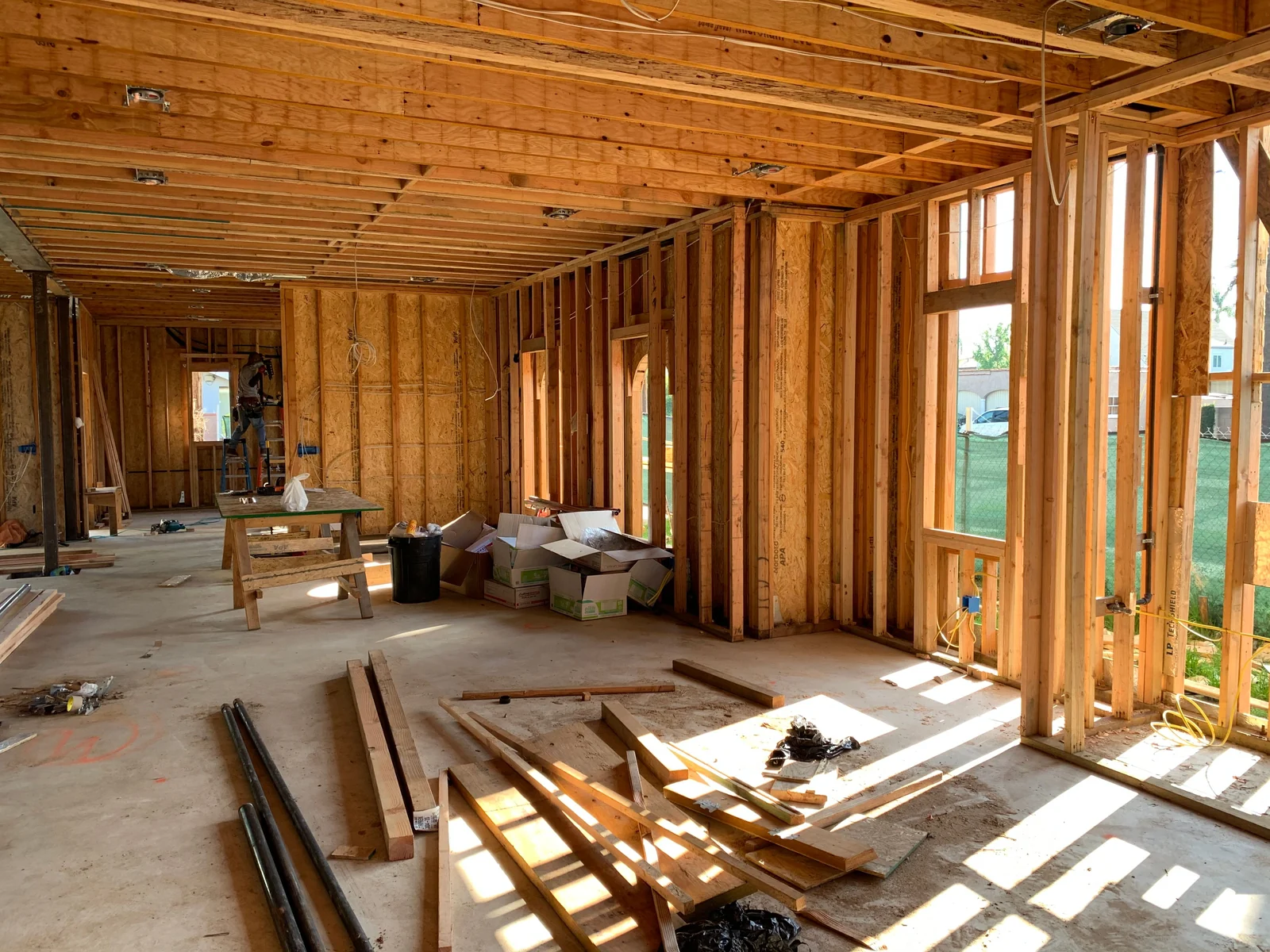
Ask for a marked plan showing proposed device positions. Three motion detectors in suitable locations can mean something very different from three placed where cabling is convenient. The specification should make clear what events the system is intended to detect.
Keep, improve or redesign?
Keep it
The specified equipment and layout fit your needs, support is available and the handover includes testing and clear access.
Improve it
A limited change adds useful coverage, better controls or a compatible reporting path without discarding a sound foundation.
Redesign it
The package cannot reasonably deliver required coverage or operation. Compare a documented alternative before committing.
Ask each provider to explain the practical result, not just the brand difference. An upgrade should solve a named problem: for example, a garage route left unprotected or an occupied-home mode that the household needs.
Test the plan against the way you enter and leave
Walk through the floor plan from the front door, garage connection, side door and rear entrance. Identify the route used most often. The keypad location, entry delay and detector arrangement should support normal use without requiring an awkward detour.
Consider who may remain inside when someone leaves. Home offices, older relatives, teenagers and shift workers can make a simple “everyone out at nine” assumption unsuitable. Ask which mode or grouping arrangement the proposed equipment can provide.
Do not assume a detector symbol means a door or window is individually monitored. Motion detection, opening detection and glass-break detection have different roles. Ask the installer to explain what the chosen layout detects and what it does not.
Plan night use before walls are closed
If you want protection while sleeping, explain the movements the household needs: bathroom trips, a child’s bedroom, kitchen access and late arrivals. A stay or night mode needs selected devices and suitable programming, not simply a label in a brochure.
Window and door contacts may be useful where an opening should be detected while indoor movement remains allowed. Whether wired or wireless devices suit the building depends on the construction, access and equipment. Do not assume a finished home must be opened up everywhere to make an improvement.
Where wiring is being installed, agree locations before rough-in and document any changes. SIPKO’s security and smart-home pre-wiring service can support planning, but the required cable types and routes still depend on the actual design.
Wired, wireless and hybrid: compare the whole installation
Wired devices can be practical during a build when access is available. Wireless devices can suit locations where cable access is difficult or requirements change later. A hybrid design may combine both, subject to panel and device compatibility.
Ask how wireless signal performance will be checked after walls, doors, cupboards and other finishes are complete. A favourable test during framing does not establish final performance in a finished house. Likewise, wired circuits need inspection and functional testing rather than being accepted because cable is present.
For a wired-device reuse example, Ajax’s MultiTransmitter documentation describes integration of compatible third-party wired devices. It does not make every detector, keypad or cable suitable for every new system. Any reuse proposal needs a component-specific check.
Ask about communications and ongoing costs
Find out whether the package is local-only, app-enabled, professionally monitored or designed to support a later service. These are different outcomes. “Smart alarm” is not a sufficient specification.
For remote functions, identify the normal communication path and any backup. If cellular service is proposed, ask who supplies and pays for it, which equipment is compatible and how operation will be tested. Do not assume an empty SIM slot means a working backup service is included.
Record monitoring, cloud, mobile and support fees separately from the installation price. Ask who provides each service and what happens if you change internet provider, sell the home or choose another monitoring company later.
Account ownership belongs in the handover discussion
Ask who will create the owner account and what administration rights the household receives. Avoid an arrangement in which the new home’s everyday operation depends on a builder’s employee retaining the only login.
Professional access may be useful for maintenance, but its scope and duration should be understood. Ask how temporary trade access is removed and how future providers can be authorised. A user code, installer configuration access and cloud ownership are not interchangeable.
Before handover, request a list of included physical controls and current users. The exact account-transfer steps vary by manufacturer, so the installer should demonstrate the supported process for your model rather than making a generic promise of “full access”.
Compare a variation with the original scope
Ask for an itemised explanation of the proposed change: equipment removed, equipment added, any credit for omitted inclusions, extra labour, cabling and testing. Confirm who is responsible for the revised design and whether it affects the construction programme.
Consumer Affairs Victoria’s building-contract guidance is a useful starting point for documenting scope and changes. Have the builder explain the applicable variation process before work proceeds, and obtain advice on disputed terms rather than relying on a security brochure.
Coordinate any independent installer through the builder or site supervisor. Do not arrange unapproved site access or ask a second trade to alter another contractor’s work without agreement. Clear responsibility is particularly useful if a later fault concerns wiring, power or programming.
The questions to ask before accepting the package
- What exact panel, controls, detectors and sirens are included?
- Which openings, rooms and routes are covered?
- What mode can be used while people are home?
- How are pets and normal household movement accommodated?
- What backup power and remote reporting are included?
- Who owns the hardware and administers the account?
- Which fees and ongoing services are optional?
- Who commissions, demonstrates and supports the installation?
- What compatible expansion remains possible?
If a response is simply “the electrician takes care of it”, ask who designs and commissions the alarm itself. Check the relevant security activities through the Victoria Police public register when selecting the security provider.
What should happen at practical handover?
Have the installer demonstrate each agreed mode, the normal entrance route and the response to a fault. You should be able to repeat the everyday controls yourself. Test results should match the final layout, including any changes made during construction.
Ask for a zone list, manuals, service contacts and details of batteries and communications. If monitoring is included, arrange an agreed test and confirmation from the receiving provider. An installer showing an app screen is not proof that monitoring reports are being received.

Record unresolved items and who will fix them. A missing detector label or an uncompleted account transfer can be easy to overlook during a busy move, but both affect practical use. Keep the alarm handover alongside the other building documentation.
When keeping the standard package makes sense
If the proposed layout covers your needs, controls are usable and support is clear, keeping the package can be a sensible decision. There is no benefit in replacing sound equipment just to match a preferred brand name.
Spend first on gaps that affect the intended protection. A needed door contact or suitable keypad position may matter more than an optional automation feature. Ask whether a planned future requirement can be supported without buying every accessory now.
After moving in, review how the household actually uses the home. A small adjustment to programming or labels may be enough. SIPKO can assess alarm installation options where a documented gap needs addressing.
Two examples of a proportionate decision
A family with a suitable included panel and good ground-floor coverage may only need an additional compatible contact and a demonstrated night mode. The useful upgrade is specific; changing every detector would need a separate reason.
A different household may discover that the package’s capacity, control arrangement or service dependencies cannot meet its requirements. A redesign can then be sensible, provided the comparison explains retained infrastructure, final coverage, ongoing costs and handover.
Neither example establishes a fixed price threshold. Compare what the home will have at completion and how reliably the household can use it, not how impressive the optional-upgrade list looks.
Check what a variation actually replaces
Ask whether an upgraded item replaces an included component or is an additional charge on top of it. Have the revised equipment list and drawings reconciled so there is one current version for the builder, installer and owner. A verbal discussion about adding a device can otherwise leave everyone working from different assumptions.
At handover, compare the installed system with that agreed version. Record omitted or substituted items for clarification, including any effect on promised functions, warranty or service support. This is a scope check, not a reason to assume every substitution is unsuitable.
FAQ
Are builder-included alarms always basic or unreliable?
No. Assess the exact equipment, design, commissioning and support. A modest package can be suitable when it meets the home’s requirements.
Should I upgrade before construction finishes?
Resolve layout and infrastructure decisions early where possible. Optional features can sometimes wait, but compatibility and access should be checked before finishes make work more difficult.
Can I keep the wiring and change the panel later?
Possibly. Wiring condition and compatibility of detectors, keypads, sirens and communications must be assessed. A new panel does not automatically support all existing accessories.
Does an included app mean monitoring is included?
No. Confirm the remote-control function, receiving provider and separate service agreement. App notifications and professional monitoring are different arrangements.
Who should own the alarm account?
The homeowner should understand and receive the agreed owner administration arrangement. Any continuing professional access should be explained and authorised through the platform’s supported process.
Choose the scope that fits the finished home
A useful comparison starts with a marked plan, named equipment and the household’s routines. SIPKO can review those details for a Melbourne build and explain whether to keep the package, improve part of it or consider another design.



