
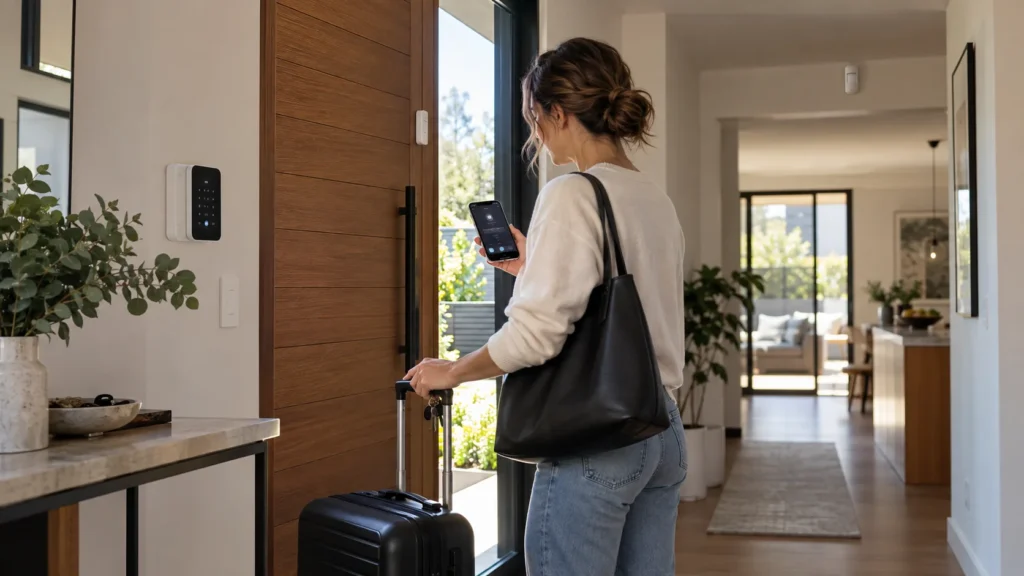
You can have an alarm, cameras and phone notifications all set up and still find out after you’ve left that one part of the chain wasn’t ready. A camera stopped recording. Alerts were going to an old phone. The person who was meant to check on the house didn’t know they were the one.
Having equipment installed and having it tested before the house sits empty are two different things. The first happens once. The second is worth doing every time you go away, because the conditions that let a system get by in everyday life disappear as soon as nobody is home. The time to find a problem is while you can still do something about it.
Why a Working System Can Still Let Down an Empty House
Most home security systems get a quiet, informal check every day without anyone calling it that. Small problems are often noticed simply because somebody is there to see or hear them.
When the house is empty, that layer disappears. A fault that would have been spotted over breakfast can sit there for the whole trip. That doesn’t mean every unnoticed problem leads to a break-in. It means you can’t count on noticing it in time, and the gap between something going wrong and someone finding out gets much longer.
The things you normally notice without thinking about them can include:
- a warning or fault showing on the alarm;
- a camera feed or recording that is no longer available;
- a door, window or gate that isn’t securing properly;
- an alert that isn’t reaching the person who is supposed to receive it.
The effect is strongest for properties that are left for long stretches. A holiday house that sits empty between visits may go weeks without anyone walking through it, and that extended absence shapes how SIPKO approaches security for holiday homes in Sorrento.
For an ordinary home, the fix is simpler: before you leave, do deliberately what daily life normally does by accident.
Start the Check Early Enough to Fix What You Find
A check done while you’re loading the car can only tell you something is wrong. It can’t give you time to do anything about it. A faulty detector, an expired app login or a camera that won’t reconnect may need a part, a service visit or simply a quiet hour you won’t have on the day.
A simple way to spread the work out:
The timing isn’t a rule. A weekend away and a month overseas carry different stakes. What matters is that the parts most likely to need fixing get looked at first.
Test the Chain, One Link at a Time
A security system is a chain: something is detected, something happens on site, someone is told, and there’s evidence to look at. Each link can fail independently, so each one is worth testing on its own.
Detection
Seeing a detector listed as online in the app isn’t the same as seeing it react. The useful test is whether the detectors you rely on respond to what they’re meant to pick up: a door opening, movement in a hallway.
Many systems include a way to do this without setting off a full alarm. Ajax, for example, offers a Detection Zone Test for its motion detectors: during the test the detector’s light stays on and turns off when it detects movement, and the app shows a notification confirming it. Other systems have their own walk-test or test mode, usually described in the user manual.
Local Response
If you expect a siren or another action at the property when the alarm goes off, confirm that it happens. If your system is professionally monitored, check with the monitoring provider before carrying out a test that could generate an alarm signal, and follow the testing procedure they give you. Don’t assume a test event will be treated as a test. It’s also considerate to let close neighbours know if they’re about to hear a siren.
Notifications
“Notifications are on” is a setting, not a test. What you need to know is whether a real event reaches the phone you’ll be carrying, and the phone of anyone else who should hear about it.
Notification methods don’t all rely on the same thing. Ajax documents three: push notifications through its app, which travel via its cloud service over the internet, plus SMS and phone calls, which go out through the hub’s mobile connection. Check which methods your system uses, and confirm the right people receive them.
Cameras
If you plan to rely on camera footage to check what’s happening, open the app before you go. Check the live view, then play back something recent to confirm the camera has been recording. A green status icon isn’t the same thing as a completed test, and the airport is a bad place to discover that a camera stopped recording three days ago.
A pre-trip test has only passed when:
- the expected event is detected;
- the expected local response occurs;
- the intended recipient actually receives the notification;
- any camera evidence you plan to rely on can actually be viewed.
Testing before you leave and dealing with a real event while you’re away are different questions. If you want to understand the second, see our guide on what happens if your alarm goes off while you’re away.
Check What the System Is Relying On
A system can pass every test on the day and still be one dependency away from going quiet. Before you leave, look at what it needs to keep working.
Start with any active faults or warnings in the app or on the keypad, and don’t leave one unexplained. Then check the basics the system runs on: that the hub or panel has power and its backup is in working order, that any network equipment the system uses to send alerts is powered and connected, and that the communication paths you expect it to use are active. If your system has a backup arrangement, such as a second connection or backup power for the router, confirm it’s in place rather than assuming it.
How much each of these matters depends on how your particular system is built. For a fuller explanation of the layers involved, see our article on what a wireless alarm still depends on.
Confirm Who Will Act If Something Happens
An alert is only useful if someone is in a position to do something with it. If that person isn’t you, or isn’t only you, the days before you leave are the time to confirm they’re ready, rather than finding out when an alert arrives.
Before you go, check that:
- the person you’re relying on knows they’re the one, and what’s expected of them;
- their contact details, and yours, are current;
- any access they may need has been agreed in advance rather than improvised after an alert;
- if you use professional monitoring, the provider has current contact details for everyone on the list.
It’s worth being clear with whoever you nominate that they shouldn’t put themselves at risk trying to deal with a situation that looks unsafe. Their role is to be reachable and to follow what’s been agreed, not to investigate on their own.
If you rely on a monitoring service, the contact list is often the part that’s drifted out of date. How that side of the response works is covered on our page about professional alarm monitoring.
The Physical Basics, Kept Short
Technology aside, a few physical checks are worth doing before you leave:
- Doors and windows — including the internal door from the garage and any sliding doors, not just the front door.
- Gates — closed and latched, especially side gates that are easy to overlook.
- Mail — Australia Post’s Mail Hold service keeps letters and parcels it delivers for a period from one week to 12 months, and you can apply online or at a Post Office.
- Other deliveries — pause anything expected from other couriers, or ask someone to collect it.
Departure Day: The Last Five Minutes
By departure day, the work should already be done. This is a final confirmation:
- the system is armed as intended;
- no unexplained active fault is being ignored;
- the cameras you intend to use are reachable;
- notifications have already been tested;
- your responder knows you’re leaving;
- doors, windows and gates are secured.
Departure day is for confirmation, not troubleshooting. If an earlier check turned up a fault you can’t confidently fix before you leave, it’s better dealt with before the house is left unattended. SIPKO Security provides security system maintenance and support for existing alarms and cameras across Melbourne.
Frequently Asked Questions
How far ahead should I check my security before a holiday?
There’s no fixed rule. The aim is to check early enough that you still have time to fix anything you find, whether that means changing a setting, replacing a part or booking a service visit. Departure day itself is best kept for a final confirmation rather than a first test.
Should I tell my monitoring provider before testing the alarm?
Yes, if your system is professionally monitored. Check with the provider before carrying out a test that could generate an alarm signal, and follow the testing procedure they give you rather than assuming the event will be treated as a test.
What should my neighbour or keyholder actually know?
That they’re the nominated contact, how to reach you while you’re away, and what access has been agreed in advance. They should also know they aren’t expected to deal with anything that looks unsafe on their own.
Does Mail Hold stop parcels from other couriers?
No. Australia Post’s Mail Hold applies to items Australia Post delivers. Deliveries from other couriers need to be paused or redirected separately, or collected by someone you trust.
Sources


