
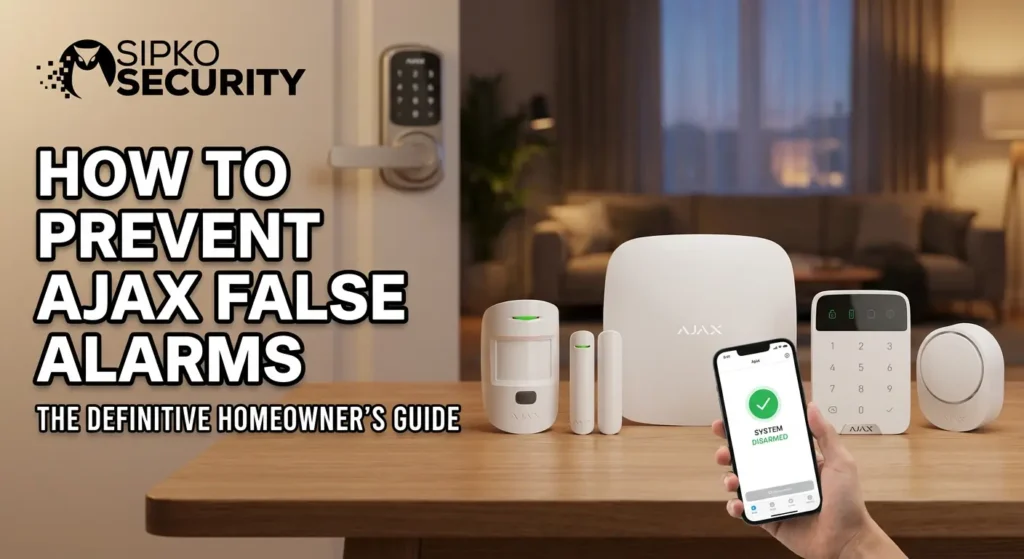
How to Prevent Ajax False Alarms: The Definitive Homeowner’s Guide
If your Ajax alarm keeps waking you up at 3am for no reason, this guide is for you. We’ll walk through every common cause of Ajax false alarms and show you exactly how to fix them.
⚡ Ajax Alarm Problems: Quick Answers for Stressed Homeowners
Indoor motion sensors firing while the whole household is sleeping?
Outdoor detectors firing every time the wind picks up or a car passes?
Pets setting off motion sensors during armed periods?
Stream of malfunction or offline device alerts that mean nothing?
1. Ajax Alarm Problems: Understanding What’s Actually Happening
You invested in a premium Ajax security system to protect your Melbourne home. Instead, you’re getting phantom alerts at midnight, outdoor sensors firing every time the wind picks up, and a stream of app notifications that mean nothing. It’s exhausting, and it makes you question whether the system is working at all.
Let’s clarify some terms. A false alarm is when your system responds to something that isn’t a security threat—no intruder, no break-in, just a trigger that shouldn’t have happened. That’s different from a real intrusion event (someone actually forcing entry) or a technical fault (hardware failure causing unexpected behaviour). Most Ajax alarm problems fall squarely into the false alarm category.
🛡️ Here’s the Reassurance
Ajax systems comply with international security standards and feature an anti-sabotage system for added security. In our experience from 2022 through 2026, the vast majority of problems we resolve are configuration or installation related—not hardware failures. Most Ajax alarm issues are resolvable using the Ajax app with the right guidance. If DIY fixes don’t solve it, SIPKO Security can inspect and re-configure existing Ajax devices across Melbourne—no need to start from scratch.
2. Why False Alarms Matter More Than You Think
Research consistently shows that 80% to 90% of burglar alarm activations are false positives—no crime found upon dispatch. For Melbourne homeowners and business owners, this translates into real consequences.
The Real Costs
- Council and police fines for repeated false dispatches
- Annoyed neighbours who stop taking your siren seriously
- The “cry wolf” effect—when everyone ignores the alarm, including you
- Stress and sleep disruption, especially with overnight triggers
- Reduced monitoring response if your system has a high false alarm rate
The Key Insight
Over half of false alarms in monitored security alarm system setups come from user mistakes during arming and disarming—rather than detector faults. That means preventing false alarms is largely within your control, and it’s part of getting full value from a modern Ajax security system, not just a nice-to-have.
3. How an Ajax Security System Actually Works (And Where Things Go Wrong)
Understanding the architecture helps you understand what can misfire. An Ajax alarm system centres on the hub—the control panel that communicates with every device. Ajax uses the Jeweller protocol with a 2000m range for wireless communication, and the Fibra protocol for wired installations. The hub communicates with devices every 30 seconds, constantly checking status.
Here’s how intrusion detection normally flows: a sensor is triggered → the hub checks device status → siren activates, the app sends a notification, and your monitoring station is alerted.
🔧 Ajax’s Built-In False Alarm Reduction Features
Ajax has built specific features to reduce false positives at each stage:
- Photo verification via MotionCam devices
- Night mode for overnight protection
- Entry and exit delays
- Alarm confirmation through cross-zone logic
- System integrity check before arming
This guide covers three broad categories of Ajax alarm problems: user and configuration errors, environmental and installation issues, and genuine hardware faults (which are rare). SIPKO Security designs Ajax systems property-by-property across Melbourne, factoring in building materials, pets and layout to avoid these problems from day one.
If repeated activations continue after the basic checks, arrange Ajax false-alarm diagnosis in Melbourne so detector placement, sensitivity, event history and system settings can be checked together.
4. Most Common Ajax False Alarm Causes in Real Homes
Before diving into detailed fixes, here’s a high-level overview of what triggers most false alarms in real Melbourne homes.
Incorrect Arming Mode
Full arming when night mode would be appropriate, or rushed entry without enough time to reach the keypad. Insufficient exit delay causing re-entry triggers is another common offender.
Pets & Moving Objects
Pets or curtains tripping indoor motion sensors. Ajax’s pet immunity and SmartDetect algorithms are capable, but can’t compensate for every installation or user mistake—sensor angle and mounting height are critical.
Outdoor Detector Placement
Poorly placed outdoor detectors facing trees, fences or driveways. Weather—wind, rain, direct sun—heating or moving objects in PIR detection zones is one of the most frequent issues SIPKO technicians resolve across Melbourne’s bayside suburbs.
System Setup Gaps
Arming with known malfunctions such as open windows or low batteries. New user confusion with guests, cleaners or tenants unfamiliar with the system accounts for a significant share of false dispatches. Check our Ajax setup guide for help.
5. User & App Mistakes That Cause Ajax False Alarms
“Human factors” cause more Ajax false alarms than faulty devices. Based on SIPKO field experience in suburbs like Brighton, Kew and Toorak, the pattern is consistent: the hardware is perfectly fine, but someone armed the wrong mode, rushed through the door, or forgot to tell the cleaner the code.
Wrong Arming Mode: Night Mode vs Full Arming
Night mode arms only the perimeter—door contacts, window sensors, outdoor detectors—while letting you move freely inside. Full arming secures every detector, including indoor PIRs.
The typical scenario: a homeowner taps full arming from the Ajax app or keypad at bedtime, then walks to the bathroom at 2am, triggering indoor motion sensors. The siren blasts, the monitoring station calls, and everyone’s heart rate spikes. To prevent this, activate night mode from the app, keypad or SpaceControl fob every evening. Enable the “Unvacated premises” feature so the system automatically switches to night mode if no one actually leaves during the exit delay.
Rushed Entry and Late Disarming
The pattern: user opens the front door, gets distracted by keys, kids or parcels, runs to the keypad too late, and the siren fires. Ajax features that prevent this include properly configured entry delay, alarm delivery delay (abort window), keypad auto-wake on entry, and audible beeps as the countdown expires. SIPKO typically sets 20–30 seconds entry delay for front doors and shorter delays for internal garage entries with a keypad right beside them.
Consider using contactless access—Pass cards, Tag fobs, or smartphone NFC where supported—instead of long PIN codes. You can also configure the system to disable local siren blare during the abort window so anxious users can disarm calmly.
Not Enough Time to Leave After Arming
Short exit delays cause users to trigger motion detectors when they re-enter to grab a forgotten phone, drink bottle or school bag. Ajax’s “Exit time restart” behaviour can be configured so re-opening the main exit door restarts the countdown. For homes, 30 seconds of exit delay usually works. SIPKO installers test exit routines with owners on commissioning day to confirm the timing feels natural.
Arming While People or Pets Are Still Inside
Someone arms the system remotely via the Ajax app while tradespeople, cleaners or visitors are still inside the house. Use the Unvacated premises feature so full arming only applies if the exit door is opened and closed during the exit delay window. Consider adding separate groups for garages, offices or granny flats so you can arm some areas while leaving others disarmed when occupied.
For pets, remember that “pet immunity” is not magic: large, energetic dogs or cats jumping on benches can still trip detectors if configuration and mounting height are wrong. Use night mode combined with DoorProtect and GlassProtect for pet-heavy areas instead of relying solely on indoor PIRs.
👥 Disarming Confusion for New or Temporary Users
New staff, house-sitters, tenants or Airbnb guests who don’t realise the Ajax alarm is activated will inevitably trigger it. Best practices include dedicated user profiles in the app, separate codes on the keypad, and printed instructions near the entry door. Melbourne landlords using Ajax in rental properties should prepare a simple one-page quick-start guide including night mode, the panic button location, and emergency contact details. To understand what happens when your alarm goes off, this preparation is essential.
6. Installation & Environment Issues That Trigger Ajax False Alarms
Ajax devices are tested against international standards, so repeated random false alarms usually point to installation or environmental issues rather than manufacturing defects. SIPKO Security often fixes systems originally installed by non-specialists by re-positioning a handful of devices rather than replacing everything.
Outdoor Detectors & Weather
Melbourne’s bayside suburbs are notorious for wind. Outdoor motion detectors trigger on moving trees, passing cars and heavy rain when mounted at incorrect heights or angles. Ajax’s intrusion alarm confirmation (cross-zone logic) can help by requiring two separate detectors to trigger within a set time before generating a full alarm. Regular garden maintenance—trimming shrubs and tree branches within the detection cone—prevents movement near the sensor lens.
Motion Sensors Watching the Wrong Things
Indoor motion detectors can false-trigger if they “see” moving curtains over a hot window, ceiling fans or direct sun heating objects in their field of view. Ajax PIR motion detectors should be mounted between 2.3 and 2.4 metres high, avoiding large glass areas or heat sources. SIPKO technicians routinely walk-test detectors with owners, simulating pet and human movement to confirm stable operation before handover.
Vibration, Doors & Glass Break Problems
Common DoorProtect and GlassProtect false alarm causes include loose mounting on warped timber frames, slam-shut doors in windy weather, and rattling glass. Mount on solid, flat surfaces with correct magnet gap as per Ajax spec. In the Ajax app, you can configure glass break detector sensitivity to suit double-glazed versus single-glazed windows and noisy streets.
Radio Interference & Range Problems
Thick double-brick, concrete slabs and metal sheet roofs weaken Jeweller radio signals. Standard Wi-Fi boosters do not help—only an official Ajax ReX range extender is designed to repeat the Jeweller signal correctly. Place the hub at least 2 meters high, mounted vertically, and keep it at least 1 meter away from Wi-Fi routers. The average noise level should be -80 dBm or below for optimal performance.
7. Smart Ajax Features That Dramatically Reduce False Alarms
Ajax Systems has built multiple software layers specifically to prevent false alarms. Many Melbourne owners simply haven’t had them set up correctly. Review these settings with your installer or SIPKO technician rather than guessing in the app.
System Integrity Check
The hub checks device status—battery, lid tamper, signal, power, connection—before allowing arming. Navigate to Hub → Settings → Service → System Integrity Check in the Ajax app and choose which conditions must be clear before activation. Disable “arming with malfunctions” so you don’t unintentionally arm a partially broken system. SIPKO routinely enables and configures this during professional installations.
Alarm Confirmation
Alarm confirmation requires two independent detectors to trigger within a short window before treating the event as a confirmed intrusion—for example, an outdoor detector plus DoorProtect on the same entry, or two motion detectors covering a hallway from different angles. This cuts down on single-detector false positives from wind, small animals or random environmental noise. Monitoring stations give higher priority to confirmed alarms.
Night Mode Configuration
A typical SIPKO configuration: DoorProtect on front and rear doors, perimeter motion detectors or MotionCam Outdoor active, internal PIRs disabled while bedrooms and hallways stay free. Teach all family members a simple routine: arm at bedtime via keypad or fob, disarm before the first person comes downstairs.
Photo & Audio Verification
Ajax MotionCam captures up to 5 photos on alarm activation, sending them to users within seconds via the app. Photo verification can reduce false alarms by 70%—homeowners can see the cause (a family member, pet or cleaner) before responding or dispatching patrol. MotionCam and MotionCam Outdoor are must-have devices for higher-risk entries, back lanes and garage areas.
⏱️ Fine-Tuning Entry/Exit Delays
Generic factory delays often don’t match how a particular family uses their home. Walk your normal route from door to keypad with a timer, then add 5–10 seconds as a safety buffer when setting delays in the Ajax app. The alarm delivery delay (abort window) acts as a second safety net, giving an extra 15–30 seconds to cancel genuine mistakes before alerts go out to the monitoring station. Check our maintenance guide for more tips.
8. When It’s Not a False Alarm: Recognising Real Ajax Faults
There’s a difference between false alarms (the system doing its job on non-threats) and genuine malfunctions causing incorrect behaviour. Signs of real faults that need immediate attention from a licensed technician:
Warning Signs
- Repeated malfunctions on the same device despite good installation
- Random triggers with no pattern, combined with tamper, low-voltage or sensor error messages in the app
- Multiple devices showing offline, disabled, or responding erratically
- Fibra-specific issues such as low line voltage, short circuits, or ring connection errors
Battery & Firmware Notes
Cold temperatures can weaken battery performance in Ajax devices. Ajax recommends using high-quality Lithium batteries for better performance. Ajax systems can operate for up to 4 years on pre-installed batteries under normal conditions, but harsh environments shorten that lifespan. Firmware updates can temporarily cause devices to appear offline—check firmware versions and ensure all devices and the hub are updated to the latest stable release before declaring hardware as faulty. See our guide on outdated systems for more.
If the checklist does not identify the cause, book an Ajax system fault assessment rather than repeatedly disabling sensors or changing settings without a confirmed diagnosis.
9. Step-by-Step Checklist to Prevent Ajax False Alarms
Print this and work through it in 20–30 minutes. No advanced technical knowledge required.
- Verify Arming & Disarming Routines: Confirm every household member knows which mode to use and when—night mode versus full arming.
- Adjust Entry/Exit Delays: Time your actual walk from door to keypad and add a 5–10 second buffer in the Ajax app.
- Review Night Mode Configuration: Ensure only perimeter devices are enabled; internal PIRs should be off overnight.
- Check Detector Placement: Confirm mounting heights between 2.3–2.4m, correct angles, and that no new furniture or plants have entered detection zones.
- Trim Vegetation Around Outdoor Sensors: Branches within the detection cone are the most common outdoor trigger.
- Enable System Integrity Check: Prevent arming with open windows, low batteries or offline sensors via Hub → Settings → Service.
- Run a Controlled Test Evening: Arm the system, move through usual paths, trigger detectors intentionally, and confirm feedback matches expectations.
- Keep a Simple False Alarm Log: Record time, device name, weather, and occupant activity to identify patterns.
⚠️ Important: Avoid disabling sirens or detectors just to stop nuisance alarms. That approach undermines your residential alarm system completely and leaves your property exposed. A connected, well-configured system is a secure system.
Can’t Stop the Beeping?
If your alarm is triggering for no reason and you’ve tried everything, do not just turn it off and leave your home vulnerable.
Repeated false alarms from the same detector, unexplained overnight triggers, constant malfunction or offline statuses—these are signs your system needs professional attention. Our licensed Melbourne technicians can perform a Professional System Audit to find the exact “bad actor” in your setup, covering signal strength testing, mounting and angles, night mode logic, and full firmware verification.
Book a Tech Visit Now10. When to Call SIPKO Security for Professional Ajax Support
Ajax is a premium alarm platform. Like any advanced system, it performs best when designed, installed and serviced by trained specialists. The installation process matters as much as the hardware itself.
Contact SIPKO When You See:
- Repeated false alarms from the same detector after trying the fixes above
- Unexplained triggers at night with no clear environmental cause
- Constant “malfunction” or “offline” statuses on one or more devices
- A large property with complex layout where signal coverage is uncertain
- Frustration with app configuration that hasn’t been resolved
What Our Ajax Health Check Includes:
- Signal strength testing across Jeweller and Fibra links
- Checking range extenders and mounting angles
- Verifying night mode and group logic
- Updating firmware across all devices and the hub
- Ensuring every point of entry is covered without gaps
We support both new Ajax installations and takeover or repair of existing systems around Melbourne’s inner, bayside and eastern suburbs. Whether it’s a single sensor that won’t stop triggering or a full system that needs re-commissioning, the goal is the same: your Ajax alarm system running quietly and reliably, with minimal false alarms and maximum security. Book a site visit or remote consultation with SIPKO Security and get your system working the way it was designed to—protecting your home without the drama.
Ajax False Alarm FAQ
Will my cat set off my Ajax alarm?
Not usually. Ajax sensors with pet immunity are designed to ignore animals up to 20kg and 50cm tall. However, “pet immunity” is not magic—a large, energetic dog or a cat jumping onto a bench directly in front of the lens occupies a larger part of the field of view and may trigger an alert. Use night mode combined with DoorProtect and GlassProtect for pet-heavy areas instead of relying solely on indoor PIRs. Strategic placement and correct mounting height are the secret.
Why does my smoke alarm go off while I’m showering?
Steam from showers or aerosol sprays (like hairspray) can be misinterpreted as smoke by the optical sensor. Ensure FireProtect detectors are placed at a safe distance from bathroom doors and away from kitchens where cooking steam is common.
Can I be fined for false alarms in Melbourne?
Yes. If your alarm triggers emergency services (like Fire Rescue Victoria) for a false trip, you may be issued a significant bill for the call-out. Repeated false alarms can also reduce how seriously monitoring stations and neighbours take your system, creating the “cry wolf” effect. Preventing false alarms preserves both your wallet and emergency resources for real crises.
Why does my Ajax system show devices as offline?
Devices can appear offline due to weak Jeweller signals caused by thick double-brick, concrete slabs or metal roofing—not because the device is faulty. Wet brick walls can block Ajax signals significantly, and metal surfaces can reflect them. Install an official Ajax ReX range extender to improve coverage. Also check that firmware is up to date, as updates can temporarily cause devices to appear offline before re-connecting.
Restore Your Security Confidence
Official Melbourne Ajax Support Hub
Don’t let false alarms make you ignore a real threat. Speak with a SIPKO specialist about a full system health check. We are Melbourne’s #1 team for Ajax installation and maintenance.
📧 Email Support
sipkosecure@gmail.com
📞 Hotline
0406 432 691
Sources and References
- Certified Ajax Installers Melbourne – Expert support and installation for the entire Ajax product range in Victoria.
- Victoria Police Home Security Tips – Government best practices for reducing false alarms and improving property safety.

