0406 432 691
Mon–Sat 8am–6pm
Licensed & Insured
Free Onsite Quote
Melbourne & Mornington Peninsula

Ajax Alarm System Installation in Melbourne

New Ajax Systems, Existing System Takeovers and Alarm Replacements

SIPKO Security installs and configures Ajax alarm systems for Melbourne homes and businesses. Services include new installations, takeovers of existing Ajax systems and replacement of older alarms. Each system is planned around the property’s entrances, internal movement, user routines and communication conditions, with mobile app control, individual users, Night Mode, event notifications, keypads, sirens and suitable detectors.

Ajax installation from AUD 2,880 including GST. The starting installation price covers the agreed Ajax equipment, onsite installation, Hub and app setup, user configuration, system testing and handover. Final cost depends on the property, equipment and installation scope.

Professional monitoring: AUD $48 + GST per month. This is a separate recurring monitoring service and is not part of the Ajax equipment or installation price.

Ajax Installation Services in Melbourne

  • New Ajax system: design and installation based on the property, entry points and required arming routine.
  • Existing Ajax takeover: review of the Hub, installed devices, account access, users and current configuration.
  • Older alarm replacement: assessment of existing Bosch, Ness, Hills or other equipment before an Ajax replacement is confirmed.
  • Ajax app setup: practical device names, system status, event notifications and everyday controls.
  • Individual users: separate access for family members, business owners, managers or staff.
  • Night Mode: configuration of selected protection for occupied homes when the detector layout and household routine support it.
  • Professional monitoring integration: preparation and testing of the Ajax system for connection to Intelligent Monitoring Solutions when monitoring is requested.
  • Commissioning and handover: communication, detectors, sirens, arming modes, app events and user operation are checked before completion.
The correct device count depends on the building and the areas that need protection. SIPKO plans the system around the site rather than applying the same detector package to every property.

Schedule Your Security Assessment

Call 0406 432 691 or send your details below.

On-site Ajax service area

Ajax Alarm Installation in South-East Melbourne

SIPKO Security provides on-site Ajax alarm installation, existing-system takeovers and commissioning in South-East Melbourne. This includes Hub setup, detectors, sirens, keypads, Ajax app configuration, individual users, Night Mode, system testing and preparation for professional monitoring where required.

Check the South-East Melbourne region View regional reference map

What Affects the Ajax Installation Price

The quote is based on the required coverage, equipment, communication conditions and installation work at the property.

Hub and communication requirements

Hub selection depends on device quantity, required functions, communication paths and the building layout.

Motion detector coverage

Room geometry, likely movement paths, environmental conditions and the required level of internal detection affect detector quantity and model selection.

Door and window protection

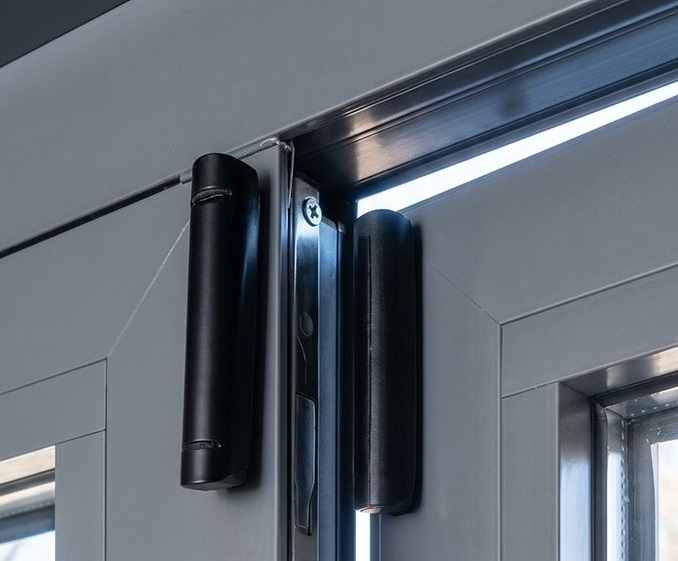
Accessible openings are assessed individually to decide whether opening detection, motion detection or a combination is appropriate.

Keypad requirement

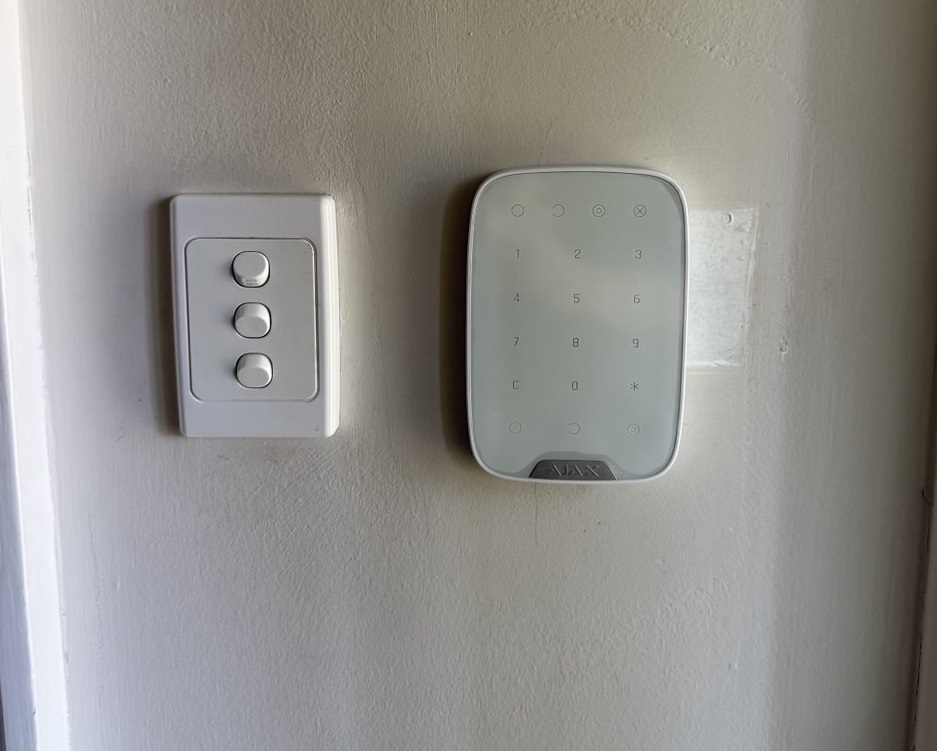
A keypad can provide convenient wall-mounted control, while other authorised users may operate the alarm primarily through the Ajax app.

Indoor and outdoor sirens

Siren type and position depend on sound coverage, visibility, property layout and the required alarm response.

Properties with pets

Detector model, mounting height, direction and room conditions need to account for pets to reduce unwanted motion alarms.

Garage or shed protection

Detached or separate areas can require additional detectors and communication testing between those locations and the main system.

Outdoor detection

Outdoor areas require suitable equipment and careful positioning around access routes, vegetation, pets and other normal movement.

Users and permissions

Homes and businesses may need multiple individual users with different access and notification settings.

Monitoring is a separate service

Professional monitoring is AUD $48 + GST per month. It is separate from the Ajax installation quote and is configured only when the customer requests monitoring.

Installation complexity

Multiple levels, difficult mounting positions, detached structures, older alarm removal and challenging radio conditions can increase the work required.

Where Ajax Can Be a Practical Fit

Ajax can suit many residential and smaller commercial properties that benefit from wireless detectors, mobile control and individual user access. The final design still depends on the building, communication conditions and required security functions.

Homes

Houses can combine door and window protection, internal motion detection, sirens, keypad control and mobile access without extensive new field-device cabling.

Townhouses

Wireless detectors can be useful where cable routes between levels are limited. Garage connections, external access points and communication between floors still need to be checked.

Apartments and Units

Apartment systems can remain compact with entrance protection, selected internal detection and app control. Building or tenancy requirements should be checked before equipment is mounted.

Small Shops

Retail systems can cover customer entrances, staff doors, stockrooms and selected internal areas, with separate users and an after-hours arming routine.

Offices

Offices can protect entrances, restricted rooms and after-hours areas while providing separate access for owners, managers and staff.

Rental Properties

Wireless alarm devices can reduce the amount of new cabling required in a rental property. Any necessary owner or building permissions should still be confirmed.

Properties With Difficult Cable Routes

Wireless detectors can reduce the need for new alarm cabling through finished walls, but construction materials and Hub location still affect communication.

Properties Requiring Mobile Control

The Ajax app provides remote status, arming controls, notifications and individual user access. Permissions can be set around the people who actually operate the system.

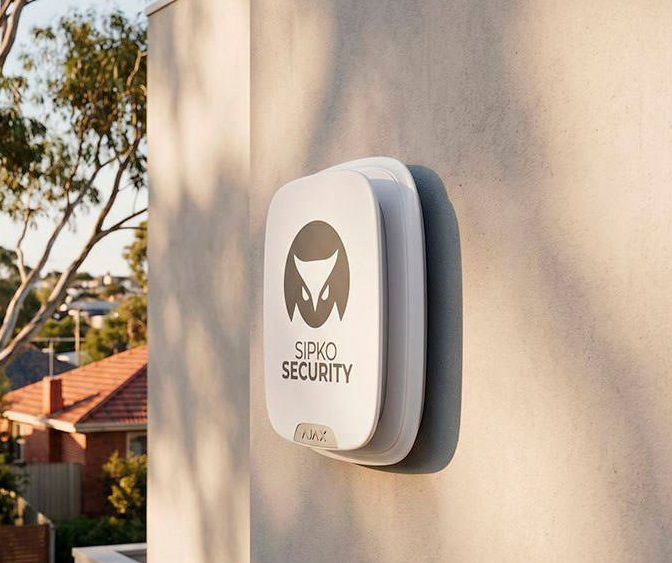
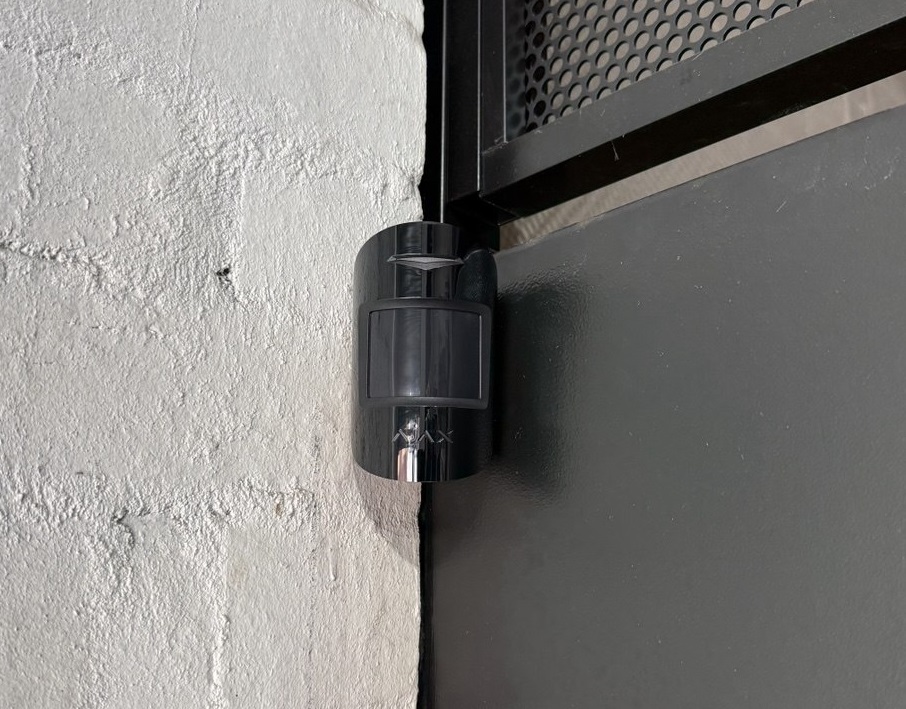
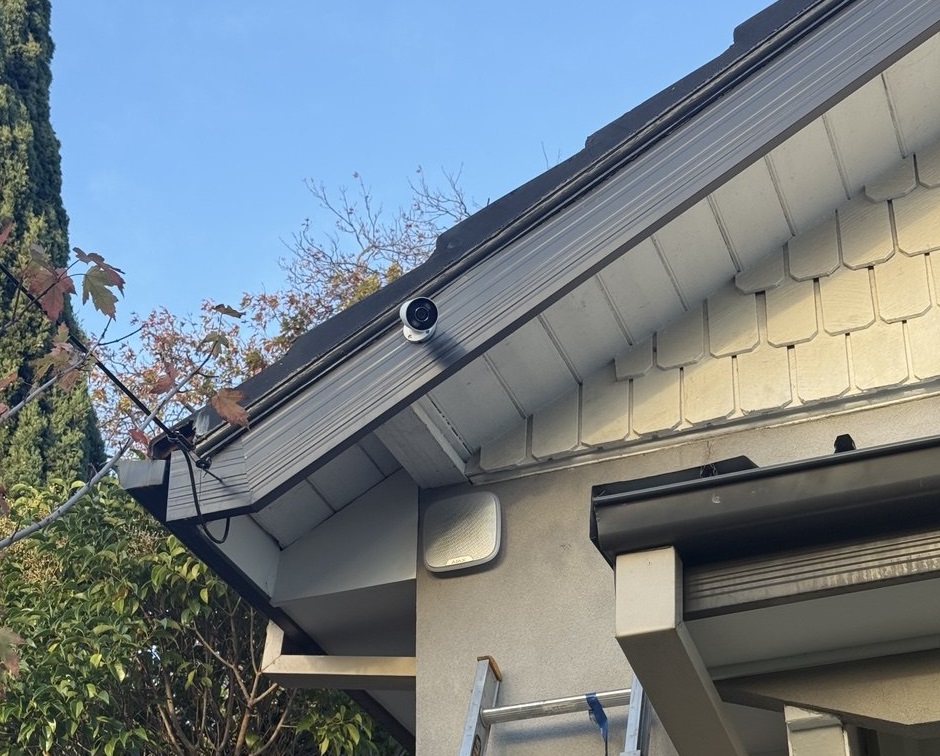
Ajax alarm system equipment installed at a Melbourne property

Wireless System Conditions to Check Before Installation

Building size, construction materials, detached areas and site-specific requirements can affect the design of a wireless alarm.

Large Buildings Require Communication Assessment

Large houses, warehouses, offices and multi-level buildings need an assessment of device distances, floors, construction materials and Hub position before the layout is confirmed.

Communication should be checked at the proposed device positions before final mounting.

Metal Structures Can Affect Radio Communication

Metal walls, sheds, reinforced areas and other dense construction materials can reduce or obstruct radio communication between the Hub and devices.

Onsite signal testing is more reliable than choosing positions from a floor plan alone.

Some Sites Need Range Extension

Detached buildings, long floor plans and difficult radio paths may require a compatible Ajax range extender or a different Hub and device layout.

Range extension should be added only when communication testing shows it is necessary.

Intrusion Alarms Do Not Replace Required Fire Safety Systems

Intrusion detection and mandatory fire-safety requirements are separate. An Ajax intrusion alarm should not be treated as a substitute for fire systems required for a particular building or occupancy.

Fire-safety obligations should be assessed separately from the intrusion alarm design.

Cameras and Intrusion Detection Have Different Functions

An alarm detects configured intrusion events and manages arming. Cameras provide live or recorded visual coverage. They can complement each other but do not perform the same job.

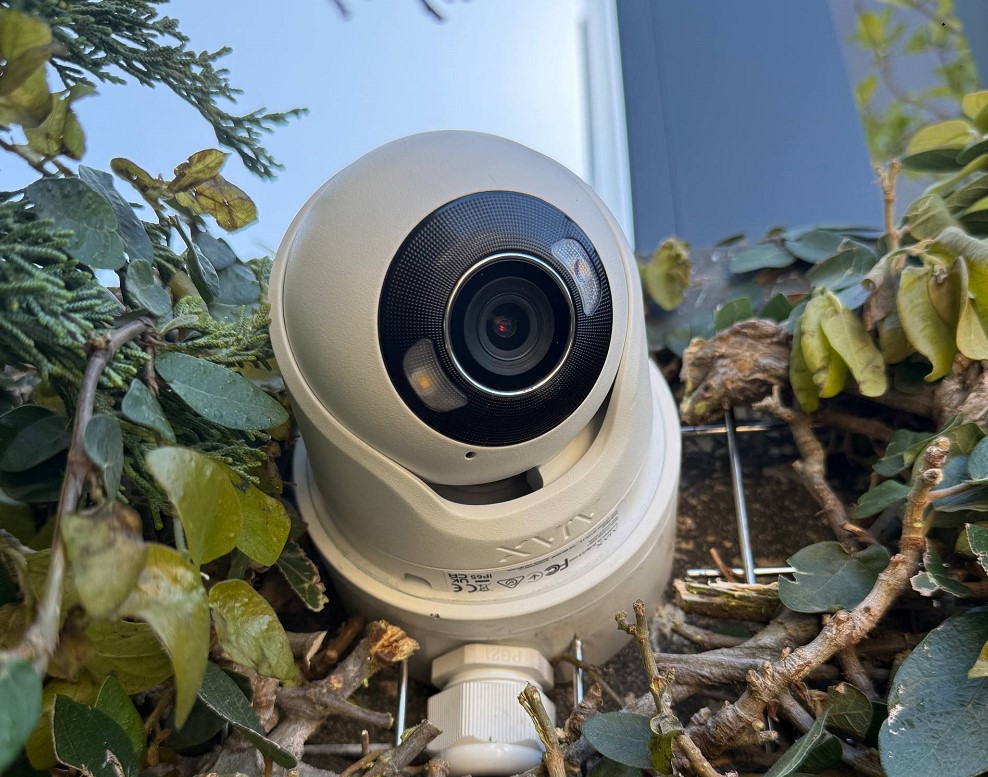
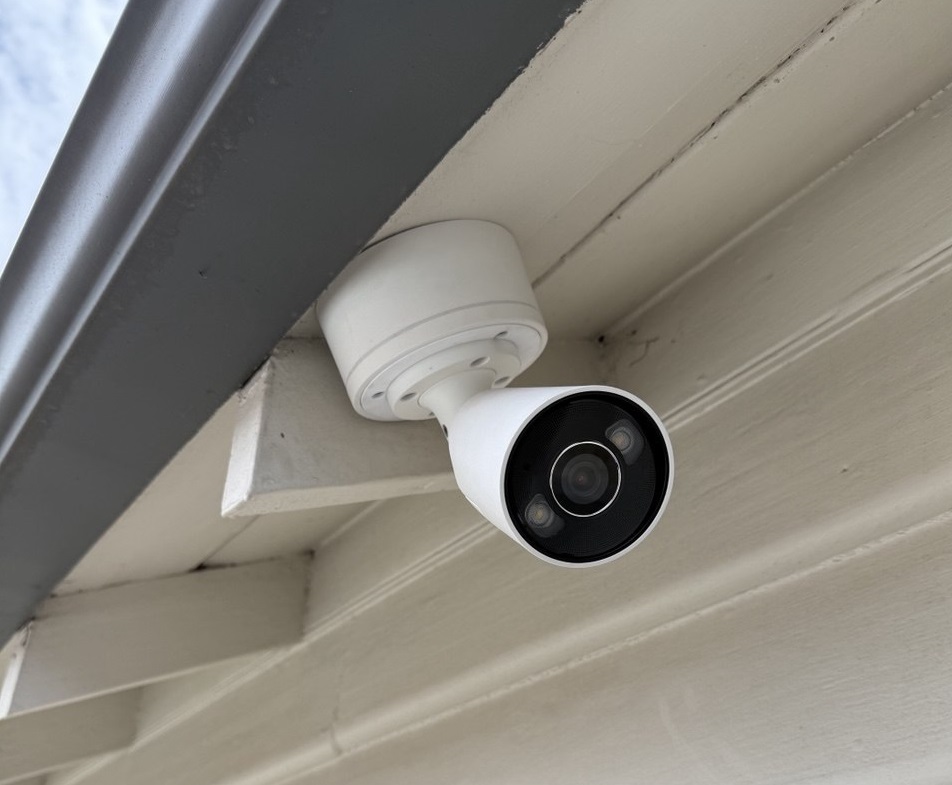
Ajax camera installation:

Ajax CCTV Camera Installation Melbourne — TurretCam & NVR Systems

Some Sites Need a Different Security Architecture

Building size, integrations, radio conditions or site requirements can make a wired, hybrid or differently structured system more appropriate than a standard wireless layout.

The system architecture should follow the site assessment rather than a fixed product package.

Installation Issues That Can Reduce Reliability

Reliability depends on planning, device selection, placement and commissioning rather than simply installing more detectors.

Hub Location Chosen Without a Communication Check

A convenient mounting point is not automatically the best radio location. Distance, building materials and multiple levels can affect communication.

Better approach: Check communication with the planned devices before the Hub position is finalised.

Important Entry Routes Left Without Detection

Protection should follow accessible openings and likely movement routes rather than a simple room count.

Better approach: Review front, rear and side access, accessible windows and internal approach routes before choosing detector types.

Garage or Detached Area Added Without Signal Testing

A garage or shed can be close to the house while its construction still weakens device communication.

Better approach: Test communication at the planned device positions before confirming the detached-area layout.

Siren Placement Not Planned for the Property

Sirens and app notifications serve different purposes. Siren type and position need to reflect the property and the required audible warning.

Better approach: Assess indoor and outdoor sound coverage instead of applying one standard siren configuration.

Detector Selection Does Not Account for Pets

Pet movement can cause unwanted alarms when the detector model, mounting position or room conditions are unsuitable.

Better approach: Follow the applicable detector instructions and test the room under normal household conditions.

Users Left With Shared or Unclear Access

Shared access makes event history harder to interpret and complicates changes when staff or occupants leave.

Better approach: Create individual users and assign the access each person actually needs.

No Complete Alarm Test Before Handover

Correct mounting does not by itself prove that the system is ready for everyday operation.

Better approach: Test detectors, sirens, notifications, arming modes and user operation before completion.

Handover Does Not Match the User’s Routine

A technically sound alarm can still be difficult to use if users do not understand Night Mode, permissions, notifications or normal arming behaviour.

Better approach: Complete the handover using the customer’s real day-to-day routine.
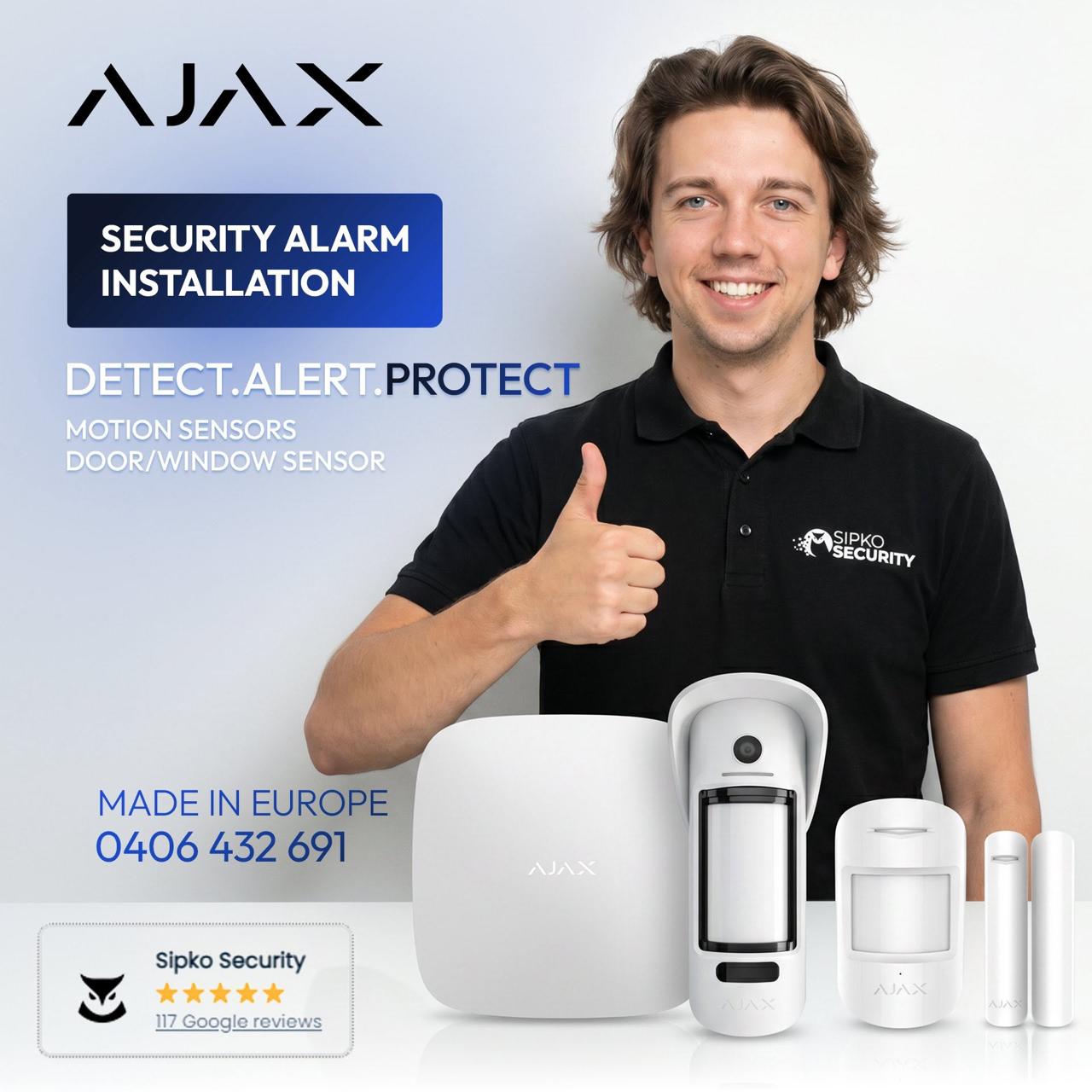
SIPKO Security technician working with Ajax alarm equipment in Melbourne
Professional installation

How SIPKO Plans an Ajax System

Planning begins with the building, the people using it and the areas that genuinely need protection.

Protection Map

The design starts with the routes a person could use to enter and move through the property.

  • Main, rear and side entrances are reviewed.
  • Accessible windows are considered separately.
  • Garage and internal approach routes are mapped.
  • Night-time movement is considered for residential systems.

Communication Plan

Hub and device positions are considered together so the design accounts for distance, walls, levels and detached structures.

  • Hub location is selected with device coverage in mind.
  • Difficult construction materials are considered.
  • Garages and sheds are assessed independently.
  • Range extension is considered only when needed.

User and Arming Workflow

The system is planned around the people responsible for arming, disarming and responding to events.

  • Family or staff users are identified.
  • Keypad and app use are considered together.
  • Night Mode or after-hours arming is planned in advance.
  • Monitoring requirements can be incorporated into the final setup.

Future Changes

The initial design should leave a practical path for changes in users, property use or required coverage.

  • Compatible devices can be assessed later.
  • Former users can be removed without sharing credentials.
  • New staff or household members can receive individual access.
  • Coverage can be reviewed if the property changes.
Need an Ajax System Planned for Your Property?

Call 0406 432 691 or send your suburb, property type, current alarm details and the areas that need protection.

Ajax Security for Melbourne Homes

Residential systems are planned around household access, normal movement and the areas that may need protection while people are at home.

Perimeter

Doors and Windows

Front doors, rear doors and accessible windows are assessed to determine which openings need direct intrusion detection.

Inside

Internal Movement

Hallways and internal routes can provide secondary detection so the system does not rely only on door and window contacts.

Separate areas

Garages and Sheds

Garages and detached structures can be included after communication and device placement have been assessed.

At night

Night Mode

Selected devices can remain armed while occupants are inside, based on the normal night-time movement through the home.

Access

Family Users

Family members can have individual access rather than relying on one shared account.

Response

Panic Controls and Mobile Alerts

Panic functions and mobile notifications can be configured to support the household’s expected response to an alarm event.

Ajax Security for Melbourne Businesses

Business systems are planned around staff access, restricted areas, opening and closing responsibilities and after-hours protection.

Staff Access and Separate Users

Owners, managers and employees can have individual access instead of sharing one account or common code.

Restricted Areas

Stockrooms, offices, storage rooms and other restricted spaces can receive protection based on how the premises are used.

Opening and Closing Responsibility

User access can reflect the people responsible for opening, closing and checking the premises.

Event History

Authorised users can review relevant arming, disarming and alarm activity associated with configured devices and users.

Rear Doors, Stockrooms and Offices

Staff entrances, rear access and restricted internal areas are assessed independently rather than treated as one general zone.

After-Hours Arming

The system can follow the required closing routine and protect the relevant areas once staff have left.

New Ajax System or Takeover of an Existing System

A new installation and an existing-system takeover involve different work. With an installed Ajax system, SIPKO first checks the equipment, account access, users and current condition before making configuration changes.

New Ajax Installation

A new installation may suit a property without an alarm or a site where an older system is being replaced.

  • Assess entrances, movement paths and areas requiring intrusion protection.
  • Install the Hub, detectors, sirens and keypad included in the final design.
  • Create users and configure the required arming modes.
  • Check device communication and alarm operation before handover.
  • Remove or replace older alarm equipment included in the agreed scope.
If an older alarm is present, its condition and the required replacement work should be assessed before the new system is finalised.
Ajax alarm device placement and installation at a Melbourne property

Professional Installation and Commissioning

Device Mounting and Communication

The final mounting positions need to provide suitable detection while maintaining reliable communication with the Hub.

  • Detector orientation checked against the protected area.
  • Radio communication checked at installed positions.
  • Detached locations tested before completion.

Clear App Setup

Meaningful names make alarm events easier to understand for owners, staff and the monitoring centre.

  • Rooms and devices named clearly.
  • Individual users configured.
  • Relevant notifications reviewed.

Arming Behaviour

Residential Night Mode and business after-hours arming are configured to match the expected use of the property.

  • Night-time movement checked for homes.
  • Opening and closing routines considered for businesses.
  • Responsible users given suitable access.

Final Commissioning

The system is tested as a complete installation rather than as a collection of individual mounted devices.

  • Alarm events generated and confirmed.
  • Sirens and notifications checked.
  • Arming and disarming demonstrated.
  • Monitoring transmission tested when the service is connected.

Professional Ajax Monitoring with Intelligent Monitoring Solutions

The Ajax app gives owners direct control and notifications, while professional monitoring adds a separate response path for selected alarm events. SIPKO Security can configure an Ajax installation for monitoring through Intelligent Monitoring Solutions so monitored alarms reach a 24/7 monitoring environment instead of relying only on someone noticing a phone notification.

Monitoring provider: https://www.intelligentmonitoringsolutions.com.au/video-monitoring-services/ajax/

AUD $48 + GST per month This is the recurring professional monitoring service fee. Ajax hardware, SIPKO installation and later equipment work are priced separately.

What Happens When a Monitored Ajax Alarm Triggers?

1

The System Detects an Event

A configured detector, panic device or another monitored Ajax device generates an event. The system identifies the device or protected area associated with that activation.

2

The Event Is Transmitted

The Hub sends the event through its configured communication path. Supported alarms and system events can be transmitted into professional monitoring software, including through Ajax Cloud-based monitoring connectivity.

3

The Monitoring Centre Receives It

The monitoring environment receives the selected event with the information available from the system. Compatible photo or video equipment can provide additional visual context when that functionality forms part of the monitored setup.

4

The Response Procedure Is Followed

The monitoring operator processes the event according to the instructions established for that monitoring account. Contacts, verification steps and escalation depend on the agreed service and response procedure.

Push Notification vs Professional Monitoring

Ajax App Notification

A push notification informs an authorised Ajax user about an event. That person still needs to see the alert, assess what happened and decide whether further action is required.

  • Configured users receive information through the Ajax app.
  • Users can check system status and event history.
  • The owner or responsible person decides how to respond.

Professional Monitoring

Selected events are also delivered to the monitoring service. This creates a professional response path even when the owner is asleep, travelling, working or unable to check a phone immediately.

  • Selected events enter the monitoring-centre workflow.
  • An operator processes the event.
  • The response follows instructions established in advance.
  • Compatible visual verification can provide additional information about an alarm.

What Events Can Be Monitored?

Intrusion and System Events

The monitored event list depends on the Ajax equipment installed at the property and the monitoring profile agreed for the account.

  • Intrusion alarms from configured opening or motion detectors.
  • Panic events from compatible panic controls included in the monitored setup.
  • Tamper events and selected equipment-security events.
  • Relevant Hub, communication or power events included in the monitoring configuration.
  • Other supported alarm events from compatible installed devices.

Photo and Video Verification

Compatible Ajax photo-verification devices and cameras can add visual information to an alarm workflow when the installed equipment, permissions and monitoring configuration support that function.

  • Photo verification from compatible Ajax detectors.
  • Video from compatible Ajax camera equipment.
  • Visual context can help an operator assess an event.
  • Video monitoring is a separate capability and should not be assumed to be part of every intrusion-only installation.
Ajax video with Intelligent Monitoring Solutions: IMS describes the use of Ajax Cloud for connectivity and Ajax JetSparrow for low-latency video delivery. IMS also describes selective camera alerting for supported human and vehicle detection. Details are available at https://www.intelligentmonitoringsolutions.com.au/video-monitoring-services/ajax/

The Ajax App Remains Available

Owner Control Continues Alongside Monitoring

Connecting professional monitoring does not remove normal Ajax app access. Authorised users can continue to check status, arm and disarm the system, receive their configured notifications and review event history.

Video Privacy and Monitoring Access

Monitoring Access Can Be Managed Separately

Ajax privacy controls allow camera access for a monitoring company to be managed separately from ordinary user access. This means video permissions can be configured around the monitoring functions actually required by the customer.

  • Owners retain normal control of their Ajax system.
  • Monitoring-company video access can be permission-based.
  • Camera permissions should match the selected monitoring service.
  • Access should be reviewed during setup rather than left at broad default permissions.

Where Professional Monitoring Can Be Useful

Homes

Monitoring can add a response layer for households whose occupants travel, work away from their phones or want selected alarm events handled through a monitoring centre as well as the Ajax app.

Retail and Offices

Shops and offices that are empty after hours can benefit from having selected alarm events sent to a monitoring centre instead of depending solely on an owner or manager seeing a push notification.

Warehouses and Storage Areas

Sites with stock, roller doors, rear entrances or restricted areas may benefit from a predefined after-hours response process.

Managed or Multiple Properties

Professional monitoring can help when one owner or manager is responsible for several sites and cannot personally watch every alarm notification.

Who Does What?

SIPKO Security

SIPKO handles the onsite Ajax installation and the technical configuration needed for the agreed security and monitoring setup.

  • Assess the property and protection requirements.
  • Install the agreed Ajax equipment.
  • Configure clear device and area names.
  • Create users and set up everyday app operation.
  • Prepare the system for monitoring connectivity.
  • Test the agreed monitoring event path.
  • Support the installed Ajax equipment.

Intelligent Monitoring Solutions

Intelligent Monitoring Solutions provides the ongoing monitoring-centre service after the account and monitoring connection have been activated.

  • Operate the professional monitoring infrastructure.
  • Receive events included in the monitoring setup.
  • Process those events through the monitoring-centre workflow.
  • Use compatible visual information when video or photo verification forms part of the service.
  • Follow the response instructions established for the account.
Property planning

How the Installation Scope Changes by Property Type

Device quantity, user access, arming routines and communication requirements change with the property even when the underlying Ajax platform is the same.

Homes and Townhouses

Residential designs normally start with perimeter access, internal movement and the household’s Night Mode routine.

  • Doors and accessible windows assessed.
  • Garage and side access considered.
  • Individual family users created.
  • Mobile notifications configured.
Complete Ajax home system guide

Small Businesses and Retail

Commercial designs place more emphasis on staff access, restricted rooms, rear entrances and after-hours responsibility.

  • Separate users for owners and staff.
  • Stockroom and office protection.
  • Opening and closing responsibility considered.
  • Professional monitoring available as a separate service.
Business and retail Ajax systems

Older Alarm Replacement

With Bosch, Ness, Hills or another existing alarm, the current equipment and coverage should be checked before the replacement scope is confirmed.

  • Existing panel and keypad identified.
  • Current detector coverage reviewed.
  • Removal or replacement work confirmed.
  • New users and app access commissioned.
Older alarm upgrade options
Ajax alarm site assessment and installation in Melbourne

What Is Included in the Installation

Commissioning is part of the installation. The exact scope is confirmed for the property, but a complete installation covers more than mounting detectors.
Site Assessment and Device Placement Entry points, internal routes, detached areas, restricted spaces and communication conditions are reviewed before positions are confirmed.
Hub Installation The Hub is positioned with power, internet or cellular communication and field-device coverage in mind.
Detector Installation The agreed opening, motion and other intrusion devices are installed according to the final design.
Siren Installation Indoor or outdoor sirens are installed according to the approved system design.
Keypad Setup Keypad controls are configured for properties that require wall-mounted arming and disarming.
User Creation Individual family, owner, manager or staff users are created with suitable access.
App Configuration Devices, rooms and notifications are configured so alarm events can be identified clearly.
Monitoring Setup When Requested SIPKO prepares and tests the Ajax monitoring connection. The ongoing monitoring-centre service is provided separately through Intelligent Monitoring Solutions.
Night Mode Night Mode is configured for residential layouts that require selected protection while occupants are inside.
Testing and Handover Communication, detector events, sirens, notifications, arming and user access are checked before handover.
The final scope depends on the property, selected devices, existing alarm equipment, detached areas and communication conditions.

Ajax Alarm System Packages

These examples show common equipment combinations rather than fixed designs. The final system is confirmed after the property, entry points, users and communication conditions have been assessed.

From AUD 2,880 including GST

Starter Alarm Setup

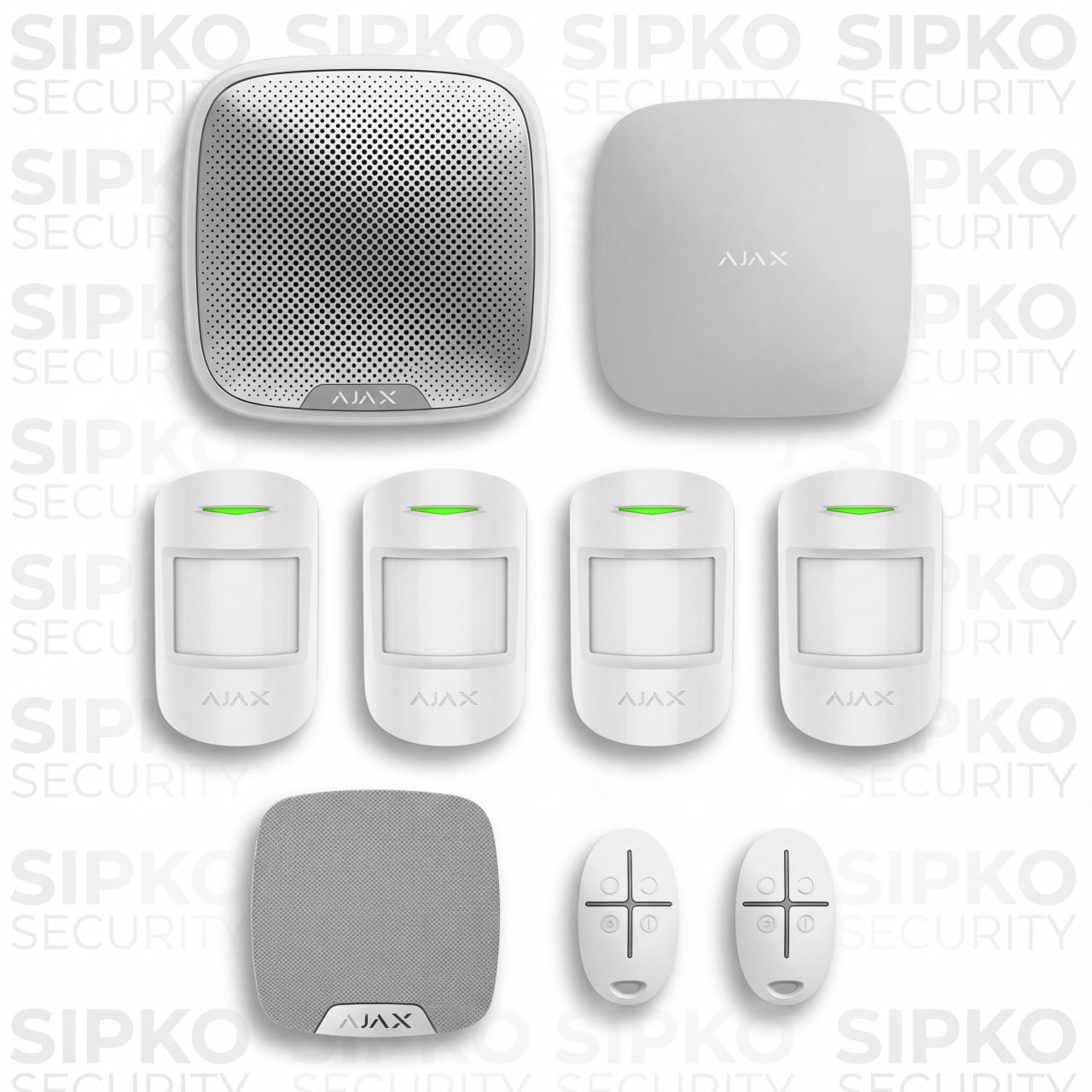
Ajax starter alarm equipment package
  • Ajax Hub selected for the required system scope
  • Internal motion detection
  • Indoor siren
  • Outdoor siren if included in the approved design
  • Remote control options if required
  • Onsite assessment and installation
  • Ajax app configuration
  • Testing and handover
Request a quote
Expanded coverage example

Larger Home or Additional Areas

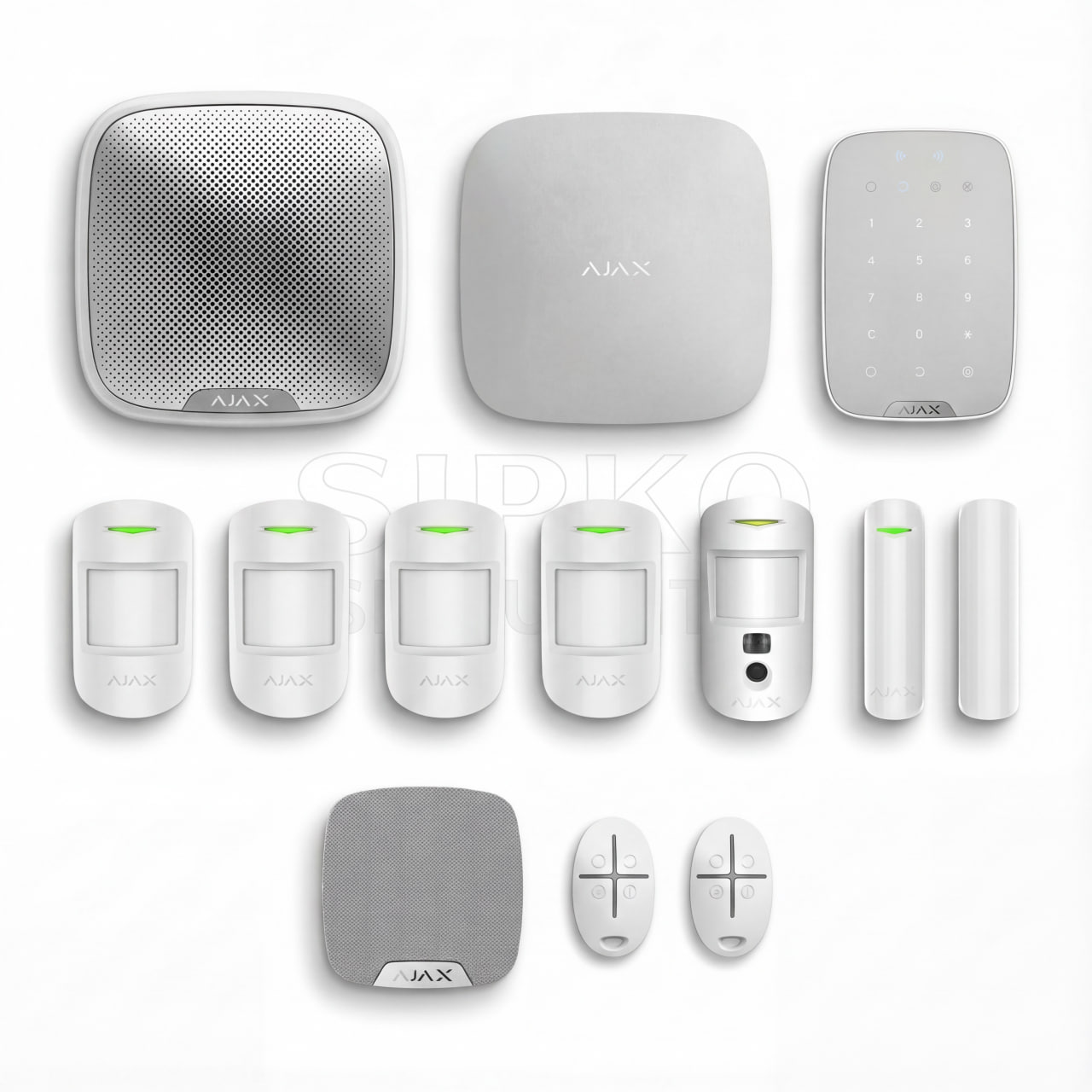
Expanded Ajax alarm equipment package
  • Hub and communication plan for the larger property
  • Multiple opening and motion detectors
  • Optional indoor photo verification
  • Outdoor detection for suitable locations
  • Garage or detached-area communication assessment
  • Keypad and individual users
  • Sirens based on the approved design
  • Device communication testing
  • App configuration and handover
Request a quote

Installation Price and Monitoring Cost

Ajax alarm installation starts from AUD 2,880 including GST. Final installation cost depends on the equipment, property size, communication conditions, existing alarm work and agreed scope.

Professional monitoring is a separate service at AUD $48 + GST per month.

Request an Ajax Security Assessment in Melbourne

Tell SIPKO about the property, the areas that need protection and any alarm already installed. If you also need professional monitoring, include that in your enquiry so it can be planned with the system.

Questions About Ajax Installation and Monitoring

Answers for Melbourne homeowners and businesses considering a new Ajax system, an existing-system takeover or professional monitoring.

How much does Ajax alarm installation cost in Melbourne?

Ajax installation starts from AUD 2,880 including GST. Final cost depends on the equipment, property size, detached or outdoor areas, communication conditions and existing alarm work.

What is included in the installation?

The agreed scope can include site assessment, Hub installation, detectors, sirens, keypad setup, individual users, Ajax app configuration, Night Mode, testing and handover.

Can SIPKO take over an Ajax system that is already installed?

Yes. SIPKO can review the installed Hub, devices, account access, users and system condition before making ownership or configuration changes.

What if the Hub is still linked to another account?

Account access or ownership needs to be resolved before a complete administrative takeover can be completed. SIPKO can inspect the system and identify what needs attention.

Can Night Mode be configured for a home?

Yes. Selected devices can remain armed while people are inside when the detector positions and household movement suit the required Night Mode setup.

Can a business have separate Ajax users?

Yes. Owners, managers and staff can have individual access and suitable permissions instead of relying on one shared account.

Will wireless Ajax equipment work everywhere?

No wireless layout should be assumed to work everywhere. Building size, metal structures, detached areas and difficult radio paths can require different positions, range extension or another system architecture.

Do cameras replace an intrusion alarm?

No. Cameras provide visual surveillance, while an intrusion alarm detects configured security events and manages arming. They can be installed together when both functions are needed.

How is professional monitoring different from a push notification?

A push notification requires an Ajax user to notice the alert and decide how to respond. With professional monitoring, selected events are also sent to the monitoring service and processed according to an agreed response procedure.

How much does professional Ajax monitoring cost?

Professional monitoring is AUD $48 + GST per month. This is the recurring monitoring service fee and is separate from Ajax equipment and SIPKO installation.

Can I still use the Ajax app with professional monitoring?

Yes. Authorised users can continue to check system status, arm and disarm, receive configured notifications and review event history.

Can the monitoring centre receive photo or video verification?

Compatible Ajax photo-verification and camera equipment can provide visual information when the installed devices, monitoring configuration and permissions support that function.

Who provides the professional monitoring service?

SIPKO installs and configures the Ajax system and prepares the monitoring connection. The ongoing monitoring-centre service is provided through Intelligent Monitoring Solutions.

Ajax Installation, Monitoring and Support Guides

Further information about professional monitoring, camera installation, system takeovers and common Ajax faults.

Other Melbourne Areas We Cover

SIPKO Security provides alarm, CCTV and smart security services across Melbourne.

Want to confirm coverage for your street or building? Call 0406 432 691.

What Our Clients Say

Posted on Google Google
Eddie O profile picture
Eddie O
Google star 1Google star 2Google star 3Google star 4Google star 5Trustindex verifies that the original source of the review is Google.
I found Serhii online and choose his services based on his excellent Google reviews. Super easy to deal with and great communication to organise. I upgraded our alarm system, added a CCTV system and upgraded our door access intercom. Serhii and his team were super knowledgeable and did a great installation on site. Very happy with the end result and would highly recommend his services. Thanks Serhii
Posted on Google Google
E D profile picture
E D
Google star 1Google star 2Google star 3Google star 4Google star 5Trustindex verifies that the original source of the review is Google.
Serhii from Sipko Security has been exceptional to work with. He took the time to understand our security requirements, recommended a range of solutions for our property, and provided outstanding, responsive service throughout the entire process. I highly recommend Sipko Security to anyone looking for a professional, reliable security provider.
Posted on Google Google
Flevius Strangholtz profile picture
Flevius Strangholtz
Google star 1Google star 2Google star 3Google star 4Google star 5Trustindex verifies that the original source of the review is Google.
Competitive pricing! Searched around for a good moment, and these boys came review very well. Recommend to anyone in the bayside area
Posted on Google Google
Devil ID profile picture
Devil ID
Google star 1Google star 2Google star 3Google star 4Google star 5Trustindex verifies that the original source of the review is Google.
Great experience with Sipko Security. Serhii and David are highly knowledgeable and trustworthy. Installation is clean and fuss free. Serhii is highly responsive to questions and patiently explained how to use the app after the installation. Highly recommend Sipko for security installation.
Posted on Google Google
Superior Falcon profile picture
Superior Falcon
Google star 1Google star 2Google star 3Google star 4Google star 5Trustindex verifies that the original source of the review is Google.
These lads made quick work of a job for us at a residential property with an Ajax security camera installation. 5 stars/5 stars and we’ll have them down for our next efforts
Posted on Google Google
Berta L profile picture
Berta L
Google star 1Google star 2Google star 3Google star 4Google star 5Trustindex verifies that the original source of the review is Google.
Serhii from Sipko Security did an excellent job installing my CCTV system. He was very informative, easy to communicate with, and answered all my questions clearly. The service was punctual and impressively prompt from quote to installation. The workmanship is neat, the system works flawlessly, and I felt supported throughout. Highly recommended to anyone considering a CCTV installation.
Posted on Google Google
Sam L profile picture
Sam L
Google star 1Google star 2Google star 3Google star 4Google star 5Trustindex verifies that the original source of the review is Google.
We manage a large building, so having a knowledgeable and dependable security adviser and equipment installer is essential. Serhii from Sipko Security has been exceptional to work with. He took the time to understand our security requirements, recommended the right solutions for our property, and provided outstanding service throughout the entire process. What has impressed us most is the ongoing support. Even after everything was completed, Serhii has always been available to answer questions, provide advice, and assist whenever needed. His responsiveness and commitment to customer service give us confidence that our security needs are always in good hands. It's rare to find someone who genuinely stands behind their work and is committed to building long-term relationships with their clients. I highly recommend Serhii from Sipko Security to anyone looking for a professional, reliable security adviser and equipment installer.
Posted on Google Google
Leia Li profile picture
Leia Li
Google star 1Google star 2Google star 3Google star 4Google star 5Trustindex verifies that the original source of the review is Google.
Serhii did an exceptionally clean job for our Brighton residence - the best security camera installation team on the market! Recommend to anyone in the area looking to get serious about their security needs 😊
Posted on Google Google
KingDani56 profile picture
KingDani56
Google star 1Google star 2Google star 3Google star 4Google star 5Trustindex verifies that the original source of the review is Google.
Got them to tie together some Dahua cams at my place. Was expecting the usual patchy app situation but nah - runs clean, remote access is actually stable. They know what they're doing.
Posted on Google Google
Ygal haupt profile picture
Ygal haupt
Google star 1Google star 2Google star 3Google star 4Google star 5Trustindex verifies that the original source of the review is Google.
Service with punctual, efficient, highly professional and friendly.
Verified by Trustindex
Trustindex verified badge is the Universal Symbol of Trust. Only the greatest companies can get the verified badge who has a review score above 4.5, based on customer reviews over the past 12 months. Read more