CCTV Storage Explained — How Many Days You Actually Need
It’s not just about buying a 1TB drive anymore. From H.265+ compression to RAID redundancy and Australian Privacy Laws, here is everything you need to know about video retention.
You’ve bought the cameras, you’ve chosen the locations, but now comes the technical question that stumps most homeowners and business managers alike: “How big of a hard drive do I need?”
Get it wrong, and you might find that your system has overwritten the footage of last week’s break-in just when you need it most. Or, you might overspend hundreds of dollars on enterprise-grade storage you’ll never utilize.
In this premium guide, we break down the math of CCTV storage, explain why H.265+ AI compression is revolutionizing the industry, and detail the legal obligations for storing footage in Melbourne.
The 3 Pillars of Storage Calculation
Video files are massive. To understand why a 4K Netflix movie is 20GB but a day of 4K CCTV can be 100GB, you need to look at three variables: Resolution, Frame Rate, and Bitrate.
1. Resolution (Pixel Count)
Everyone wants 4K (8MP). But a 4K image has four times as many pixels as 1080p (2MP). That means four times the data. For general surveillance, 5MP or 6MP is often the sweet spot—providing enough detail to read a license plate at 20 meters without destroying your storage budget.
2. Frame Rate (FPS)
Hollywood movies are 24fps. Gamers want 60fps. But for security, 15fps is the industry standard. Increasing from 15fps to 30fps doubles your storage requirement instantly, with almost zero gain in evidentiary value. Unless you are monitoring a casino table or counting cash, 15fps is sufficient.
3. Bitrate (The Data Stream)
This is the actual “weight” of the video. H.265 recording usually operates at a variable bitrate (VBR), meaning the camera uses more data when there is movement and almost zero data when the scene is static.
The Magic of Compression: H.264 vs H.265+
If you have an old system (5+ years), it likely uses H.264. Modern systems use H.265 (HEVC), and premium systems (like Dahua WizMind) use H.265+ or AI Coding.
| Codec | How it Works | Storage Savings |
|---|---|---|
| H.264 (AVC) | Compresses each frame individually. Inefficient. | Baseline (0%) |
| H.265 (HEVC) | Only records pixels that change between frames. | ~50% Savings |
| H.265+ / AI Coding | Uses AI to separate “target” (humans/cars) from “background” (trees/walls). Background is compressed heavily. | ~70-80% Savings |
Hardware Guide: Surveillance vs Desktop Drives
“Can I just use the hard drive from my old PC?” Absolutely not.
A standard Desktop drive (Blue/Green label) is designed to run for 8 hours a day, reading and writing small files. A Surveillance Drive (Purple/SkyHawk) is designed to run 24/7/365, writing multiple high-definition video streams simultaneously.
Key Differences
- Workload Rating: Surveillance drives are rated for ~180TB/year. Desktop drives are rated for ~55TB/year.
- Firmware: Surveillance drives have “AllFrame” technology (WD) or “ImagePerfect” (Seagate) which prioritizes writing data. If a desktop drive hits a write error, it pauses to retry, causing dropped frames (video glitching). A surveillance drive skips the error to keep the video smooth.
- Vibration Tolerance: NVRs often have multiple drives vibrating next to each other. Surveillance drives have sensors to compensate for this.
Recommended Brands:
We strictly install Western Digital Purple or Seagate SkyHawk drives.
For Business: RAID and Redundancy
If you run a supermarket or a large office, losing footage due to a drive failure is a liability. This is where RAID (Redundant Array of Independent Disks) comes in.
RAID 0 (Striping)
Splits data across two drives. Fast, but if one drive dies, you lose everything. Never use this for security.
RAID 1 (Mirroring)
Best for Small Business. Two hard drives record the exact same footage. If Drive A fails, Drive B takes over instantly. You lose 50% of your total capacity (2x 4TB drives = 4TB storage), but your data is safe.
RAID 5 (Striping with Parity)
Best for Enterprise. Requires 3+ drives. Data is spread across all drives with “parity” bits. If any one drive fails, the system reconstructs the missing data from the others. You get high speed and redundancy efficiency.
Australian Legal Guidelines: How Long MUST You Keep Footage?
There is no single “Video Storage Act” in Australia, but various regulations apply depending on who you are.
1. Residential (Home)
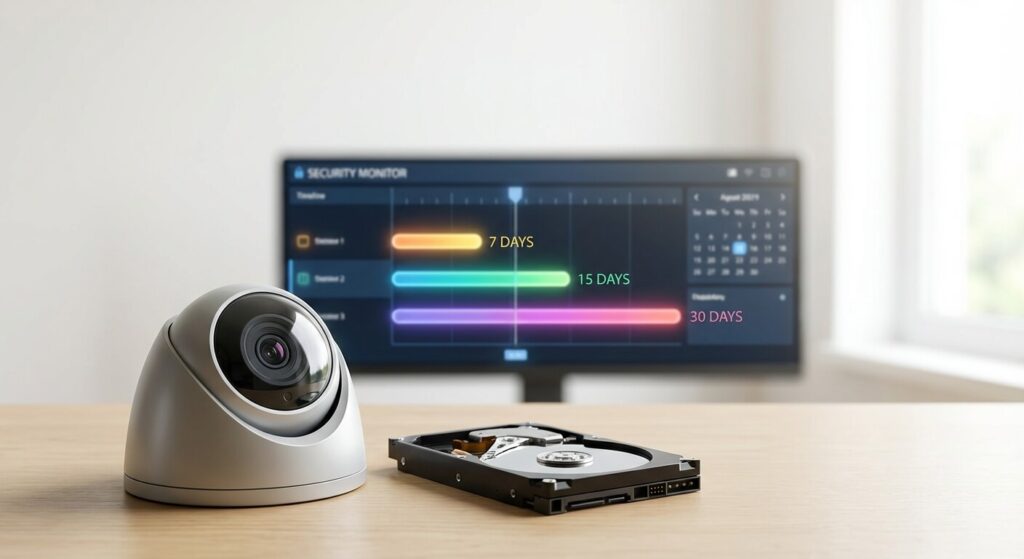
There is no specific law mandating retention. However, Victoria Police generally recommend 30 days. This covers you for holidays or noticing theft from a shed weeks later.
2. Liquor Licenced Venues
If you hold a liquor licence in Victoria, you are often legally conditioned to retain footage for 30 days. Failure to produce footage within this period can result in massive fines or loss of licence.
3. Privacy Act (Businesses >$3m Turnover)
Under the Australian Privacy Principles (APPs), you must not keep personal information (which includes identifiable video) for “longer than necessary”. If you have no incident to investigate, keeping footage for 5 years could actually be a breach of privacy. A 30 to 90 day cycle is considered industry best practice.
The Big Debate: Cloud Storage vs Local NVR
Many homeowners ask: “Why do I need a black box (NVR) in my house? Can’t it just go to the cloud?”
The answer is yes, but it comes with a heavy price tag—both in dollars and internet speed. Let’s compare the two architectures.
Option A: Pure Cloud (Ring, Arlo, Nest)
These cameras send footage directly to a server owned by Amazon or Google.
- Upfront Cost: Low. Cameras are often cheap.
- Ongoing Cost: High. You pay a monthly subscription per camera. For a 4-camera 4K system, this can cost $400+ per year indefinitely.
- Bandwidth Killer: This is the hidden trap. A single 4K camera needs about 4-8 Mbps upload speed to stream efficiently. If you have 4 cameras, you need ~25 Mbps consistent upload. Most standard NBN 50 plans only offer 20 Mbps upload. This means your cameras will choke your internet, causing lag in Zoom calls or gaming.
- Privacy: Your footage lives on someone else’s computer.
- Reliability: If your Wi-Fi or NBN goes down, you record nothing.
Option B: Local NVR (Dahua, Ajax, Hikvision)
The footage travels via cable (or local Wi-Fi) to a hard drive sitting in your home.
- Upfront Cost: Higher (Hardware purchase).
- Ongoing Cost: $0. Once you buy it, it’s yours.
- Bandwidth Friendly: The cameras record to the NVR locally. They use zero internet data unless you are actively watching the live feed from your phone.
- Privacy: You own the data. It never leaves your house unless you export it.
- Reliability: It records 24/7, even if the internet is down.
The Verdict?
For a single doorbell, Cloud is fine. For a serious 4-camera security perimeter, a Local NVR is superior in speed, reliability, and long-term cost.
The Verdict: Aim for 31 Days
For 90% of our residential and commercial clients, we design systems to hold 31 days of footage. This aligns with most calendar months and legal requirements.
Our Configuration Goal
NVR: Ajax or Dahua WizSense
Drive: 4TB WD Purple (Minimum)
Codec: H.265+ / AI Coding
Mode: Motion Detection (with 24/7 optional on critical channels)
Is your system recording what matters? Contact Sipko Security. We can audit your current storage and upgrade your NVR firmware for better efficiency.

Official Technical & Legal References
-
OAIC – Surveillance Footage Privacy
Federal guidelines on the collection, storage, and destruction of personal surveillance data.
-
Western Digital – Purple Specs
Technical datasheet explaining the difference between desktop and surveillance-grade read/write cycles.
-
Victorian Liquor Commission – CCTV Obligations
Specific retention requirements for licenced venues in Victoria.
-
Hikvision / Dahua – H.265+ Technical Paper
Whitepaper detailing the algorithm differences between standard HEVC and surveillance-optimised AI coding.