
Ajax DoorBell Reviews: Real-World Performance vs Ring, Features & Pro Installation Insights
If you’re weighing up smart security options for your Melbourne home or business, the Ajax DoorBell deserves a serious look. This full review draws on published ajax doorbell reviews from international security publications, hands-on installation data, and direct comparison with Ring — the most common consumer alternative. Whether you’re upgrading an existing doorbell or planning a larger security system, here’s what actually matters.
If you are still deciding which Ajax route fits your property, use the Ajax Security Hub to compare installation, monitoring, CCTV, upgrades and pricing before choosing a specific service.
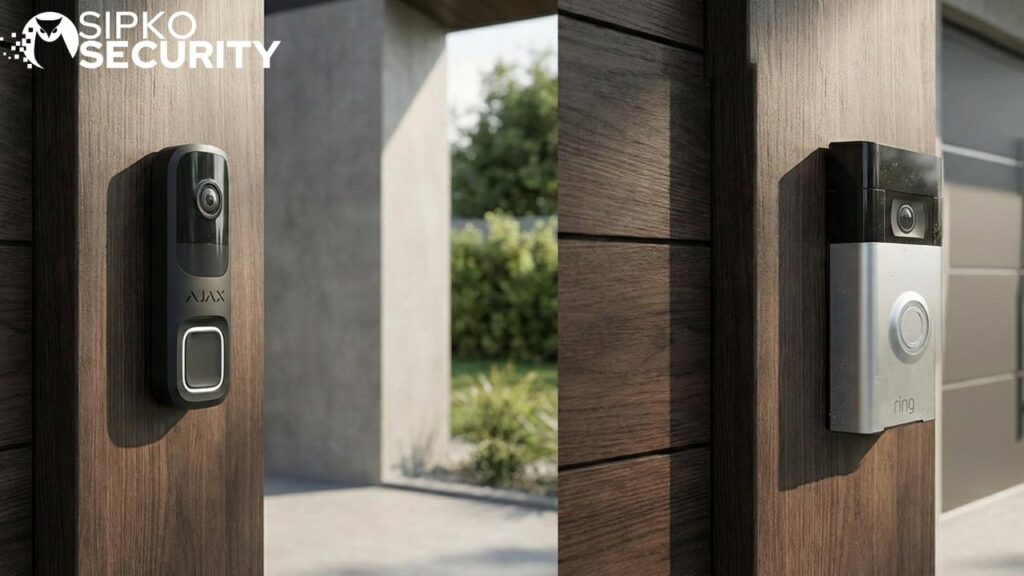
Ajax DoorBell vs Ring Doorbell — Which Smart Doorbell Is Better?
The fastest way to understand the difference: the Ajax DoorBell is designed as a component of a professional alarm system, while Ring is a standalone consumer device that happens to have a camera. That distinction shapes everything — from notification speed to how footage is stored and what happens when your Wi-Fi drops.
On notification speed, Ajax DoorBell notifications appear within one second of button press, delivered through the Ajax app with a phone-call-style interface. Ring’s response time varies and is often slower, particularly in homes with weaker wi-fi or during peak cloud usage. Multiple user reports confirm delays of several seconds on Ring setups under less-than-ideal network conditions.
Motion detection accuracy is another gap. Ajax combines a PIR sensor with AI to distinguish between people, animals, and passing cars, significantly reducing false alarms. Ring offers similar categorisation on some models, but false positives remain a common complaint in user feedback, especially at night or in areas with background noise from trees and traffic.
Build quality and integration tell the rest of the story. Ajax DoorBell connects to an Ajax Hub, Ajax NVR, sirens, and sensors through proprietary Wings radio protocols — all managed through a single interface in the Ajax app. Ring stays inside its own ecosystem and doesn’t integrate with professional-grade alarm hardware in the same way.
Overview: What the Ajax DoorBell Actually Is
Ajax DoorBell is a 4-megapixel AI-powered video doorbell launched globally as part of the Ajax Systems ecosystem. It uses a 2K resolution camera with HDR and night vision, two-way audio with echo cancellation, and advanced AI-based motion detection — all packaged in hardware rated for harsh outdoor conditions.
It’s not just a gadget. The device requires an Ajax Hub or NVR for optimal functionality, and works with Ajax cloud storage, local recording, and the full Ajax ecosystem of sensors, sirens, and cameras. Typical use cases include monitoring the front door, talking to couriers via live video, verifying alarm events remotely, and linking doorbell triggers to automation scenarios like lights or locks.
What SIPKO Security Sees on Site
SIPKO Security installs Ajax DoorBell across Melbourne — in homes, townhouses, apartments, and shopfronts where an integrated alarm system is needed. This article summarises real-world ajax doorbell reviews plus our own on-site experience, not just a spec sheet. Ajax DoorBell is available in black, gray, and white to suit a range of Australian facades.
Build Quality, Design & Everyday Usability
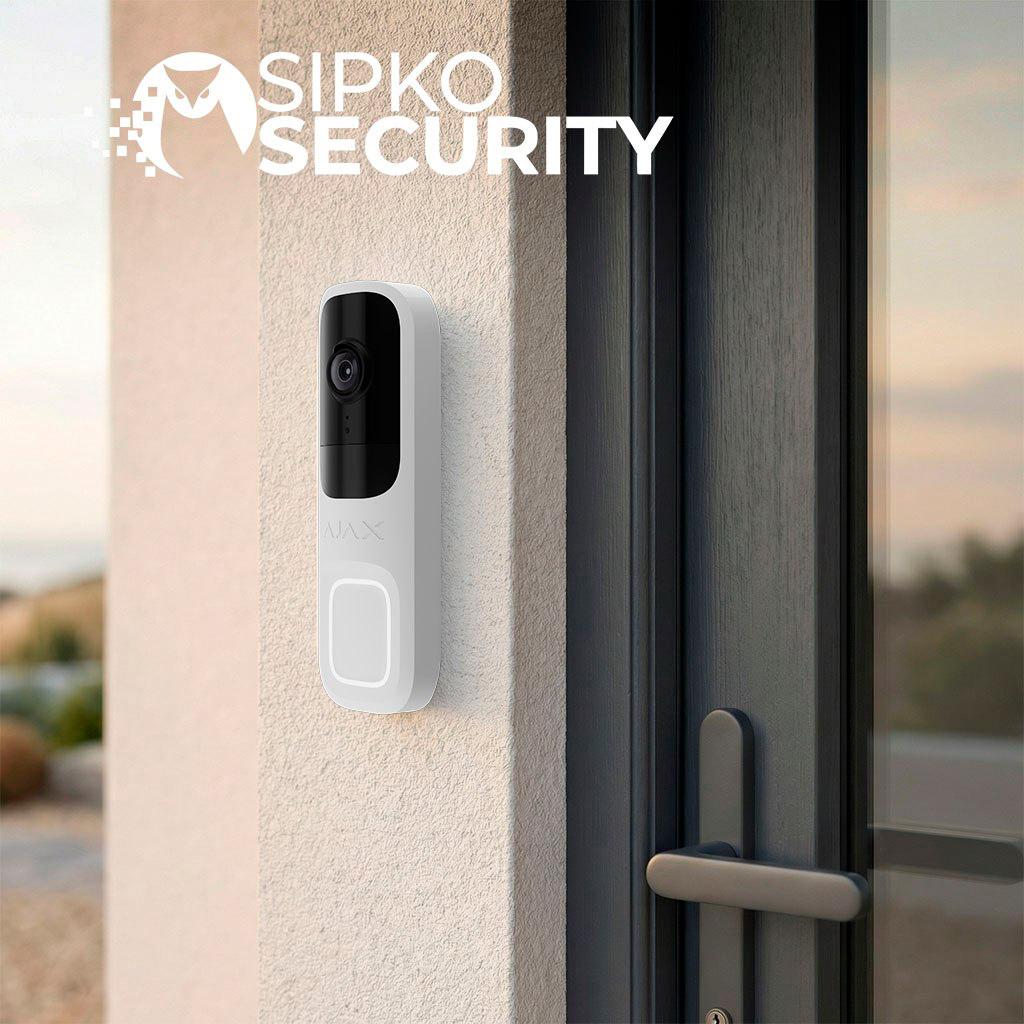
Consumer video doorbells are often plastic shells designed to look friendly. Ajax DoorBell takes a different approach: a compact unit with a metal-feel finish, IP54-rated enclosure for outdoor use, and a tamper button on the SmartBracket mounting panel that triggers an alert if someone tries to remove the device.
The doorbell button itself has clear LED feedback. It lights up when someone approaches and animates after the button is pressed, confirming the call. Visitors understand instantly that it’s a doorbell — no confusing touchpad or hidden sensor.
Audio hardware matters outdoors. Ajax DoorBell includes a loud speaker and quality microphone with noise suppression, noise cancellation, and echo cancellation, making two-way audio clear even on a windy Melbourne street. Ajax DoorBell is priced at around AU$239 — higher than typical consumer doorbells — but the build quality reflects that investment. Many SIPKO Security clients prefer that it looks like part of a security system, not a toy.
Camera Performance, Motion Detection & AI Accuracy
Camera quality and stable motion detection matter far more than gimmick features in a front door security setup. Here’s what the Ajax DoorBell delivers:
- Resolution: 4MP CMOS sensor producing 2K HDR video at 2688 × 1520 pixels
- Field of view: 155° horizontal and approximately 90° vertical — covering the entire door area and parcels on the ground
- Night vision: Infrared illumination effective to roughly 6 metres, producing clear monochrome images of approaching visitors
- AI object recognition: Distinguishes between people, pets, and vehicles — fewer false alerts on busy Melbourne streets
- Activity zones: Customisable through the Ajax app — limit alerts only to people approaching the front door or gate
Daytime image quality is sharp — readable faces, clothing details, and usable footage for evidence when paired with an Ajax NVR or Ajax cloud storage. The PIR sensor works together with AI to keep motion detection calm and reliable, which makes a measurable difference in day-to-day use compared to consumer alternatives.
Notifications, Latency & Ajax App Experience
Most reviews focus heavily on how fast alerts arrive — and rightly so. A doorbell that notifies you five seconds after someone walks away isn’t useful for security or convenience.
Ajax DoorBell uses JetSparrow video transmission technology, enabling near-instant live view inside the Ajax app. When the button is pressed, the phone behaves almost like receiving a call, with immediate preview and a two-way audio option. Notifications typically arrive within about one second under good network conditions.
Inside the app, doorbell events appear alongside alarms and cameras in a unified timeline — doorbell rings, motion detections, and alarm events in one place, with filters for object types and event type. Multiple household members can receive alerts with configurable permissions, useful for families or small business teams.
Integration with Ajax Systems: Alarm, NVR & Cloud Storage
Ajax DoorBell is most powerful when used as part of a complete Ajax alarm system, not as a standalone device. Here’s how the integration works:
The DoorBell registers as a device on an Ajax Hub (such as the Hub 2 Plus), sharing the same Jeweller and Wings radio protocols backbone as motion sensors, door contacts, and sirens. Doorbell events feed into the same logic that governs your alarm — one unified security platform.
Ajax NVR integration enables continuous or event-based recording from the doorbell in sync with other Ajax cameras (BulletCam, DomeCam, TurretCam), creating one unified archive on a network video recorder supporting up to 16TB of storage.
Automation scenarios bring it all together. When motion is detected at night, the system can trigger front lights, arm a specific area, or start extra recording — all programmable by SIPKO Security. For Melbourne properties, linking front door events to internal sirens, gate relays, and smart locks provides layered security well beyond a normal smart doorbell.
Connectivity, Power & Reliability During Outages
Stable communication and power resilience matter more than raw Wi-Fi speed in a real alarm system.
- Wi-Fi and interference: Operates on 2.4 GHz wi-fi, engineered to detect interference and cope with congested networks common in Melbourne suburbs
- Fallback: If wi-fi fails or is jammed, the doorbell falls back to Ajax Hub radio link through backup communication channels — critical events still reach you
- Power options: Supports 12–24V DC or 16–24V AC — easy to reuse an existing doorbell transformer
- Backup battery: Keeps the doorbell running for up to one hour during power outages, with automatic heating at low temperatures protecting battery life
Storage Options: Local Ajax NVR vs Ajax Cloud Storage
Proper storage planning is key for using doorbell footage as real evidence, not just live viewing. Ajax DoorBell supports both local and cloud storage options.
| Feature | Local Ajax NVR | Ajax Cloud Storage |
|---|---|---|
| Recording type | Continuous or event-based | Event clips and snapshots |
| Pre-buffer | 10-second pre-event capture | Varies by plan |
| Capacity | Up to 16 TB | Cloud subscription based |
| Off-site backup | No (on-premises) | Yes |
| Best for | Privacy-focused, evidence-grade | Redundancy, remote access |
Many SIPKO Security residential clients in Melbourne choose local storage for privacy, adding cloud storage only for higher-risk situations. All doorbell footage appears in the same timeline as CCTV cameras, simplifying incident review after a front door event.
Security, Privacy & Compliance
Doorbell cameras sit at the front door, capturing faces, vehicles, and sometimes the street. Data security isn’t optional.
- End-to-end encryption for all data transmission
- Passwordless authentication via mTLS certificates instead of default passwords
- Each Ajax DoorBell is bound to a single Ajax space, reducing risk of unauthorised access
- Tamper button — any attempt to remove the device triggers an immediate alert
- NDAA-compliant hardware components and European data hosting
- Privacy zones to mask neighbouring properties from recorded video
- Role-based access so not all users see all cameras
SIPKO Security positions the camera and configures privacy zones to align with Australian privacy expectations and local strata rules during every professional installation.
Head-to-Head: Ajax DoorBell vs Ring
| Feature | Ajax DoorBell | Ring Video Doorbell (Pro 2) |
|---|---|---|
| Video Quality | 4MP HDR (2688×1520) | 1536p HD |
| Subscription Required? | No (Optional Cloud) | Yes (For Recording) |
| Storage | Local NVR / Encrypted Cloud | Cloud Only |
| Data Privacy | User-Controlled (GDPR Compliant) | Amazon Cloud (Data Mining Risk) |
| Connectivity | Wi-Fi + JetSparrow Protocol | Wi-Fi Only |
| Notification Speed | ~1 second (phone-call style) | Variable, often 3–5+ seconds |
| Alarm Integration | Full Ajax ecosystem (Hub, sensors, sirens) | Consumer smart home only |
| AI Detection | On-device PIR + AI | Cloud AI (subscription) |
| Power Backup | Up to 1 hour battery backup | No backup (cloud-dependent) |
Data Flow & Privacy Architecture
Where your footage goes after it’s recorded is a fundamental security question. The architecture of each system reveals very different philosophies.
Ajax Architecture
- Camera captures video on-device
- AI processing happens locally
- Footage stored on local NVR
- Encrypted stream to Ajax app
- Optional cloud backup for clips
Ring Architecture
- Camera captures video
- Raw upload to Amazon cloud
- Cloud AI processing (paid)
- Subscription gates your footage
- Data lives on Amazon servers
Ajax DoorBell vs Ring in Real-World Use
This section is based on SIPKO Security seeing both systems in Melbourne properties — not just reading specs.
- Installation context: Ajax DoorBell is typically installed as part of a larger security system with professional setup. Ring is often installed DIY on wi-fi alone
- Live view speed: Ajax via JetSparrow delivers faster, more consistent live video than Ring setups reliant solely on cloud and home wi-fi, which can dip during outages or peak usage
- Motion detection: Ajax’s AI and PIR combination is tuned for professional security — fewer false alarms than Ring’s more consumer-oriented sensitivity profiles
- Ecosystem depth: Ajax integrates a full alarm, video surveillance, automation, and professional-grade monitoring. Ring connects to consumer smart home devices but doesn’t link to graded alarm hardware
- Cost: Ring may be cheaper short-term, but Ajax DoorBell’s build quality, integration, and professional lifecycle support make it a stronger long-term investment
Installation Experience with SIPKO Security (Melbourne)
Many reviews overlook the installation process, which heavily influences performance and user satisfaction. While Ajax DoorBell can be installed DIY by homeowners with basic tools and low-voltage wiring knowledge, professional installation makes a measurable difference.
On-Site Assessment
Checking existing doorbell wiring and transformer, wi-fi and Ajax Hub placement, and front door viewing angles before any work begins.
Wiring
Reusing existing doorbell wiring where possible, or running new cable for optimal placement next to the front door or gate with concealed routing.
Mounting
Using the supplied SmartBracket, levelling for best field of view, and ensuring tamper detection is correctly activated.
Configuration
Naming the device in the Ajax app, assigning it to the “Front Door” room, tuning detection zones, and setting notification rules for each user.
Demonstration
Showing the client how to use live video, history, and answer calls — so the system is actually used from day one.
User Feedback & Common Themes in Ajax DoorBell Reviews
Overall sentiment from recent Ajax DoorBell reviews and SIPKO Security clients is strongly positive. Here are the recurring themes:
What Users Love
- Fast notifications the moment the button is pressed
- Very clear image quality in both daylight and night vision conditions
- Stable Ajax app performance with unified event timeline
- Strong integration with existing Ajax alarm systems
- AI filtering combined with PIR significantly reduces false alerts on busy streets
Constructive criticism from reviews: the Ajax app can feel more “professional” and less playful than pure consumer apps, creating a small learning curve. Most negative experiences relate to poor wi-fi, weak wiring, or DIY misconfiguration — issues that professional installation largely avoids. SIPKO Security adds local Melbourne-based support for on-site troubleshooting and upgrades.
Who Should Choose Ajax DoorBell (and Who Might Prefer Ring)
“Best” depends on property type, risk profile, and expectations. Here’s a practical guide to help you decide.
- Want a full alarm system, CCTV, and front door control in one Ajax app
- Already have Ajax motion detectors, contacts, and sirens — or plan to add them
- Care about evidence-quality video clips and local NVR storage
- Need reliable video surveillance integrated with a larger security system
- Want Melbourne-based professional support from SIPKO Security
- Rent and need something temporary with minimal setup
- Just want a simple camera and notification without broader alarm integration
- Have a very limited budget and no plans for a wider security system
Consider your long-term security goals rather than just initial purchase price. Ajax DoorBell’s AI-based motion detection, local storage, and cloud storage options deliver better value over a multi-year ownership period.
Working with SIPKO Security: Design, Installation & Ongoing Support
SIPKO Security is a licensed Ajax specialist focusing on Melbourne’s residential and commercial properties. Our services include:
- Free on-site assessment with tailored placement of Ajax DoorBell, CCTV, and alarm devices
- Fixed written quotes — no surprises on installation day
- Professional integration with Ajax NVR, wireless alarms, and video intercoms for apartment lobbies, gated entries, and shopfronts
- Post-install support — app training, fine-tuning detection zones, firmware updates, and optional 24/7 monitoring and response
Instead of guessing between Ajax DoorBell and Ring from online specs, contact SIPKO Security for a site-specific recommendation based on your property and risk profile.
Conclusion: Is the Ajax DoorBell Worth It?
Ajax DoorBell is a premium, security-first device with excellent build quality, fast alerts, and deep integration with Ajax systems. Its advantages over Ring are clear: professional-grade reliability, stronger integration with alarms and NVR, and better performance as part of a whole-property security design.
For Melbourne homes and businesses planning or already running an alarm system, Ajax DoorBell usually offers better value over its lifetime. The combination of a 4MP camera, AI-powered detection, local and cloud storage, and seamless ecosystem control through the Ajax app makes it the strongest option in its class among smart security options.
Ready to Upgrade Your Front Door Security?
Book a free consultation with SIPKO Security to review your property and get a tailored recommendation for your Ajax DoorBell and overall alarm setup.
Book Free Consultation →Frequently Asked Questions

Official Sources & References
- OAIC — Security Cameras & Privacy
Australian government guidelines on the privacy implications of residential security cameras and data storage.
- ACCC — Broadband Performance Data
Reports on Australian internet speeds, highlighting the importance of local storage vs cloud upload for reliable security footage.
- ACSC — Personal Security Guides
Recommendations for securing personal devices and home networks against unauthorised access.
- eSafety Commissioner — Secure Your Devices
Advice on securing smart home devices to prevent them from being used for surveillance or harassment.
- Privacy Act 1988
The foundational legislation governing the handling of personal information, including digital video data, in Australia.


