+61 406 432 691
Mon–Sat 8am–6pm
Licensed & Insured
Free Onsite Quote
Melbourne & Mornington Peninsula
Boroondara Coverage

Alarm Systems Across Boroondara’s Unique Streetscapes

We provide alarm installation, tailored alarm monitoring, and perimeter-first designs across the City of Boroondara’s distinct streetscapes — from tree-canopy avenues to laneway garages.

Complete Suburb Coverage

Ashburton, Balwyn, Balwyn North, Camberwell, Canterbury, Deepdene, Hawthorn, Hawthorn East, Kew, Kew East, plus partial coverage in Glen Iris, Surrey Hills, and Mont Albert.

Site-Specific Design

Block sizes, deep setbacks and rear-lane access influence where we place detectors, sirens and cameras for optimal protection.

False Alarm Prevention

Each site visit maps noise sources, pets and foliage to reduce false alarms and improve alarm response accuracy.

Perimeter-First Approach

Strategic placement of sensors and cameras to detect threats at property boundaries before they reach your home.

Local Boroondara Expertise SIPKO Security understands Boroondara’s heritage architecture, tree-lined streets, and unique property layouts to deliver security solutions that work with your environment.

Schedule Your Service

Call +61 406 432 691 or complete the form and we will contact you.

Neighbourhood Nuances That Shape Your Alarm Design

Hawthorn & Hawthorn East

Period windows and verandahs suit wireless shock/reed sensors; strobe sirens placed clear of branches. Townhouses near rail/retail benefit from dual-path alarm monitoring for evening ISP congestion.

Kew & Kew East

Large setbacks and laneways call for side-path beams, garage contacts and driveway alerts — early warning before a door or window alarm trips; pet-immune PIRs minimise wildlife triggers.

Camberwell & Canterbury

Heritage facades favour compact sirens and wireless keypads; hedge-lined entries secured with gate-line beams. Schedules keep cleaners/trades within alarm access rules.

Balwyn, Balwyn North & Deepdene + Ashburton/Glen Iris/Surrey Hills/Mont Albert (partial)

Wide street frontage = street-aware CCTV angles; side-gate contacts and roller-door tilt sensors protect vehicles, tools and sheds.

Alarm Installation & Monitoring Across the City of Boroondara

Available within Boroondara:

Note: Glen Iris shares boundaries with Stonnington; Surrey Hills & Mont Albert adjoin Whitehorse.

Need an alarm installed in your suburb? Request a free, tailored quote with dual-path monitoring options.

Alarm Systems We Install Across Boroondara — Matched to Your Home Type

Every Boroondara suburb has its own mix of heritage homes, double-brick townhouses and modern apartments. Our alarm installation service is designed around those specific property types — not a generic package dropped in from a catalogue.

Heritage & Period Homes — Kew, Canterbury, Camberwell

  • Wireless AJAX alarm hub with dual-path monitoring (Ethernet + 4G) — no new cable runs through ornate ceilings.
  • Shock + reed sensor combos on original timber sash windows — zero surface damage to heritage joinery.
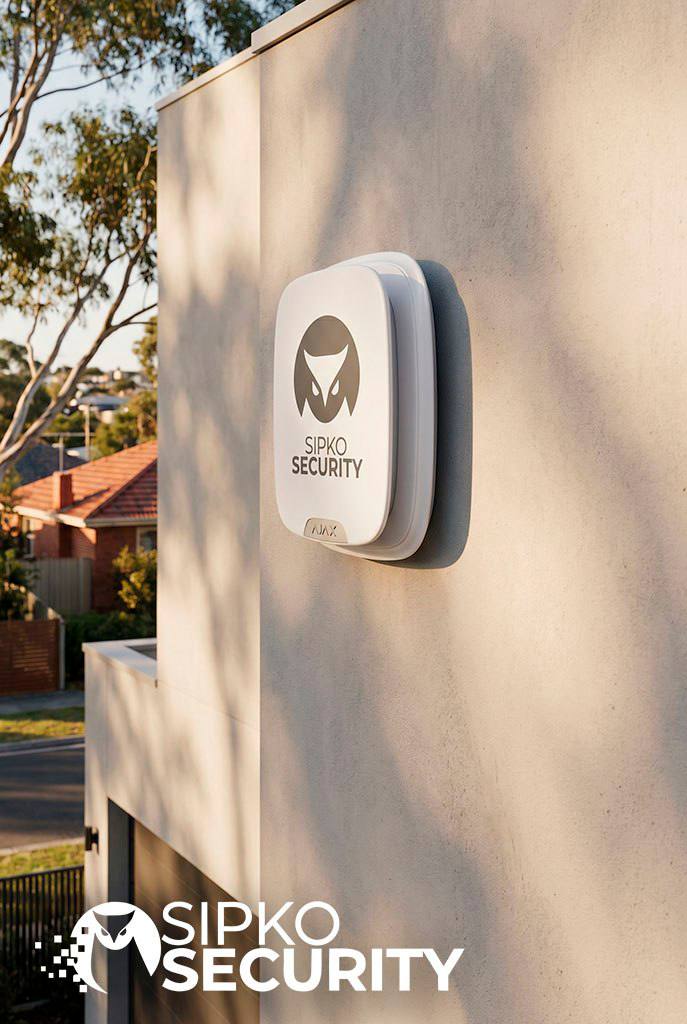
  • Discreet external siren plus internal piezo — layered alarm response without cluttering period facades.
  • CCTV turret cameras with privacy zones — covers your property without capturing neighbouring homes.

Townhouses & New Builds — Hawthorn, Balwyn, Glen Iris

  • Smart keypad + proximity tags — separate codes for family, cleaners and trades.
  • Garage tilt + roller-door contacts; narrow side-setback beam detectors for tight Boroondara allotments.
  • App-controlled arming scenes — Night-Stay, School Run, Travel Mode — from your phone anywhere.
  • Expandable system — add outdoor detectors, driveway beams or video doorbells as your needs grow.

Apartments & Villas — Hawthorn East, Ashburton, Surrey Hills

  • Front-door contact + shock sensor; glass-break detector near balcony sliders — the two most common entry points in Boroondara apartments.
  • Compact pet-immune PIR motion detectors — minimises false alarms in smaller floor plans.
  • Cloud-connected video doorbell — verify parcels and visitors remotely from any suburb or city.
  • Strata-compliant internal alarm solutions — no external drilling or body-corporate conflicts.
Why Wireless Alarm Systems Work in Boroondara’s Double-Brick Homes

Boroondara’s older suburbs are dominated by double-brick construction — a known challenge for radio-frequency devices. Modern wireless alarm platforms like AJAX use encrypted 868 MHz signals with repeater support, maintaining reliable range through solid masonry without a single cable run. That means faster alarm installation, no damage to period plasterwork, and a cleaner finish on every property type from Kew to Camberwell.

Get a Boroondara Alarm Installation Quote — Suburb-Specific Pricing

Tell us your suburb and property type. We’ll design an alarm and monitoring solution that fits your home, your street, and your budget — no generic packages.

24/7 Alarm Monitoring in Boroondara — Built Around Local Connectivity Realities

Connectivity

Dual-Path Alarm Signalling

NBN Ethernet with 4G/LTE backup — your Boroondara alarm still reports to the monitoring centre during router reboots or provider outages common in older suburb infrastructure.

Carrier Selection by Boroondara Street

We test real-world 4G signal strength at your specific address — Kew, Hawthorn, Camberwell or Balwyn — before commissioning the SIM in your alarm panel.

Power & Link Supervision

Instant push alerts on mains loss, low battery and comms drops — critical for Boroondara properties where power fluctuations can occur during storms. Automatic restore notifications included.

Remote Alarm Maintenance

Firmware updates and health checks performed remotely — reduces service call-outs to your Boroondara property and keeps your alarm system current without disrupting your household.

Privacy & Neighbour-Friendly Alarm Setup in Boroondara

Camera Placement Ethics in Boroondara

Camera angles are set to exclude neighbouring windows and private areas — important in Boroondara’s tightly-spaced heritage streetscapes. Audio prompts kept at courteous levels.

User Accountability & Access Logs

Individual user codes and proximity tags with time-stamped access logs — quick revocation for cleaners, tenants or trades accessing your Boroondara property.

Alarm Escalation You Control

Customisable call tree, app push notifications and optional video-verify before police dispatch — minimises false alarm callouts and keeps your Boroondara neighbours onside.

Zone Partitioning for Boroondara Homes

Arm the garage, studio or rear extension after hours while living areas stay disarmed — ideal for Boroondara properties with separate structures or late-returning family members.

Dedicated Boroondara Monitoring Control Room

Our monitoring centre holds property-specific dispatch notes for every Boroondara installation — gate codes, pets on premises, preferred contact order — so operators respond accurately, not generically.

Travelling Away from Your Boroondara Home?

Enable Holiday Mode so alarm alerts route to a trusted neighbour or property manager in your suburb, while system health reports still reach you wherever you are.

SIPKO Security 24/7 Monitoring That Works With Local Realities in Melbourne
SIPKO Security How We Work in Boroondara - Fast, Clean, Neighbour-Friendly in Melbourne

How We Install Alarm Systems in Boroondara — Fast, Clean, Neighbour-Friendly

1

Boroondara On-Site Security Assessment

We walk your property and map entry paths, rear lanes, hedges and side gates specific to your Boroondara suburb. We check brick type, existing cabling and discuss pets and quiet hours before designing your alarm plan.

2

Alarm Design & Suburb-Specific Quote

Clear zone map, camera views and cable runs tailored to your Boroondara property. Options for dual-path monitoring, privacy masking and like-for-like alternatives so you can compare value before committing.

3

Alarm Installation — Heritage-Safe Techniques

Heritage-friendly fixings, minimal drilling and tidy trunking throughout your Boroondara home. Sensors are tested from real-world approach angles — not just room centres — to eliminate blind spots.

4

24/7 Monitoring Activation & Configuration

SIM provisioned and signal-tested at your Boroondara address. User codes and tags issued. Escalation order, safe-word and dispatch notes configured for accurate, fast alarm response.

5

Ongoing Alarm Aftercare in Boroondara

Annual system health checks, battery replacements and quick add-ons — sheds, rear gates, driveway beams — as your Boroondara property evolves. Training refreshers for new family members, tenants or housemates.

Budget Transparency — Boroondara Alarm Pricing

Alarm installation costs in Boroondara vary by suburb, property size, number of storeys and street exposure. Budgets are confirmed after on-site inspection. Ask for a suburb-specific proposal with phased upgrade options if you’re mid-renovation.

Complete Alarm System Documentation

Every Boroondara installation includes a full zone list, keypad cheat sheet and a false-alarm prevention checklist — so every member of your household knows how to use the system confidently from day one.

Why Boroondara Homeowners Choose SIPKO Security for Alarm Installation & Monitoring

We’ve installed alarm systems across every Boroondara suburb — from heritage homes in Kew and Canterbury to modern apartments in Hawthorn East and Ashburton. Here’s what makes the difference.

Deep Boroondara Suburb Knowledge

We know the difference between a Kew Edwardian, a Camberwell California bungalow and a Hawthorn townhouse — and we design alarm systems that suit each one. Local knowledge means faster installs and fewer surprises on the day.

Fast Response Across All Boroondara Suburbs

Quick turnaround on alarm installation bookings, service calls and emergency support across Ashburton, Balwyn, Camberwell, Canterbury, Glen Iris, Hawthorn, Kew, Surrey Hills and surrounding areas.

Licensed Alarm Installers — Professional Standards

Every Boroondara alarm installation follows industry best practices: heritage-safe fixings, minimal drilling, thorough sensor testing from real entry angles. Your property is treated with the care it deserves.

Transparent Alarm Installation Pricing

No hidden fees. Quotes are provided after on-site assessment and reflect your specific Boroondara property — suburb, size, storeys and exposure. Phased upgrade paths available for properties under renovation.

AJAX Wireless Alarm Systems — Built for Boroondara Brick

We install AJAX wireless alarm systems that penetrate Boroondara’s double-brick walls reliably, with app control, dual-path 24/7 monitoring and smart home integration — no cable runs, no damage to period plasterwork.

Long-Term Alarm Support — Not Just the Sale

Annual health checks, battery replacements, system expansions and user training for new family members or tenants. We’re invested in your Boroondara property’s security for the long term — not just the installation day.

Trusted by Boroondara Families & Businesses Across Every Suburb

SIPKO Security installs and monitors alarm systems across the full Boroondara council area — Ashburton, Balwyn, Balwyn North, Camberwell, Canterbury, Glen Iris, Hawthorn, Hawthorn East, Kew, Kew East, Surrey Hills and Deepdene. Local expertise, professional installation, genuine aftercare.

Boroondara Crime Data

Boroondara Burglary & Theft Statistics — Why Alarm Installation Matters

Boroondara’s affluent suburbs attract opportunistic burglars and vehicle thieves. Understanding the local crime picture helps you choose the right alarm system and monitoring level for your street.

7,986 Criminal incidents recorded in Boroondara (year ending Dec 2025)

Source: Boroondara City Council

+24.7% Increase in theft from motor vehicles — the most common local crime type

Source: Boroondara City Council

747.4 Burglary incidents per 100,000 residents — above both state and regional averages

Source: Boroondara City Council (Sep 2025)

Official Boroondara Data

Property Crime Is Rising in Boroondara — Here’s What the Numbers Show

Property and deception offences make up the majority of recorded criminal incidents in Boroondara, with an 11.4% increase in the past 12 months. While the area maintains one of the lower overall crime rates among Melbourne’s metropolitan councils, specific property crime categories are trending upward — making alarm installation and 24/7 monitoring increasingly relevant for local homeowners.

Boroondara’s burglary rate of 747.4 per 100,000 residents sits notably higher than the Victorian state average of 584.3 and the Eastern Metropolitan Region average of 503.3 — meaning Boroondara homes face a statistically elevated burglary risk compared to surrounding areas. A monitored alarm system is one of the most direct responses to that risk.

Property & Deception Offences Up 11.4%

The largest crime category in Boroondara, covering burglary, theft, and fraud — all rising in the past 12 months. Boroondara City Council

Theft from Motor Vehicles — Most Common Offence

The single most frequently recorded crime subgroup in Boroondara, up 24.7% in the last 12 months. Driveways and street parking are key risk areas. Boroondara City Council

185,300 Households Affected by Break-ins Nationally

In the 2022–23 financial year, break-ins affected 185,300 Australian households — a victimisation rate of 1.8%. Australian Bureau of Statistics

Risk Factors

Common Security Vulnerabilities in Boroondara Homes

Unsecured Entry Points in Boroondara Heritage Homes

Front doors remain the primary entry point for home invasions. Timber doors and older locks common in Boroondara’s heritage homes in Kew, Canterbury and Camberwell can be vulnerable without upgraded deadlocks and alarm contacts. Victoria Police recommends deadlocks on all external doors and windows as a baseline — a monitored alarm adds the critical next layer.

No Visible Alarm Deterrents — A Known Risk Factor

Research with offenders consistently shows most burglars are opportunistic — they actively look for homes with no cameras, no alarm signage and poor lighting. In Boroondara’s leafy streets where properties are set back from the road, visible alarm systems and CCTV are among the most effective deterrents available.

Vehicle & Driveway Exposure

With theft from motor vehicles being Boroondara’s most common crime — up 24.7% — properties with open driveways, street-facing garages, or unmonitored parking areas face the highest risk. Driveway cameras and sensor lighting directly address this vulnerability.

Why a Professionally Installed & Monitored Alarm System Is the Right Response for Boroondara

With property crime rising locally and Boroondara’s burglary rate above both state and regional averages, a properly installed and 24/7 monitored alarm system is one of the most effective steps a Boroondara homeowner can take. Victoria Police specifically recommends monitored alarm systems, CCTV cameras and sensor lighting as key preventive measures for Melbourne homes.

Visible deterrence that opportunistic burglars actively avoid
24/7 monitoring with rapid response when incidents occur
Driveway & vehicle coverage targeting the most common local crime
Proper installation eliminates blind spots and coverage gaps
Many insurers require professional alarm servicing for claims
Data Sources: Crime statistics sourced from official government publications — Boroondara City Council (Crime Statistics Agency data, year ending Dec 2025) · Victoria Police — Preventing Home Burglaries · Australian Bureau of Statistics (2022–23). All statistics reflect publicly available government data and have not been altered or embellished.
Heritage Properties

Heritage Home Alarm Installation in Boroondara — Protecting Period Properties Without Damage

Boroondara has one of the highest concentrations of heritage-listed properties in Melbourne. Securing these homes requires a different approach — one that respects the architecture while delivering modern alarm protection.

Protecting Period Features During Installation

Victorian, Edwardian, and Californian Bungalow homes in Boroondara feature original cornices, leadlight windows, timber skirting boards, and decorative plasterwork that cannot be easily repaired if damaged. Every cable run, sensor mount, and siren placement must be planned to avoid irreversible impact.

Wireless alarm platforms eliminate the need to chase cables through walls or drill through original timber frames. Sensors attach with reversible adhesive mounts or small-profile screws into mortar joints rather than heritage brickwork. Internal sirens can be surface-mounted in utility areas rather than embedded in period ceilings.

  • Wireless sensors avoid cable runs through original plaster and cornices
  • Adhesive and mortar-joint mounting preserves timber frames and brickwork
  • Compact sensor profiles sit discreetly on period window and door frames
  • All fixings are reversible — important for rental properties and future owners

Council Regulations & Heritage Overlays

Boroondara City Council administers Heritage Overlays (HO) under the Boroondara Planning Scheme. These overlays apply to individual properties and entire streetscapes, and they govern what changes can be made to the external appearance of a building — including the placement of visible security equipment.

External cameras, sirens, and cabling visible from the street may require a planning permit depending on the specific overlay and the nature of the works. Internal alarm components and wireless sensors that do not alter the external fabric of the building generally fall outside permit requirements, but this should always be confirmed with Council for your specific property.

  • Check your property’s Heritage Overlay status via the Boroondara Planning Scheme maps
  • External siren boxes and camera housings may require permit approval on HO properties
  • Internal wireless systems typically do not require planning permits
  • Colour-matched and low-profile equipment minimises visual impact on heritage streetscapes
  • We can advise on placement strategies that reduce permit risk before quoting

Non-Invasive Installation Techniques

The shift to wireless alarm technology has made non-invasive installation the standard rather than the exception. Modern wireless hubs, sensors, and keypads communicate via encrypted radio frequency, removing the need for the cable runs that previously required drilling through walls, floors, and ceilings.

Where cabling is unavoidable — for mains-powered cameras or wired keypads — surface-mounted trunking in period-appropriate colours keeps runs visible and reversible rather than hidden inside walls. This approach also makes future servicing and upgrades straightforward without further impact on the building fabric.

  • Wireless sensors require only a single small fixing point per device
  • Surface trunking in white, cream, or timber-match finishes for period interiors
  • Battery-powered devices eliminate mains cable runs in sensitive areas
  • Hub placement in utility rooms, meter boxes, or roof voids keeps equipment out of living areas
  • Reversible installation protects property value and heritage integrity

Double Brick & Thick Wall Challenges

Boroondara’s older homes are predominantly double brick construction, with wall thicknesses that can attenuate radio signals more than modern lightweight framing. This is a real consideration when positioning wireless sensors and hubs — not a reason to avoid wireless systems, but a factor that requires proper site assessment.

Modern wireless alarm platforms designed for residential use operate on frequencies and with transmission power levels that handle double brick reliably when the hub is positioned correctly. Signal testing at commissioning — not just at the hub location — confirms coverage before the installation is signed off.

  • Hub placement is assessed during the site visit, not assumed from a floor plan
  • Signal strength is tested at each sensor location before finalising positions
  • Repeater devices extend coverage in large homes or complex layouts
  • Two-way communication confirms each sensor is actively reporting, not just transmitting

A Note on Heritage Compliance

Planning permit requirements for security equipment on heritage properties vary by overlay type, property classification, and the specific works proposed. We recommend confirming requirements with Boroondara City Council’s planning department before installation. We can provide equipment specifications and placement drawings to support any permit application if required.

Smart Home

Smart Home Integration for Boroondara Alarm Systems

Modern alarm systems connect with the smart home platforms many Boroondara households already use — adding convenience and remote control without compromising security.

Google Home

Google Home Integration

Alarm systems with Google Home compatibility allow status checks and arming commands via Google Assistant on phones, tablets, and Nest speakers. You can ask whether the alarm is armed, trigger arming modes by voice, and receive spoken notifications when the system status changes.

Integration depth varies by alarm platform. Some systems offer native Google Home support; others connect via third-party bridges. Confirm compatibility with your specific alarm model before assuming full feature parity.

Amazon Alexa

Amazon Alexa Integration

Alexa-compatible alarm systems can be controlled through Echo devices and the Alexa app. Arming, disarming, and status queries work via voice commands, and Alexa routines can incorporate alarm state changes — for example, turning on lights when the system is disarmed at the front door.

As with Google Home, the available commands and automation depth depend on the alarm manufacturer’s Alexa skill. Not all alarm functions are exposed through voice platforms for security reasons — disarming typically requires a PIN even via voice.

Apple HomeKit

Apple HomeKit Integration

HomeKit-compatible alarm systems appear in the Apple Home app and can be controlled via Siri on iPhone, iPad, Apple Watch, and HomePod. HomeKit’s security model requires local authentication for sensitive actions, which aligns well with alarm system requirements.

HomeKit integration allows alarm state to trigger other HomeKit automations — locking smart locks, adjusting lighting scenes, or activating cameras when the system arms. Native HomeKit support in alarm systems is less common than Google or Alexa; check compatibility before purchasing.

Automation Scenarios for Boroondara Lifestyles

School Run Mode

Automatically disarms the perimeter zones at 7:45am on school days and re-arms them at 9:15am after the household has left. Reduces the chance of forgetting to arm after the morning rush.

Night-Stay Mode

Arms perimeter sensors — doors, windows, and external motion detectors — while leaving internal PIRs disarmed so household members can move freely inside without triggering the alarm.

Arrival Automation

Geofencing on the alarm app detects when a registered phone approaches home and pre-stages the system for disarming, reducing the entry delay window and the chance of an accidental trigger.

Cleaner or Trades Access

Temporary user codes or tags with time-limited validity allow access during a specific window. The system logs entry and exit times, and the code expires automatically — no need to change the master code afterwards.

Travel Mode

Full perimeter and internal arming with push notifications routed to a nominated contact — a neighbour, property manager, or family member — while the primary user is overseas or interstate.

Simulated Occupancy

When integrated with smart lighting, the alarm’s away mode can trigger randomised light schedules that mimic normal household activity, reducing the visual cues that indicate an empty property.

Important: Integration Depends on Your Alarm Platform

Smart home integration features vary significantly between alarm systems and manufacturers. Not every alarm panel supports every platform, and integration depth — what you can actually control and automate — differs between native support and third-party bridges. We confirm integration compatibility during the design phase so there are no surprises after installation.

Pet Owners

Pet-Friendly Alarm Installation for Boroondara Homes

False alarms caused by pets are one of the most common reasons Boroondara homeowners disable their alarm systems. The right sensor selection and placement eliminates this problem without compromising coverage.

Pet-Immune PIR Sensors

Passive infrared (PIR) motion detectors are the most common source of pet-triggered false alarms. Standard PIRs detect any heat-emitting movement within their detection zone — including cats and dogs moving through the room at night.

Pet-immune PIRs use dual-element detection and weight-based algorithms to distinguish between a 25kg dog and a 70kg adult. Most models are rated to ignore animals up to 25–38kg depending on the manufacturer, with some dual-tech models offering higher thresholds.

  • Dual-element sensors compare two detection zones to filter out low-mass movement
  • Weight thresholds typically cover cats and medium-to-large dogs
  • Mounting height and angle are critical — incorrect installation defeats the pet-immunity
  • Dual-tech models combine PIR with microwave for higher false-alarm rejection
  • Not suitable for homes where pets have access to elevated surfaces like benches or stairs

Zone Design for Pet Households

The most reliable approach to pet-friendly alarm design is zone separation — keeping pets confined to specific areas of the home when the alarm is armed, and protecting the remaining zones with standard sensors.

This approach allows full-sensitivity PIRs in bedrooms, hallways, and living areas that pets don’t access overnight, while pet-immune sensors or door/window contacts cover the areas where pets roam freely. The result is better overall detection without compromising on sensor sensitivity.

  • Perimeter protection via door and window contacts requires no PIRs at all
  • Pet-free zones use standard high-sensitivity PIRs for maximum detection
  • Pet zones rely on perimeter contacts and pet-immune PIRs only
  • Partitioning allows different arming modes for different areas of the home
  • Glass-break detectors on windows add coverage without motion detection

Camera-Based Verification

Video verification allows the monitoring centre — or the homeowner directly — to view a live or recorded clip before deciding whether to dispatch police. This is particularly valuable in pet households where a motion trigger could be either a genuine intruder or a cat knocking something over at 2am.

Indoor cameras positioned to cover entry points rather than general living areas provide useful verification footage without creating a surveillance environment inside the home. Push notifications with thumbnail images allow quick owner assessment before escalation.

  • Video verify reduces unnecessary police dispatch and associated costs
  • Thumbnail alerts let owners assess triggers from their phone in seconds
  • Camera placement at entry points captures intruder activity without monitoring pet areas
  • Some monitoring centres offer human video review before dispatch

Practical Arming Habits

Technology alone doesn’t solve the pet-alarm problem — arming habits matter too. Households with pets benefit from alarm systems that support multiple arming modes, making it easy to choose the right level of protection for each situation without having to remember complex keypad sequences.

App-based arming with clearly labelled modes (Away, Night-Stay, Pet Mode) reduces the chance of arming the wrong zones and triggering a false alarm. User-specific codes and tags also allow different household members to arm in their preferred mode without affecting others’ settings.

  • Named arming modes in the app reduce arming errors
  • Night-Stay mode arms perimeter only — ideal when pets roam inside overnight
  • Away mode with pet-immune PIRs provides full coverage when the house is empty
  • Entry/exit delays give pets time to settle before sensors activate

Getting Pet-Immunity Right Requires a Site Visit

Pet-immune sensor performance depends heavily on correct mounting height, angle, and the specific layout of your home. A sensor rated for 38kg animals installed at the wrong height or aimed at a staircase will still trigger on a small cat. We assess pet movement patterns and access areas during the site visit to select and position sensors correctly the first time.

Technology

AJAX Alarm Systems in Boroondara — Why We Use Them & How They Work

AJAX is a professional-grade wireless alarm platform used across all our Boroondara installations. Here’s what it is, how it works, and why it suits the area’s double-brick property types.

AJAX Systems is a Ukrainian security technology manufacturer whose wireless alarm platform has become one of the most widely adopted professional-grade systems in Australia. Unlike consumer-grade smart home security products, AJAX is designed for professional installation and monitoring — it uses its own encrypted radio protocol (Jeweller), operates independently of Wi-Fi, and integrates directly with professional monitoring centres via dual-path signalling.

For Boroondara properties specifically, AJAX addresses two persistent challenges: the signal attenuation caused by double-brick construction, and the need for non-invasive installation in heritage homes. The platform’s wireless architecture eliminates cable runs through original plasterwork, while its radio protocol is engineered to maintain reliable communication through dense masonry walls.

Core Technology Features

Jeweller Radio Protocol

AJAX uses its own proprietary encrypted radio protocol operating at 868 MHz. This frequency penetrates dense building materials more effectively than 2.4 GHz Wi-Fi, making it well-suited to Boroondara’s double-brick homes. Communication is two-way — the hub confirms each sensor is actively reporting, not just transmitting into the void.

End-to-End Encryption

All communication between AJAX devices uses AES-128 encryption with a floating key. Each device is individually authenticated to the hub, preventing signal jamming, substitution attacks, and replay attacks. The system detects and reports jamming attempts in real time rather than silently failing.

Tamper Detection

Every AJAX device includes a physical tamper switch that triggers an alert if the casing is opened or the device is removed from its mount. This applies to sensors, keypads, sirens, and the hub itself — providing a layer of physical security that consumer-grade systems typically omit.

Wi-Fi Independent Operation

AJAX hubs connect to the monitoring centre via Ethernet and 4G/LTE simultaneously — not through the home’s Wi-Fi network. This means a router reboot, ISP outage, or deliberate Wi-Fi disruption does not affect alarm signalling. The system operates on its own communication path, independent of the household network.

Battery Life & Supervision

AJAX wireless sensors are designed for extended battery life — typically 3 to 7 years depending on the device and usage. The hub monitors battery levels across all devices and sends alerts when replacement is approaching. Mains power loss and communication drops are also reported immediately to both the app and the monitoring centre.

Ajax App & Remote Management

The AJAX app provides real-time system status, arming and disarming, push notifications for all events, and user management from any smartphone. Installers can perform remote diagnostics, firmware updates, and configuration changes without a site visit — reducing service costs and keeping the system current.

Key System Components

Hub (Control Panel)

The central controller that manages all connected devices, handles dual-path communication to the monitoring centre, and runs the system logic. The Hub 2 Plus supports Ethernet, Wi-Fi, and two SIM slots for maximum redundancy. It includes an internal backup battery providing up to 16 hours of operation during mains failure.

MotionProtect (PIR Sensors)

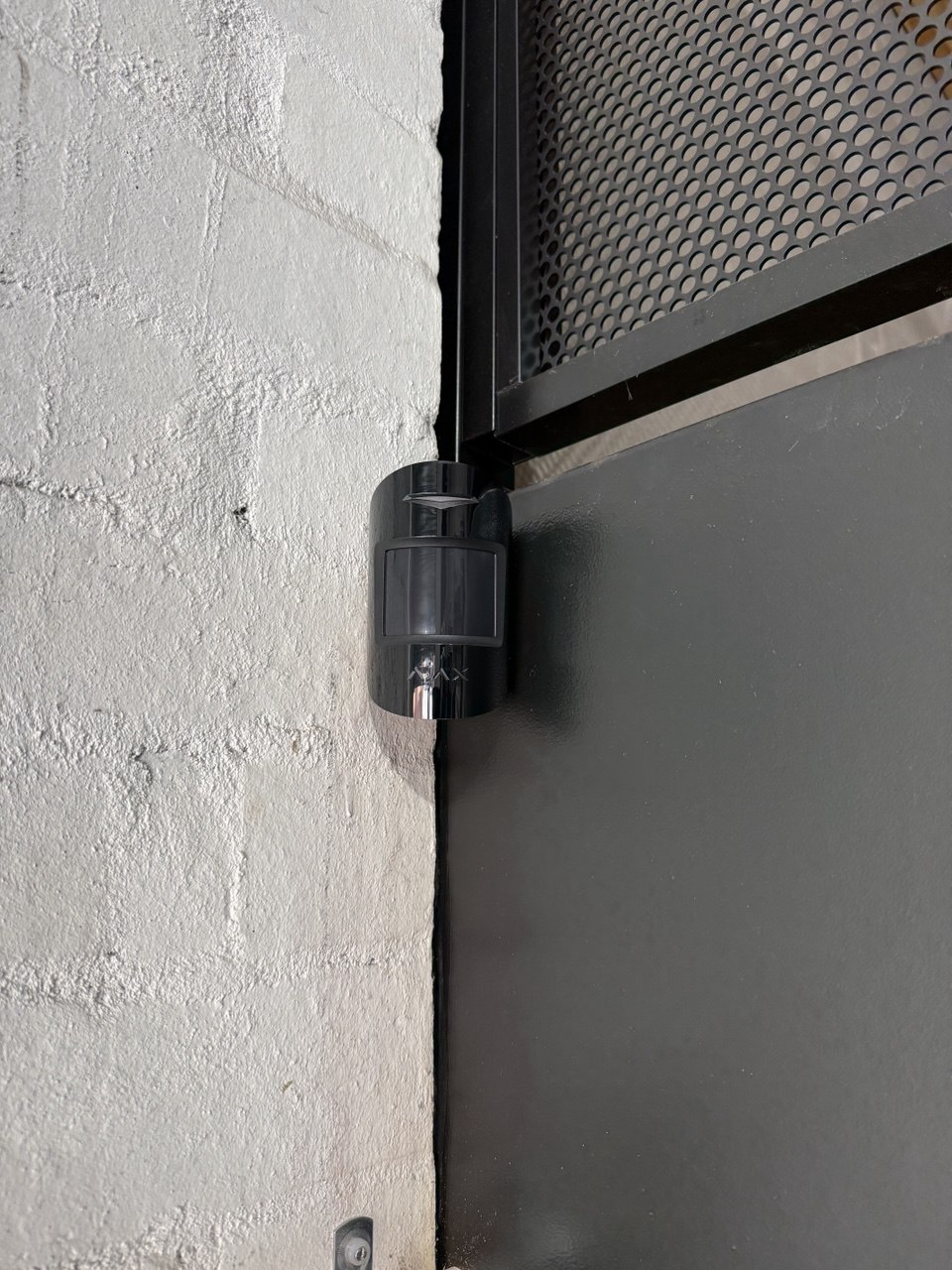
Passive infrared motion detectors available in standard and pet-immune variants. The MotionProtect Plus adds a microwave sensor for dual-tech detection, significantly reducing false alarms in challenging environments. Mounting height and angle are configured during installation to match the specific room geometry and pet access patterns.

DoorProtect (Door & Window Contacts)

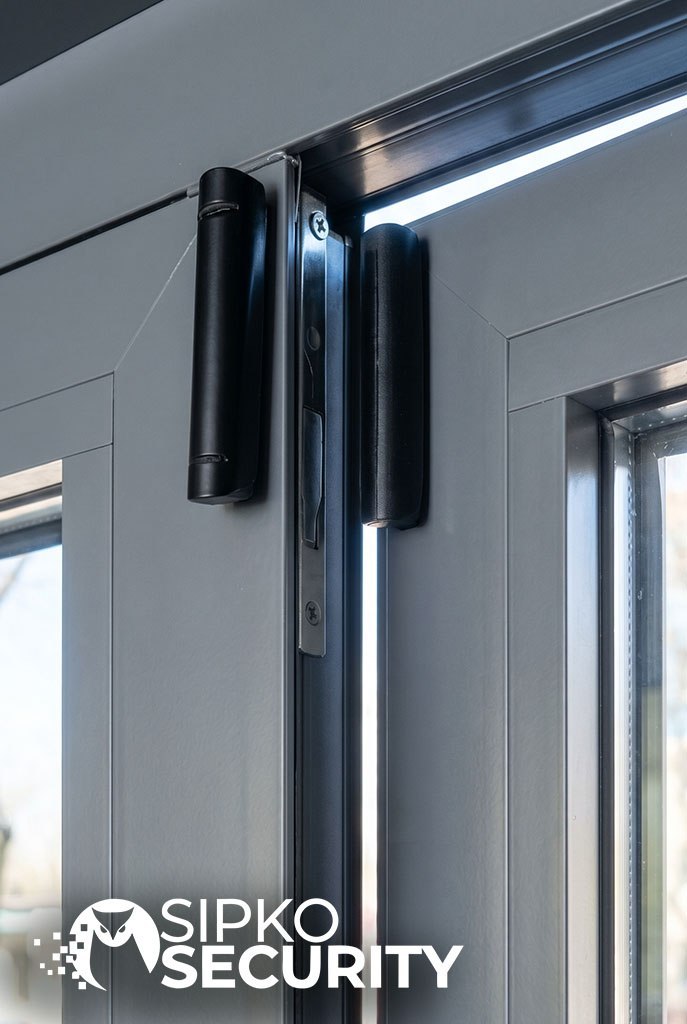
Magnetic reed contacts for doors and windows, available in standard and Plus variants. DoorProtect Plus adds a built-in accelerometer that detects shock and tilt — useful on timber-framed windows where forced entry may not fully open the contact before triggering. Slim profiles suit period window and door frames without requiring surface modification.

GlassProtect (Glass-Break Detector)

Acoustic glass-break detector that recognises the specific frequency signature of breaking glass. A single unit can cover multiple windows in the same room, reducing the number of devices required in open-plan living areas. Particularly useful in Boroondara apartments and homes with large glazed areas or balcony sliders.

KeyPad & Tags

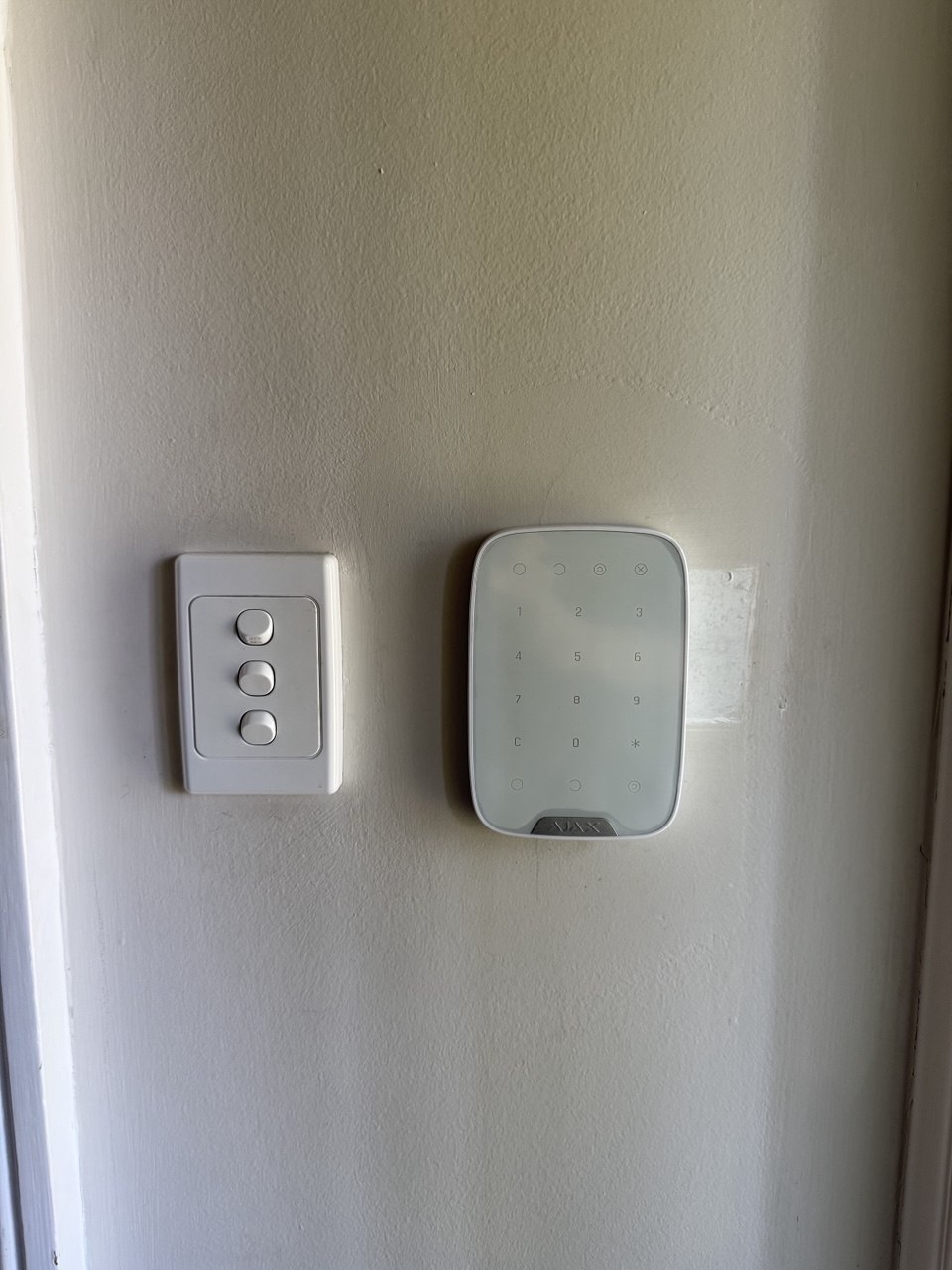
Touch-sensitive keypads for arming and disarming via PIN code. AJAX also supports proximity tags and key fobs for one-touch arming — useful for households with multiple users including children, cleaners, and trades. Each user has an individual code or tag, with time-stamped access logs and instant revocation from the app.

StreetSiren (External Siren)

Weatherproof external siren with a built-in LED flasher for visual alerting. Includes an internal backup battery and tamper protection. The siren communicates independently with the hub — it cannot be silenced by cutting a single cable. Available in compact profiles suitable for heritage facades where visual impact needs to be minimised.

ReX (Range Extender)

A wireless signal repeater that extends the Jeweller radio network through additional walls or across larger properties. Particularly useful in Boroondara’s double-brick homes with extensions, outbuildings, or detached garages where direct hub-to-sensor communication may be marginal. ReX devices are themselves supervised and tamper-protected.

Why AJAX Suits Boroondara Properties

No Cable Runs Through Heritage Fabric

Fully wireless architecture means no drilling through original plaster cornices, timber frames, or heritage brickwork. Sensors attach with reversible mounts, preserving the building fabric and satisfying heritage overlay requirements for minimal intervention.

Reliable Through Double Brick

The 868 MHz Jeweller protocol is engineered for dense construction environments. Signal testing at commissioning — not assumed from a floor plan — confirms coverage at every sensor location before the installation is signed off.

Dual-Path Monitoring Built In

Ethernet and 4G/LTE operate simultaneously from the hub — not as a fallback. If one path fails, the other continues without interruption. This meets the dual-path signalling requirement that professional monitoring centres require for Grade 2 installations.

Professional Monitoring Centre Integration

AJAX hubs connect directly to professional monitoring centres via the Ajax Translator protocol, delivering structured alarm data — zone names, event types, user IDs — rather than a generic signal. This enables faster, more accurate dispatch with fewer false alarm responses.

Scalable Without Rewiring

Additional sensors, cameras, and accessories can be added to an existing AJAX system without new cable runs. This suits Boroondara homeowners who are renovating in stages or want to expand coverage to a new outbuilding, garage, or garden studio after the initial installation.

Remote Firmware & Configuration Updates

AJAX devices receive firmware updates remotely via the hub, without requiring a technician visit. Configuration changes — adding users, adjusting zones, updating escalation contacts — are made through the installer app, keeping the system current and reducing ongoing service costs.

AJAX + Professional Monitoring: How It Works Together

When an AJAX sensor triggers, the hub sends a structured event to the monitoring centre within seconds via the active communication path — Ethernet or 4G/LTE. The monitoring centre receives the exact zone name, event type, and user context, enabling accurate dispatch decisions without waiting for a callback. Simultaneously, the homeowner receives a push notification with the same information.

Protocol Jeweller (868 MHz, AES-128 encrypted)
Signalling Dual-path: Ethernet + 4G/LTE simultaneously
Battery Life 3–7 years per device (model dependent)
Backup Power Up to 16 hours on internal hub battery
Range Up to 2,000m open air; extendable via ReX

A Note on AJAX and Other Platforms

AJAX is the primary wireless platform we install for Boroondara residential properties, but it is not the only option. Some installations — particularly where existing wired infrastructure is in good condition, or where specific monitoring centre integrations are required — may be better served by alternative platforms. We recommend the system that best fits your property, budget, and monitoring requirements, not the one that’s easiest to install.

Rear Access

Laneway & Rear Access Protection in Boroondara

Boroondara’s network of rear laneways is a defining feature of its streetscape — and the primary access route for the suburb’s most common crime. Here’s how to close that gap.

Boroondara’s residential laneways were originally built to service rear garages and provide utility access. Today they create a secondary perimeter that most home security systems completely ignore. A front-door alarm with no rear coverage leaves the most commonly used burglary approach route unmonitored — and in a suburb where theft from motor vehicles is up 24.7%, an unmonitored rear driveway or laneway-facing garage is the single highest-risk point on most properties.

The challenge is that laneways present specific installation constraints: no mains power at the boundary, limited mounting surfaces, variable lighting, and in many cases heritage fencing or brick walls that restrict where equipment can be placed. Solving laneway security requires a different approach to the front-of-house installation.

Why Laneways Are the Primary Risk Point

Rear laneways offer offenders three advantages that front approaches don’t: low visibility from the street, reduced lighting, and direct access to garages and vehicles without passing the front door. In Boroondara’s older suburbs — Kew, Canterbury, Camberwell, Balwyn — the laneway network is dense and well-established, meaning offenders familiar with the area know exactly which properties have rear garage access.

Theft from motor vehicles, Boroondara’s most recorded crime, almost always occurs via the driveway or laneway rather than the street frontage. A car parked in a rear garage accessed from a laneway, with no sensor lighting or camera coverage, is effectively invisible to any security system focused on the front of the property.

  • Rear laneways provide concealed access away from street-facing neighbours
  • Garage doors accessed from laneways are the primary vehicle theft entry point
  • Low ambient lighting in laneways reduces natural surveillance after dark
  • Heritage fencing and brick walls create blind spots that standard PIR placement misses
  • Most generic security assessments focus on front entry — rear access is routinely overlooked

Garage Door & Driveway Gate Contacts

The most reliable laneway protection starts at the garage door itself. Tilt sensors on roller doors and sectional panels detect opening without requiring a contact on the door frame — important where the door opens into a laneway with no fixed reference point for a standard reed contact.

For properties with driveway gates, magnetic contacts on the gate leaf combined with a shock sensor on the gate frame provide two-layer detection: the contact triggers on opening, the shock sensor triggers on forced entry attempts before the gate fully opens. Both can be wired back to the main alarm hub via surface trunking along the fence line, or connected wirelessly where cable runs are impractical.

  • Tilt sensors detect roller door and sectional panel movement without frame contact
  • Gate contacts trigger on opening; shock sensors trigger on forced entry attempts
  • Wireless sensors eliminate cable runs along heritage fence lines
  • Separate zone assignment allows garage arming independent of the main dwelling
  • Alerts distinguish between authorised access (known user code) and unauthorised opening

Narrow-Setback Beam Detectors

Many Boroondara laneways have side setbacks of less than a metre between the fence and the garage wall — too narrow for a standard PIR to cover effectively without generating false alarms from passing pedestrians or animals in the laneway itself. Active infrared beam detectors solve this by creating an invisible detection line across the setback rather than a wide detection cone.

A single beam pair mounted at knee height across a side setback detects anyone crossing from the laneway into the property without triggering on movement in the laneway itself. This precision is not achievable with a standard PIR in a narrow space, and it eliminates the false alarm problem that causes homeowners to disable rear-zone coverage entirely.

  • Beam detectors create a precise detection line rather than a wide zone
  • Effective in setbacks under one metre where PIR placement is impractical
  • Knee-height mounting detects human intrusion while ignoring cats and small animals
  • Weatherproof housings rated for outdoor use in Melbourne’s variable climate
  • Can be zoned separately to allow laneway access without triggering the main alarm

Sensor Lighting Integration

Sensor lighting in laneways serves two functions simultaneously: it deters opportunistic offenders by eliminating the darkness that makes rear access attractive, and it activates cameras at the moment of approach — ensuring footage is captured in usable light rather than in low-lux conditions that produce unusable night vision imagery.

For laneway installations, battery-powered or solar sensor lights eliminate the need for mains cable runs along fence lines. Positioning lights to illuminate the garage door and gate approach — rather than the laneway itself — focuses the deterrent effect on the property boundary rather than the public space, which also avoids complaints from neighbours whose properties back onto the same laneway.

  • Sensor lighting activates cameras at the moment of approach for usable footage
  • Solar and battery options eliminate mains cable runs along fence lines
  • Positioning at the property boundary avoids illuminating the public laneway
  • Linked to alarm zones so lighting activation can trigger a push notification
  • Visible lighting is a documented deterrent — offenders actively avoid lit properties

Recommended Laneway Security Components

Garage Tilt Sensor

Detects roller door and sectional panel movement via an accelerometer mounted on the door panel. No frame contact required. Triggers immediately on door movement and reports to the hub within seconds. Suitable for all standard garage door types including tilt, roller, and sectional.

Outdoor PIR with Pet Immunity

Weatherproof passive infrared detector for open driveway areas where beam detectors are not practical. Pet-immune variants ignore animals up to 25kg. Mounting height and angle are critical for outdoor installations — incorrect placement in a laneway environment generates false alarms from passing pedestrians.

Active Infrared Beam Detector

Transmitter and receiver pair that creates an invisible detection beam across a defined line. Ideal for narrow side setbacks and gate openings where PIR coverage is impractical. Available in single, double, and quad-beam configurations — multi-beam models reduce false alarms from birds and debris crossing the beam path.

Driveway Gate Contact + Shock Sensor

Magnetic reed contact on the gate leaf detects opening; shock sensor on the gate frame detects impact from forced entry attempts. Two-layer detection ensures coverage whether the gate is opened normally or forced. Both devices can be wireless, eliminating cable runs along heritage gate posts and fence lines.

Outdoor Camera (Laneway-Facing)

Fixed or varifocal turret camera positioned to cover the garage door and gate approach from inside the property boundary. Colour night vision or white-light illumination provides usable footage in low-light laneway conditions. Privacy zones exclude the public laneway and neighbouring properties from the recorded field of view.

Laneway Coverage Is Assessed On-Site, Not Assumed

Every Boroondara laneway is different — setback widths, fence heights, gate configurations, and lighting conditions vary street by street. We assess the rear access points during the site visit and design coverage specifically for your property’s geometry. A solution that works for a Kew property with a 900mm side setback will not be the same as one for a Camberwell property with a shared rear driveway. We don’t apply a standard template to rear access protection.

Connectivity

NBN & 4G Connectivity for Alarm Monitoring in Boroondara

A monitored alarm is only as reliable as its communication path. Here’s how dual-path signalling works and why carrier selection matters in Boroondara.

Most home alarm systems in Australia still rely on a single communication path — typically the NBN connection — to signal the monitoring centre. If that path fails, whether through an ISP outage, a router reboot, or deliberate interference, the alarm cannot report. In a suburb where property crime is trending upward, a single-path system is a meaningful gap in protection.

Dual-path signalling addresses this by maintaining two independent communication channels simultaneously: Ethernet via the NBN connection, and 4G/LTE via a dedicated SIM in the alarm hub. Both paths are active at all times — not configured as primary and backup. If either path fails, the other continues without interruption and without any action required from the homeowner.

NBN Ethernet Path

The primary signalling path connects the alarm hub directly to the router via Ethernet — not Wi-Fi. A wired connection eliminates the reliability issues associated with wireless home networks: interference, channel congestion, and the hub dropping off the network when the router reboots.

Boroondara is well-served by NBN infrastructure, with FTTP, FTTC, and HFC connections available across most suburbs. The specific NBN technology at your address affects latency and reliability, but for alarm signalling purposes — which requires only a small data packet — all NBN connection types are adequate when the connection is stable.

  • Wired Ethernet connection avoids Wi-Fi reliability issues
  • Hub connects directly to router, not dependent on home network stability
  • Mains power loss to the router is detected and reported via the 4G path
  • ISP outages trigger automatic failover to 4G with immediate notification

4G/LTE Cellular Path

The cellular path operates via a dedicated SIM installed in the alarm hub — completely independent of the home’s internet connection. The hub maintains a persistent connection to the monitoring centre via the cellular network, reporting events and receiving supervision signals regardless of what happens to the NBN connection.

Carrier selection for the alarm SIM is based on real-world signal testing at the installation address, not assumed from coverage maps. Indoor signal strength — particularly in double-brick homes — can differ significantly from the street-level coverage shown in carrier maps. We test signal at the hub location before commissioning the SIM.

  • Dedicated SIM in the hub — independent of home internet
  • Carrier selected based on tested indoor signal at the hub location
  • 4G/LTE provides faster and more reliable signalling than older 3G systems
  • Cellular path also handles push notifications to the homeowner’s phone
  • SIM data usage is minimal — alarm signalling requires negligible bandwidth

What Dual-Path Protects Against

Single-path alarm systems fail silently in several common scenarios that dual-path signalling prevents. Understanding these failure modes explains why dual-path is the standard for professional monitoring installations rather than an optional upgrade.

  • ISP outages — NBN provider maintenance or faults that take the internet offline
  • Router reboots — scheduled or automatic restarts that temporarily drop the connection
  • Power outages — mains failure that takes the router offline before the hub’s battery activates
  • Deliberate interference — cutting the phone line or disrupting the internet connection before entry
  • Wi-Fi disruption — jamming or interference affecting wireless-only alarm connections
  • Hub battery depletion — extended outages that exhaust the hub’s internal backup battery

Supervision & Health Monitoring

A monitored alarm system should report its own health, not just intrusion events. Professional monitoring platforms poll the alarm hub at regular intervals — typically every few minutes — to confirm the system is online and communicating. If a supervision poll is missed, the monitoring centre is alerted before the homeowner even notices a problem.

This supervision applies to both communication paths independently. A failure on the Ethernet path triggers an alert even if the 4G path remains active — because a path failure may indicate tampering or a developing infrastructure problem that warrants investigation.

  • Regular supervision polls confirm both paths are active and communicating
  • Missed poll triggers monitoring centre alert within minutes
  • Mains power loss reported immediately via the active communication path
  • Low battery alerts sent before battery reaches critical level
  • Restore notifications confirm when a failed path returns to service

4G Carrier Considerations for Boroondara

Telstra

Strongest overall indoor coverage across Boroondara, particularly in double-brick homes in Canterbury, Kew, and Balwyn. Generally the preferred carrier for alarm SIMs in heritage properties where indoor signal attenuation is highest.

Optus

Good coverage across most Boroondara suburbs with strong performance in Hawthorn, Camberwell, and Glen Iris. Signal testing at the hub location confirms suitability before commissioning.

Vodafone / TPG

Coverage has improved significantly across inner Melbourne. Suitable for some Boroondara addresses, particularly in newer buildings or locations with good outdoor signal. Always tested on-site before selection.

How Dual-Path Signalling Works in Practice

Both communication paths are active simultaneously from the moment the system is commissioned. The hub sends supervision signals and event reports via both paths concurrently — the monitoring centre receives whichever arrives first. There is no switchover delay, no manual intervention required, and no gap in coverage when one path fails.

Primary Ethernet via NBN — wired, low latency, high reliability
Secondary 4G/LTE via dedicated SIM — independent of home internet
Supervision Both paths polled independently every few minutes
Failover Automatic — no action required from homeowner
Notification Path failures reported to monitoring centre and app

Carrier Selection Is Done On-Site, Not Assumed

Coverage maps show outdoor signal strength at street level — they do not reflect indoor signal in a double-brick home with a hub mounted in a utility room or meter box. We test real-world signal strength at the proposed hub location during the site visit and select the carrier with the strongest confirmed indoor signal before commissioning the SIM. If signal is marginal on all carriers, we discuss hub placement options that improve cellular performance without compromising the installation.

Service Area

Security Services Across All Boroondara Suburbs

We install and service alarm systems throughout the Boroondara local government area, with local knowledge of each suburb’s property types and security considerations.

Ashburton

Predominantly post-war brick homes and newer townhouse developments. Common security needs include garage protection and rear-lane coverage.

Brick Homes Townhouses
Balwyn & Balwyn North

Large period homes on generous blocks with extensive gardens. Side and rear access paths are a key security consideration alongside heritage-sensitive installation.

Heritage Large Blocks
Camberwell

Mix of Edwardian and Californian Bungalow homes alongside modern apartments. Heritage overlay properties require careful external equipment placement.

Heritage Overlay Apartments
Canterbury

One of Melbourne’s most heritage-dense suburbs. Double-brick Victorian and Edwardian homes with high-value contents require discreet, non-invasive security solutions.

Victorian Homes Double Brick
Hawthorn & Hawthorn East

Dense mix of period homes, apartments, and student accommodation near Swinburne. High foot traffic and proximity to commercial areas increase perimeter security importance.

Period Homes Apartments
Kew & Kew East

Prestigious heritage homes with large gardens and rear lane access. Many properties have heritage overlays and require permit-aware installation planning.

Heritage Rear Lanes
Surrey Hills

Quiet residential streets with a mix of period and contemporary homes. Family-oriented suburb where pet-friendly solutions and smart home integration are frequently requested.

Family Homes Smart Home
Glen Iris

Diverse property mix from inter-war bungalows to modern townhouses. Proximity to Malvern Road retail strips means higher vehicle traffic and associated security considerations.

Bungalows Townhouses

Serving All of Boroondara — and Beyond

Our service area covers every suburb within the Boroondara local government area. If you’re just outside the boundary, get in touch — we regularly service neighbouring councils including Stonnington, Whitehorse, and Manningham.

FAQ

Frequently Asked Questions — City of Boroondara

Ashburton • Balwyn • Balwyn North • Camberwell • Canterbury • Deepdene • Hawthorn • Hawthorn East • Kew • Kew East • Glen Iris p. • Surrey Hills p. • Mont Albert p.

Apartments in Hawthorn/Kew: approximately half a day. Most houses in Camberwell/Balwyn: one day. Larger Canterbury/Deepdene homes or multi-storey townhouses: 1–2 days including commissioning and training.

Yes. Boroondara has many heritage overlays. We use low-impact wireless devices, colour-matched fixings and discreet siren placement to preserve façades and interiors without chasing ornate plaster or timber.

Noise-aware device placement, proper entry/exit delays, pet-immune PIRs, outdoor detectors with anti-masking, and tailored arming logic for shopfronts, side paths and shared entrances keep alerts meaningful.

Absolutely. App arming/disarming, roles for family or tenants, one-time codes for trades, schedules, notifications and full audit trails for who armed/when.

Yes — we use gate-line beams, roller-door tilt/contacts, shed door reeds and driveway entry alerts so you’re warned before a door or window inside the home is approached.

Self-monitor via app or choose 24/7 professional monitoring with dual-path communications (Ethernet + 4G), verified alarms, duress codes and escalation to keyholders.

Yes — we can reuse viable cabling/zones or migrate to modern wireless (e.g., AJAX-class systems) with minimal disruption and a clean, app-based user experience.

Boroondara Security Specialists

Book Your Boroondara Alarm Installation — Suburb-Specific Quote

Get a tailored alarm assessment and fixed quote for your Boroondara home. No obligation, no pressure — honest advice from a local specialist who knows every suburb’s property types and security challenges.

Free on-site assessment
Fixed quote after inspection
Heritage-friendly installation
24/7 professional monitoring
Dual-path signalling included

Serving Ashburton, Balwyn, Camberwell, Canterbury, Hawthorn, Kew, Surrey Hills, Glen Iris & all Boroondara suburbs.

We Help People In Solving House Security

Our works

What Our Clients Say