

Upgrade an Old Bosch, DSC or Hills Alarm to Ajax in Melbourne
Have an older Bosch, DSC, Hills, Ness or Paradox alarm? Some of your wired detectors and cable runs may still be useful. SIPKO checks the existing equipment, recommends an Ajax replacement and tests the completed installation.
Keep reliable wiring
Existing door contacts, detectors and cables can stay if they pass testing.
Add Ajax app control
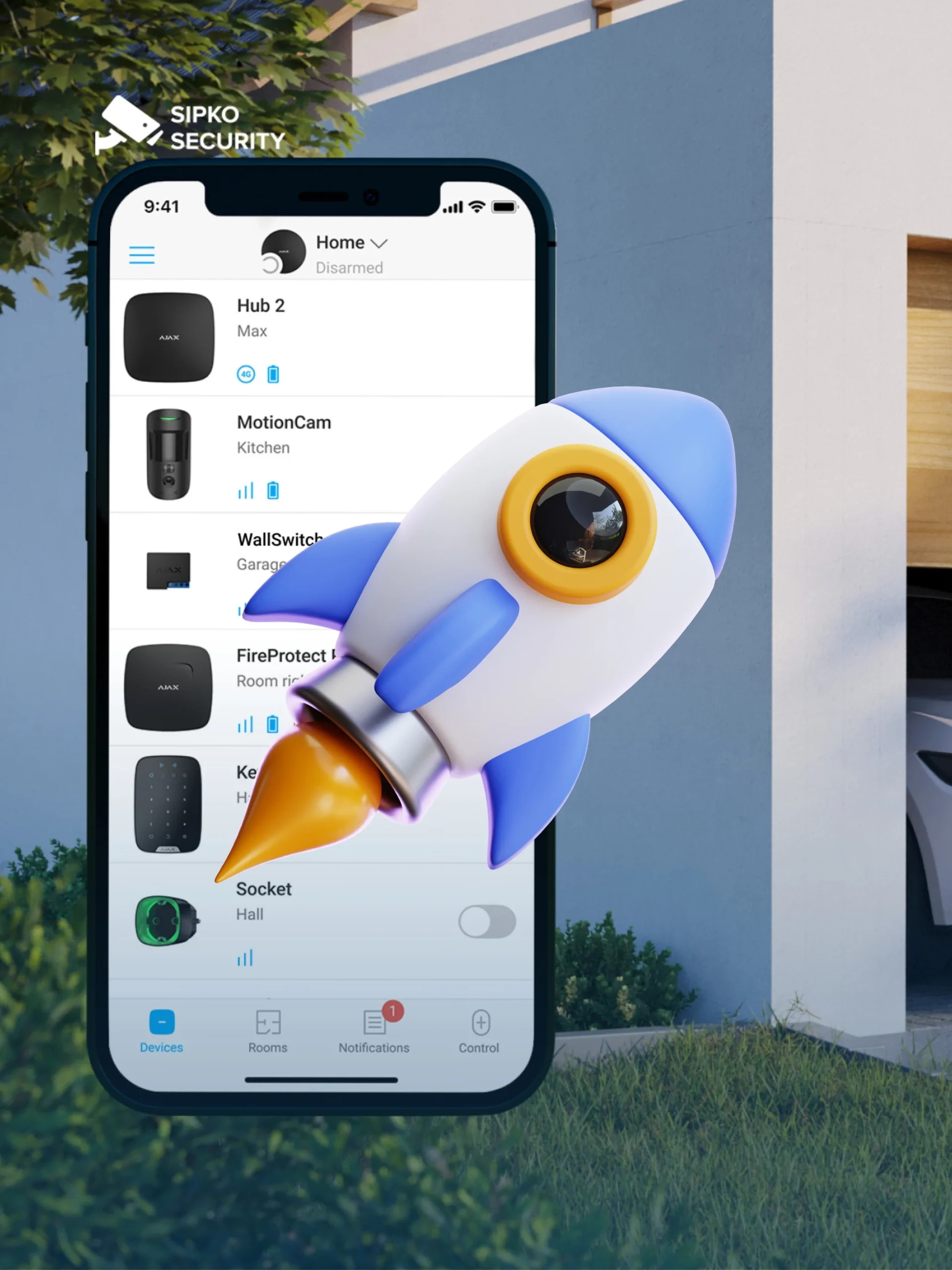
Users can arm and disarm the alarm, receive notifications, check events and manage access through the Ajax app.
Replace the old panel and keypad
A new Ajax control system can use compatible existing wiring and detectors.
Choose the right Hub connection
Hub location, internet access, cellular backup options and radio coverage are checked for the property.
Reusing existing wiring: sound cable runs can reduce the amount of new cabling required. Some wall, ceiling or roof-space access may still be needed if wiring is damaged, devices must be moved or additional areas require protection.
Request Ajax Upgrade Assessment
Call 0406 432 691 or tell us which alarm you have and what you would like to change.
When Does an Ajax Upgrade Make Sense?
Consider an upgrade if your current alarm is unreliable, difficult to manage or missing features you need.
Homes with useful wired zones
Your wired detectors still cover the rooms and doors you want to protect, but the control panel needs replacing.
New owners of an older property
You have inherited an alarm with unknown codes, old remotes or no access to its settings.
Sites with recurring alarm faults
The alarm keeps losing connection, reporting faults or needing repairs.
Owners who need easier control
You want to control the alarm from your phone and give family members separate access.
Keep an Existing Alarm or Upgrade to Ajax?
Age alone is not a reason to replace an alarm. The right upgrade depends on the condition of existing wiring and sensors, the reliability of the panel and whether app control or additional coverage is required.
When replacement may not be urgent
If your existing alarm operates reliably and meets your needs, replacement may not be urgent. If you want modern mobile control or better coverage, we can assess an Ajax upgrade.
- The alarm arms and disarms reliably.
- Sensors work and replacement parts are available.
- You do not need extra zones or app control.
Upgrade an unreliable or outdated alarm
An upgrade makes sense when faults keep returning, spare parts are hard to find or your old alarm cannot provide the control and coverage you need.
- Faults keep returning after repairs.
- You want app control and separate user access.
- You need more sensors than the current panel supports.
SIPKO checks the current alarm before recommending an Ajax takeover that retains suitable wiring or a complete new Ajax installation. We no longer offer repairs for legacy Ness, Hills, DAS or DSC alarm panels.
Which Parts of Your Old Alarm Can Stay?
We test the existing cables and devices before deciding which ones are safe and practical to keep.
May be reused after testing
- Zone wiring with acceptable continuity and insulation condition
- Door and window contacts that operate consistently
- Selected wired PIRs in suitable positions
- Panic inputs or other compatible wired zones
- Existing enclosure, power location or siren cabling where practical
Usually replaced or upgraded
- Legacy control panel and outdated communication hardware
- Old keypad, remotes and unsupported user controls
- Failed, unstable or poorly placed detectors
- Backup battery and power components when condition requires it
- Sirens or tamper devices that cannot be integrated reliably
Which Ajax Upgrade Route Fits Your Existing Alarm?
Find your current alarm below to see how SIPKO would approach the upgrade.
| Existing system | Ajax upgrade route |
|---|---|
| Bosch wired | Existing wiring assessment |
| DSC wired | Existing wiring assessment |
| Hills wired | Existing wiring assessment |
| Legacy wireless | Ajax replacement |
| Mixed system | Hybrid assessment |
We’ll confirm what can be reused after testing the wiring and detectors.
Reuse Existing Cabling
We check existing cables and wired sensors for faults and compatibility. Sound wiring can often stay; damaged wiring needs repair or replacement.
MultiTransmitter Jeweller
MultiTransmitter Jeweller connects supported third-party wired detectors to Ajax. Each device needs compatibility testing; the old alarm panel itself is not converted into an Ajax Hub.
Hub Hybrid
Hub Hybrid supports compatible Ajax Fibra wired devices and Jeweller wireless devices. Old Bosch, DSC or Hills sensors cannot be connected directly to Fibra terminals; third-party wiring needs a suitable interface and testing.
Switching to the Ajax App
We configure your new Ajax app, label the zones and test phone alerts. Old alarm-app accounts and event history do not transfer.
User Setup
We set up approved users and their permissions, then check that previous owners or installers no longer have access to the new system.
Commissioning & Testing
Before handover, we test every alarm zone, siren, tamper alert, connection and phone notification, then show you how the system works.
Moving Your Alarm Monitoring
If your current alarm is monitored, tell us the provider so we can discuss a suitable Ajax monitoring plan and the steps needed to switch. Keep your existing monitoring active until the new connection has been tested and confirmed working.
Ready to upgrade? Share the old alarm brand, a photo of the panel and the areas you need protected. We will assess which cabling or devices can remain and what needs replacing.
Older Alarm Brands We Can Upgrade to Ajax
Not sure which model you have? A photo of the keypad or alarm cabinet label will help us identify it.
Bosch panel to Ajax
Bosch Solution systems may still have reliable wired contacts, PIRs and cable runs even when the panel, keypad or communication module needs replacement.
Discuss a Bosch-to-Ajax upgradeDSC panel to Ajax
DSC PowerSeries and similar installations can be checked for a panel takeover while retaining compatible zone wiring and reliable detectors.
Discuss a DSC alarm takeoverHills or Reliance to Ajax
Hills Reliance, DAS and NX installations may have useful wiring even when keypads, communication modules or replacement parts are becoming difficult to maintain.
Upgrade or take over an older Hills alarmNess panel to Ajax
Ness D8 and D16 systems can be assessed for an Ajax replacement. We test the existing wiring and detectors, then recommend which components can be retained and which need upgrading.
Upgrade or take over an older Ness alarmParadox panel to Ajax
The existing panel, expansion modules, keypad and zones are checked before recommending a compatible Ajax upgrade, partial reuse or complete replacement.
Explore Ajax installation optionsWhat Changes for Each Alarm Model?
Older wired alarm systems are common in established Melbourne homes. A panel upgrade does not automatically mean opening walls or replacing every cable. We first check what can safely be reused and whether an Ajax-compatible interface is appropriate for the existing zones.
Ness D8 / D16 to Ajax
Inherited a Ness D8 or D16 alarm with an old keypad, unclear codes or no modern app access? We assess the panel, existing door contacts, motion detectors and wiring before proposing an Ajax replacement. Reuse is conditional on testing, not guaranteed.
Send us a photo of the keypad and panel label so we can identify the model before quoting.
Hills Reliance to Ajax
Hills Reliance systems in established homes may have useful wired zones even when the control panel is outdated. We check zone condition, cabling, detectors and coverage before deciding on a compatible Ajax interface or a fresh device layout.
A photo of the Reliance keypad and an approximate zone count will help us plan the upgrade.
DAS / NetworX NX to Ajax
If you have a DAS or NetworX NX alarm, the original keypads and panel will not simply become Ajax devices. Our upgrade assessment separates potentially reusable low-voltage wiring and contacts from hardware that needs replacement.
Tell us which NX model is installed and whether any zones have become unreliable.
DSC PowerSeries to Ajax
DSC PowerSeries owners often want easier mobile control, better communication options and reliable notifications. We test the existing wired zones, review the alarm layout and specify an Ajax solution suited to the property.
For an estimate, include a keypad photo, the panel label and the areas you need to protect.
What can stay? Existing wiring, contacts or selected detectors may be suitable after inspection. Old keypads, control panels and communication modules generally need replacing. Integration depends on compatibility and site testing; the Ajax Hub Hybrid Fibra bus is not a direct connection for third-party legacy sensors.
SIPKO replaces and upgrades Ness, Hills, DAS and DSC systems. We no longer offer standalone keypad, panel or battery repairs for these older alarms.
Explore Ajax alarm installation in Melbourne | Plan your Ajax setup with the configurator
How Your Ajax Upgrade Works
Here’s what happens after you contact SIPKO.
Photo review
Send photos of your panel and keypad so we can identify the existing alarm.
Site and zone check
We inspect the wiring, detectors, power, sirens and connection options.
Confirm what stays and what changes
We explain what can stay, what needs replacing and the cost of the proposed work.
Install, test and hand over
We install the Ajax equipment, set up users, test the alarms and demonstrate the app.
Ajax Upgrade Options
Silver, Gold and Platinum show three possible approaches, not fixed-price kits. Your quote will reflect your existing alarm and the coverage you need.
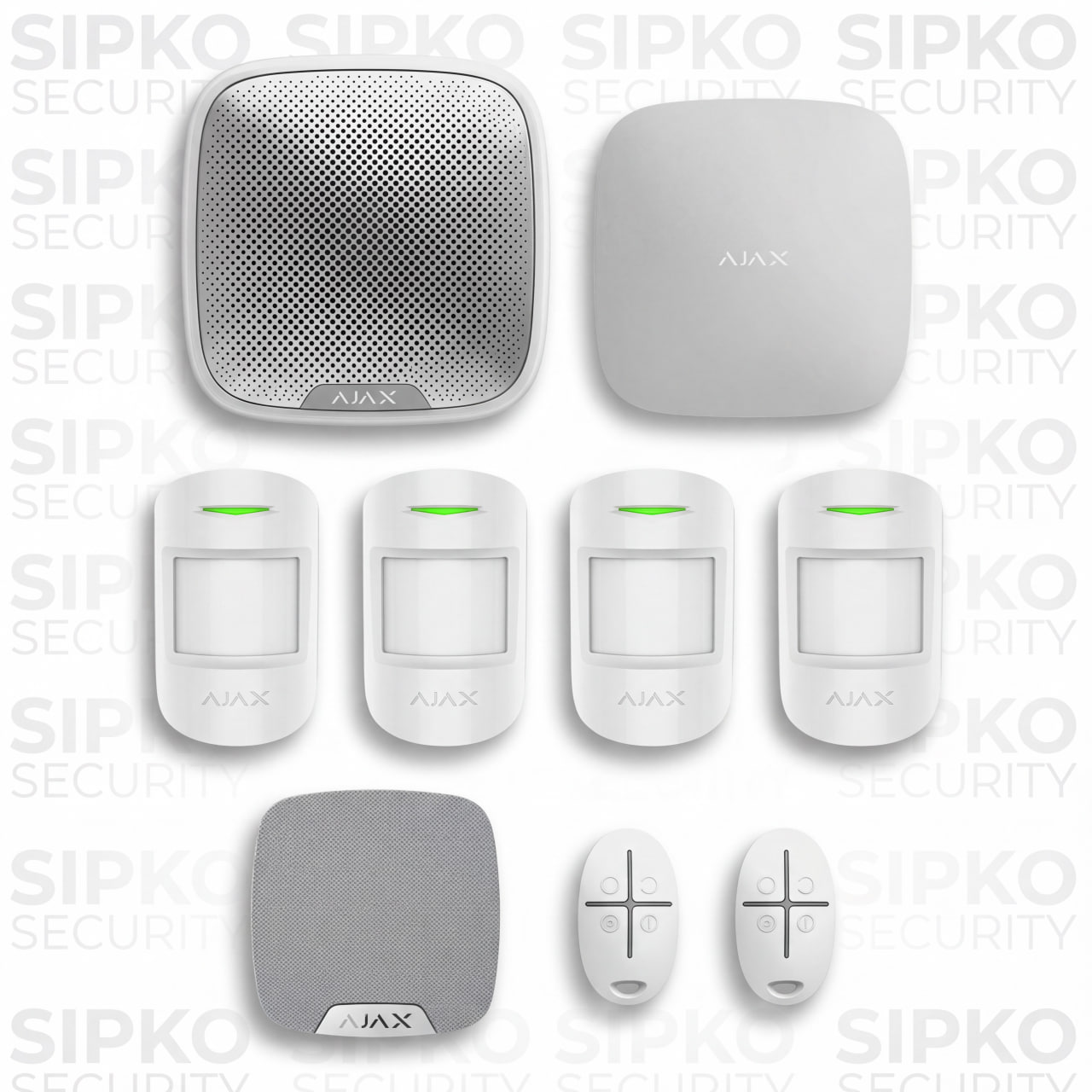
Core Panel Takeover
For a smaller property with reliable wired sensors that can remain in service.
- Ajax Hub and suitable interface for retained wired sensors
- Existing zones tested and labelled
- Ajax app and keypad setup as agreed
- Existing siren assessed for reuse
- Alarm testing and owner handover
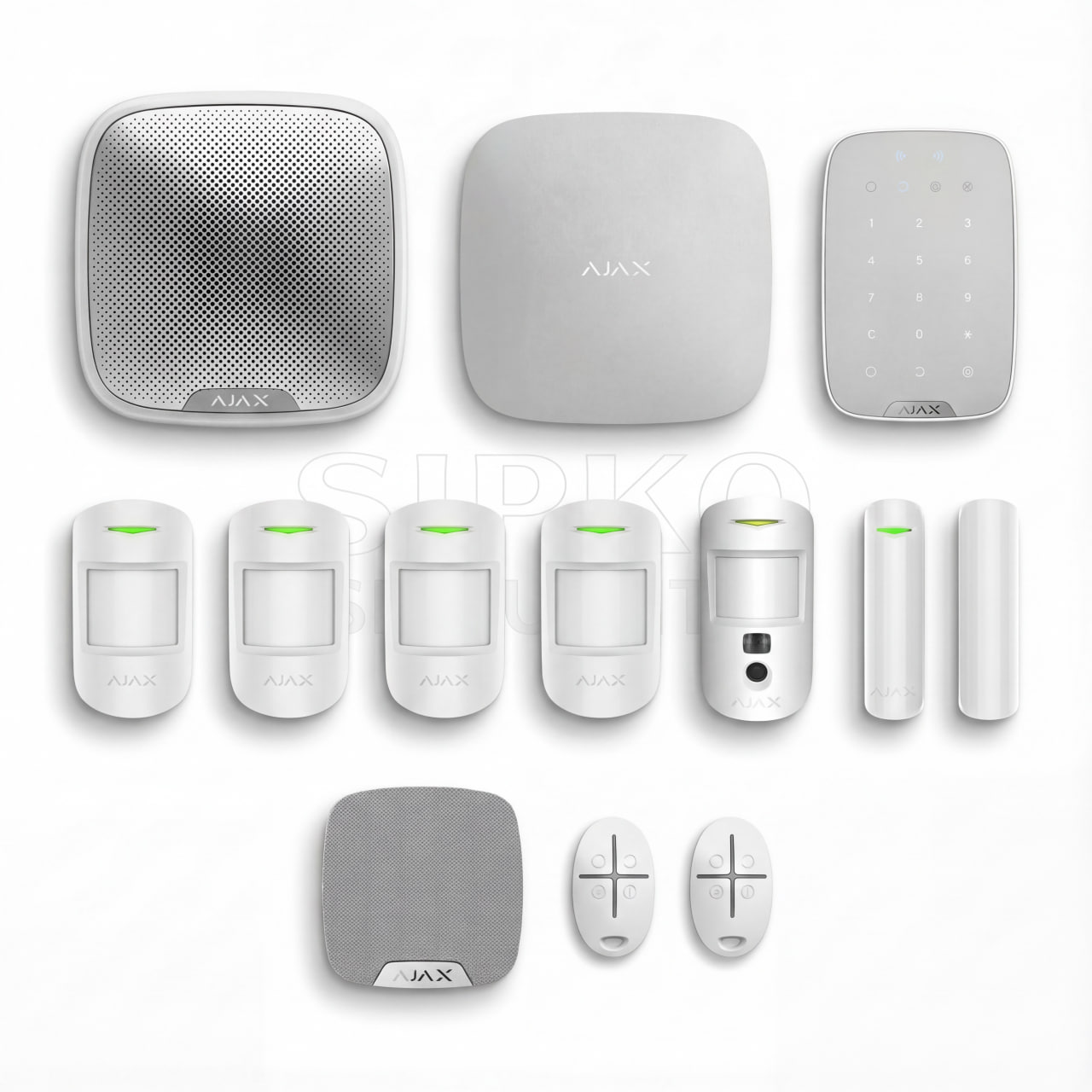
Hybrid Takeover
For properties keeping some wired sensors while adding or replacing Ajax devices.
- Ajax Hub and MultiTransmitter where compatible
- New door contacts or motion detectors as needed
- App users, keypad and permissions
- Sirens checked and replaced where necessary
- Optional Ajax MotionCam
- Installation testing and handover

Full Ajax Refresh
For properties where a new Ajax system makes more sense than keeping the old equipment.
- New Ajax Hub, keypad and detectors
- Coverage planned for doors, rooms and access points
- Wired, wireless or mixed installation as appropriate
- Sirens and app user setup
- Full testing and owner handover
These are examples, not fixed packages. Your written quote will specify the equipment, installation work and any optional additions.
Photos to Send Before Your Quote
Photos of your panel and keypad help us identify the alarm. Mention them when you enquire and we’ll tell you how to share them.

What You’ll Receive in Your Quote
We’ll explain what can stay, what needs replacing and how much the proposed Ajax upgrade will cost.
- Your current alarm and the zones it protects
- Existing wiring and detectors suitable for reuse
- Parts that need replacing and why
- Recommended Ajax Hub, sensors, keypad and sirens
- App setup, system testing and handover
- Any additional wiring, access work or monitoring options
Ready to Upgrade Your Old Alarm?
Tell us which old alarm you have, what’s not working and what you want to improve. We’ll assess whether its existing wiring and detectors can support an Ajax upgrade or whether a new installation is the better option.
