
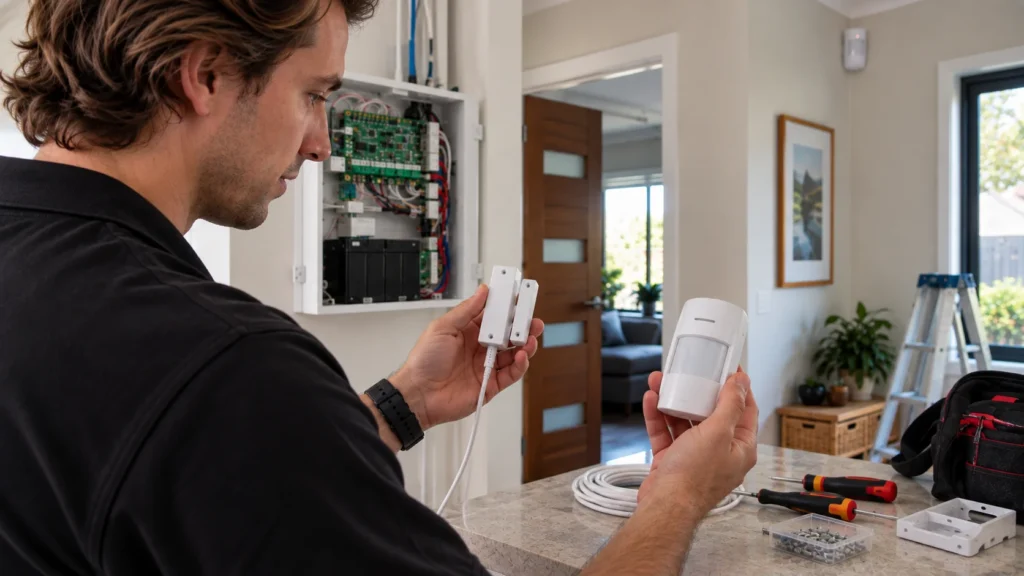
Wired vs Wireless Alarm Systems: What Actually Fits Your Property
Choosing between a wired and wireless alarm system isn’t really a question of which technology is better — it’s a question of which one fits the property you actually have. A finished home with no existing cabling, a renovation with the walls already open, and a property that already has usable wiring all point toward different answers. Increasingly, the honest answer for many properties isn’t wired or wireless at all, but a hybrid of both. This guide works through what each architecture actually means, what can realistically go wrong with each, and how to match the right one to your situation.
What “Wired” Actually Means in a Modern Alarm System
A wired alarm system connects every sensor, siren and keypad to a central control panel by cable, which carries both power and communication. Platforms like Bosch’s Solution 6000 are built around this approach, with a panel that manages zones and supervises connected devices. In practice, that means:
- Cable carries power and communication between the panel and field devices, rather than treating them separately.
- Central supervision of connected zones and devices from the panel itself.
- One central backup battery rather than a battery in every detector — 7.2 Ah in the Bosch Solution 6000 example, running from mains power with the battery as a secondary source if mains power is lost.
- Less device-by-device battery maintenance — but not zero battery maintenance. The panel battery still needs checking and eventually replacing.
What “Wireless” Actually Means in a Modern Alarm System
A wireless alarm system connects sensors to a hub over radio rather than cable, with each device running on its own battery. Ajax is a useful example of how a professional wireless system actually works — not because it’s the only option, but because its architecture is well documented. Communication is two-way: the hub doesn’t just receive signals, it checks in with devices and expects a response, which is what allows the system to detect a missing device rather than just waiting for an alarm event.
Two different timing figures matter here:
These numbers describe two different jobs: alarm delivery and background supervision. Neither should be confused with the separate connection from the hub to the internet, cellular network, app or monitoring service — that’s a different layer, with its own separate reliability considerations, covered below.
What “Hybrid” Actually Means — and Why It’s Not Just a Compromise
A hybrid system combines wired and wireless devices on the same panel, and it’s a genuinely supported architecture on modern platforms rather than an improvised workaround.
Bosch example: 16 on-board zones → up to 144 wired or wireless zones with expansion.
In practice, this means a property can use wired sensors where cabling is straightforward — a ground-floor entry, an easily accessible wall run — and wireless sensors where it isn’t, like a detached shed, an upstairs addition, or a heritage property where drilling isn’t an option. Hybrid isn’t a lesser version of either architecture; it’s the option that exists specifically because most real properties aren’t uniformly easy or uniformly difficult to cable.
What Can Actually Go Wrong — Reliability by Failure Mode
“Wired is more reliable” and “modern wireless is just as reliable” are both too vague to be useful on their own. A more honest way to think about reliability is to look at what can actually fail, and whether that failure mode is specific to one architecture or applies regardless:
- Cable damage — a wired connection can be physically cut or damaged; a wireless device-to-hub radio link doesn’t depend on that cable path, although wireless communication introduces its own interference and jamming risks.
- Radio interference or jamming — specific to wireless communication; a professional system can detect abnormal interference and report it, but detecting interference is not the same as being immune to it.
- Mains power loss — affects both architectures; what differs is backup arrangement (a shared panel battery for wired, individual device batteries plus a hub battery for wireless).
- Battery depletion — a wireless-specific maintenance item across sensors, versus one panel battery on a wired system.
- Internet or cellular failure — can affect remote-alert delivery in either architecture when the system uses IP or cellular communication.
- Installation quality — arguably the biggest factor of all, and genuinely architecture-independent; a poorly installed system of either type will underperform a well-installed one of the other.
The honest picture is that each architecture removes one category of risk and introduces another, rather than either one being categorically safer.
Property Scenarios — Which Architecture Actually Fits
Technical specifications matter less than how they apply to the property in front of you. A few common situations illustrate why the answer changes:
Existing usable cabling. A property that already has usable wiring is often best served by keeping the wired system and upgrading only what’s actually failed, rather than starting over.
Finished home with no cabling. Where opening walls isn’t realistic, wireless tends to be the practical fit, since sensors can be added without disruption.
Renovation or new build. With walls already open, this is exactly the situation where wired cabling is cheapest and least disruptive to install — a strong candidate even if the property later adds wireless devices too.
Future expansion. A property likely to add coverage later — extra zones, a new outbuilding — benefits from wireless or hybrid, since adding a wireless sensor doesn’t require new cabling.
Detached buildings or difficult cable routes. A garden shed, a garage across a driveway, or a heritage double-brick property are a natural fit for wireless or hybrid, where a wired run would be expensive or impractical.
Larger commercial or warehouse property. These often lean wired for the primary structure, partly because a wired system’s cable-run limits are less constraining at scale: Bosch’s Solution 6000 documentation, for example, specifies RS485 LAN distances of up to 300 metres using standard multi-strand security cable, extending to 1,200 metres with the specified shielded data cable — a genuine design constraint worth knowing if a property spans a large distance, though it applies specifically to that platform’s cabling, not to wired systems universally.
Choosing Between Wired, Wireless and Hybrid
Bringing this together, working through the decision in order helps more than starting from a technology preference:
- Work out how much of the property already has usable cabling, or how easily cabling could be run.
- Consider whether you’re likely to expand coverage later, and how disruptive adding cable would be at that point.
- Be honest about how much battery maintenance you’re willing to take on, since that’s the main ongoing wireless-specific task.
- Identify any genuinely difficult areas — detached structures, heritage walls, rental restrictions — that might need a wireless or hybrid solution regardless of the rest of the property.
- Only then compare specific systems within the architecture that actually fits — at that point, the choice becomes far more concrete than a generic wired-vs-wireless debate.
Getting the Right System Installed
Working through architecture is only part of the decision — the right choice still depends on the specific property, its cabling, and how it’s likely to be used and expanded. If you’re weighing these options for a Melbourne home, see our residential alarm installation service for professionally installed alarm systems.
Frequently Asked Questions
Can I mix wired and wireless devices in one system?
Yes, on platforms designed for it. Bosch’s Solution 6000, for example, supports wired and wireless zone expansion on the same panel, which is what makes a genuine hybrid setup possible rather than running two separate systems side by side.
Does a wireless system still work if the power goes out?
Generally yes, at least for a limited period. Ajax hubs carry a built-in backup battery, with runtime depending on the specific model — from 14 to 16 hours across the standard hub range (Hub Jeweller, Hub 2 2G, Hub 2 4G, Hub Plus and Hub 2 Plus). Individual wireless sensors also run on their own batteries, so they continue operating independently of mains power regardless of the hub’s runtime.
Is a wired system harder to move if I sell or rent the property?
The cabling itself is generally permanent and stays with the property, while a wireless system’s sensors and hub can typically be removed and reinstalled elsewhere. Whether that affects a property’s sale value isn’t something this comparison can responsibly claim either way — it depends on the specific market and buyer, not the alarm architecture itself.
Do wireless alarm sensors need regular battery replacement?
Eventually, yes, though modern professional sensors are designed to go years between changes rather than months. Exact battery life varies by device and how it’s used, so it’s worth checking the specific sensor’s rated life rather than assuming a single figure applies across an entire wireless system.
Sources
- Bosch Security Systems — Solution 6000 Control Panel, official Australian specifications
- Ajax Systems Support — Jeweller radio protocol: technology and capabilities
- Ajax Systems — StarterKit Plus technical specifications (device polling period)
- Ajax Systems Support — How an Ajax system operates during a power outage
- Standards Australia — AS/NZS 2201.1:2007, Intruder alarm systems Part 1


