New Construction Cable Pre-Wiring
Melbourne and surrounding regions are rapidly adopting connected living. Pre-wiring is the structured low-voltage cabling and conduits installed during framing — before plaster — so future smart systems can be added or upgraded without opening walls. It anticipates today’s needs and tomorrow’s upgrades.
A complete pre-wire covers security cameras, alarm sensors, intercoms, data and Wi-Fi backhaul, audio and AV, and automation loops — all installed during framing so no wall ever needs to be opened for a future upgrade.
CCTV & Video Doorbells
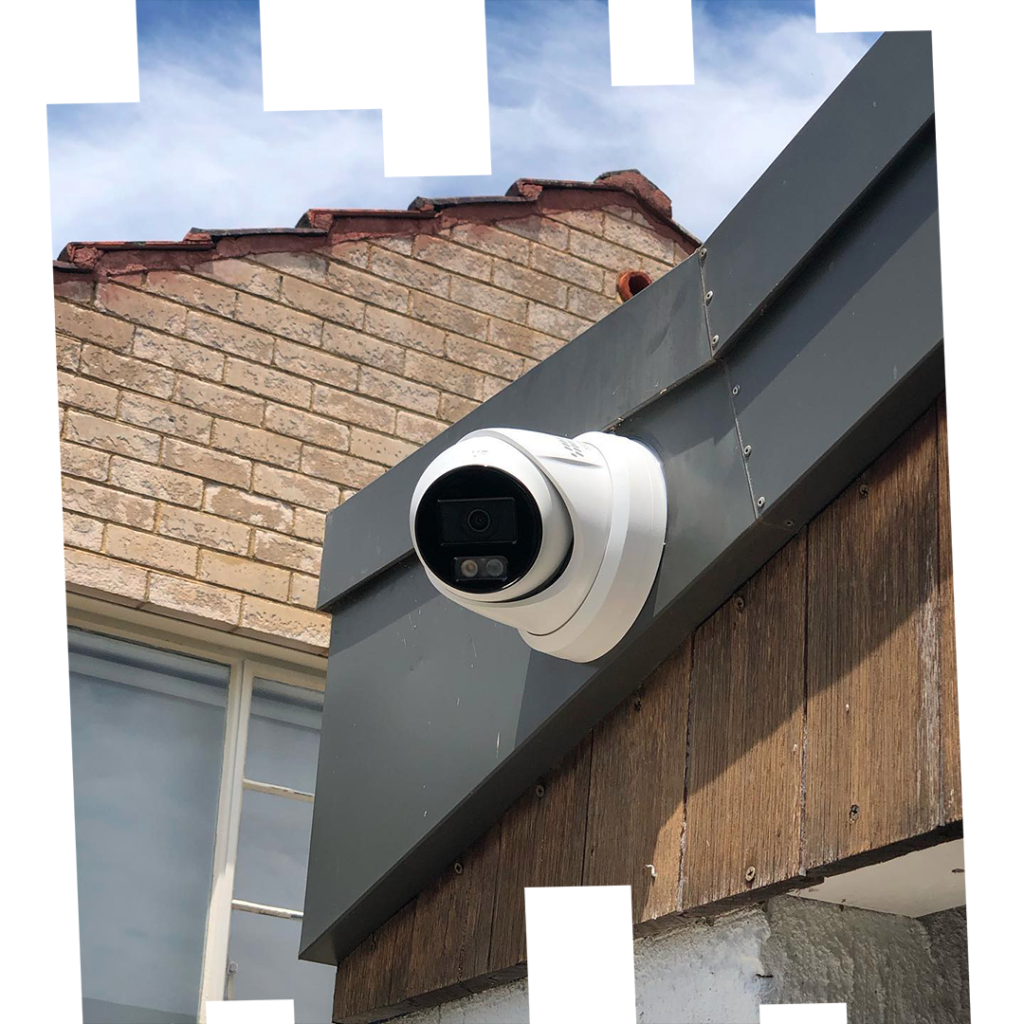
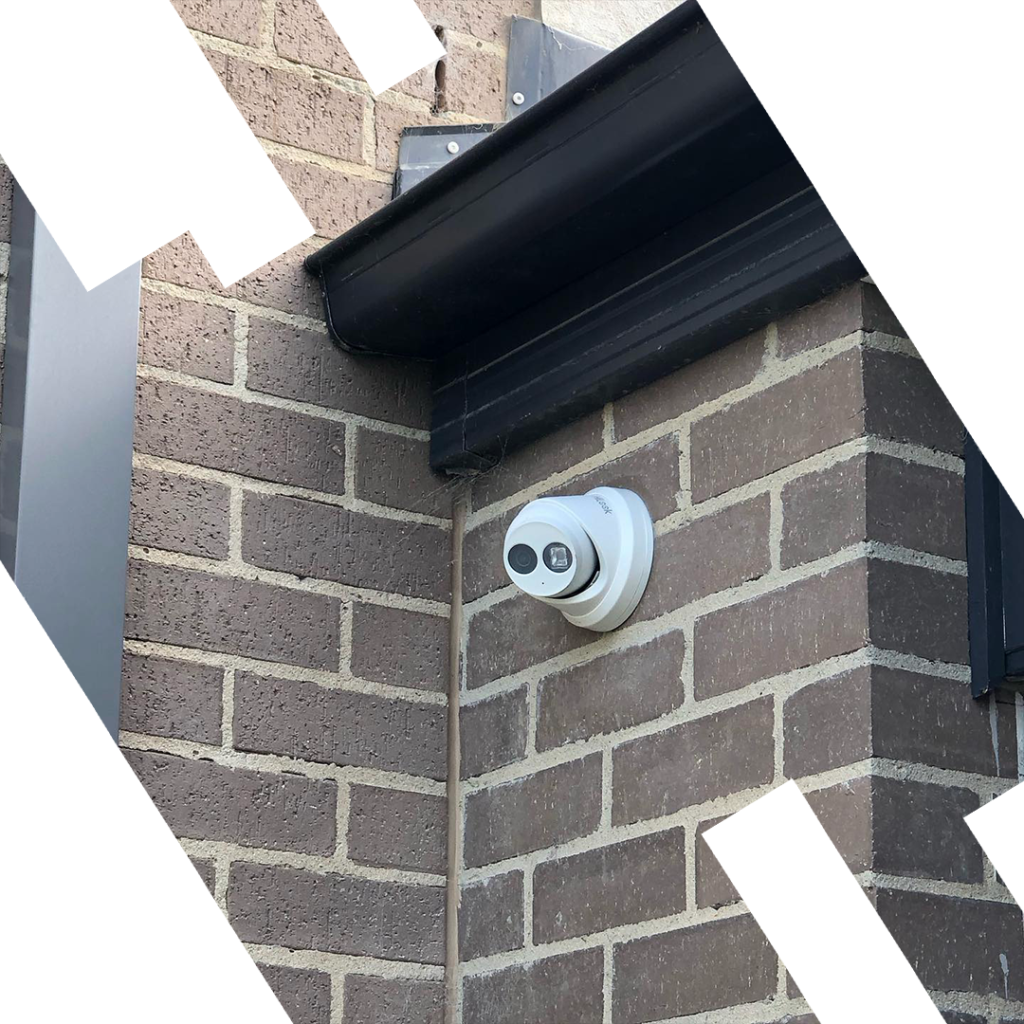
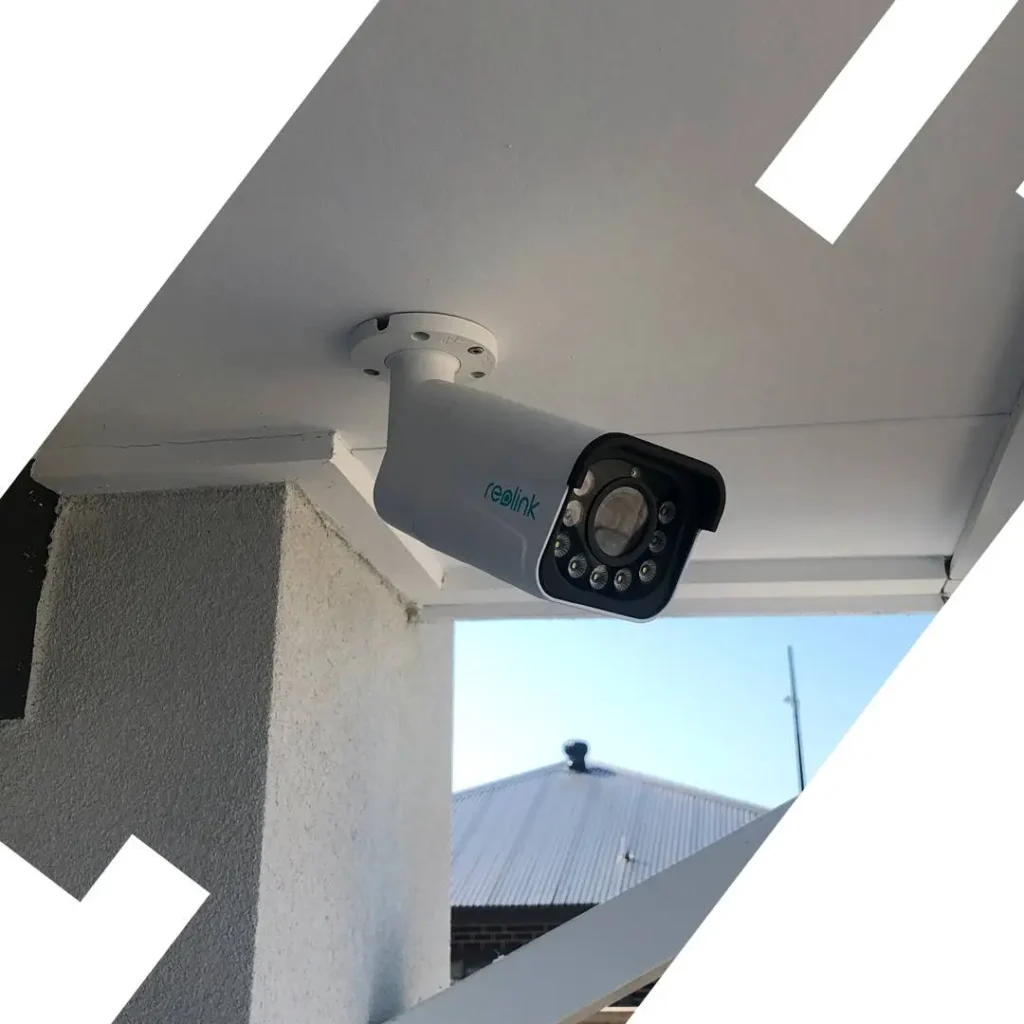
Cat6/Cat6A to eaves and doorways for PoE cameras; RG6 where required; weather grommets and drip loops for Melbourne’s variable climate.
Alarm & Intrusion
Reed switches to openings, PIRs on lines of approach, keypad conduits at garage and main entry — all run before plaster for a clean finish.
Intercom & Access Control
Front gate and door stations, strikes and mags pre-wired; provisioned power isolation for locks and future access upgrades.
Data, Wi-Fi & AV
Cabled backhaul for mesh APs; hardwired TV and home-office points; in-ceiling speaker cable; HDMI-over-Cat for remote AV racks; centralised patch rack for NBN handoff.
Automation
Dry-contact lines and LV loops for blinds, garage doors, irrigation, and environmental sensors — ready for any automation platform you choose later.
Melbourne-Specific Planning
UV-resistant external runs, sealed junctions, and correct mounting heights for coastal suburbs and variable weather conditions.
Schedule Your Service
Call 0406 432 691 or complete the form and we will contact you.
Build Timeline & Responsibilities
Each stage shows what SIPKO handles and what the builder or client needs to provide — so nothing falls through the cracks between trades.
Pre-framing
Window
Pre-insulation
Pre-plaster
Post-paint
Cables, Locations & Labeling
A reliable pre-wire starts with a floor-by-floor cable map and a naming scheme that survives handovers. Below is the practical baseline we adapt to your drawings.
Cable Types Used
We use a consistent format — e.g. FL1-LIV-TV-C1 for floor / room / position / cable number — printed at both the faceplate and the rack. A matching as-built plan is delivered at S3 so any technician can service the home years later without guesswork.
Network, Wi-Fi, NBN Handoff & Power
Most smart-home issues trace back to weak Wi-Fi or poor power planning. Pre-wiring fixes this by giving each AP a cabled backhaul and centralising switching, routing, and NBN termination in a ventilated rack.
NBN Handoff & Service Loop
Run Cat6 from the NBN NTU/ONT location to the comms rack. Leave a generous service loop and allow a double GPO within reach of the NTU and router.
PoE Switching & Headroom
Size the PoE budget for all cameras, APs, door stations, and monitors with 20–30% spare capacity. Prefer 802.3af/at/bt over passive PoE for safety and flexibility.
Wi-Fi Layout & Backhaul
Install ceiling APs roughly central on each storey with cabled backhaul only. Avoid mounting over steel beams or ducts. For larger floor plans, pre-wire for 3+ AP positions.
Power & Surge Protection
Provide dedicated GPOs for the rack, NVR, NTU/ONT, and network gear. Whole-home surge protection is recommended for Melbourne’s storm season and coastal salt-air environments.
UPS & Brownout Resilience
A line-interactive UPS keeps cameras, router, and NVR online during short outages and smooths brownouts. Target 20–40 minutes runtime for graceful shutdowns.
Rack Thermals & Noise
Racks need airflow and service clearance. Use quiet fans for tight spaces; avoid placing racks in bedrooms or sealed wardrobes due to heat build-up and fan noise.

Compliance, Builder Coordination & Documentation Handover
Pre-wiring touches multiple trades — framing, electrical, plaster, glazing, and landscaping. We sequence work so pathways and penetrations are in before insulation and plaster, with clear mark-ups to avoid clashes between trades.
Standards-Aligned Practice
Low-voltage and mains segregation, correct fixings, grommets on all penetrations, and weatherproofing at eaves — consistent with Australian wiring rules and installer best practice.
Heights & Sightlines
Camera FOVs validated on drawings before installation; keypad, monitor, and AP heights set for accessibility and performance — not just convenience on the day.
Fire & Acoustic Walls
Fire-rated and acoustic walls receive compliant pathways and sealants. All penetrations are documented in the as-built pack for building certifier review if required.
Redline Drawings
Builder-approved route maps with run counts issued before framing. Updates tracked and reissued if framing changes on site — so the as-built reflects what was actually installed.
As-Built Pack Contents
Service Areas & Typical Project Scenarios
SIPKO covers Greater Melbourne and nearby growth corridors, including inner bayside and south-east suburbs. We regularly work with custom builders, volume builders, and owner-builders across the region.
Knock-Down Rebuilds
Complete low-voltage plan from demo to lock-up. Temporary camera placements for site security during construction if required.
Townhouses & Dual Occupancies
Compact racks, careful AP placement, and shared-services planning for intercom, gate, and common-area coverage.
Architectural Homes
Hidden AV racks, conduit-first strategy to feature walls, and external zones wired for future landscape lighting and CCTV.
Major Renovations
When walls are open, we add conduits and pulls to future-proof the home — even if devices are staged for a later phase.
Investment Builds
Standardised camera and data points for repeatable specs across multiple lots; clear documentation for property managers and future owners.

What Happens If You Skip the Pre-Wire
Pre-wiring during a build costs a fraction of what it costs to add the same cables after the walls are closed. Here is what the rework actually involves — and what it typically costs in Melbourne.
What Rework Actually Involves
Adding a Security Camera After Plaster
Est. $400–$900+ per pointA single camera added after plaster typically requires cutting a chase in the wall or ceiling, fishing cable through insulation, patching the plaster, sanding, and repainting — often the entire wall to match. If the camera is at eaves height on a double-storey, scaffolding or a boom lift may be needed.
Adding a Wi-Fi Access Point to a Ceiling
Est. $350–$700+ per pointA ceiling-mounted AP needs a Cat6 cable run from the nearest switch or patch point. In a single-storey home with roof access this is manageable. In a double-storey with a concrete slab between floors, it may be impossible without surface conduit — which most homeowners find unacceptable in a finished home.
Adding an Alarm Sensor to a Door or Window
Est. $200–$500+ per zoneWired alarm sensors are the cleanest and most reliable option — but after plaster, running cable to each door and window frame means chasing along skirting boards or through wall cavities. Many homeowners end up accepting wireless sensors instead, which require ongoing battery replacement and can have range limitations in masonry homes.
Adding a TV Point or HDMI Run
Est. $300–$800+ per wallA clean TV wall with no visible cables requires a vertical conduit inside the wall cavity — something that can only be installed before plaster. After the fact, the options are surface conduit (visible), a cable raceway (visible), or cutting and patching (expensive and rarely invisible). A pre-wired conduit during framing costs almost nothing by comparison.
What the Pre-Wire Costs Instead
During framing, adding a cable run is a matter of pulling cable through open walls — no cutting, no patching, no repainting. The cost difference is significant.
Camera cable point during framing
A Cat6 pull to an eaves position during the framing stage typically adds a small fraction of the post-plaster rework cost — no trades beyond the pre-wire installer required.
AP backhaul point during framing
A ceiling Cat6 drop to a future AP position costs very little during pre-wire. The same run after plaster can cost 5–10× more once plastering, painting, and access difficulties are factored in.
Alarm sensor wiring during framing
Running alarm cable to every door and window during framing is straightforward — walls are open, cable runs freely. The same job after plaster involves chasing, patching, and repainting every room.
Spare conduits to key points
Installing a 25mm conduit to the TV wall, eaves, and gate during framing costs almost nothing — but gives you a pathway for any future cable without ever touching a finished wall again.
A Realistic Example: 4-Bedroom Melbourne Home, Post-Plaster Additions
These are rough estimates only, based on typical Melbourne tradie rates for plastering, painting, and installation labour. Actual costs vary significantly depending on home size, wall construction, access difficulty, and finishes. For current indicative labour rates, the Fair Work Commission’s minimum wage data and the Australian Building Codes Board provide relevant context on trade classifications. Always obtain multiple quotes from licensed tradespeople for your specific project.
Pre-Wiring for EV Charging & Solar Integration
Electric vehicles and rooftop solar are no longer niche — they are becoming standard features of new Melbourne homes. Getting the conduits and data loops in during the build is far simpler and cheaper than retrofitting them later.
What We Pre-Wire For
EV Charger Conduit — Garage to Switchboard
The most important run. A 32A or 40A circuit from the switchboard to the garage wall is what an EV charger needs. During a build, running the conduit through the slab or wall cavity is straightforward. After the slab is poured and the garage is finished, it typically means surface conduit or a costly concrete core drill. We install the conduit and pull cord so your electrician can run the cable when you are ready — no disruption to the finished garage.
Smart Charger Data Loop
Modern EV chargers — such as the Tesla Wall Connector, Wallbox, or Zappi — connect to your home network to enable scheduled charging, solar surplus charging, and energy monitoring via an app. A Cat6 run from the comms rack to the charger position means your charger can be fully smart from day one, without relying on Wi-Fi signal in a concrete garage.
Solar Inverter Monitoring
Your solar inverter needs a data connection to report generation figures to your monitoring app and to communicate with a battery system. A Cat6 or RS485 loop from the inverter location (typically near the switchboard) to the comms rack means your solar data is always available — no Wi-Fi dropouts, no gaps in your generation history.
Battery Storage Comms — Powerwall, Alpha ESS & Others
Home battery systems like the Tesla Powerwall or Alpha ESS require a data connection for monitoring, remote management, and grid export control. Some also require a dedicated CT clamp loop at the switchboard. Pre-wiring the comms cable and conduit during the build means your battery can be added at any point without opening walls or running surface cable through the garage.
Why Plan for This Now
Even if you are not buying an EV or adding solar immediately, the cost of pre-wiring the conduit and data loop during the build is minimal. The cost of adding it later is not.
🚗 EV Adoption Is Accelerating
Australia’s new car market is shifting toward EVs faster than most homeowners expect. Many people who build today will own an EV within the life of their mortgage. A conduit installed during framing costs a small fraction of a post-build retrofit.
Source: Australian Government — Department of Infrastructure, Transport, Regional Development, Communications and the Arts. Figures are indicative only.
☀️ Solar Is Already the Norm
Australia has one of the highest rates of household solar adoption in the world. If your new home does not have solar on day one, it very likely will within a few years — and the inverter monitoring loop is one of the cheapest pre-wire runs to include.
Source: Australian Government — Department of Climate Change, Energy, the Environment and Water. Figures are indicative only.
🔋 Battery Storage Is Growing Fast
Home battery installations are increasing as prices fall and feed-in tariffs decline. Pre-wiring the comms loop and conduit for a future battery costs very little during a build — and avoids a messy retrofit through a finished garage or switchboard room later.
Source: Australian Government — Department of Climate Change, Energy, the Environment and Water. Figures are indicative only.
EV & Solar Pre-Wire Checklist — What to Include in Your Build
The Rack: What Goes In It, How It’s Sized & Why It Matters
Think of the comms rack as the brain of your home’s technology. Everything — your internet, cameras, alarm, and smart devices — connects back to this one central point. Getting it right during the build makes every future upgrade simple.
What Lives in a Typical Home Rack
Patch Panel
The termination point for every Cat6 cable in the house. Each room’s data point connects here, so you can plug any port into any device with a short patch lead — no re-running cables.
Typically 1UPoE Network Switch
Powers and connects your cameras, Wi-Fi access points, and door stations over the same Cat6 cable — no separate power adapters needed at each device. The switch lives in the rack and does all the work.
Typically 1URouter
Manages your home network and connects to the NBN. Rack-mounted routers are more capable than the plastic box your ISP provides, and they sit neatly alongside everything else.
Typically 1UNVR (Camera Recorder)
Records and stores footage from all your security cameras. Rack-mounted means it is out of sight, properly ventilated, and connected directly to the switch — no Wi-Fi dropouts, no missing footage.
Typically 1–2UUPS (Battery Backup)
Keeps your router, switch, and cameras running during a power outage. Even 20 minutes of backup means your security system stays online during Melbourne’s storm-season blackouts.
Typically 2UNBN NTU / ONT
The box your NBN provider installs — the point where the internet enters your home. Ideally this sits in or near the rack so the handoff to your router is a short patch lead, not a cable run across the house.
Wall-mount or shelfHow to Size the Rack — Simple Rules
📏 Count Your Devices, Add 20%
Add up the rack units (U) each device needs, then add 20% spare capacity on top. A typical 4-bedroom home with cameras, APs, NVR, router, switch, and UPS usually needs a 12U to 16U rack. Going slightly larger costs very little and means you are not immediately full when you add something new.
🌡️ Ventilation Is Not Optional
Network gear generates heat. A sealed wardrobe with no airflow will shorten the life of every device in the rack and can cause random dropouts and reboots. The rack location needs either passive ventilation (louvred doors, gaps at top and bottom) or a small quiet fan. This is one of the most commonly overlooked requirements in residential installs.
🔇 Noise Considerations
Switches and NVRs have fans that run continuously. In a linen cupboard next to a bedroom, this can be audible at night. We recommend rack locations away from sleeping areas — under stairs, in a dedicated comms cupboard, or in a garage — where fan noise is not an issue. Fanless switches are available for noise-sensitive locations but cost more.
🔌 Dedicated Power Circuit
The rack should have its own GPO circuit — ideally a double outlet — separate from general household circuits. This prevents a tripped circuit in the kitchen from taking down your cameras and internet. It also makes it straightforward to add a whole-home surge protector at the rack, which is worth considering given Melbourne’s storm season. For guidance on electrical safety standards, the Energy Safe Victoria website provides relevant information for homeowners.
Where to Put the Rack
Linen Cupboard or Under-Stair Void
The most common location in Melbourne homes. Central to the house, easy to run cables to all rooms, and out of sight. Needs louvred doors or a vent to allow airflow. Avoid placing it directly above a bedroom if the rack contains fans.
Dedicated Comms Cupboard
The best option if the builder can allocate a small space — even 600mm wide is enough for a wall-mount rack. Proper ventilation can be built in from the start, and the space can grow with the home’s technology needs over time.
Garage Wall
A practical option for homes where a central indoor location is not available. Garages are naturally ventilated, noise is not an issue, and cable runs to eaves cameras are short. The main consideration is temperature — in Melbourne’s summer, an uninsulated garage can get very hot, so the rack should be on a shaded wall and the equipment should be rated for the expected temperature range.
Avoid: Sealed Wardrobes, Roof Spaces, and Bedrooms
Sealed wardrobes trap heat and kill equipment. Roof spaces in Melbourne reach extreme temperatures in summer and are difficult to service. Bedrooms are too close to sleeping areas for fan noise. These locations are common mistakes in DIY installs and almost always cause problems within a year or two.
When every cable terminates at a labelled patch panel in a properly built rack, adding a new camera or AP means plugging in a patch lead and configuring the device — not fishing cable through walls or calling a tradie. A well-built rack turns future upgrades from a project into a task.
A rack with labelled cables, documented switch ports, and a clear as-built diagram can be serviced by any competent technician — not just the person who installed it. This matters when you sell the home, when a device fails, or when you want to add something new years down the track.
Pre-Wiring for Home Automation Platforms
Whether your builder is specifying Control4, you want to run Home Assistant yourself, or your architect has called up KNX — the wiring requirements are different for each. Getting the right cables in during framing means you can choose or change your platform later without touching walls.
The Three Main Platforms — What Each One Needs
Control4
Control4 is a professional-grade automation system installed and programmed by certified dealers. It uses standard Cat6 for most devices, but also requires dry-contact wiring to switches and sensors, and relay outputs for blinds, gates, and HVAC. The controller lives in the rack and communicates with devices over the network and via dedicated control lines.
The key pre-wire requirement is ensuring every switch position, blind motor, and HVAC unit has a Cat6 run back to the rack — plus dry-contact pairs for any device that needs a simple open/close trigger rather than a network connection.
Home Assistant
Home Assistant is free, open-source software that runs on a small computer in your rack and connects to smart devices over your home network. It is increasingly popular with owner-builders and tech-savvy homeowners because it works with almost any brand and does not require a paid subscription or a certified installer.
The pre-wire requirement is straightforward: good Cat6 coverage to every room, ceiling AP backhaul for reliable Wi-Fi, and a rack with enough space for a small server or NUC. Some users also add RS485 wiring for HVAC integration, but most Home Assistant setups are primarily network-based.
KNX
KNX is a European standard for building automation, commonly specified by architects on high-end residential and commercial projects. Unlike Wi-Fi-based systems, KNX uses a dedicated two-wire bus cable that runs to every switch, sensor, and actuator in the building. Every device on the bus can communicate with every other device — no central controller required.
The pre-wire requirement is the KNX bus cable itself — a specific twisted-pair cable (typically YCYM 2×2×0.8) run to every switch position, sensor location, and actuator point. This is in addition to standard power wiring and must be planned on the drawings before framing begins.
What Each Automated System Actually Needs Pre-Wired
Motorised Blinds & Curtains
Each blind motor needs a low-voltage control loop — typically a dry-contact pair or a dedicated motor cable — run from the motor position back to the automation controller or relay module in the rack. This is one of the most commonly missed pre-wire items because blinds are often specified late in the build process, after walls are closed.
HVAC & Ducted Air Conditioning
Most ducted HVAC systems can be integrated with automation platforms via a dry-contact input (for on/off) or a serial communication line (RS485 or similar) for full zone control. The pre-wire is a Cat6 or RS485 cable from the HVAC controller location to the comms rack. Without this, integration is either impossible or requires a wireless bridge that adds complexity and potential failure points.
Irrigation & Garden Automation
Smart irrigation controllers need a data connection to receive weather data and scheduling updates. A Cat6 run from the irrigation controller location (typically near the garage or garden tap) to the comms rack means your irrigation can be fully integrated with your automation platform and adjusted remotely — no separate Wi-Fi bridge required.
Gate & Garage Door Automation
Automated gates and garage doors need a dry-contact relay output from the automation controller to trigger open/close, plus a status feedback loop so the system knows whether the gate is open or closed. These are simple two-wire runs but must be planned before the driveway is poured and the gate posts are set.
You Do Not Need to Choose a Platform Before You Build
This is the most important point on this page. The physical cables — Cat6, dry-contact pairs, RS485 loops, relay outputs — are largely the same regardless of which automation platform you eventually choose. Control4, Home Assistant, KNX, Crestron, and most other platforms all use the same underlying cable types. What differs is how they are programmed and connected, not what is in the walls.
By pre-wiring for automation during the build — even if you have no immediate plans to install a system — you keep every option open. You can add Control4 in year one, switch to Home Assistant in year five, or upgrade to KNX in a renovation without ever opening a wall. The cable plant is the investment; the platform is just software.
For guidance on electrical safety requirements for low-voltage wiring in Victoria, the Energy Safe Victoria website provides relevant information for homeowners and builders. All cost estimates and specifications mentioned on this page are indicative only and should be verified with a licensed installer for your specific project.
Pre-Wiring Checklist — What to Confirm Before Sign-Off
Use this checklist before your builder closes the walls. It covers every system category and includes the questions you should ask your pre-wire contractor at sign-off — so nothing gets missed and nothing needs to be cut open later.
CCTV & Cameras
Alarm & Intrusion
Data & Wi-Fi
Intercom & Access Control
Audio & AV
Automation, EV & Solar
Questions to Ask Your Pre-Wire Contractor Before Sign-Off
Are all cables labeled at both ends?
Every cable should be labeled at the faceplate and at the rack end before walls close. Unlabeled cables are one of the most common causes of confusion and rework during commissioning — and impossible to fix after plaster.
Have you issued a cable schedule and rack diagram?
You should receive a written document listing every cable run — what it is, where it starts, where it ends, and what label it carries. This is the as-built pack and it should be in your hands before the plasterer starts.
Are fire-rated and acoustic walls documented?
Any penetration through a fire-rated or acoustic wall must be sealed with the correct rated sealant and documented. Ask your contractor to confirm which walls were treated and what product was used — this may be required by your building certifier.
Is the PoE budget documented?
The total power draw of all PoE devices (cameras, APs, door stations) should be calculated and noted in the rack diagram. This ensures the switch you buy has enough capacity and prevents overload issues after commissioning.
Are there any items that were not completed, and why?
Ask for a written list of anything that was scoped but not installed — framing changes, late builder decisions, or access issues. This becomes part of the as-built record and ensures nothing is forgotten at commissioning stage.
Have you photographed key terminations and conduit runs?
Photos of conduit routes, backbox positions, and rack terminations are invaluable for future servicing. Ask for these as part of the as-built pack — they take minutes to capture during the pre-wire and save hours of guesswork later.
Intercom & Gate Pre-Wiring in Detail
Intercoms, gate stations, and door locks have specific cabling requirements that are different from standard data points. Getting these runs in at the right time — before concrete is poured and landscaping is finished — is often the last practical opportunity to do it cleanly.
2-Wire vs IP Intercom — What the Difference Means for Your Pre-Wire
2-Wire Intercom Systems
2-wire intercoms — such as those made by Aiphone, Urmet, Akuvox (2-wire range), and Dorani — use a single pair of wires to carry both power and signal between the door station and the indoor monitor. They are simple to install, reliable, and do not require a network connection to function.
The pre-wire is a dedicated 2-wire cable (typically 0.75mm² or 1mm² twisted pair) run from the door station position to each indoor monitor location. This is separate from your Cat6 data cabling and cannot be substituted with standard network cable.
IP Intercom Systems
IP intercoms — such as Akuvox IP range, Hikvision, Dahua, and Aiphone IX series — run over your standard Cat6 network. The door station connects to your PoE switch in the rack, and the indoor monitor (or your smartphone) connects over Wi-Fi or a wired network point. Video quality is higher, remote access is built in, and the system integrates with access control and automation platforms.
The pre-wire is a Cat6 run from the door station position to the rack — the same cable type used for cameras and data points. If you are already running Cat6 throughout the home, adding an IP intercom position is straightforward.
Electric Strikes, Magnetic Locks & Gate Motors — Power Requirements
Electric Strike
An electric strike replaces the standard door strike plate and releases when a signal is sent from the intercom or access control system. It requires a low-voltage power supply (typically 12V DC) and a control wire from the intercom or controller.
Magnetic Lock (Mag Lock)
A magnetic lock holds the door closed using an electromagnet and releases when power is cut. It requires a continuous 12V or 24V DC power supply and a fail-safe or fail-secure configuration depending on fire safety requirements.
Gate Motor
Automated gate motors require mains power at the gate post, a control cable from the intercom or access controller, and often a loop detector cable buried in the driveway for vehicle detection. All of these must be in before the driveway is poured.
Why the Gate Conduit Is the Most Time-Critical Run on Any Build
During Framing — Plan the Route
Confirm the gate post location, the path from the house to the gate, and whether the driveway will be concrete or pavers. Mark the conduit route on the drawings so the landscaper knows where not to dig and the concretor knows where to leave a sleeve.
Before Landscaping — Install the Conduit
Run the conduit from the house wall to the gate post position while the ground is still open. This is the only time the conduit can be buried cleanly. Include a pull cord and leave enough length at both ends for termination. If a loop detector is planned, the loop cable goes in the driveway sub-base at this stage too.
Before Concrete Is Poured — Last Chance
Once the concretor arrives, the window closes permanently. A conduit sleeve through the slab can be cast in at this point if it was not buried earlier — but it must be done before the pour, not after. After the concrete sets, the only options are core drilling (expensive, messy, and weakens the slab) or surface conduit along the driveway edge.
After Landscaping — Pull the Cables
Once the conduit is in and the landscaping is finished, pull the cables through — mains for the gate motor, Cat6 or intercom cable for the station, and loop detector cable if applicable. Label both ends and leave service loops at the gate post and at the house wall.
Frequently Asked Questions
Answers to the questions we hear most often from homeowners, owner-builders, and project managers across Melbourne.
Book Before Your Walls Close
The framing window is open for a few weeks. Once plaster goes on, the options narrow and the costs multiply. Call us now to lock in your pre-wire consultation — no obligation.
Related Resources
Further reading and services relevant to your smart home build.
- Room-by-room plan: entry/garage, living/media, bedrooms/study, alfresco/perimeter, and comms/rack location.
- Carded network design: PoE budget with 20–30% headroom; ceiling AP placement; surge protection and UPS runtime targets.
- Builder coordination: pathways and penetrations before insulation; heights, sightlines and weatherproofing validated.
- Documentation: cable schedule, labeling legend, rack diagram, IP schema template and photo log for future serviceability.
- Service areas: Brighton, Glen Eira, Kingston, Casey, Mornington Peninsula and Greater Melbourne surrounds.