
Hikvision/HiLook Password Reset Melbourne – Unlock Your CCTV System
Locked out of your Hikvision/HiLook system?
We help Melbourne homes and businesses regain secure admin access using official reset paths — with a
data-first approach
and same/next-day on-site support when needed.
Our focus is to restore control without guessing, without risky shortcuts, and without unnecessary factory resets.
Typical scenarios:
Forgot admin
inherited property
staff turnover
after firmware update
device reset
How we work:
- Diagnose the lockout: we pinpoint the cause (admin credentials, ownership change, account linkage, firmware behavior) so the reset path is correct from the start.
- Use official reset methods: SADP, verification/QR, encrypted reset files, or local console — strictly aligned with Hikvision procedures.
- Protect recordings & settings: we aim to preserve footage and configuration wherever possible. Factory reset is the last resort and only used when recovery options are exhausted.
- Verify authority: we confirm ownership/permission before any reset or account change to protect privacy and keep your system compliant.
What we avoid:
We do not use unsafe “generic hacks” that can wipe data, break compliance, or lock you out again.
If a method risks recordings or device integrity, we won’t recommend it.
Schedule your free site visit now!
Call 0406 432 691 or complete the form and we will contact you.
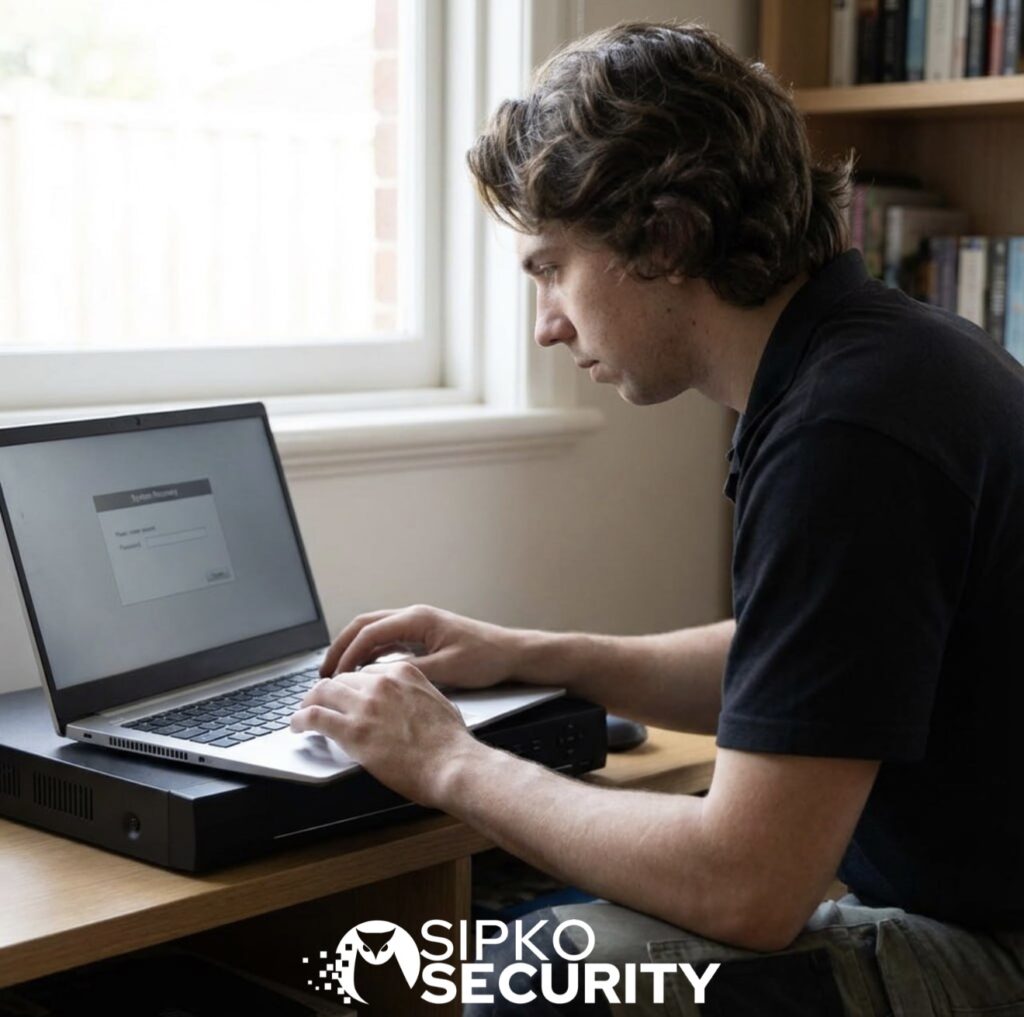
Methods to Reset Your Hikvision/HiLook Password
There are several ways to reset the password on Hikvision devices, depending on the model and setup. Below are the most common reset methods we use to restore access securely.
✅ Method 1: Hard Reset (Physical Button Reset)
- Power off the device
- Press and hold the reset button (inside the casing or near ports)
- Power the device back on while still holding the button
- Hold for 10–15 seconds until the unit resets
⚠️ Not all Hikvision/HiLook models have a reset button — check your manual first.
✅ Method 2: Reset via Web Interface
- Open a browser and enter your device’s IP address
- Click “Forgot Password?” on the login screen
- Follow the prompts using security questions or email verification
Works only if recovery options were set up earlier.
✅ Method 3: Using Hikvision SADP Tool
- Download & install the SADP Tool on your PC
- Run the software to scan your network for Hikvision devices
- Select your device and click “Forgot Password”
- Export the reset XML file and send it to Hikvision support
- Upload the return reset key into SADP to unlock your system
⏳ Response from Hikvision support may take up to 24 hours.
Tip: If you’re unsure which method applies to your model, professional assistance is the safest way to restore access without losing recordings.
Professional Hikvision/HiLook Password Recovery in Melbourne
If you need urgent assistance, our team at Sipko Security can reset your Hikvision system for you and make sure it’s configured securely. We cover Melbourne homes and businesses with rapid on-site help and guided remote support.
🛠️
On-site recovery & reconfiguration
Technician visit for NVR/DVR, IP cameras and intercoms. We restore access, map users and re-enable recording without losing footage where possible.
- Admin password reset
- Hik-Connect relink
- Retention & schedule checks
🔐
Secure passwords & user access
Hardening with unique admin creds, role-based accounts and safe remote access to meet privacy and audit requirements.
- RBAC for staff & contractors
- 2-step verification guidance
- Password policy templates
📊
Software updates & health checks
Firmware updates, storage diagnostics and uptime tuning so you don’t miss critical recordings or alerts.
- Firmware & plug-in updates
- Disk S.M.A.R.T./bad-sector scan
- Motion/IVS & notifications QA
🛡️
24/7 emergency support
Priority assistance for after-hours incidents and critical outages — remote triage first, then dispatch if needed.
- Same/next-day call-outs
- Business & residential
- Metro Melbourne coverage
🌐
Hik-Connect & remote access
If the Hikvision system came with a property or needs a full user, access and recording handover, see our Hikvision CCTV takeover and reconfiguration service in Melbourne.
Set up or fix cloud accounts, P2P connectivity and secure app access on iOS/Android — without exposing your network.
- P2P/QR relink
- Device sharing & permissions
- Secure port-free setup
✅
Ownership & compliance checks
We verify authority before resets and align settings with Australian privacy obligations and venue policies.
- Proof-of-ownership validation
- Audit trail notes
- Minimal-risk reset path
Tip: Locked out and unsure of the model? We can identify it and choose the safest reset path without risking stored footage.
👥 Why Choose Sipko Security for Your CCTV Support?
Choosing the right team for CCTV support means peace of mind, fewer outages, and a system you can trust. Here’s why our clients across Melbourne rely on Sipko Security:
- 🌟 Experienced Hikvision Specialists: Our technicians are trained specifically on Hikvision equipment, including NVR/DVRs, IP cameras, intercoms, and Hik-Connect. We apply manufacturer-approved reset and troubleshooting methods so your system stays secure and warranty-compliant.
- 🏡 Residential & Commercial CCTV Expertise: From suburban homes to large venues, we understand the different requirements. We tailor solutions for families, small businesses, retail, hospitality, and multi-site operations — always with safety and privacy in mind.
- 🛡️ Fast & Reliable Support: With same-day or next-day service across Melbourne, you won’t be left waiting. We provide both remote guidance and on-site response to get your cameras running again quickly, minimising downtime and exposure to risks.
- 🎡 Competitive Pricing & Service Packages: Transparent pricing with no hidden fees. For businesses, we offer service agreements with scheduled health checks, software updates, and priority call-outs — keeping costs predictable and your system reliable.
Tip: Reliable CCTV support is about more than quick fixes — it’s about having a partner who keeps your security running 24/7.
Need help regaining access to your Hikvision system?
Don’t stay locked out. Our Melbourne team can securely reset your password, restore CCTV access, and protect your data.
Contact us today for expert support — fast, professional, and available across all suburbs.










Frequently Asked Questions (FAQ) – Hikvision Password Reset
1. How do I find my Hikvision device’s IP address?
You can check the IP address through your router’s web interface, use the Hikvision SADP Tool, or locate it in the camera/NVR settings menu.
2. What if my device doesn’t have a reset button?
If your Hikvision model has no physical reset button, try resetting via the web interface or use the SADP Tool for password recovery through Hikvision support.
3. How long does it take to reset a Hikvision password?
A hard reset usually takes 10–15 seconds. The SADP method may take up to 24 hours, depending on Hikvision support response times.
4. Can I reset my Hikvision password without contacting support?
Yes, if you set up security questions or recovery email, you can reset directly via the web interface. Otherwise, support assistance is required.
5. Will resetting my device erase all settings?
A hard reset restores factory defaults, erasing all configurations. The SADP recovery method resets only the password, keeping your settings intact.
6. Can Sipko Security reset my Hikvision password remotely?
In many cases, yes. If remote access is enabled securely, we can assist online. If not, an on-site visit is arranged for safe recovery.
7. How can I avoid getting locked out again?
Always configure recovery options (security questions or email), store credentials securely, and use a strong, memorable password to reduce lockouts.