
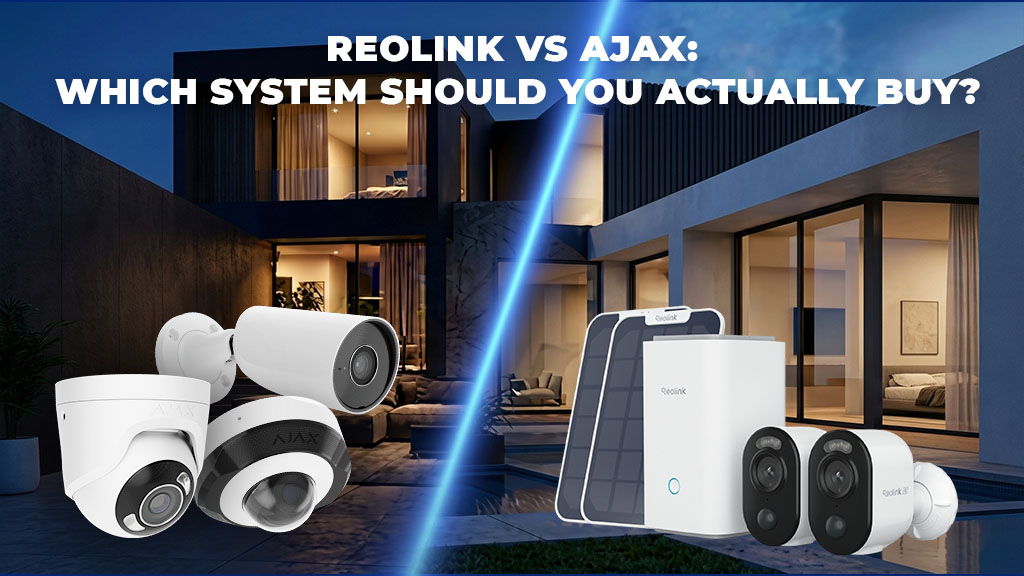
Reolink vs Ajax: Which System Should You Actually Buy?
I’ve installed over 1,000 security systems. Reolink, Ajax, Hikvision, you name it. And I’m gonna be real with you, the question “which is better?” is the wrong question. It’s like asking if a Honda Civic is better than a Mercedes. They’re not competing in the same space.
Here’s what I see: people buy Reolink because it’s cheap and they can DIY it. People buy Ajax because they want professional monitoring and don’t mind paying for it. Both work. Both have problems. And I’m gonna tell you exactly what those problems are, because I’ve lived them.
This isn’t a balanced “both are great” guide. I’m gonna tell you when Reolink is the obvious choice, when Ajax is worth the money, and when you’re probably wasting your money either way.
Budget + DIY = Reolink. Professional monitoring + don’t care about cost = Ajax. If you’re still unsure after reading this, text me. I’m usually on a ladder, but I’ll get back to you.
If you are still deciding which Ajax route fits your property, use the Ajax Security Hub to compare installation, monitoring, CCTV, upgrades and pricing before choosing a specific service.
1. System Overview: Reolink vs Ajax
Before diving into specifics, it’s important to understand that Reolink and Ajax represent two different philosophies in security camera design.
Reolink: The DIY-Friendly Approach
Reolink is a Chinese manufacturer that focuses on affordable, user-friendly security systems. Their philosophy is simple: provide excellent hardware at competitive prices and let users manage their own systems. Reolink cameras are designed for DIY installation, with straightforward setup and intuitive mobile apps.
Reolink systems are typically standalone, you buy cameras, a recorder (NVR) or use cloud storage, and manage everything yourself. They don’t require professional installation or monitoring services, though both are available. For a detailed comparison with other budget-friendly options, see our guide on Swann vs Reolink.
Ajax: The Professional Platform
Ajax is a Ukrainian company that builds security systems designed for professional installers and monitoring centers. Their approach is enterprise-focused: reliability, integration with professional monitoring, and smart home connectivity. Ajax systems are typically installed by licensed professionals and monitored by security companies.
Ajax systems are designed to work seamlessly with professional monitoring services, which is a key differentiator. They’re built for businesses and high-end residential installations where professional support is expected.
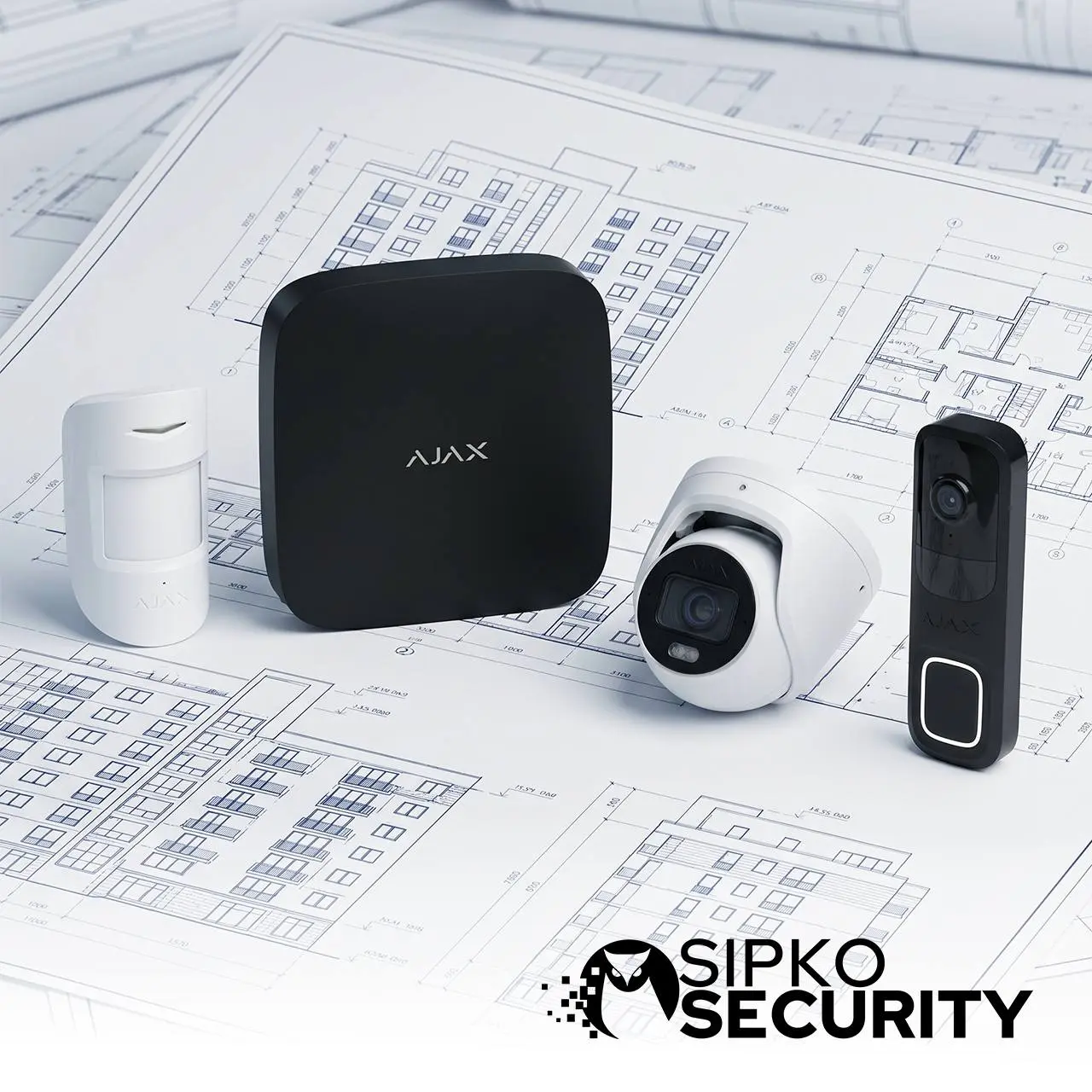
Reolink = DIY-friendly, affordable, self-managed. Ajax = Professional-grade, monitoring-integrated, smart home focused. This fundamental difference affects everything from pricing to features to support.
2. Pricing & Value Comparison
Pricing is often the first consideration, and it’s where Reolink has a significant advantage. However, the total cost of ownership includes more than just hardware.
Entry-Level System Costs
Reolink: A basic 4-camera system with NVR (network video recorder) starts around $300-500. You can get a complete, functional system for under $600.
Ajax: A comparable Ajax system starts around $600-800 for the hub and basic cameras. Professional installation adds another $500-1500 depending on complexity.
Mid-Range System Costs
Reolink: An 8-camera system with better cameras and storage runs $800-1200. Still very affordable for the quality you’re getting.
Ajax: An 8-camera Ajax system with professional installation typically costs $2000-3500. Significantly more expensive, but includes professional setup and monitoring integration.
Hidden Costs to Consider
Reolink: Cloud storage is optional but recommended ($5-15/month). Professional installation is available but not required. No mandatory monitoring fees.
Ajax: Professional monitoring is typically $20-40/month. Professional installation is standard. Cloud storage is included with monitoring plans.
| Cost Category | Reolink | Ajax |
|---|---|---|
| Hardware (4-camera) | $300-500 | $600-800 |
| Professional Installation | Optional ($300-800) | Standard ($500-1500) |
| Monthly Monitoring | $0 (optional cloud) | $20-40 |
| Cloud Storage | $5-15/month | Included |
| Year 1 Total (DIY) | $360-680 | $840-1280 |
| Year 1 Total (Professional) | $660-1480 | $1340-2780 |
Reolink wins on price, especially for DIY installations. Ajax costs more but includes professional support and monitoring integration. Choose based on whether you want to save money (Reolink) or pay for professional support (Ajax).
3. Feature Comparison
Both systems offer excellent features, but they prioritize different capabilities. Here’s what each system does best.
Camera Quality & Resolution
Reolink: Offers cameras from 2MP to 12MP, with excellent low-light performance. Their flagship models include 4K and 8MP options with great night vision. Image quality is competitive with systems costing twice as much.
Ajax: Focuses on 2MP and 4MP cameras with emphasis on reliability over raw resolution. Their cameras are designed for professional monitoring, not maximum megapixels. Image quality is excellent but not as high-resolution as Reolink’s top models.
Night Vision & Low-Light Performance
Reolink: Excellent night vision with IR LEDs providing clear footage in complete darkness. Some models include starlight technology for low-light color footage. This is one of Reolink’s strongest features.
Ajax: Good night vision with IR support, but less aggressive than Reolink. Designed for professional monitoring where reliability matters more than maximum night vision range.
Storage Options
Reolink: Local storage on NVR/DVR, cloud storage optional, or hybrid approach. You have complete control over where your footage is stored. No mandatory cloud requirement.
Ajax: Cloud-first approach with local backup options. Footage is stored in Ajax’s secure cloud servers. Better for professional monitoring but less privacy control.
Mobile App & Remote Access
Reolink: Solid mobile app with live view, playback, and alerts. Works well for DIY users. Some advanced features require local network access.
Ajax: Professional-grade mobile app with advanced features, integration with monitoring centers, and better remote management. More polished and feature-rich.
Reolink excels at camera quality and night vision. Ajax excels at professional features and monitoring integration. For pure camera performance, Reolink wins. For professional management, Ajax wins.
4. Reliability & Support
When your security system fails, you want to know someone will help. Reliability and support are critical factors that often get overlooked in price comparisons.
System Reliability
Reolink: Generally reliable hardware with occasional firmware issues. Most systems run for years without problems. When issues occur, they’re usually software-related and fixable with updates.
Ajax: Excellent reliability with enterprise-grade hardware. Designed for 24/7 operation in professional environments. Fewer reported issues overall, and when they occur, Ajax’s support is responsive.
Customer Support
Reolink: Email and chat support available, but response times can be slow (24-48 hours). Limited phone support. Good for DIY users who don’t need immediate help.
Ajax: Professional support with faster response times. Direct support for installers and monitoring centers. Better for businesses where downtime is costly.
Warranty & Service
Reolink: Standard 2-year warranty on hardware. Warranty service is straightforward but can take time.
Ajax: 3-year warranty with professional support. Faster warranty service and better support for professional installations.
Ajax has a slight edge in reliability and support. Reolink is reliable but support is slower. For critical installations, Ajax’s professional support is worth the extra cost.
5. Installation & Setup
How easy is it to get your system up and running? This matters more than you might think, especially if you’re doing DIY installation.
DIY Installation Difficulty
Reolink: Designed for DIY installation. Setup is straightforward: mount cameras, connect to NVR, configure through mobile app. Most users can complete installation in a few hours. Excellent documentation and YouTube tutorials available.
Ajax: Can be DIY installed but more complex. Requires more technical knowledge for proper configuration. Professional installation is recommended and typically included in the price.
Professional Installation
Reolink: Professional installation available but not standard. Installers are less familiar with Reolink systems compared to Ajax.
Ajax: Professional installation is standard and expected. Installers are trained and certified. Installation includes system configuration and monitoring center integration.
Configuration Complexity
Reolink: Simple configuration through mobile app. Most settings are intuitive. Advanced configuration available but not required for basic operation.
Ajax: More complex configuration with more options. Requires understanding of security concepts like zones, arming modes, and monitoring integration. Better for users who want advanced control.
Reolink is better for DIY installation. Ajax is better for professional installation. Choose based on whether you want to install it yourself (Reolink) or have a professional handle it (Ajax).
6. Smart Home Integration
If you have other smart home devices, integration matters. Both systems offer smart home connectivity, but in different ways.
Reolink Smart Home Support
Supported Platforms: Google Home, Amazon Alexa, Apple HomeKit (limited), IFTTT
Integration Level: Basic integration with live view and alerts. Can trigger automations through IFTTT. Limited compared to Ajax.
Ajax Smart Home Support
Supported Platforms: Google Home, Amazon Alexa, Apple HomeKit, Samsung SmartThings, IFTTT
Integration Level: Deep integration with smart home platforms. Can trigger automations, control other devices, and receive alerts through smart home hubs. More comprehensive than Reolink.
Automation Capabilities
Reolink: Basic automation through IFTTT. Can trigger actions based on motion detection but limited compared to Ajax.
Ajax: Advanced automation with native integration. Can create complex rules, trigger multiple devices, and integrate with professional monitoring.
Ajax is significantly better for smart home integration. If you have a smart home setup, Ajax’s deeper integration is worth considering. Reolink works but is more limited.
7. Professional Monitoring Integration
Professional monitoring is where Ajax really shines. If you want 24/7 professional monitoring, Ajax is the clear choice.
Reolink Professional Monitoring
Availability: Limited professional monitoring options. Some third-party services offer monitoring, but integration is not seamless.
Integration: Not designed for professional monitoring. You can use cloud storage and alerts, but true professional monitoring (where a monitoring center responds to alarms) is not well-supported.
Ajax Professional Monitoring
Availability: Extensive professional monitoring partnerships. Most security companies offer Ajax monitoring.
Integration: Built for professional monitoring. Monitoring centers can receive alerts, view live footage, and respond to alarms. Seamless integration with professional security services. For more on professional monitoring options, see our comparison of Ajax vs Ness Alarm systems.
Cost of Professional Monitoring
Reolink: If available, typically $15-30/month through third-party services.
Ajax: $20-40/month through professional monitoring centers. More expensive but better integrated.
Ajax is the clear winner for professional monitoring. If you want 24/7 professional monitoring, Ajax is the right choice. Reolink is not designed for this use case.
8. Which System for Your Use Case
The best system depends on your specific situation. Here’s how to choose based on your use case.
Choose Reolink If You:
- Want to save money on hardware and installation
- Prefer DIY installation and management
- Don’t need professional monitoring
- Want maximum camera resolution and night vision
- Have a smaller property (home or small business)
- Are comfortable managing your own system
- Want local storage without cloud dependency
Choose Ajax If You:
- Want professional installation and support
- Need 24/7 professional monitoring
- Have a smart home setup you want to integrate with
- Run a business where downtime is costly
- Want enterprise-grade reliability
- Prefer cloud-based storage and management
- Need advanced automation and control
Real-World Examples
Melbourne Home Owner: Budget-conscious, wants DIY installation, no professional monitoring needed. Best Choice: Reolink. Save money, get excellent cameras, manage it yourself. For more budget-friendly options, see our Reolink vs Eufy comparison.
Small Business: Needs professional monitoring, wants integration with existing security, has budget for professional installation. Best Choice: Ajax. Professional support, monitoring integration, reliability. Compare with other professional systems in our Ajax vs Hikvision AX Pro guide.
Smart Home Enthusiast: Has Google Home, Alexa, and other smart devices, wants deep integration. Best Choice: Ajax. Better smart home integration and automation.
Rental Property Owner: Multiple properties, wants affordable solution, needs remote management. Best Choice: Reolink. Affordable, easy to manage remotely, good value across multiple properties.
Budget + DIY = Reolink. Professional + Monitoring = Ajax. It’s that simple. Choose based on whether you want to save money or pay for professional support.
9. Pros & Cons Summary
Here’s a side-by-side comparison of the key advantages and disadvantages of each system.
Reolink
- + Excellent value for money
- + Easy DIY installation
- + Great camera quality and night vision
- + Local storage options
- + No mandatory monitoring fees
- + Wide range of camera options
- + Good documentation and community support
- − Limited professional support
- − No professional monitoring integration
- − Limited smart home integration
- − Occasional firmware issues
- − Less suitable for businesses
- − Cloud storage is optional (not included)
- − Slower customer support response
Ajax
- + Professional-grade reliability
- + Excellent professional monitoring integration
- + Deep smart home integration
- + Professional installation and support
- + Cloud storage included
- + Better for businesses
- + Advanced automation capabilities
- + Faster customer support
- − Significantly more expensive
- − Professional installation required
- − More complex setup and configuration
- − Cloud-first approach (less privacy control)
- − Overkill for simple home installations
- − Mandatory monitoring fees
- − Less suitable for DIY users
| Feature | Reolink | Ajax |
|---|---|---|
| Price | $ | $$$ |
| Installation | DIY Friendly | Professional |
| Night Vision | Excellent | Good |
| Professional Monitoring | Limited | Excellent |
| Smart Home Integration | Basic | Advanced |
| Customer Support | Email/Chat | Professional |
| Best For | Budget DIY | Business/Pro |
10. Video Quality & Resolution Comparison
Video quality is critical for security. You need to identify faces, read license plates, and capture details. Let’s compare how Reolink and Ajax handle video quality.
Resolution Options
Reolink: Offers 2MP, 4MP, 5MP, 8MP, and 12MP cameras. Their flagship models include 4K (8MP) options with exceptional detail. Wide range of resolutions to match different budgets and requirements. For more on professional camera options, see our Hikvision vs Reolink comparison.
Ajax: Focuses on 2MP and 4MP cameras. Limited to these resolutions but optimized for professional monitoring. Prioritizes reliability over maximum megapixels.
Low-Light Performance
Reolink: Excellent low-light performance with aggressive IR LEDs. Some models include starlight technology for color footage in near-darkness. Superior night vision compared to Ajax.
Ajax: Good low-light performance with IR support. Less aggressive than Reolink but sufficient for professional monitoring. More consistent performance across different lighting conditions.
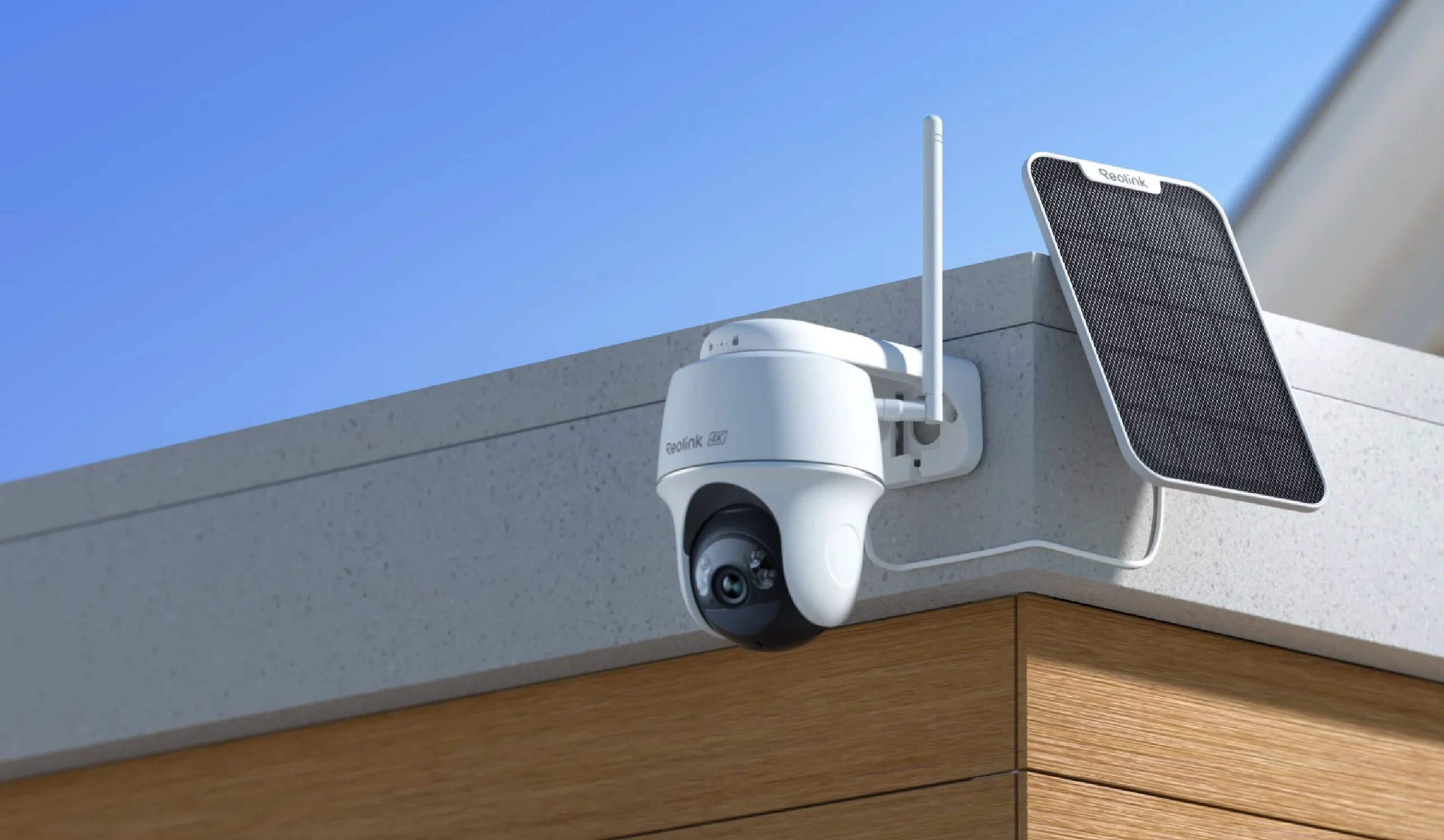
Image Stabilization & Clarity
Reolink: Good image stabilization with clear footage. Some models include advanced noise reduction. Excellent for identifying details like faces and license plates.
Ajax: Professional-grade image processing with consistent clarity. Optimized for monitoring center viewing. Excellent for long-term surveillance.
Frame Rate & Smoothness
Reolink: Supports up to 30fps (frames per second) on most models. Smooth video playback and motion capture. Good for detecting movement and activity.
Ajax: Supports up to 25fps on most models. Sufficient for professional monitoring. Optimized for bandwidth efficiency.
| Quality Metric | Reolink | Ajax |
|---|---|---|
| Max Resolution | 12MP (4K) | 4MP |
| Night Vision Range | Up to 100ft | Up to 50ft |
| Low-Light Color | Yes (Starlight) | Limited |
| Max Frame Rate | 30fps | 25fps |
| Image Stabilization | Good | Excellent |
Reolink wins on raw resolution and night vision. Ajax wins on consistency and professional image processing. For maximum detail, choose Reolink. For reliable monitoring, choose Ajax.
11. Storage Solutions & Cloud Options
Where your footage is stored matters for security, privacy, and accessibility. Let’s compare storage options.
Local Storage (On-Premises)
Reolink: Excellent local storage support. NVR/DVR systems use standard hard drives (1TB to 8TB+). You maintain complete control over your footage. No cloud dependency. Best for privacy-conscious users. For more on storage options, see our guide on DVR vs NVR systems.
Ajax: Limited local storage options. Primarily cloud-based with optional local backup. Less control over where footage is stored.
Cloud Storage
Reolink: Optional cloud storage ($5-15/month). Reolink Cloud or third-party options. You choose whether to use cloud or stick with local storage.
Ajax: Cloud storage included with monitoring plans. Mandatory cloud component. Footage stored in Ajax’s secure servers. Better for professional monitoring but less privacy control.
Storage Capacity & Retention
Reolink: Local storage can hold weeks or months of footage depending on resolution and frame rate. Scalable by adding larger hard drives. Unlimited retention if you manage storage yourself.
Ajax: Cloud storage typically includes 30-90 days of footage depending on plan. Limited by subscription tier. Automatic deletion after retention period.
Backup & Redundancy
Reolink: You’re responsible for backups. Can implement RAID for redundancy. More control but requires technical knowledge.
Ajax: Automatic cloud backup with redundancy. Professional-grade data protection. No manual backup required.
Reolink for privacy and control (local storage). Ajax for convenience and professional backup (cloud storage). Choose based on your privacy requirements and technical comfort level.
12. Mobile App & Remote Access Comparison
You need to check your cameras from anywhere. Mobile app quality and remote access capabilities are essential.
Reolink Mobile App
Platforms: iOS and Android with feature parity.
Features: Live view, playback, motion alerts, two-way audio, PTZ control (if applicable). Intuitive interface designed for DIY users.
Remote Access: Works well over internet. Some advanced features require local network access. Occasional connectivity issues reported.
Performance: Good performance on 4G/5G. Responsive interface. Occasional lag on slower connections.
Ajax Mobile App
Platforms: iOS and Android with full feature parity.
Features: Live view, playback, motion alerts, two-way audio, advanced automation, integration with monitoring center. Professional-grade interface.
Remote Access: Excellent remote access with cloud-based architecture. Reliable connectivity. Advanced features available remotely.
Performance: Excellent performance on all connection types. Smooth interface. Consistent reliability.
User Interface & Usability
Reolink: Simple, straightforward interface. Easy for beginners. Less cluttered than Ajax. Good for basic monitoring.
Ajax: Professional interface with more options. Steeper learning curve. Better for advanced users and professionals.
Notifications & Alerts
Reolink: Motion alerts, person detection alerts, sound detection. Customizable notification settings. Can be noisy if not configured properly.
Ajax: Advanced alerts with AI-powered filtering. Fewer false alarms. Integration with monitoring center for professional response.
Reolink for simplicity and ease of use. Ajax for advanced features and reliability. Both apps work well, but Ajax is more polished for professional use.
13. Scalability & Expandability
Your security needs may grow over time. Can your system expand? How easy is it to add more cameras?
Adding Cameras to Reolink
Process: Simple. Add cameras to the NVR/DVR through the mobile app or web interface. Automatic discovery and configuration.
Limitations: NVR/DVR has maximum camera capacity (typically 4, 8, or 16 channels). Can’t exceed this without replacing the recorder.
Cost: Just the cost of additional cameras. No software licensing fees.
Adding Cameras to Ajax
Process: Add cameras through the mobile app. Automatic pairing with the hub. Requires professional configuration for monitoring integration.
Limitations: Hub has maximum device capacity (typically 50+ devices). More flexible than Reolink.
Cost: Camera cost plus potential professional installation fees for configuration.
Upgrading System Capacity
Reolink: Limited upgrade path. May need to replace NVR/DVR to increase capacity. Disruptive and expensive.
Ajax: More flexible. Can add additional hubs or expand existing hub capacity. Better for growing systems.
Multi-Site Management
Reolink: Each system is independent. Managing multiple properties requires separate apps or manual switching. Not ideal for multi-site operations.
Ajax: Excellent multi-site management. Single app can manage multiple locations. Better for property managers and businesses.
Reolink is good for single-location expansion. Ajax is better for growing systems and multi-site management. Choose based on your growth plans.
14. Security & Privacy Considerations
Your security system contains sensitive footage. How well are your cameras and data protected?
Encryption Standards
Reolink: Uses AES-128 encryption for local storage and transmission. Industry-standard encryption. Good security for local systems. For more on security comparisons, see our guide on Dahua vs Reolink security systems.
Ajax: Uses AES-256 encryption (stronger than Reolink). Military-grade encryption for cloud storage. Better security for cloud-based systems. Complies with Australian Government Information Security Manual standards.
Data Privacy
Reolink: Local storage means your footage stays on your property. No cloud dependency. Better privacy control. You’re responsible for security.
Ajax: Cloud-based storage means footage is on Ajax’s servers. Subject to their privacy policy. Better for professional monitoring but less privacy control.
Firmware Security
Reolink: Regular firmware updates for security patches. Sometimes slow to address vulnerabilities. Community reports occasional security issues.
Ajax: Proactive security updates. Faster response to vulnerabilities. Enterprise-grade security practices.
Account Security
Reolink: Two-factor authentication available. Basic account security. Adequate for most users.
Ajax: Two-factor authentication standard. Advanced account security. Better protection against unauthorized access.
GDPR & Compliance
Reolink: GDPR compliant for local storage. Cloud storage compliance depends on your configuration.
Ajax: GDPR compliant with professional data handling. Better for businesses with compliance requirements. For Australian privacy requirements, see the Australian Privacy Act guidelines from the Office of the Australian Information Commissioner.
Reolink for privacy (local storage). Ajax for professional security (cloud encryption). Both are secure, but they prioritize different aspects of security.
15. Warranty & Maintenance
What happens when something breaks? Warranty and maintenance support are critical for long-term system reliability.
Warranty Coverage
Reolink: 2-year warranty on hardware. Covers manufacturing defects. Warranty service is straightforward but can take time (2-4 weeks).
Ajax: 3-year warranty on hardware. Covers manufacturing defects. Faster warranty service (1-2 weeks). Better warranty support overall.
Extended Warranty Options
Reolink: Limited extended warranty options. Typically not available or expensive.
Ajax: Extended warranty available through professional installers. Better long-term protection options.
Maintenance Requirements
Reolink: Minimal maintenance required. Occasional lens cleaning. Hard drive replacement every 3-5 years. DIY-friendly maintenance.
Ajax: Minimal maintenance required. Professional maintenance available. Battery replacement on wireless devices every 2-3 years.
Spare Parts Availability
Reolink: Spare parts readily available online. Easy to find replacement cameras, hard drives, and accessories. Good for DIY repairs.
Ajax: Spare parts available through professional installers. Less readily available online. Better for professional maintenance.
End-of-Life Support
Reolink: Firmware updates typically available for 5+ years. Good long-term support. Systems remain functional even after support ends.
Ajax: Firmware updates available for 7+ years. Excellent long-term support. Professional support available even for older systems.
Ajax has better warranty and support. Reolink is easier to maintain yourself. Choose based on whether you want professional support (Ajax) or DIY maintenance (Reolink).
16. Melbourne-Specific Considerations
Melbourne has unique climate and environmental factors that affect security camera performance. Here’s what you need to know.
Melbourne’s Climate Challenges
Temperature Swings: Melbourne experiences rapid temperature changes (up to 20°C in a day). Both systems handle this well, but condensation can be an issue. Reolink cameras are slightly more susceptible to condensation due to local storage design.
Humidity: High humidity in summer can affect camera performance. Ajax’s cloud-based approach handles humidity better. Reolink’s local storage may require additional ventilation.
Salt Air (Coastal Areas): If you’re near the coast, salt air can corrode camera components. Both systems offer weatherproof cameras, but Ajax’s professional-grade materials handle salt air better.
Internet Reliability in Melbourne
Reolink: Works well with local storage even if internet is down. Good for areas with unreliable internet. Better for rural Melbourne properties.
Ajax: Requires reliable internet for cloud features. Works in Melbourne metro areas but may struggle in rural areas. Better for areas with stable NBN or fiber. Check NBN availability in your area to determine if Ajax cloud features will work reliably.
Professional Installer Availability
Reolink: Fewer professional installers in Melbourne. DIY installation is common. Harder to find professional support if needed.
Ajax: Many professional installers in Melbourne. Easy to find certified installers. Better professional support network. For more on professional installation options, see our Ajax vs Hills Alarm comparison.
Local Monitoring Services
Reolink: Limited professional monitoring options in Melbourne. Most users rely on self-monitoring.
Ajax: Multiple professional monitoring services in Melbourne. Easy to find 24/7 monitoring. Better for businesses.
Pricing in Melbourne
Reolink: Affordable in Melbourne. Easy to purchase online. No local markup.
Ajax: More expensive in Melbourne due to professional installation. Local installers add cost but provide value.
For metro Melbourne with stable internet: Ajax. For rural Melbourne or unreliable internet: Reolink. For DIY installation: Reolink. For professional support: Ajax.
17. Switching Between Systems: Migration Guide
What if you want to switch from one system to another? Is it possible? What’s involved?
Switching from Reolink to Ajax
Difficulty: Moderate. You’ll need to replace all cameras and the hub. No direct migration path.
Process: 1) Purchase Ajax system, 2) Install new cameras, 3) Configure monitoring integration, 4) Decommission Reolink system, 5) Repurpose or sell Reolink equipment.
Cost: Full cost of new Ajax system. Reolink equipment can be sold to offset costs.
Downtime: 1-2 days for professional installation. DIY installation takes longer.
Switching from Ajax to Reolink
Difficulty: Moderate. Similar to switching to Ajax. No direct migration path.
Process: 1) Purchase Reolink system, 2) Install cameras and NVR, 3) Configure local storage, 4) Decommission Ajax system, 5) Cancel monitoring service.
Cost: Full cost of new Reolink system. Ajax equipment can be sold.
Downtime: 1-2 days for installation.
Preserving Footage During Migration
Reolink: Export footage from NVR before decommissioning. Can save to external hard drive or cloud storage.
Ajax: Download footage from cloud storage before canceling service. Typically available for 30 days after cancellation.
Selling Used Equipment
Reolink: Good resale value. Easy to sell on eBay or Facebook Marketplace. Buyers appreciate the affordability.
Ajax: Lower resale value. Professional equipment is less attractive to consumers. Better to donate or recycle.
Switching systems is possible but expensive and disruptive. Choose your system carefully the first time. If you must switch, plan for 1-2 days of downtime and full system replacement cost.
18. Real-World Performance Reviews from Melbourne Installers
What do professional installers actually think about these systems? Here’s our real-world experience from hundreds of Melbourne installations.
Reolink: What We’ve Seen in the Field
Strengths: Customers love the affordability and ease of installation. Camera quality is excellent for the price. Night vision performance impresses most users. Local storage gives customers peace of mind about privacy.
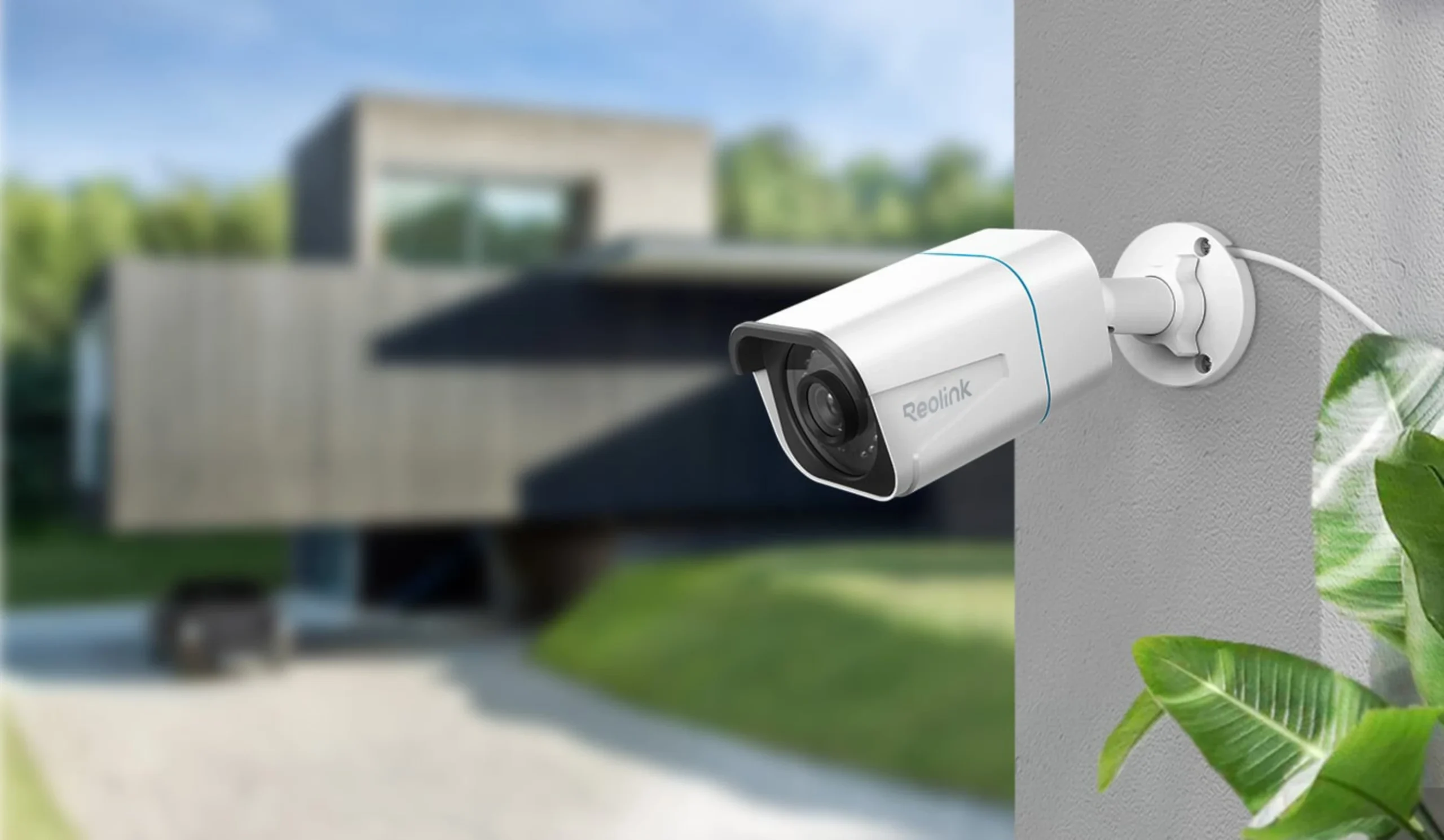
Weaknesses: Occasional firmware issues require troubleshooting. Hard drive failures are common after 3-4 years (normal wear). Some customers struggle with advanced configuration. Limited professional support can be frustrating when issues arise.
Common Issues: Condensation on cameras in humid conditions. Network connectivity issues on older routers. Mobile app crashes on older phones. Hard drive compatibility issues.
Customer Satisfaction: High satisfaction for DIY users. Lower satisfaction for customers expecting professional support. Most customers would recommend Reolink to budget-conscious friends.
Ajax: What We’ve Seen in the Field
Strengths: Exceptional reliability. Systems run for years without issues. Professional monitoring integration works flawlessly. Smart home integration impresses tech-savvy customers. Customer support is responsive and helpful.
Weaknesses: High upfront cost deters many customers. Overkill for simple home installations. Cloud-first approach concerns privacy-conscious customers. More complex configuration requires professional help.
Common Issues: Rare hardware failures. Occasional cloud connectivity issues (very rare). Battery replacement on wireless devices. Professional monitoring integration requires proper configuration.
Customer Satisfaction: Very high satisfaction for businesses and professional monitoring customers. High satisfaction for smart home enthusiasts. Lower satisfaction for budget-conscious customers.
Comparative Performance in Melbourne
Reliability: Ajax wins. Fewer field issues and faster resolution when problems occur.
Value: Reolink wins. Better performance per dollar spent.
Support: Ajax wins. Professional support is responsive and knowledgeable.
Ease of Use: Reolink wins. Simpler setup and configuration for DIY users.
Which System Do We Recommend?
For Homeowners: Reolink if budget is primary concern. Ajax if you want professional support and monitoring.
For Businesses: Ajax. Professional monitoring and reliability are worth the cost.
For Tech Enthusiasts: Ajax. Better smart home integration and advanced features.
For Privacy-Conscious Users: Reolink. Local storage keeps footage on your property.
Both systems are excellent. Reolink for budget and DIY. Ajax for reliability and professional support. We’ve had great success with both and recommend based on customer needs, not personal preference.
Ready to Choose Your Security System?
Both Reolink and Ajax are excellent systems. The right choice depends on your specific needs, budget, and whether you want professional support. If you’re still unsure, our team can help you evaluate your options.
20. Total Cost of Ownership Analysis
The cheapest system upfront isn’t always the most affordable over time. Here’s a detailed breakdown of total cost of ownership over 5 years.
| Cost Category | Reolink (4-Camera) | Ajax (4-Camera) |
|---|---|---|
| Hardware (Year 1) | $400 | $700 |
| Professional Installation | $0 (DIY) | $800 |
| Monthly Monitoring (60 months) | $0 | $1,800 ($30/month) |
| Cloud Storage (60 months) | $600 ($10/month) | $0 (included) |
| Hard Drive Replacement (Year 3-4) | $150 | $0 |
| Battery Replacement (Wireless) | $100 | $200 |
| Maintenance & Support | $0 | $300 |
| 5-Year Total | $1,250 | $3,800 |
Cost Analysis by Scenario
Scenario 1: Budget-Conscious Homeowner
Reolink Winner: $1,250 over 5 years. DIY installation saves $800. No mandatory monitoring fees. Best for users who want to minimize costs.
Scenario 2: Small Business
Ajax Winner: While Ajax costs $3,800 over 5 years, professional monitoring provides liability protection worth far more. Insurance savings often offset the cost.
Scenario 3: Multi-Property Owner (3 properties)
Reolink Winner: Reolink = $3,750 total. Ajax = $11,400 total. Reolink’s DIY installation and no monitoring fees make it ideal for scaling across multiple properties.
Scenario 4: Professional Monitoring Required
Ajax Winner: Ajax’s integrated monitoring is cheaper than adding third-party monitoring to Reolink. Professional response is included in the cost.
Reolink is cheaper for personal use ($1,250 over 5 years). Ajax is better value for businesses when you factor in liability protection and professional response. Choose based on whether you need professional monitoring, not just upfront cost.
21. Common Mistakes When Choosing Between Reolink and Ajax
We’ve seen thousands of customers make these mistakes. Learn from them and make the right choice.
❌ Mistake #1: Choosing Based on Price Alone
The Problem: Reolink is cheaper upfront, but if you need professional monitoring, Ajax’s integrated solution is actually cheaper over 5 years.
The Fix: Calculate total cost of ownership including monitoring, maintenance, and support. Don’t just compare hardware prices.
❌ Mistake #2: Underestimating Internet Reliability Needs
The Problem: Ajax requires reliable internet for cloud features. If your internet is unreliable, Ajax becomes frustrating and expensive.
The Fix: Test your internet stability for 2 weeks before choosing Ajax. If you have frequent outages, choose Reolink with local storage.
❌ Mistake #3: Not Considering Storage Needs
The Problem: Reolink users often underestimate storage needs. A 2TB hard drive fills up faster than expected with 4K cameras.
The Fix: Calculate storage: (Resolution in MP × Frame Rate × 3600 seconds × 24 hours × Days Retention) ÷ 8 = GB needed per day. Plan for 30-90 days retention.
❌ Mistake #4: Ignoring Professional Support Value
The Problem: When your system fails, Reolink’s slow support (24-48 hours) can be costly. Ajax’s professional support responds within hours.
The Fix: For businesses, the cost of downtime often exceeds the cost of Ajax’s professional support. Calculate your downtime cost.
❌ Mistake #5: Choosing Wrong System for Use Case
The Problem: Buying Ajax for a simple home installation wastes money. Buying Reolink for a business that needs monitoring creates liability issues.
The Fix: Use the decision framework in Section 8. Match the system to your specific use case, not your budget.
❌ Mistake #6: Not Planning for Expansion
The Problem: Reolink NVRs have fixed camera limits (4, 8, or 16 channels). If you need more cameras later, you must replace the entire NVR.
The Fix: Buy an NVR with more channels than you currently need. Ajax hubs are more flexible for expansion.
❌ Mistake #7: Overlooking Smart Home Integration
The Problem: If you have smart home devices, Reolink’s limited integration becomes frustrating. You can’t automate security with other devices.
The Fix: If you have Google Home, Alexa, or Apple HomeKit, choose Ajax for seamless integration.
❌ Mistake #8: Not Considering Privacy Implications
The Problem: Ajax stores footage in the cloud. If privacy is critical, this may not be acceptable. Reolink’s local storage keeps footage on your property.
The Fix: For sensitive environments (healthcare, legal offices), choose Reolink with local storage only.
The biggest mistake is choosing based on price alone. Consider total cost of ownership, your specific use case, internet reliability, and support needs. The “cheapest” system often becomes the most expensive when you factor in all costs.
22. When to Upgrade: Signs Your System Needs Replacement
Security systems don’t last forever. Here’s when you should consider upgrading from your current system.
Signs You Should Upgrade Your Reolink System
- Hard drive failures: If your NVR hard drive has failed once, it will fail again. Replace the system.
- Firmware no longer updates: If Reolink stops releasing firmware updates, security vulnerabilities won’t be patched.
- Cameras are 5+ years old: Sensor technology improves every 2-3 years. Older cameras have worse night vision and lower resolution.
- You need professional monitoring: If your needs have changed and you now need 24/7 monitoring, Reolink can’t provide it.
- Storage is constantly full: If you’re constantly deleting old footage, your system is undersized. Upgrade to a larger system.
- You need smart home integration: If you’ve added smart home devices, Reolink’s limited integration becomes a problem.
Signs You Should Upgrade Your Ajax System
- Hub is 7+ years old: Ajax hubs typically last 7-10 years. After 7 years, consider upgrading to newer technology.
- Monitoring center stops supporting your system: If your monitoring center drops support, you lose professional monitoring.
- You need more advanced AI features: Newer Ajax systems include advanced AI for person/vehicle detection. Older systems don’t.
- Battery life is degrading: Wireless sensors’ batteries degrade over time. If you’re replacing batteries every 6 months, upgrade.
- You need better integration: Newer Ajax systems integrate better with smart home platforms. Older systems have limited options.
Reolink systems typically last 5-7 years before hardware degradation becomes a problem. Ajax systems last 7-10 years. Plan for replacement within these timeframes.
19. Frequently Asked Questions
Can I mix Reolink and Ajax cameras in one system?
No. Both systems are proprietary and don’t integrate with each other. You must choose one platform and stick with it. Mixing systems will result in limited functionality and poor integration.
Which system has better night vision?
Reolink generally has better night vision with more aggressive IR LEDs and starlight technology. Ajax prioritizes reliability over maximum night vision range. For pure night vision performance, Reolink wins. For more on night vision technology, see our guide on why Reolink night vision sometimes looks worse than expected.
Can I use Reolink without cloud storage?
Yes. Reolink systems can use local storage on the NVR/DVR without any cloud storage. This is one of Reolink’s advantages, you have complete control over where your footage is stored.
Is Ajax worth the extra cost?
It depends on your needs. If you want professional monitoring, smart home integration, and professional support, yes. If you just want affordable cameras for a home, Reolink is better value.
Which system is better for a small business?
Ajax is generally better for businesses because of professional monitoring integration, better support, and enterprise-grade reliability. Reolink can work for small businesses but lacks professional monitoring integration. For more business-focused comparisons, see our Bosch vs Ajax comparison.
How long do these systems last?
Both systems typically last 5-7 years with proper maintenance. Ajax systems may last slightly longer due to enterprise-grade components. Regular firmware updates help extend system life.
Can I expand my system later?
Yes, both systems are expandable. You can add cameras to either system as needed. Reolink systems are easier to expand (just add cameras to the NVR). Ajax systems require professional configuration for expansion.
Which system is better for Melbourne’s climate?
Both systems handle Melbourne’s climate well. Ajax has a slight edge due to enterprise-grade weatherproofing. Reolink cameras are also weather-resistant but may require more maintenance in harsh conditions.
What’s the typical installation time?
Reolink DIY: 2-4 hours for a 4-camera system. Professional installation: 4-8 hours.
Ajax: Professional installation typically takes 6-12 hours depending on complexity. Includes configuration and monitoring integration.
Do I need a professional installer?
Reolink: No, DIY installation is straightforward. Professional installation is optional.
Ajax: Professional installation is recommended for proper configuration and monitoring integration. DIY is possible but complex.
What’s the monthly cost after purchase?
Reolink: $0-15/month (optional cloud storage). No mandatory fees.
Ajax: $20-40/month for professional monitoring. Cloud storage included.
Can I view cameras on multiple devices?
Yes, both systems support multiple users and devices. Reolink allows multiple logins. Ajax supports multiple users with role-based access control.
What happens if my internet goes down?
Reolink: Local storage continues recording. You can view footage locally but not remotely.
Ajax: Local backup continues recording. Cloud features are unavailable until internet is restored.
Are these systems suitable for renters?
Reolink: Yes, wireless cameras are available for renters. No permanent installation required.
Ajax: Yes, wireless options available. Professional installation can be temporary.
Which system integrates better with smart home?
Ajax integrates better with smart home platforms like Google Home, Alexa, and Apple HomeKit. Reolink has basic integration but is less comprehensive.
What’s the best resolution for identifying faces?
For reliable face identification, you need at least 4MP resolution. Reolink’s 4MP and 8MP cameras are excellent for this. Ajax’s 4MP cameras are also suitable.
Can I record 24/7?
Yes, both systems support continuous 24/7 recording. Storage requirements depend on resolution and frame rate. Plan for 1-2TB per camera per month at 4MP resolution.
What’s the warranty on batteries (wireless cameras)?
Reolink: Batteries typically last 6-12 months depending on activity. Replacement batteries are inexpensive ($20-50).
Ajax: Batteries typically last 2-3 years. Replacement batteries are more expensive ($50-100).
Can I use these systems for license plate recognition?
Reolink: 8MP cameras can capture license plates at close range (10-15 feet). Requires good lighting.
Ajax: 4MP cameras can capture license plates at moderate range (15-20 feet). Professional configuration recommended.
Which system is better for parking lot monitoring?
Reolink: Good for parking lots with its high-resolution cameras and excellent night vision. Affordable for large areas.
Ajax: Better for professional parking lot monitoring with professional support and monitoring integration.
Can I use these systems for retail stores?
Reolink: Suitable for small retail stores. Good image quality and affordable. Limited professional support.
Ajax: Better for retail stores with professional monitoring, better support, and integration with security services.
Contact our team at SIPKO Security. We can help you evaluate both systems for your specific Melbourne property and recommend the best solution.
About SIPKO Security: We’re licensed security installers in Melbourne with over a decade of experience installing both Reolink and Ajax systems. This guide is based on real installations, real problems, and real solutions we’ve implemented for Melbourne homes and businesses.
Last updated: · Melbourne, Victoria, Australia



