
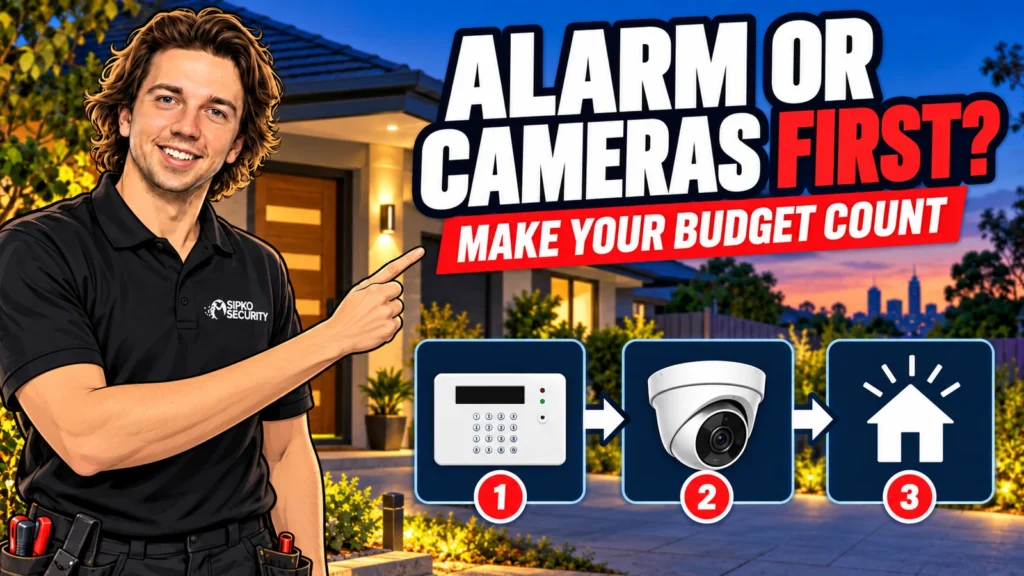
Home security on a limited budget works best when the first stage solves one important problem completely. An alarm may come first when you need to detect entry into an unattended home. Cameras may come first when you need usable footage of a specific area or event. Repair poor physical security before asking either system to compensate for it.
The aim is to decide what to fund now, what can wait and what must be allowed for during installation. This is a spending plan rather than another contest over which technology is universally better. A modest, well-designed first stage can be more useful than a discounted bundle that leaves the main concern unresolved.
Start by writing down the result you need
Choose one priority in plain language. You might want to know if someone enters while the family is out, review damage to a parked vehicle or cover an unattended garage. Avoid starting with a device count. Four cameras or six sensors are quantities, not evidence that the desired result will be delivered.
Name the time and place as well as the event. A front entrance in daylight is a different camera task from a driveway at night. Detecting movement while everyone is out differs from protecting selected doors while people are asleep. These details guide the design and help a provider explain which work can safely wait.
Make a second list of useful extras. Remote viewing, more camera angles, additional zones or optional monitoring may belong here. An extra can be worthwhile without being necessary for the first stage. Keeping the two lists separate gives you a way to reduce a quote without cutting the function you actually need.
SIPKO’s broader alarm system versus CCTV guide covers the main roles of the technologies. Here, use that distinction to decide the purchase order: which missing capability matters most at your property, and what is the least complicated complete way to provide it?
Detection gap
Consider an alarm first if entry could go unnoticed and a useful notification or response is needed.
Evidence gap
Consider cameras first if the priority is reviewing a particular area with usable recorded footage.
Physical gap
Repair ineffective doors, locks or windows before spending on devices that cannot repair them.
Check what you already own before replacing it
List existing sensors, cameras, recorders, controls and cabling. Note what works, what is unreliable and what nobody knows how to use. A system can feel obsolete because access was lost or a fault was ignored, but that does not prove every component needs replacing. Ask for an assessment of condition and support.
Reusing equipment is worthwhile only when it can deliver the required result reliably. An old camera might still provide a useful overview while being unsuitable for identifying a person at the required distance. A recorder may accept a picture but lack a feature you need. Compatibility and useful performance are separate checks.
Have a provider explain the saving and compromise in retaining each major part. Reuse can reduce waste and installation work, but troubleshooting unsupported hardware can also consume the budget. Request a clear boundary between what is being retained, serviced and replaced, with any remaining limitations documented.
Do not erase a recorder or reset an alarm merely to find out what it can do. Existing footage, accounts and configuration may be important. An authorised assessment should preserve what is needed while establishing whether the equipment is a sensible foundation for the next stage.

What a complete alarm-first stage includes
An alarm-first stage should cover the priority entry routes or areas, provide suitable controls and deliver the agreed response. That may include a local siren, phone alerts or professional monitoring, depending on your needs. The quote should identify which of those functions is included rather than relying on the word smart.
Ask the installer to demonstrate a realistic event using the proposed design. Which detector responds? Does a delay apply? Who receives the signal? What happens if the home internet is unavailable? The answers reveal whether a low-priced package is complete for your purpose or needs further spending before it becomes useful.
For night use, specify the areas that should stay active while people move elsewhere. Pets, regular visitors and different departure times can affect the setup. A slightly smaller system with the right configuration and training may be more usable than a larger package with a confusing routine.
Budget for installation and handover as part of the first stage. Cutting them out can leave the household with equipment it does not confidently use. SIPKO’s wireless alarm installation service is relevant when you want a property-specific scope rather than a list of boxes to buy.
What a complete camera-first stage includes
A camera-first stage needs a defined view, an appropriate recording method and a way to retrieve footage. It is not complete just because you can see a live picture on a phone. Ask to review a saved clip from the actual area, including the lighting conditions that matter to your concern.
One carefully placed camera may answer a focused question better than several poorly positioned cameras. However, a single wide view may not show enough detail at every distance. Ask what will be recognisable in the priority zone and what will remain only an overview. Avoid treating a megapixel label as a complete design.
Include storage, required power, network work and installation in the price. Establish whether recording is continuous, event-triggered or scheduled, and what affects retention. If important features require a subscription, include that service in your comparison instead of counting only the camera purchase price.
Phone notifications are a separate configuration task. Some cameras can provide useful event alerts, but the detection type, schedule, connection and app settings matter. A camera does not automatically replace every role of an alarm, just as an alarm event does not necessarily provide video evidence.
Compare total costs without inventing a universal price
The right budget depends on the property, equipment and scope. A useful quote separates hardware, installation, cabling or network work, storage, setup and optional services. Ask what is excluded and what site conditions could change the price. This is more reliable than applying a broad online package price to an unseen home.
For recurring costs, list only the services you will actually use. Examples may include monitoring, mobile connectivity, cloud recording, servicing and battery replacement. Obtain current terms for the proposed model and plan. The label no monthly fee does not mean there are no future costs of ownership.
Keep a small allowance for the practical finishing work that makes the system usable. That might involve a difficult cable route, an appropriate power arrangement or extra time showing a second resident how to operate the controls. Ask for those requirements during the survey rather than discovering them after purchasing equipment.
The ACCC’s consumer guidance on buying products and services is useful background when comparing written offers and promises. Keep the quote and receipt, and ask the seller to record any feature that is central to your decision. A verbal assurance is harder to revisit than a specific written scope.
Stage the work without paying twice
Tell the installer what you may add later, even if you are not buying it now. For cameras, discuss sensible cable routes and recorder capacity. For alarms, discuss supported devices and expansion limits. Reserving capacity can be useful, but it should have a clear purpose rather than becoming an excuse to buy an oversized system.
Confirm that future expansion works with the exact product family being quoted. Two devices using Wi-Fi or carrying the same broad brand name are not automatically compatible. Record the model details and supported options so a later purchase does not depend on remembering a sales conversation.
Separate necessary preparation from optional equipment. A cable route that becomes inaccessible after renovation may justify work now. Extra devices for an area with no identified need may be easy to add later. Ask the provider to explain the cost and practical consequence of deferring each item.
Choose a first stage that remains useful if stage two is delayed. A recorder with no suitable cameras or an alarm without a workable response is not a finished outcome. You should be able to explain the coverage and limitation of the installed stage even if you do not spend another dollar for some time.
Three examples of sensible purchase order
Consider a home with sound locks and no detection while the family is away. An alarm covering the relevant areas, with controls the family uses and a tested notification path, may be the useful first stage. Cameras can follow if reviewing events would add value. This is a scenario, not a rule that alarms always come first.
Now consider a home with a maintained alarm but no usable view of the driveway. A properly planned camera and recording arrangement may address the remaining priority. The existing alarm should still be checked, but buying another alarm package would not directly solve the missing footage problem.
Finally, consider a house with a poorly closing side door and an old camera that still records an adequate overview. Repairing the door and confirming recording may be the best immediate use of funds. A new system can wait until the owner can identify a further gap worth paying to close.
These examples work because the spending follows the problem. They do not require a particular brand, a fixed budget tier or a promise that equipment will prevent every incident. Use the same method to ask an installer for a stage-one quote and separately priced later options.
Your staged spending checklist
- Write one priority event, place and time that the first stage must address.
- Check doors, locks and usable existing equipment.
- Compare the same completed scope across quotes.
- Include storage, communications, setup and ongoing services where required.
- Specify what the first stage will not cover.
- Verify compatibility before planning later additions.
- Test saved footage or alarm notifications at handover.
- Review the next stage only when it provides a clear additional benefit.
FAQ
Is an alarm always the best first purchase?
No. It may be the stronger choice for an unresolved intrusion-detection gap. Cameras may be more useful for a specific recording need, especially if a working alarm already exists. Physical repairs can take priority over either technology.
Can one camera be a useful first stage?
Yes, if it covers a clearly defined task with suitable recording and retrieval. It will not cover every part of a home. Ask for a demonstration at the relevant distance and lighting conditions before assuming the view meets your needs.
Should I buy a bundle because it is discounted?
Only if the included equipment and installation solve your priorities. Compare the full cost and exclusions. A cheaper bundle can become poor value if it needs extra storage, networking, subscriptions or replacement devices to perform the intended job.
Can I keep an older alarm and add new cameras?
Often the two can serve separate roles, but have the existing alarm checked and the new camera arrangement designed properly. Direct integration is not always necessary or available. Confirm any desired shared-app or automation features before buying.
How do I avoid spending twice later?
Discuss likely expansion during the initial survey, record exact models and confirm compatibility. Complete the urgent job now while allowing for sensible future wiring or capacity. Avoid buying speculative extras without a clear use.
Ask for a first stage with a clear job
The best budget decision is one you can describe simply: this work addresses this gap, and these other areas remain for later. That clarity helps you compare quotes and resist additions that do not improve the result you need now.
SIPKO can help plan a staged alarm or CCTV installation for a Melbourne home. Bring your priority, the equipment you already have and a comfortable spending limit. Ask for the essential first stage and optional later work to be priced separately.



