
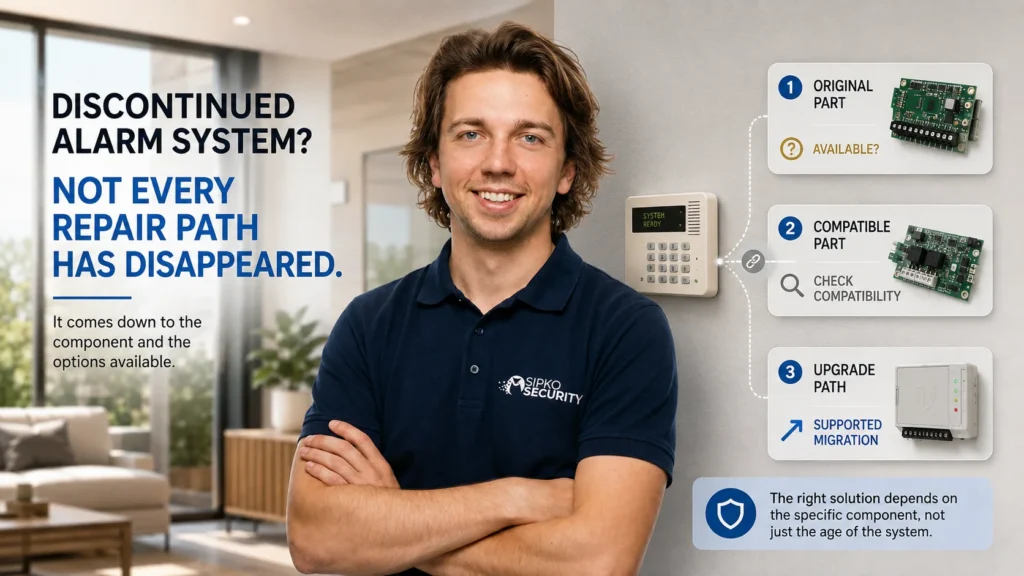
You’re told the alarm panel has been discontinued. The natural interpretation is that parts are gone and the whole system now has to be replaced.
Sometimes a critical proprietary part really is no longer available. But discontinuation doesn’t necessarily mean every component in the installed system disappeared from the service path at the same moment. Depending on the system, the original stock may still exist, the manufacturer may offer a supported replacement or migration path, or only one layer might need modernising while other compatible parts of the installation can remain in service.
The first question isn’t simply whether the system is discontinued. It’s what component it actually needs.
Sometimes, yes, parts remain available. A discontinued alarm system doesn’t automatically lose every repair option when new sales stop. But availability is component-specific, can narrow over time, and a part being physically available doesn’t prove it’s the correct or supported replacement for the installed system.
What Does “Discontinued” Actually Tell You?
Lifecycle terms are not interchangeable, and manufacturer documentation can distinguish between what is still sold and what remains supported.
Aritech’s own announcement about its Challenger security platform is a clean example. The Challenger10 control panel was “superseded by the ChallengerPlus control panel,” with “all orders for a Challenger10… replaced with the more advanced ChallengerPlus control panel.” That’s a statement about new orders — it establishes a sales relationship between two products, not a claim that every installed Challenger10 system became unsupported the day the announcement went out. The same page notes that a ChallengerPlus panel can even be reverted to run existing Challenger10 firmware where that’s what a site needs.
Sales status and installed-system serviceability are related questions, but they’re not the same one. Superseded doesn’t automatically mean every part is available — and it doesn’t automatically mean unsupported, either.
The Part You Need Matters More Than the Name on the Panel
A discontinued or superseded control panel doesn’t automatically establish the status of everything connected to it. Different components inside the same system can end up on completely different availability paths:
- Control panel or main PCB — may be highly system-specific and can have its own manufacturer lifecycle status.
- Keypad — may be shared across generations or specific to one platform.
- Detector or siren — compatibility must still be checked rather than assumed from the device type.
- Expansion or interface module — can have a lifecycle separate from the main panel.
- Communication module — may depend on both hardware compatibility and external communication infrastructure.
- Power or backup component — still needs product/application compatibility to be confirmed.
None of this means detectors are always generic, batteries are always available, or sirens always transfer between systems — those assumptions aren’t safe either. The actual point is narrower and more useful: parts availability is component-specific, not something you can read off the panel’s name alone.
Sometimes a Part Stops Selling Before the System Loses Its Upgrade Path
Aritech’s own end-of-sale notice for its TS0866/TS0867 four-door controller and TS0869 four-lift controller is one of the clearest real-world examples available of exactly this distinction.
The notice states plainly that from a given date — or while stock lasts — these controllers “will no longer be available for purchase.” That’s an unambiguous end-of-sale. But the same notice immediately continues: “we have prepared some information below to help guide you on the best path forward, and to help get the most out of your existing Tecom system,” and provides a documented upgrade path for owners running any of three different platforms — ChallengerPlus, Challenger10 or Challenger V8 — plus contact details for local Australian distributors.
The old component can reach end-of-sale while the installed system it’s part of still has a manufacturer-documented path forward. That’s a meaningfully different situation from “discontinued, therefore stuck” — and it’s worth remembering the next time a specific part’s unavailability gets generalised into a verdict about the whole system.
Parts Can Remain After End of Life — but Not Forever
Inner Range’s own guidance after its Concept platform reached End of Life is a useful, more time-qualified example — worth reading carefully because it captures both sides of the picture.
At the point of that announcement, Inner Range stated: “Some Concept parts are still available to buy and we are currently continuing to provide technical support for existing customers, repairing or replacing parts from existing stock or suitable alternatives as necessary.” The company’s General Manager added: “We’ll continue to provide technical support for Concept users where we can. But eventually we’ll reach a point where it’s no longer possible to source suitable parts.” Inner Range also stated that its successor platform, Integriti, is compatible with 95% of Concept hardware — a product-family aggregate figure, not a guarantee that 95% of any individual installed site can specifically be carried over.
The honest takeaway from a case like this: parts continuity after end-of-life can genuinely exist, but the manufacturer’s own wording shows it isn’t indefinite. It narrows. That illustrates why a repair path documented soon after end-of-life shouldn’t be assumed to remain unchanged years later — current availability still needs to be checked, not inferred from an old announcement.
Finding a Part Is Not the Same as Finding the Right Part
Physical availability doesn’t prove supported compatibility. Whether a part actually works correctly in a specific installation can depend on:
- the exact panel generation it’s being fitted to;
- the hardware revision of both the old and new components;
- firmware version;
- the bus or communication protocol in use;
- the communication technology involved, if it’s a comms-related part;
- the specific configuration the system was originally programmed with.
This is also where a common assumption breaks down: a successor product is not automatically a drop-in replacement. When a manufacturer says one product supersedes another, that establishes a commercial and product-lifecycle relationship — it doesn’t by itself prove identical wiring, identical programming, identical peripheral support, or that no migration work is required. Only manufacturer migration or compatibility documentation actually establishes those details, and it’s worth asking for that documentation specifically rather than assuming a “successor” label covers it.
What About a Part You Find Online?
It’s a fair question, and searching turns up plenty of listings for parts that have technically stopped being manufactured. No manufacturer position was found stating a blanket rule either way about second-hand or refurbished alarm hardware — so there’s no basis here for telling you used parts are unsafe, or reassuring you that they’re fine.
What’s worth understanding is the actual gap between what a listing tells you and what you need to know. A marketplace listing establishes only that someone is offering an item for sale. It doesn’t, by itself, establish the item’s condition or history, whether it’s the correct hardware revision, whether its firmware is compatible with your system, whether the manufacturer would support it, what warranty status applies, or whether it’s actually suitable for your specific installation.
“Can I buy one?” and “Is this the correct supported repair path?” are two different questions, and a search result only ever answers the first one.
Sometimes the Original Part Is Gone but the Rest of the Installation Still Has Value
Between “find the exact original part” and “replace everything” can sit a middle ground. Depending on what an assessment finds, the practical path forward might be:
- the suitable original part is still available;
- a manufacturer-supported alternative exists and can be fitted instead;
- one specific layer of the system — the panel, say, or the communication path — needs modernising while compatible existing equipment remains;
- or, where none of those apply, a broader replacement genuinely becomes the sensible option because no practical supported path remains for what’s failed.
That middle path only works with careful language, not blanket promises. Existing wiring may remain usable where it’s serviceable and compatible. Existing detectors may carry forward where the new architecture supports them. Neither is a given — and it’s never accurate to say all wiring stays, or that no rewiring will be required, without an actual assessment behind that claim.
How to Check Whether Your Discontinued Alarm Is Still Repairable
- Identify the exact panel and version. Brand name alone isn’t enough — the same product line can span meaningfully different generations.
- Identify the component that actually needs attention. Panel, keypad, controller, communicator, detector — each has its own status, independent of the others.
- Check the manufacturer’s lifecycle status for that specific component. Current, superseded, end-of-sale, end-of-life, or another documented status entirely.
- Check original-part availability, preferring manufacturer or authorised channels where that’s possible.
- Check documented compatibility or migration options, rather than relying on a matching brand name or connector shape.
- Assess what existing equipment remains serviceable. Only after this does the actual repair or upgrade scope become clear.
The product’s status starts the investigation. It doesn’t finish it.
Repair, Adapt or Replace?
Repair with the original part — where the correct component remains available and suitable for the installation.
Use a supported alternative — where manufacturer documentation identifies a compatible path forward, even if it’s not the exact original part.
Adapt or modernise the affected layer — where an obsolete proprietary component can be replaced through a supported migration, while the rest of the installation stays as it is.
Replace more broadly — where critical parts, support or compatibility no longer offer a practical repair path for what’s actually failed.
None of these comes with an age threshold, a percentage-based cost rule, or a blanket price attached — because the right outcome here follows from the part and the path forward, not from how long the system has been installed. SIPKO’s residential alarm service follows the same assessment-first principle: establish what is installed and what can remain before deciding the upgrade scope.
FAQ
Can you still get parts for a discontinued alarm system?
Sometimes. The answer depends on the exact component, current stock and manufacturer support, and whether it’s actually compatible with your specific system — not on the “discontinued” label alone.
Does discontinued mean the alarm can no longer be repaired?
Not automatically. A discontinued system can have remaining original parts, a manufacturer-supported alternative, or a documented migration path. It’s also possible that none of those apply to a particular part — discontinuation doesn’t guarantee a repair path exists, it just doesn’t rule one out either.
Can I use a newer part from the same manufacturer?
Only where documented compatibility actually supports it. Being made by the same manufacturer doesn’t automatically mean a part is compatible with your specific panel or generation.
Are second-hand alarm parts worth using?
There’s no blanket answer. Availability on a marketplace tells you an item exists — it doesn’t tell you its condition, revision, firmware compatibility or whether it’s actually supportable in your system.
Do I have to replace the whole system if one part is unavailable?
Not necessarily. It depends on whether a supported alternative or migration path exists for that part, and how much of the rest of the installation remains compatible and serviceable.
If you’ve been told your alarm is discontinued, SIPKO can identify the installed panel and the component that actually needs attention, then check the available repair, compatibility or upgrade path before recommending the scope of work.



