
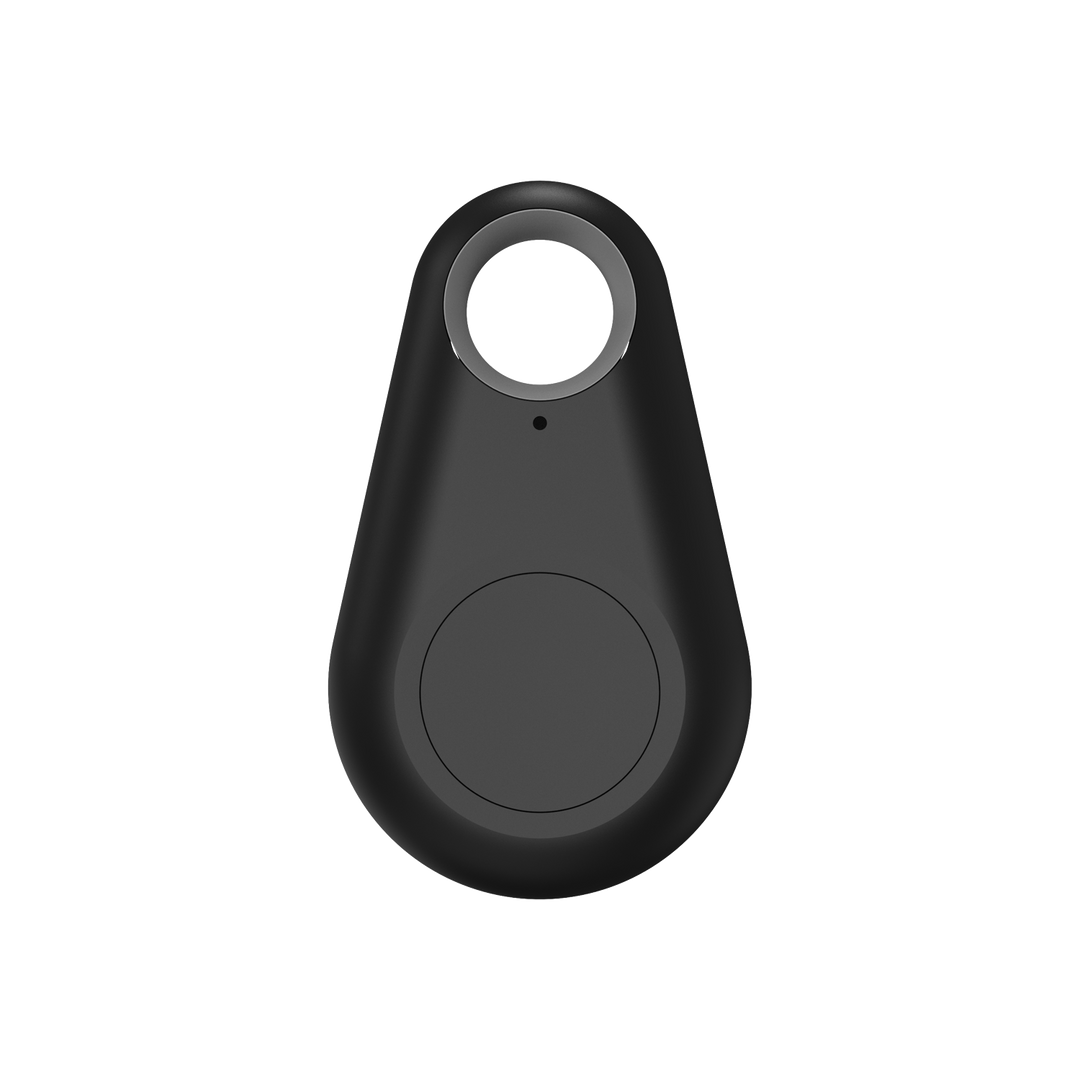
Akuvox Bkey Bluetooth Key
The Akuvox Bkey is a small BLE (Bluetooth Low Energy) physical key fob for contactless access, with a single button and a status LED. It pairs with a compatible Akuvox door phone or access control terminal over Bluetooth, or is enrolled through the ACR-CID01 desktop reader, and encrypts data transmission for secure communication.
Key Specifications
Core Features
Technical Specifications
| Category | Specification |
|---|---|
| Model | BKEY |
| Technology | BLE (Bluetooth Low Energy) |
| Controls | 1 button, 1 status LED |
| Battery | CR2032, 3.3V (no backup battery included) |
| Battery Replacement | User-replaceable, twist-off rear panel |
| LED - Key Pressed, Blue | Normal status |
| LED - Key Pressed, Red | Low battery |
| LED - Idle, Red/Blue Flashing | Firmware upgrading |
| LED - Idle, Blue for 3s then off | Upgrade completed |
| Enrollment via Door Phone / Terminal | Within 10cm of the device's Bluetooth module |
| Enrollment via ACR-CID01 | Within 3cm of the desktop reader |
| Compatible Configuration Settings | Trigger distance, RSSI threshold, unlock intervals, authentication code validity (set on the paired door phone/terminal) |
| Data Security | Encrypted data transmission |
Similar products
Questions and answers
No questions about this product yet. Ask ours first, and a licensed installer will answer.
Get a quote for this product
Prefer the full form?
Tell us about the property and we will plan the cabling, power and recording with you. Mention the product above.
The full quote form opens as you scroll here.
Frequently Asked Questions
It's a Bluetooth key fob that provides contactless access to a compatible Akuvox door phone or access control terminal - press the button to trigger the door, without needing to present a card or type a code.
Either directly through the door phone or access control terminal's Add/Edit User page, holding the Bkey within 10cm and pressing the button to capture its code, or by connecting an ACR-CID01 desktop reader to a computer and holding the Bkey within 3cm of it.
A standard CR2032 3.3V coin cell battery, which is user-replaceable by twisting off the rear panel. No backup battery is included.
The status LED turns red when the button is pressed, instead of the normal blue, to indicate the battery needs replacing.
Yes. The paired door phone or access control terminal's BLE settings let an installer configure the trigger distance and RSSI signal threshold, so you can tune how close the Bkey needs to be before it unlocks.
Ready to Order the Akuvox Bkey?
Contact Sipko Security to request a quote for Bkey Bluetooth fobs, or to discuss adding BLE access credentials to your building's door phone or access control system. We provide complete design, installation, and ongoing support for Akuvox access control across Melbourne and regional Victoria.
