
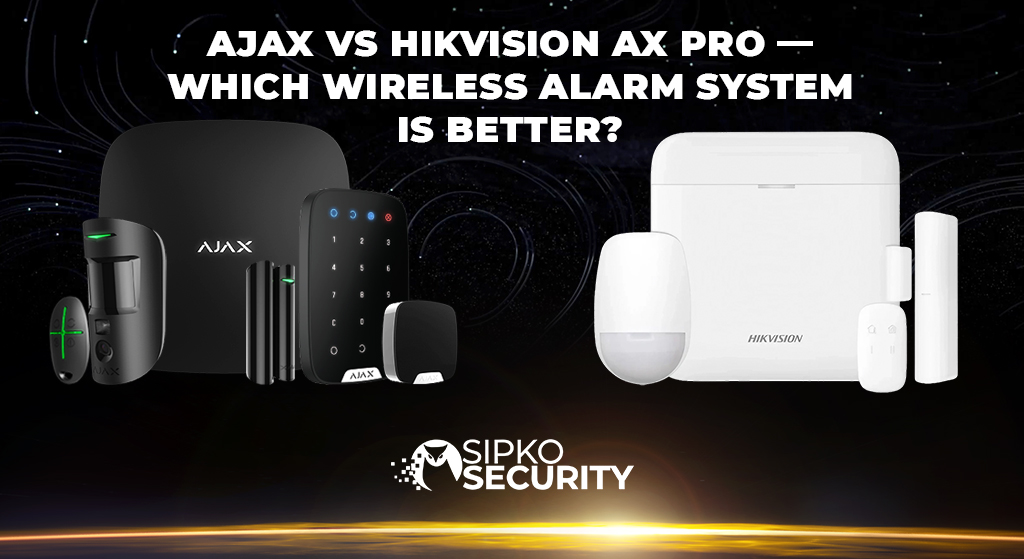
Ajax vs Hikvision AX PRO — Which Wireless Alarm System Is Better?
The specialist vs. the generalist. We compare the two most popular wireless security systems to see which one truly protects your home.
In the highly competitive world of wireless security, two names dominate the conversation: Ajax Systems and Hikvision AX PRO. Both promise cutting-edge protection without the wires. Both have sleek designs and smartphone apps. On paper, they look almost identical.
But when you dig deeper into the engineering, the differences become stark. One is built by a company that does nothing but alarms. The other is built by the world’s largest CCTV manufacturer attempting to capture the alarm market.
In this premium comparison, we strip away the marketing jargon to reveal which system offers better reliability (Jeweller vs Tri-X), privacy (NDAA Compliance), and real-world automation for the Australian homeowner.
If you are still deciding which Ajax route fits your property, use the Ajax Security Hub to compare installation, monitoring, CCTV, upgrades and pricing before choosing a specific service.
The Backbone: Radio Protocols Explained
A wireless alarm is only as good as its signal. If the keypad can’t talk to the hub, you have no security.
Ajax “Jeweller” Technology
Ajax developed a proprietary protocol called Jeweller. It is widely regarded as the gold standard in the industry.
- Range: Up to 2,000 meters in open space.
- Polling Rate: The Hub checks every sensor every 12-300 seconds (adjustable). Alarm delivery takes less than 0.15 seconds.
- Efficiency: It adjusts power output based on distance, allowing sensor batteries to last up to 7 years.
- Encryption: Uses rolling code block encryption and frequency hopping (868/915 MHz) to prevent jamming.
Hikvision “Tri-X” Technology
Hikvision’s answer is Tri-X. It is a solid, modern protocol that competes well, but lacks the refinement of Jeweller.
- Range: Claimed similar to Ajax, but real-world testing often shows slight degradation through thick concrete walls compared to Jeweller.
- Two Chips: AX PRO Hubs utilize two distinct radio chips (Tri-X for sensors, Cam-X for PIRCAMs) to reduce interference.
- Battery Life: Typically rated for 3-5 years, which is respectable but approximately 30-40% less than equivalent Ajax devices.
Hikvision AX PRO: The Integrator’s Choice
Hikvision is a juggernaut in the surveillance world. Their AX PRO system is a strategic attempt to bolt an alarm system onto their massive CCTV ecosystem.
The “All-in-One” Appeal
If you already have Hikvision cameras, the AX PRO makes sense. It integrates into the same Hik-Connect app, allowing you to see your cameras and arm your alarm in one place. This convenience is its single biggest selling point.
The “Jack of All Trades” Problem
However, the alarm system feels like an add-on. The app interface is cluttered, designed primarily for video streams, not quick alarm management. The sensors, while functional, lack the premium build quality of Ajax. Furthermore, Hikvision’s history of security vulnerabilities and government bans (NDAA) raises valid questions about trusting them with the “keys” to your home’s physical security.
Ajax Systems: The Master of One
Ajax does one thing, and they do it better than anyone else: Wireless Intrusion Detection. Every component, from the Hub to the MotionCam, feels engineered to a higher standard.
Visual Verification: MotionCam vs PIRCAM
Both systems offer detectors that take photos when they see movement, but Ajax utilizes a dedicated high-speed protocol called Wings.
- Ajax MotionCam: Sends a series of armed photos in under 9 seconds. The dedicated Wings antenna ensures these heavy photo packages don’t clog the alarm signal involved.
- Hikvision PIRCAM: Uses Cam-X. While effective, the image quality and transmission speed can vary significantly based on RF interference, often lacking the “instant” feel of Ajax.
Automation Scenarios
Ajax uses an operating system called OS Malevich. It allows for complex “If This Then That” scenarios that run locally on the Hub:
- Flood Prevention: If LeaksProtect detects water, automatically shut off the electric water valve.
- Fire Response: If FireProtect detects smoke, cut power to the home to prevent electrical spread.
- Night Mode: Automatically lock electronic door locks and arm the perimeter when you go to bed.
Head-to-Head: The Technical Specs
| Feature | Ajax Systems | Hikvision AX PRO |
|---|---|---|
| Primary Focus | Dedicated Alarm Specialist | CCTV Add-on |
| Wireless Protocol | Jeweller + Wings (Proprietary) | Tri-X + Cam-X |
| Photo Delivery Speed | < 9 Seconds | Variable (Depending on Signal) |
| App Experience | 5/5 (User Centric / Clean) | 3/5 (Cluttered / Video First) |
| Data Privacy | NDAA Compliant / GDPR / Grade 2 | Banned in US Gov (NDAA Issues) |
| Battery Life (Sensors) | Up to 7 Years | Up to 5 Years |
The Ecosystem Philosophies
Ajax Ecosystem
- Hub-Centric Logic
- Encrypted Radio (Jeweller)
- Cloud-Independent Scenarios
- Focus: Reliability & Speed
Hikvision Ecosystem
- NVR/Video Centric
- Shared App (Hik-Connect)
- Cloud-Dependent Features
- Focus: Integration & Cost
Installation & Configuration: PRO vs DIY Friendly
The final battleground is how these systems get onto your wall. This is where the philosophy of the two companies diverges most.
Ajax: The “Lego” of Security
Ajax was designed from day one to be installed by anyone with a screwdriver and a smartphone. Everything is QR-code based.
- SmartBracket: You don’t need to disassemble the sensor to mount it. You screw the bracket to the wall, and the sensor twists on.
- QR Adoption: Open the app, tap “Add Device”, scan the QR code on the back of the sensor, and it’s live instantly.
- Remote Config: 100% of the settings (sensitivity, delay, sirens) can be changed remotely from your phone. You never have to climb the ladder twice.
Hikvision: The “System Integrator” Tool
Hikvision assumes you are a professional installer with a laptop.
- Web Interface: While there is an app, many advanced configurations require logging into the “Web Interface” via a browser on a PC.
- Housing Design: Sensors often require opening the housing (unscrewing) to access the battery tab or mount them, which feels less refined.
- Complexity: Linking cameras to zones often requires specific IP addressing knowledge, making it daunting for the average user.
The Verdict: Which System Should You Trust?
If you are a commercial installer putting cameras in a warehouse and need a cheap alarm to tick a box, the Hikvision AX PRO is a functional, “good enough” solution that integrates well with existing Hikvision NVRs.
But if you are a homeowner who wants the best protection possible for your family and assets, Ajax is the clear winner. It is faster, more secure, respects your privacy, and has a battery life that means you won’t be climbing ladders every two years.
Why We Recommend Ajax
- Reliability: It just works. The Grade 2 certification and Anti-Masking technology are best-in-class.
- Usability: The app is so good it encourages you to actually use the alarm.
- Trust: A company focused 100% on your security, not on selling you data or cameras.
Security is too important to compromise on. Choose the specialist over the generalist.
Ready to install the world’s most awarded wireless alarm? Contact Sipko Security for a custom Ajax quote.
Frequently Asked Questions
Can Ajax connect to my existing Hikvision cameras?
Yes! This is a common misconception. The Ajax app allows you to stream RTSP feeds from Hikvision, Dahua, and other IP cameras directly. You get the superior alarm system (Ajax) and can still view your cameras in the same app interface, giving you the best of both worlds.
Is Hikvision AX PRO cheaper than Ajax?
Often, yes. Hikvision prices their alarm hardware aggressively to gain market share. However, the difference in build quality, battery life, and software experience makes Ajax a far better long-term investment. When you factor in battery replacements and false alarm callouts, Ajax is often cheaper over 5 years.
Does Ajax work without the internet?
Yes. The Ajax Hub processes all logic locally using OS Malevich. If the internet cuts out, the alarm still works, sirens still sound, and automation scenarios still run. If you have a SIM card installed, it will instantly switch to cellular data (2G/4G) to keep sending you notifications.

Official Technical References
- Ajax Systems – Jeweller Protocol
Official whitepaper on the proprietary radio technology driving Ajax Hubs.
- Hikvision – AX PRO Specifications
Technical data and feature lists for the Tri-X wireless system.
- ACSC – IoT Security
Australian Government guidelines on securing smart home devices.
- Privacy Act 1988 (Australia)
Legislation governing the handling of personal data by security apps.



