
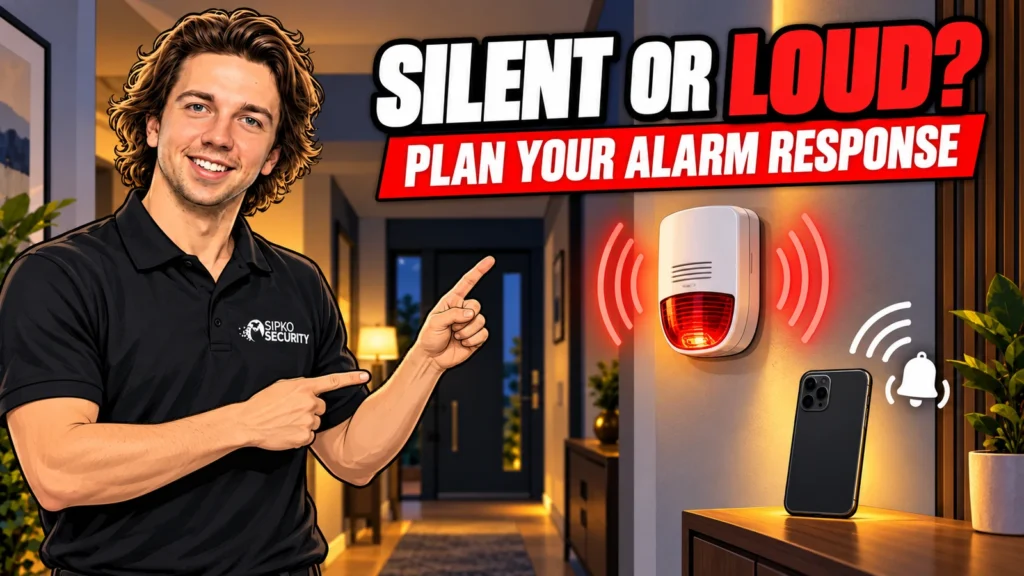
Your security alarm response should be chosen around the event, the people at home and who can act on a notification. A siren, a phone alert and a monitoring signal do different jobs. A well-planned system may use more than one. “Silent” does not automatically mean monitored, and “loud” does not guarantee that anyone will attend.
Before changing a setting, describe the outcome you want. Perhaps arming beeps wake a child, an outdoor warning disturbs neighbours, or nobody knows who receives an alarm while you are away. These are different problems. Muting the whole system can leave the original problem unresolved and remove a useful warning.
This guide is about planning ordinary home alarm responses with your installer. Duress requires a separate, carefully agreed procedure; SIPKO’s duress-code guide covers that specific subject.
Separate the three parts of a response
Local warning
What people at the property hear or see.
Notification
What reaches an authorised phone or monitoring service.
Action
Who checks the event and follows the agreed plan.
An audible intrusion alarm can warn occupants and draw attention to an event. A remote message can tell somebody away from home. A response plan determines what that person or service does next. None of those functions should be assumed from the presence of a siren box on the wall.
Start by asking your installer to demonstrate the current behaviour in an arranged test. Record what sounds indoors, what sounds outdoors, which phones receive the event and whether a monitoring service confirms receipt. The test should be coordinated in advance if monitoring is connected.
Understand what “silent” actually means
A silent response normally means that a particular event is not announced by an audible siren at the property. It can still generate a message or monitoring signal if the system supports that arrangement and it has been configured correctly. A muted siren by itself does not create a new notification route.
There can be legitimate reasons for a discreet response to a defined event, but the responsible person needs to understand the consequences. Who will notice it? What happens if their phone is unavailable? Is the intended response supported by the equipment and any monitoring agreement?
Do not confuse silent operation with a fault. If a siren unexpectedly stops sounding, have it checked. Equally, do not test a panic or duress function casually to find out what happens. An installer and monitoring provider should arrange that test so it does not trigger an unintended response.
Loud alarms still need a plan
A siren makes an event noticeable, but it cannot identify the cause or promise that an intruder will leave. Neighbours may be away, unable to hear it or unsure which property is involved. A ringing alarm is not an automatic connection to police.
Consider whether an indoor warning can be heard in the rooms where people actually sleep, with doors in their usual position. Hearing needs, building layout and environmental noise affect the result. Ask about suitable visual or other accessible notification options where needed, rather than simply demanding the maximum volume.
Outdoor sound needs thoughtful placement and duration. The installer should consider the property, neighbouring homes and applicable local requirements. The loudest available setting is not automatically the best design, especially when the original issue is frequent false activation.
Arming beeps are not the same as an intrusion alarm
A short confirmation when arming, an entry-delay tone and an intrusion siren can be separate functions. A household wanting quieter departures may be able to change routine beeps without removing the main alarm warning. Availability depends on the system and firmware.
Ajax’s HomeSiren manual documents separate settings for alarm sound and routine beeps, as well as configurable responses to supported detector events. Use that as an example of the distinction, not a universal menu guide for every alarm. Ask the installer which settings apply to your equipment.
Make a list of the sound that causes difficulty, when it happens and who it affects. “The exit beeps wake the baby at six” is a more useful request than “make the alarm silent”. The installer can then assess a targeted adjustment and test that essential warnings still work.
Plan separately for home, away and night use
When everyone is away
Decide who receives intrusion events and who is the backup contact. A person travelling, driving or working may not see a notification immediately. If timely checking matters, discuss an appropriate monitoring arrangement and the actual service provided.
When people are at home
Make sure the armed areas and response suit normal movement. Household members should understand the mode, permitted routes and what an alarm means. Changing sound settings is not a substitute for correcting unsuitable coverage or a confusing arming routine.
Overnight
Discuss which perimeter areas are protected while people move safely inside. Verify how an event is communicated to occupants and remotely. Do not assume a “night” label automatically produces a quiet alarm, or that every detector and siren follows the same rules in that mode.
Write the agreed behaviour in everyday language. A short note explaining what happens at the back door overnight is easier to remember than a list of configuration names. Keep detailed security configuration private rather than displaying it where visitors can read it.
Check phone alerts under normal conditions
Test the relevant phone with its usual sound and notification settings, including any focus or do-not-disturb mode. App permissions and operating-system behaviour can affect alerts. A notification that worked during setup may behave differently after a phone change or settings update.
Do not assume that enabling “critical” or priority notifications guarantees delivery. The phone, service connection and alarm communication route still need to be available. Ask for the manufacturer’s current instructions for your phone and app version, then verify the result in a planned test.
Use individual authorised accounts where supported. Agree who is responsible for acknowledging an event so that two people do not each assume the other has dealt with it. Remove access that is no longer needed through the normal authorised process.

Ask what monitoring actually includes
A monitoring connection is distinct from a neighbour hearing the siren or an installer receiving a phone call. Ask who receives signals, when the service operates, how events are verified and which contacts are called. Clarify any attendance arrangement, charges and limitations in writing.
SIPKO’s alarm monitoring service information is a starting point for discussing the available arrangement. Confirm the provider and the scope offered for your property. Do not infer guaranteed patrol attendance or police dispatch from the word “monitoring”.
If you already have a contract, coordinate response changes with that provider. A setting that looks local can affect how an event is handled. The contact list, verification process and test procedure should remain consistent with the agreed service.
Fix unwanted alarms at the cause
If repeated activations are the reason you want silence, investigate the event history first. Identify the detector, time, armed mode and conditions. An unsuitable detector position, a moving object, a door problem or a user misunderstanding may need correction.
Modern settings can help match a system to a property, but they are not a promise of zero false alarms. Broadly disabling warnings or reducing detection without diagnosis can remove useful protection. Ask for a specific explanation of the cause and the proposed adjustment.
For example, a sensor in a room used overnight may need a different mode arrangement, while an unreliable door contact needs a physical check. These should not receive the same “mute it” solution. After work, retest the relevant event and confirm the intended recipients still receive it.
Keep life-safety warnings separate
Do not apply intrusion-siren preferences to smoke, carbon-monoxide or other life-safety devices. Their warning requirements and approved operation need separate consideration. A household preference for quiet arming must not be treated as permission to suppress a warning needed to protect occupants.
If the same app displays several kinds of event, ask the installer to explain them one by one. A water-leak notification, routine opening chime, burglary alarm and fire warning are not interchangeable. The shared app is a convenience, not proof that all events should have the same sound or response.
For occupants with hearing or other access needs, discuss suitable equipment and a clear household plan with a qualified professional. Do not rely on an ordinary smartphone as the sole substitute for a required alarm device.
Use an event-by-event handover checklist
- Name the event and the armed mode.
- Record what should sound or flash at the property.
- Identify which phones or monitoring service should receive it.
- Agree the first contact and backup contact.
- Confirm the safe action expected after notification.
- Arrange a test with the installer and monitoring provider.
- Repeat the relevant checks after a phone, contact or system change.
Keep the list focused on real household situations: leaving for work, staying home overnight and travelling. Ask the installer to demonstrate those scenarios. Avoid changing several settings at once, because it becomes difficult to know which change caused a different result.
If an alert suggests an actual intrusion, put personal safety first. A camera view or message can help establish context, but it is not a reason to confront somebody or send a neighbour into the house. Use the agreed response process and contact emergency services if there is immediate danger.
FAQ
Does a silent alarm automatically call the police?
No. Sound settings and response arrangements are separate. Signals may go to authorised users or a monitoring provider, depending on the setup. Confirm what happens under your agreement rather than assuming automatic police attendance.
Can I quieten arming beeps without muting the alarm?
Some systems allow separate settings for routine beeps and alarm sound. Ask about your model and firmware, make a targeted change through the authorised process, then test both the routine confirmation and an arranged alarm event.
Is a loud alarm better for every home?
Not necessarily. Audibility, occupants, neighbours and the response plan all matter. A suitable design may combine local warnings and remote notifications. Maximum volume alone does not provide verification or guaranteed attendance.
What if I miss the notification on my phone?
That is a limitation of relying only on self-monitoring. Agree a backup contact or consider a suitable monitoring service. Check phone settings, but do not assume notification settings remove every delivery or availability problem.
Should every detector trigger the same response?
Not automatically. Intrusion, routine opening, leak and life-safety events have different purposes. Supported options vary. Have the installer document and test the intended response without disabling necessary warnings.
Choose the outcome before changing the volume
The best next step is a clear description of what should happen and who should act. SIPKO’s home security maintenance and support can help review an existing arrangement. Ask for a tested response plan that your household understands, with quieter routine operation where appropriate and essential warnings preserved.



