


The temporary cameras are booked for collection on Friday. The permanent cameras are on the walls, but nobody has checked playback, the alarm still calls the builder and the tenant cannot administer the app. The fit-out looks finished; its security handover is not.
Temporary security should not be removed until the permanent system has been proven to work for the areas and functions it will take over. For a Melbourne business moving into fitted-out premises, the decision should follow recorded checks and clear responsibility, not the equipment delivery date or an installer’s live-view demonstration.
Where the handover gap starts
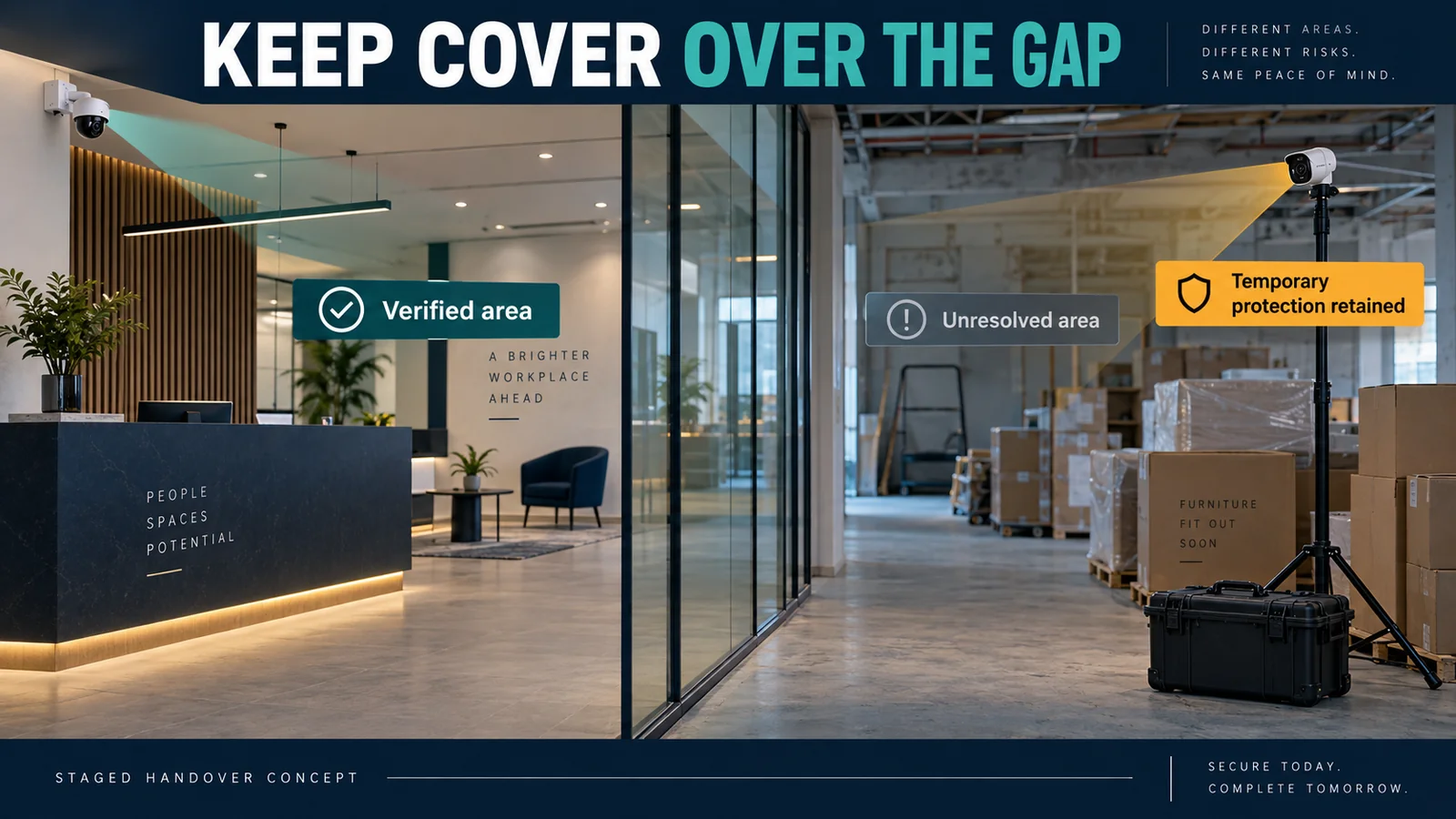
During a fit-out, protection may combine portable alarms, temporary CCTV, physical lock-up, fencing, patrols or contractor-controlled gates. These arrangements can suit incomplete doors, changing work areas and unsettled power or internet services. Not every site needs every measure.
The gap appears when one arrangement ends before its replacement is ready. A powered alarm panel may have no confirmed monitoring path. Readers may light up with no tenant cards enrolled. A working intercom may call the installer’s phone rather than reception.
Before booking removal, identify each temporary measure, what it protects and who controls its contract, power, communications and response. Agree who can authorise the change, including building management where shared entrances or landlord systems are involved.
Installed is not the same as commissioned
Installed equipment is physically present, connected and powered. For handover purposes, commissioning means configuring and testing the agreed functions in the actual operating environment. The business also needs usable accounts, training, records and support arrangements before it can take responsibility.
A camera picture proves live view at that moment. It does not prove recording, usable playback, correct timestamps or access from the tenant’s phone. Similarly, an alarm that arms locally has not necessarily demonstrated monitoring, notifications or the intended response.
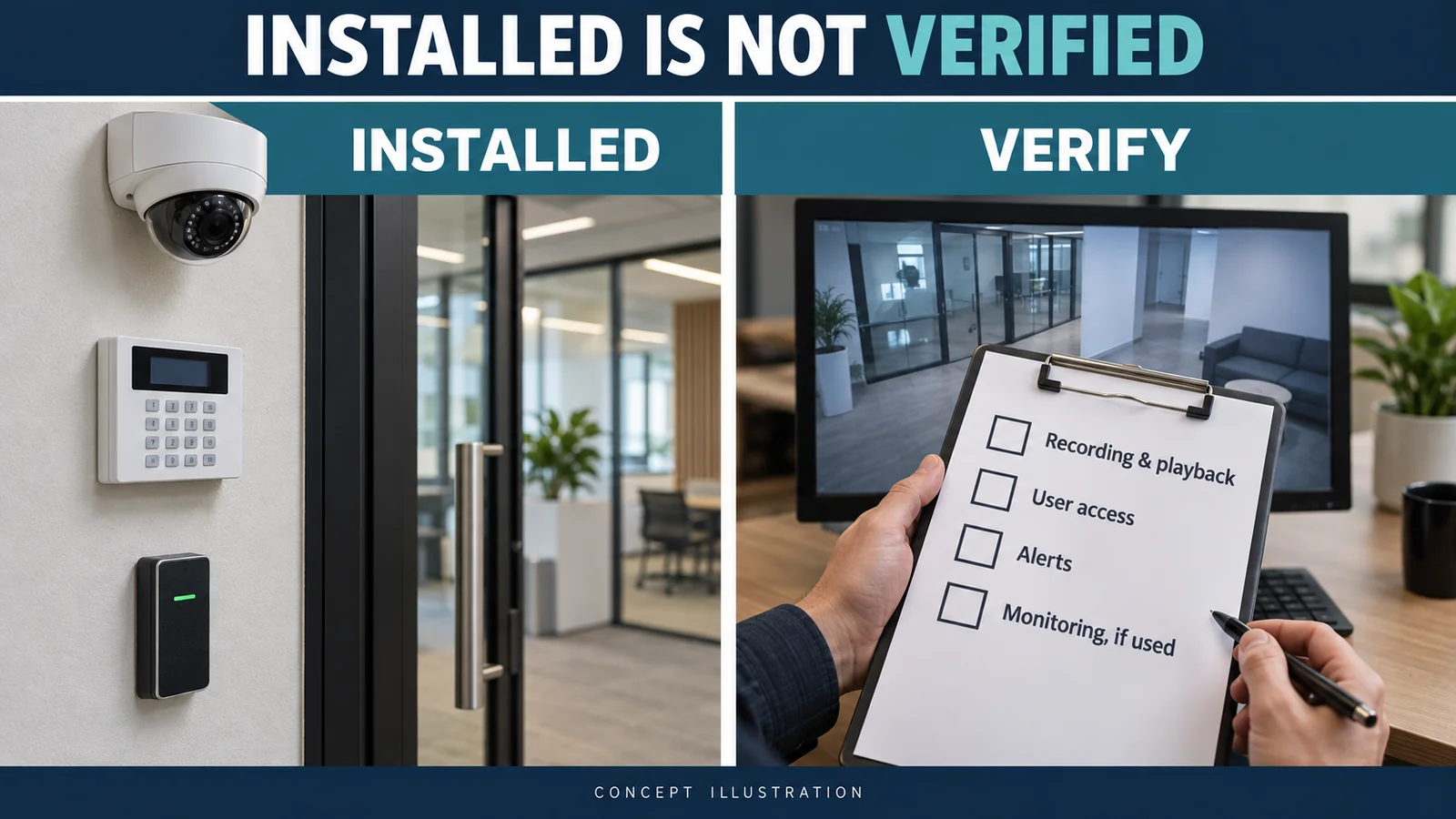
Agree the acceptance checks with the security installer and responsible project representative. Record results by device or function, with the tester, date and unresolved issues. This is a practical handover record, not a claim that every installation requires the same certificate.
Test the permanent system before removing protection
Arrange a supervised test window with the installer, business representative and relevant providers. Use the intended users and final network where possible. Do not factory-reset equipment, format recordings or trigger emergency responses as informal tests.
CCTV: prove recording as well as the picture
Check each camera’s live view against the finished layout, then play back a known test event. Verify timestamps, recording schedules, storage status and the agreed coverage. Review day and night conditions where relevant, including lighting, reflections and shelving that may obstruct the view.
When handing over CCTV systems for petrol stations, include recorded tests at pump lanes, tills and vehicle access points under the agreed day and night conditions, then have an authorised manager retrieve and export a sample incident.
When commissioning CCTV for warehouses in Melbourne, include the final racking, loading-bay lighting and dispatch route in those checks, then verify that an authorised manager can retrieve a test event.
Test authorised remote viewing, playback and a sample export where required. Check permissions and configured alerts or analytics separately. A new recorder cannot demonstrate weeks of historical retention immediately: document the storage configuration and assumptions, then assign a follow-up retention check without treating an untested estimate as proven.
Alarms: check the whole event path
Have the installer verify the agreed zones, arming and disarming, entry/exit delays, user codes, app access, communications and fault reporting. Confirm that configured notifications reach the right people. A local siren and a mobile notification are different functions from a monitoring-centre response.
Coordinate monitored tests with the provider before starting and confirm the system is returned to normal afterwards. Duress or hold-up functions, where fitted, need the provider’s authorised test procedure; do not activate them casually to see who attends.
For duress alarm installation in Melbourne, include device locations, authorised recipients and the agreed response procedure in the commissioning record before the tenant takes over.
Access control, intercoms and gates
Test enrolled cards or fobs against the intended access groups, door schedules and after-hours permissions. Verify authorised and denied access, lock/unlock behaviour, administrator access and the lost-credential process. Include reception calls, intercom release and gate integration where provided.
For motel security systems, the handover should demonstrate reception and back-of-house access, after-hours alarm notifications and authorised playback before temporary protection is removed.
Have responsible specialists confirm required exit and safety functions. Do not disable emergency egress, bypass gate safety devices or leave doors unsecured to complete a checklist. Shared-building interfaces require agreement with building management.
Transfer account control, MFA and recovery
Confirm the permitted account owner for each alarm, CCTV, access-control and cloud service. Record who can administer users, export footage and change settings, alongside the registered email, recovery contact and multi-factor authentication (MFA) method. Viewing access alone is insufficient for a person responsible for administration.
Use the vendor’s supported ownership-transfer or administrator-invitation process. The business needs durable authorised control within the platform’s rules; it should not rely solely on a contractor’s personal email or phone. Installer credentials may have a separate service role, so document who holds them and how authorised support is obtained.
ACSC guidance on MFA emphasises current recovery details and planning before an old device or number becomes unavailable. Enrol and verify the incoming authorised method before retiring the old one, following the platform’s process. Keep recovery codes securely; do not transfer someone’s entire personal authenticator or mailbox.
Review builder and contractor access deliberately
List builder alarm codes, temporary PINs, cards, mobile credentials, CCTV logins, remote-support accounts, keys and remotes. Remove access when its authorised purpose ends, after replacement access works. Retain necessary defect-period or maintenance access with a named owner, defined permissions and a review or expiry date.
The ACSC small business guide supports individual accounts where possible, restricted permissions and reviewing shared logins when people leave. For shared credentials, coordinate changes with affected services. Where supported, also review active sessions and shared-device invitations; a password change should not be assumed to revoke every form of access.
Confirm monitoring and notifications separately
Where monitoring is part of the design, confirm the provider, account reference, effective handover time, authorised contacts, call order and escalation arrangements. Update opening/closing schedules if the service uses them. The tenant should know who answers after hours and who to call for a fault.
Ask the provider to confirm receipt of agreed test signals from the correct premises. Changing an app user does not establish that the monitoring call list changed. Keep temporary monitoring active until the replacement service is verified, and agree the cancellation responsibility and timing.
Prove the required network path
Identify the permanent router/firewall, switches, power-over-Ethernet supply and internet service used by the security systems. Document VLANs, addressing, gateway/DNS settings and remote-access arrangements where applicable. Not every system uses these features or needs internet for local operation.
Check the required functions using the final connection and an authorised off-site connection for remote access. If commissioning used a builder’s router or temporary mobile service, repeat affected checks after the change. An undocumented temporary dependency should remain an open handover issue.
Have the installer and IT provider agree secure remote support and account permissions. Do not disable firewall protections to make an app connect. Record who maintains the network and pays for required connectivity or subscriptions.
Hand over physical items, records and training
Count and receipt keys, cards, fobs, gate/alarm remotes, cabinet and rack keys, and equipment-room access. Confirm what each item operates and identify missing items. Physical possession does not establish digital administrator control.
The handover pack should suit the project: equipment and serial-number lists, camera/door maps, user roles, network notes, manuals, warranties, licence/subscription details, service and monitoring contacts, test results and upcoming maintenance. Store passwords and recovery material securely rather than in a widely circulated defects spreadsheet.
Have the nominated staff demonstrate normal opening and closing, reviewing an event, reporting a fault and requesting access changes. Leave written instructions and a support contact for the first after-hours problem.
For a retail security system, complete that handover against the finished shop layout, including POS coverage, stockroom access and the closing alarm routine.
Keep testing safe and footage access controlled
WorkSafe Victoria’s consultation guidance requires consultation, so far as reasonably practicable, with directly affected employees on relevant health and safety matters, involving health and safety representatives where present. Plan testing and remedial work with the fit-out team, tenant and building management.
Coordinate ceiling access, ladders or lifts, temporary barriers, active work areas and after-hours arrangements. Keep tenant staff away from unfinished work and use the site’s agreed safe-work procedures.
Review contractor footage access at handover and limit viewing, playback and exports to authorised roles. OAIC guidance explains that Australian Privacy Principles apply where the Privacy Act covers the organisation; state and territory surveillance laws also matter. Coverage is not identical for every business. Confirm the applicable privacy arrangements rather than assuming construction-stage access remains appropriate after occupation.
Resolve critical defects before ending temporary cover
A practical-completion milestone does not, by itself, prove security readiness. List faults such as missing recording, an intermittent reader, an unreliable release, incomplete account transfer or unconfirmed monitoring. Give each issue a responsible person, target date, interim protection and retest requirement.
If a critical function fails, retain or arrange suitable temporary protection for that risk and revise the removal plan. For staged handover, identify exactly which area is ready and which remains protected temporarily. Record the authorised decision; do not mark an untested function as passed.
Commercial fit-out security handover checklist
Mark each group verified, unresolved or not applicable, with supporting test records.
- Temporary security: coverage, provider, removal authority and continuity agreed.
- CCTV: live view, recording, playback, storage, coverage, permissions and required remote functions checked.
- Alarms: zones, codes, communications, monitoring and notifications verified where provided.
- Access and intercoms: credentials, groups, schedules, calls, releases and required safety checks complete.
- Network and accounts: final dependencies, admin control, MFA, recovery and intentional support access documented.
- Physical handover: keys, fobs, cards, remotes and equipment access receipted.
- Documents and people: records, warranties, contacts, training and defects assigned.
- Final release: critical replacement functions proven, temporary removal authorised, and affected functions rechecked after removal or later trade work.
Common mistakes at the finish line
Watch for live view being accepted as proof of recording, monitoring still calling the builder, or the app working only for the installer. Another common trap is signing off before final shelving, doors or network changes, then never checking the affected functions again. A booked collection or move-in date should trigger coordination, not an automatic end to protection.
FAQ
When should temporary security be removed?
After the permanent functions replacing it have passed the agreed checks and the authorised handover lead approves removal. Use documented boundaries for staged changes; unresolved critical functions still need suitable protection.
Does installed CCTV mean the system is ready?
No. Verify recording and playback as well as live view, then check coverage, timestamps, storage and required user access. A camera on the wall does not prove those functions.
Who should own the alarm or CCTV admin account?
Use the platform’s permitted structure to give the business durable authorised control. Document any landlord or service-provider role, recovery access and ongoing installer permissions rather than assuming every account can simply be renamed.
Should all builder and contractor codes be removed?
Review their purpose first. Remove obsolete access when responsibility ends, while retaining only approved access needed for defects or ongoing service. Verify the business’s replacement access before retiring the old arrangement.
What if the permanent system still has faults on move-in day?
Record the affected protection, agree suitable interim cover and assign correction and retesting. Escalate critical gaps to the responsible project and business representatives; move-in alone is not evidence that security works.
Finish with working protection, not assumptions
The handover is successful when the business can operate its systems, obtain support and understand any remaining limitations. SIPKO Security can help Melbourne fit-out teams plan the transition and verify the agreed security functions before temporary protection is withdrawn.



