
Dahua Intercom Repair Melbourne
Dahua Intercom Repair in Melbourne
Your Dahua intercom rings but nobody can hear anyone. Or the VTH monitor stays black, the door will not open, or the call never reaches your phone through the DMSS app. We repair Dahua video intercoms for homes, apartments and businesses across Melbourne.
SIPKO Security handles Dahua intercom repair in Melbourne on 2-wire and IP systems, including ones another company installed. We fix intercoms that are not ringing, have no audio or one-way audio, show no video or a blank monitor, and door release faults. We also repair VTH indoor monitor faults, VTO door station faults, power faults, and cabling and connection faults. We find the real cause first, then tell you what it will take before any work starts.
Fault Finding On Site
We test the whole call, from the button to the lock, so the repair fixes the real problem.
VTO and VTH Systems
Dahua door stations and indoor monitors, on both 2-wire and IP setups.
Door Release and Locks
Strikes, magnetic locks, relays and lock power supplies that stop the door opening.
DMSS App Setup
Calls that ring the monitor but never reach your phone, sorted and tested with you.
Security licence Z47-808-30S. Based in Brighton and working across Melbourne and the Mornington Peninsula. We tell you what is wrong in plain English, and whether a repair or a replacement makes more sense.
Book Dahua Fault Diagnosis
Call 0406 432 691 or fill in the form. Tell us what the intercom is doing, for example no sound, a blank screen or a door that will not open, and we will get back to you with a no-obligation estimate.
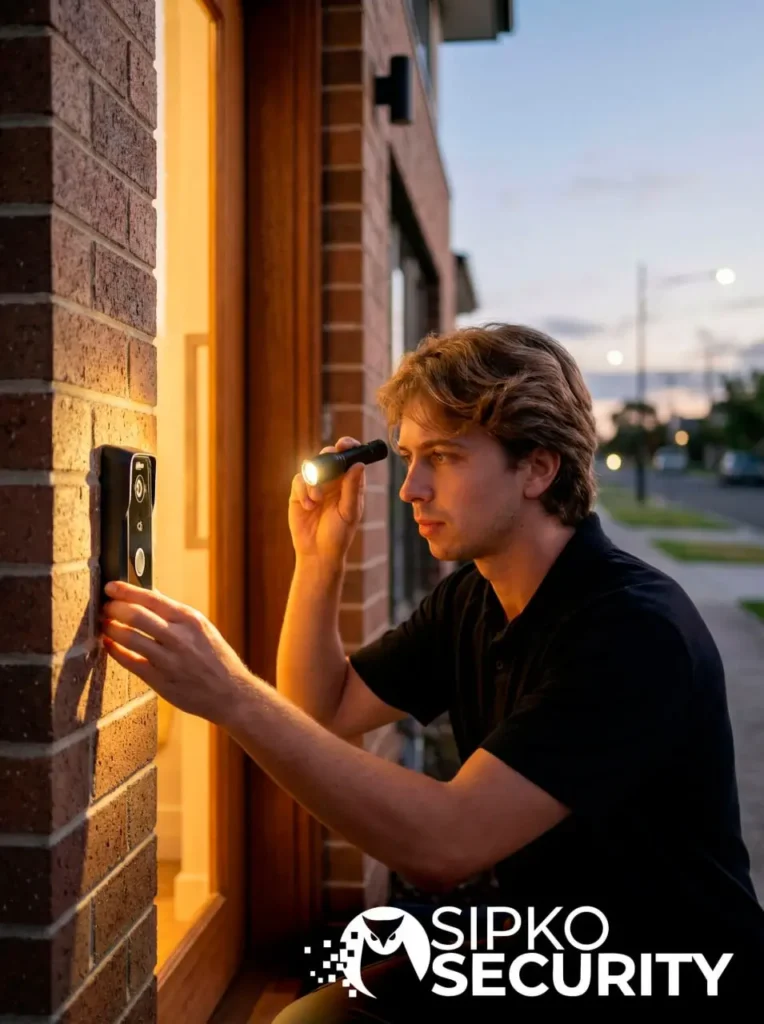
Why Diagnosis Matters
Why Dahua Intercom Faults Need Proper Diagnosis
Dahua intercom faults are easy to misread. A blank VTH monitor can be a dead screen, a broken cable, or a VTO door station that has lost power. Swap the wrong part and you pay for a new unit that does not fix anything. We test before we replace, so you only pay to fix what has actually failed.
Parts Swapped Blind
Replacing a VTH monitor when the real fault is the cable costs money and leaves the problem in place.
Hidden Cable Damage
Water, pests and old joins inside walls cause faults that come and go, which makes them hard to spot.
Network and SIP Changes
A new modem or router changes IP addresses, so the VTO and VTH lose the link that carries the call.
Weather and Water
Outdoor VTO units take rain, sun and dust. Moisture inside causes audio, video and button faults.
Every repair starts with testing the door station, the monitors, the power, the cabling and the lock. Then we explain what we found and what it will take to fix.
Common Faults
Common Dahua Intercom Faults We Fix
These are the problems we see most often on Dahua intercoms in Melbourne homes and buildings. Not sure what is wrong? Try our intercom fault finder.
Intercom Not Ringing
The button is pressed but nothing rings inside. See our guide to an intercom not ringing.
No Audio or One-Way Audio
You can see the visitor but cannot hear them, or they cannot hear you.
No Video or Blank Monitor
The call rings but the VTH screen stays black, flickers or looks fuzzy.
VTH Monitor Faults
The screen freezes, restarts, ignores your touch or will not turn on.
VTO Door Station Faults
Cracked fronts, stuck call buttons and water getting into the outdoor unit.
Door Release Faults
The intercom works, but the door or gate will not open when you press release.
Power Faults
Several parts stop working at once, or the system keeps dropping out.
DMSS App Not Ringing
The monitor rings, but your phone does not. Usually a setting or network problem.
Shared entry door not locking or releasing? Please do not wire it open or bypass the lock, because it leaves the whole building unsecured. Call us on 0406 432 691 and we will get it working safely.
Audio Faults
No Audio, One-Way Audio or Echo
Sound problems are some of the most common Dahua intercom repairs we do. You can see the visitor on the VTH screen, but the conversation does not work. This is what usually causes it.
Failed microphone or speaker
The small microphone and speaker in the VTO or the monitor can wear out, especially on units facing the weather.
Water inside the door station
Rain driven into the outdoor unit can muffle the sound or cut it out completely.
Damaged or loose cabling
On 2-wire systems, sound travels over the same two wires as power and video, so one poor join can affect the audio on its own.
Volume and echo settings
Volume turned right down on the VTH, or echo settings that do not suit the space, can sound exactly like a fault.
How We Fix Audio Faults
We test the sound in both directions at the door station and at every monitor. That tells us whether the fault is in one unit, the cabling between them, or the settings.
We fix that part, then make test calls with you, so you can hear the difference for yourself before we leave.
A black Dahua VTH monitor only has a handful of likely causes. Testing each one in order is quicker, and cheaper, than guessing.
Video and Monitor Faults
No Video, Blank Screen or Frozen VTH Monitor
When the monitor rings but shows nothing, or the screen freezes and restarts, the fault can be in the VTO camera, the monitor, the power or the cable between them. These are the four things we check.
Camera or lens fault
Moisture or fogging behind the camera glass, or a failed camera in the VTO door station.
Monitor failure
A VTH monitor that restarts, freezes or ignores touch may need repair or replacement.
Power to the monitor
A weak power supply or PoE port can switch the screen on but not keep it running.
Video cable fault
Damaged cable or a poor connection gives a fuzzy, flickering or black picture.
If the picture is fine but the monitor will not respond, it can also be a setting or firmware problem, which we check at the same visit.
Door Release Faults
Door Release, Strike and Relay Faults
The intercom rings and you can talk to the visitor, but pressing the door release does nothing. That points to the lock side of the system, not the intercom itself, and it can usually be fixed without replacing anything else.
These are the parts we check when a door or gate will not open:
- Electric strikes and magnetic locks that have worn out or moved out of line
- Lock power supplies that have failed or cannot carry the load
- Relay settings in the VTO door station that were changed or reset
- Wiring between the intercom, the lock and any exit button
- Gate locks and gate motors connected to the intercom
On shared entry doors we also check that the door closes and locks properly again after it has been released.
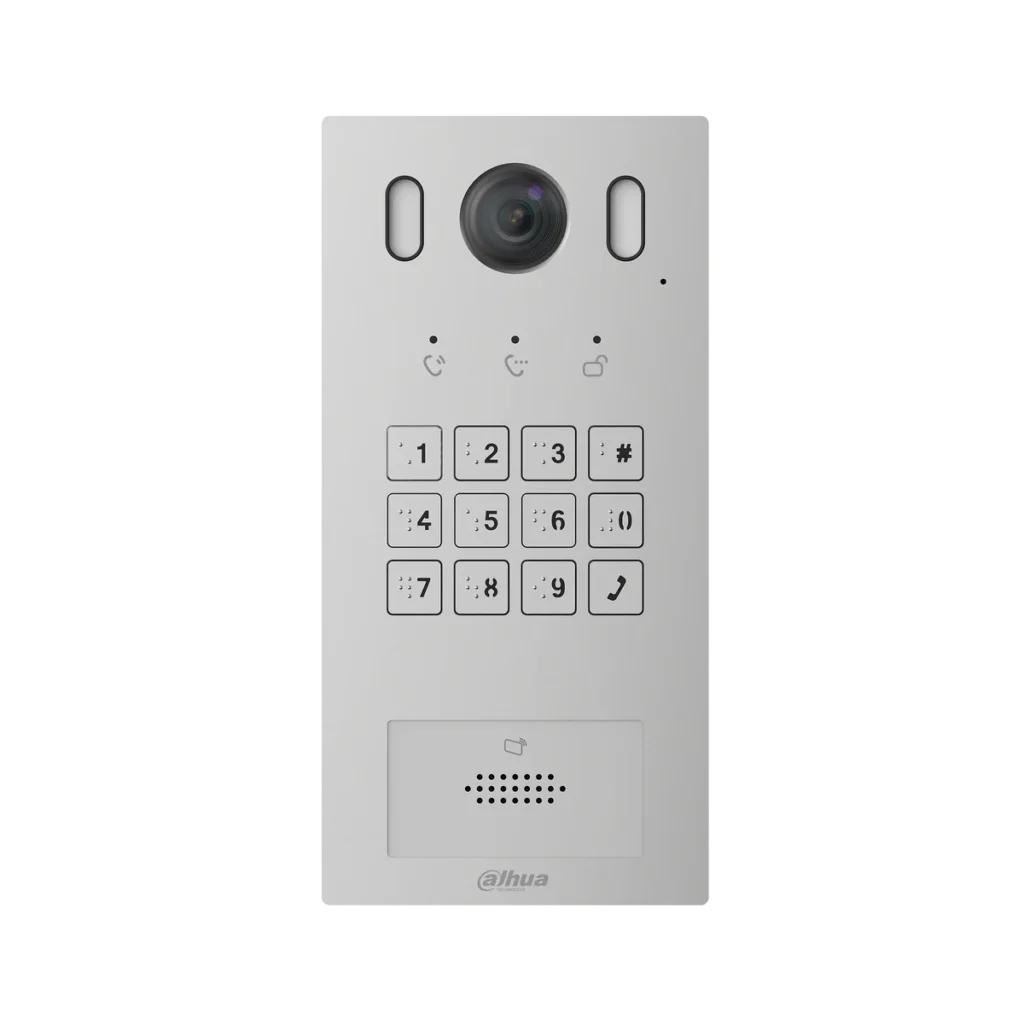
Outdoor Dahua VTO units sit in the weather and get pressed every day. Buttons, fronts and seals usually wear out well before the rest of the system does.
Power Supply and Cabling Faults
When several parts of a Dahua intercom play up at once, or faults come and go, the power supply or the cabling is often the cause. This is what we test.
Power at every device
We measure power at the VTO and each VTH monitor, not just at the power supply.
Power supply, PoE switch or distributor
The part that feeds the whole system is checked for a failing or overloaded output.
Cable runs and joins
We look for damage, corrosion, water and loose connections, including joins inside walls where we can reach them.
Old intercom cable
On 2-wire systems, older cable is checked to make sure it can still carry clear sound and video.
App and Network Faults
DMSS App and Remote Access Problems
The VTH monitor rings, but your phone stays silent. Or DMSS shows the intercom as offline every time you open it. On Dahua IP intercoms this is usually a setting or network problem rather than broken hardware.
It often starts after something else changed: a new phone, an app update, a new modem or router, or a change of internet provider. We also sort out the app that keeps ringing after you have already answered on the monitor.
If only the app is affected and the monitor still rings, the intercom itself is usually fine. Read more about why an intercom rings indoors but not on your phone, or our guide to DMSS not showing video.
What We Check
- Phone notifications and battery saving settings that quietly block calls
- Cloud connection and whether the VTO reports itself as offline in DMSS
- SIP registration between the door station and every indoor monitor
- IP addresses after a modem or router has been changed
- Firmware on the VTO door station and the VTH monitors
- App accounts and which phones are linked to the intercom
- Test calls to every linked phone before we leave
System Types
2-Wire and IP Dahua Intercoms
Dahua intercoms come in two main types. They fail in different ways, so knowing which one you have helps us find the fault faster.
2-Wire Systems
- Two wires carry power, sound and video
- Common in houses, villas and older buildings
- Can often reuse existing intercom cable
- Faults are often in the cable, the joins or the power supply
IP Network Systems
- Connect over network cable, usually powered by a PoE switch
- Common in newer homes and apartment buildings
- Make it easier to answer the door on your phone through DMSS
- Faults are often in network settings, IP addresses or SIP registration
Not sure which you have? That is fine. If you can see a model number on the monitor or door station, add it when you book. If not, we will work it out on site.
What We Repair
Dahua Intercom Systems We Repair
We work on the Dahua intercom equipment found in most Melbourne homes and buildings, whoever installed it.
VTO Door Stations
Outdoor call panels with cameras, keypads and card readers. See the Dahua villa outdoor station.
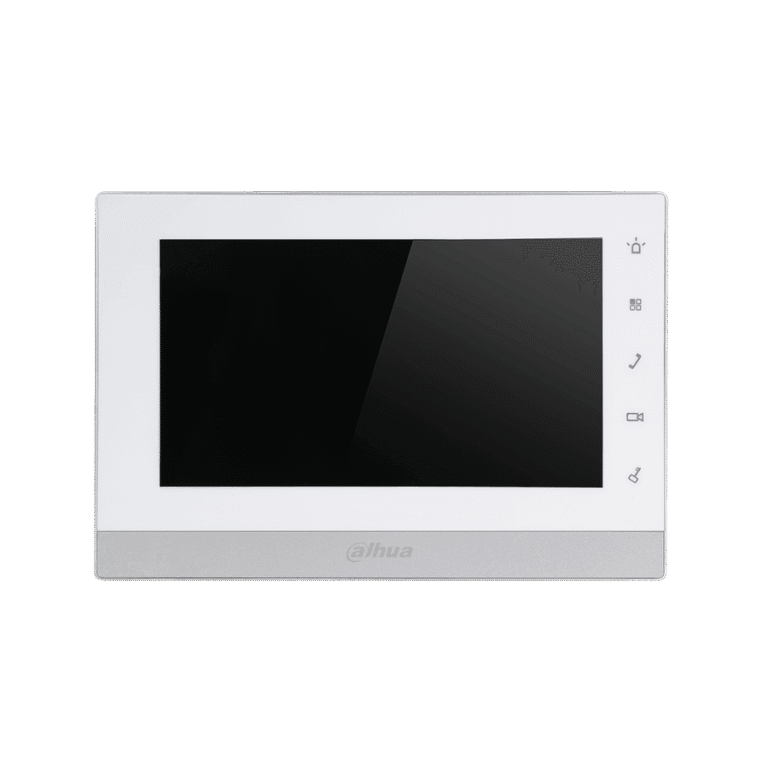
VTH Indoor Monitors
Indoor screens that freeze, restart, lose their sound or stop showing the visitor at the door.
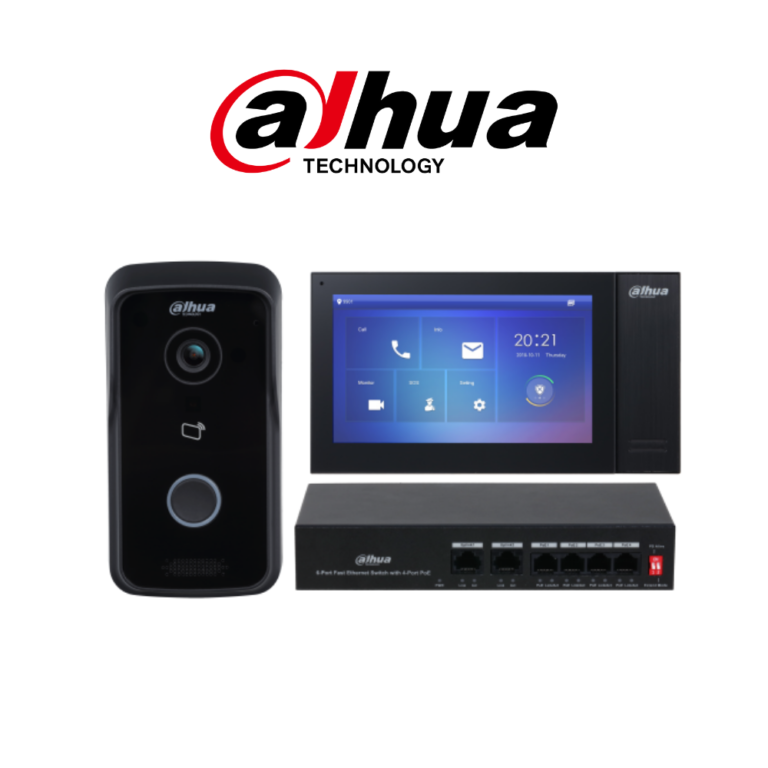
IP Villa Kits
Complete network kits with a PoE switch and app answering. See the Dahua IP villa kit with keypad reader.
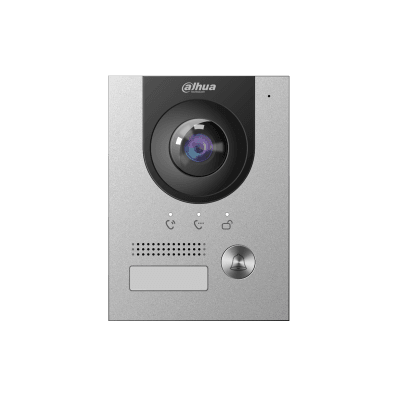
2-Wire Villa Systems
Older cable reused for a modern video intercom. See the Dahua 2-wire villa intercom system.
Dahua Intercom Models and Series We Work On
We service the Dahua video intercom ranges commonly installed in Melbourne, including VTO2000A, VTO2202F and VTO3221E outdoor stations, VTH1550CH, VTH2621G and VTH5421G indoor monitors, the VTNC3000A network controller, and the KTP and KTD villa kits sold as complete systems.
- VTO2000A door stations
- VTO2202F door stations
- VTO3221E villa stations
- VTH1550CH monitors
- VTH2621G monitors
- VTH5421G monitors
- VTNC3000A controllers
- KTP and KTD villa kits
If your model is not on this list, we can still help. Tell us what is written on the back or side of the monitor when you book, or we will identify it on site. Locked out of the system? See our Dahua password reset service, or browse the Dahua catalogue.
Property Types
Homes, Apartments and Businesses
We repair Dahua intercoms at every kind of property, from a single front gate to a large apartment building.
Homes and Villas
Front door and gate intercoms, indoor monitors, and systems where you answer the door on your phone.
Apartments and Strata
Lobby entry panels, apartment call routing and shared door releases in residential buildings.
Offices and Commercial
Reception and staff entries, multiple doors and gates, and intercoms linked to access control.
Apartments and Strata
Apartment and Strata Intercom Repairs
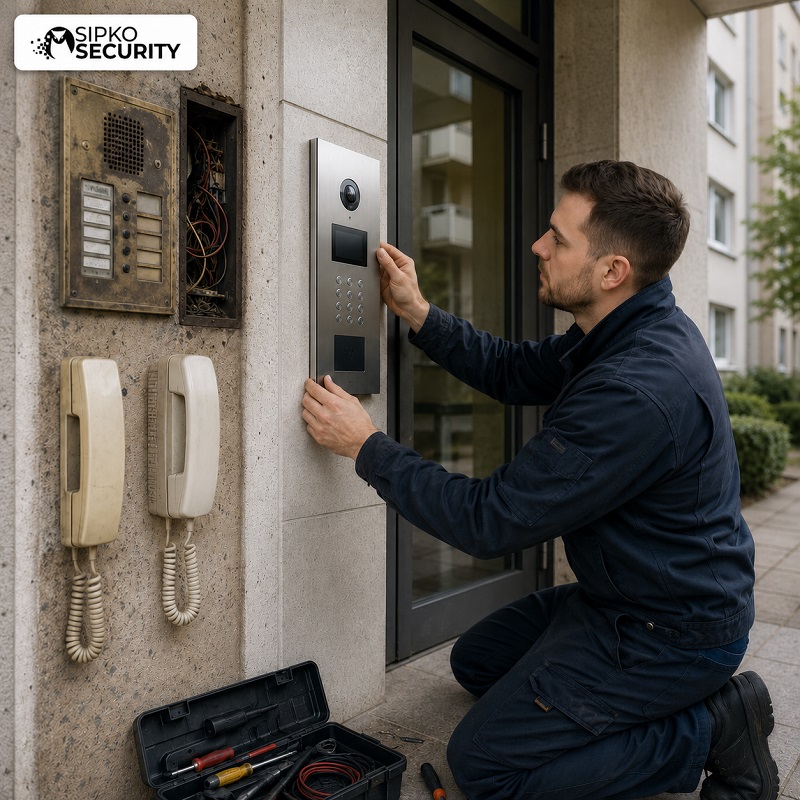
In a shared building, one intercom fault can affect every resident. A lobby panel that stops calling, or a front door that will not release, needs to be sorted properly.
We work with building managers, strata managers and owners corporations to arrange access, then repair the fault with as little disruption to residents as we can. See our strata security page for more.
Lobby Entry Panels
Keypads, call buttons, name lists and door stations at the building entrance.
Apartment Call Routing
Calls that go to the wrong apartment, or residents who can no longer be called.
Shared Door Releases
Lobby doors and car park gates that will not open from inside the apartments.
Older Handset Systems
Replacing old audio handsets with video intercoms, reusing existing cable where it is sound.
Our Process
How We Diagnose and Repair Your Dahua Intercom
Every job follows the same steps, so nothing gets missed and you always know where things stand.
Tell Us the Symptoms
When you book or call, tell us what the intercom is and is not doing. It helps us come prepared.
Test Every Part of the Call
We test the VTO, every VTH monitor, sound both ways, the video and the door release.
Check Power and Cabling
We measure power at each device and check the power supply, switch or distributor, and the cable runs.
Check Network and App
On IP systems we check IP addresses, SIP registration, firmware and DMSS app settings.
Explain and Agree the Fix
We tell you what failed and what it will take to fix. Nothing goes ahead until you agree.
Repair, Test and Show You
We fix the fault, make test calls, check the door release and show you everything working.
Repair or Replace
Should You Repair or Replace Your Dahua Intercom?
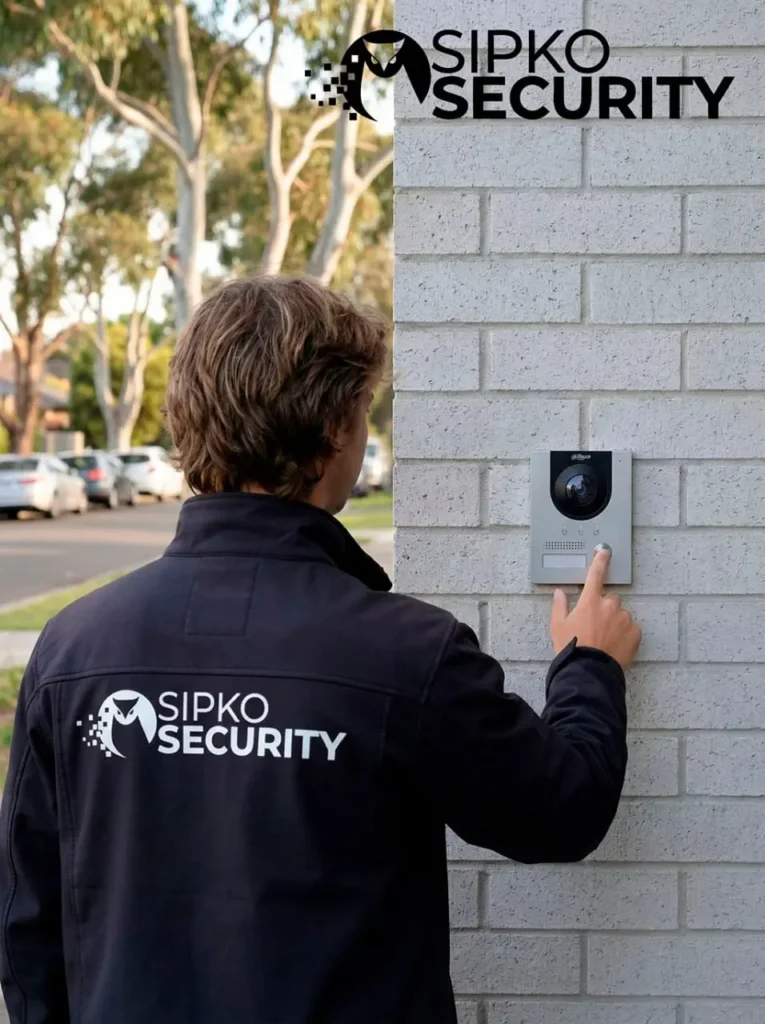
Most Dahua intercom faults can be repaired, and we will not recommend a new system if a repair will do the job. Repair usually makes sense when:
- One part has failed, such as a door station, a monitor or the power supply
- The fault is in the wiring, the lock or the door release
- The problem is a setting, the network or the app
- The rest of the system still works well
Replacement may be worth it when
Several parts are failing
When the door station, monitors and power supply are all playing up, repairing each one can cost more than starting again.
Parts are no longer available
Older models can reach a point where replacement parts are hard, or impossible, to get.
You want features you do not have
Answering the door on your phone, or card and keypad entry, may need newer equipment.
Upgrade Option
Need a New Dahua Intercom System?
If replacement is the better option, we supply and install new Dahua intercoms, and can often reuse existing cable where it is in good condition. Take a look at the Dahua IP villa kit, or see our full intercom installation and repair services.

Why SIPKO Security
Why Book SIPKO Security for Dahua Intercom Repair
SIPKO Security was founded by Serhii Sipko, a licensed security installer based in Brighton. We keep it simple: find the fault, explain it clearly, and fix it properly.
Licensed Installer
Security Adviser and Equipment Installer licence Z47-808-30S.
VSI Member
A member of the Victoria Security Institute.
We Find the Real Fault
We test first, so you do not pay for parts you never needed.
Plain English
We explain what failed and your options, without the jargon.
Tested Before We Leave
Test calls, video, the door release and the app, all checked with you.
Melbourne Based
Working across Melbourne and the Mornington Peninsula from Brighton.
On the Day
What to Expect on the Day
A repair visit is simple on your end. A little preparation helps us find the fault faster.
Before We Arrive
- Make sure we can reach the door station, the indoor monitors and any gate or lock
- Let us know where the power supply or network switch is, if you know
- Have your DMSS login and phone handy if the app is part of the problem
- In an apartment building, let your building or strata manager know we are coming
When we arrive, we listen to what has been happening, test the system, and explain what we found before any repair starts. When the work is done, we make test calls with you and show you everything working.
Areas We Cover
Dahua Intercom Repair Across Melbourne
We are based in Brighton and repair Dahua intercoms across Melbourne, the Bayside suburbs and the Mornington Peninsula. If you are nearby, we can usually get to you without a long wait.
Got a different brand? We also handle Hikvision intercom repair and general intercom repairs and upgrades.
Client Reviews
What Our Clients Say
Real Google reviews from SIPKO Security customers across Melbourne.




Common Questions
Dahua Intercom Repair FAQ
Do you repair Dahua intercoms that another company installed?
Yes. We work on existing Dahua 2-wire and IP systems, whoever installed them. We test the system first, then explain what needs fixing.
My monitor rings, but the DMSS app on my phone does not. Can you fix it?
Usually, yes. It is most often phone notification or battery settings, a lost cloud connection, or old firmware, rather than faulty hardware. We check each one and test that calls reach your phone.
Why does DMSS say my intercom is offline?
Offline almost always means the door station has lost its connection to the internet, or its cloud setting has been switched off. We check the network, the device settings and the firmware, then confirm the app shows the intercom online again.
The intercom rings, but the door will not open. What is wrong?
That points to the door release side of the system: the electric strike or magnetic lock, its power supply, a relay setting, or the wiring to the lock. It can usually be fixed without replacing the intercom.
Why is my Dahua VTH monitor screen black?
It can be the VTO door station camera, the monitor itself, the power supply or the video cable. We test each part in order to find the one that has failed.
My intercom stopped working after we changed our modem. Can you fix that?
Yes. A new modem or router often changes IP addresses, so the door station, monitors and app lose track of each other. We fix the network and SIP settings and test every call.
We have lost the password for our Dahua intercom. Can you get us back in?
In most cases, yes. Dahua devices have a proper recovery process, and we can restore access to the door station and monitors without wiping your call settings. See our Dahua password reset page for details.
Is it better to repair or replace my Dahua intercom?
It depends on the fault, the age of the system and whether parts are still available. If one part has failed, repair is usually the better value. We give you a straight recommendation and a no-obligation estimate.
Do you repair intercoms in apartment and strata buildings?
Yes. We work on multi-apartment Dahua systems, including lobby entry panels, call routing and shared door releases. We can arrange access with your building or strata manager.
Which areas do you cover?
We are based in Brighton and repair Dahua intercoms across Melbourne and the Mornington Peninsula.
Dahua Intercom Playing Up?
Book a fault diagnosis online or call us to talk it through. We will find the fault and tell you what it takes to fix. You can also reach us through the contact page.
Licensed security installer, licence Z47-808-30S