Ajax Alarm Being Jammed: What Actually Happens and How to Detect It
A Melbourne client was burgled while their Ajax alarm was being actively jammed. Multiple devices went offline at the exact moment of the break-in. This guide explains exactly how jamming works, what Ajax does to fight it, and the steps every homeowner and installer must take right now.
⚡ Quick Check: Is Your Alarm Being Jammed Right Now?
Several sensors drop offline at the same time with no obvious cause?
Hub reports radio frequency interference in the event log?
Devices went offline at the exact time of an intrusion?
All communication paths drop at the same moment?
1. What Is Signal Jamming and How Does It Work?
Signal jamming is the deliberate transmission of radio frequency (RF) noise on the same frequencies used by your Ajax alarm system to communicate between sensors and the hub. When a jammer floods the frequency band, the hub can no longer receive signals from its detectors, effectively blinding the system without triggering a traditional alarm.
Jammers are cheap, widely available online, and small enough to fit in a pocket. A burglar can walk past your property, activate a jammer, wait for your sensors to drop offline, and then break in, all while your alarm appears to be functioning normally from the outside.
The Jammer’s Playbook
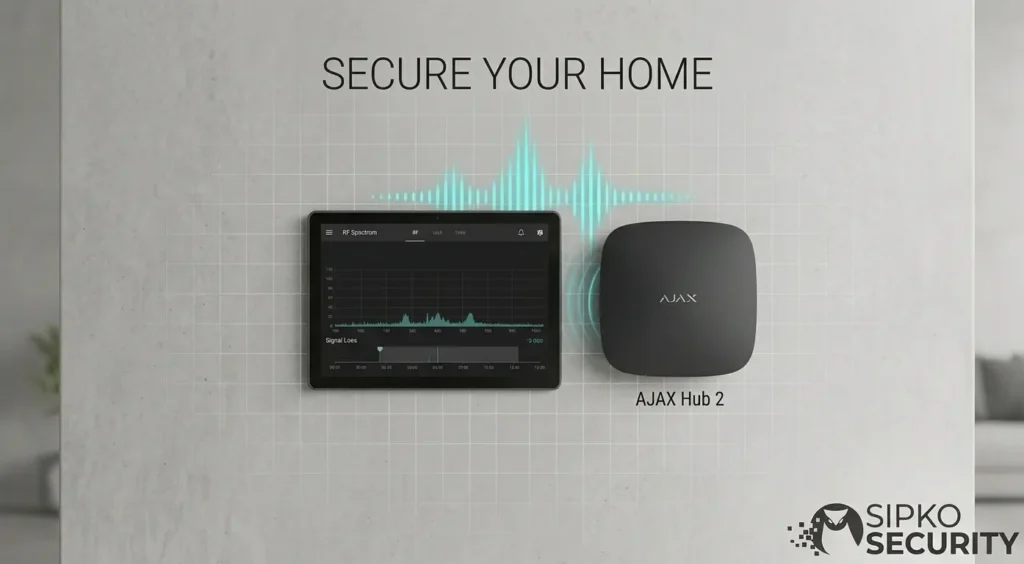
Ajax uses the 868 MHz frequency band (EU/AU) for Jeweller communication. A jammer transmits continuous noise on this band, overwhelming the legitimate signals from your sensors. The hub registers the devices as “offline”, but critically, this offline event itself is a detectable signal.
Why Ajax Is Harder to Jam Than Most
Ajax’s Jeweller protocol uses frequency hopping, it constantly shifts between frequencies, making it significantly harder to jam than fixed-frequency systems. Ajax also monitors for RF interference patterns and generates a specific Jamming Detected alert when it identifies deliberate interference.
If the app shows repeated jamming, interference or several devices dropping offline together, book an Ajax alarm fault assessment in Melbourne so communication paths and event history can be checked.
2. What Ajax Actually Does When Jamming Is Detected
This is where Ajax separates itself from most wireless alarm systems. Rather than simply going silent when jammed, Ajax is designed to fight back, and to alert you and your monitoring centre even while under attack.
🛡️ Ajax’s Anti-Jamming Architecture
When Ajax detects RF interference consistent with jamming, it sends an E344 Jamming Detected event code to your monitoring centre via its cellular (4G/2G) or Ethernet path, which operates on a completely separate frequency to the jammed Jeweller band. This means even if every sensor goes offline, the hub can still call for help. Read more about what makes Ajax so powerful.
RF Interference Detected
The hub’s radio module detects abnormal noise levels on the Jeweller frequency band. This is logged as a Jamming event in the hub’s event buffer with a precise timestamp.
Alert Sent via Separate Path
The hub immediately sends an E344 alert to your monitoring centre and a push notification to all registered users, via cellular or Ethernet, not the jammed Jeweller band.
Siren Can Still Activate
If the system was armed and sensors triggered before going offline, the hub can still activate the StreetSiren, which has its own internal logic and backup battery, and does not require a live Jeweller connection to sound once triggered.
⚠️ The Critical Limitation: E344 Is Sent as a Malfunction, Not an Alarm
This is a known issue raised repeatedly by professional installers. Ajax currently sends the E344 jamming event as a malfunction code, not an alarm code. This means many monitoring centres treat it as a low-priority fault rather than an active intrusion alert. If you use professional monitoring, confirm with your monitoring centre that they have a specific response protocol for E344 events. This is one of the most important conversations you can have with your installer.
3. The Real-World Jamming Attack: What the Event Log Showed
The Facebook post that inspired this guide described a real burglary where an Ajax-protected Melbourne property was targeted with a jammer. The installer reviewed the event log after the fact and found a clear pattern that is now recognised as a jamming signature.
The key detail: all wireless devices dropped offline within 3 seconds of each other. This is the unmistakable signature of a jammer. Natural signal loss, from interference, battery failure, or hardware faults, almost never causes multiple devices to drop simultaneously. If you see this pattern in your event log, a jammer was used.
How to Check Your Ajax Event Log
- Open the Ajax app → tap your Hub → tap the Events icon (clock symbol)
- Look for any Jamming or Interference entries
- Check whether multiple devices went offline within the same 1–5 second window
- Note the exact timestamp, cross-reference with any suspicious activity at your property
- In Ajax PRO app: go to the hub → Event Log → filter by Malfunctions to find E344 events
4. Are You at Risk? Who Jammers Target
Jamming attacks are not random. They require planning, equipment, and reconnaissance. The properties targeted are almost always pre-selected, burglars who use jammers are professionals, not opportunists. Understanding who they target helps you assess your own risk level.
Properties Most Targeted
- High-value homes in affluent suburbs (Brighton, Toorak, Kew, Hawthorn)
- Properties with visible high-end vehicles in the driveway
- Homes where occupants have predictable absence patterns
- Properties with only wireless alarm systems and no CCTV
- Businesses with valuable stock and no after-hours monitoring
What Reduces Your Target Profile
- Visible CCTV cameras, jammers don’t affect wired CCTV
- Ajax StreetSiren clearly visible on the exterior
- Professional monitoring with rapid response
- Hybrid wired + wireless system (harder to fully blind)
- Neighbours with security systems (increases detection risk for attacker)
💡 The Reconnaissance Phase
Professional burglars who use jammers typically conduct reconnaissance first, sometimes days or weeks before the actual break-in. They may test your system’s response by briefly activating a low-power jammer to see if anyone responds. If your monitoring centre treats E344 as a low-priority malfunction and doesn’t dispatch, they know your system has a gap. This is why the E344 response protocol with your monitoring centre is so critical. Read about suburb safety ratings near Brighton to understand local risk levels.
5. How to Harden Your Ajax System Against Jamming
No wireless alarm system is 100% immune to jamming, but you can make your system significantly harder to defeat and ensure that even a successful jamming attack triggers an immediate, escalated response. These are the steps every Ajax installer and homeowner should implement.
Step 1: Verify Your Monitoring Centre Has an E344 Protocol
Call your monitoring centre and ask specifically: “What is your response procedure when you receive an E344 jamming event from an Ajax hub?” If they don’t have a specific protocol, or treat it as a low-priority malfunction, push them to escalate it to an alarm-level response. Some monitoring centres can be configured to treat E344 as an immediate dispatch trigger.
Step 2: Enable All Three Communication Paths on the Hub
The Ajax Hub 2 Plus supports Ethernet, WiFi, and cellular (SIM) simultaneously. All three should be active and tested. A jammer targeting the Jeweller band (868 MHz) does not affect your 4G cellular or Ethernet connection, these are the paths that carry the E344 alert to your monitoring centre. If your hub is running on SIM only with no Ethernet backup, a broadband jammer that also targets cellular frequencies could silence all communication.
🛡️ Triple Redundancy Configuration
In the Ajax app: Hub Settings → Communication → ensure Ethernet, WiFi, and SIM are all enabled and showing as connected. Test each path by temporarily disconnecting the others. A hub with all three active paths requires a sophisticated multi-band jammer to silence completely, significantly raising the cost and complexity for any attacker.
Step 3: Add Wired Sensors to Critical Entry Points
Wired sensors connected via the Ajax MultiTransmitter or Fibra protocol are immune to Jeweller jamming, they communicate over physical cable, not radio. Adding even one or two wired door contacts on your primary entry points (front door, rear door) means a jammer cannot fully blind your system. The attacker must physically cut the cable to defeat a wired sensor, a much more difficult and time-consuming attack.
Step 4: Pair Ajax with Wired CCTV
Wired CCTV cameras are completely unaffected by RF jammers. A hardwired CCTV system running alongside your Ajax alarm means that even if every wireless sensor goes offline, your cameras continue recording. This is the single most effective deterrent against jamming attacks, burglars who use jammers know they can defeat wireless alarms, but they cannot defeat a wired camera system without physically destroying it.
- Enable all three hub communication paths, Ethernet + WiFi + SIM simultaneously
- Confirm E344 protocol with monitoring centre, push for alarm-level response, not malfunction
- Add wired sensors on primary entry points, MultiTransmitter or Fibra, immune to RF jamming
- Install wired CCTV alongside Ajax, cameras continue recording regardless of jamming
- Enable push notifications for all users, even if monitoring centre is slow, you get the alert instantly
- Keep Hub firmware updated, Ajax improves jamming detection sensitivity with each Malevich OS update
- Position StreetSiren visibly, deters reconnaissance; attackers prefer properties where the siren is hidden
6. What to Do If You Receive a Jamming Alert Right Now
If your Ajax app sends you a jamming notification or you see multiple devices drop offline simultaneously, treat it as an active intrusion attempt until proven otherwise. Here is the exact response sequence.
If you are home, do not investigate the perimeter yourself. A jamming attack means a professional burglar is likely nearby. Stay inside and call police immediately.
Don’t wait for your monitoring centre to escalate. Call 000 (Australia) or 999 (UK) directly and report a suspected break-in in progress. Mention that your alarm system is being jammed.
If you have wired CCTV, open the app and check live footage immediately. Wired cameras are unaffected by jamming and will show you exactly what is happening at your property.
After the incident, screenshot the full Ajax event log before clearing any alerts. This is critical evidence for police and insurance. Note the exact timestamps of all offline events.
⚠️ If You Are Not Home When Jamming Is Detected
Call police immediately, do not drive home first. A burglary in progress is a police matter. Your safety is more important than your property. Contact your monitoring centre to confirm they received the E344 alert and have dispatched a response. Only return to the property once police have confirmed it is safe.
After a suspected jamming event, have the existing Ajax system checked if interference warnings, communication loss or notification problems remain after the immediate incident.
7. How Ajax Compares to Other Wireless Systems Against Jamming
Not all wireless alarm systems handle jamming the same way. Most budget and mid-range wireless systems simply go silent when jammed, they have no mechanism to detect or report the interference. Ajax’s approach is meaningfully different, though not perfect.
What Ajax Does Better
- Actively detects and logs jamming events
- Sends E344 alert via separate cellular/Ethernet path
- Frequency hopping makes jamming harder and more expensive
- Hub has independent communication, not dependent on sensors
- StreetSiren has internal logic, can sound even if hub is jammed
What Ajax Still Can’t Fully Solve
- E344 sent as malfunction, not alarm, monitoring response varies
- A broadband jammer targeting cellular + WiFi + Jeweller simultaneously can silence all paths
- Sensors that are already offline cannot detect motion or door openings
- No physical deterrent, jamming itself doesn’t trigger the siren
The bottom line: Ajax is one of the best wireless alarm systems available for jamming resistance, but it is not a complete solution on its own. The combination of Ajax + wired CCTV + professional monitoring with a proper E344 protocol is the professional standard for high-risk properties. See our Ajax vs Hikvision AX Pro comparison for a full system-level analysis, and our Ajax vs Paradox comparison to understand how older wired systems compare.
8. Melbourne Suburb Risk: Where Jamming Attacks Are Most Likely
Jamming-assisted burglaries in Melbourne are concentrated in suburbs with high property values, predictable occupant absence patterns, and a high density of wireless-only alarm systems. Based on Victoria Police crime statistics and our own installation experience, these are the areas where hardening your Ajax system against jamming is most critical.
Bayside and Inner East
Properties in Brighton, Hampton, Kew, Camberwell, and Hawthorn combine high property values with a high proportion of wireless-only alarm systems installed in the 2015–2022 period. Many of these systems were installed without wired CCTV backup, making them vulnerable to jamming attacks. Read our detailed analysis of security threats facing Brighton homeowners and suburb safety ratings near Brighton.
Stonnington and Boroondara
Properties in Toorak, South Yarra, Malvern, and Glen Iris are targeted for high-value contents. The Stonnington and Boroondara councils have seen a rise in organised burglary groups using electronic countermeasures in recent years.
Holiday Home Risk
Holiday homes on the Mornington Peninsula, particularly in Portsea, Sorrento, and Mount Martha, are at elevated risk during off-season periods when properties are unoccupied for weeks at a time. A jammer attack on an unoccupied holiday home may not be discovered until the owners return. Remote monitoring with cellular backup is essential for these properties.
💡 The Real Cost of Getting It Wrong
A successful jamming-assisted burglary in a high-value Melbourne home typically results in losses of $50,000–$500,000 in jewellery, electronics, and cash. Beyond the financial loss, the psychological impact on families, particularly when the break-in occurs while they are home, is severe. Read our analysis of the real cost of a break-in in Melbourne and whether your home is an easy target.
9. Jamming Risk for Commercial Properties
Commercial properties face a different jamming risk profile to residential homes. The targets are typically high-value stock, cash, or equipment, and the attacks are often more sophisticated, involving multiple attackers and pre-planned entry and exit routes.
Shops and Boutiques
Retail premises with high-value stock, jewellery, electronics, luxury goods, are prime targets. Our Melbourne retail security guide covers the specific hardening requirements for retail environments, including the case for wired CCTV alongside Ajax alarm systems.
Industrial and Storage
Warehouses and industrial facilities are particularly vulnerable because their large footprints mean more wireless sensors, and more sensors means a jammer has more targets to silence. Our guide to Ajax for warehouses and industrial facilities covers zone planning and wired backup strategies for large sites.
Corporate and Office Buildings
Office buildings with server rooms, financial records, or high-value equipment are targeted for data theft as much as physical theft. Our Melbourne office building security guide covers the specific requirements for corporate environments including access control integration.
For all commercial properties, the minimum anti-jamming standard is: Ajax alarm with triple communication paths + wired CCTV on all entry points + professional monitoring with a documented E344 response protocol. High-value commercial sites should also consider 24/7 Ajax monitoring with video verification, where a jamming event triggers immediate visual verification by a monitoring operator before police dispatch.
10. What to Tell Your Insurer About Jamming
Insurance companies are increasingly aware of jamming-assisted burglaries. Some insurers now ask specifically whether your alarm system has anti-jamming detection capabilities when assessing your premium. Here is what you need to know when discussing your Ajax system with your insurer.
Key Points to Communicate to Your Insurer
- Ajax detects and logs jamming events, your system generates a timestamped E344 event that serves as evidence of a jamming attack, which is critical for insurance claims.
- Ajax uses frequency hopping, this is a recognised anti-jamming technology that some insurers treat as a security upgrade, potentially reducing your premium.
- Triple communication paths, confirm to your insurer that your hub uses Ethernet + WiFi + cellular simultaneously. This is a meaningful security feature that demonstrates system resilience.
- Professional monitoring with E344 protocol, if your monitoring centre has a documented response procedure for jamming events, ask them for written confirmation. This documentation can support insurance claims and premium negotiations.
- Wired CCTV backup, if you have wired cameras alongside your Ajax alarm, this significantly strengthens your insurance position. Wired CCTV footage is admissible evidence even when the alarm was jammed.
💡 After a Jamming-Assisted Burglary: Insurance Claim Steps
If you have been burgled and believe jamming was involved: (1) Do not clear the Ajax event log before screenshotting it, the E344 event and simultaneous device offline timestamps are your primary evidence. (2) Request a written incident report from your monitoring centre confirming they received the E344 event. (3) Contact Sipko Security for a post-incident system audit, we can provide a written technical report confirming the jamming signature in your event log, which insurers accept as evidence. Call 0406 432 691.
11. The Future of Ajax Jamming Resistance
Ajax Systems is actively developing improvements to their anti-jamming capabilities. Based on their public roadmap communications and firmware release notes, here is what is coming and what is already available.
Current Anti-Jamming Features
- Frequency hopping across 868 MHz band
- E344 jamming detection and reporting
- Triple communication path redundancy
- StreetSiren independent internal logic
- Encrypted Jeweller protocol (harder to spoof)
- Anti-masking on supported detectors
What the Installer Community Is Pushing For
- E344 reclassified as an alarm event, not a malfunction
- Automatic siren activation on confirmed jamming detection
- Wider frequency band support to make broadband jamming harder
- Faster jamming detection response time (currently 30–60 seconds)
- Integration with CCTV to auto-capture footage on E344 event
The most impactful change Ajax could make, and the one most requested by professional installers, is reclassifying E344 as an alarm event rather than a malfunction. This single change would ensure monitoring centres treat jamming detection with the same urgency as a triggered sensor. Until that change is made, the responsibility falls on installers and homeowners to ensure their monitoring centre has a documented E344 response protocol. See our guide on what makes Ajax so powerful for the full picture of where Ajax leads the market.
Ajax Jamming FAQ
Is it legal to own a signal jammer in Australia?
No. Signal jammers are illegal to possess, use, or supply in Australia under the Radiocommunications Act 1992. Using a jammer during a burglary is a serious aggravating factor in criminal proceedings. However, the devices are still available online and are used by organised criminal groups despite the legal prohibition.
Will my Ajax siren go off if the system is jammed?
It depends on the sequence of events. If sensors triggered an alarm before being jammed, the hub will have already activated the siren and the StreetSiren’s internal logic will keep it sounding. If the jammer was activated before any sensor triggered, the sensors cannot send their detection signals to the hub, so the siren may not activate. This is why wired sensors on entry points are so important: they cannot be jammed.
Does Ajax notify me when jamming is detected?
Yes, Ajax sends a push notification to all registered users and an E344 event to your monitoring centre via cellular or Ethernet when jamming is detected. The notification arrives on your phone even while the Jeweller band is being jammed, because your phone communicates via the mobile network, not the 868 MHz alarm frequency.
Can I tell the difference between jamming and a genuine signal fault?
Yes. The key indicator is simultaneous multi-device offline events. If 3+ devices drop offline within the same 1–5 second window, that is a jamming signature. Genuine signal faults, from battery failure, hardware issues, or interference from appliances, almost never cause multiple devices to fail at exactly the same moment. A single device going offline is almost always a hardware or signal issue, not jamming.
Should I upgrade from Ajax to a wired system to avoid jamming?
Not necessarily. Ajax with proper hardening (triple comms, wired entry sensors, wired CCTV, correct monitoring protocol) provides excellent protection. A fully wired system eliminates jamming risk for sensors but introduces other vulnerabilities, cable cutting, longer installation time, and higher cost. The professional recommendation for high-risk properties is a hybrid approach: Ajax wireless for most zones, wired sensors on primary entry points, and wired CCTV throughout. See our guide on wired vs wireless alarm systems.
Is Your Ajax System Hardened Against Jamming?
Most systems aren’t. A 30-minute configuration review can close every gap.
Sipko Security’s licensed technicians will audit your Ajax system’s communication paths, confirm your monitoring centre’s E344 protocol, and recommend wired sensor additions for your highest-risk entry points. We service Brighton, Kew, Hampton, Mornington Peninsula and all Greater Melbourne.
sipkosecure@gmail.com
📞 Call Now
0406 432 691
Sources and References
- Sipko Security, Certified Ajax Installers Melbourne, Expert Ajax installation, hardening, and monitoring configuration across Melbourne and Mornington Peninsula.
- Ajax Systems Official Blog, Technical documentation on Jeweller protocol, anti-jamming features, and firmware updates.
- ACMA, Signal Jammers in Australia, Australian Communications and Media Authority guidance on the illegality of signal jammers under the Radiocommunications Act 1992.
- Victoria Police, Home Security, Government guidance on residential security best practices and reporting break-ins.