
Expert Hikvision & HiLook Alarm Repair Melbourne
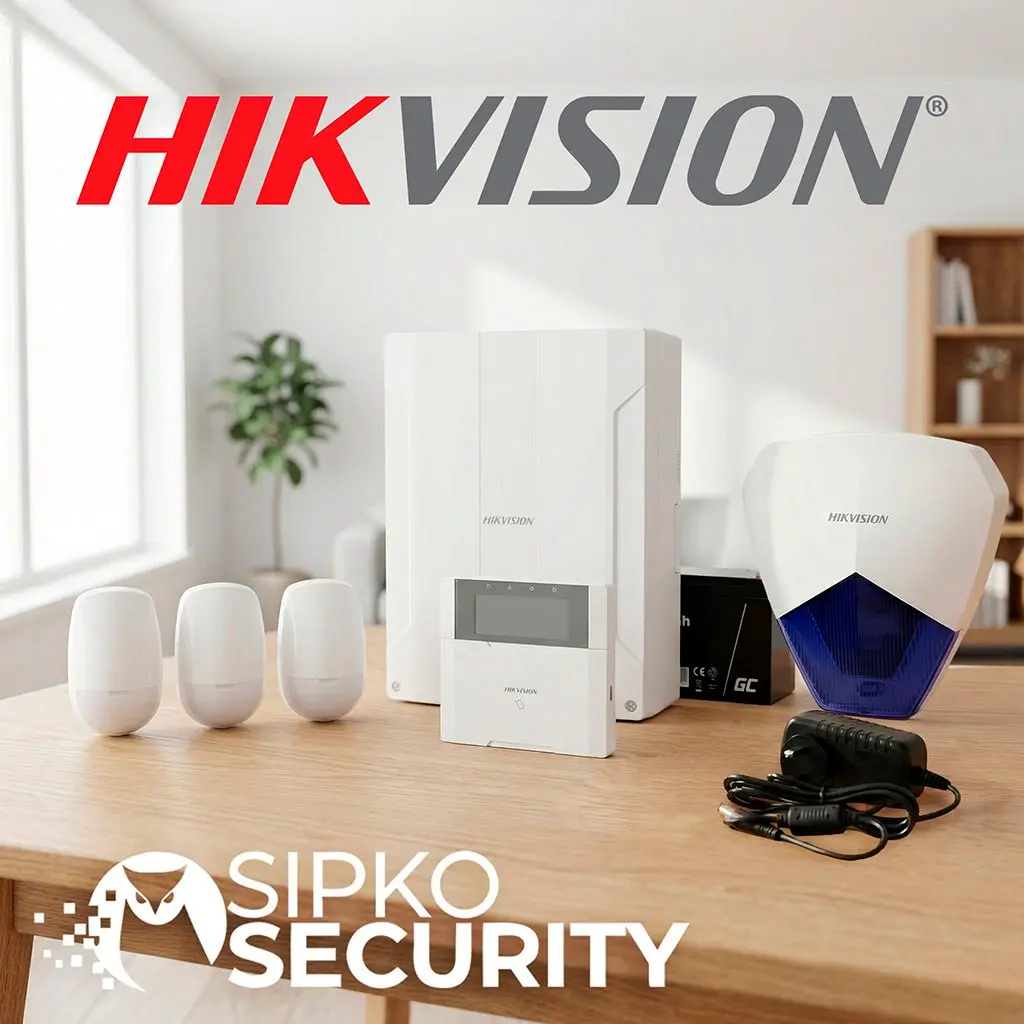
If your Hikvision or HiLook AX alarm system isn’t working properly, fast professional repair is essential. At SIPKO Security, we provide expert troubleshooting, servicing, and repairs for Hikvision and HiLook AX wireless alarm systems across Melbourne.
Whether your alarm won’t arm, sensors keep triggering falsely, or the system stopped communicating with the app, our technicians can diagnose and fix the issue quickly.
Schedule Your Free Site Visit
Call 0406 432 691 or complete the form and we will contact you.
The Anatomy of a Pro Melbourne Repair
Security in Melbourne requires more than a standard fix. We analyze every component of your AX Pro or AX Hybrid system to ensure Victorian-grade reliability.
Hikvision DS-PDP15P-EG2-WE: Melbourne’s Most Trusted Sensor
In countless Melbourne homes, the DS-PDP15P-EG2-WE is the primary line of defense. However, its 15-meter range requires precise alignment to avoid false triggers from local environmental factors.
Door & Window Sensors
Magnetic contact points that create an invisible perimeter around your home. Triggers instantly upon unauthorized entry.
Glass Break
Advanced acoustic sensors tuned to breaking glass frequency.
Outdoor Protection
Volumetric sensors built for Melbourne’s changing conditions.
Smart Controls
Sleek keypads and remote fobs for one-touch arming.
Instant App Alerts via Hik-Connect
Full integration with the Hik-Connect app. Receive push notifications the second a sensor is triggered, allowing you to monitor your system from anywhere in the world.
What Is HiLook
AX Pro?
HiLook is a value-focused brand from Hikvision designed to offer reliable security systems at a more affordable price.
The HiLook AX Pro alarm system shares many cutting-edge technologies with premium Hikvision alarms, but is optimized specifically for simpler installations and smaller residential properties without compromising on core security standards.
Common Hikvision AX Alarm Problems in Victoria
Many alarm issues in Melbourne appear suddenly due to NBN provider shifts or local power fluctuations. Our technicians are specialized in rapidly diagnosing and resolving these exact Victorian faults with precision calibration.
Alarm System Not Arming
Often caused by “Open Zones” or unresolved tamper alerts across your wireless mesh. If a single motion sensor, door contact, or backplate is obstructed or out of sync, the AX Hub will refuse to arm to prevent false security confidence. We diagnose the exact bypass fault and reset the zone parameters.
Constant Keypad Beeping
Continuous beeping from the keypad or hub usually indicates a critical “Trouble Condition”. This could stem from a recent mains power failure, backup battery depletion in the main panel, or a sudden loss of communication path. We silence the system and repair the underlying fault permanently.
Sensors Showing Offline
Usually due to severe RF wireless interference or sudden drops in the Tri-X signal over long distances. Environmental changes like new metallic constructions can block signals. We recalibrate the wireless heartbeat, install repeaters if necessary, and ensure 100% stable connectivity.
App Notifications Not Working
If you’ve abruptly stopped receiving push alerts in your Melbourne suburb, the system’s IP bridge has likely failed following an NBN router change. We reprogram the IP/DNS settings for Victorian ISP reliability and restore remote control.
False Motion Alarms
Consistent false triggers are incredibly frustrating and usually caused by improper PIR sensor placement, sudden thermal drafts, or incorrect sensitivity configurations. We fine-tune the internal AI human-detection settings to accurately ignore pets while catching real intruders.
Low Battery Warnings
While Hikvision sensors boast long battery lives, they eventually deplete. When voltage drops below a safe threshold, the system triggers prolonged warnings. We replace CR123A and hub backup batteries with industrial-grade lithium cells to prevent a total security blackout during emergencies.
Wi-Fi Communication Failure
Loss of network connectivity completely severs your remote access. The AX base station relies heavily on a stable connection. We trace the local network failure, reset 2.4Ghz/5Ghz handshake profiles, and restore the critical bridge between the alarm hub and your home router.
AX Alarm System Not Connecting to the App
Many users experience problems connecting their Hikvision or HiLook alarm system to the mobile application. The Hik‑Connect platform allows remote control, notifications, and live system status, but can be disconnected by network changes.
NBN & Local Network Issues
In Melbourne, frequent NBN maintenance or local router resets can sever the AX hub’s dedicated link to Hik-Connect. Our technicians recalibrate your Sydney/Melbourne cloud handshake to ensure sub-millisecond alert delivery.
Incorrect Network Configuration
Changing your Wi-Fi password or getting a new ISP router will immediately sever the alarm’s connection. We reprogram the Wi-Fi bridge or hardwire the ethernet link securely.
Firmware Problems
Outdated firmware on the AX panel can cause handshake errors with the latest version of the Hik-Connect app. We flash the system memory with the newest verified security patches.
Account Linking Errors
Moving into a home where the previous owner didn’t unlink the alarm from their account? We assist with formal Hikvision device unbinding and binding it exclusively to your smartphone.
Alarm Sensors Going Offline
Wireless Hikvision Tri-X sensors sometimes lose communication with the main control panel. When sensors drop offline, your property develops blind spots. Our team quickly tests signal strength and repairs the mesh network.
Battery Failure
Even with advanced power-saving tech, perfectly functioning CR123A batteries eventually die or drop voltage in cold weather. We replace them with fresh, high-drain verified lithium cells.
Signal Interference
New metallic appliances, highly insulated walls, or neighbouring wireless congestion can block RF signals. We install AX repeaters to bypass dead zones and ensure steady communication.
Incorrect Installation Location
Sensors mounted too far away, pointing at thermal drafts, or placed on metal frames suffer from dropouts and falsing. We reposition them precisely according to manufacturer specifications.
Hardware Faults
Corrosion from humidity, dropped backplates, or inherent component failures can permanently break a sensor. We test and swap faulty hardware with guaranteed Hikvision original parts.
Frequent False Alarms
False alarms are one of the most frustrating issues with any alarm system. They don’t just noise—they reduce trust in your security and can lead to ignored alerts or council fines. Our technicians adjust detection zones and recalibrate sensors to eliminate unnecessary alerts.
Incorrect Sensitivity Settings
Sensors set too high can trip from simple dust or light changes. We fine-tune the digital thresholds.
Pets Triggering Detectors
Non-pet-immune sensors can’t distinguish animals. We install AI-driven PIRs with mass exclusion.
Poor Detector Placement
Facing glass or heat vents causes thermal falsing. We reposition devices for optimal coverage.
Environmental Interference
Moving curtains or shifting sunlight can fool low-end sensors. We upgrade to dual-tech detection.
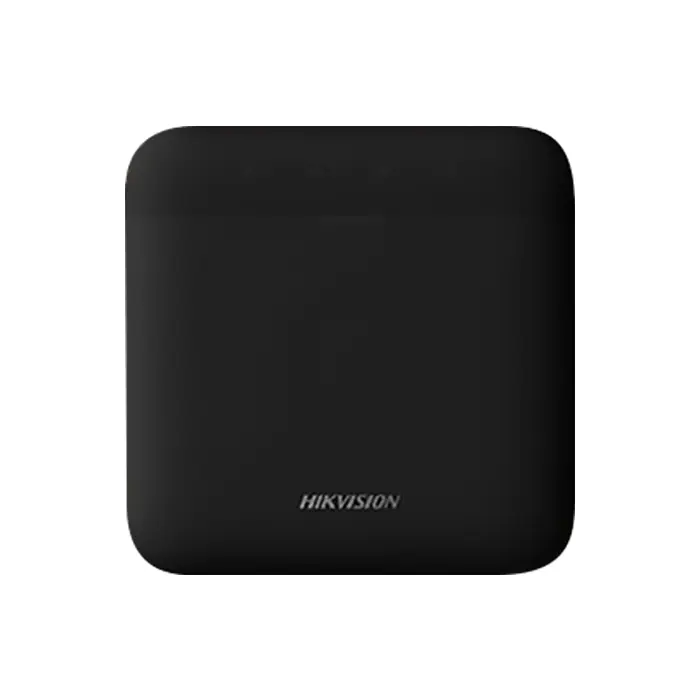
The AX Hybrid Hub:
Melbourne’s Powerhouse
The AX Hybrid Hub is the ultimate central brain for complex Melbourne security requirements. By combining hardwired stability with wireless flexibility, we create a redundant fortress that never fails.
Wired Stability
Perfect for Melbourne homes with existing security wiring. We utilize your copper infrastructure for zero-interference perimeter protection that bypasses NBN lag.
Wireless Speed
Tri-X technology sends encrypted signals through thick Melbourne masonry, allowing for 100% wireless expansion without damaging walls or ceilings.
Redundant Logic
If Ethernet fails, Wi-Fi kicks in. If Wi-Fi fails, 4G takes over instantly. Your critical alerts always reach your phone, regardless of Melbourne network status.
Massive Capacity
Supporting up to 96 zones, it is the only choice for extensive Toorak estates, Mornington mansions, or multi-storey commercial hubs across Victoria.
We provide specialized technical support for AX Hybrid systems across Melbourne. If your central hub is showing “Fault” or “Offline,” our licensed technicians provide same-day diagnostic priority to restore your property’s shield.
Hikvision AX Control Panel Issues
The alarm control hub is the brain of the entire security ecosystem. When the central panel fails, your property is left vulnerable to undetected breaches. We provide advanced diagnostics to restore your system’s neural center.
Hardware Specialist Support
Our technicians are licensed to perform component-level checks on all Hikvision and HiLook AX series control boards.
System Not Powering On
Caused by blown fuses, faulty domestic power circuits, or internal board shorts. We isolate and repair power pathways.
Device Communication Errors
Handshake failures between the hub and wireless devices. We recalibrate the Tri-X wireless engine to restore pairing.
Firmware & Software Errors
Corrupted system memory can cause endless reboot mainland loops. We perform hard resets and official firmware reflashing.
Siren Trigger Failures
Panel sends the alert but the siren remains silent. We verify the relay outputs and 12V siren triggers to ensure response.
Battery Replacement for AX Alarm Devices
Wireless Hikvision AX series systems rely heavily on high-drain lithium batteries. When voltage drops, your sensors lose range and responsiveness. We provide a comprehensive “Whole Home” battery swap service using genuine long-life power cells.
Motion Sensors
PIRs consume the most power due to constant heat detection. We swap and signal-test every detector.
Door & Window Contacts
Magnetic reed sensors require precise seating after a battery change to avoid tamper alerts.
Outdoor Detectors
Melbourne’s cold winters accelerate battery drain. We use weather-sealed cells for maximum life.
Wireless Keypads
LCD and proximity keypads drain quickly with heavy use. We test all backlighting after replacement.
Remote Fobs
Ensure your “Panic” and “Arm” buttons work instantly. We clean the internal contacts during the swap.
Firmware Updates & Optimization
Keeping the control hub’s firmware updated is critical for defending against modern cyber threats and ensuring your system stays responsive. We handle the technical heavy lifting without the risk of bricking your device.
Cyber Security
Patches security vulnerabilities and keeps 128-bit encryption layers up-to-date against bypass kits.
Mainland Stability
Optimizes memory usage to prevent random hub reboots and clears internal cache for faster processing.
App Connectivity
Ensures perfect handshakes between the Hik-Connect cloud servers and your smartphone application.
Sensor Reliability
Updates signal processing logic for the Tri-X wireless protocol to reduce sensor dropouts.
⚠️ Crucial Update Warning
Incorrectly applied firmware updates or power loss during the flashing process can “brick” your control panel, rendering it permanently useless. Our specialists use local backup stability and verified update packages to ensure 100% success.
Expanding Your Hikvision or HiLook Alarm
Security needs evolve as your family grows or your business expands. We don’t just repair existing systems—we specialize in seamless wireless expansions that eliminate blind spots and bring your entire premises under one unified shield.
Advanced Motion Detection
Upgrade to high-performance Dual-Tech PIRs that combine infrared and microwave detection for zero false alarms.
Perimeter Defense
Stop intruders before they reach the building. We install outdoor-rated wireless sensors that secure gates and driveways.
Secondary Keypads & Fobs
Add full control at the back door or master bedroom. We program additional wireless keypads and remote panic buttons.
External Visual Deterrents
Reinforce your security with additional wireless strobe sirens. Visible deterrents are the #1 proven way to protect Melbourne homes.
Smart Glass & Door Shocks
Protect entryways with shock detectors that trigger the alarm the moment an impact is detected.
Environmental Safety
Integrate wireless smoke and heat detectors directly into your AX hub. Receive fire alerts on your smartphone instantly.
Alarm System Health Checks
Even if your Hikvision or HiLook AX system seems to work fine, regular technical maintenance helps detect hidden vulnerabilities before they lead to a critical failure.
“Prevention is smarter than reactive repair. We ensure your system works when you actually need it.”
Sensor Calibration
Readjusting PIR sensitivity levels and pet-immunity logic to block phantom alerts during Melbourne’s seasonal changes.
Battery Management
Scientific load testing of wireless cells. We identify and replace weak batteries before they trigger low-voltage failures.
Signal Mapping
Full RF pathway audit between the AX hub and every peripheral to ensure zero dropouts across your specific building materials.
Security Patches
Reviewing and applying the latest firmware to protect your system against new wireless vulnerabilities and app connectivity bugs.
Cloud Sync Audit
Verifying the Hik-Connect pathway to ensure push notifications and remote viewing are delivering at sub-second speeds.
Siren Decibel Test
Full power verification of internal and external strobe sirens to ensure they provide maximum deterrent during an actual breach.
Wired vs Wireless Alarm Repairs
Hikvision AX systems support both wired (Hybrid Hub) and wireless (AX PRO) configurations. Each requires a specialized technical approach for maintenance and repairs.
Wireless Flexibility
Designed for rapid deployment and non-invasive installation. Ideal for residential upgrades where running cables is impossible.
- ✓ Specialized Battery Management
- ✓ RF Signal Triangulation & Optimization
- ✓ Jamming Detection & Interference Tuning
- ✓ Mobile Point-to-Point Configuration
Hardwired Integrity
Offers the ultimate in signal stability and zero battery maintenance. Preferred for long-term commercial and high-security residential setups.
- ✓ BUS Communication Troubleshooting
- ✓ Continuity & Resistance Testing
- ✓ EOL Resistor Calibration
- ✓ Physical Cable Rerouting & Replacement
AX Pro Alarm Hub
Hikvision DS-PWA64 Alarm Hub
The central brain of your AX Pro security ecosystem. This powerful hub manages up to 64 wireless zones, coordinating sensors, sirens, and keypads into a unified defense network.
- Multi-Path Connectivity: Built-in Wi-Fi, Ethernet, and SIM (GPRS/3G/4G) ensure your alarm alerts reach you even if the internet fails.
- Cloud Integration: Full management via mobile app with instant push notifications and status updates.
- Tri-X Wireless: Long-range, secure transmission with anti-jamming protocols for military-grade reliability.
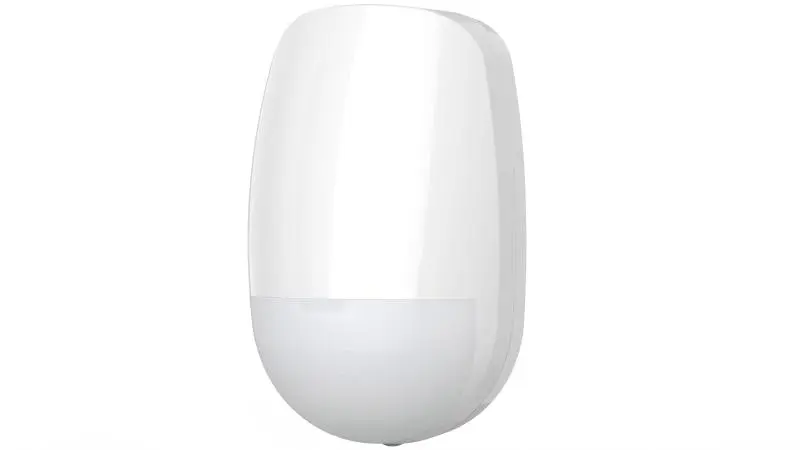
Wireless PIR Motion Detector
Hikvision DS-PDP15P-EG2-WE
One of the most robust and commonly serviced sensors in the Melbourne AX Pro lineup. Features a 15m detection range with advanced **SEC digital processing** to virtually eliminate false alarms from environmental shifts.
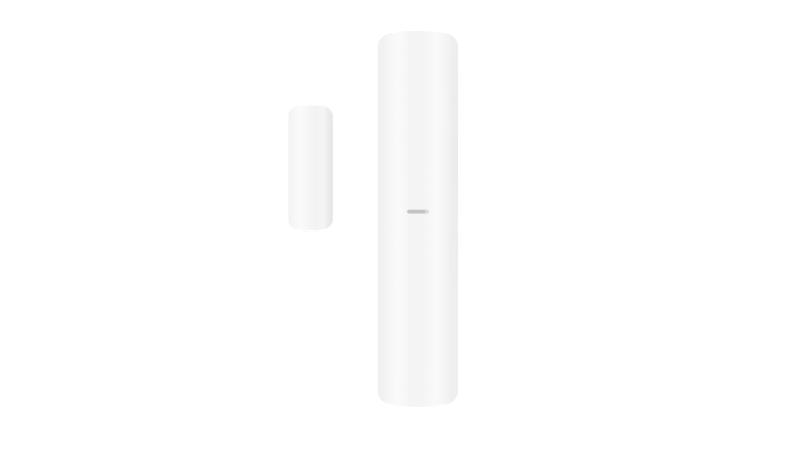
Door / Window Contact Sensor
Hikvision DS-PDMC-EG2-WE
A slim, unobtrusive magnetic contact designed for high-sensitivity detection. This sensor captures the moment a door or window is breached, providing the first line of defense for your Melbourne property.
Integrating AX Alarms with CCTV Systems
Modern security in Victoria isn’t just about isolated sensors—it’s about how they talk to your existing cameras. We specialize in cross-platform Hikvision integration for a unified Melbourne defense system.
Video Verification
Link your door sensors to cameras for instant 7-second video clips sent to your phone during an alert.
Evidence Capture
Synchronize siren triggers with NVR recording to lock in high-bitrate footage of the intrusion moment.
Notification Repair for Melbourne Alarm Systems
Missed alerts are a critical failure. We diagnose why your system may be struggling with Victorian NBN dropouts or cloud desynchronization to restore instant push notifications.
App Permissions
OS-level restrictions (iOS/Android) frequently block background push tokens. We re-verify permission matrices to ensure high-priority bypass.
Network Connectivity
Issues with the NBN gateway or local firewall can prevent the AX hub from reaching the global Hik-Cloud server.
Core Config Errors
Misconfigured notification ‘areas’ or specific sensor schedules can result in silent triggers when the system is actually armed.
Server Communication
Incorrect port mapping or DNS settings in the alarm hub can cause intermittent ‘Offline’ status in your security application.
Professional Alarm Troubleshooting
When your Hikvision or HiLook system behaves unexpectedly, guess-work leads to recurring faults. Our technicians follow an advanced systematic protocol to isolate and eliminate core hardware and software failures.
Diagnose system faults
We use dedicated Hik-Partner diagnostic tools to read deep system logs and hardware error states.
Test sensors and devices
Walk-test verification of every PIR, reed switch, and shock sensor to ensure 100% trigger accuracy.
Check signal strength
Precision RF mapping of the Tri-X wireless environment to eliminate dead zones and interference.
Inspect network connectivity
Wi-Fi analysis and 4G path testing to ensure your Hik-Connect app remains stable and responsive.
Repair or replace faulty components
On-the-spot swaps with genuine Hikvision parts to restore your security shield to factory specs.
Why Professional Alarm Repair Matters
Security systems are the primary defense for your property, family, and business. DIY fixes may save time initially, but amateur repairs compromise the integrity of your entire security mesh.
Professional servicing ensures your Hikvision system works exactly as intended during a real-world emergency.
Missed Intrusions
Incorrectly calibrated sensitivity logic or dead zones mean an intruder can bypass your detection shield unnoticed.
Melbourne’s Guide to AX Fault Messages
Your Hikvision AX Hub communicates through status LEDs and app notifications. For Victorian homeowners, these messages often correlate with local network stability or seasonal battery performance during Melbourne winters.
Communication Failures
Failed heartbeat handshakes mean your system is armed but unable to notify your smartphone or the monitoring center.
Signs Your Hikvision AX Alarm Needs Servicing
Many alarm systems develop small technical anomalies before completely failing. Recognizing the warning signs early can prevent critical security gaps during a real-world attempt.
Repeated Low Battery Alerts
Frequent ‘System Fault’ beeps or constant app notifications indicating low wireless sensor power.
Detectors Not Responding
Internal walkthrough tests show PIRs or door contacts failing to trigger even when directly engaged.
Delay When Arming
Significant latency between entering code/fob and the system confirming ‘Armed’ status.
Random Beeping
Unexplained acoustic signals from keypads or internal sounders, often indicating hidden tamper or sync faults.
Devices Offline
Sensors appearing greyed out or showing ‘No Connection’ within your Hik-Connect application dashboard.
When Your Hikvision Alarm Won’t Arm
A common issue with the Hikvision AX Hybrid Alarm System is the system refusing to arm. This “System Ready” failure prevents you from securing your property when leaving.
Open Peripheral Status
The system detects a ‘Not Ready’ state from a magnetic reed switch or PIR. This is often due to misaligned magnets on doors or windows that have slightly shifted over time.
Wireless Signal Blocking
High-frequency interference from nearby electronics or physical obstructions can prevent the ‘Arming’ signal from reaching the AX Pro hub, causing a timeout error.
Zone Mapping Errors
Incorrectly defined ‘Exit/Entry’ zones or ‘Stay’ mode conflicts. If a sensor is mislabeled as an ‘Instant’ zone during an exit delay, the system will abort the arming sequence.
Keypad Sync Faults
Low battery internal resistance or ‘Device Offline’ status for the wireless keypad. We re-verify the polling intervals to ensure the keypad stays linked to the master panel.
Outdoor Sensor Problems in Victorian Climates
Melbourne’s rapid weather shifts—from intense UV to sudden heavy rain—require forensic-level calibration. Our technicians specialize in tuning AX outdoor sensors for Victorian conditions.
We adjust detection zones and microwave sensitivity to ensure reliable perimeter protection without false triggers.
Sunlight & Rain
Direct UV glare or heavy raindrop impact can spoof PIR thermal signatures. We install anti-masking hoods and adjust high-threshold masks.
Pet Activation
Pets moving near the perimeter can trigger standard traps. We re-configure the IFT (Independent Floating Threshold) to ignore wildlife up to 30kg.
Detection Angles
Incorrect mounting heights or tilt angles create blind spots. We use laser-guided alignment to ensure 100% coverage across driveways and gates.
Signal Interference
Outdoor wireless paths are prone to RF fading. We analyze the 433MHz/868MHz environment to ensure a rock-solid link to the ax hub.
Hikvision Alarm Siren Not Working
If your alarm triggers but no siren sounds, your security system fails its most critical job: active deterrence. An intruder who doesn’t hear a siren will not feel the pressure to flee.
Internal Siren Failure
High-resistance circuits or blown piezo elements in the panel. We test voltage outputs to ensure 110dB+ performance.
Tri-X Link Loss
868MHz signal attenuation or jamming detection blocking the trigger signal between the hub and external strobe.
Output Configuration
Misconfigured ‘Area’ logic where the siren isn’t linked to specific zones. We re-map the arming dependencies.
Power Resistance
High internal resistance in aging Lithium cells causing strobes to fail during peak current draw events.
Keypad and Remote Control Issues
As the primary points of contact with your security system, keypads and remotes are used daily. Over time, internal degradation or software sync issues can prevent you from maintaining full control over your premises.
Unresponsive Buttons
Internal membrane wear from Melbourne’s temperature fluctuations or coastal humidity can cause digits to fail.
LCD & Display Failure
Sun exposure or bus-level data corruption leads to “blank screens” on foyer-mounted control pads.
Remote Disarm Failure
Signal desynchronization or low-voltage triggers cause wireless fobs to disconnect from your Melbourne hub.
Delayed Commands
Latency between a button press and system acknowledgement, often caused by signal congestion in dense Melbourne suburbs.
Specialized Interface Repair
We don’t just swap hardware—we perform deep-level reprogramming to ensure your interfaces are responsive and secure. If your devices are physically damaged, we provide genuine Hikvision/HiLook replacements on-site.
Network and Wi-Fi Troubleshooting
Modern alarm systems rely heavily on stable internet connectivity to provide real-time peace of mind. Without a robust data link, your AX alarm becomes a localized siren rather than a proactive security asset.
Our technicians leverage specialized networking tools to ensure your system communicates flawlessly with the Hik-Connect cloud and your smartphone.
App Disconnection
WiFi signal attenuation or DHCP IP conflicts causing the hub to vanish from your dashboard intermittently.
Missed Notifications
Push server desynchronization or misconfigured port forwarding settings blocking outbound alert packets.
Cloud Link Failures
DNS resolution errors or ISP-level MTU mismatches preventing secure 128-bit command handshakes.
Delayed Alert Delivery
High network jitter or packet loss on legacy 2.4GHz bands causing 10+ second delays during alarm events.
Upgrading Older Melbourne Security Systems
Many Victorian properties still rely on legacy alarm equipment. We specialize in modernizing older Hikvision or third-party systems to the latest AX Pro cloud-connected standard without requiring a full rewire.
Mobile App Control
Upgrade to total Hik-Connect integration. Arm, disarm, and view system status from anywhere in the world with instant push alerts.
Faster Alerts
Reduce signal latency from minutes to milliseconds. Modern AX technology ensures your alerts reach the cloud the moment a breach is detected.
Improved Reliability
Replace aging detectors with high-sensitivity Tri-X wireless sensors that feature superior interference immunity and 2km range.
Smart Integration
Link your alarm with smart lighting and automation. Create “Security Scenarios” where lights trigger the moment an alarm is tripped.
Security Maintenance for Melbourne Businesses
From CBD offices to industrial warehouses in Melbourne’s West, commercial properties rely on AX technology to protect assets. Our technicians provide professional servicing and insurance-compliant maintenance across Victoria.
Prevent Costly Downtime
A failed alarm doesn’t just compromise security—it can halt operations. Our proactive maintenance ensures your hub remains 100% operational during business hours.
Eliminate Vulnerabilities
Business environments shift constantly. We recalibrate detection zones to account for new shelving, partitions, or office layouts that create blind spots.
Insurance Compliance
Many commercial insurance policies require documented professional servicing. We provide the maintenance logs needed to satisfy compliance audits.
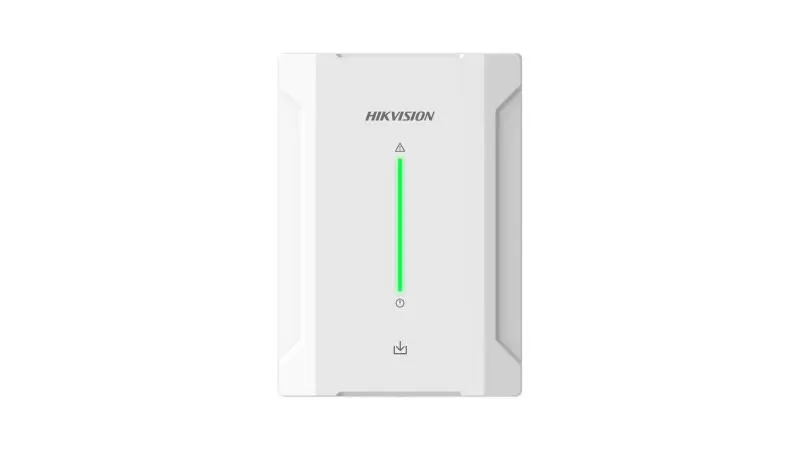
Reliable Intrusion Protection
When properly configured by our licensed technicians, the AX Hybrid system provides an uncompromising shield for your property. Our technical setups focus on redundancy and extreme signal integrity.
Every installation comes with a comprehensive security audit to ensure your wireless mesh is impenetrable to modern bypass techniques.
Frequently Asked Questions
Everything you need to know about Hikvision & HiLook AX alarm repairs in Melbourne.