
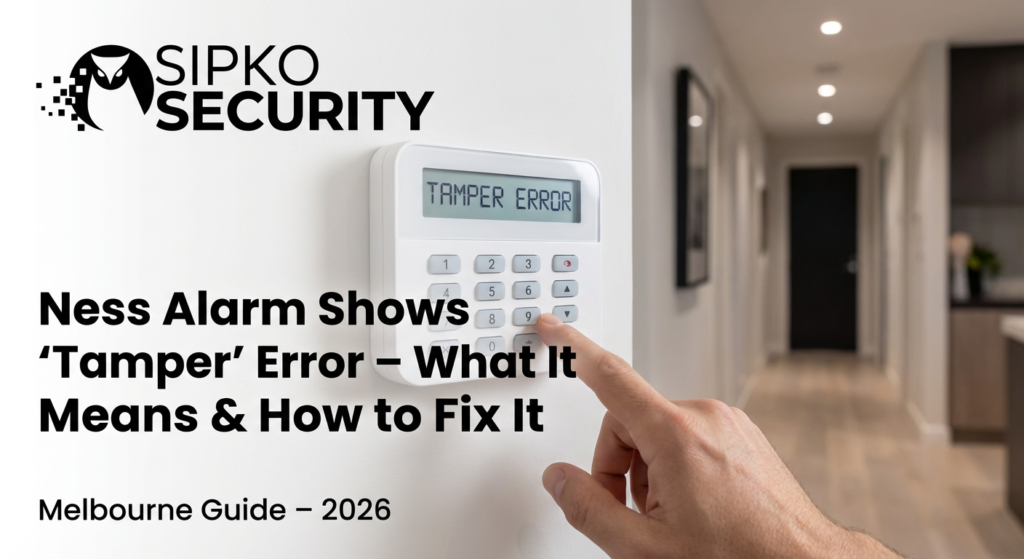
Ness Alarm Shows “Tamper” Error – What It Means & How to Fix It (Melbourne Guide – 2026)
Seeing a “TAMPER” alert on your Ness keypad? Don’t panic. In most cases it’s a simple fix — but sometimes it’s a warning sign your system needs professional attention. This complete Melbourne guide covers every cause, every fix, and when to call in the experts at Sipko Security.
Introduction: Understanding the “Tamper” Error
A “Tamper” alert on your Ness alarm is one of the most misunderstood messages a homeowner can see. The word itself sounds alarming — as if someone has deliberately interfered with your system. In reality, a tamper alert is simply your alarm’s way of saying: “Something about my physical housing or wiring has changed.”
It could be as simple as a loose battery cover on a motion sensor, or as serious as a damaged wiring harness in your main panel. If you’ve ever wondered whether your alarm system is showing signs of age, a persistent tamper fault is one of the clearest indicators. The Ness alarm system’s tamper detection is a built-in safety feature — it is designed to protect against unauthorized interference and genuine hardware failure alike.
What Does “Tamper” Actually Mean?
In alarm industry terminology, a “tamper” condition refers to any physical breach of a security device’s enclosure or wiring. Every Ness sensor, detector, and control panel has an internal tamper switch — a small spring-loaded contact that completes a circuit when the device is properly closed. The moment that lid is opened, the device is displaced, or the wiring is disconnected, the circuit breaks and the panel registers a TAMPER fault on that zone.
This is entirely deliberate engineering — it means even a professional burglar who knows how alarm systems work cannot simply open a sensor casing and disable it without immediately alerting the system. The tamper mechanism is your alarm’s self-defense feature. When it fires, it means that protection layer is doing exactly what it was designed to do.
In the vast majority of cases Sipko Security technicians attend, a tamper alert is caused by one of four simple things: a flat battery, a slightly loose sensor cover, a sensor nudged off its mount, or a door/window sensor shifted by seasonal timber expansion. These are all fixable within minutes. For a broader look at how to choose the right alarm system for your home, see our dedicated guide.
What Triggers a Tamper Alert?
Tamper alerts on Ness systems originate from many different sources. Understanding the root cause is the first step toward a fast, lasting fix.
Any device whose cover has been removed or not fully clicked shut will immediately trigger a tamper condition.
A wire partially detached from its terminal — common in older wired Ness systems — can register as a tamper on that zone.
Wireless sensors trigger a tamper condition when the battery dies — the panel loses contact with the device entirely.
Sensors knocked off their mounts by cleaning staff, children, or a heavy door slam can dislodge the tamper contact spring.
Strong RF sources — new NBN equipment, solar inverters, EV chargers — can disrupt older Ness wireless sensors on crowded 433MHz frequencies.
In homes with 15+ year old systems, oxidation on terminal connections causes intermittent tamper faults that appear and disappear unpredictably with temperature changes.
Why Tamper Alerts Are Important
Your Ness alarm’s tamper circuit is arguably one of its most critical security features — more important than the motion sensors themselves. Understanding what truly protects your home starts with knowing how each layer of your system defends itself. Here is why you should never disable or ignore a tamper condition.
The Three Pillars of Tamper Protection
- Preventing Unauthorized Interference: If a burglar has pre-planned a break-in, one of their first acts is to attempt to block or disable a sensor. Tamper detection ensures any physical interaction with the device — even before the alarm is triggered — is immediately reported to you and/or the monitoring station.
- Ensuring System Integrity: A security system that is silently failing offers zero protection while giving you a dangerous false sense of safety. Tamper alerts force awareness that a device is compromised before a real emergency.
- Reducing False Alarm Vulnerability: A device with a faulty tamper circuit is also far more likely to generate false alarms due to electrical noise. Fixing tamper issues proactively reduces the overall false alarm burden on you and your monitoring centre.
Sign #1 – Low or Dead Batteries
The single most common cause of a tamper alert in a Ness wireless system is a flat or failing battery inside a sensor — especially in Melbourne homes where sensors may have been installed and then forgotten for an entire decade.
How a Low Battery Triggers Tamper
Wireless Ness sensors communicate with the main panel on a regular polling interval. When a sensor’s battery drops below safe operating threshold, its radio transmitter can no longer maintain the power required to broadcast its “I am alive” signal. The panel — having not heard from that sensor — declares it in a TAMPER state because, from the panel’s perspective, the device has been silently removed or disabled.
- Replace batteries every 12–24 months as a preventative measure — don’t wait for a fault message.
- Use only high-quality lithium batteries (e.g., Energizer Ultimate Lithium). Cheap alkaline batteries in Australian summer heat degrade rapidly and can leak, destroying sensor electronics.
- After replacing, always firmly close the sensor cover and hold it shut for 3 seconds to ensure the tamper contact re-engages properly.
- Log the replacement date on a sticker inside the sensor cover — saves enormous time for future service visits.
Sign #2 – Sensor Misalignment or Loose Covers
The second most common cause we encounter at Sipko Security is a sensor whose cover is not fully engaged or whose mounting position has shifted. Melbourne’s weather — 40°C summers causing timber expansion, cold winters causing contraction — frequently causes door/window sensors to drift out of alignment.
Door & Window Sensors
Reed-switch door/window sensors consist of two parts: the main body (mounted on the frame) and the magnet (mounted on the door/window). The tamper switch sits inside the main body. If its cover pops open even slightly due to thermal expansion, the tamper fires immediately. If the gap between magnet and sensor exceeds the rated range (typically 10–15mm), zone faults can also mimic tamper conditions.
Motion Detectors
PIR motion detectors mounted at 2.0–2.4m heights can have their mounting adhesive or screws loosen over time — particularly in homes with polished concrete floors where vibrations travel through the structure. A slightly tilted PIR may generate erratic “tamper open / tamper restore” cycling in your Ness event log.
Walk around every sensor and firmly press each cover. You should feel and hear a distinct click as the tamper contact re-engages. If a cover feels loose or rattly, it needs a replacement clip — or the sensor needs replacing. Call Sipko Security on 0406 432 691 for a fast same-week service visit.
Sign #3 – Wiring Problems
For homes with older wired Ness systems installed in Camberwell, Kew, and Brighton during the early 2000s — wiring degradation is a highly probable cause of persistent tamper alerts that refuse to clear even after multiple panel resets. If you’re weighing up whether to repair or replace, see our wired vs wireless alarm comparison guide.
The Hidden Wiring Crisis in Legacy Ness Systems
The alarm cabling installed 15–20 years ago was typically 4-core or 6-core alarm cable rated for a 10–15 year service life. In Melbourne’s climate, cable sheaths become brittle, terminal block contacts oxidise, and copper conductors develop micro-fractures. This creates a situation where the tamper zone circuit has intermittent continuity — reads as “open” or “closed” depending on temperature, humidity, and whether a heavy door was just slammed.
- Old wiring corrosion: Green oxidation on copper terminals significantly increases resistance on the tamper zone bus, causing false fault readings.
- Loose terminal screws: Terminal block screws back out over years of thermal expansion cycles. A wire with even 0.1mm of play at its terminal can generate hundreds of tamper events per day.
- Short circuits: Where cable sheath has cracked and conductors touch inside a wall cavity, a short on the tamper circuit creates a permanent fault the panel cannot recover from without a physical wire trace.
Sign #4 – Panel Access or Unauthorized Opening
The main control panel itself has a tamper switch on its enclosure lid. Any time the panel cabinet is opened — by a technician, a curious child, or a tradesperson — the panel will log and display a tamper condition until it is cleared by a valid user code.
Most Common Scenarios
- Children or pets: In laundries or hallways where panels are mounted low, children can accidentally pop the panel cover open, triggering the enclosure tamper. If you have cleaners, babysitters or gardeners, read our guide on the best alarm for homes with regular third-party access.
- Maintenance personnel: Plumbers, electricians, or painters that access a panel cupboard and disturb the alarm box — one of the most common “mystery tamper” scenarios we diagnose.
- Renovation works near the panel: Any works near the panel location will almost certainly trigger a tamper event if the cabinet is bumped or power is momentarily cut. If you’re renovating, see our guide to security systems for renovated homes with no wall access.
The fix: Open the panel enclosure, verify the tamper switch spring is fully seated on the lid, close firmly, and clear the fault from the keypad using your master user code.
Sign #5 – Environmental Interference
Melbourne homes — particularly heritage properties with thick masonry walls and solid timber floors — create unique environmental conditions that generate tamper-like interference in older Ness systems.
Vibration, Doors & RF Interference
- Strong vibrations: Building works on neighbouring properties transmit vibration through foundations that can unseat sensor covers or dislodge tamper contact springs in wall-mounted devices.
- Heavy door slamming: Solid timber heritage doors send sharp shockwaves through door frames. If your door sensor is mounted on or near the frame, repeated slamming will fatigue the tamper contact spring over time.
- Electromagnetic interference (EMI): New NBN equipment, solar inverters, and EV chargers installed in Melbourne homes since 2020 generate RF noise on frequencies that older Ness wireless sensors were not designed to filter — causing the panel to mis-interpret a lost communication as a tamper event.
How to Safely Reset a Tamper Error
Resetting a tamper condition is straightforward if the underlying cause has been resolved. Do not attempt to reset without first fixing the source — the fault will simply re-appear within minutes.
Step-by-Step Tamper Reset Procedure
Step 1: Identify which zone the tamper is on. On Ness keypads, the LCD will show “TAMPER” with a zone number, or navigate to “Event Log” via the keypad menu.
Step 2: Physically inspect the device on that zone. Check for open covers, displaced sensors, loose mounting, or visible wiring issues.
Step 3: Resolve the physical issue — close the cover, re-seat the sensor, replace the battery, or tighten the terminal screw.
Step 4: Enter your Master Code on the keypad. On most Ness panels, a valid arm/disarm cycle clears latched tamper conditions automatically.
Step 5: Confirm the tamper cleared. All zones should display “SECURE” or “READY.” Monitor for 24 hours to ensure it does not return.
When to Avoid DIY Resets
Do not attempt a DIY reset if: the tamper returns every time you clear it, multiple zones show tamper simultaneously, you see obvious wiring damage or smell burning from the panel, or if the system is protecting a commercial or high-value property. Call a licensed technician immediately in these situations.
Preventing Future Tamper Errors
For a complete rundown of home security best practices, see our 10 essential home security tips every homeowner should follow.
- Proper sensor mounting: Use correct screw anchors for your wall material — not adhesive tape that dries out in Australian summers. Sensors on plaster walls need mounting into studs or with appropriate wall anchors. Our guide to camera and sensor placement for maximum protection covers optimal mounting locations in detail.
- Annual battery replacement: Replace all sensor batteries every 12 months regardless of battery level indicator. Set a calendar reminder. Budget $2–3 per sensor per year — far cheaper than a service call.
- Secure panel enclosures: Ensure the panel cabinet is latched shut at all times. If the panel is in a shared or accessible area, consider a small padlock through the cabinet latch.
- Routine professional maintenance: Have your Ness system professionally serviced every 12–18 months. A technician checks all tamper contacts, re-torques terminal screws, tests battery voltages under load, and cleans sensor lenses in a single visit.
When to Call a Professional Technician
- Tamper returns within hours of clearing
- Multiple zones showing tamper simultaneously
- Visible wiring damage or burning smell from panel
- Commercial or high-value property
- Ness system is 10+ years old with persistent faults
- Single sensor with obviously loose cover
- Tamper immediately after panel was accessed
- Battery replacement resolves the fault
- Fault clears and doesn’t return after 24 hours
When in doubt, call Sipko Security on 0406 432 691. We service Brighton, Kew, Toorak, Mornington Peninsula and all of Greater Melbourne — see our full service areas page.
Professional Maintenance & System Checks
What a Sipko Service Visit Covers
- Tamper contact inspection: Every sensor, detector, siren, and panel enclosure tamper contact is physically tested for reliability.
- Sensor recalibration: PIR sensitivity thresholds are adjusted for current environmental conditions — critical after Melbourne summers that cause significant thermal drift in older sensors.
- Firmware check: Where available, Ness panel firmware is checked against the latest version — outdated firmware can introduce bugs generating spurious tamper conditions.
- Battery load testing: Each wireless sensor battery is tested under electrical load — the only accurate method for determining remaining service life.
- Communication path verification: We confirm the panel can successfully transmit an alarm via all available paths — NBN dialler, cellular SIM — end-to-end to the monitoring station.
Modern Wireless Systems vs Legacy Ness Panels
Many of the tamper issues described in this guide are architectural limitations of older Ness technology that cannot be fully eliminated through maintenance alone. At some point, upgrading is the smarter investment. Read our detailed Ajax vs Hills alarm comparison and our explainer on what makes Ajax alarm systems so powerful to understand why the technology gap is so significant.
Why Modern Wireless Platforms Eliminate Most Tamper Issues
Modern Grade 2 wireless platforms — such as Ajax Systems installed by Sipko Security across Melbourne — fundamentally re-engineer the tamper concept:
- Wireless sensors eliminate wiring-related tamper entirely. No corroded terminals, no micro-fractured cables, no NBN dialler compatibility issues.
- Backup SIM cards remove network-dependency issues. If NBN drops, the system silently switches to 4G cellular — no action required from you.
- App-based tamper alerts with photo verification arrive on your phone the instant they occur — from anywhere in the world.
- Every Ajax sensor polls the hub every 12 seconds. If a sensor goes offline for any reason, you know within seconds — not hours.
Read our complete Ajax upgrade guide → | Why smart home integration matters →
Outdoor Sensor Tamper Prevention
Outdoor sensors face far harsher conditions than indoor devices — UV exposure, heavy rain, temperature extremes, and the risk of deliberate tampering by intruders.
Best Practices for Outdoor Sensor Security
- Use weatherproof-rated detectors: Modern outdoor PIRs like Ajax MotionProtect Outdoor include IP55 weatherproofing and an anti-removal back-plate tamper switch — if unbolted from the wall, a tamper alert fires immediately even before the case is opened.
- StreetSiren deterrence: A visible outdoor siren with its own tamper contact means any attempted interference with your warning device itself triggers an alert — a powerful active deterrent.
- Encrypted 868MHz communication: Modern sensors use frequency-hopping encryption that cannot be jammed or replayed to suppress a tamper event — unlike older Ness 433MHz devices.
- Mount at minimum 2.5 metres height: Beyond easy reach without a ladder, significantly reducing the risk of deliberate physical tampering.
Indoor Sensor Tamper Prevention
Dual PIR + microwave detects genuine human intrusion while ignoring pets under 20kg. Anti-masking technology fires a tamper alert if someone attempts to cover or spray the lens.
AI-powered indoor cameras with built-in tamper detection automatically send a photo alert to your phone when the camera is moved, covered, or deliberately redirected.
Mount at 2.0–2.4m in corners using the correct wall anchors for your substrate. Avoid air conditioning vents that generate thermal drafts causing erratic PIR readings.
Battery & Power Backup Best Practices
Given Melbourne’s climate extremes, these are the non-negotiable battery management rules for any Ness alarm system:
- Replace all sensor batteries every 12 months — do not rely on low battery warnings in extreme heat environments.
- Use Energizer Ultimate Lithium cells — alkaline cells can leak in summer heat and destroy sensor circuit boards.
- Replace the main panel’s backup battery every 3–4 years. A depleted panel battery = zero protection during power outages — historically the most common time burglars strike.
- Consider a small UPS behind your panel’s power supply for 4–8 hours of runtime beyond the panel battery’s capacity.
- Annually simulate a power cut — switch off the GPO to the panel transformer and confirm the panel continues operating normally for at least 30 minutes.
DIY vs Professional Repairs: Risks & Benefits
DIY Tamper Reset
- ✅ Quick for simple battery/cover issues
- ✅ Zero cost for minor faults
- ❌ May be temporary — fault often returns
- ❌ Risk of accidental warranty void
- ❌ Cannot test communication paths or battery health under load
Professional Service Visit
- ✅ Root cause permanently identified and resolved
- ✅ All zones checked simultaneously
- ✅ Communication path tested end-to-end
- ✅ Written service report valid for insurance purposes
- ✅ Option to quote system upgrade if end-of-life
Suburb-Specific Tips: Brighton & Beyond
Brighton, Hampton & Bayside
Older brick homes in Brighton and Hampton commonly have Ness D16 wired systems installed 2000–2010, seeing the highest incidence of wiring corrosion-related tamper faults. Proximity to the bay means salt-laden air accelerates oxidation of copper terminal connections. Read about the specific security threats facing Brighton homes and check how Sipko Security helped a Brighton family stop a break-in. This cohort should seriously consider a full wireless retrofit — contact Sipko Security on 0406 432 691 for a free assessment.
Kew, Hawthorn & Camberwell
Heritage Victorian and Edwardian homes have thick double-brick walls that create wireless dead zones for older Ness 433MHz sensors. See our suburb-specific service pages for Kew and Camberwell. Sensors on far sides of thick masonry walls drop off-poll sporadically, triggering communication tamper faults. Modern 868MHz frequency-hopping systems largely solve this problem permanently.
Toorak, South Yarra & High-Value Properties
For properties above $5M, any persistent tamper fault should be treated as an immediate Grade 2 security concern. Check our suburb safety ratings guide to understand where risk is highest. Victorian insurers increasingly scrutinise security system service records. A persistent tamper on an unserviced 15-year-old Ness system can be grounds for claim denial following a break-in. Sipko Security provides formal security system compliance audits with documentation for insurers.
System Upgrade Options
If your Ness alarm is generating persistent tamper alerts, repeated service calls over 3 years on a 15-year-old system are often more expensive than a full wireless replacement. See our homeowner’s guide to choosing a security system for a complete framework. Here are your upgrade paths:
- Wireless retrofit: Replace wired Ness sensors with modern wireless equivalents — minimal wall damage, no new cable runs. Our guide to security systems for homes with no wall access covers this in detail.
- Full platform replacement: Replace the Ness panel and all sensors with a modern Ajax system — app notifications, cellular backup, photo verification, and multi-user control from day one. See our step-by-step Ajax setup guide.
- Hybrid upgrade: Keep reliable hardwired zones, add wireless sensors for new coverage areas — ideal for older homes where running cable to a new extension is impractical.
- Cellular SIM backup addition: As a first step, add a 4G communicator to your existing Ness panel so it can report alarms even when the NBN is cut. See what happens if your alarm goes off while you’re not home — and why communication redundancy is critical.
Tamper Alerts Are a Warning, Not a Threat
Follow this simple checklist before calling anyone:
- 🔋 Check sensor batteries first — replace if older than 12 months
- 🔲 Press every sensor cover firmly to re-engage tamper contacts
- 🔍 Check if the panel cabinet has been opened recently
- 🔄 Clear fault via master code and monitor for 24 hours
- 📞 If it returns — call a licensed technician
- ⚡ If persistent — consider upgrading to modern wireless
Need Help With a Ness Tamper Error?
Speak with a specialist about your Ness alarm, Ajax wireless upgrades, and same-week Melbourne service visits. We respond quickly during business hours and offer after-hours call-outs for urgent issues.
Technical Sources
- Victoria Police – Private Security Licensing – Regulatory authority for licensed security installers in Victoria.
- ACMA Cabling Provider Rules – Australian telecommunications cabling compliance standards.
- Consumer Affairs Victoria – Government resources for Victorian homeowners undertaking security and building works.

