
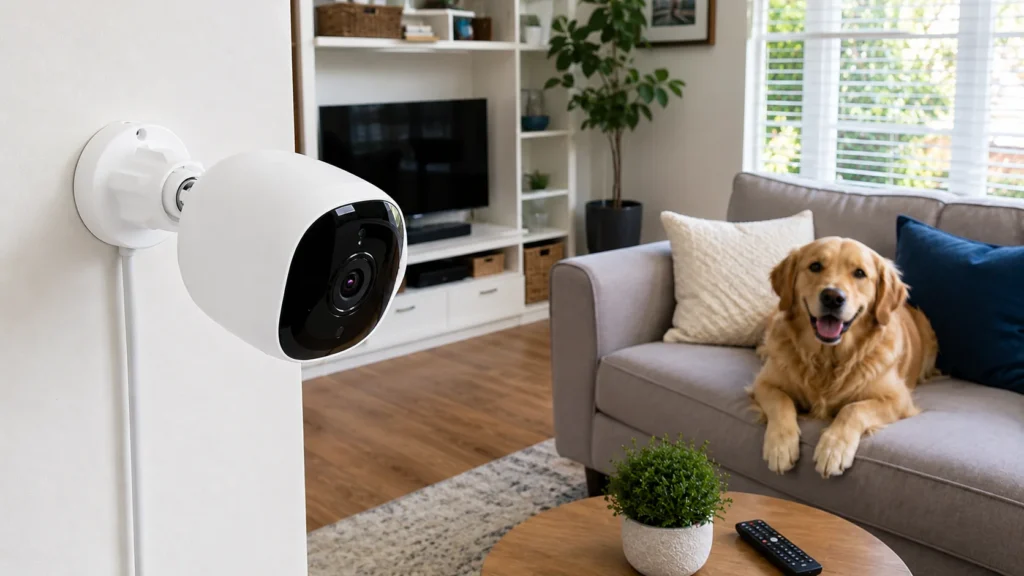
Pet CCTV Camera: Choosing the Right Pet Camera for Your Home
A dog that’s fine at 8am can be anxious, bored or downright destructive by 2pm, and most owners only find out when they get home to a chewed skirting board. A pet camera solves that blind spot — whether it’s a dedicated unit bought specifically for the job, or monitoring built into a home’s existing CCTV system.
This guide covers the types available in Australia, what features actually matter, where to place a unit, and whether a standalone device or an integrated home camera for pets makes more sense for your household.
Why Get a Camera for Pets at Home
A dedicated setup isn’t just for anxious owners checking in obsessively. The practical reasons households add one:
- Separation anxiety monitoring — seeing whether a dog settles or spends the day pacing and barking;
- Behaviour troubleshooting — identifying what triggers chewing, scratching or toileting accidents while you’re out;
- Multi-animal households — checking whether they get along when unsupervised;
- Deliveries and visitors — confirming a tradesperson, dog walker or sitter actually showed up and how the animal reacted;
- Health monitoring — noticing changes in mobility, appetite around feeding times, or unusual lethargy;
- Peace of mind while travelling — checking in on a sitter’s visits from another city or overseas.
Types of Pet Cameras Available in Australia
| Type | Best For | Key Feature | Limitations |
|---|---|---|---|
| Standalone Wi-Fi pet camera | Single-room monitoring, renters | Purpose-built app, often includes treat dispensing | Limited to the one room it’s placed in |
| Treat-dispensing pet camera | Dogs with separation anxiety | Remote treat launch, sometimes two-way audio | Higher price point than basic models |
| Pan-and-tilt pet camera | Larger rooms, active animals that move around | Wider coverage from one fixed mounting point | Some models have a narrower zoom range |
| Integrated home CCTV unit | Households that already have a security system | Monitoring alongside home security in one app | Fewer dedicated extras like treat dispensing |
| Wearable/collar unit | Outdoor adventures, walks | A dog’s-eye view rather than room monitoring | Not a substitute for indoor home monitoring |
Standalone Pet Camera vs Home Security Camera System
This is the main decision most households face, and it usually comes down to whether a security system is already in place.
| Factor | Standalone Pet Camera | Existing Home CCTV Extended to Pets |
|---|---|---|
| Cost | Lower upfront, one device | Uses existing hardware, may need one extra indoor unit |
| Setup | Plug-and-play, single app | Already configured if system exists |
| Coverage | Usually one room | Can cover multiple rooms if units are already placed indoors |
| Dedicated features | Treat dispensing, bark alerts common | Fewer of these, but full security features included |
| Best for | Renters, single-animal households, no existing system | Homeowners with a system already installed for security |
If a home already has an indoor security camera covering the living area, there’s often no need for a separate device at all — the existing setup usually covers it.
Features to Look For in a Pet Monitoring Camera
| Feature | Why It Matters | Priority |
|---|---|---|
| Two-way audio | Lets you talk to your dog or cat remotely, useful for anxious animals | High |
| Bark/sound detection alerts | Notifies you the moment a dog starts barking excessively | High |
| Night vision | Covers evening and early morning monitoring | High |
| Wide-angle or pan-tilt lens | Captures more of the room than a fixed narrow view | High |
| Treat dispenser | Rewards calm behaviour remotely, useful for training | Medium |
| Cloud + local storage | Keeps footage if the unit is knocked, unplugged or damaged | Medium |
| Motion zones | Reduces false alerts from curtains, shadows or a ceiling fan | Medium |
| App integration with existing security system | Avoids running a second, separate app just for this purpose | High, if a system already exists |
Where to Place a Pet Camera at Home
Placement decides whether footage actually shows anything useful. Common spots for a dog camera for house use:
- Main living area — where most animals spend the bulk of an unsupervised day;
- Near the exit door — captures separation-related behaviour right as owners leave;
- Feeding area — useful for multi-animal households or monitoring appetite changes;
- Laundry or crate area — if that’s where a dog or cat is confined during the day;
- Backyard, for outdoor animals — covering shade areas, gates and any dig-prone fence lines;
- Hallway junctions — a single unit at a junction point can cover access to two or three rooms at once.
Most single-animal households only need one well-placed unit. Multi-room monitoring, or households where animals separate during the day, usually benefits from two or three.
Using an Existing Home CCTV System to Watch Your Animals
Households that already have a home security system rarely need a dedicated device on top of it. A few adjustments make an existing setup work well for this purpose:
- Reposition or add one indoor unit to cover the room your dog or cat spends most time in, if coverage is currently limited to entry points only;
- Adjust motion sensitivity so a moving animal doesn’t trigger constant unnecessary alerts meant for security purposes;
- Enable two-way audio, if supported, for calming an anxious animal remotely;
- Set a separate viewing profile, if the app allows it, so quick check-ins don’t get mixed in with security footage review;
- Confirm the app works well for quick glances, since this kind of monitoring tends to involve short, frequent check-ins rather than reviewing recorded footage after an event.
This approach avoids paying for and managing two separate systems and two separate apps.
What Pet Cameras Cost in Australia
| Type | Typical Price Range (AUD) |
|---|---|
| Basic standalone Wi-Fi unit | $60 – $150 |
| Treat-dispensing model | $200 – $400 |
| Pan-and-tilt unit with app alerts | $150 – $300 |
| Adding one indoor unit to an existing home CCTV system | $150 – $350, installed |
| Wearable/collar unit | $100 – $250 |
Standalone units are usually the cheaper entry point for a single room. Extending an existing home security system tends to work out more cost-effective for households that want coverage across multiple rooms.
Choosing Between a Dedicated Pet Camera and a Whole-Home System
A few questions make the decision straightforward:
- Do you already have home security cameras? If yes, extending that system is usually simpler and cheaper than adding a separate device;
- Do you need treat dispensing or training features? If specifically wanted, a dedicated unit usually offers more of these than a general security setup;
- Is it one room or the whole house? A standalone unit suits one room; multi-room coverage favours an integrated system;
- Do you want a single app for everything? Combining home security and this kind of monitoring in one app avoids managing two separate accounts and two sets of notifications;
- Does your dog or cat spend time outdoors as well as indoors? Outdoor coverage usually needs weatherproof hardware rather than an indoor-only unit.
Popular Pet Camera Options in Australia
Availability shifts over time, but these categories cover most of what’s sold locally as a dedicated option:
| Brand/Type | Known For | Typical Use Case |
|---|---|---|
| Furbo-style treat-dispensing units | Bark alerts, remote treat toss | Anxious dogs, training reinforcement |
| Wyze/TP-Link style budget Wi-Fi units | Low cost, basic two-way audio | Renters, casual check-ins, single-room use |
| Ring/Arlo indoor units | Integration with a broader home security ecosystem | Households already using that brand for home security |
| Petcube-style units | Sound and motion alerts, some models add laser play features | Cats and small dogs, interactive monitoring |
| Generic NVR-connected indoor units | Full integration with an existing CCTV system | Homes with an installed security system wanting coverage added |
None of these is a universal best choice — a single-room renter and a homeowner with an existing eight-camera security system are solving different problems, even though both are shopping for something to keep an eye on their animal.
A Practical Example: Adding Pet Monitoring to an Existing System
A townhouse in Melbourne’s inner north already has a four-unit security system covering the front door, driveway and two exterior angles, installed for general home security. The owners get a rescue dog with mild separation anxiety and want to check on him during the workday, but don’t want to buy and manage a separate app on top of the existing setup.
The fix is straightforward: one additional indoor unit is added to the living room, tied into the same NVR and app already used for the front door and driveway. Motion sensitivity is adjusted slightly higher in that specific zone, since a dog moving around the room would otherwise trigger far more alerts than a stationary front door ever does. Two-way audio is enabled there, letting the owners talk to him during the day, something the exterior units never needed.
Total cost is a single indoor unit and a short installation visit, well under what a second, separate treat-dispensing device and its own subscription would have cost — with the added benefit of one app instead of two. Within a few weeks, the barking alerts make it clear the dog settles by mid-morning most days, with the odd exception around deliveries, which turns out to be worth addressing with training rather than more hardware.
Making the Most of the Footage
Owning a dedicated setup is only half the value — the other half is actually using what it shows. A few ways households get more out of this kind of monitoring than just occasional check-ins:
- Track patterns over a week, not one day — a single anxious session might be a one-off; a pattern across five workdays points to something worth addressing;
- Time-stamp triggers — noting exactly when barking starts (a mail delivery, a neighbour’s dog, a garbage truck) makes it easier to work on desensitisation;
- Use two-way audio sparingly — constantly talking to an anxious animal through a speaker can sometimes reinforce the behaviour rather than settle it; short, calm check-ins tend to work better than frequent ones;
- Compare footage before and after changes — a new feeding schedule, a puzzle toy, or a dog walker added midday can be measured against the recording rather than guesswork;
- Share clips with a vet or trainer — actual footage of a behaviour is far more useful for professional advice than a verbal description after the fact.
A good setup works best as a diagnostic tool, not just a live video feed to check occasionally out of curiosity.
Getting the Setup Right the First Time
Whichever route a household takes — a dedicated unit bought off the shelf or one added to an existing home security system — the details that matter most are the same: the right room, a sensible motion sensitivity setting, and an app that’s actually easy to check during a workday. A device that’s technically capable but awkward to open five times a day tends to get ignored within a few weeks, regardless of how good the hardware is. Getting the placement and configuration right at installation avoids that outcome entirely.
Already have cameras covering the rest of your home and just need one more angle on the living room for your dog or cat? SIPKO Security can extend an existing system or set up a new one that covers both home security and pet monitoring from a single app. Go to contacts

FAQ
What’s the difference between a pet camera and a regular home security camera?
A dedicated pet camera usually adds features like treat dispensing, bark alerts and a narrower field of view suited to a single room. A home security camera covers a broader purpose but can just as easily double for this use if placed in the right room.
Do I need a separate pet cctv camera if I already have home security cameras?
Often not. If an existing unit already covers the room your dog or cat spends the day in, it can usually serve the same purpose without any extra hardware — sometimes just a repositioning or an added unit in one additional room.
Can pet cameras alert me if my dog is barking excessively?
Many dedicated units and modern home security systems include sound detection that can trigger a notification specifically for barking, separate from general motion alerts.
Are pet cameras in Australia covered by any specific privacy rules?
Devices aimed at monitoring an animal inside your own home generally don’t raise the same privacy concerns as ones covering shared or public areas. If a unit also captures a sitter, cleaner or visitor without their knowledge, it’s worth applying the same general surveillance considerations as any other home installation.
Can I use my existing home camera app to keep an eye on my animal as well as security?
Yes, in most cases. Rather than running a separate app just for this, an existing home CCTV system’s app usually supports live viewing and alerts for any room it covers, animals included.
Do pet cameras work well for outdoor dogs?
A standard indoor unit isn’t built for outdoor exposure. Outdoor monitoring is better handled with a weatherproof home security camera positioned to cover the yard, shade area and gate lines.
How many pet cameras does a multi-pet household need?
It depends on whether the animals share the same space during the day. If they’re separated into different rooms or areas, one unit per zone gives a clearer picture than a single device trying to cover everything from one angle.
Is a treat-dispensing pet camera worth the extra cost over a basic model?
It depends on the goal. For training reinforcement or calming a specific anxious pattern, the remote treat feature can genuinely help. For simple check-ins with no particular behavioural issue, a basic model with two-way audio usually covers what most owners actually use day to day.


