

Wireless Security Cameras for House: A Complete Guide for Australian Homeowners
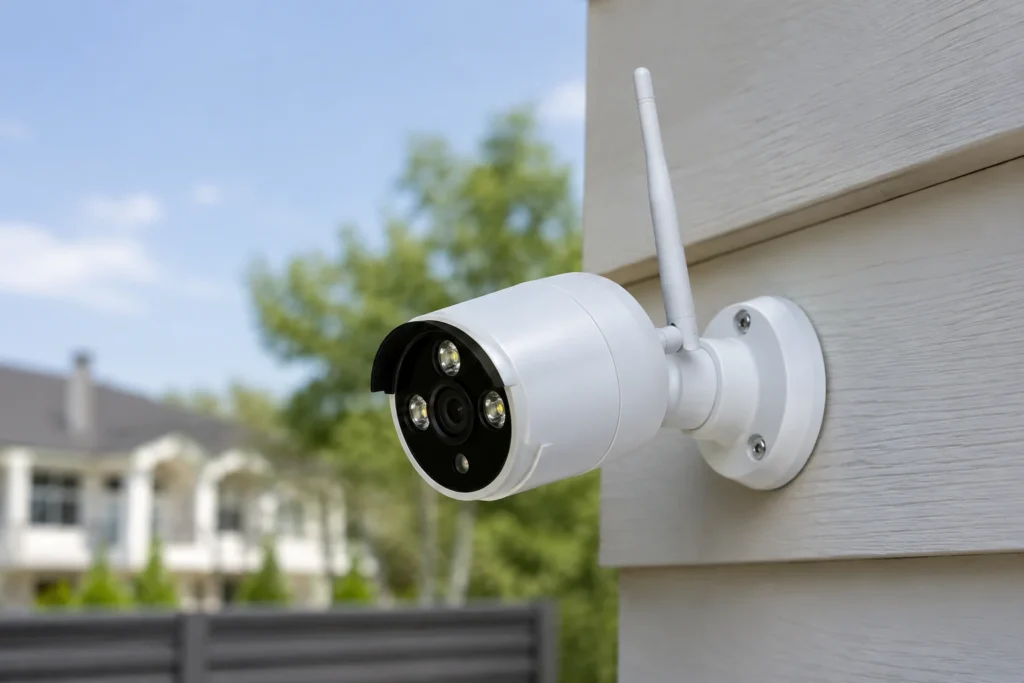
Running cable through walls, ceilings and eaves used to be the main barrier to getting a proper camera system installed at home. Wireless security cameras for house use removed most of that friction — no chasing walls, no drilling through brick veneer, and a system that can go up in hours rather than days. That’s part of why house security cameras wireless setups have become the default recommendation for most residential jobs, renters included.
This guide covers the camera types worth considering, where to place them, what features matter, and where hidden cameras for house security fit into Australian privacy law.
Why Choose Wireless Over Wired for a House
A wireless security camera for house use isn’t automatically the right call for every property, but for most homes it solves more problems than it creates:
- No structural cabling — ideal for rendered walls, heritage-listed homes, or rentals where drilling isn’t an option;
- Faster installation — most residential wireless systems go up in a single visit;
- Flexible relocation — cameras can move with changing sightlines, new landscaping, or a house move;
- Battery or solar power options — useful for gates, sheds and driveways without nearby power points;
- App-based monitoring — live view and playback from a phone, without a dedicated on-site monitor.
The trade-offs are mainly around battery maintenance and Wi-Fi range, both of which a proper site assessment accounts for.
Types of Wireless Security Cameras for the House
| Camera Type | Best For | Power Source | Notes |
|---|---|---|---|
| Battery-powered outdoor camera | Driveways, gates, side access | Rechargeable battery | Needs periodic recharging, typically every 1–3 months |
| Solar-assisted camera | Sunny, exposed outdoor spots | Battery + solar panel | Reduces recharge frequency significantly |
| Video doorbell camera | Front entrance | Battery or hardwired to existing doorbell wiring | Combines entry monitoring with two-way audio |
| Indoor Wi-Fi camera | Living areas, hallways | Mains-powered, plugged in | Continuous power avoids battery cycling indoors |
| Wireless cctv camera for house with local hub | Whole-property coverage | Mains-powered hub, battery cameras | Balances wireless flexibility with more reliable recording |
Where to Place Wireless Cameras Around a House
Camera placement determines whether footage is actually usable later. Priority spots for a house:
- Front door — face height, wide enough to capture visitors and deliveries;
- Driveway and garage — covers vehicle access and common break-in entry points;
- Side and rear gates — frequently overlooked, frequently used by intruders;
- Backyard and rear entry doors — a common access point out of street view;
- Ground-floor windows — especially those hidden from the street by fencing or landscaping;
- Shed or detached garage — separate structures often have weaker security than the main house.
A typical house is well covered with 4–6 cameras across these zones; larger blocks or properties with multiple access points may need more.
Features to Look For in a Wireless Security Camera for the House
| Feature | Why It Matters | Priority |
|---|---|---|
| 1080p–4K resolution | Clear enough to identify faces and number plates on playback | High |
| Night vision / colour night vision | Covers the hours when most break-ins occur | High |
| Motion-triggered alerts | Notifies you the moment activity is detected | High |
| Local + cloud storage | Protects footage if the camera or hub is stolen | High |
| Two-way audio | Lets you speak to visitors or warn off an intruder remotely | Medium |
| Weatherproof rating (IP65+) | Essential for anything mounted outdoors | High |
| Long battery life or solar charging | Reduces maintenance for hard-to-reach cameras | Medium |
| Wi-Fi range extenders/mesh compatibility | Keeps distant cameras (sheds, gates) connected reliably | Medium |
Hidden Cameras for House Security: What’s Legal in Australia
A hidden camera for house security raises different questions to a visible camera mounted on the eaves. The core legal points across Australian states:
- Filming your own property is generally lawful — a hidden camera for house security aimed at your own entry points, yard or driveway is not, by itself, illegal in most states;
- Filming into a neighbour’s property is where it gets risky — surveillance devices legislation in most states restricts recording another person’s private activities without consent, even from your own land;
- Audio recording has stricter rules than video — several states require consent from all parties to record a private conversation, which matters if a hidden camera also records sound;
- Shared or rental properties need extra care — hidden cameras for house security inside a share house or a property with tenants can raise consent issues if they capture other occupants’ private spaces;
- Covert cameras used for reasons beyond security — using a hidden camera to monitor a partner, ex-partner or another individual without their knowledge can cross into stalking or harassment offences, regardless of intent.
If a hidden camera is intended to also cover a boundary, a shared driveway or anything a neighbour might reasonably expect privacy in, it’s worth checking state surveillance device laws before installing it, rather than after a complaint is raised.
Wireless vs Wired: Which Suits a House Better
| Factor | Wireless | Wired |
|---|---|---|
| Installation | Fast, minimal drilling | Slower, requires cable runs |
| Reliability | Dependent on Wi-Fi signal strength | Stable, unaffected by network congestion |
| Power | Battery or solar, needs periodic charging | Continuous, no charging required |
| Suitability for renters | High — minimal property changes | Low — landlord approval usually needed |
| Best for | Gates, sheds, driveways, rentals | Permanent installs, larger properties, high camera counts |
Many homes end up with a mix — a wired core system covering the main structure, with wireless cameras added at the gate, shed or driveway where cabling isn’t practical.
Installing a Wireless Security Camera System at Home
- Walk the property — identify entry points, blind spots and any structures needing separate coverage;
- Check Wi-Fi coverage — confirm signal strength reaches planned camera locations, or plan for a mesh extender;
- Select camera types — matching each location to battery, solar or mains-powered options;
- Mount and pair — position at the correct height and angle, then connect to the home network or hub;
- Configure alerts and storage — set motion zones, notification preferences and retention period;
- Test coverage — confirm no blind spots remain and footage is genuinely usable, not just present.
A Practical Example: Fitting Wireless Cameras to an Existing House
A weatherboard house on a corner block in Melbourne’s south-east has three access points to cover: a front door facing the street, a side gate leading to the backyard, and a detached garage with no nearby power point. The site assessment rules out running cable to the garage — too much brick and no easy path — so the plan lands on a mix: a wired video doorbell on the front porch (using existing doorbell wiring), a solar-assisted battery camera on the side gate, and a battery camera under the garage eave, all linked through a local hub for combined app access.
Installation takes half a day. The only ongoing task is a battery swap on the garage camera roughly every ten weeks, since it gets less direct sun than the gate camera. That’s a fairly typical outcome for a house without existing cabling — wireless cameras end up placed for coverage and access, not forced into whatever spot already has a power point.
Want wireless security cameras for your house placed exactly where they’ll actually catch something? SIPKO Security assesses Melbourne homes on-site and builds a camera plan around your property’s real access points, not a generic kit. Go to contacts

FAQ
Are wireless security cameras for house use as reliable as wired systems?
For most homes, yes — provided Wi-Fi coverage is solid at each camera location. Wired systems still edge ahead for large properties or where absolute uptime matters, such as a home with a business run from it.
Is it legal to install a hidden camera for house security?
Generally yes, if it’s aimed at your own property and used for a legitimate security purpose. It becomes legally risky when it captures a neighbour’s private activities, includes audio without consent, or is used to monitor a specific person without their knowledge.
How long do wireless camera batteries typically last?
Most battery-powered outdoor cameras run for 1 to 3 months between charges, depending on how much motion activity triggers recording. Solar-assisted models extend this significantly in sunnier locations.
Can wireless security cameras for the house work without an internet connection?
Most rely on Wi-Fi for live viewing and cloud storage, but many models still record locally to an SD card or hub if the internet drops, syncing footage once connectivity returns.
Do I need a professional to install a wireless cctv camera for a house?
Basic single-camera setups are often DIY-friendly. Whole-property coverage with multiple cameras, mesh networking and proper angle planning tends to perform noticeably better with a professional site assessment.



