

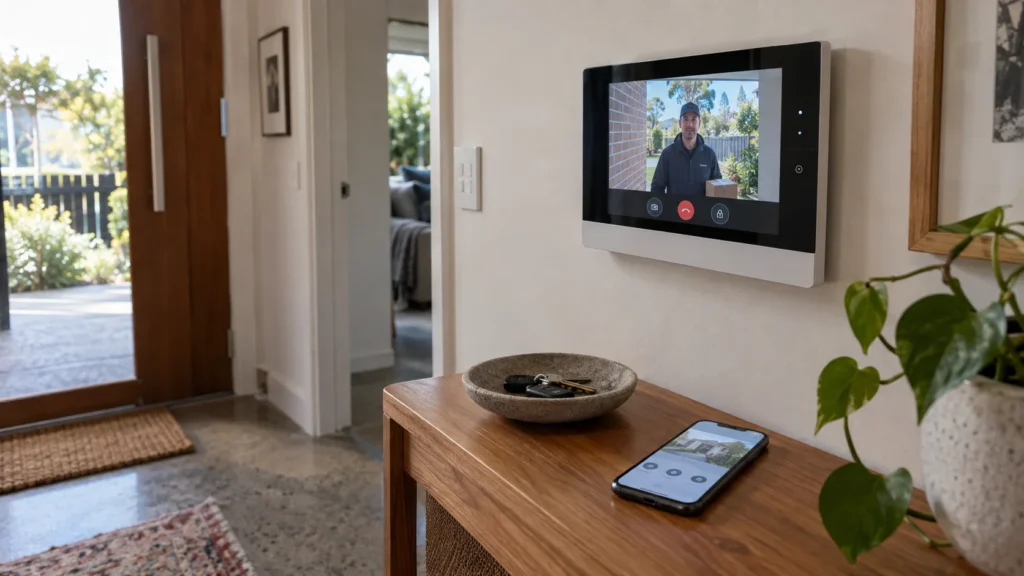
Visitor presses the button at the entrance. The indoor monitor rings. You can see and speak to them normally. But the phone stays silent.
If the indoor monitor works, why doesn’t the app? Not necessarily because the intercom itself has failed — the local intercom and the remote app path are not the same thing, and the fact that one is working tells you something useful about where the problem probably isn’t.
What Does It Tell You If the Indoor Intercom Still Works?
A working indoor station confirms several useful things about the part of the system you can actually observe:
- The visitor call is reaching the indoor station.
- Local answering is still available.
- Local audio and video may still be operating normally.
What it does not confirm is that the whole intercom system is healthy. Working locally only tells you that the functions you have actually tested are still working.
Why Can the Mobile App Fail While the Indoor Station Still Works?
Local operation and remote operation aren’t the same task for an intercom system, even though they can feel like two views of the same thing.
The easiest way to understand the difference is to separate the two paths.
Local operation may involve:
- visitor at the door station;
- the intercom system;
- the indoor station.
Remote operation may additionally involve:
- the property’s network;
- internet connectivity;
- a manufacturer remote service or cloud platform, where applicable;
- the mobile app.
LOCAL INTERCOM PATH ≠ REMOTE MOBILE PATH
The exact architecture varies by manufacturer, model and configuration — not every system is built the same way.
But the underlying principle holds across the ecosystems where it’s documented. Hikvision’s own documentation for its all-in-one indoor stations shows this distinction directly: local functions like receiving intercom calls and live viewing happen on the indoor station itself, while mobile access runs through a separate chain — router, internet, and the Hik-Connect cloud service. Dahua’s video intercom documentation describes something similar: the indoor monitor’s base operation runs over its own cable, while Wi-Fi connectivity is described as a separate requirement specifically for enabling remote intercom, monitoring and door release through the DMSS mobile app. In both cases, mobile functionality depends on more components than local functionality does, so a working indoor station doesn’t automatically mean those additional components are working too.
Is the Phone Not Ringing — or Is Remote Access Completely Offline?
This distinction matters more than it might seem.
The notification is missing, but other remote functions still work
The app opens, the system appears available, and other supported remote functionality — like live viewing, if the system offers it — still works. The specific thing that’s missing is the visitor-call alert itself.
Remote functionality is unavailable more broadly
The system may appear offline in the app, or supported remote viewing and answering may also be unavailable. In this case, the observed problem extends beyond the visitor-call notification alone.
No notification doesn’t necessarily mean no remote connection at all. These can be different points of failure in the same chain, and telling them apart is worth doing before assuming a fix.
Which Part of the Remote Path May Need Attention?
Once local operation is confirmed and the missing function is identified, the remaining question is which part of the remote path is actually involved. These aren’t fixes — they’re categories worth understanding before diagnosis.
- Network connectivity — remote functionality depends on connectivity beyond what local operation needs. A property’s network being fine for everyday use doesn’t automatically confirm it’s working correctly for the intercom’s remote path specifically.
- Remote service or platform — where the system uses a manufacturer’s cloud or remote service (as Hikvision and Dahua’s systems do), that service is a distinct link in the chain, separate from the property’s own network.
- Device or account association — depending on the system, remote access may require the intercom to be correctly associated with an authorised account or mobile device. A working local system does not confirm that this remote association is intact.
- Mobile app — the app itself is another point in the remote chain. A problem affecting the app or its connection to the remote service can produce different behaviour from the indoor station.
- Phone notification behaviour — receiving a visitor-call alert isn’t necessarily the same thing as the app having a working connection to the system at all.
None of these categories tell you which one is actually responsible. They just tell you where a real diagnosis would need to look.
Why the Symptom Does Not Tell You the Exact Cause
A working indoor station narrows the problem. It doesn’t solve it.
It doesn’t prove the property’s internet connection is fine. It doesn’t prove the manufacturer’s remote service is reachable. It doesn’t prove the phone’s notification settings are correct, that the account is properly linked, or that the app itself is functioning as intended.
What it does establish is that the failure is not affecting every observed function in the same way — which is a useful starting point, not a diagnosis.
What Can You Check Without Reconfiguring the Intercom?
Before calling for diagnosis, it’s worth gathering a clear picture of what’s actually happening — observation only, nothing that changes how the system is configured:
- Does the indoor station receive the visitor call?
- Do local audio and video work as expected?
- Does the mobile app open normally?
- Does the system or device appear available in the app?
- If the system supports it, are any other remote functions still working?
- Is the visitor-call notification the only thing missing?
- Does the same behaviour affect another authorised user or device, if there is one?
- When did the problem start?
- What intercom brand and model are installed?
This is about collecting useful information, not repairing anything yourself.
Does the Intercom Brand or Mobile App Matter?
Yes, because the remote architecture genuinely isn’t identical across manufacturers. Hikvision and Dahua provide examples of this difference: documented Hikvision systems can use Hik-Connect for mobile access, while documented Dahua video intercom systems can use DMSS. Each represents its own remote service with its own way of linking devices, accounts and notifications.
The diagnostic principle — local operation and remote operation depending on different parts of the system — holds across these examples. But the actual remote path, and what needs checking within it, is specific to the system installed. A generic answer that ignores the brand and model risks missing exactly the layer that’s actually causing the problem.
When Does the Problem Need Professional Diagnosis?
Once local operation has been confirmed and the problem appears limited to mobile or remote functionality, the useful next step is diagnosing the relevant remote-side components — not assuming the whole intercom needs replacing. That’s part of what intercom repairs in Melbourne with SIPKO looks at: identifying which specific part of the system needs attention before recommending a fix.
Reviewing a strata intercom system in Melbourne also means identifying who administers resident accounts and the remote-access service, so the manager can distinguish a failed app invitation from a shared entrance fault.
FAQ
Why does my indoor intercom ring but not my phone?
Local and remote operation depend on different parts of the system. A working indoor station confirms the local path is functioning — it doesn’t confirm the remote/mobile path is, since that path may depend on additional components such as network connectivity, a manufacturer remote service where applicable, and the app itself.
Does this mean my internet connection is the problem?
Not necessarily. Network connectivity is one possible part of the remote path, but the symptom alone doesn’t establish that it’s specifically responsible. Depending on the system, other parts of the remote path — such as the remote service, device or account association, the app itself or phone notification behaviour — may also be involved.
Why can the intercom appear in the app but not send visitor-call notifications?
This can happen because remote connectivity and notification delivery are different things. The app having a working connection to the system doesn’t automatically mean every type of alert is being delivered correctly to your phone.
Do all video intercoms connect to mobile apps in the same way?
No. The remote architecture, services used and configuration depend on the manufacturer and system — Hikvision and Dahua systems, for example, use different remote platforms with different ways of linking devices and accounts.
Sources



