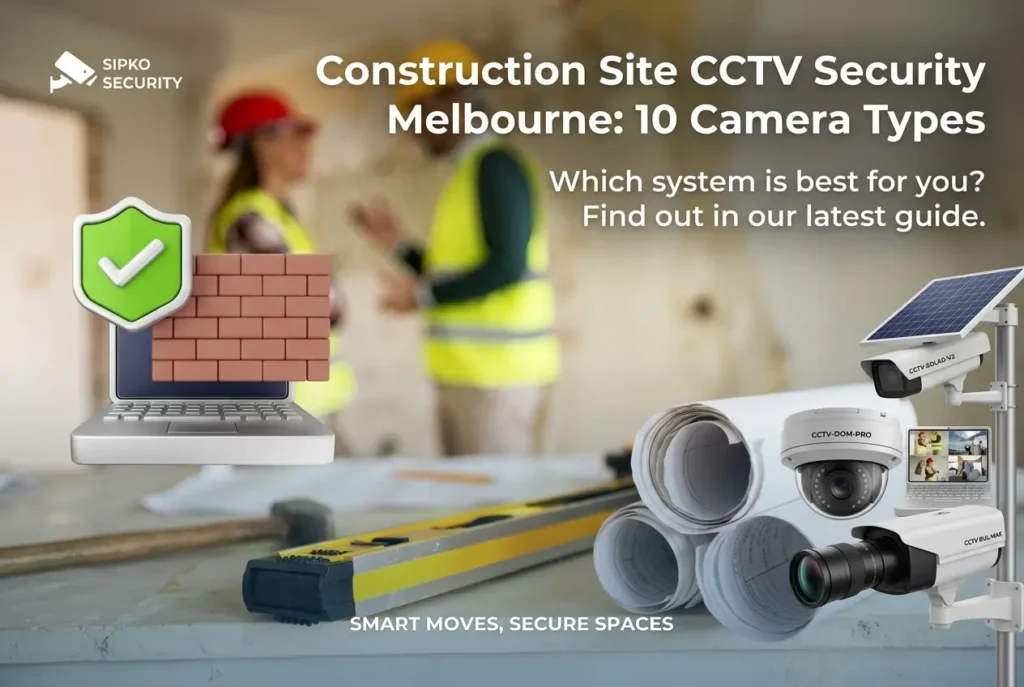
10 Essential CCTV Cameras for Construction Site Security: Melbourne Guide 2026
Construction theft costs Australian businesses over $1 million every week. On a typical Melbourne building site, equipment theft, material vandalism, and afterhours access breaches can delay projects, inflate costs, and compromise worker safety. This is why construction site CCTV security has become essential.
This comprehensive guide covers the 10 essential CCTV camera types specifically suited to construction environments. We’ve written this from the perspective of a licensed security installer who’s deployed surveillance systems across Melbourne’s building sites, from high-rise Southbank projects to suburban residential renovations. We understand the unique challenges: temporary installations, extreme weather, theft-prevention requirements, and the need for evidence that holds up in court.
Whether you’re securing equipment yards, monitoring material cages, tracking afterhours intrusions, or documenting construction progress, this guide walks you through every camera type, real-world applications, installation best practices, and honest cost breakdowns. We also explain how integrated alarm systems can amplify your CCTV effectiveness by triggering sirens and alerts the moment motion is detected.
1. Why Construction Sites Need Specialized CCTV
Construction sites face unique security challenges. Unlike fixed residential or commercial properties, construction environments are: temporary, constantly changing, populated by multiple contractors, filled with high-value equipment, and often exposed to weather extremes. Standard home CCTV systems simply aren’t designed for these conditions.
The theft problem is real. According to research from the Australian Institute of Criminology, construction site theft accounts for significant losses annually. In Melbourne specifically, high-rise developments in Southbank, Docklands, and inner-city precincts have reported substantial equipment losses. Mobile phones, power tools, materials, and even partial structural components disappear regularly.
Weather is a major factor. Melbourne’s climate is notoriously variable, hot, dry summers with intense UV; cold, wet winters with driving rain; and coastal salt spray in bayside areas. Standard IP54-rated cameras fail quickly in these conditions. Construction site cameras need IP65+ rating, weatherproof housing, and corrosion-resistant materials.
Temporary installations matter. Unlike permanent security systems, construction CCTV needs to be deployed fast, moved between locations, and eventually removed without damaging property. Mobile surveillance towers, portable NVR systems, and easy-to-relocate cameras are essential.
Construction theft costs Australian businesses over $1 million every week, making security a critical business decision.
Construction cameras must be sealed against rain, dust, and salt spray. Lower ratings fail within months in Melbourne conditions.
Typical sites have 15-50 contractors accessing different zones daily, requiring flexible multi-zone monitoring.
Police and insurance require 4K resolution for facial/license plate recognition in theft investigations.
2. Dome Cameras: Discreet & Vandal-Resistant
Dome cameras are the most popular choice for construction sites because they’re discreet, durable, and intimidating to potential thieves. The dome-shaped casing protects the lens and makes it impossible to see where the camera is pointing, a psychological deterrent that’s highly effective.
Why Dome Cameras Work for Construction
- Vandal-resistant: The dome casing protects the lens from direct impact, making it harder to disable by throwing objects.
- Discreet appearance: Smaller profile than bullet cameras, blends into site offices and equipment areas.
- IP67 rated: Can handle heavy rain, dust, and moisture, critical for Melbourne weather.
- Wide viewing angle: Most dome cameras offer 110-130° field of view, covering large areas.
- Cost-effective: Generally $200-$600 per camera, lower than PTZ or thermal alternatives.
Best Uses on Construction Sites
- Equipment storage cages and tool yards
- Site office entry/exit points
- Material laydown areas
- Secured parking zones for contractor vehicles
- Stairwells and internal access routes on multi-level sites
Deployment Tips
- Height placement: Mount at 2.5-3 metres to capture faces and details without being within reach.
- Corrosion protection: Use stainless steel brackets in coastal areas (salt spray accelerates rust).
- Cable management: Route cables through weatherproof conduit to prevent moisture ingress.
- Power supply: Use PoE (Power over Ethernet) to reduce cable runs and simplify installation.
Recommended Brands for Construction
Hikvision DS-2CD2147G2-LSU: 4K, IP67, 120° viewing angle, 30m night vision. Popular choice for site security. Learn more about Hikvision for construction.
Dahua IPC-HDBW2433E-Z: 4MP, ultra-wide 112° lens, excellent low-light performance. Good for tight spaces.
Uniview IPC322SR-DVS28: 2MP, compact design, 120° lens. Budget-friendly option for temporary coverage.
3. Bullet Cameras: Long-Range Perimeter Security
Bullet cameras are your first line of defense against unauthorized access. Their elongated design houses high-powered zoom lenses that can capture faces and license plates from 50+ metres away, essential for identifying intruders approaching your site boundaries.
Why Bullet Cameras Work for Construction Perimeters
- Long-range zoom: 5-30x optical zoom captures detail at extreme distances (license plates, faces, equipment markings).
- Optical vs digital zoom: Optical zoom maintains clarity; digital zoom pixelates. Bullet cameras use optical.
- 4K resolution: 8MP+ cameras capture fine detail needed for forensic evidence and insurance claims.
- IR night vision: 50-100m infrared range for after-hours monitoring when site is unoccupied.
- Visible deterrent: Obvious positioning signals “this site is monitored”, powerful theft prevention.
Best Uses on Construction Sites
- Perimeter fence line monitoring (captures approaching intruders)
- Access gate coverage (identifies license plates)
- Parking area monitoring (vehicle security)
- Long corridors or roadways within site
- Crane/elevated work zones (overview documentation)
Deployment Best Practices
- Mount height: 4-6 metres for perimeter coverage, angled downward to avoid glare from headlights.
- Spacing: Position bullets 30-50 metres apart along fence lines for continuous overlap.
- Zoom calibration: Pre-focus on known distances (fence line, gate entrance) so operators know exact zoom levels needed.
- Weather protection: Use sun hoods and rain shrouds in coastal areas to protect lens elements.
Recommended Bullet Cameras
Hikvision DS-2CD2T47G2-L: 4K, 5MP, 50m IR, excellent zoom for perimeter work.
Dahua IPC-HFW2533S-Z: 5MP, 2.7-12mm motorized zoom, ideal for variable distance focus.
Uniview IPC322SR-VVS28-U: 2MP, wide angle, good for close-range gate monitoring.
4. PTZ Cameras: Flexible Large-Area Coverage
PTZ = Pan, Tilt, Zoom. These motorized cameras can rotate left/right (pan 350°), tilt up/down (90°), and zoom in/out. A single PTZ camera can cover what would normally require 4-6 fixed cameras, making them ideal for large construction sites where equipment is valuable and mobile.
Why PTZ Cameras Work for Large Sites
- One camera covers multiple areas: Single PTZ can monitor entry gate, equipment yard, and parking in sequence.
- Remote operator control: Security staff can pan/tilt/zoom to follow suspicious activity in real-time.
- Automated patrol modes: Pre-program tours that cycle through key zones automatically (gate→yard→parking→fence).
- High-resolution zoom: 20-30x optical zoom captures detail from extreme distances.
- AI-powered tracking: Modern PTZ cameras can auto-follow detected intruders across the site.
Best Uses on Construction Sites
- Large open sites (10+ hectares) where fixed cameras can’t cover all areas
- Multi-building complexes with dispersed equipment
- Sites with active after-hours security patrols (camera follows where staff goes)
- High-value equipment staging areas (camera focuses on expensive items)
- Major access points requiring detail capture (face recognition, license plates)
Technical Considerations
- Speed: Premium PTZ cameras pan 350° in 3 seconds (catch fast-moving intruders).
- Latency: Coaxial connection (slower, hardwired) vs IP network (faster, real-time). Use PoE+ for modern sites.
- Backup presets: Save 10+ preset positions (gate, yard corner, fence breach point) for instant recall.
- IR performance: High-quality PTZ units have 100m+ infrared illumination for night operations.
Recommended PTZ Cameras
Hikvision DS-2DF8236IV-AEL: 2MP, 36x optical zoom, 100m IR, high-speed pan for tracking.
Dahua SD23204T-GN: 2MP, 4mm-92mm zoom, good value for medium sites.
Uniview IPC623W-VE: 2MP, 22.5x zoom, compact design for rooftop mounting.
5. Turret Cameras: Versatile Indoor/Outdoor Solution
Turret cameras are the “Swiss Army knife” of construction surveillance. They combine the discreet profile of a dome with the flexibility of a bullet, offering good zoom, excellent weather sealing, and easy repositioning. They’re becoming increasingly popular for site managers who need fast, adaptable coverage.
Why Turret Cameras Work for Construction
- Easy repositioning: Ball-joint mount allows 360° rotation without removing brackets, fast adjustments between phases.
- Low-profile: Smaller than bullet cameras but more capable than domes, suitable for site offices and temporary structures.
- IP67 rating: Fully sealed against weather, performs in Melbourne’s coastal humidity and rain.
- 3-6MP options: Balance between detail capture and storage requirements.
- Fixed lens options: 2.8mm to 12mm options provide flexibility without motorized complexity.
Best Uses on Construction Sites
- Site office monitoring (entry/exit, staff areas)
- Tool and equipment storage areas
- Temporary structures (site sheds, portable offices)
- Material stockpiles and laydown areas
- Stairwells and corridor access on multi-level sites
- Internal perimeter monitoring within secured compounds
Deployment Advantages
- Quick installation: Bracket once, reposition camera hundreds of times without tools.
- No cable replacement: Rotate camera on fixed arm, fewer connection issues.
- Temporary mounting: Magnetic base or adhesive mount for rapid deployment on metal structures.
- Weather durability: Sealed lens housing prevents condensation, critical in Melbourne humidity swings.
Recommended Turret Cameras
Hikvision DS-2CD2143G2-I: 4MP, IP67, 110° viewing angle, 30m night vision. Excellent all-rounder for sites.
Dahua IPC-HDW2325C-A-VP: 2MP, compact, 110° angle, good for temporary structures with limited mounting space.
Uniview IPC318SE-AM: 3MP, wide angle, excellent low-light performance for covered work areas.
6. Thermal Imaging Cameras: Nighttime Detection Without Compromise
Thermal imaging cameras detect heat signatures rather than light. They work in complete darkness without infrared illumination, a critical advantage when you need to detect intruders without alerting them to the presence of surveillance. For after-hours construction site protection, thermal cameras are becoming essential.
Why Thermal Works for Construction After-Hours
- Complete darkness operation: No IR reflection, no visible light, intruders have no idea they’re being monitored.
- True night vision: Infrared cameras can be defeated by IR blocking; thermal cannot.
- Fog/rain penetration: Thermal cameras see through fog, rain, and dust where regular cameras fail.
- Intruder identification: Detect warm bodies moving through a site from 100+ metres away.
- Accident prevention: Identify workers in poor visibility during early/late shift work.
Real-World Performance: Melbourne Context
- Coastal fog: Bayside sites experience morning fog that defeats regular cameras. Thermal penetrates completely.
- Heavy rain: Melbourne’s winter storms obscure normal cameras; thermal operates unaffected.
- Vehicle detection: Thermal identifies vehicle approach 300+ metres before standard cameras, time to alert security.
Best Uses on Construction Sites
- After-hours perimeter monitoring (catches intruders before they reach valuable equipment)
- High-value equipment storage areas (24/7 detection without illumination)
- Multi-building complexes (covers fields and open areas between buildings)
- Coastal sites in Bayside suburbs (fog-resistant monitoring)
- Night shift work areas (worker safety and activity logging)
Thermal Camera Specifications
- Resolution: Thermal cameras are lower resolution (320×256 to 640×512 pixels) but sufficient for heat signature detection.
- Range: Detect humans from 300m+, vehicles from 600m+ (distance varies by ambient temperature).
- Cost: $3,000-$8,000 per camera (more expensive than visible light, but justify by theft prevention).
- Sensitivity: Adjustable temperature thresholds to reduce false alerts (distinguish animals from humans).
Recommended Thermal Cameras
FLIR FC-Series 324: 320×256 resolution, 9.1° lens, 300m detection range. Professional-grade for large sites.
Hikvision DS-2TS16-50UCV: 50mm lens, 300m+ range, waterproof for Melbourne weather.
Uniview IPC672-LP: 640×512 thermal, 25mm lens, excellent for urban construction sites with obstacles.
7. Fisheye Cameras: 360° Coverage With No Blind Spots
Fisheye cameras capture an ultra-wide 180-360° field of view in a single frame. Unlike multiple fixed cameras, one fisheye eliminates blind spots entirely, no intruder can hide from a camera positioned at ground level or high on a mast.
Why Fisheye Cameras Work for Construction
- One camera covers all directions: 360° coverage means no hidden approach routes.
- Blind spot elimination: Covers walls, ceilings, blind corners, everything in radius.
- Software de-warping: Modern NVRs automatically un-distort the fisheye image for viewing and evidence.
- Cost-effective: One $800 fisheye replaces three $400 conventional cameras.
- High resolution: 8MP+ fisheyes provide detail in 360° view.
Best Uses on Construction Sites
- Central staging areas (equipment storage surrounded by open space)
- Site office areas (covers all approach routes)
- Equipment cage centers (single point covers entire perimeter)
- Large open parking areas (one camera covers many vehicles)
- Multi-zone monitoring (covers multiple activity areas from single high point)
Deployment Considerations
- Mounting height: 3-5 metres high for best coverage of approach routes.
- Positioning: Central location optimal, corners and edges cause distortion.
- Software support: Ensure your NVR supports fisheye de-warping (not all systems do).
- Zoom limitations: While software can zoom into the 360° view, detail decreases. Not ideal for license plates.
Recommended Fisheye Cameras
Hikvision DS-2CD6365G0-IVS: 6MP, 360°, IP67, excellent clarity in de-warped view.
Dahua IPC-EBW8631: 8MP fisheye, 360°, motorized zoom, 30m night vision.
Uniview IPC321SR-DVS: 2MP, 180-360° options, compact, good for smaller staging areas.
8. IP Cameras: Remote Access & Mobile Monitoring
IP cameras transmit video over network connections (Ethernet or WiFi). Unlike older analog cameras requiring dedicated cabling, IP cameras integrate into your existing network infrastructure. This makes them ideal for construction sites where you need remote access from a phone or computer.
Why IP Cameras Work for Construction
- Remote monitoring: View live footage from anywhere (site office, project manager’s car, home).
- Easy installation: PoE (Power over Ethernet) requires single cable, combines power + video + data.
- Scalability: Add cameras without increasing cabling complexity (all on same network).
- Mobile alerts: Real-time smartphone notifications when motion is detected.
- Cloud backup: Automatic cloud storage of critical footage (survives NVR theft).
- Integration ready: Compatible with Ajax alarm systems for unified monitoring.
Best Uses on Construction Sites
- Remote project monitoring (project managers check progress/security from Melbourne CBD)
- Multi-location sites (different precincts on same network)
- Temporary installations (quick deployment without permanent cabling)
- Mobile work equipment tracking (cranes, excavators, temporary structures)
- After-hours staffing (lone security guard monitors multiple locations from office)
Technical Requirements
- Network bandwidth: 4K IP camera = 5-10 Mbps per camera. Confirm site internet can handle multiple cameras.
- NVR/NAS storage: Local network storage for reliable recording (cloud is supplement, not primary).
- Cybersecurity: Change default passwords, use strong encryption, separate security network if possible.
- Redundancy: Use PoE injectors with battery backup so recording continues if power fails.
Recommended IP Cameras
Hikvision DS-2CD2343G2-I: 4MP, PoE, 110° angle, exceptional value for construction.
Dahua IPC-HDBW2433E-Z: 4MP, 2.7-12mm zoom, excellent for variable-distance monitoring.
Uniview IPC322SR-DVS28: 2MP, PoE, compact, budget-friendly for temporary coverage.
9. Mobile Surveillance Towers: Rapid Deployment & Flexibility
Mobile surveillance towers are self-contained camera systems on wheeled masts. Deploy one morning, operate all day, remove at end of week. Perfect for temporary construction security needs without permanent installation overhead.
Why Mobile Towers Work for Construction
- Rapid deployment: Set up in 30 minutes, operational in 1 hour.
- No infrastructure needed: Batteries power the system, no electrical connections required.
- Multiple mounting heights: Telescoping mast extends 3-8 metres for elevation without cranes.
- Multi-camera capability: Mount 2-4 cameras per tower for redundancy and multi-angle coverage.
- Relocatable: Move between phases or sites without installation costs.
- Weather-resistant: Designed for outdoor exposure, better than office cameras in field conditions.
Best Uses on Construction Sites
- Short-term projects (weeks/months, not years)
- Rotating location needs (security focus changes as site progresses)
- High-theft equipment areas during specific phases
- Special events (VIP site visits, milestone documentation)
- After-hours monitoring during vulnerable shutdown periods
Tower System Components
- Mast: Pneumatic or manual telescoping pole, typically 3-8 metres extended height.
- Power: Battery pack (solar optional) provides 8-24 hours depending on camera load.
- Cameras: Usually 2-4 PTZ, bullet, or dome cameras depending on model.
- Storage: On-board NVR or SD card backup with cloud sync option.
- Mobility: Lockable wheels for positioning; ballast bags prevent tip-overs in wind.
Cost Considerations
- Purchase: $8,000-$15,000 for quality 4-camera tower system.
- Rental: $400-$600/week for short-term needs (often better than purchase for one-time use).
- Installation: $200-$500 delivery and setup fees.
- Maintenance: Battery replacement, camera lens cleaning, software updates.
Recommended Mobile Tower Systems
Hikvision Mobile Surveillance System: 4-camera configuration, 6-hour battery, 5-8m mast height.
Dahua Portable Surveillance Tower: 2-PTZ camera setup, solar option, excellent night vision.
Third-party rental companies in Melbourne: Ausecurity, Surveillance Direct, and local security firms offer weekly rentals for $400-$600. Sipko Security coordinates with these rental partners and manages tower deployment as part of your integrated security plan, positioning, network integration, and ongoing maintenance.
10. Ajax Alarm Integration: CCTV + Motion Detection Synergy
Combining Video Surveillance with Motion Detection Alarms
CCTV cameras alone provide documentation. But when you add Ajax motion-detection alarms, you get active threat response. Here’s how:
- Motion sensor detects movement in restricted zone (after hours, equipment yard)
- Ajax hub triggers siren (110dB horn or building alarm)
- CCTV camera captures video of intruder’s response to alarm
- Live footage sent to monitoring centre for real-time response
- Security dispatch or police notified with video verification
This integrated approach stops theft before it happens. Intruders hearing a loud siren typically flee the site, preventing loss entirely rather than just documenting it afterward.
Recommended Ajax-CCTV Configurations
- Equipment yard: Ajax MotionProtect Plus sensors at key entry points + dome CCTV for overview. When motion detected after hours → siren sounds + footage captured.
- Perimeter fencing: Ajax perimeter protection barriers + bullet CCTV for long-range capture. Detects fence climbing or cutting.
- Building access: Ajax DoorProtect sensors on all external doors + turret cameras for identification. Unauthorized entry triggers alarm.
- High-value equipment: Ajax + video verification. When expensive excavator or crane is moved, motion triggers alarm + video capture proves theft in progress.
Equipment theft that CCTV documents = $50,000+ loss. Equipment theft prevented by siren = $0 loss. The cost of adding alarm integration ($1,500-$3,000) pays for itself after one prevented theft. Learn more about Ajax alarm systems for construction security.
11. Cost Breakdown: Budget vs. Professional Systems & ROI Analysis
What does construction CCTV actually cost in Melbourne? Here’s an honest breakdown of different system tiers, what you get at each level, and realistic ROI calculations.
Budget Construction System ($5,000-$10,000)
- Equipment: 4-6 dome cameras (2-4MP), local NVR, basic switches and cabling
- Installation: $800-$1,500 professional setup
- Monitoring: Self-monitored via phone app (no 24/7 monitoring centre)
- Features: Motion detection, email alerts, local storage only
- Best for: Small residential renovations, short-term projects, budget-conscious clients
Mid-Range Professional System ($15,000-$30,000)
- Equipment: 8-12 cameras (4-8MP mix: domes, bullets, PTZ), enterprise NVR, redundant storage, UPS backup
- Installation: $2,000-$4,000 professional commissioning
- Monitoring: Optional 24/7 monitoring centre ($40-$65/month)
- Features: AI object detection, mobile app, cloud backup, multi-zone control
- Best for: Medium-sized projects, multi-building sites, high-value equipment zones
Enterprise System ($40,000-$80,000+)
- Equipment: 20+ cameras (4-8MP), multiple PTZ, thermal imaging, redundant NVR, enterprise networking
- Installation: $5,000-$10,000+ comprehensive setup with network optimization
- Monitoring: 24/7 professional monitoring centre + Ajax alarm integration
- Features: AI threat detection, license plate recognition, geofencing, automated response protocols
- Best for: Major CBD developments, high-risk areas, government contracts
Monthly Operating Costs
| Cost Category | Budget System | Mid-Range | Enterprise |
|---|---|---|---|
| Professional Monitoring | $0 | $40-$65 | $80-$150 |
| Cloud Storage | $0 | $20-$30 | $50-$100 |
| Maintenance | $100-$200/year | $300-$500/year | $1,000-$2,000/year |
| Total Monthly | $8-$17 | $90-$130 | $200-$350 |
ROI Calculation: Equipment Theft Prevention
Scenario: Standard construction site with $500,000 equipment value. Typical theft loss without security: $20,000-$50,000 over 12 months.
- System cost: $20,000 (mid-range system)
- Annual operating cost: $1,200-$1,800
- Total Year 1 cost: $21,200-$21,800
- Theft prevention (conservative): 50% reduction = $10,000-$25,000 saved
- Net Year 1 benefit: -$1,200 to +$3,800 (break-even or better)
- Years 2-5 benefit: $10,000-$25,000/year (operating costs only)
Hidden Costs to Budget For
- Cable and infrastructure: Add 15-20% to equipment cost for conduit, UPS, networking gear
- Electrical work: If no PoE available, budget for additional circuits ($1,000-$3,000)
- Network optimization: Bandwidth upgrades for multiple HD cameras ($500-$1,500)
- Training: Staff training on system operation ($200-$500)
- Relocation costs: Moving cameras between construction phases ($300-$800)
12. Professional Installation: What You Need to Know
DIY CCTV installation looks simple on YouTube, but professional installation differs fundamentally. Poor placement, inadequate cabling, and suboptimal configuration result in systems that fail when you need them most. Here’s what professional installation includes:
Site Assessment & Planning
- Threat analysis: Identify high-risk zones (entry points, equipment areas, blind spots)
- Coverage mapping: Determine optimal camera positions for comprehensive coverage
- Weather analysis: Account for sun glare, wind exposure, rain patterns, salt spray (coastal)
- Network design: Plan cabling, switch placement, PoE infrastructure for reliability
- Power assessment: Ensure adequate electrical capacity or specify battery backup
Installation Phase
- Bracket installation: Professional-grade stainless steel brackets (not cheap plastic)
- Camera placement: Precise height (2.4-3m for facial capture), angle optimization
- Cabling: Weatherproof conduit, UV-resistant cable, proper strain relief
- Grounding: Proper electrical grounding to prevent surge damage
- Testing: Real-time signal verification, focus calibration, night vision testing
Configuration & Commissioning
- NVR setup: Recording profiles, retention schedules, backup automation
- User management: Access levels, password protection, audit logging
- Mobile app integration: Push notification setup, remote access testing
- Monitoring centre integration: Video verification setup if using 24/7 monitoring
- Staff training: Operator training on system use, alert response, footage retrieval
Why Professional Installation Matters
- Warranty coverage: Professional installation often includes extended equipment warranty
- Insurance compliance: Properly installed systems satisfy insurance policy requirements
- Evidence admissibility: Chain-of-custody documentation ensures video is admissible in court
- Optimal performance: Correct placement captures sufficient detail for identification and prosecution
13. Compliance & Legal Requirements in Victoria
Construction CCTV in Victoria is governed by privacy laws, security licensing, and workplace safety regulations. Failing to comply can result in fines, liability, and inadmissible evidence if prosecution is needed.
Privacy Act & Workplace Privacy
- Privacy Act 1988 (Cth): Federal law governs collection of personal information. CCTV footage is considered personal information.
- Workplace privacy expectations: Staff have reduced privacy expectations at work, but bathroom and change room recording is illegal.
- Contractor notification: All contractors working on site must be notified that CCTV is operating. Visible signage is critical.
- Data retention: Keep CCTV for minimum 7 days (for insurance claims) to 30 days (for theft investigations). Retention beyond 30 days requires documented justification.
Victorian Security Licensing
- Professional installer requirement: Installation of alarm systems integrated with CCTV requires licensed security installer (not DIY).
- Monitoring centre compliance: If using 24/7 monitoring, they must hold ASIAL Grade A1 certification.
- Documentation: Keep records of system installation, maintenance, and monitoring service activation.
Evidence & Police Requirements
- Chain of custody: Document who accessed footage, when, and why. Essential for admissibility.
- Video integrity: Ensure footage is unedited. Timestamped original files required for evidence.
- High resolution: Police typically require 4K for license plate recognition in theft investigations.
- Cooperation: Provide footage to police immediately if theft is suspected. Delay can compromise investigation.
Workplace Safety Obligations
- Safe work method statements: CCTV systems can document compliance with safety protocols, video evidence of fall protection use, etc.
- Hazard identification: CCTV can identify near-miss incidents and hazardous behaviors for corrective training.
- Incident investigation: Video evidence crucial for workplace incidents (falls, equipment collisions, etc.).
14. Frequently Asked Questions
Q: What resolution do I need for construction site CCTV?
A: Minimum 2MP for overview, 4MP for detail capture (faces, equipment markings), 8MP+ for license plate recognition. Budget systems use 2-4MP; professional systems use 4-8MP. For theft investigations requiring police involvement, 4K (8MP+) is recommended.
Q: Can construction CCTV work without internet?
A: Yes. Local NVR recording with USB/external drive backup works offline. However, remote mobile access and cloud backup require internet. Most professional systems use hybrid: local recording + cloud backup for redundancy.
Q: How long does CCTV footage retain before being overwritten?
A: Depends on storage capacity and recording resolution. Typical retention: 7-14 days for 4MP at continuous recording, 30 days for 2MP. Consider your risk profile and insurance requirements when sizing storage.
Q: Do I need professional installation or can I DIY?
A: For temporary systems (budget) with basic dome cameras, DIY is possible. For professional systems with alarms, 24/7 monitoring, or complex networking, professional installation is recommended. Poor DIY installation often fails at critical moments.
Q: How much does professional CCTV monitoring cost?
A: $40-$65/month for residential sites, $60-$100/month for commercial/construction sites. Premium services with video verification and rapid dispatch: $100-$150/month. Most plans have no lock-in contract, month-to-month available.
Q: What’s the difference between IP and analog cameras?
A: IP cameras use network cables (Ethernet/WiFi), enable remote access, support higher resolution. Analog cameras use coax cable, require local monitoring. IP is modern standard; analog is legacy. Recommend IP for new installations.
Q: Can construction CCTV integrate with alarms?
A: Yes. Ajax motion sensors can trigger sirens and automatically record when motion is detected in restricted zones. This “armed response” is highly effective theft deterrent. Learn more about alarm + CCTV integration.
Q: How many cameras do I need for a typical construction site?
A: Small site (5,000 m²): 4-6 cameras. Medium site (10,000-20,000 m²): 8-12 cameras. Large site (50,000+ m²): 15-25 cameras or mobile towers. Coverage rule: 1 camera per 3,000-5,000 m² for standard overview; 1 camera per 1,000 m² for detail capture areas.
Q: What’s the most common reason construction CCTV fails?
A: Poor placement and inadequate weatherproofing. Cameras mounted too high (can’t capture detail), too low (vandal target), or in exposed locations (corroded by salt spray). Professional assessment prevents 90% of these failures.
Q: Can I use residential security cameras on a construction site?
A: Technically yes, but not recommended. Residential cameras: lower IP rating (fail in Melbourne weather), no alarm integration, poor zoom capability, lower resolution. Professional construction cameras: designed for weather, integrate with alarms, better optics. Budget difference is small; protection difference is massive.
Professional CCTV Assessment for Your Melbourne Construction Site
Every construction site is different. Whether you’re building a high-rise in Southbank, a residential complex in the suburbs, or a renovation in a heritage area, your security needs are unique. Sipko Security conducts free site assessments for construction clients across Melbourne, we identify security gaps, recommend specific camera types and placements, and provide honest ROI projections based on your equipment value and theft risk profile.
Related Security Guides for Construction
Ajax Alarm Systems
Integrate motion-detection alarms with CCTV for active theft prevention.
Learn More →24/7 Monitoring
Professional monitoring centres provide rapid response to security threats.
Learn More →Warehouse Security
Similar principles applied to secure large storage and industrial facilities.
Learn More →