
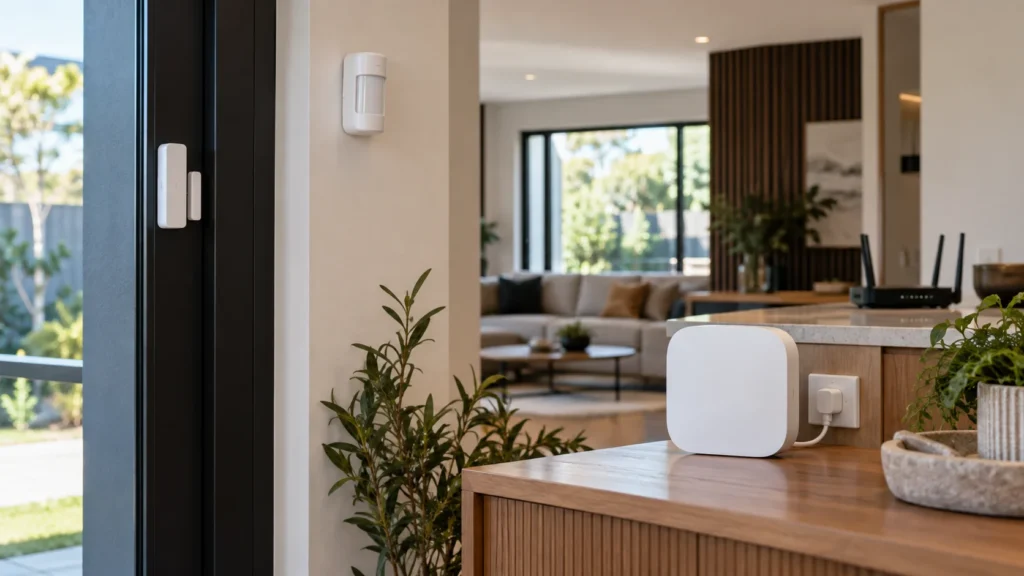
Calling an alarm “wireless” usually describes one part of it: the way the detectors talk to the control unit. It doesn’t necessarily mean those detectors use your Wi-Fi, and it doesn’t mean the whole system is free of cables, mains power or an internet connection. That gap matters when you’re trying to understand how wireless alarm systems work in practice, because different parts of the system rely on different things.
The useful question isn’t whether an alarm is wireless. It’s what keeps working when something disappears. If the internet drops out, the Wi-Fi fails or the power goes off, which parts of the alarm are still doing their job, and which aren’t?
What Is Actually Wireless in a Wireless Alarm System?
A wireless alarm is easier to understand as a set of layers than as a single box. Each layer does a different job and can fail for a different reason, so it helps to keep them apart:
The first row is the one people usually mean by “wireless”. The other three are where most of the misunderstandings start. A detector can have a perfectly good radio link to the hub while the hub has no way of reaching your phone. The hub can be running on backup power while the equipment it uses to reach the internet has none. Each layer answers a different question, and a problem in one doesn’t automatically mean a problem in the others.
Wi-Fi, Internet and Cellular Aren’t the Same Thing
These three terms get used interchangeably, but they describe different things. Wi-Fi is one way of connecting a device to a local network. The internet is the wider connection beyond it. Cellular is a separate path through a mobile network, available only on equipment built for it.
Ajax shows how much this varies between models. Its Hub (2G)/(4G) connects through Ethernet and a SIM card, and Hub 2 also uses Ethernet and mobile connectivity. Hub 2 Plus adds Wi-Fi alongside Ethernet and two SIM cards. On all of them, Ajax detectors talk to the hub over the company’s own two-way radio protocol rather than the home network.
So a system can use wireless detectors without those detectors touching your Wi-Fi at all. Whether the hub uses Wi-Fi is a separate question with a model-specific answer. If you’re still weighing up the architecture itself, that’s a different decision, covered in our guide to choosing between wired and wireless alarm systems.
Follow an Alarm From the Detector to the Response
It helps to follow a single event through the system. In broad terms, four things happen:
- Detection — a detector picks up the event it’s designed to notice, such as a door opening or movement in a room.
- Radio — the detector sends that event to the hub.
- Decision — the hub applies the system’s configuration: whether it’s armed, which area the detector belongs to, what should happen next.
- Response — the actions that have been set up for that event follow.
The last step is where the chain splits, and the branches don’t all depend on the same things.
A local response happens at the property itself: a siren sounding, or another action the system has been configured to take on site. It relies on the hub and whatever it controls locally.
Owner notifications leave the property. Ajax, for example, documents three methods: push notifications through its app, SMS and phone calls. Push notifications travel through Ajax’s cloud service over the internet, while SMS and calls go out through the hub’s mobile connection. Which of these a system offers depends on the equipment and how it’s set up.
Professional monitoring is a separate layer again. It exists only where a system has been connected to a monitoring service, and how signals reach that service depends on the setup.
Which of these responses a household needs is a decision made when planning a home alarm system as a whole, not something the word “wireless” settles.
What Changes If the Internet Goes Down?
This is where the layers start to matter. Ajax provides a documented example of how they separate when the hub loses its internet connection:
What Ajax documents when its hub loses internet access
Other wireless alarm platforms may behave differently, depending on their architecture and configuration.
The pattern is still worth noticing. Losing the internet doesn’t necessarily switch off local detection. In the Ajax example, the detector-to-hub layer can remain active while internet-dependent functions disappear: controlling the system from the app, and push alerts to your phone.
A hub with its own working mobile connection may still be able to send SMS or make calls when the home internet is unavailable, where those notification methods are enabled.
What Changes During a Power Outage?
A blackout adds another dependency, and it’s tempting to reduce the answer to “the hub has a backup battery”. That’s only part of it.
In Ajax’s documented wireless setup, the hub has backup power and wireless devices operate from their own batteries during a mains power outage. That covers the detector-to-hub layer and the hub itself. It doesn’t cover the equipment the hub may use to reach the outside world.
nbn notes that equipment relying on mains power needs its own backup supply to remain available during a blackout. In practical terms, network equipment may also go offline unless it has separate backup power. A hub can therefore stay powered while one of its external paths disappears.
During a blackout, these are separate questions:
- Does the hub have working backup power?
- Are the wireless detectors themselves powered?
- Does the router or other network equipment have backup power?
- Is another external communication path still available?
The answers can differ within the same house. An alarm can still detect and sound locally while the route it normally uses to send alerts has gone dark.
How Does the System Know a Wireless Device Has Gone Quiet?
A common worry about wireless detectors is that one could stop working without anyone noticing. In a supervised system, that’s what the hub is checking for.
Ajax’s radio protocol is two-way. The hub monitors communication with connected wireless devices and can identify when communication with one of them is lost. Device status information such as battery level and signal strength is also available to the system. A supervised detector, in other words, isn’t something that transmits only when an event happens and is otherwise out of sight.
If a device in your system already shows as offline, finding the cause is a separate job. Our guide on what to check when Ajax devices show as offline covers the usual reasons.
What This Means When You Plan a Wireless Alarm
The word “wireless” answers one question about a system. Before relying on it, it’s worth getting clear answers to the others for the specific equipment involved:
- How do the detectors communicate with the hub?
- Which external communication channels does this hub actually support?
- What stays powered if mains power fails, including the network equipment?
- Which responses happen locally at the property?
- Which alerts or reporting paths need an external connection to work?
None of these have a single right answer. A household that’s rarely away may care most about the local response. A home that sits empty for weeks at a time may care more about what reaches the owner when the internet or power drops out.
Understanding the layers is one thing. Designing the communication and power setup around a particular home is another, and that’s the work covered by our wireless alarm installation service across Melbourne.
Frequently Asked Questions
Do wireless alarm systems need Wi-Fi?
Not necessarily. In systems such as Ajax, the detectors communicate with the hub over their own radio link rather than the home Wi-Fi. The hub may use Wi-Fi, Ethernet or a mobile connection to reach the outside world, depending on the model.
Will a wireless alarm still work if the internet goes down?
Some functions may continue. Ajax documents that its hub keeps responding to events and can sound the siren without internet access, while app control and push notifications depend on that connection. SMS and calls may still work if the hub has an active mobile connection.
Do wireless alarm systems work during a power outage?
It depends on the whole power chain. Battery-powered detectors and a hub with working backup power may allow local detection and alarm functions to continue, while network equipment without its own backup may go offline. Whether remote alerts still get out depends on which external paths remain available.
Are wireless alarm sensors battery powered?
Many wireless detectors are. That doesn’t mean every part of a wireless system runs on batteries: the hub typically runs on mains power with a backup battery, and some devices need mains power too.
Sources
- Ajax Systems — Jeweller radio protocol
- Ajax Systems — Hub (2G)/(4G) Jeweller user manual
- Ajax Systems — Hub 2
- Ajax Systems — Hub 2 Plus
- Ajax Systems — How does the hub operate without the Internet connection?
- Ajax Systems — How Ajax notifies users of alerts
- Ajax Systems — How an Ajax system operates in case of a power outage
- nbn — What happens in a power blackout?

