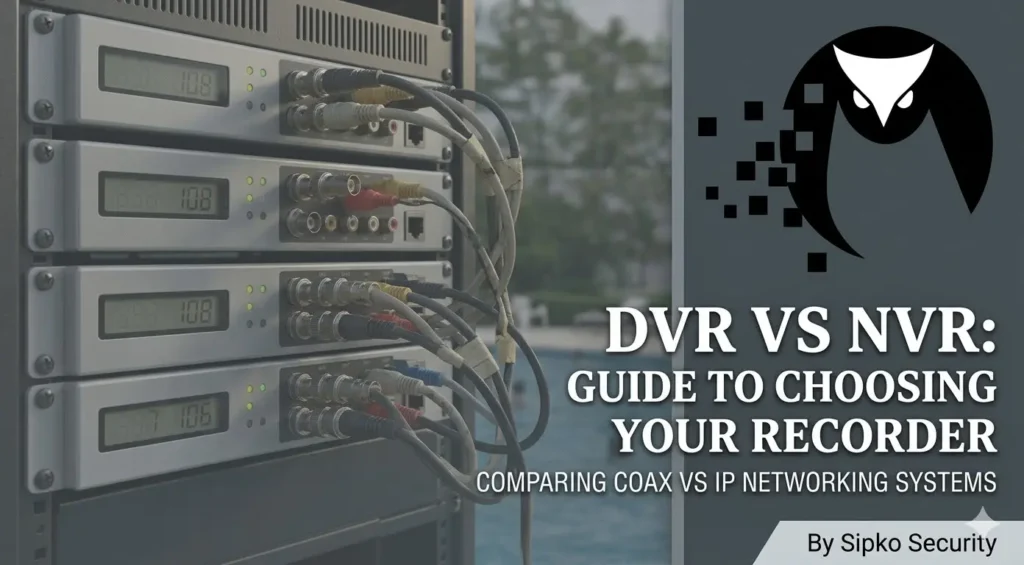
Security Camera Systems: The Massive 2026 DVR vs NVR (Analog vs IP) Comparison
An exhaustive deep-dive into the architectural DNA of modern surveillance. For the Brighton Bayside estate or the CBD office building, this is the definitive truth.
1. Introduction: The Evolution of Security Camera Systems
In the high-stakes arena of 2026 security, the choice between Analog Camera Systems (DVR) and IP Camera Systems (NVR) isn’t just a matter of shopping for a brand—it’s a choice of fundamental digital biology. As security systems in Melbourne evolve, the underlying method of how your video is born, transmitted, and stored dictates everything from the forensic clarity of a burglar’s face to the long-term stability of your home network. We have moved beyond the “Plug and Play” era into the “Architectural Integration” era for security cameras.
Historically, the industry shifted from Multiplexers and VHS tapes to the DVR, which revolutionized storage. However, the NVR has now surpassed the DVR by moving the “Processing Brain” out of the recorder and into the camera itself. This masterclass strips away the marketing fluff to reveal the raw engineering reality of Analog Pulse (DVR) vs Digital Packet (NVR) technology. Whether you are budgeting for a new installation or retrofitting a legacy site in a heritage suburb like Kew, this guide is your tactical roadmap to total property dominance.
2. Analog Security Cameras (DVR Systems) — The Centralized Engine
An Analog Security Camera System is the refined veteran of the security world. Think of it as a centralized factory. In an analog architecture, the cameras are “Dumb” sensors—essentially electronic eyes that do no thinking of their own. They see an image and convert it into a raw analog electrical signal—a varying voltage wave. This wave travels down a copper coaxial cable in real-time, completely unprocessed and vulnerable to external interference.
The “Brains” of the operation live entirely within the DVR box via high-consumption Digital Signal Processors (DSPs). The recorder must catch the analog wave, use an Analog-to-Digital Converter (ADC) to turn it into binary, and then compress it into a file format like H.265. Because the DVR does 100% of the mathematical work for the entire camera array, it is a high-heat, high-pressure hub. This centralized logic is why DVRs are simpler to manufacture but harder to scale for high-end forensics. Many owners eventually search for an NVR overheating fix as they upgrade to digital.
Technical Tag: #AnalogSignal #DSP #H265 #CentralEncoding
Installer Insight: DVRs are the “Air-Gapped” kings. Because they don’t fundamentally require an internet connection to function, they are favored by high-security sites that want zero network exposure.
3. IP Security Cameras (NVR Systems) — The Decentralized Logic
An NVR (Network Video Recorder) is a server-grade storage system built for the gigabit age. In this modern architecture, the “heavy lifting” is decentralized. Each camera (an IP camera) is a self-contained computer equipped with its own CPU, RAM, and OS. The camera itself digitizes the image and encodes the video on the edge before it even touches a wire. It produces a finished digital “Packet”.
The NVR’s only job is to act as a Traffic Controller. It receives these clean, digital data packets over your home network and writes them to a hard drive. This allows NVR systems to handle far more complex tasks, higher resolutions (up to 8K), and sophisticated AI analytics on-board. It is the gold standard for professional Hikvision or Dahua environments because the recorder isn’t choked by processing 16 different video streams at once. If you’re comparing brands, see our Hikvision vs Dahua comparison.
4. Why the Analog vs IP Camera Debate Matters
The debate matters because it directly impacts your Forensic Horizon—your ability to actually use the footage in a year’s time. A DVR might be cheaper today, but if an incident occurs and the resulting video is “Soft” or “Grainy” due to analog interference from your neighbor’s new solar inverter, the system has failed its primary mission. Conversely, an NVR is a network device—if it is not installed by a licensed technician, it could become a vector for network insecurity.
Furthermore, the Resale Value of your Melbourne property is affected by this choice. In 2026, buyers recognize the thin CAT6 cables of an NVR as “Modern Infrastructure,” while the thick Coax of a DVR is often seen as “Legacy tech” that will eventually need to be ripped out. It’s the difference between buying a car with a carburetor vs. one with electronic fuel injection.
5. Who Should Read This Massive Guide?
This guide is engineered for those who demand technical truth, not just a sales pitch. It is a critical resource for:
- Homeowners in Brighton, Toorak & Camberwell: Who need to know why their legacy wiring might (or might not) be worth saving and how to future-proof their estate.
- Small Business & Strata Managers: Balancing the need for 24/7 reliability across multiple units with 2026 budget constraints.
- IT-Savvy Owners: Who want to understand the physics of Signal-to-Noise Ratio (SNR), signal attenuation, and bitrate saturation in 4K environments.
- First-Time Buyers: Looking to avoid the “Cheap DIY Trap” that leads to blurry night vision and constant false alarms.
Helpful Tag: #MelbourneSecurity #HomeAutomation #CCTVGuide #PropertySecurity
6. Security Camera Systems: Engineering Comparison Table
| Detail Metric | DVR (The Analog Pro) | NVR (The Digital Master) |
|---|---|---|
| Raw Signal Type | Voltage Pulse/Sine Wave | Binary IP Packets |
| Primary Cabling | Coaxial (RG59) + DC Power | Ethernet (CAT6) |
| Encryption | Zero (Standard Analog) | Native (SSL/TLS support) |
| Power Standard | Individual DC Power Supply | PoE (802.3af/at Standard) |
| Audio Logic | Separate RCA Wires Required | Integrated into Data Stream |
| Max Resolution | Typically 8MP (4K) Limit | Indefinite (12MP, 16MP, 8K) |
| AI Analytics | Centralized (Taxing on CPU) | Edge AI (AcuSense/WizMind) |
7. How Analog Cameras Work — The Physics of Voltage Streams
A DVR system works on the principle of Voltage Oscillation. The camera acts as a simple electronic transducer, pulsing a stream of electronic signals down the copper core of a coaxial cable. There is a direct, unshared physical path for every lens—if you have 16 cameras, you have 16 individual copper pipes. Once that pulse hits the BNC port on the back of the DVR, a high-speed Analog-to-Digital Converter (ADC) chip re-interprets that wave into a digital frame.
This process is reliable but suffers from Attenuation—the signal gets weaker and “fuzzier” the further it travels. If your cable run is over 100 meters, you will see a noticeable drop in sharpness. It is also highly susceptible to “EMI Signal Noise” from nearby Melbourne power lines, air conditioners, or elevators. This noise manifests as horizontal lines or “ghosting” on your screen, which can be fatal during a forensic audit.
8. How IP Cameras Work — The Logic of Network Packets
An NVR doesn’t care about voltage levels—it only cares about Correctness. In an NVR setup, the camera captures light, digitizes it instantly, and wraps it in a TCP/IP “Checksum” packet. This packet travels through your network switches and arrives at the NVR. If even one bit of data is lost or corrupted during travel, the NVR identifies the error and asks the camera to resend it in milliseconds. This is the Reliability Protocol.
This ensures that the image recorded is a 1:1 identical twin of what the lens saw, regardless of whether the camera is 10 meters or 100 meters away. Distance does not “fuzz” the image in the digital world; it either works perfectly or not at all. This is why troubleshooting a Hikvision NVR is a logical, binary process rather than a physical struggle with signal noise. It also allows for the integration of high-bandwidth Smart Analysis directly into the data stream.
Helpful Info: NVR systems use Buffering. If your network has a 1-second spike in traffic, the camera stores the video in its internal RAM and sends it as soon as the line is clear. A DVR cannot do this; if the signal is interrupted, the footage is lost forever.
9. Cabling Differences: Rigid Coaxial vs Flexible Ethernet
Coaxial (DVR) is heavy-duty copper. It is thick, rigid, and shielded. It uses BNC (Bayonet Neill–Concelman) connectors that must be physically crimped onto the end. Each camera needs its own thick cable all the way back to the recorder—a “Spaghetti” mess that can make a 16-camera install in an established Camberwell home extremely messy and labor-intensive. It is also limited to about 300 meters before total signal loss.
Ethernet (NVR) uses modern CAT6 or CAT6a cables. These cables are thin, highly flexible, and capable of carrying data at 10Gbps. The monumental advantage here is Network Logic (Switching): you can run one single cable through the house to the garage, put a small “PoE Switch” there, and then plug 4 cameras into that single pipe. This “Tree Architecture” is what makes NVR the ultimate choice for complex architecture and multi-story renovations.
10. Power Requirements — PoE vs Separate Supply Logistics
Electronic devices need juice. In a DVR system, you typically have a separate “Power Box” next to the DVR that feeds 12-volt DC power down a separate pair of thin wires bundled with the Coax (known as Siamese cable). This is prone to Voltage Drop—the resistance of the copper eats the electricity. If the cable is too long, the camera might work during the day but “flicker” and die at night when the IR LEDs turn on and demand more power.
An NVR system uses PoE (Power over Ethernet). The power is sent digitally over the same CAT6 wires that handle the video using the 802.3af/at standard. This is 48V AC logic, which travels much further with far less loss. It is more stable, allows for Remote Power Recycles (you can reboot a camera from your phone), and ensures your Brighton home security never flickers due to power inconsistencies. One cable, one connection, total power control.
11. Camera Video Compression & Local Storage Logistics
Storage is the most expensive recurring cost of a security system. NVRs utilize Edge-Based Smart Compression. Because the camera has its own processor, it can use ultra-modern codecs like H.265+ or Zipstream. These codecs don’t just compress the video; they analyze the scene and only record the “moving” pixels in high detail, while keeping static backgrounds (like a brick wall) at ultra-low bitrates.
This means you can store 30 days of high-definition video on half the hard-drive space required by a DVR. DVRs struggle here because they must compress all 16 channels simultaneously using a single central chip, which often leads to “Macro-blocking” (blocky squares in the footage) or “Artifacts” during playback. In 2026, an NVR-based system is the only way to achieve 30+ days of storage without sacrificing frame rate.
12. Video Quality Comparison — Analog vs IP Native
There is no contest: IP (NVR) is the King of clarity. While 4K DVR systems exist, they use a process called Analog High Definition (AHD) which inherently “Softens” the image during the conversion from voltage back to pixels. You lose the forensic details like the specific weave of a thief’s hoodie, the fine text on a delivery box, or the glint of a tool.
NVR systems capture every bit of information the sensor provides with 1:1 pixel mapping. If your Hikvision isn’t showing video with the crispness you expected, it’s usually just a bitrate setting in the software, whereas a blurry DVR is a physical hardware limitation of the analog copper. In 2026, if you want to identify a face from 15 meters away, 8MP IP cameras on an NVR are the mandatory baseline for Armadale and Toorak estates.
Helpful Info: Most 4K DVRs actually record at a lower frame rate (like 7fps) to handle the processing. NVRs can easily record 4K at 25fps (Smooth Motion) across all channels without breaking a sweat.
13. Night Vision Capabilities: The Physics of Dark
Low light is where cheap cameras go to die. NVR systems support much higher bitrates, which is critical for 3D Digital Noise Reduction (3D-DNR) at night. Processing “Grain” out of a dark image requires significant math that analog DVRs simply can’t keep up with. Furthermore, top-tier technologies like Hikvision ColorVu or Dahua Full-Color rely on specialized F1.0 large-aperture lenses that are almost exclusively found on IP cameras.
In the dark pockets of Bentleigh, Elwood, or the Hampton coastline, an NVR-based system with 0.0005 Lux sensitivity can give you a vibrant color image at 2 AM that looks like broad daylight. On a DVR, you are usually stuck with grainy black-and-white infrared that makes everyone look like a ghost.
14. Smart Detection & Alerts: False Alarm Reduction in Cameras
DVR motion detection is primitive: it looks for “Pixel Change.” If a spider walks over the lens, a shadow moves, or a leaf blows past, your phone rings. This leads to Notification Fatigue—eventually, you just turn the alerts off. NVR systems use Deep Learning AI (AcuSense). The camera doesn’t just see “motion”; it recognizes the shape of a human or a vehicle.
You only get alerted when a true threat arrives on your driveway. In 2026, this level of smart security integration is the absolute baseline. For a business in the Melbourne CBD, this AI can even count people or detect “Loitering” in high-risk zones, features that analog DVRs simply cannot achieve with accuracy.
AI Tag: #AcuSense #HumanVehicleDetection #SmartAlerts #FalseAlarmReduction
Sipko Stat: Our NVR customers report a 98% reduction in false alarms compared to their old analog systems.
15. Security Camera Apps: Mobile Support & Connectivity Audit
Both support mobile viewing via apps like Hik-Connect, but the NVR is native to the internet world. Because an NVR is a network server, it handles multiple simultaneous viewers with ease. If you have a family of four or a security team all trying to check the gate at once, the NVR’s Gigabit Backplane ensures everyone has a fast, lag-free 4K stream. DVRs often stutter or “Time Out” when more than two people log in remotely because their processors are preoccupied with encoding the raw video.
Moreover, modern NVRs use P2P (Peer-to-Peer) Cloud technology. This eliminates the need for dangerous “Port Forwarding” in your router settings, which is a common security hole in older DVR setups. Your Hik-Connect app experience will be 3x faster on an NVR platform.
16. Integrating Cameras with Smart Home Devices
In 2026, your cameras shouldn’t just record—they should talk to your house. NVRs feature open APIs and native support for Google Home, Philips Hue, Apple HomeKit, and high-end systems like Control4. You can program your NVR so that if it detects a person at the front fence after 10 PM, it automatically flashes the porch lights red and announces “Person Detected” on your bedroom smart speaker.
DVRs are “Dumb Boxes”—they record video but they cannot participate in the modern smart-home ecosystem. If you want your security system to be part of a larger Security Shield that includes smart locks and lighting, the NVR is your only move.
Tech Tip: Look for ONVIF Profile T compatibility. It ensures your cameras work with 3rd party apps and future-proofs your investment for the next decade.
17. Installing Analog Camera Systems: The Legacy Workflow
- The “Home-Run”: Find a way to run a thick, 10mm Coaxial cable from every single camera all the way back to the recorder. No shortcuts.
- Precision Termination: Strip the heavy copper core without nicking it, and crimp on BNC connectors using professional compression tools. (Twist-on connectors are 2026’s biggest failure point).
- Power Sequencing: Connect the 12V power “tails” to a central power distribution box. You’ll need to check for voltage drop if your run is over 40 meters.
- Environmental Seal: Use junction boxes to protect the BNC joints from Melbourne’s humidity.
This is the standard for Kew heritage homes where existing cables can be reused, but for a new site, this is nearly 3x the labor of a modern NVR.
18. Installing IP Camera Systems: The Gigabit Workflow
- Modern Wiring: Run thin, flexible CAT6 Ethernet. It’s much easier to pull through tight roof cavities and wall studs.
- Standardized Ends: Crimp RJ45 jacks using the T568B wiring standard. This is the same standard used for your computer’s internet.
- Direct PoE: Plug the cable into the back of the NVR. Power and 8MP video start instantly—no separate power box required.
- Logical Setup: Log into the NVR and name your cameras. The system automatically assigns IP addresses (DHCP).
The beauty? Daisy-Chaining. If you’re doing an install in Armadale and have 4 cameras on a back shed, you don’t need 4 cables. Run 1 cable to a PoE switch in the shed, and plug all 4 cameras there.
19. DIY vs Professional Installation: The Evidence Trap
The License Factor: Anyone can buy a DVR from a hardware store, but in Victoria, it is a legal requirement for security equipment to be installed by a Licensed Security Installer for any purpose other than personal use. If you want the footage to be usable as evidence in court, it must be installed to Australian Standards (AS/NZS 2201).
A DIY NVR install often leaves the system exposed to global hackers because the “Default Network” isn’t firewalled correctly. Sipko installers ensure your NVR is on a “Hidden” internal network that is invisible to the rest of your house. We also handle the high-ladder work and weatherproof sealing that DIYers often skip, resulting in water-damaged cameras after the first Melbourne storm.
20. Network Configuration for NVR: Network Hygiene
The “N” in NVR stands for Network. If you simply plug 8x 4K cameras into your home router, your Wi-Fi will crawl, and your Zoom calls will drop. High-resolution video is a massive data hog. A Sipko Professional Installation includes a dedicated virtual network (VLAN) for your cameras, ensuring they have their own “lane” to travel in.
We also configure Subnet Masking and Static IP addresses. This ensures that even if your router restarts, your cameras never lose their connection to the recorder. This is “Network Hygiene”—the difference between a system that works for a week and one that works for a decade. This is critical for Brighton Bayside mansions with high-tech automation systems.
Bandwidth Tag: #VLAN #QoS #NetworkSecurity #StaticIP
Expert Tip: Always use a Gigabit PoE Switch. Fast-Ethernet (10/100) switches will “Choke” your 4K signal, resulting in choppy playback.
21. Troubleshooting Common Setup Issues: The Diagnostic Roadmap
Surveillance systems are complex, but the troubleshooting paths are predictable. The number one issue in 2026 remains Offline Cameras, but the cause depends entirely on your recorder architecture:
- On a DVR: It’s usually a physical failure. A bad BNC crimp, a corroded copper core, or a blown fuse in the 12V power distribution box. We use a Time-Domain Reflectometer (TDR) to find breaks in the copper.
- On an NVR: It’s usually a logical failure. An IP conflict, a bad “Handshake” at the PoE switch, or a bitrate that exceeds the network’s capacity. We use IP Scanners and Ping Tests to find the device on the network.
If your Hikvision isn’t showing video, a professional can often log in remotely to an NVR to patch the firmware or reset the IP. A DVR problem almost always requires a physically intensive site visit with ladders, making it more expensive to maintain long-term.
22. Analog Camera Cost Analysis: The Initial Savings Myth?
DVRs win on upfront “Sticker” price. Because the technology is over 30 years old, the chipsets are dirt cheap and mass-produced. You can buy a basic 4-camera DVR system for roughly $400—about 40% less than an NVR equivalent. For small rental properties in Richmond or Balaclava, it offers a strong level of protection for a very low entry price.
However, you must factor in Infrastructure Debt. While the recorder is cheap, the installation of thick coaxial cable takes twice as long. If you are paying a licensed installer by the hour, the “Savings” of the DVR can quickly be eaten up by the extra labor required to pull heavy copper through your roof.
23. IP Camera Cost Analysis: The Value of Forensic Precision
NVR hardware is essentially a specialized Linux server. It’s more expensive—typically starting at $800-$1,200 for a quality 8-channel unit. However, you must look at Total Project Value. Because thin CAT6 Ethernet is 50% faster to install than thick Coax, the final “Installed Price” of an NVR system in a new build is often comparable to a DVR system.
You are paying for Feature Density. A $300 IP camera on an NVR has better low-light performance, better AI, and better weatherproofing than a $100 analog camera on a DVR. For Melbourne’s best CCTV systems, the NVR is an investment in 10-year durability, not just a purchase.
24. Which Camera System is Cheaper for Small Homes?
If your home is already wired with old coax (common in Bentleigh or 1990s Kew mansions), a Modern 4K DVR is the clear winner. You can get 4K video by just swapping the hardware and reusing the pipes—saving yourself $1,500 in rewiring costs.
However, if you are building new or doing a major renovation, NVR is the mandatory choice. Pulling CAT6 is the 2026 standard. It’s easier, it supports your internet, and it ensures your home is ready for the 16MP cameras of 2030. Never pull coaxial cable in a new build; you are installing yesterday’s problems.
25. Scalability: Adding More Cameras Over Time
Scaling a DVR is the “One and Done” trap. A DVR has a fixed number of physical BNC ports (usually 4, 8, or 16). If you have a 4-channel DVR and you want a 5th camera for your new pergola, you have to throw the DVR in the bin and buy an 8-channel one. You also have to run a new thick cable all the way across the house.
With an NVR, scalability is Logical. You can add a $60 PoE switch in your garage or attic to “split” a single cable into 4 or 8 more cameras. As long as your network has bandwidth, you can expand indefinitely. It’s the “Future-Proof” choice for growing families in Elsternwick or businesses in St Kilda.
26. Long-Term Maintenance Costs: Hardware & Upkeep
In Bayside suburbs like Brighton, Beaumaris, and Hampton, the salt-air is a tech killer. BNC connectors on DVRs oxidize, causing “Signal Static” that can’t be fixed without re-crimping every 5 years. Ethernet ports on NVRs are environmentally sealed and use gold-plated pins for zero oxidation.
Regarding Hard Drive Health: NVRs typically use “Surveillance Grade” drives (like WD Purple) with a higher Mean Time Between Failure (MTBF). Because the NVR stays cooler, these drives often last 7-10 years, whereas the high-heat environment of a centralized DVR can kill a drive in 3 years. You will spend roughly 40% less on “Service Calls” over a decade with an NVR system.
27. Best Use Cases for Analog (DVR) Camera Systems
The “Retrofit King”: Use a DVR for established homes where the cables are buried in concrete or inaccessible double-brick walls (common in Kew and Armadale). It allows for a massive tech upgrade to 8MP/4K analog without the catastrophic cost of house-wide rewiring or plaster damage.
It’s also ideal for single-room monitoring or basic Visual Verification for rental properties where you don’t need high-level AI or plate recognition.
28. Best Use Cases for IP (NVR) Camera Systems
The “Modern Shield”: Use an NVR for new builds, tech-saturated smart homes, and any property where Forensic Identification is the priority. If you need to see a license plate from 20 meters, or want to distinguish a “Crowbar” in someone’s hand at midnight, you need an NVR.
It’s also the only choice for high-ROI property protection where you want zero false alarms and 30+ days of bit-perfect evidence preservation.
29. DVR vs NVR for Outdoor Surveillance: The Perimeter Conflict
Outdoors, distance and weather are the enemies. Coaxial signal on a DVR starts to “Smeared” or lose color after 60-80 meters. Ethernet on an NVR stays bit-perfect for 100 meters, and with one small PoE extender, it can reach 250 meters with zero loss. This is why large Melbourne estates and farms exclusively use NVR.
NVRs also support Native Surge Protection on the PoE ports. If lightning strikes near your front gate camera, the PoE standard is designed to “sacrifice” the port to save the recorder. A DVR BNC port is a direct path for high voltage to reach the main CPU, often destroying the entire system.
30. DVR vs NVR for Business/Commercial Architecture
For commercial sites, NVR is not just recommended; it is mandatory. Businesses need 24/7 reliability, high-density storage (RAID 5/6 Redundancy), and the ability to integrate with alarm monitoring stations and access control systems. The NVR’s “Super-High Throughput” (typically 320Mbps or higher) allows you to capture faces in crowded retail environments with 100% forensic certainty.
Moreover, commercial NVRs support Hot-Swapping. If a hard drive fails on a Tuesday morning, the system keeps recording on the remaining drives while you plug in a new one—zero downtime. A DVR will crash or lose footage the moment a drive shows a bad sector. It turns your security from a budget cost into a business asset.
Security Camera FAQ: DVR vs NVR Technical Inquiry
1. Can I use my existing old coaxial cables for a modern NVR system?
Directly, no. NVRs use CAT6 Ethernet. However, you can use “IP over Coax” media converters (MoCA) to send a digital signal over your old copper. But for 2026 standards, we usually recommend a proper CAT6 rewire to ensure 4K bitrate stability and PoE power delivery.
2. Does having 8 cameras on an NVR slow down my home office Wi-Fi?
Not if installed by Sipko. We implement VLAN (Virtual Local Area Network) tagging, which creates a “private highway” for your camera data, keeping it completely isolated from your family’s gaming, Netflix, or your professional Zoom meetings.
3. Is 4K DVR image quality the same as 4K NVR?
No. 4K DVR is “Analog High Definition” (AHD) which loses about 15-20% of sharpness during the electrical conversion process. 4K NVR is bit-perfect digital. If you need to read a distant license plate or see facial scars, NVR is the only forensic choice.
4. What happens if my internet goes down? Will my cameras stop recording?
No. Both DVR and NVR record to a local secure hard drive inside the machine. Your cameras continue to record 24/7. You only lose the ability to view them on your phone app until the internet returns to the property.
5. How many days of recording can I fit on a 4TB hard drive?
Using modern H.265+ compression on an NVR, 4 cameras at 4K resolution can typically store about 14-21 days of continuous footage. On an older DVR without smart codecs, you might only get 5-7 days for the same storage space.
6. Can I mix-and-match brands like Hikvision and Dahua?
With NVRs, yes, via the ONVIF protocol. However, you often lose advanced AI features (like AcuSense human detection) when mixing brands. We recommend staying within the same ecosystem for total feature compatibility and security.
7. Are wireless cameras like Arlo or Ring better than a wired NVR?
No. Wireless cameras are consumer-grade security. They can be jammed with cheap electronic devices, they suffer from lag, and they rely on batteries that die in winter. A wired NVR is pro-grade infrastructure that is 100% stable and un-jammable.
8. Do I really need a license to install my own system in Melbourne?
For your own residential home, you can DIY. However, even for homes, if you want the footage to be legally admissible in a Victoria court as “forensic evidence,” the system must be installed to AS/NZS 2201 standards by a Licensed Security Installer.
9. Can I talk through my cameras using the mobile app?
Yes, if your cameras support “Two-Way Audio.” Most modern NVR cameras we install in Brighton and Toorak feature built-in microphones and high-output speakers for real-time communication with visitors (or intruders).
10. How long do these systems usually last before needing replacement?
A professionally installed NVR system with gold-plated pins and a dedicated WD Purple drive should provide 7-10 years of service. DVRs often fail earlier (4-5 years) due to BNC port corrosion and higher heat production.
Get in touch / Contact SIPKO Security
Speak with a specialist about wired and wireless CCTV, Ajax alarms, and same-week installations. We respond quickly during business hours and offer after-hours call-outs for urgent security issues.
Prefer WhatsApp? Tell us in your message — we’ll reply on your preferred channel.
Final Verdict: Which Security Camera System Should You Choose in 2026?
The verdict is absolute: IP (NVR) Camera Systems are the superior architecture for the modern Melbourne home. While a DVR has its place for cheap retrofits and legacy sites, it is a technology peaking on a plateau. It lacks the AI scalability, the network security, and the raw forensic fidelity required to combat modern threats.
If you are serious about your family’s safety or your business’s integrity, invest in an NVR-based IP system. It is the only platform that offers perfect digital evidence, smart AI notifications that actually work, and a 10-year growth path.
📞 CALL 0406 432 691Victorian Security License: #Z47-808-30S | Sipko Professional Audio & Visual Architecture
Technical Sources & Regulatory Compliance
- Victoria Police Private Security Licensing – Official regulatory body for licensed security installers in Melbourne.
- ACMA Cabling Provider Rules – Australian telecommunications compliance standards for CCTV wiring.