
What Batteries Do Ajax Alarms Use: Why Is My Ajax Battery Draining So Fast? (Complete Guide)
Fixing the Battery Mystery: Most Ajax devices are rated for 5 to 7 years of life, but environmental stress and hidden settings can drain them in months. Learn how to identify the cause and restore your system’s longevity today.
1. Introduction: Understanding Ajax Battery Issues
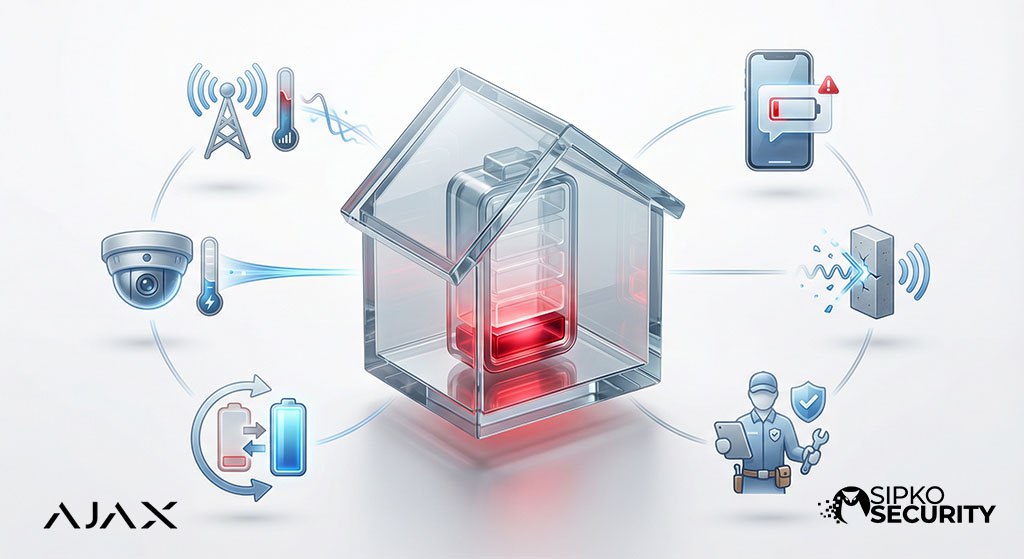
There is nothing more frustrating than receiving a “Low Battery” notification on your phone just one year after installing a premium security system that promised seven. For Melbourne homeowners, this isn’t just an annoying chore—it creates an uneasy feeling that your home security might fail exactly when you need it most.
When an Ajax alarm system starts eating through batteries, it is rarely a fault with the actual device. Instead, it is almost always a sign that the hardware is working much harder than it was ever designed to. Whether you have a residential alarm system or a large-scale commercial setup, understanding what makes Ajax powerful involves keeping it properly maintained.
🛡️ Specialist Support: Melbourne System Audits
Don’t let a poorly configured system leave you vulnerable. Our expert technicians provide full health checks to ensure your batteries stay healthy for years, not months.
Book a Maintenance Check2. How Ajax Device Batteries Normally Work
Ajax sensors are famous for their efficiency. They use a special wireless signal language that allows them to “sleep” most of the time. While you might see a sensor on your wall every day, it is actually only truly “awake” for a split second to check in with the Hub.
Target Lifespan
Ajax wireless detectors typically offer battery life of 2 to 7 years: standard door and motion sensors are engineered to reach 5 to 7 years, while the more complex camera sensors (MotionCam) should comfortably hit 3 to 4 years.
Smart Hibernation
When the alarm is off, the sensors ignore most movements. Detector settings can change how often the sensor wakes, and battery use depends on several factors, so user settings can influence the power consumption of Ajax devices. They only send a short “check-in” pulse every few seconds to tell the Hub they are still there.
Lithium Power
Ajax uses Lithium batteries—most Ajax wireless detectors and sirens rely on pre-installed disposable batteries rather than rechargeables—because they hold their steady voltage for a very long time, unlike the batteries in your TV remote.
Understanding the difference between “normal” and “abnormal” drain is the first step. If a lithium battery dies after 4 years, it’s normal wear. If it dies after 9 months, something is putting a massive amount of stress on that specific piece of hardware.
If batteries are draining much faster than expected across one or more devices, book Ajax battery and device fault diagnosis in Melbourne before replacing hardware repeatedly.
3. Most Common Reasons for Fast Battery Drain
There are six primary culprits that cause batteries to fail early. The good news? Most of these can be fixed without buying a single piece of new equipment. For example, CR123A 3V is the most common battery type for motion detectors and door contacts, but ajax devices batteries can also include the following batteries depending on the device. These are standard-sized replaceable cells used across the majority of wireless detectors, and many are high-quality lithium batteries chosen for high energy density and long-term efficiency.
3.1 Weak or Unstable Signal
Battery life is affected by several factors, but the most common reason for drain is poor connection. Think of a sensor like a person trying to talk to someone in another room: in hub ajax devices, the radio module can raise signal transmission power when walls, interference, or other obstacles force the device to reconnect. This uses three times more power than a normal “whisper” connection. Repeated signal interruptions and reconnection attempts reduce battery life the fastest.
3.2 Frequent Alarms or Triggers in MotionProtect Outdoors
If a sensor is in a high-traffic hallway where people or pets move all day, it is constantly processing that movement. Settings like “Always Active”—including the always active function, active function, always active mode, or active mode—make the detector send every event even when the system is disarmed, which creates heavy stress on the power supply. On camera models, the demand toggle can also change photo-on-event behavior and increase battery drain. In radio-noisy environments or very busy spaces, battery life can drop sharply, in some cases by up to 50%.
3.3 Wrong Ajax Hub Installation Location
Batteries are sensitive to temperature, and in Ajax devices battery capacity can differ as the ambient temperature changes. In Melbourne, unheated garages or outdoor sheds can get extremely cold, and temperature drops slow the chemical processes inside the cell, making the app think the battery is flat. For outdoor areas, ensure you are using specialized yard security setups designed for the local climate.
3.4 Outdated System Software
Your security system relies on smart background software, and the ajax hub serves as the system panel with rechargeable batteries as a backup power source during outages; hub 2 and other hubs rely on built-in or attachable internal batteries, while signal extenders do too, unlike most field detectors. Older versions of the Hub’s software might not be as good at managing sensor connections. For those who have followed our Ajax setup guide, checking for automatic updates is a critical maintenance step for long-term reliability.
3.5 Low-Quality or Fake Batteries
Not all batteries are built the same. Generic batteries from discount shops often cannot handle the high-burst power needed for security signals. We always recommend Grade-A brands like Panasonic or Energizer, and Ajax recommends branded industrial lithium batteries from a reputable manufacturer for guaranteed longevity so your sensors stay quiet and reliable for years. When replacing them, use the same type as the original cells.
3.6 Device Aging or Moisture
In rare cases, hardware can develop an “unseen power drain”—where a tiny component starts drinking power 24/7. This often happens if a sensor has been exposed to high humidity or rainfall over many years, creating a slow but unstoppable drain on the battery.
4. How to Check Battery Health in the Ajax App
You don’t need tools to check your system. Everything you need is inside the app you already use every day. We often include these tips in our broader security resources for homeowners. Follow these three steps to perform a health check:
Step 1: The Device List
Go to the Devices tab. Tap on any sensor. You will immediately see a battery icon, and when the battery level drops to charge approximately 10%, the user receives a low-battery notification in the app. In many cases, the user has up to about two months to replace it, depending on device activity. If it is green, you are okay. If it is yellow or red, it needs attention.
Step 2: Signal Bar Check
While looking at the device properties, find the Wireless Signal Strength. If you see only 1 bar of Jeweller signal strength, this sensor is “shouting” to be heard because weak communication with the hub forces higher transmission effort, and its battery will run flat much faster. The same applies to opening detectors on doors and windows, which also drain faster when poor signal makes them work harder to communicate.
Step 3: Signal Test
Tap on the settings (the gear icon) and select Signal Strength Test. Let it run for a minute to see if the connection is stable or jumping around. If an opening detector is mounted on the outer side of a door or window, the test may show weaker communication.
5. Step-by-Step Fixes to Improve Battery Life
If you have identified a problem, don’t worry. Most issues can be resolved with these five simple actions.
- Improve Signal Strength: If a sensor has poor signal, try moving the Hub just a meter or two. If that’s not possible, adding a Signal Extender (ReX) will provide a clean, strong bridge for those distant sensors to talk through.
- Optimize Device Placement: Move sensors away from metal objects or thick mirrors that might be reflecting the radio waves. Even a small shift can significantly reduce the power used for transmission.
- Reduce False Triggers: Adjust the sensitivity of your motion sensors. If they are triggering on a cat or a blowing curtain, they are wasting battery power sending alerts for nothing.
- Update the Software: Ensure your Hub is connected to the internet and allow it to perform its automatic updates. These updates often fix hidden issues that accidentally waste power.
- Replace Batteries Properly: When you do replace a battery, use a fresh cell and make sure the contacts are clean. Avoid touching the battery’s surface with oily fingers if possible.
🏠 Pro Tech Note: Checking-in Intervals
In your Hub settings, you can find the “detector ping interval” (how often the sensor talks to the base). By default, it is usually 36 seconds. If you increase this to 48 or 60 seconds, your home stays just as safe, but you can add years of life to every single sensor. In the detector settings, changing this setting can reduce battery consumption, while more frequent check-ins increase it.
-
Reduce False Triggers: Set sensitivity carefully and avoid aiming detectors at heat sources, windows, or moving curtains; narrow-beam units like MotionProtect Curtain also need correct placement and sensitivity to work reliably.
-
Optimize Device Placement: Keep sensors within good Jeweller signal range, and don’t mount opening detectors where placement weakens communication with the hub.
If battery replacement and signal checks do not resolve the warning, have the Ajax device fault assessed professionally before deciding that the sensor or Hub needs replacement.
6. When Should You Replace the Device?
Sometimes, replacing the battery simply isn’t enough. If you have followed all the optimization steps and a sensor still dies every few months, the internal hardware likely has an “unseen power drain.”
This can be caused by internal wear or moisture that has damaged the delicate circuit boards. If your system is still under warranty, this is the time to request a replacement rather than continuing to buy expensive lithium cells for a faulty unit.
7. Preventing Future Battery Drain
Consistency is key. We recommend checking your Ajax app once every few months to see if any sensors have dropped to 1 bar of signal. This often happens if you move furniture, install new mirrors, or add metal-backed insulation to your home. When it is time for battery replacement in multi-cell devices, swap the entire battery set, not a mix of old and new parts; if you do replace cells, use matching ones from the same manufacturer, ideally from the same batch, because each cell should be tested for consistency. If you want a more hands-off approach, consider our system maintenance services.
Keeping your system software updated and using only Grade-A lithium batteries from the start will ensure your system stays quiet, reliable, and “set-and-forget” for the next 5 to 7 years. Prevention today saves a 2:00 AM notification tomorrow.
8. FAQs About Ajax Battery Problems
How long should Ajax battery life actually last?
For most homes, you should see 5 to 7 years for standard sensors and 3 to 4 years for those with cameras. Camera models can vary more by settings, and with the demand toggle disabled you can generally expect longer battery life. Different detectors will vary a little, and DoorProtect Jeweller can last up to 7 years on batteries under normal conditions. If you are getting less than 2 years, something is wrong.
Can I use rechargeable batteries?
No. Most ajax security devices use disposable lithium cells, while the hub and some accessories rely on rechargeable backup batteries instead. Rechargeable batteries have a different voltage and can actually damage the delicate radio parts of an ajax device. They also lose their charge much faster on their own, especially in field wireless detectors and a keypad. Only use high-quality single-use Lithium batteries.
What does “Low Battery” mean in the app?
It usually means you have about 2 to 4 weeks of life left. The system will continue to work, but it might stop doing “extra” things like taking a photo to save power for the main alarm signal. For example, FireProtect Jeweller operates for 4 years on batteries, while Ajax SpaceControl Jeweller uses a CR2032 battery.
Why did my battery drop from 100% to 10% suddenly?
This is how smart Lithium batteries work. They stay at a perfect voltage for years and then “drop off a cliff” at the very end. It doesn’t mean your sensor is broken; it’s just how the chemistry works. The ajax system monitors battery voltage and gives an advance warning before a cell is exhausted. When the system is armed, ajax system monitors can notify the user and, where configured, a security company’s CMS as well.
9. Conclusion: Keep Your Ajax System Running Longer
Your security system exists to provide total peace of mind. By taking ten minutes today to check your signal levels and verify your polling settings, you can ensure that your system stays powered and vigilant for years to come.
Remember: a security system without power is just a piece of plastic on the wall. Stay proactive, keep your software updated, and your system will keep your Melbourne home safe without the constant headache of battery swaps. For all your other security needs, explore SIPKO Security.
Need an Expert Hand?
Professional Ajax Maintenance in Melbourne
Don’t let technical settings overwhelm you. Our licensed Melbourne technicians can perform a full signal audit, firmware refresh, and bulk battery replacement for your entire home today.
📧 Email Support
sipkosecure@gmail.com
📞 Tech Hotline
0406 432 691

