
Better Security for Melbourne Schools
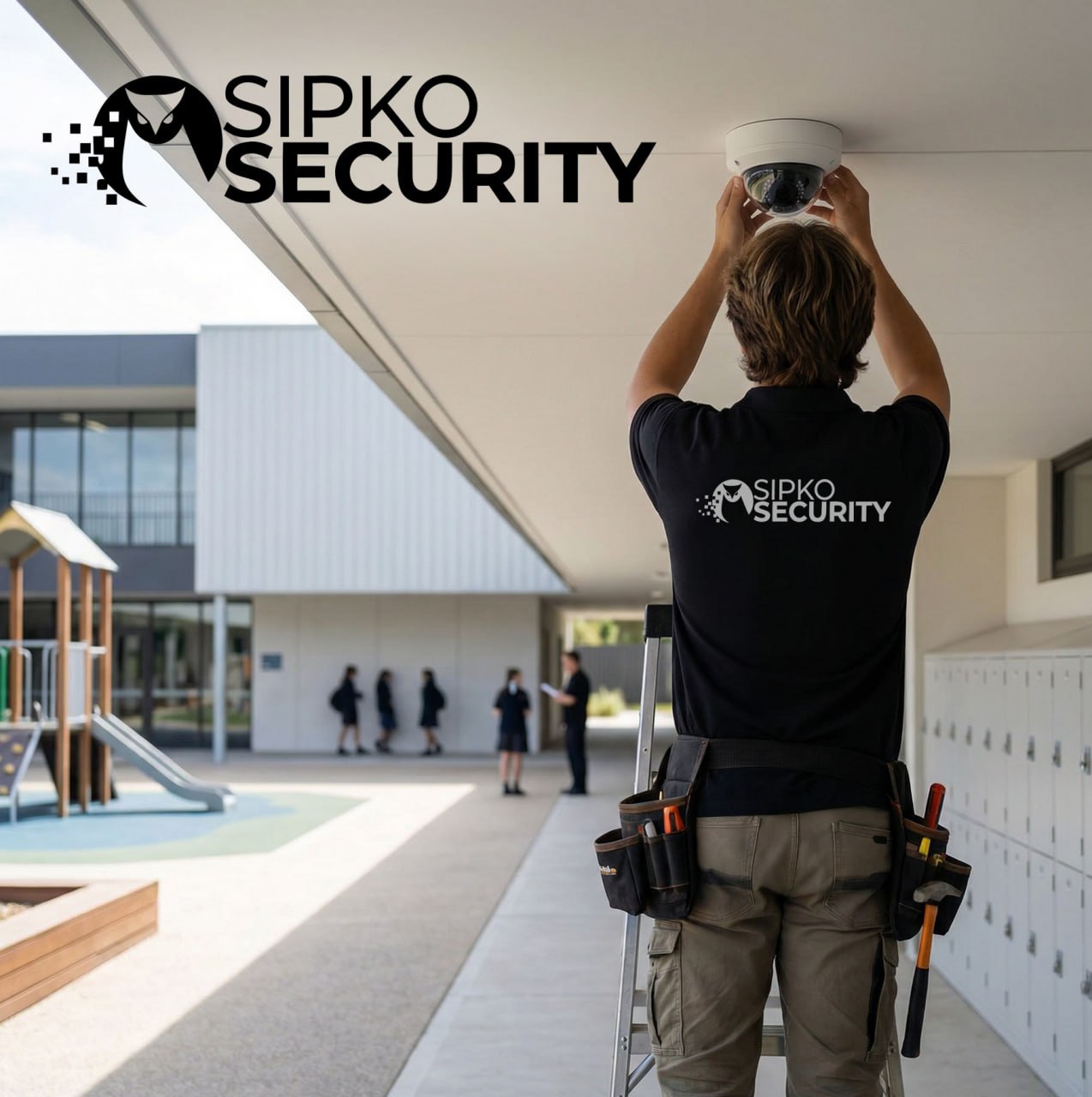
Surveillance designed specifically for education. Helping protect students and staff with clear visibility across every corner of your campus — from the front gate to the back oval.
🏫 Total Campus Coverage
Complete visibility across classrooms, corridors, car parks, and entry points. One unified system that covers every building on your school grounds — no blind spots, no gaps.
🔒 Asset Safety
IT suites, science labs, and music rooms hold expensive equipment that’s a target after hours. Access control and camera coverage on high-value areas keeps your gear where it belongs.
👤 Student Safe
Privacy-friendly camera placement that keeps students safe without compromising their dignity. We design around Victorian Department of Education guidelines — no cameras in change rooms, toilets, or private spaces.
⏰ 24/7 System Support
Schools don’t stop needing security at 3pm. Monitored alarms, after-hours camera alerts, and a support line that actually picks up — so you’re covered on weekends, holidays, and during school events.
Schedule Your Service
Call +61 406 432 691 or complete the form and we will contact you.
Child Safe Standards — What They Mean for Security
Ministerial Order 1359 requires Victorian schools to have documented systems for managing risks to student safety. That includes physical security. A school that can’t demonstrate it has assessed and addressed security risks — entry points, after-hours access, supervision gaps — is not meeting its Child Safe obligations. The DoE’s Child Safe guidance is explicit: passive measures like locked gates aren’t enough. You need documented, active controls — and a security system is part of that evidence.
Privacy Obligations — CCTV Footage Is Personal Information
Under the Privacy and Data Protection Act 2014 (Vic), CCTV footage that captures identifiable individuals is personal information. That means your school has obligations around how it’s collected, who can access it, how long it’s retained, and how it’s disposed of. Most schools have no documented policy for any of this. If a parent requests footage of their child, or police request footage of an incident, you need a clear process — and a system that makes it straightforward to comply.
Principal Liability — Where the Buck Stops
Under the OHS Act 2004 (Vic) and the Child Safe Standards, a school principal has personal accountability for the safety of students and staff on school grounds. If a student is harmed in an area that had no camera coverage, or a staff member is assaulted and there was no duress system, the question will be asked: what did the school do to manage that risk? “We had a basic alarm” is not a sufficient answer. A documented security assessment and a properly installed system is.
The Compliance Gaps Most Melbourne Schools Don’t Know They Have
A school audit by the Victorian Department of Education or the Office of the Victorian Information Commissioner (OVIC) can surface issues that most principals don’t know exist. These are the four we see most often when we assess a school’s existing security setup.
The DoE requires schools to have a documented policy explaining why cameras are in place, what footage is used for, who can access it, and how long it’s kept. Most schools have cameras but no policy. That’s a compliance gap.
Under the Privacy and Data Protection Act 2014 (Vic), footage must not be kept longer than necessary. Many schools either delete it too quickly (before an incident is reported) or keep it indefinitely with no policy.
Victorian privacy law requires that people be informed when they’re being recorded. Schools must display clear signage at entry points stating that CCTV is in operation. Missing or inadequate signage is one of the most common findings in privacy audits.
Under the Surveillance Devices Act 1999 (Vic), cameras cannot be placed in toilets, change rooms, or any area where a person has a reasonable expectation of privacy. We regularly find cameras in locations that create legal exposure for the school.
School Security Compliance Checklist
Based on DoE privacy guidelines, Privacy and Data Protection Act 2014 (Vic), and Ministerial Order 1359.
- ✓Written CCTV policy document — purpose, access, retention, disposal
- ✓Signage at all entry points informing community of CCTV use
- ✓Cameras only in permitted locations — no toilets, change rooms, or private spaces
- ✓Footage retention period documented — typically 30 days for general areas
- ✓Access to footage restricted to authorised staff only
- ✓Process for responding to footage access requests (parents, police)
- ✓Security risk assessment documented as part of Child Safe Standards
- ✓Staff duress system in place — OHS Act 2004 (Vic) obligation
- ✓After-hours alarm monitored — not just a siren with no response
- ✓Annual security review aligned with school safety plan
School CCTV Rules Victoria — What’s Legal and What’s Not
The Surveillance Devices Act 1999 (Vic) and the DoE privacy guidelines are specific about where cameras can and cannot go on a school campus. This is the plain-English version — no legal jargon, just a clear guide to what’s allowed, what needs conditions, and what will get your school in trouble.
Can Schools Have Cameras in Classrooms?
This is the question we get asked most often — and the answer is: it depends. The Victorian Department of Education privacy guidelines don’t flatly prohibit classroom cameras, but they set a high bar for justification. You need a documented reason, community consultation, and clear signage. “We want to keep an eye on things” isn’t enough. Here’s what the conditions actually look like in practice.
- Documented justification required: You need a specific, recorded reason — typically a history of incidents, a safety risk assessment, or a specific security need that can’t be addressed another way.
- Community consultation: The DoE expects schools to consult with staff, students, and parents before installing cameras in teaching spaces. This isn’t optional — it’s part of the privacy impact assessment process.
- Clear signage in the room: Anyone in the classroom must be informed that recording is taking place. A small sticker on the camera isn’t sufficient — visible, readable signage is required.
- Proportionate placement: A camera covering the door and general area is very different to a camera pointed at individual desks. The placement must be proportionate to the stated purpose.
Quick Reference
Common school locations at a glance
No conditions. Signage required. Most important camera on campus.
External areas. Signage at entry points. Standard practice.
Documented justification + community consultation + signage required.
Staff must be notified. Documented reason required. Not routine.
Criminal offence under the Surveillance Devices Act 1999 (Vic). No exceptions.
Private spaces. Reasonable expectation of privacy. Not appropriate.
Installing a camera in the wrong location isn’t just a compliance issue — it’s a potential criminal offence under the Surveillance Devices Act 1999 (Vic). We assess every camera location against Victorian law and DoE guidelines before we install anything. If a location is borderline, we’ll tell you — and suggest an alternative that achieves the same security outcome without the legal risk.
School Break-In Statistics — What the Data Actually Shows
Schools are one of the most consistently targeted property types in Victoria. The data from Crime Statistics Victoria and the Australian Institute of Criminology paints a clear picture — and it’s not one that justifies a basic alarm and a padlock.
The overwhelming majority of school burglaries occur between 6pm and 6am — when buildings are empty and a basic alarm is the only thing standing between an offender and your IT suite. Source: Crime Statistics Victoria
A single IT suite break-in — laptops, tablets, projectors — can easily exceed this figure. Musical instruments and canteen cash are also consistently targeted. Source: Australian Institute of Criminology
Burglary rates at educational facilities spike significantly during Christmas and Easter holidays — when buildings are empty for weeks and alarm response times are slower. Source: Victoria Police Crime Prevention
What Offenders Are Actually After in Melbourne Schools
School burglaries in Victoria aren’t random. Offenders know what they’re looking for and where to find it. Understanding the pattern is the first step toward designing a system that actually addresses the risk — not just ticks a box. The Australian Institute of Criminology has documented consistent patterns in educational facility burglaries across Australia.
- IT suites and laptop trolleys: The single most targeted asset in any school. A class set of 30 laptops is worth $30,000+ and can be moved in under five minutes.
- Musical instruments: Brass and string instruments are high-value, portable, and easy to sell. Music rooms are frequently targeted specifically.
- Canteen cash and EFTPOS equipment: Canteens that leave cash on-site overnight are a consistent target, particularly on Fridays before a long weekend.
- Science and art equipment: Cameras, microscopes, and specialist tools are targeted in secondary schools — particularly in the weeks before and after school holidays.
The Holiday Window Is the Highest Risk
A school that’s empty for three weeks over Christmas is a very different risk profile to one that’s occupied daily. Offenders know school holiday dates. A monitored alarm with camera verification — not just a siren — is the appropriate response for a building that will be unoccupied for weeks at a time. See Victoria Police crime prevention guidance for more on securing unoccupied premises.
Repeat Victimisation Is Common
Schools that are broken into once are significantly more likely to be targeted again within 12 months — often by the same offenders who know the layout and what’s inside. If your school has been hit before and you haven’t upgraded the security system, the risk of a repeat is real. The AIC’s research on repeat victimisation is consistent on this point.
Vandalism Costs More Than Theft
In many school break-ins, the cost of repairing broken windows, damaged doors, and graffiti exceeds the value of what was stolen. A visible, monitored security system deters the opportunistic vandalism that accounts for a significant portion of school property damage claims each year.
Three Scenarios — and What a Proper System Does About Them
The data tells you when and what. Here’s how a well-designed school security system responds to the three most common break-in scenarios in Melbourne.
After-Hours IT Suite Theft
A rear window is forced at 11:30pm on a Wednesday. The offender knows the IT suite is on the ground floor. Without a camera covering the room entry and a monitored alarm, they’re in and out in eight minutes with 20 laptops. The siren goes off — nobody responds until morning.
- ✔Motion sensor triggers inside IT suite
- ✔Monitoring centre verifies via camera — 90 seconds
- ✔Police dispatched as verified intrusion
- ✔Footage secured for insurance claim
Christmas Holiday Vandalism
Three weeks into the Christmas break, a group enters through a broken fence at 2am. No alarm triggers because the perimeter isn’t monitored — only the buildings are. By the time school resumes, there’s graffiti across four buildings and two smashed windows. The damage bill exceeds $12,000.
- ✔Perimeter motion detection triggers on entry
- ✔External lighting activates — most offenders abort
- ✔Camera captures faces and vehicle plates
- ✔Alert sent to principal and monitoring centre
Music Room Instrument Theft
A Friday night break-in targets the music room specifically — the offender has clearly been on the grounds before and knows where the instruments are stored. Without access control on the music room door and a camera covering the corridor, there’s no evidence of who entered or when. The insurance claim is disputed.
- ✔Access-controlled door — log shows forced entry time
- ✔Corridor camera captures clear footage
- ✔Timestamped evidence supports insurance claim
- ✔Police have usable footage within minutes
Access Control for Schools — Managing Who Gets In
A Melbourne school at 8:45am has hundreds of students, dozens of staff, parents dropping off, and contractors arriving — all at the same time. At 3:30pm it happens again in reverse. Managing who has access to what, and keeping a record of it, is both a Child Safe Standards obligation and a basic security requirement.
Intercom at Front Gate
Visitor presses intercom. Staff see and hear them before buzzing through. No unannounced entry.
Visitor Sign-In
Electronic log records name, time, purpose, and who they’re visiting. Auditable on request.
Restricted Area Access
Staff rooms, server rooms, and science labs require badge or PIN. Visitors cannot enter without escort.
Camera Coverage
Entry, corridors, and car park all recorded. Footage available for incident review within minutes.
Sign-Out & Log
Visitor signs out. Complete record of who was on site, when, and for how long — ready for any audit.
The Hardest Access Control Challenge in Any School
The school gate at pick-up time is genuinely difficult to manage. Hundreds of parents, students leaving in every direction, and staff trying to supervise it all. Most access control systems aren’t designed for this — they’re designed for office buildings where one person arrives at a time. We design school access control around how schools actually operate, not how a corporate building does.
- Intercom at the front gate: The single most effective access control measure for a school. Staff can see and speak to anyone before they enter — without leaving the office.
- Electronic visitor log: Under the Child Safe Standards, schools must be able to account for who is on the premises. A paper sign-in book is not adequate — it can’t be searched, audited, or cross-referenced quickly.
- Zoned access for staff-only areas: The staffroom, server room, and admin office should not be accessible to visitors or students without escort. Electronic access control makes this automatic rather than relying on staff remembering to lock doors.
- Contractor management: Tradies, cleaners, and IT contractors need access to specific areas at specific times. An access log that records every entry and exit is both a security measure and a liability protection for the school.
Why a Paper Sign-In Book Isn’t Enough
A paper visitor book can’t tell you who was on site during a specific incident. It can’t be searched by name, time, or date. It can be altered. And it doesn’t integrate with your camera system to give you a complete picture of what happened. An electronic log that timestamps every entry and exit — and links to camera footage — is what the DoE privacy guidelines and Child Safe Standards are actually pointing toward.
Intervention Orders and Custody Disputes
Schools regularly deal with situations where a parent or family member is subject to an intervention order or custody restriction. Without a reliable access control system at the front gate, staff are relying on memory and recognition to enforce these orders. An intercom with camera means the office can verify who is at the gate before the door is opened — every time.
After-Hours Contractor Access
Cleaners, maintenance contractors, and IT staff often need access outside school hours. A time-limited access code or badge — rather than a physical key that can be copied — means you control exactly when they can enter and which areas they can access. The electronic log records every use automatically.
Visitors vs Contractors — Two Different Access Problems
Parents picking up a child and a plumber fixing a pipe both need to be on school grounds — but they need very different levels of access, and the school’s obligations toward each are different.
Parents, Guardians & Community Visitors
- ✔Intercom screening at entry: Staff verify identity before the gate opens. No unannounced access to the school grounds.
- ✔Electronic sign-in: Name, time, purpose, and contact details logged automatically. Searchable and auditable under Child Safe Standards.
- ✔Visitor badge: Visible identification that staff can recognise. Anyone without a badge in a restricted area is immediately identifiable.
- ✔Escort requirement: Visitors cannot access classrooms, staffrooms, or admin areas without a staff escort. Access control enforces this automatically.
Tradies, Cleaners & IT Contractors
- ✔Time-limited access codes: A contractor gets a code that works only during their scheduled hours. It expires automatically — no need to chase keys back.
- ✔Zone-restricted access: A cleaner needs access to classrooms but not the server room. Electronic access control enforces this without relying on staff supervision.
- ✔Automatic access log: Every entry and exit is recorded with a timestamp. If something goes missing after a contractor visit, you have a complete record.
- ✔After-hours monitoring: Any access outside approved hours triggers an alert. A contractor who arrives at 11pm when they’re scheduled for 9am is flagged immediately.
The Four Areas That Need Restricted Access in Every School
These are the spaces where unrestricted access creates the most risk — for students, for staff, and for the school’s assets.
Server Room & IT Infrastructure
Unauthorised access to network equipment is a data breach risk. Badge-only entry with a full access log.
Staff Room & Admin Office
Student records, staff personal items, and confidential documents. Staff-only access enforced automatically.
Science Labs & Chemical Storage
Hazardous materials and expensive equipment. Access restricted to authorised staff and supervised students.
Canteen & Cash Handling Areas
Cash, EFTPOS equipment, and food storage. Access control and camera coverage reduce theft risk significantly.
Protecting IT Suites, Science Labs & Music Rooms
These three rooms hold the most expensive, most portable, and most targeted assets in any school. A break-in that hits all three in one night — which happens — can cost a school more than $80,000 in replacements. The security investment to prevent it is a fraction of that.
IT Suite & Laptop Trolleys
Typical value: $30,000–$60,000A class set of 30 laptops is the single most targeted asset in any Melbourne school. They’re small, valuable, and easy to move. An offender who knows the layout can clear an IT suite in under 10 minutes. The AIC’s research on school burglary consistently identifies IT equipment as the primary target. Without a camera inside the room and access control on the door, you have no evidence trail for an insurance claim.
- ✔Access-controlled door — badge or PIN, electronic log
- ✔Camera inside room covering laptop trolleys
- ✔Motion sensor triggering after-hours alarm
- ✔Camera at corridor entry — face capture
- ✔Footage retained 30 days minimum for insurance
Science Labs & Equipment
Typical value: $15,000–$40,000Science labs hold expensive equipment — microscopes, cameras, specialist tools — and in some cases controlled chemicals that are subject to storage requirements under the Drugs, Poisons and Controlled Substances Act 1981 (Vic). Beyond the equipment value, an unsecured chemical store is a safety risk. Access control on the lab door is both a security measure and a duty-of-care obligation for the school.
- ✔Access-controlled lab entry — authorised staff only
- ✔Camera at door — not inside lab (privacy considerations)
- ✔Separate access control on chemical storage
- ✔After-hours tamper alert on chemical store
- ✔Access log auditable for OHS compliance
Music Rooms & Instrument Storage
Typical value: $20,000–$50,000Musical instruments are the second most targeted asset in school burglaries — they’re high-value, portable, and easy to sell. Brass and string instruments in particular are consistently targeted. Music rooms are often in a separate wing of the school, away from main corridors, which makes them easier to access undetected. A camera covering the instrument storage area and access control on the room door are the minimum standard.
- ✔Access-controlled door on instrument storage
- ✔Camera covering instrument cases and storage area
- ✔Motion sensor in the room — after-hours alert
- ✔Camera at corridor entry to music wing
- ✔Timestamped footage for police and insurance
Documenting Theft for Insurance — What Your System Needs to Provide
A security system that records an incident but can’t produce usable evidence is only half the job. Victorian school insurers — and DoE risk management guidelines — expect schools to have documented security measures in place. When a claim is lodged, the insurer will ask for footage, access logs, and evidence that the room had appropriate security. We build systems that make this straightforward.
- ✓Timestamped camera footage showing the break-in — date, time, and clear view of the entry point
- ✓Access log showing the door was secured before the incident
- ✓Motion sensor activation record with exact time
- ✓Footage of the offender — face or vehicle plate if possible
- ✓Evidence of forced entry — camera showing the point of breach
- ✓Asset register showing what was in the room before the incident
- ✓Police report number — generated faster when footage is available
- ✓30-day footage retention so evidence isn’t overwritten before the claim is lodged
A camera and access control system for an IT suite costs a fraction of one laptop replacement. For a room holding $30,000–$60,000 worth of equipment, the security investment pays for itself the first time it prevents a break-in — or the first time it produces footage that gets a claim paid. See Victoria Police crime prevention guidance on securing high-value assets in commercial and educational premises.
Silent duress. Instant alert.
No escalation. No risk.
Duress & Staff Safety Systems for Melbourne Schools
School staff face occupational violence risks that most people outside education don’t think about. An aggressive parent at pick-up. A student in crisis. A lone admin worker locking up at 7pm. Under the Occupational Health and Safety Act 2004 (Vic), school employers have a legal duty to eliminate or reduce these risks so far as is reasonably practicable. A duress system is one of the most direct ways to meet that obligation.
- Reception and front office: The first point of contact for anyone who arrives at the school — including people who are angry, distressed, or unpredictable. A silent duress button within reach of every reception staff member is the minimum standard.
- After-hours lone workers: A teacher marking in an empty classroom at 6pm, or a business manager finishing payroll at 7pm, is a lone worker under WorkSafe Victoria’s definition. They need a duress system that connects to a monitoring centre — not just a colleague in the next room.
- Silent activation is essential: In a school context, triggering a loud alarm in the presence of an aggressive person almost always makes the situation worse. A silent duress button that alerts the monitoring centre and the principal without making any noise in the room is the right approach.
- Incident documentation: Every duress activation should be logged automatically — time, location, and response. This record supports DoE incident reporting requirements and protects the school if a staff member makes a WorkSafe claim.
Wired & Wireless Fixed Buttons
- ✔Reception desk: Silent button within reach of every staff member at the front counter — the highest-risk location in any school.
- ✔Principal’s office: Fixed button for meetings that escalate — parents, students, or community members who become aggressive.
- ✔Staffroom: Fixed button for after-hours staff who may be alone in the building.
- ✔Silent activation: No audible alert in the room. Alert goes directly to the monitoring centre and the principal’s phone.
Wireless Staff Duress Pendants
- ✔Lone worker coverage: A teacher or admin staff member working after hours anywhere in the building has a duress button on their person — not just at their desk.
- ✔Yard duty and outdoor supervision: Staff supervising students in car parks, ovals, and external areas have coverage away from fixed buttons.
- ✔Discreet activation: A pendant can be activated without looking down or reaching across — important when you need to act without alerting the person in front of you.
- ✔Location tracking: Some pendant systems include location data so the monitoring centre knows which part of the building the activation came from.
Three Scenarios Where a Duress System Makes the Difference
These aren’t hypothetical. They’re situations that Melbourne school staff deal with regularly — and where a duress system changes the outcome.
Aggressive Parent at Pick-Up
A parent arrives at reception angry about a disciplinary decision. The conversation escalates. The reception staff member activates the silent duress button. The principal is alerted immediately and arrives within 60 seconds. The monitoring centre has the interaction on camera. Under the WorkSafe Victoria guidelines, this is exactly the scenario a duress system is designed for.
Reception Duress ButtonLone Worker After Hours
A business manager is alone in the admin office at 6:30pm finishing end-of-month payroll. Someone enters the building through an unlocked side door. Under the OHS Act 2004 (Vic), the school has a duty to protect lone workers. A duress pendant means the business manager can activate an alert without being near a fixed button — and without the intruder knowing.
Mobile Duress PendantStudent in Acute Crisis
A student in a welfare meeting becomes physically threatening. The teacher needs to alert support staff without leaving the room or escalating the situation. A silent duress button under the desk — or a pendant — means help is on the way without the student knowing an alert has been sent. This is the discreet, de-escalation-first approach that DoE student safety guidance recommends.
Silent Duress — No EscalationSchool Holiday Security — When the Risk Is Highest
A school that’s empty for three weeks over Christmas is a fundamentally different security problem to one that’s occupied daily. According to Crime Statistics Victoria, burglaries at educational facilities spike sharply during school holiday periods — and most schools are running the same alarm configuration they use during term time.
The Three Highest-Risk Windows in the Victorian School Calendar
Offenders know school holiday dates. They plan around them. A building that’s been occupied every day for 10 weeks suddenly sits empty for 3 weeks — and most schools don’t change a single thing about their security setup. Source: Victoria Police Crime Prevention
What “Holiday Mode” Actually Means for Your Alarm System
Most school alarm systems are set up for term-time operation — where staff are arriving and leaving at predictable times and false alarms from movement in corridors are a concern. During holidays, the risk profile is completely different. A properly configured holiday mode changes how your system responds to give you maximum protection during the highest-risk period of the year.
- Full perimeter activation: During term time, some zones may be partially disabled to allow staff movement. Holiday mode activates every zone — corridors, classrooms, and external areas — from the moment the last person leaves.
- Monitoring escalation: During holidays, the monitoring centre response protocol should escalate faster — police dispatch on first verification rather than waiting for a second trigger. We configure this specifically for holiday periods.
- Contractor access management: Maintenance and cleaning contractors often work during holidays. Time-limited access codes mean they can enter specific areas during approved hours — and any access outside those hours triggers an immediate alert.
- Principal mobile alerts: During term time, alerts may go to a duty staff member. During holidays, the principal and business manager should both receive immediate push notifications for any alarm activation — not just a call from the monitoring centre.
The Contractor Problem Over Christmas
Maintenance contractors, painters, and IT staff often work in schools over the Christmas break. Without time-limited access control, you have no way to know who was in the building and when. If something goes missing, you have no evidence trail. A contractor access code that expires at 5pm each day — and logs every entry — solves this completely. See DoE guidelines on contractor management.
Nobody Checks the Building for Weeks
During a 6-week Christmas break, a school that’s been broken into might not be discovered until the first day of term. By then, the offenders are long gone, the evidence is cold, and the insurance claim is complicated. A monitored alarm with camera verification means the break-in is detected within minutes — not weeks. Source: Victoria Police crime prevention guidance.
Repeat Victimisation Is Highest After Holidays
Schools that are broken into during the Christmas holidays are significantly more likely to be targeted again before the end of the following term. Offenders know the layout, know what’s inside, and know the security system’s weaknesses. If your school was hit over a holiday period and you haven’t upgraded the system, the risk of a repeat is real. Source: Australian Institute of Criminology.
The School Holiday Security Checklist
Two things every school should do — once before the holidays start, and once before the school year resumes. Most schools do neither.
Pre-Holiday Security Check
Do this in the last week of term — not on the last day when everyone is rushing out the door.
- ✓Switch alarm to holiday mode — all zones active, no partial arm
- ✓Confirm monitoring centre has holiday escalation protocol active
- ✓Update emergency contact list — principal and business manager mobile numbers current
- ✓Set up time-limited access codes for any contractors working over the break
- ✓Move high-value portable equipment (laptops, instruments) to secured storage
- ✓Test all cameras — check for blind spots, clean lenses, confirm recording
- ✓Check all external lighting — replace any failed bulbs before the building is empty
- ✓Confirm alarm battery backup is charged — power outages during holidays go unnoticed
Post-Holiday Security Check
Walk the property before staff and students return. Don’t discover a break-in on the first day of term.
- ✓Physical walk of all buildings — check for signs of forced entry or vandalism
- ✓Review camera footage from the holiday period — look for any unrecorded access
- ✓Check access logs — confirm contractor entries match approved schedules
- ✓Verify all high-value equipment is present and undamaged
- ✓Expire all holiday contractor access codes before staff return
- ✓Switch alarm back to term-time configuration
- ✓Test duress buttons and pendants — batteries may have drained over the break
- ✓Report any incidents to Victoria Police and DoE before the school year starts
Childcare & Early Learning Centre Security Melbourne
Early learning centres — whether they share a campus with a primary school or operate as standalone facilities — have a distinct set of security obligations that go beyond what a standard commercial alarm covers. The Education and Care Services National Law Act 2010 and the National Quality Standard (NQS) both require approved providers to demonstrate active management of risks to children’s safety. Security systems are a core part of that evidence.
- Controlled entry — no exceptions: Under the NQS, approved providers must ensure that only authorised people can access children. An intercom at the front gate with camera verification is the most direct way to meet this obligation — staff can see and speak to anyone before the door opens.
- Authorised nominee management: The National Law requires centres to maintain records of authorised nominees for each child. An electronic visitor log that records who collected each child — and when — directly supports this requirement and provides evidence in any dispute.
- Outdoor area monitoring: Children’s outdoor play areas must be supervised at all times. Camera coverage of outdoor areas doesn’t replace supervision — but it provides a record of what happened and when, which is critical for incident reporting under the National Law.
- After-hours security: Early learning centres often hold expensive equipment, medications, and children’s personal records. After-hours alarm monitoring and access control on medication storage are both security and compliance requirements.
Common Questions About Education Security in Melbourne
Everything principals, business managers, and school councils ask before getting started — answered plainly.
Ready to Secure Your School or Campus?
From a single primary school to a multi-campus secondary college — we design security systems that fit how Victorian schools actually work. No generic installs. No guesswork on compliance.
Related Security Services & Resources
Everything connected to school and campus security — from sector-specific services to the technologies we install across Melbourne.
Ajax Security for Schools & Childcare Facilities
Wireless Ajax alarm systems designed specifically for education and childcare facilities across Melbourne — compliant with DoE and NQS obligations.
Security Systems for Melbourne Healthcare Facilities
Hospitals, clinics, and allied health centres face similar access control and compliance requirements to schools. See how we approach healthcare security.
NDIS & Disability Housing Security
Specialist security systems for SDA and NDIS-registered housing providers — a care-sector application with many of the same access and compliance drivers as education.
Professional CCTV Installation Melbourne
Our full CCTV installation service — the core technology behind every school surveillance system we design and deploy across metropolitan Melbourne.
Commercial Alarm Installation Melbourne
Monitored alarm installation for commercial sites — including schools, offices, and multi-building facilities — with 24/7 response via professional monitoring centres.
24/7 Ajax Monitoring with Video Verification
After-hours monitoring with video verification means alarms at your school are triaged by a human before dispatch — reducing false call-outs and insurance claims.