CCTV Repairs & Servicing Melbourne
Regular servicing protects the part many owners assume is already fine: the recording itself. A live image on screen does not prove the recorder is saving usable footage, keeping the correct time, or storing enough days of history for a real incident review.
Recording Mode & Overwrite
Confirming the recorder is actively writing footage, overwrite behaviour is set correctly, and no channels have silently stopped recording after a power interruption.
Playback Verification
Checking that stored footage actually opens without gaps, corruption, or missing channels — the faults that only surface when footage is urgently needed.
Time Accuracy
Verifying system clock accuracy across all channels — incorrect timestamps make footage unreliable for incident review and difficult to cross-reference.
Channel Activity After Power Loss
Confirming all channels resume correctly after power interruptions — a common point where cameras appear online but recording has silently stopped.
Schedule Your Service
Call 0406 432 691 or complete the form and we will contact you.
CCTV Repair, Servicing & Related Resources
Explore specific CCTV fault guides, brand repair pages and installation resources from Sipko Security.
CCTV Surveillance Melbourne
Professional CCTV installation and surveillance solutions across Melbourne.
Learn more →Security Camera Technician Services
Specialist camera technician services for repairs, faults and servicing.
Learn more →Hikvision Password Reset Melbourne
Locked out of your Hikvision NVR or camera? Professional unlock service.
Learn more →Dahua NVR Password Reset Melbourne
Fast Dahua CCTV and NVR password reset and unlock service.
Learn more →Dahua DMSS Camera Offline Fix
Diagnosing and fixing Dahua cameras showing offline in the DMSS app.
Learn more →NVR Overheating & Loud Fan Fix
Resolving NVR overheating and fan noise on Dahua, Hikvision and UNV recorders.
Learn more →Hikvision Not Showing Video
Fix guide for Hikvision cameras and NVRs with no video or black screen.
Learn more →EZView App Not Showing Video
Melbourne tech’s fix guide for EZView app video and connectivity issues.
Learn more →CCTV Storage Explained
How many days of footage you actually need and how storage is calculated.
Learn more →CCTV Camera Placement Guide
Where to position cameras for maximum coverage and identification value.
Learn more →Spider Webs on Cameras
How to minimise IR attraction and reduce spider web interference on cameras.
Learn more →External vs Internal Cameras
Which camera types you need and where each performs best on your property.
Learn more →Security System Maintenance
Ongoing maintenance and support for homeowners across Melbourne.
Learn more →Best CCTV Systems Melbourne 2025
Ranked by a licensed installer — the best systems for Melbourne homes.
Learn more →How Much Does CCTV Cost in Melbourne?
Real cost breakdown for CCTV installation across Melbourne property types.
Learn more →Common CCTV Faults and Recorder Issues
A camera being online does not automatically mean the image is useful. Dirty domes, weak infrared, glare from changed lighting, soft focus and partially blocked views can all reduce identification value long before a camera is treated as failed.
- Glare & lighting changes: Reviewing whether new lighting, signage or seasonal sun angles are washing out key areas.
- Focus drift: Checking that motorised or fixed lenses haven’t shifted, particularly on cameras exposed to vibration or temperature changes.
- Blocked angles: Confirming that vegetation growth, new structures or repositioned equipment haven’t narrowed the field of view.
- Night visibility: Testing infrared performance and low-light clarity at entrances, driveways, side paths, gates and loading areas after dark.
Dirty Domes & Lenses
Dust, spider webs and moisture on dome covers scatter infrared light back into the lens — producing a washed-out night image that looks like a fault but is simply a cleaning issue.
Weak or Failed Infrared
IR LEDs degrade over time. A camera that shows a clear daytime image may produce a near-black frame at night — only visible when footage is reviewed after an incident.
View No Longer Matches Site Use
Properties change — new fences, extended car parks, relocated entry points. A camera installed three years ago may now be covering the wrong area entirely.
Glare from New Lighting
LED upgrades, new signage or seasonal sun angles can create persistent glare that overexposes the exact area the camera is meant to cover — often unnoticed until footage is reviewed.
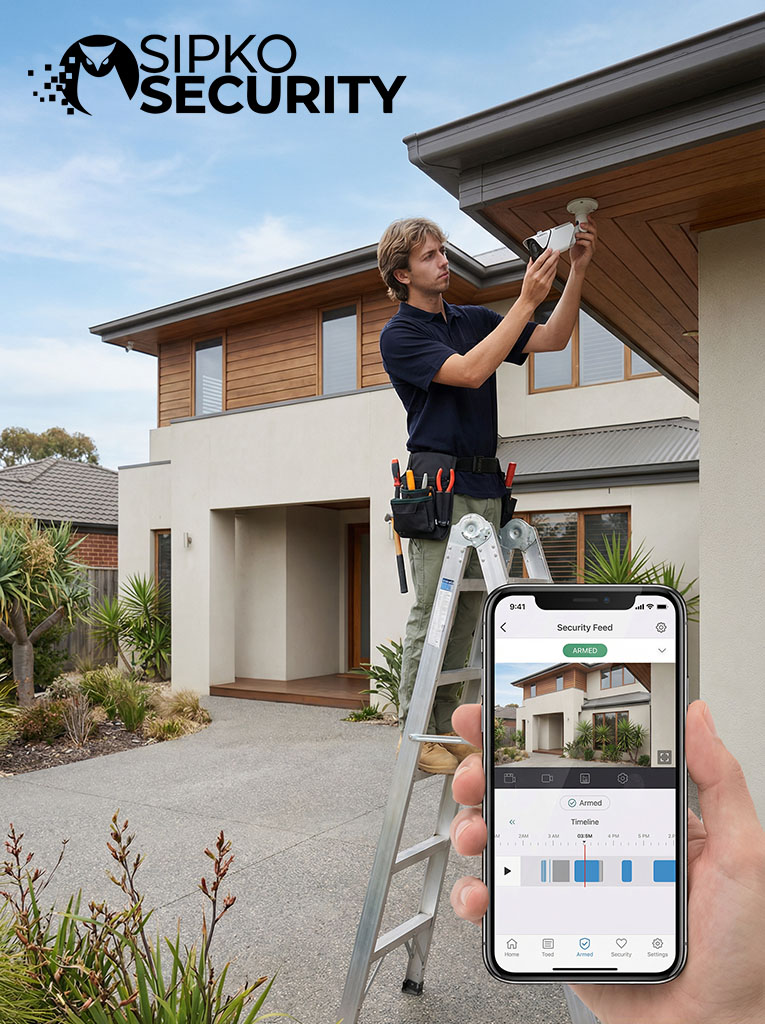
What Happens During a CCTV Service Visit
The visit starts with the actual symptoms — which cameras are offline, whether playback is missing, if the recorder is alarming and what changed before the issue appeared.
Fault Isolation
The issue may sit in the camera, cable, power supply, switch, recorder, hard drive, network path or software settings — each is checked in sequence.
Physical Connection Check
Terminations, power stability, accessories, ports and signs of water damage, wear or loose joins are all inspected.
Recorder & Network Review
Storage behaviour, IP conflicts, app access, remote viewing and channel communication are reviewed and corrected where needed.
Targeted Repair
Once the cause is confirmed, repair work targets the actual fault — without unnecessary replacement of components that are still working.
Full System Test
Live view, playback, recording continuity, image usability and owner access are all tested under normal day-to-day use before the visit is complete.
Why Preventive CCTV Servicing Matters
Many failures do not start as one obvious breakdown. They build gradually through dirty domes, ageing storage drives, loose terminations, unstable remote access, changed lighting conditions and recorder settings that drift over time. Regular servicing finds these weak points before footage is urgently needed.
Recording Reliability
Routine servicing checks that cameras stay online, playback works correctly, retention periods behave as expected, time settings remain accurate and the recorder is genuinely saving usable footage.
Image Usability
Entrances, driveways, shared access points and loading areas change over time. A camera can stay powered on yet become less useful because of glare, dirt, misalignment, blocked view or weak night performance.
Storage & Retention Health
Hard drive condition should never be assumed. Preventive servicing helps detect storage warnings, overwrite problems, failed recording schedules and unhealthy retention behaviour before an incident reveals missing footage.
Older & Expanded Systems
Mixed-generation systems benefit the most. Once a property combines older recorders, newer cameras, additional switches and legacy cabling, the risk of silent instability rises — servicing identifies the weak parts of that chain.
Site-Level Risk Reduction
Across homes, shops, offices, warehouses and apartment common areas — preventive checks reduce the chance of hidden coverage gaps, unstable access or storage failures at the moments when reliable footage matters most.
Service Confidence
Well-maintained systems are easier to trust. Regular servicing supports stable access, healthier storage, better footage and a stronger chance that the system will perform properly when evidence is actually needed.
The Real Value Is Confidence
Fewer surprise faults, stronger image quality, more stable access and a much better chance that the CCTV system will perform properly when it matters most.
Contact UsRepair, Service or Selective Upgrade
If a CCTV system has become unreliable, the next decision should be based on condition rather than frustration. The right approach is to diagnose first, repair what still has value and only recommend upgrades where they clearly improve reliability, footage quality or daily usability.
Often enough when the core system is still sound
The problem sits in one layer — power, storage, cabling, recorder settings, app access or a limited number of failed channels. The rest of the system still has value.
Makes sense when the system works but has drifted
Minor faults, unstable playback, declining image quality or storage behaviour that has not been reviewed in a long time — the system still functions but needs a proper reset.
More logical when the same components keep failing
The recorder platform is unstable, footage quality no longer suits the site, or repeated service visits start costing more than keeping older hardware is worth.
Signs Your CCTV System Needs Attention
Most CCTV systems do not fail without warning. Early signs often appear as small disruptions before reliable coverage is lost — and the safest time to act is before a full failure happens.
Intermittent Camera Dropouts
Usually more than a brief glitch. The fault may sit in the cable path, power supply, switch stability, PoE delivery or recorder communication.
Playback Gaps & Missing Footage
Live view may still look normal while recording has already become unreliable — a clear sign the system is no longer protecting the property properly.
Poor Image Quality at Key Times
Blurred identification, glare, washed-out scenes, weak infrared response or dirty domes develop gradually — turning a working camera into weak evidence.
Recorder Warnings, Beeping or Slow Response
Can indicate storage stress, hard drive failure, overheating, configuration problems or deeper instability inside the NVR or DVR.

Hard Drive & Storage Diagnostics
The recorder’s hard drive is the most failure-prone component in any CCTV system. Drives degrade silently — the recorder may appear active while footage is no longer being saved, is saving with gaps, or is overwriting too quickly to retain useful history.
- ✗ Drive shows healthy in the recorder menu but produces corrupted playback files
- ✗ Recording appears active but footage gaps appear during review
- ✗ Recorder reboots unexpectedly or becomes slow to respond
- ✗ Retention period shorter than expected — footage disappears faster than the set schedule
- ✗ Drive not detected after a power interruption or firmware update
Drive Health Status
Checking recorder-reported drive health, bad sector warnings and whether the drive is operating within normal parameters.
Retention Period Verification
Confirming the system is actually storing the expected number of days of footage before overwriting begins.
Playback File Integrity
Opening and scrubbing recorded footage to confirm files play back without corruption, gaps or missing channels.
Replace or Reformat Decision
Determining whether the drive needs replacement, reformatting, or whether the issue sits in recorder settings rather than the drive itself.
Post-Repair Recording Test
After any drive work, confirming all channels are recording correctly and playback is clean before the visit is complete.
NVR vs DVR — Repair Differences
IP-based NVR systems and older coaxial DVR systems fail in different ways and need different diagnostic approaches. Understanding which type you have is the first step toward an accurate fault diagnosis.
NVR Systems
- → Camera dropouts traced to PoE switch ports, IP conflicts or network path instability rather than the camera itself
- → Remote access failures caused by DDNS changes, router updates or P2P cloud connectivity issues
- → Firmware mismatches between NVR and camera brands causing channel communication errors
- → Hard drive failures accelerated by continuous 24/7 write cycles on consumer-grade drives
- → App connectivity broken after ISP changes or NBN modem replacements
DVR Systems
- → Signal loss on individual channels traced to coaxial cable damage, corroded BNC connectors or balun failures
- → Power supply faults causing multiple cameras to drop simultaneously rather than one at a time
- → Image quality degradation from ageing coaxial runs, particularly on longer cable lengths
- → DVR board failures causing partial channel loss while other channels remain active
- → Hard drive issues compounded by older DVR platforms with limited health monitoring
Mixed Systems
- → Older coaxial cameras feeding into a newer hybrid recorder — fault isolation requires checking both signal paths
- → IP cameras added to an existing DVR via encoders — network and coaxial faults can appear on the same recorder
- → Inconsistent recording behaviour when analogue and IP channels have different frame rate or resolution settings
- → Legacy cabling limiting the performance of newer cameras installed during a partial upgrade
- → Silent instability most common here — one layer masks faults in another until a full review is done
Remote Access & App Connectivity Faults
One of the most common complaints after a service gap — the app stopped working, remote viewing dropped out, or the system became unreachable after a router or ISP change. The camera is fine. The recorder is fine. The connection path is broken.
ISP or NBN Modem Replacement
A new modem resets port forwarding rules and often assigns a new external IP — breaking any static remote access configuration.
DDNS Service Expired or Changed
Dynamic DNS hostnames used for remote access expire or change provider — the app can no longer resolve the recorder’s address.
P2P Cloud Connectivity Broken
Firmware updates or manufacturer server changes can break P2P cloud pairing — the QR code scan no longer connects to the device.
Password or Account Lock-Out
Forgotten admin credentials, failed login attempts or app account issues preventing access to a system that is otherwise fully operational.
IP Address Conflict on Local Network
A new device on the network takes the recorder’s IP address — causing intermittent dropouts that appear as a recorder fault but are a network configuration issue.
PoE Switch & Power Supply Faults
Most IP camera dropouts trace back to power, not the camera itself. A PoE switch port failing, a budget overload, or an unstable injector will drop a camera just as completely as a hardware failure — but the fix is entirely different.
PoE Budget Overload
Adding cameras beyond the switch’s total power budget causes random dropouts — often on the last ports populated, not the faulty ones.
Failing PoE Injector
Single-port injectors degrade over time. A camera that drops intermittently on a dedicated injector is almost always a power delivery fault, not a camera fault.
Voltage Drop on Long Runs
CAT5/6 runs over 80–90 metres lose voltage. Cameras at the end of long runs may power on but behave erratically or drop under load.
Unstable Switch Port
Individual PoE ports on managed and unmanaged switches can fail while the rest of the switch continues working — causing a single-channel dropout that looks like a camera fault.
Power Cycling After Outage
Cameras that fail to reconnect after a power interruption often have a switch or injector that doesn’t restore PoE correctly on reboot.
Wrong PoE Standard
Higher-power cameras (PTZ, multi-sensor) require PoE+ or PoE++. Running them on standard PoE ports causes brownouts and unpredictable behaviour.
Shared Power Rail Fault
On some budget NVRs with built-in PoE, a fault on one port can affect the entire power rail — dropping multiple cameras simultaneously.
Degraded Power Supply Unit
The PSU inside a DVR or NVR degrades over time. Symptoms include random reboots, slow response and cameras dropping under recording load.
How Power Faults Are Isolated
Isolating a power fault requires testing each layer in sequence — not replacing hardware until the actual fault point is confirmed. This avoids unnecessary cost and ensures the correct component is addressed.
CCTV Cable & Termination Faults
Coaxial, CAT5/6 and fibre runs all develop faults over time — especially at terminations, conduit entry points and outdoor runs exposed to UV, moisture and temperature cycles. Cable faults are among the most misdiagnosed issues in CCTV servicing.
- BNC connector corrosion: Oxidised coaxial connectors cause signal loss that appears as a noisy or rolling image rather than a complete dropout.
- Water ingress at conduit entry: Moisture tracking along a cable run reaches the termination point and causes intermittent faults that worsen in wet weather.
- Damaged CAT cable pairs: A single damaged pair in a CAT5/6 run can cause PoE instability or image degradation without fully dropping the camera.
- Loose punch-down or RJ45 termination: A poorly crimped connector or loose patch panel connection causes intermittent faults that are difficult to reproduce on demand.
- UV-degraded outdoor cable jacket: Exposed cable runs that have lost their outer sheath allow moisture into the core — often invisible until the cable is physically inspected.
Re-Termination
Cutting back and re-terminating a corroded or damaged end is the most common cable repair — faster and cheaper than a full cable replacement when the run itself is intact.
Cable Fault Testing
A cable tester or TDR identifies the exact fault location on a run — confirming whether the issue is at the termination, mid-run, or at the camera end before any work begins.
Weatherproofing
Outdoor terminations and conduit entry points are sealed after repair to prevent the same moisture fault recurring — particularly important on Melbourne properties exposed to coastal or seasonal weather.
Full Run Replacement
When a cable run has multiple fault points, UV damage throughout, or is undersized for the camera it serves, a full replacement is the more reliable long-term outcome.
Camera Brands We Service in Melbourne
Sipko Security services the brands most commonly installed across Melbourne homes, businesses and strata properties. Each brand has its own fault patterns, firmware behaviour and diagnostic approach.
Hikvision
Melbourne’s most widely installed brand. Common faults include password lock-outs, firmware update failures, H.265 playback issues and AcuSense false trigger calibration.
Dahua
Widely used in commercial and strata installations. Common issues include DMSS app connectivity failures, NVR storage errors, Smart Motion calibration and remote access after ISP changes.
Uniview (UNV)
Increasingly common in professional installations. Faults typically involve EZView app connectivity, channel communication errors on NVRs and firmware compatibility between camera and recorder generations.
CCTV Servicing for Specific Property Types
Homes, retail shops, offices, warehouses and strata common areas each have different failure patterns, coverage priorities and recorder demands. A service visit is more effective when the technician understands what the property actually needs from its CCTV system.
Residential Homes
Focus on entry points, driveway coverage and night visibility. Common faults include WiFi camera dropout, app access failures and storage running out faster than expected.
Retail Shops
POS area coverage, entrance cameras and after-hours recording are the priority. Faults often involve overwritten footage from short retention settings and glare from shop lighting.
Office Buildings
Multi-floor coverage with access control integration. Common issues include cameras on different subnets losing communication and remote access breaking after IT network changes.
Warehouses
Long cable runs, high-clearance mounting and loading dock coverage create specific fault patterns. Voltage drop on long PoE runs and vibration-loosened terminations are common.
Strata Common Areas
Lobby, lift lobby, car park and mailroom cameras each have different coverage and retention requirements. Mixed-generation systems and shared network infrastructure create layered fault risks.
Car Parks & Driveways
Low-light performance and wide-angle coverage are critical. Faults include IR glare from reflective surfaces, cameras knocked out of alignment and condensation inside dome housings.
CCTV Service Report
Issued after every completed service visit — useful for landlords, strata managers and business owners.
What a CCTV Service Report Covers
A service report is not just a receipt. It documents the actual condition of the system at the time of the visit — giving the property owner a clear record of what was checked, what was found and what was done.
Channel Status
Every camera channel documented — online, offline, degraded image or recording fault noted individually.
Playback Test Results
Footage opened and reviewed for each channel — gaps, corruption or missing periods recorded in the report.
Storage & Retention Health
Hard drive condition, retention period and overwrite behaviour confirmed and documented.
Time Accuracy
System clock verified across all channels — critical for footage to be usable in an incident review or insurance claim.
Work Completed & Recommendations
Every repair or adjustment made during the visit listed, plus any follow-up items the owner should be aware of.
CCTV System Lifespan & When to Replace
Cameras, recorders and hard drives each have different service lives in Melbourne conditions. Knowing which component is approaching end-of-life helps make repair versus replacement decisions based on condition rather than guesswork.
IP Cameras
Indoor cameras in stable environments typically last longer than outdoor units exposed to UV, heat and moisture. Infrared LEDs and lens coatings degrade before the camera electronics fail.
Outdoor: review after 5–7 yearsNVR / DVR Recorders
Recorder hardware typically outlasts the hard drive inside it. Fan failure, capacitor degradation and firmware support ending are the main reasons recorders are replaced rather than repaired.
Review when firmware support endsSurveillance Hard Drives
The highest-failure component in any CCTV system. Continuous 24/7 write cycles wear drives faster than desktop use. Consumer drives used in recorders fail sooner than surveillance-rated models.
Proactive replacement recommendedSystem is fundamentally sound
The recorder platform is stable, cameras still produce usable images and the fault sits in one replaceable component — drive, cable, power supply or termination.
System works but is ageing
Cameras are still functional but image quality has declined, the recorder is on an older firmware branch or the drive is approaching the end of its expected write cycle.
Specific components are failing repeatedly
One or two cameras keep failing, the recorder can no longer support modern camera resolutions or the same repair has been done more than once in a short period.
System no longer meets site needs
The recorder platform is end-of-life, image quality across all cameras is no longer adequate for identification, or the cost of continued repairs exceeds the value of the hardware.
Frequently Asked Questions
Common questions from Melbourne property owners about CCTV repairs, servicing and recorder faults.
CCTV Not Recording Properly?
Whether it’s a camera dropout, missing playback, app access failure or a recorder fault — Sipko Security diagnoses and fixes CCTV systems across Melbourne.
Get Your CCTV System Working Properly Again
Restore confidence in your security setup with professional CCTV repairs and servicing in Melbourne. From offline cameras and recorder faults to missing playback and unstable remote access, the focus is on finding the real cause and restoring dependable operation.
CCTV Installation & Service Coverage
Looking for a new system instead of a repair? View our professional CCTV installation in Melbourne service page.
We also provide CCTV installation and servicing across Melbourne suburbs: