Protect Your Masterpieces: Unmatched Security for Brighton’s Art Galleries
If you manage or own an art gallery within 10 km of Brighton — in creative suburbs like Elwood, Hampton, Sandringham, or St Kilda — you’re at the heart of a vibrant cultural scene. But valuable artwork always faces the risk of theft, vandalism, or accidental damage. Even a single security breach can lead to the loss of irreplaceable pieces and damage your gallery’s reputation.
Ajax Wireless Alarm Systems
Wireless Ajax alarms with instant detection, tamper protection, and professional monitoring — configured specifically for gallery environments with high-value, irreplaceable assets.
Advanced CCTV Coverage
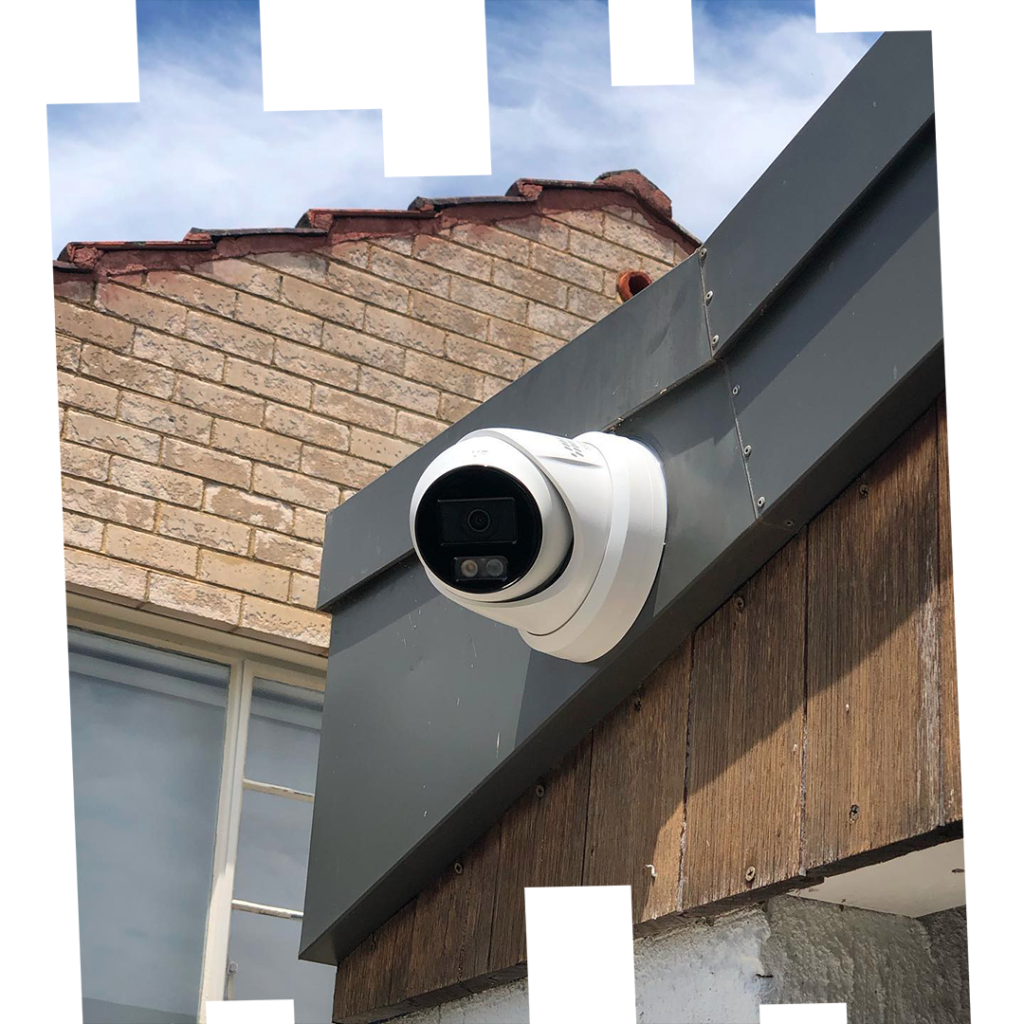
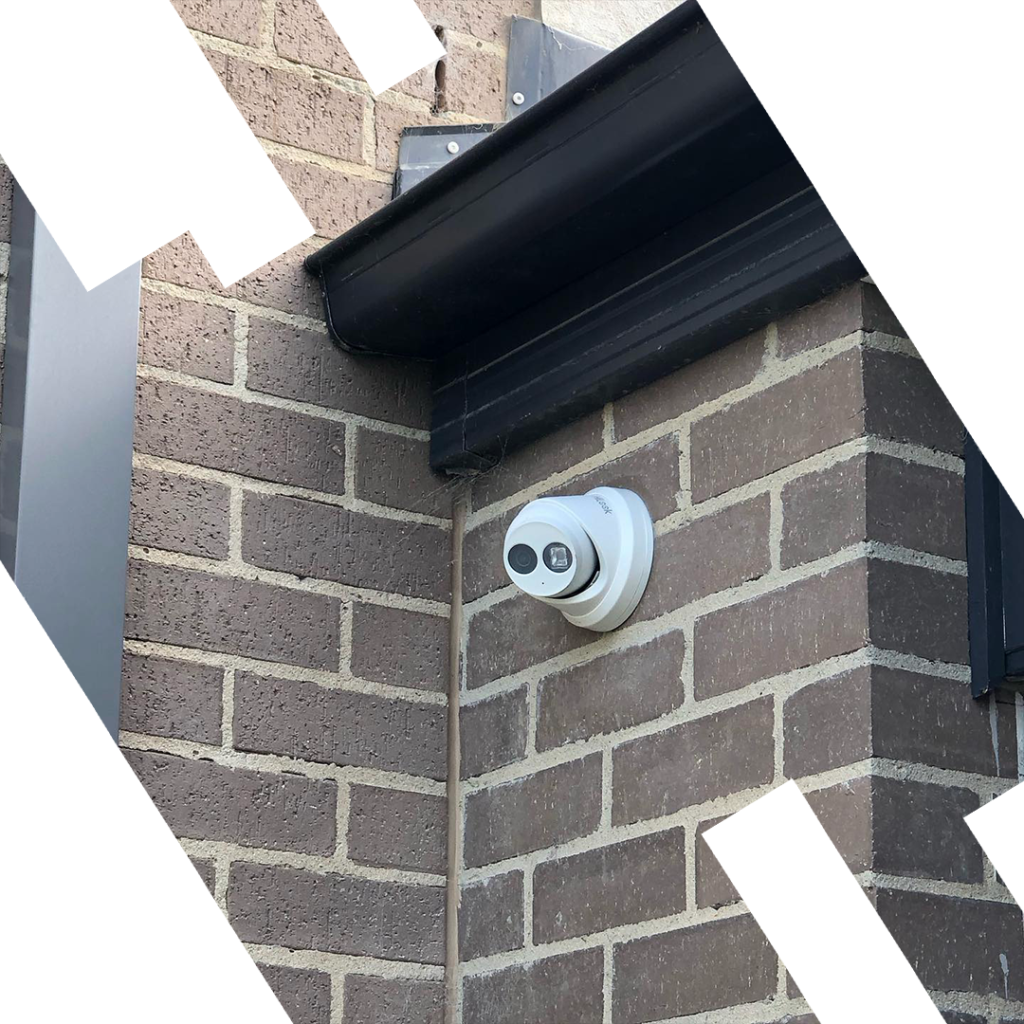
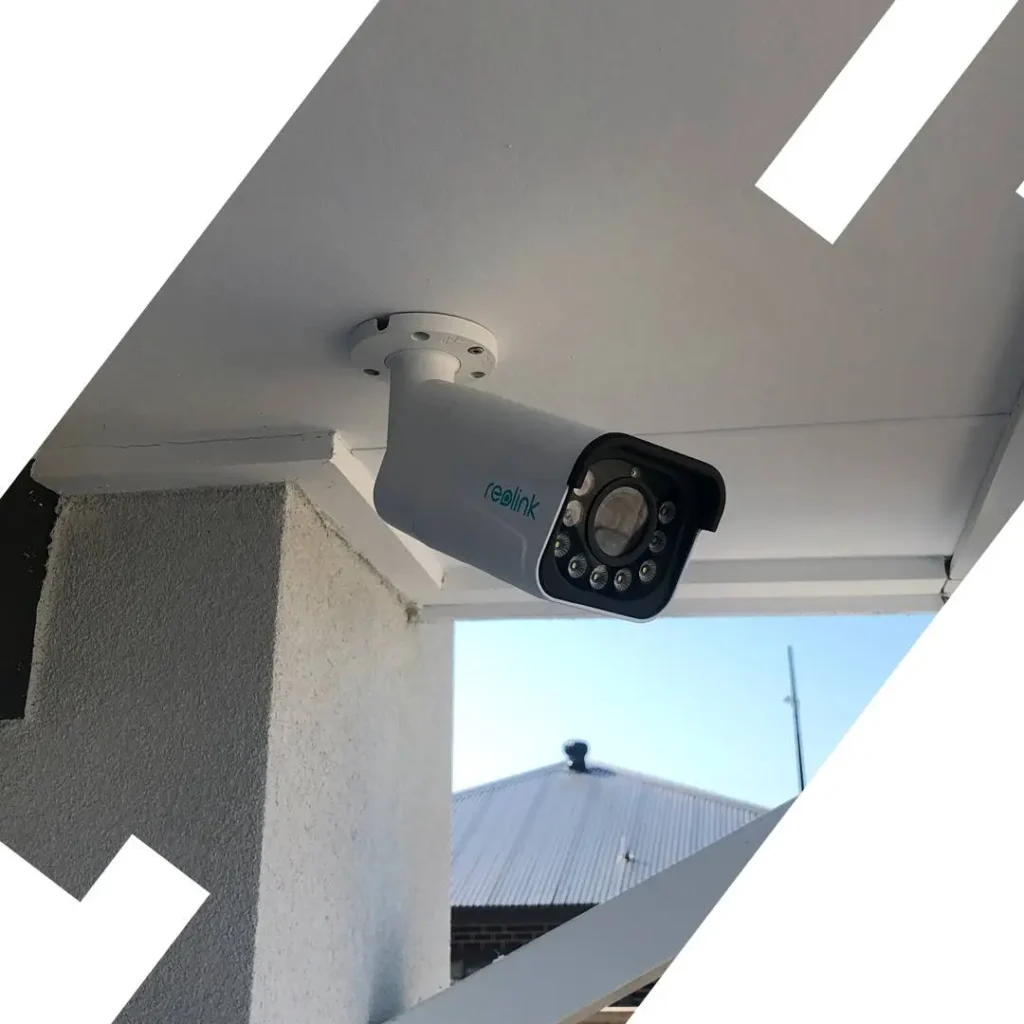
High-resolution Ajax cameras covering exhibition rooms, storage, entry points, and loading areas — with remote live viewing from anywhere via smartphone app.
Prevent Incidents Before They Happen
Ajax motion detectors, glass-break sensors, and perimeter protection detect threats in real time — so you can focus on art, not on worries.
Brighton, Elwood, Hampton, Sandringham & St Kilda
SIPKO Security installs and configures every system on-site across Melbourne’s bayside cultural suburbs — with full handover, training, and ongoing support.
Schedule Your Gallery Security Assessment
Call 0406 432 691 or complete the form and we will contact you.
The Growing Threat to Art Galleries: Don’t Risk Your Collection
The Reality of Security Risks for Art Galleries in Melbourne
Targeted Gallery Theft
Art galleries are attractive targets for theft due to high-value, portable assets. Professional thieves specifically target galleries with inadequate security systems or visible vulnerabilities.
Bold and Targeted Attacks
Thieves are increasingly targeting high-value collections — basic locks or old alarms are no longer enough to keep them out. Modern threats require modern protection.
Devastating Consequences
A single security breach can result in irreplaceable artwork loss, significant financial impact, insurance complications, and lasting damage to your gallery’s reputation and credibility.
CCTV is your first line of defense, but only a professional-grade solution like Ajax ensures both deterrence and rapid response. Ajax brings precision, reliability, and real-time protection — so you can focus on art, not on worries.
Ajax Systems: Unmatched Security for Your Art
Ajax Systems is recognised globally as a benchmark for security technology — widely used to protect high-value assets in museums, galleries, and private collections across Brighton, Hampton, and Gardenvale.
Wireless, Encrypted & Always On
Ajax provides a fully wireless and encrypted platform with guaranteed uptime. Tampering attempts are instantly detected, and system integrity is never compromised — even under targeted attack.
Unlike standard systems, Ajax remains online during blackouts. The built-in battery provides up to 7 years of autonomous security, so your collection is shielded even if external power or communications fail.
Single App, Total Control
All system components — CCTV, intrusion sensors, environmental monitors — work together and are managed through a single app. View cameras, check temperature or humidity, and respond instantly from anywhere.
Immediate Alerts
You receive instant notifications for any suspicious activity, system status change, or environmental event — wherever you are. No delay, no missed incidents.
Total Risk Control
Ajax monitors intrusion, smoke, humidity, glass breakage, and movement — comprehensive protection for priceless and sensitive works in any gallery environment.
Advanced CCTV Integration
Ajax cameras integrate directly with the alarm system — every motion event is cross-referenced with video, giving you verified evidence and reducing false alarm responses.
Don’t leave your gallery exposed to modern threats. Contact SIPKO Security for a free site assessment across Brighton and surrounds.
Advanced CCTV Cameras for Gallery Protection
Our CCTV systems are designed to protect every part of your gallery — entrances, exhibits, and storage. Discreet, high-resolution cameras with advanced motion detection and real-time alerts, all managed through the Ajax app.
No blind spots — wide, zoom, and panoramic coverage for all gallery spaces including storage and loading areas.
Cameras recognise people and filter out false alarms — only real threats trigger alerts, not shadows or animals.
Wired or wireless — easy installation in any building type, heritage or modern, without invasive cabling.
Watch live video and receive instant alerts from anywhere in the world via the Ajax smartphone app.
24/7 Professional Monitoring: Your Gallery’s Guardian
Great cameras need great monitoring. Our Ajax-powered service delivers round-the-clock vigilance for galleries throughout Brighton and nearby suburbs — a professional team monitors your feeds in real time, ready to respond the moment a real threat is detected.
Real-Time Response
Immediate action if intruders or suspicious activity are detected — authorities or your security team are alerted without delay, 24 hours a day.
Smart Alerts Only
AI filters out shadows, headlights, and other false triggers — so you’re notified only of genuine threats, not nuisance activations.
Environmental Protection
Integration with sensors tracks humidity and temperature — critical for preserving artwork and detecting environmental threats before damage occurs.
Full Remote Control
Manage security, review footage, and receive alerts — all through the Ajax app, anytime and anywhere in the world.
Protecting Art During Opening Hours vs After Hours
A gallery faces two completely different threat profiles depending on whether the public is inside or the doors are locked. Ajax handles both scenarios with separate zone configurations — not a single blunt alarm that’s either on or off.
Motion Zones Suspended in Public Areas
Ajax motion detectors in exhibition rooms are disarmed during opening hours. Only restricted zones — storage, office, loading dock — remain armed and will trigger if accessed without authorisation.
Access Control on Restricted Doors
Staff-only doors remain locked and monitored. Any attempt to open a restricted door without a valid Ajax keyfob or app credential triggers an immediate alert — even with visitors present.
CCTV Active Across All Spaces
All cameras remain recording during opening hours. Ajax’s people-detection AI flags loitering near high-value works, unusual behaviour near display cases, or anyone entering restricted areas.
Vibration & Glass-Break Sensors Always On
Display case vibration sensors and glass-break detectors are never disarmed — they operate independently of the motion zone schedule and trigger instantly if a case is struck or glass is broken.
All Motion Zones Armed
Every PIR sensor across exhibition rooms, corridors, storage, and the office activates. Any movement anywhere in the building triggers an immediate alert to the monitoring centre.
Staff Arming via App or Keyfob
The last staff member to leave arms the full system via the Ajax app or a keyfob. Each arming event is logged with a timestamp and user ID — creating an auditable record for insurance purposes.
Entry Delay for Authorised Late Access
If a curator or owner needs after-hours access, a configurable entry delay gives them time to disarm before the alarm fires. All after-hours entries are logged and can trigger a notification to the gallery owner.
Tamper Detection on Every Device
If an intruder attempts to remove, cover, or destroy any Ajax sensor or camera, the tamper alert fires instantly — before the device is disabled. The system cannot be silently defeated.
Ajax zones switch automatically between open and closed profiles on a set schedule — no manual arming required for routine gallery hours.
Every arm, disarm, zone trigger, and access event is logged with timestamp and user — exportable for insurance claims and incident reports.
Gallery owners receive a notification if the system isn’t armed by closing time — and can arm it remotely from anywhere via the Ajax app.
Glass Break Detection for Display Cases and Skylights
Brighton and Elwood galleries often feature heritage skylights, floor-to-ceiling glazing, and glass display cases housing irreplaceable works. Ajax glass-break sensors detect the specific acoustic signature of breaking glass — triggering before an intruder can reach the artwork.
Ajax GlassProtect
- Detection rangeUp to 9 m
- Glass typesTempered, laminated, wired
- False alarm filterDual-stage acoustic
- Battery lifeUp to 7 years
- Tamper protectionYes — instant alert
Display Case Vibration
- Detection methodVibration + acoustic
- SensitivityAdjustable 1–8
- MountingDirect to case frame
- Response time< 0.3 seconds
- Works during open hoursYes — always armed
Skylight Protection
- Skylight typeFixed & opening panels
- Break detectionAcoustic — up to 9 m
- Opening detectionMagnetic contact
- Heritage safeNo drilling required
- IP ratingIP55 outdoor rated
One sensor covers an entire exhibition room — positioned in the corner at ceiling height for maximum acoustic coverage of all glass surfaces.
Vibration sensors mount directly to the case frame — invisible to visitors, always armed, and sensitive enough to detect a single sharp impact.
Magnetic contacts on opening skylights combined with an acoustic sensor below — dual detection that catches both forced entry and glass breakage.
Large glass shopfronts common in Brighton’s gallery strip — a single GlassProtect sensor covers up to 9 m of glazing from a central ceiling position.
Humidity & Temperature Monitoring for Artwork Preservation
Security isn’t only about intruders. A single night of high humidity or a heating failure can cause irreversible damage to oil paintings, watercolours, and sculptures. Ajax environmental sensors track conditions 24/7 — and act the moment thresholds are breached.
What Happens When Conditions Exceed Safe Limits
A humidity spike or heating failure at 2am — here’s the exact response chain from the moment Ajax detects the breach.
Sensor Detects Threshold Breach
Ajax environmental sensor records humidity rising above 60% RH — outside the safe range for oil paintings in the main exhibition room.
T+0 seconds
Ajax Hub Transmits Alert
The hub sends an encrypted signal via Jeweller radio protocol — simultaneously to the monitoring centre and the gallery owner’s smartphone app.
T+0.15 seconds
Gallery Owner Notified
Push notification to the owner’s phone with the exact sensor location, current reading, and the safe threshold that was breached. No alarm siren — this is a silent environmental alert.
T+2 seconds
Monitoring Centre Logs Event
The professional monitoring centre records the event with timestamp and sensor data. If the owner doesn’t acknowledge within a set period, the centre attempts contact.
T+30 seconds
Owner or Caretaker Responds
Owner can remotely check CCTV to assess the situation, contact an HVAC technician, or dispatch a keyholder — all from the Ajax app without leaving home.
T+5 minutes
Securing the Loading Dock: Where Most Gallery Thefts Begin
The rear entry used for artwork delivery and collection loans is the single highest-risk point in any gallery. It’s accessed by multiple parties — couriers, art handlers, loan coordinators — often outside business hours and away from public view. Ajax covers every vulnerability at the loading dock.
Multiple Unvetted Access Parties
Couriers, art handlers, loan coordinators, and cleaning staff all use the loading dock — often without the gallery owner present. Ajax logs every entry with timestamp and user credential, creating a full audit trail for every delivery.
After-Hours Delivery Windows
Many art loans and courier pickups happen outside gallery hours — when no staff are present to supervise. Ajax motion detection and CCTV remain active, and any unauthorised movement triggers an immediate alert to the monitoring centre.
Roller Door and Loading Bay Vulnerabilities
Roller doors are a common forced-entry point — they can be lifted manually if the motor lock fails. Ajax DoorProtect sensors on the roller door detect any movement, and vibration sensors on the door frame catch forced-entry attempts before the door opens.
No CCTV Coverage in Staging Areas
The area between the loading dock and the main gallery — where artwork is unpacked, inspected, and staged — is often a CCTV blind spot. Ajax cameras cover this transition zone, recording every piece that enters or leaves the building.
Substitution During Transit
High-value works are most vulnerable to substitution during the handover moment — when a piece leaves one party’s custody and enters another’s. Timestamped CCTV footage of every loading dock transaction provides irrefutable evidence if a substitution is later discovered.
What We Secure at the Loading Dock
Every Ajax component installed at the loading dock is configured specifically for gallery artwork handling — not a generic commercial fit-out.
Ajax Motion Detection Zones: Protecting Exhibits Without Triggering on Visitors
The same sensor that catches an intruder at 2am must stay silent while 80 visitors walk past it at an opening night. Ajax zone configuration makes this possible — here’s exactly how it works for a gallery.
Pet-Immune PIR
Ajax MotionProtect ignores heat signatures below a set threshold — animals and small objects don’t trigger the zone, only human-sized movement does.
People-Only Detection
Ajax MotionProtect Plus uses microwave + PIR dual-tech — both must trigger simultaneously, eliminating false alarms from air conditioning, shadows, and light changes.
Scheduled Zone Switching
Zones switch automatically between opening and after-hours profiles on a set schedule — no manual arming required. Override available via app for late events.
Full Zone Audit Log
Every zone trigger, arm, and disarm is logged with timestamp and location — exportable for insurance documentation and incident investigation.
Vandalism Protection: Spray Paint, Slashing, and Physical Damage
Galleries in St Kilda and Balaclava face a specific and growing vandalism threat — from opportunistic graffiti on glazed facades to deliberate slashing of exhibited works. Ajax detects every type of physical attack before damage is done.
Spray Paint on Glazed Facades
Graffiti on gallery shopfronts and glazed facades is the most common vandalism type in St Kilda and Balaclava. Ajax outdoor cameras with AI motion detection identify a person approaching the facade at night and alert the monitoring centre before the first stroke — not after.
Ajax OutdoorCam + MotionProtect OutdoorSlashing of Exhibited Works
A knife or sharp object drawn across a canvas produces a specific vibration signature. Ajax vibration sensors mounted on display frames or nearby walls detect this signature instantly — triggering an alert before the attacker can reach a second work.
Ajax MotionProtect Plus + VibrationSmashing Display Cases
A sharp impact on a display case glass triggers both the vibration sensor and the glass-break detector simultaneously — dual confirmation that eliminates false alarms while ensuring a real smash-and-grab attempt is caught within milliseconds.
Ajax GlassProtect + Vibration SensorPhysical Impact on Sculptures
Freestanding sculptures are vulnerable to being pushed, struck, or toppled. Ajax vibration sensors placed on plinths or nearby surfaces detect abnormal impact force — distinguishing between a visitor brushing past and a deliberate strike.
Ajax MotionProtect + Vibration SensorForced Entry for Targeted Damage
Some vandalism events are premeditated — a forced entry specifically to damage a controversial or high-profile work. Ajax perimeter sensors on all entry points detect forced entry within seconds, dispatching a response before the vandal reaches the gallery floor.
Ajax DoorProtect + MotionProtectNo CCTV Evidence After the Fact
Without timestamped CCTV footage, vandalism claims are difficult to prove for insurance. Ajax cameras record continuously with cloud backup — every incident is documented with video evidence suitable for police reports and insurance submissions.
Ajax Camera + Cloud StorageSecuring Temporary Exhibitions and Loan Works
When a gallery hosts a touring exhibition or borrowed pieces, the insurance requirements change immediately. Lenders, insurers, and touring bodies require documented proof that the receiving gallery meets specific security standards — and Ajax provides that documentation automatically.
- Professional Monitoring: Most fine art insurers require 24/7 professional monitoring with a certified monitoring centre — not just a self-monitored app. Ajax connects to a licensed monitoring centre that satisfies this requirement.
- Timestamped Access Logs: Lenders require a complete record of who accessed the gallery during the loan period. Ajax logs every arm, disarm, and zone trigger with user ID and timestamp — exportable as a PDF for the lender on request.
- Environmental Monitoring: Touring exhibitions often specify humidity and temperature ranges as a condition of the loan. Ajax environmental sensors provide continuous logged data — proof that conditions were maintained throughout the exhibition period.
- Incident Documentation: If any security event occurs during the loan period — a false alarm, a door left open, a sensor trigger — Ajax logs it with full context. This protects the gallery from liability disputes with the lender.
- CCTV Footage Retention: Many loan agreements require CCTV footage to be retained for the full loan period plus 30 days. Ajax cloud storage satisfies this requirement with footage accessible and exportable at any time.
All logs are exportable as a single PDF report from the Ajax app — covering the full loan period, ready to submit to your lender or insurer within minutes.
After-Hours Staff Access: Cleaners, Curators, and Contractors
Multiple people need after-hours access to a gallery — but not all of them should have the same level of access, and none of them should be able to enter without leaving a trace. Ajax manages this precisely.
Ajax Keyfob Access
- ✔Individual keyfobs issued to each staff member — no shared codes, no shared keys. Each fob has a unique ID logged against a named person.
- ✔Zone-specific arming — a cleaner’s keyfob can disarm the foyer and bathrooms only, leaving storage and office zones armed throughout their visit.
- ✔Instant revocation — if a contractor’s engagement ends or a keyfob is lost, access is revoked from the Ajax app in seconds without changing locks or codes.
- ✔Time-window restrictions — keyfobs can be configured to only work within a set time window, e.g. cleaners 6–8am only.
Ajax App Access
- ✔Named user accounts — curators, gallery managers, and owners each have their own app login. Every action is attributed to a specific person.
- ✔Remote arm/disarm — a curator working late can disarm their zone from the car park before entering, without disturbing other armed zones.
- ✔Owner notification — the gallery owner receives a push notification every time any user arms or disarms after hours, with the user’s name and timestamp.
- ✔Temporary access grants — a contractor can be given 24-hour app access for a specific job, automatically expiring without any manual follow-up.
What Happens When the Alarm Triggers: The Response Chain
From the moment an Ajax sensor detects a threat in your Melbourne gallery — here’s the exact sequence of events, with real response times specific to Melbourne.
Power Outage Protection: What Happens to Your Gallery Security During a Blackout
Melbourne’s coastal suburbs — Brighton, Elwood, St Kilda, Hampton — experience regular power outages during storm season. A blackout at 2am shouldn’t mean your gallery is unprotected. Here’s exactly what happens to your Ajax system when mains power and NBN both fail simultaneously.
Mains Power Fails
Storm knocks out power to the gallery. Standard alarm panel switches to internal battery — typically 7Ah lead-acid, good for 4–8 hours if the battery is new and well-maintained.
NBN Connection Lost
NBN modem loses power. The alarm panel can no longer communicate with the monitoring centre via internet. If the system has no GSM backup, it’s now completely isolated.
Battery Depleted
Panel battery runs flat. The entire alarm system shuts down — sensors offline, siren offline, no communication. The gallery is now completely unprotected until mains power returns.
Intruder Enters
An opportunistic intruder notices the power outage in the area and tests the gallery door. No alarm sounds. No alert is sent. No response is triggered. The gallery is defenseless.
Mains Power Fails
Ajax Hub switches instantly to internal battery — 13,000 mAh lithium, good for up to 15 hours continuous operation. All sensors remain active. Gallery owner receives “Mains power lost” notification via app.
NBN Connection Lost — GSM Activates
Ajax Hub detects NBN failure and switches to 4G GSM backup within 2 seconds. Communication with monitoring centre continues uninterrupted. No alerts are missed.
System Still Fully Operational
Ajax Hub battery at 70% capacity. All sensors active. GSM connection stable. Gallery owner can still view live CCTV via 4G. System continues to protect the gallery as if nothing happened.
Intruder Attempts Entry
Ajax DoorProtect sensor triggers. Siren activates (powered by its own battery). Alert sent via 4G to monitoring centre within 0.15 seconds. Police dispatched. Intruder flees. Gallery protected.
Ajax Hub connects to your monitoring centre via two independent paths: primary Ethernet (via your NBN router) and backup 4G GSM (via an internal SIM card). Both paths are active simultaneously — the hub “pings” the monitoring centre every 12 seconds via both connections to confirm they’re alive.
If the Ethernet path fails (NBN outage, router failure, cable cut), the hub detects the failure within 24 seconds and switches all communication to the GSM path. The monitoring centre sees no interruption — alerts continue to arrive as normal.
Professional intruders sometimes use GSM jammers to block mobile signals and prevent alarms from calling out. Ajax detects jamming attempts within 60 seconds — if the hub can’t reach the monitoring centre via GSM, it triggers a “Communication failure” alert via the Ethernet path (if still available) or logs the event for later transmission.
The siren also activates locally if jamming is detected while the system is armed — alerting anyone nearby that a sabotage attempt is in progress, even if the alert can’t reach the monitoring centre.
The switch from Ethernet to GSM is completely automatic — no manual intervention, no button press, no app action required. The gallery owner receives a notification that the system has switched to GSM backup, but the system continues to protect the gallery without any action needed.
When mains power and NBN return, the hub automatically switches back to Ethernet as the primary path and charges its internal battery. The GSM path remains active as a standby, ready to take over again if needed.
Ajax GSM backup uses very little data — typically less than 100MB per month even with continuous monitoring. The hub only transmits small encrypted packets (sensor status, arm/disarm events, alerts) rather than streaming video or large files.
SIPKO Security includes a pre-configured SIM card with your Ajax installation — no need to source your own mobile plan. The SIM is managed and monitored as part of your ongoing service, ensuring it never runs out of credit or data.
Brighton, Elwood, St Kilda, and Hampton experience regular power outages during Melbourne’s storm season (June–September). Coastal wind gusts, lightning strikes, and tree falls cause blackouts lasting anywhere from 30 minutes to 12+ hours. Ajax’s battery and GSM backup ensure your gallery remains protected throughout the entire outage — not just the first hour.
Power Outage Protection: What Happens to Your Gallery Security During a Blackout
Melbourne’s coastal suburbs — Brighton, Elwood, St Kilda — experience regular storm-related power outages. When mains power and NBN fail simultaneously at 2am, your gallery’s security cannot go dark. Ajax is engineered for exactly this scenario.
Up to 15 Hours Battery Life
Ajax Hub 2 Plus runs for up to 15 hours on internal battery — covering overnight outages and extended storm events without any external UPS required.
Dual-Path Communication
Ethernet primary, 4G backup — if NBN fails, Ajax switches to cellular within seconds. Monitoring centre connection is never lost, even during total infrastructure failure.
Sensor Battery Independence
Every Ajax sensor has its own battery (up to 7 years life) — sensors don’t rely on hub power. Even if the hub battery depletes, sensors continue detecting and storing events locally.
Integrating Ajax with Your Existing Gallery Access Control
Many Brighton and Hampton galleries already have key card systems, intercoms, or electronic locks. Ajax doesn’t replace these — it integrates with them, filling security gaps while preserving your existing investment.
Key Card / Proximity Card Systems
Your existing HID or Paxton key card system controls who enters the gallery. Ajax adds intrusion detection for after-hours and monitors areas the card system doesn’t cover — exhibition rooms, storage, and loading dock.
Intercom & Video Entry Systems
Aiphone or Fermax intercom at the front door handles visitor communication. Ajax DoorProtect sensor on the same door detects forced entry or door-left-open scenarios the intercom can’t catch.
Electronic Locks & Maglocks
Electric strike or maglock on the loading dock controlled by your existing system. Ajax adds a DoorProtect sensor to monitor when the door opens — creating an audit trail even when staff use their existing credentials.
Standalone CCTV Systems
Existing Hikvision or Dahua NVR recording 24/7. Ajax cameras integrate via the Ajax app — you keep your existing CCTV for continuous recording, and add Ajax cameras for verified alarm response and AI motion detection.
(Key Card / Intercom / Lock)
(Door / Motion / Glass-Break)
& Forced Entry
Log Independently
After-Hours Coverage
Key card systems don’t arm/disarm zones. Ajax fills this gap — arming motion sensors after closing and alerting if anyone enters without disarming.
Unified Audit Trail
Ajax logs every sensor trigger with timestamp. Combined with your card system logs, you have complete documentation for insurance claims.
Verified Response
Card systems can’t verify if an entry is authorized or forced. Ajax CCTV cross-references every door opening with video — verified alarms get priority police dispatch.
CCTV Placement Strategy for Exhibition Rooms: Protecting Art Without Obstructing It
Camera positioning in a gallery is a balance — every artwork must be covered, but cameras can’t appear in exhibition photography or distract from the art. SIPKO Security maps camera placement to your floor plan before installation.
Covers north & west walls
Covers north & east walls
Covers south & west walls
Covers south & east walls + entry
Ceiling Corner Mounts
- Maximum coverage: One camera covers two walls simultaneously from a corner position at ceiling height.
- Invisible in photos: Positioned above the frame line of wall-mounted works — never appears in exhibition photography.
- Discreet housing: White or black dome housing blends with ceiling — visitors rarely notice the camera.
- Wide-angle lens: 110° field of view captures entire corner zone without blind spots near the walls.
Central Sculpture Coverage
- 360° visibility: Freestanding sculptures on plinths are covered by overlapping fields from corner cameras.
- No dedicated camera: Four corner cameras provide redundant coverage — if one view is blocked, three others remain.
- Height advantage: Ceiling-mounted cameras look down on sculptures — capturing approach from any direction.
- Vibration sensor backup: Ajax vibration sensor on plinth base detects physical contact before damage occurs.
Many Brighton galleries are in heritage-listed buildings. Wireless Ajax cameras avoid drilling through heritage fabric — PoE over existing conduit or battery-powered options available.
Skylights and large windows in bayside galleries create high-contrast lighting. Ajax cameras with WDR (Wide Dynamic Range) handle bright windows and shadowed corners in the same frame.
Adjustable track lighting common in galleries can create glare. Camera positioning accounts for light direction — angled to avoid direct beam into lens.
Gallery layouts change with each exhibition. Fixed corner cameras provide consistent coverage regardless of how artwork is rearranged on the walls.
Cameras are positioned to monitor artwork and approaches — not to capture close-up facial detail of visitors browsing. Privacy-compliant coverage focused on asset protection.
The area between loading dock and exhibition floor is a blind spot in many galleries. Dedicated camera covers this transition zone where artwork is most vulnerable during handling.
Protecting the Gallery Office and Archive Room
While exhibition spaces get the most attention, your office and archive room hold the gallery’s most sensitive assets — financial records, provenance documentation, insurance certificates, and stored artwork. These back-of-house areas need dedicated protection that’s often overlooked.
Gallery Office
Your office contains computers with client databases, financial records, insurance policies, and authentication documents. A breach here can compromise your entire operation — not just through theft, but through data exposure and identity fraud.
Archive & Storage Room
Archive rooms store artwork not currently on display, along with packing materials, frames, and conservation supplies. These spaces are often in basements or back areas with limited visibility — making them prime targets for internal and external theft.
SIPKO Security designs integrated systems that protect your entire gallery — from public exhibition spaces to private offices and archive rooms. Every zone gets the right sensors, cameras, and monitoring to match its specific risk profile.
Ajax for Multi-Room and Multi-Floor Galleries
Large galleries spanning multiple rooms or floors need a security system that scales seamlessly — Ajax’s wireless architecture connects up to 200 devices to a single hub, covering every exhibition space, corridor, stairwell, and back-of-house area without complex cabling or network infrastructure.
Example: 3-Floor Brighton Gallery — Complete Ajax Coverage
Wireless Mesh Network
Ajax devices communicate via encrypted radio — no Ethernet cabling between floors, no WiFi dependency. Devices relay signals through each other for extended range.
Instant Synchronization
All devices report status in real time — if a door opens on floor 3 while motion is detected on floor 1, both events are logged and correlated instantly.
Scalable Architecture
Start with essential coverage and expand as needed — add cameras, sensors, or entire floors without replacing the hub or reconfiguring the system.
Victorian-Era Gallery in Brighton
A 3-storey heritage-listed building with thick walls, ornate plasterwork, and strict conservation restrictions. Wireless Ajax avoids drilling through heritage fabric.
Contemporary Gallery in Elwood
A modern 2-storey commercial space with open-plan exhibition areas, mezzanine office, and basement storage. High ceilings and glass partitions throughout.
Night-Vision CCTV for Galleries with Minimal Lighting
Many galleries keep lighting deliberately low to protect artwork from UV damage and fading — but this creates a security challenge. Standard CCTV struggles in low light, producing grainy, unusable footage. Ajax cameras are engineered for exactly this environment, delivering clear, detailed video even in near-darkness.
Ajax Low-Light Technology Explained
Starlight Sensors
Large 1/1.8″ CMOS sensors capture more light per pixel — producing clear color video in lighting as low as 0.005 lux (equivalent to a moonless night).
3D Noise Reduction
Advanced algorithms filter out digital noise without blurring detail — low-light footage remains sharp and forensically useful.
True WDR (120dB)
Captures multiple exposures simultaneously and merges them — bright and dark areas are balanced in the same frame without overexposure or black shadows.
Dimly Lit Exhibition Rooms
Galleries displaying light-sensitive works (watercolors, textiles, photographs) keep ambient lighting below 50 lux to prevent fading. Standard CCTV produces unusable footage at this level.
Mixed Lighting Challenges
Gallery spaces often have bright spotlights on featured works and dim ambient lighting elsewhere — creating extreme contrast that overwhelms standard cameras.
After-Hours Monitoring
When the gallery closes, all lights are turned off to conserve energy and protect artwork. Standard cameras switch to infrared mode, but IR reflects off glass frames and creates unusable footage.
Natural Light from Windows
Brighton galleries with large windows face extreme lighting changes throughout the day — bright sunlight in the morning, dim overcast light in the afternoon, and darkness at night.
Protect Your Gallery with Ajax Security
SIPKO Security installs and configures Ajax alarm systems and CCTV for art galleries across Brighton, Elwood, Hampton, Sandringham, and St Kilda. Get a free site assessment and fixed-price quote.
What to Do If Your Gallery Is Broken Into: The First 24 Hours
A break-in at your gallery is a crisis — but the actions you take in the first 24 hours determine whether you recover quickly or face weeks of disruption, insurance disputes, and reputational damage. Here’s the exact protocol to follow, hour by hour.
Timestamped CCTV Footage
Ajax cameras record continuously with precise timestamps. Export the exact break-in window as a video file for police and insurers — no guesswork, no missing footage.
Complete Event Logs
Ajax logs every sensor trigger, door opening, and alarm event with user ID and timestamp. Export a full report for your insurer showing exactly what happened and when.
Verified Alarm Response
If you have professional monitoring, the monitoring centre will have dispatched police immediately when the alarm triggered — reducing response time and increasing the chance of catching the intruder.
Art Gallery Security FAQ
Common questions about Ajax alarm systems and CCTV for art galleries in Brighton and surrounding Melbourne suburbs.
Related Security Services in Melbourne
SIPKO Security provides comprehensive Ajax alarm systems and CCTV for homes, businesses, and specialized venues across Melbourne and Mornington Peninsula.
Healthcare Facility Security
Ajax security systems for medical clinics, aged care facilities, and healthcare centers across Melbourne.
Childcare & Education Security
Comprehensive security solutions for childcare centers, kindergartens, and educational facilities in Melbourne.
Hospitality Security
Ajax alarm systems for hotels, restaurants, cafes, and hospitality venues across Melbourne.
Petrol Station & Carpark Security
Advanced security systems for petrol stations, parking garages, and high-traffic commercial areas.
Farm & Rural Security
Long-range wireless Ajax systems for farms, rural properties, and agricultural facilities in Melbourne regions.
NDIS & Disability Housing
Specialized Ajax security for NDIS homes, disability housing, and supported accommodation in Melbourne.
Ajax Alarm Installation
Professional Ajax wireless alarm system installation for homes and businesses across Melbourne.
Hikvision CCTV Systems
Professional-grade Hikvision security cameras and CCTV systems for Melbourne properties.
Brighton Security Services
Local Ajax alarm and CCTV installation services for Brighton homes, businesses, and galleries.