TP-Link Security Installation Services for Melbourne Homes and Businesses
In Melbourne’s dynamic city, keeping homes and businesses safe is a priority. TP-Link, a global leader in networking and smart home technology, delivers advanced security for reliable protection. From HD cameras to motion sensors, TP-Link products integrate seamlessly and are easy to use. SIPKO Security professionally installs and tailors TP-Link systems for Melbourne homes and businesses.
TP-Link’s Tapo and Kasa lines cover monitoring and protection needs: indoor and outdoor cameras and smart doorbells — cost-effective and high quality. Proper installation maximises features and reliability. With years of experience in Melbourne, we ensure every system performs at its best.
Seamless Integration
Cameras, sensors, and doorbells configured across Tapo and Kasa and your network — everything talking to each other from day one.
Optimised Coverage
Professional placement for entrances, driveways, and key indoor areas — no blind spots, no guesswork.
Reliable Performance
HD video, smart detection, and stable connectivity tuned for local conditions — set up correctly the first time.
Ease of Use
App control, alerts, and remote viewing — set up and tested so you can monitor your property from anywhere.
Local Expertise
Aligned with your site layout, privacy requirements, and Melbourne-specific conditions — from bayside homes to inner-city offices.
Schedule Your Service
Call +61 406 432 691 or complete the form and we will contact you.
Why Choose TP-Link Professional Installation?
Installing a security system is more than mounting cameras or joining Wi-Fi. Proper setup needs technical knowledge, precise configuration, and an understanding of the property layout to ensure optimal coverage. While TP-Link devices are easy to use, they benefit greatly from professional installation to unlock their full capabilities.
Professional installation eliminates common issues — poor camera angles, weak Wi-Fi, and incorrect settings that can compromise security. Our team assesses your site, whether a compact CBD apartment or a sprawling suburban business, and ensures seamless integration with the TP-Link app for easy remote monitoring.
- Strategic placement: Camera angles and sensor locations planned to eliminate blind spots.
- Network reliability: Strong Wi-Fi coverage and stable connectivity for continuous recording and alerts.
- Precise configuration: Motion zones, sensitivity, notifications, and privacy settings tuned correctly.
- Property-specific planning: Solutions for Melbourne apartments, homes, and businesses of any size.
- Seamless app setup: Tapo and Kasa mobile integration for simple remote viewing and control.
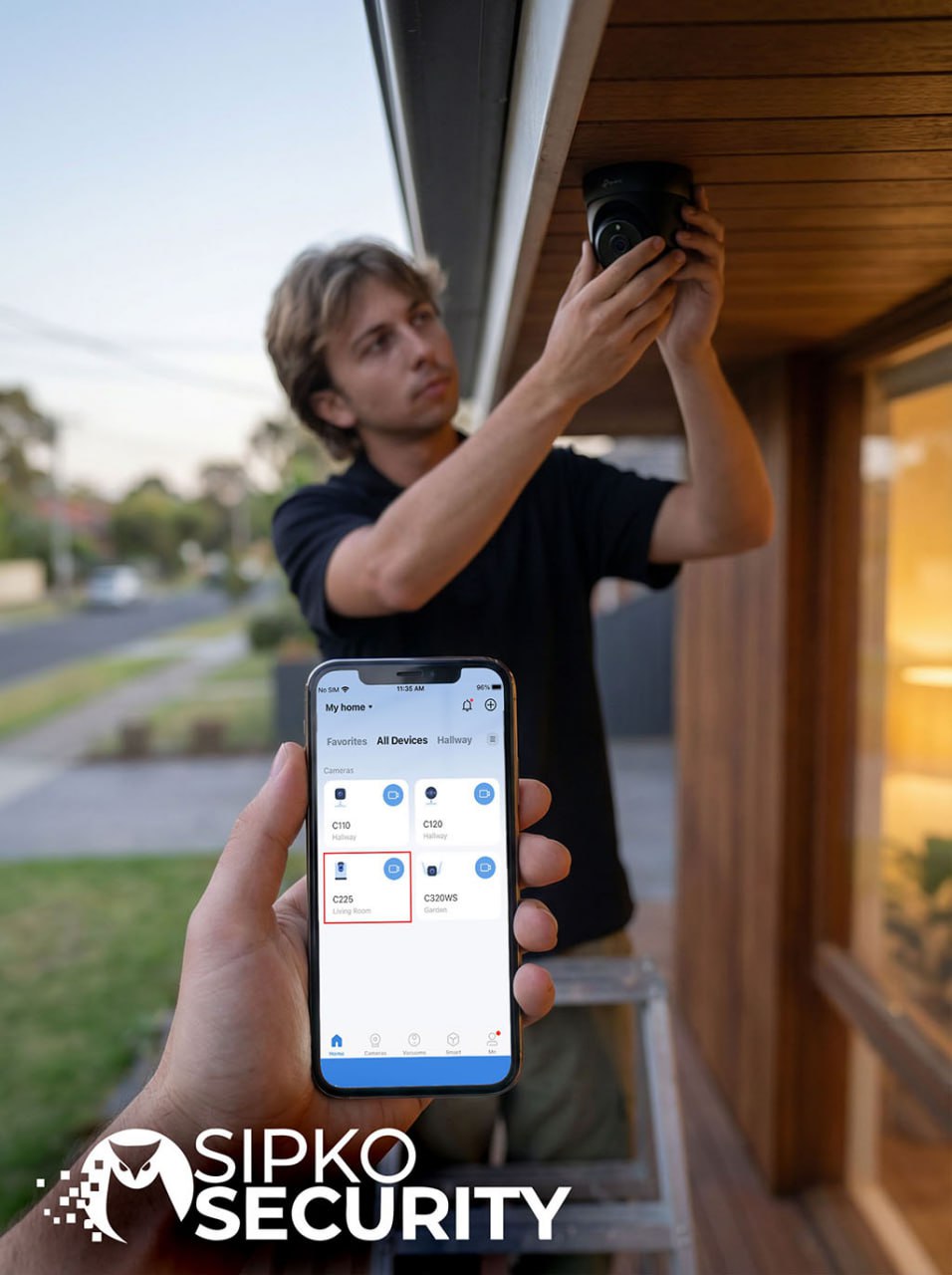
Tailored Security Solutions for Melbourne Properties
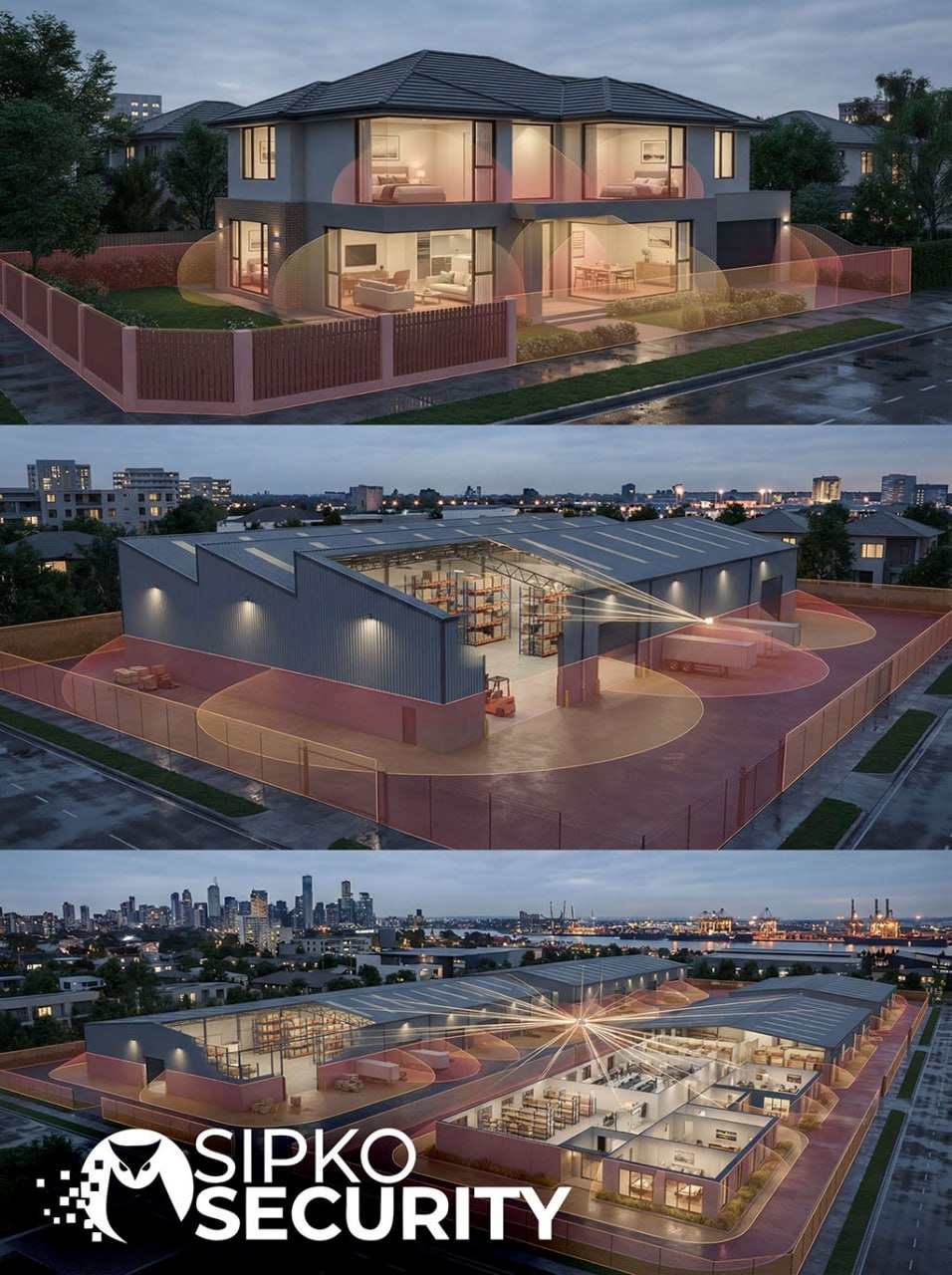
Melbourne’s diverse architecture demands customised security. From heritage homes in Fitzroy to modern offices in Docklands, each site has unique challenges. SIPKO Security designs custom TP-Link solutions starting with a consultation to define goals, then a site assessment to locate vulnerabilities and plan optimal device placement.
Consultation & Site Assessment
We start by defining your security goals and daily use cases before touching a single device.
- Define security goals and daily use cases
- Map entrances, corridors, blind spots, and lighting
- Plan power and Wi-Fi routes and best mounting heights and angles
Residential Solutions
We blend devices with your home’s aesthetics while ensuring full coverage — minimal visual impact, maximum protection.
- Tapo C200 for discreet indoor monitoring
- Tapo C310 for entrances, driveways, and backyards
- Clean cable runs and tidy mounts to keep visuals minimal
Business Solutions
Built for scale — single sites or multiple locations, with unified management across the whole operation.
- Integrate TP-Link cameras, sensors, and smart doorbells
- Coverage planning for offices, warehouses, and storefronts
- Unified app setup for alerts and remote reviews
Built for Melbourne Weather
Melbourne’s climate is unpredictable. Every outdoor installation is planned to handle it without compromising performance.
- Weather-resistant outdoor devices and shielded cable runs
- Placement to handle rain, wind, and strong sunlight
- Wi-Fi health checks to keep streams stable year-round
With SIPKO Security, your TP-Link setup fits the property — and the way you live and work. Block by block, suburb by suburb, across Melbourne.
The SIPKO Security Installation Process
A streamlined process for a flawless TP-Link setup. We deliver a fully functional system with minimal disruption — starting with an on-site assessment of layout, Wi-Fi strength, and security needs, through to a clear handover so you are confident from day one.
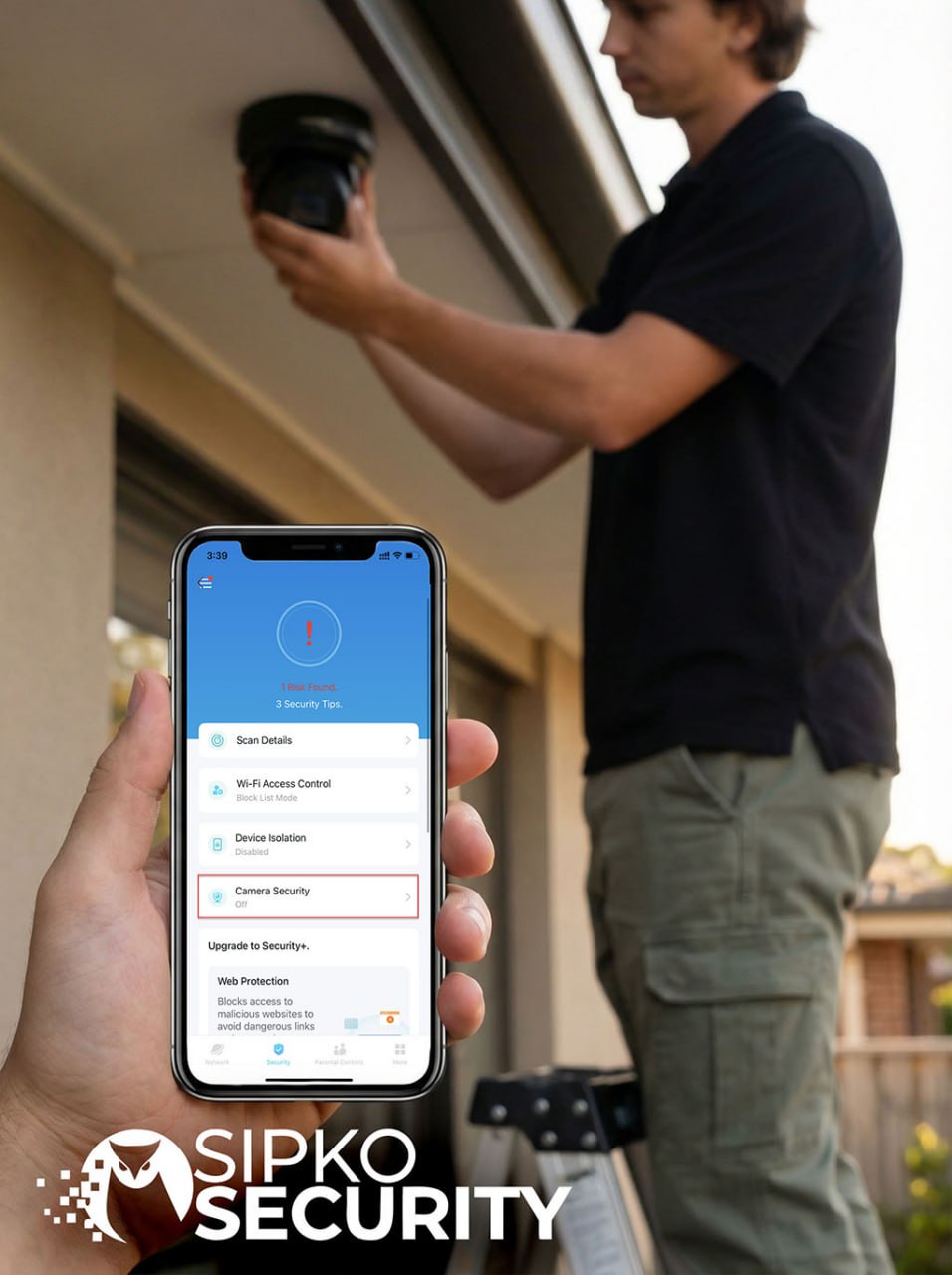
After planning, we handle the physical installation, mount devices securely, run cables discreetly, and configure each TP-Link device for seamless network performance and real-time alerts. We also set up the TP-Link app on your phone or tablet for simple control and remote viewing.
On-Site Assessment
Evaluate property layout, Wi-Fi health, and risk areas to build the right plan before anything is installed.
Placement Plan
Select optimal camera and sensor positions to avoid blind spots and overlap — every angle accounted for.
Professional Install
Secure mounts and tidy cable runs for a clean, professional look that suits any home or business.
Network & Device Config
Connect TP-Link devices, set motion zones, alerts, and privacy settings — tuned for your specific property.
App Setup
TP-Link app installed and paired on your smartphone or tablet with full user access and remote viewing ready.
Testing & Handover
Validate video, motion detection, and recordings — then a full walkthrough so you know exactly how everything works.
Benefits of TP-Link Security Systems with SIPKO Security
SIPKO-installed TP-Link means features that actually deliver. Melbourne property owners benefit from clear HD video, dependable night vision, and two-way audio for instant communication. Smart motion detection and alerts keep you informed, while flexible cloud and local storage protect your footage.
As your needs evolve, TP-Link scales with you — add cameras for a growing business or integrate smart sensors during home upgrades. We handle seamless expansion and provide ongoing support, maintenance, and troubleshooting so your system stays in peak condition.
HD Video, Night Vision & Two-Way Audio
Clear visuals day and night and instant communication when it counts — every detail captured.
Smart Detection & Alerts
Motion-based notifications keep you aware of unusual activity — no constant watching required.
Secure Storage Options
Choose cloud or local storage to retain critical footage securely — your data, your choice.
Seamless App Control
Manage live view, recordings, and alerts from the TP-Link app anywhere — full control in your pocket.
Professional Optimisation
Strategic placement, clean cabling, and precise configuration for maximum reliability from day one.
Scalable & Supported
Easy expansion and ongoing maintenance and troubleshooting from SIPKO Security — your system grows with you.
TP-Link Tapo vs Kasa — What’s the Difference and Which One Do You Need?
If you’ve been shopping for TP-Link security gear and found yourself staring at two different product lines wondering what on earth the difference is — you’re not alone. Here’s the plain-English answer, and which one actually makes sense for your Melbourne home or business.
Tapo
Tapo is TP-Link’s dedicated security line. Think cameras, doorbells, motion sensors, and outdoor floodlights — everything built specifically to watch over your property and alert you when something’s up.
- Indoor and outdoor cameras with HD and 4K options
- Smart doorbells with two-way audio and motion alerts
- Night vision and colour night vision models
- Local SD card storage plus optional cloud backup
- Motion zones — you decide exactly what triggers an alert
- Works with the Tapo app — simple, clean, easy to use
- Some models work without a hub — just plug in and connect
Anyone who wants to watch their home or business. Front door, backyard, garage, warehouse loading dock — Tapo is the right tool for the job.
Kasa
Kasa is TP-Link’s smart home automation line. It’s less about watching and more about controlling — smart plugs, light switches, dimmers, and power strips that you can schedule and automate from your phone.
- Smart plugs — turn any appliance on or off remotely
- Smart light switches and dimmers
- Energy monitoring to track what’s using power
- Schedules and automations — lights on at sunset, off at midnight
- Works with Google Home, Amazon Alexa, and Apple HomeKit
- Kasa app — straightforward and reliable
- No hub required for most devices
Making your home smarter and more convenient. Automating lights to deter intruders while you’re away, or just never having to get up to turn off the lamp again.
Quick Pick — Which One Do You Need?
| Your situation | Go with | Why |
|---|---|---|
| I want to see who’s at my front door | Tapo | Tapo doorbells have live video, two-way audio, and motion alerts — exactly what you need. |
| I want cameras covering my backyard and driveway | Tapo | Tapo outdoor cameras are weatherproof, have night vision, and record to SD card or cloud. |
| I want my lights to turn on automatically when I get home | Kasa | Kasa smart switches and plugs handle automation and scheduling with ease. |
| I want to make it look like someone’s home while I’m on holiday | Kasa + Tapo | Kasa schedules lights to turn on and off randomly. Tapo cameras let you check in remotely. |
| I run a small business and want to monitor staff areas and entrances | Tapo | Tapo’s commercial-grade cameras cover multiple zones with motion detection and recording. |
| I want to cut my power bill and see what’s using electricity | Kasa | Kasa smart plugs with energy monitoring show exactly what’s drawing power and when. |
| I want a full security system — cameras, sensors, and smart home together | Tapo + Kasa | They work side by side. SIPKO Security can set up both lines to work as one integrated system. |
TP-Link Camera Placement Guide — The 5 Spots Melbourne Homes Always Miss
Most people put a camera above the front door and call it done. That covers one entry point. Here are the five spots that actually get missed — and why they matter more than you might think for Melbourne homes specifically.
The Side Gate — Your Biggest Blind Spot
The front door gets a camera. The back door sometimes gets one. But the side gate? Almost never. Yet in Melbourne’s typical block layout — especially on weatherboard homes in the inner suburbs — the side gate is the fastest, most hidden route from the street to your backyard. It’s out of sight from the street, sheltered by fences, and usually unlit.
A burglar who can walk through your side gate unseen has access to your back door, your garage, your shed, and any windows that face the rear of the property. One camera covering the side gate changes that completely.
The Shared Driveway — Especially in Units and Townhouses
If you live in a unit, townhouse, or older Melbourne terrace with a shared driveway, you’ve got a tricky situation. Anyone can walk down that driveway and reach your front door, garage, or letterbox without ever being on a public footpath. Most residents assume someone else’s camera covers it. Nobody’s camera covers it.
A camera at the entrance of the shared driveway — or at the point where it splits toward your property — gives you visibility over who’s coming and going without needing to cover the whole complex.
The Garage Interior — Not Just the Door
People put cameras outside the garage to watch the roller door. That’s useful. But the inside of the garage is where the real value sits — tools, bikes, a second car, the door that connects directly into your home. In Melbourne’s double-storey homes and older weatherboards, the internal garage door is often the weakest point in the whole house.
A small indoor camera inside the garage covers the internal door, the storage area, and gives you a second angle on anyone who does get through the roller door. It also catches opportunistic theft during the day when the roller door is open.
The Letterbox and Parcel Drop Zone
Package theft is a growing problem across Melbourne — and it happens in broad daylight. Most front-door cameras are mounted too high or angled too steeply to actually capture a clear face of someone crouching at your letterbox or picking up a parcel from your porch. The camera sees the top of a hat, not a face.
A second camera — or a smart doorbell positioned lower — aimed specifically at the letterbox and porch area gives you usable footage. This is especially relevant for Melbourne homes with deep verandahs or recessed entries where the front door camera can’t see the letterbox at all.
The Back Fence Line — Not Just the Back Door
A camera on the back door watches the door. But in Melbourne’s typical suburban block — especially in the middle and outer suburbs where backyards back onto laneways or other properties — someone can be in your backyard for a long time before they ever reach the back door. By then, they’ve already had time to check windows, test the shed, and scope the property.
A camera covering the back fence line — ideally from a high corner of the house looking across the yard — gives you early warning the moment someone enters the yard, not when they’re already at your door. On double-storey homes, the upper floor eave is the perfect mounting point for this angle.
Weatherboard Homes (Inner Suburbs)
Side gates, verandahs, and rear laneways are the priority. The front door is usually well-lit — it’s the sides and back that need attention.
Units & Townhouses
Shared driveways and common areas are the gap. Focus on the point where shared space meets your private entry — that’s where coverage matters most.
Double-Storey Homes
Use the height advantage. Upper-floor eaves give you wide-angle coverage of the full yard and driveway that ground-level cameras simply can’t match.
Night Vision vs Colour Night Vision — Which TP-Link Camera Is Right for Your Property?
Most people pick a camera based on the price tag and assume night vision is night vision. It’s not. The difference between standard IR night vision and colour night vision is the difference between seeing a shape in your driveway and seeing a face. Here’s what actually matters for Melbourne homes.
IR Night Vision
IR stands for infrared. The camera uses invisible infrared light — like a torch you can’t see — to illuminate the scene. The result is a black-and-white image. It works in complete darkness, which is genuinely impressive. But everything looks the same shade of grey.
- Works in total darkness — no ambient light needed
- Black-and-white image only
- Longer range — some models reach 30m+
- No visible light emitted — camera stays discreet
- Lower cost than colour night vision models
- Great for areas with zero street lighting
Colour Night Vision
Colour night vision cameras use a combination of a larger image sensor and a built-in warm LED spotlight to produce a full-colour image in low light. The result looks almost like daytime footage — you can see faces, clothing colours, car colours, and number plates clearly.
- Full colour image even in low light
- Faces, clothing, and car colours clearly visible
- Built-in warm LED activates automatically at night
- Visible light — acts as a deterrent too
- Slightly shorter range than pure IR models
- Best where some ambient light already exists
Street-lit front yard in Fitzroy or Richmond
Your front yard already has ambient light from street lamps. A colour night vision camera will produce a clear, usable image with faces and clothing visible.
Use: Colour Night VisionDark driveway in Cranbourne or Frankston
No street lighting, long driveway, complete darkness at 2am. IR night vision reaches further and works without any ambient light at all.
Use: IR Night VisionUnlit side passage on a weatherboard home
Narrow, dark, no street light. IR is the reliable choice here — it will capture movement clearly even in complete darkness.
Use: IR Night VisionFront door in Brighton or St Kilda
Well-lit street, porch light, ambient glow. Colour night vision will give you footage good enough to identify a face or read a number plate.
Use: Colour Night VisionRetail shopfront or office car park
Usually some ambient lighting from signage or street lamps. Colour night vision gives you footage that’s actually useful for identifying people and vehicles.
Use: Colour Night VisionLarge backyard backing onto a laneway
Laneways are dark. You need range and reliability over colour. IR night vision covers more distance and works regardless of ambient light conditions.
Use: IR Night VisionTP-Link vs Ring vs Eufy — Which Security System Is Best for Melbourne Homes in 2026?
Three of the most popular home security brands in Australia, all available at JB Hi-Fi and Harvey Norman. But they’re built for very different buyers. Here’s an honest, no-fluff breakdown so you can pick the right one for your Melbourne property.
Most Tapo cameras sit between $50–$150. No subscription needed for basic recording.
Cameras are reasonably priced but Ring Protect subscription ($4–$10/month) is needed for video history.
Eufy cameras are competitively priced and most features work without a subscription.
Local SD card recording is free. Cloud backup is optional and low cost.
Without Ring Protect, you only get live view — no recorded footage to review after an incident.
Local storage via HomeBase hub is free. Cloud is optional.
Tapo’s newer models offer sharp 2K and 4K resolution with colour night vision on select cameras.
Ring’s video quality is solid but most models cap at 1080p. Newer Video Doorbell Pro 2 offers 1536p.
Eufy offers strong resolution across its range, including 4K on flagship models.
The Tapo app is well-rated, easy to navigate, and works reliably for live view, playback, and alerts.
Ring’s app is mature and feature-rich. Integrates well with Alexa and Amazon devices.
Eufy’s app works well but can feel cluttered when managing multiple devices across the HomeBase system.
Most Tapo cameras have a microSD slot. No hub needed — just insert a card and it records locally.
Ring relies almost entirely on cloud storage. No local storage option on most models.
Eufy’s HomeBase provides local encrypted storage. Footage stays on your property, not in the cloud.
Footage stored locally on SD card. Cloud is opt-in. TP-Link is not part of a major data ecosystem.
Ring is owned by Amazon. Footage is stored on Amazon servers. Past controversies around police data sharing in the US.
Local storage via HomeBase keeps footage off the cloud. Eufy had a past security incident in 2022 but has since improved.
SIPKO Security professionally installs and configures TP-Link Tapo systems across Melbourne.
Ring is designed for self-installation. Professional installation is available but not common in Australia.
Eufy is also primarily DIY. Professional installation options in Melbourne are limited.
Tapo cameras with SD cards continue recording locally even if your internet goes down.
Ring requires an active internet connection. If your internet drops, live view and recording stop.
Eufy cameras connected to HomeBase continue recording locally during an internet outage.
Best for Melbourne homes and businesses that want professional setup
No subscription, local storage, strong video quality, and the only brand on this list with professional installation available across Melbourne. If you want a system that’s set up correctly from day one — not just plugged in and hoped for the best — Tapo is the clear choice.
Best if you’re already deep in the Amazon/Alexa ecosystem
Ring works beautifully if you have Alexa devices and want everything integrated. But the mandatory subscription for video history and the cloud-only storage model are real drawbacks for Melbourne buyers who want footage available even when the internet is down.
Best for privacy-conscious DIY buyers
Eufy’s local storage via HomeBase is genuinely good for privacy. No subscription, footage stays on your property. The trade-off is a more complex setup and limited professional installation support in Melbourne compared to TP-Link.
Short answer: if it’s set up correctly, your footage keeps recording.
A TP-Link Tapo camera with a microSD card installed will continue recording locally even if your internet drops completely. The camera doesn’t need the internet to record — it only needs it to send you alerts and let you view footage remotely. The recording itself happens on the card inside the camera, regardless of what your router is doing.
Your internet goes down
Could be an NBN outage, a router restart, a storm knocking out your connection — whatever the cause, your home network loses internet access. This happens to most Melbourne households at some point.
Cameras with SD cards keep recording — nothing changes
If your Tapo cameras have microSD cards installed, they continue recording exactly as normal. Motion detection still works. The camera still saves footage to the card. You won’t lose a single minute of recording just because the internet is down.
You lose remote access and alerts — temporarily
The one thing that stops working is your ability to view the live feed from outside your home and receive push notifications on your phone. That’s because those features require an internet connection to communicate with the Tapo app. Once your internet comes back, remote access and alerts resume automatically.
Cloud backup pauses — then catches up
If you have cloud backup enabled, it pauses during the outage. Once your internet reconnects, the camera uploads any footage that was recorded during the downtime. You don’t lose that footage — it just arrives in the cloud a little later than usual.
Internet comes back — everything returns to normal
Remote viewing, alerts, and cloud sync all resume automatically. You don’t need to do anything. The footage recorded during the outage is sitting on the SD card and can be reviewed through the app or by removing the card.
microSD Card (Local)
A small memory card inside the camera. Records continuously or on motion. Works completely offline — no internet needed at any point. Most Tapo cameras support cards up to 512GB, giving you days or weeks of footage depending on settings.
✓ Works offlineCloud Storage (Tapo Care)
Footage is uploaded to TP-Link’s servers and accessible from anywhere. Requires an active internet connection to upload. During an outage, new footage won’t upload — but it won’t be lost either, as long as an SD card is also installed as a backup.
⚠ Pauses during outageNVR (Network Video Recorder)
A dedicated recorder connected to your cameras via your local network. Records all cameras continuously to a hard drive inside the NVR. Works entirely offline — the NVR and cameras communicate on your local network, not the internet. The most reliable option for businesses and multi-camera setups.
✓ Fully offline capableHow SIPKO Security Sets It Up So There’s No Gap
SD card in every camera. We install a quality microSD card in each Tapo camera during setup — so local recording is active from day one, regardless of internet status.
Continuous recording mode. We configure cameras to record continuously, not just on motion — so there are no gaps in the timeline even if something happens between motion events.
Cloud as a backup, not the primary. We set up cloud sync as a secondary layer — so you have both local and cloud copies of important footage, not just one or the other.
NVR for multi-camera setups. For homes with 4+ cameras or any business, we recommend adding an NVR — giving you a centralised, always-on recording system that doesn’t depend on the internet at all.
TP-Link Smart Doorbell Installation Melbourne — Is It Worth It?
A smart doorbell is the single most impactful security upgrade most Melbourne homes can make. It covers the front door — the most common entry point for both opportunistic theft and package theft — and it does it in a way that’s visible, useful every day, and genuinely easy to live with.
The Tapo D230 is TP-Link’s flagship video doorbell. It records in 2K, has colour night vision, two-way audio, and sends you an alert the moment someone approaches — before they even ring the bell. Here’s what that actually means for your Melbourne home.
2K Colour Video — Day and Night
Sharp 2K resolution with colour night vision means you can actually see faces, clothing, and car colours — not just a blurry shape. Useful footage for police or insurance if something does happen.
Two-Way Audio
Talk to whoever is at your door from anywhere in the world. Tell the delivery driver where to leave the parcel. Deter someone who’s loitering. Answer the door without opening it — or without even being home.
Motion Alerts Before the Bell Rings
The D230 detects movement before someone reaches the door. You get an alert the moment someone walks up your path — not after they’ve already been standing there for 30 seconds. That’s the difference between catching something and missing it.
Package Theft Deterrence
A visible doorbell camera is one of the most effective deterrents for package theft. Most opportunistic thieves will walk past a property with a visible camera and choose an easier target. The ones who don’t — you have their face on 2K video.
App Control from Anywhere
Live view, recorded clips, and two-way audio all through the Tapo app. Whether you’re at work in the CBD or on holiday in Queensland, you can see and speak to whoever is at your front door in real time.
Local SD Card Storage — No Subscription
Footage saves to a microSD card inside the doorbell. No monthly fee required to access your recordings. Cloud backup is available as an optional extra if you want off-site copies too.
⚠ What About Melbourne Apartments and Units?
This is the most common question we get about smart doorbells — and the honest answer is: it depends on your setup. In a freestanding house or townhouse with your own front door, installation is straightforward. In an apartment building with a shared intercom system, it’s more complicated.
Most apartment buildings in Melbourne use a centralised intercom system — either a wired panel or a newer IP-based system. A Tapo doorbell is designed to replace or supplement a standard doorbell at your own front door, not to integrate with a building-wide intercom. If you have your own front door (ground floor unit, townhouse, or villa unit), installation is usually possible. If your entry is through a shared lobby with a building intercom, the doorbell would need to be installed at your apartment door inside the building — which works for monitoring who knocks, but won’t replace the building’s front gate intercom.
Not sure if it works for your setup? SIPKO Security assesses your property before recommending anything — so you don’t buy a doorbell that doesn’t suit your entry configuration.
Does it need to be hardwired or does it run on battery?
The Tapo D230 comes in both wired and battery-powered versions. The wired version connects to your existing doorbell wiring (if you have it) and never needs charging. The battery version is completely wireless — no wiring needed — but requires recharging every few months depending on how much activity it sees. SIPKO Security can advise which suits your property and handle the installation of either version.
Will it work if my Wi-Fi doesn’t reach the front door?
This is a real issue in some Melbourne homes — particularly older weatherboard homes with thick walls, or properties where the router is at the back of the house. A doorbell camera needs a reliable Wi-Fi signal to send alerts and stream video. As part of our installation, we check signal strength at the doorbell location and can recommend a Wi-Fi extender or mesh node if needed to ensure stable connectivity.
Can someone steal the doorbell itself?
It’s a fair concern. The Tapo D230 mounts with screws and has a tamper alarm — if someone tries to remove it, it triggers an alert. More practically, any footage of someone tampering with the doorbell is already recorded and uploaded before they can take the device. The wired version is also harder to remove quickly since it’s connected to your home’s wiring. We mount all doorbells securely as part of the installation.
Does it record all the time or only when someone approaches?
By default, the D230 records when motion is detected — so it captures anyone who approaches the door, not just people who ring the bell. You can also set it to continuous recording if you prefer a full timeline. Motion sensitivity and detection zones are configurable through the Tapo app, so you can tune it to avoid false alerts from passing cars or pedestrians on the footpath.
How to Tell If Your TP-Link System Is Actually Working — 6 Things to Check
Most people install a security camera, check the live view once, and assume everything is fine. Then six months later they go to review footage from an incident and find the SD card was full, the motion zone was wrong, or the night vision was pointing at a wall. Here’s how to make sure your system is actually doing its job.
Walk in Front of the Camera and Check for an Alert
This sounds obvious but most people never do it. Walk into the camera’s field of view and wait. Within a few seconds you should get a push notification on your phone. If you don’t, either motion detection is turned off, the sensitivity is too low, or the notification settings in the Tapo app need adjusting.
- Open the Tapo app and go to the camera’s settings
- Confirm motion detection is enabled
- Walk in front of the camera — you should get an alert within 5–10 seconds
- Check the motion sensitivity setting if no alert arrives
Check the Night Vision at Night — Not Just During the Day
A camera that looks great in daylight can be completely useless at night if the night vision is pointing at a bright light source, a reflective surface, or is simply set to the wrong mode. The only way to know is to check the live view after dark and walk through the area the camera is supposed to cover.
- Open the live view in the Tapo app after dark
- Walk through the area the camera covers
- Check that you can see a clear image — not just a white glare or black screen
- If using colour night vision, confirm the LED is activating
Verify the SD Card Is Installed and Recording
This is the most common issue we find when people call us after an incident. The SD card was never inserted, or it was inserted but the camera was never configured to record to it. A camera without a working SD card is only useful for live viewing — the moment you look away, that footage is gone forever.
- In the Tapo app, go to the camera settings and tap Storage
- Confirm an SD card is detected and shows available space
- Go to Playback and check that recent footage is actually there
- If no card is detected, the card may be missing, full, or faulty
Check the Motion Detection Zone Is Covering the Right Area
By default, some Tapo cameras detect motion across the entire frame — which can mean you get alerts every time a car drives past on the street, but miss someone walking up your driveway because they entered from the edge of the frame. Motion zones let you define exactly which part of the image triggers an alert.
- In the Tapo app, go to Motion Detection settings
- Check the detection zone — it should cover your entry points, not the street
- Walk through different parts of the frame and confirm alerts only trigger where you want
- Adjust the zone if you’re getting too many false alerts or missing real ones
Test the Remote View from Outside Your Home Network
A camera that works on your home Wi-Fi but can’t be accessed remotely is only half a security system. The whole point of a smart camera is being able to check in from work, from the shops, or from interstate. Turn off your phone’s Wi-Fi and use mobile data to open the Tapo app — if the live view loads, remote access is working.
- Turn off Wi-Fi on your phone so it uses mobile data only
- Open the Tapo app and tap the camera live view
- If it loads — remote access is working correctly
- If it fails — check your router’s port settings or contact SIPKO Security
Check the Camera Angle Covers What You Think It Covers
Camera angles shift over time — especially outdoor cameras that get bumped by wind, cleaning, or curious hands. A camera that was perfectly aimed at your front gate six months ago might now be pointing at the sky or the fence. Open the live view and physically walk the area to confirm the camera still covers what it’s supposed to.
- Open the live view and look at what the camera actually sees
- Walk to each entry point the camera is supposed to cover
- Confirm you appear clearly in the frame — not at the edge or cut off
- Physically adjust the camera mount if the angle has shifted
What SIPKO Security Checks at Every Installation
When SIPKO Security installs your TP-Link system, we run through all six of these checks before we leave — plus a few more. You don’t have to figure any of this out yourself.