

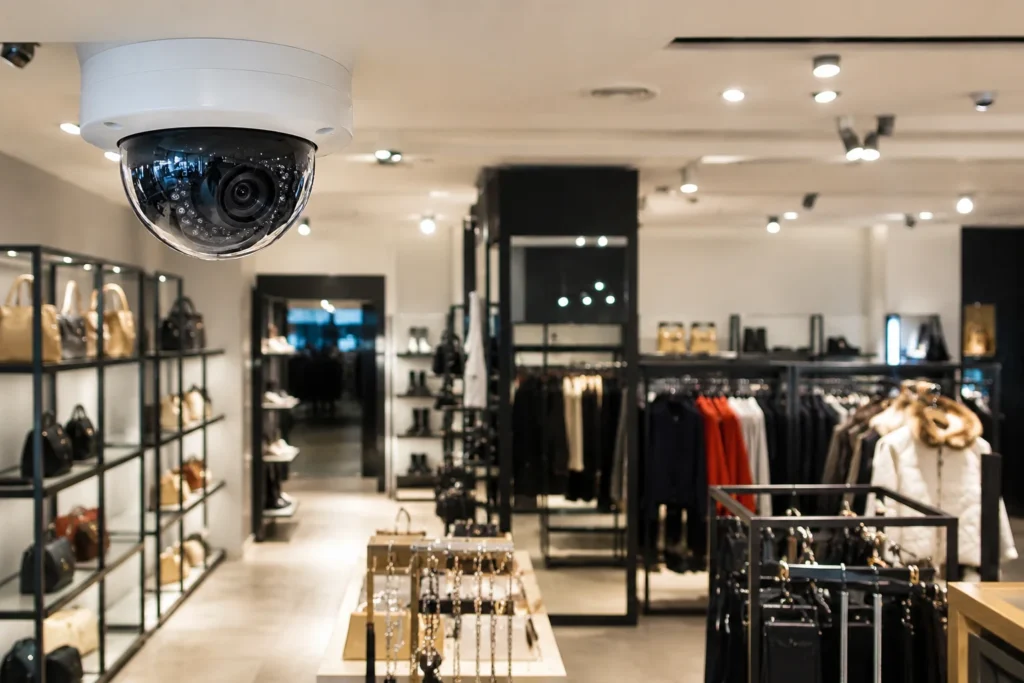
Security Cameras for Shops: What Actually Works in Melbourne Retail
A shop without cameras is an easy target. Not because criminals plan elaborate heists — most retail theft is opportunistic, and the first thing a shoplifter checks is whether anyone’s watching. The right security camera system for a shop changes that calculation before anything gets stolen.
This guide covers what actually matters when choosing security cameras for shops: camera types, placement, features worth paying for, and rough costs — based on what we install across Melbourne retail sites week to week.
Why Shop Owners Install CCTV
It’s not just about catching thieves after the fact. A working shop security camera system does four jobs at once:
- Deterrence — visible cameras stop a meaningful share of theft before it starts;
- Evidence — footage that holds up for insurance claims and police reports;
- Staff accountability — till discrepancies, stock handling, opening/closing routines;
- Remote oversight — checking the shop floor from home or between sites, without being physically present.
If you’re only solving for one of these, you’ll end up under-speccing the system and regretting it later.
Types of Cameras Used in Shop CCTV Setups
Not every camera suits every part of a shop. Here’s how the main types stack up for retail use.
| Camera Type | Best For | Strengths | Limitations |
|---|---|---|---|
| Dome camera | Ceiling-mounted, sales floor | Discreet, hard to tell viewing angle, vandal-resistant housings available | Shorter optimal range than bullet cameras |
| Bullet camera | Entrances, tills, stockroom doors | Long-range clarity, visible deterrent | Fixed angle, less subtle |
| PTZ (pan-tilt-zoom) | Large floor areas, warehouses attached to shops | Active monitoring, one camera covers a wide zone | Higher cost, needs someone to operate or preset tours |
| Turret camera | Corners, aisle ends | Wide field of view, minimal glare issues | Less common in budget kits |
| Covert/mini camera | Till area, high-risk internal zones | Unobtrusive, useful for internal theft cases | Limited storage and resolution options |
Most functional shop security camera systems combine two or three of these — domes on the sales floor, bullets at entry points, maybe a PTZ if the layout includes a large open area or loading zone.
Where to Position Cameras in a Retail Space
Camera placement decides whether footage is actually useful. A camera pointed at the wrong angle is a wasted device. Priority zones for a shop:
- front entrance and exit — face height, wide enough to capture the full doorway;
- till and counter area — covers both the transaction and the person behind it;
- high-value stock shelving — electronics, cosmetics, alcohol, anything frequently targeted;
- blind corners and aisle ends — anywhere a customer can duck out of a staff member’s sightline;
- stockroom and staff-only doors — internal shrinkage is often higher than shoplifting;
- rear delivery entrance — a common access point outside trading hours;
- car park or laneway access, if applicable to the site.
A shop under roughly 100m² usually needs 4–6 cameras to cover these zones properly. Larger stores or multi-room layouts need more, and a site assessment is the only reliable way to confirm the count.
Features Worth Paying For
Not every spec on a camera’s box matters for a retail install. Some genuinely change day-to-day usefulness; others are marketing.
| Feature | Why It Matters for Shops | Worth Prioritising? |
|---|---|---|
| 4MP–8MP resolution | Enough detail to identify faces and read till screens on playback | Yes |
| Wide dynamic range (WDR) | Handles bright shopfronts against darker interiors without washing out faces | Yes |
| Night vision / IR | Covers after-hours break-in attempts | Yes |
| Motion-triggered alerts | Push notifications when someone enters after closing | Yes |
| AI person/vehicle detection | Cuts down false alerts from shadows, insects, passing traffic | Yes, if the budget allows |
| Local + cloud backup | Protects footage if the recorder is stolen or damaged | Strongly recommended |
| Remote app viewing | Check the shop from anywhere, live or recorded | Yes |
| 4K resolution | Sharper footage, but demands more storage and bandwidth | Only for high-value or large-format retail |
| Facial recognition | Useful for repeat-offender flagging in some jurisdictions | Case-by-case, check compliance first |
Choosing a Shop Security Camera System: What to Compare
When comparing shop camera CCTV options, the brand name matters less than how the system is put together. Check these before deciding:
- Storage window — most shops need 14–30 days of retained footage, not the 3–7 days some budget kits default to;
- Recorder type — NVR (network-based) setups scale more easily than older DVR systems if you plan to add cameras later;
- Power backup — a battery backup keeps recording through a short outage; this matters more for shops that trade into the evening;
- Network resilience — a 4G/SIM backup avoids blackouts if the NBN or in-store Wi-Fi drops out;
- Integration with alarms — video verification alongside an alarm system speeds up police response and reduces false-alarm callouts;
- Warranty and local support — a five-year camera warranty is worth little if nobody local services the recorder when it fails.
Popular Brands for Shop CCTV in Melbourne
| Brand | Typical Use Case | Notes |
|---|---|---|
| Hikvision | Mid-size shops, mixed budgets | Broad range, well-supported, strong AI features on newer models |
| Dahua | Similar tier to Hikvision | Reliable image quality, good night performance |
| Uniview (UNV) | Shops wanting simpler licensing/software | Straightforward NVR software, solid mid-range option |
| Ajax | Shops combining alarm + camera in one app | Wireless, fast to install, pairs alarm sensors with camera verification |
| Reolink | Small shops, tighter budgets | DIY-friendly, decent image quality, fewer advanced integrations |
None of these are universally “best” — the right pick depends on shop size, budget, and whether cameras need to talk to an existing alarm system.
What a Shop Security Camera System Costs
Costs vary by camera count, resolution, cabling complexity and whether monitoring is included. As a rough guide for Melbourne installs:
| Setup Size | Camera Count | Typical Range (AUD) |
|---|---|---|
| Small shop | 4 cameras | $2,800 – $4,600 |
| Medium shop | 6–8 cameras | $4,600 – $9,200 |
| Large retail / multi-room | 10+ cameras | $9,200+ |
These figures cover cameras, recorder, cabling, mounting and configuration — not ongoing monitoring, which is usually a separate monthly fee if you opt for 24/7 alarm-linked response.
Installation: What to Expect
A proper install isn’t just screwing cameras to a wall. The process that actually delivers usable footage looks like this:
- Site assessment — checking entry points, lighting, blind spots and cable routes;
- Camera and recorder selection — matched to the shop’s layout and risk areas, not a generic kit;
- Mounting and cabling — clean runs, correctly angled housings, tamper-resistant fixings where needed;
- Configuration — motion zones, alert rules, recording schedule, remote access setup;
- Handover — a walkthrough of the app and system controls before the installer leaves;
- Ongoing support — servicing, camera adjustments and troubleshooting as the shop’s needs change.
Common Mistakes Shop Owners Make with CCTV
A camera on the wall doesn’t guarantee useful footage. The issues we see most often on existing shop installs:
- cameras aimed too high — mounted for a wide view but too far from face height to identify anyone;
- backlit entrances — a camera facing straight into daylight from the front window, leaving customers as silhouettes;
- storage set too short — a break-in discovered on a Monday with footage that only goes back to Saturday;
- no coverage of the till drawer itself — wide shots of the counter that miss the actual point of loss;
- recorder left in an accessible spot — an unsecured NVR in a back room is easy to grab along with the stock;
- never testing after install — cameras that were working on day one but have since drifted out of focus or been knocked out of angle.
Most of these get caught during a proper site assessment, which is why a generic off-the-shelf kit rarely performs as well as a system planned around the specific floor plan.
Need a shop security camera system that’s actually built around your floor plan? SIPKO Security assesses Melbourne shops on-site and specs the camera count, placement and recorder setup around the risks that matter for your store — not a generic package. Go to contacts

FAQ
How many cameras does a small shop actually need?
Most single-room shops under 100m² are properly covered with 4 to 6 cameras — entrance, till, stock area, and any blind corners. Larger or multi-room layouts need a site visit to confirm the count.
Do I need a monitored alarm as well as cameras?
Cameras record what happened; monitoring reacts to it in real time. For shops with valuable stock or late trading hours, pairing cameras with a monitored alarm is worth the extra cost — it gets a real response while an incident is still in progress.
Can I view my shop cameras from home?
Yes. Any current-generation NVR system supports a mobile app for live viewing and playback, with push alerts when motion is detected outside trading hours.
How long is CCTV footage usually kept?
Most shop setups retain 14 to 30 days of footage, depending on camera count, resolution and storage size. This is worth setting deliberately rather than accepting a recorder’s default.
Is a wireless system reliable enough for a shop?
Modern wireless systems like Ajax hold up well for retail use, especially where cabling is impractical in a leased space. For high camera counts or 24/7 recording, a wired NVR setup is still the more stable choice.



