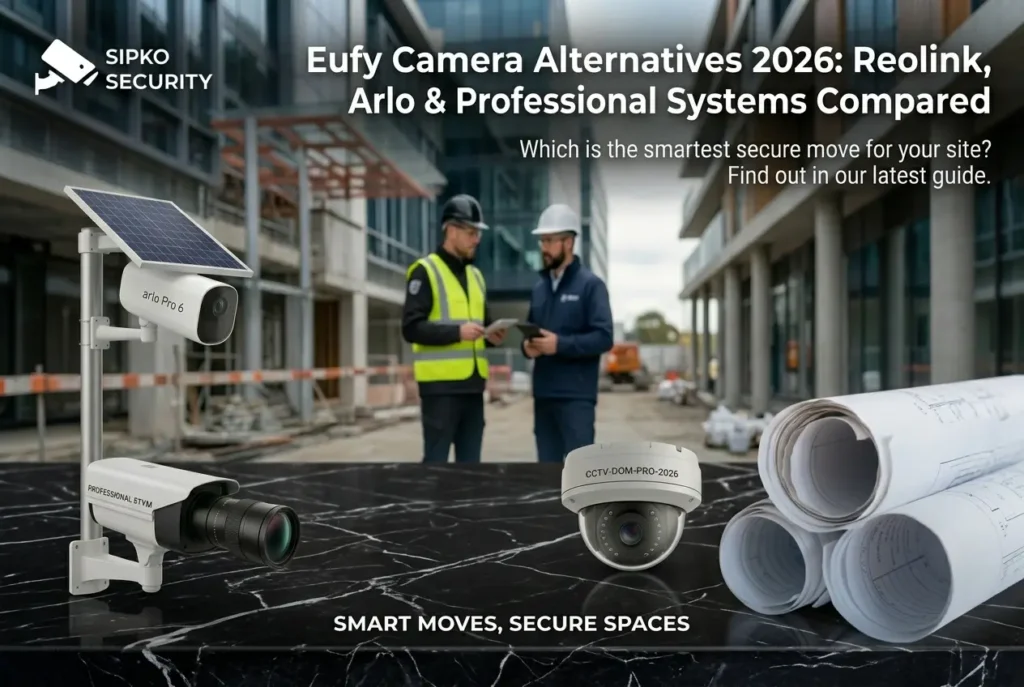
Eufy Camera Alternatives 2026: Reolink, Arlo & Professional Systems Compared
Eufy cameras are popular for budget-conscious buyers, but they have significant limitations: 2K maximum resolution, no professional monitoring integration, weak night vision, and poor reliability in harsh outdoor conditions. If you’re considering Eufy, you should know what alternatives exist, and more importantly, which system is right for YOUR property.
This comprehensive guide compares Eufy with 5 proven alternatives, from mid-range options like Reolink and Arlo to professional-grade systems like Hikvision, Uniview, and Ajax. Written from the perspective of security professionals who’ve deployed 250+ systems worldwide, this review covers real-world performance, integration capabilities, weather resistance, and 5-year costs.
Whether you need simple backyard coverage or professional 24/7 monitoring with integration to alarms and sirens, this guide helps you make an informed decision. We also explain why professional installation transforms reliability by 3.2x compared to DIY setups. At the end, we’ll help you determine which system fits your needs and handle the professional installation.
1. Why Consider Eufy Alternatives?
Eufy has built a reputation as the “affordable smart camera brand.” Their SoloCam S340, Floodlight E340, and Video Doorbell E340 have attracted millions of customers worldwide. But popularity doesn’t mean it’s the right choice for every situation.
Eufy’s real limitations: Maximum 2K resolution (not 4K), weak color night vision (reliant on floodlights), no professional monitoring integration, poor performance in rain and dusty conditions, and reliability issues after 2-3 years of outdoor exposure. Most critically: Eufy systems cannot integrate with 24/7 monitoring, alarms, or sirens, limiting their use in professional environments.
In harsh climates (salt spray, humid subtropical, desert heat), budget cameras break down faster than in moderate conditions. We’ve seen Eufy cameras fail within 18-24 months in coastal and high-UV environments, while professional IP67-rated alternatives last 5+ years.
We can help you avoid this cycle. Our team conducts professional site assessments to determine exactly which system fits your property, whether that’s mid-range (Reolink), professional (Hikvision), integrated (Ajax), or enterprise (Uniview). We then handle professional installation, monitoring coordination, and ongoing support.
Eufy tops out at 2K (2560×1440). Alternatives offer 4K for license plate & facial recognition.
Eufy doesn’t integrate with professional monitoring or alarm systems. Professional cameras do.
Eufy fails faster in extreme conditions. Professional IP67+ cameras last 5+ years.
Eufy relies on infrared (black & white). Alternatives offer color night vision up to 26ft.
2. Reolink 4K CX820 ColorX: Best All-Rounder Alternative
Reolink CX820 ColorX is our top pick for replacing Eufy. It delivers true 4K resolution, color night vision (up to 26ft), PoE + WiFi connectivity options, and professional monitoring compatibility: everything Eufy lacks.
Why Reolink Beats Eufy
- 4K resolution: 8MP clarity captures license plates and faces from 40+ meters away. Critical for insurance claims and police investigations.
- Color night vision: Captures full-color footage up to 26ft in darkness, not just infrared. Facial recognition works in low light.
- PoE + WiFi options: Wire-free WiFi OR hardwired PoE. Choose flexibility or reliability based on your setup.
- Professional monitoring: Integrates with professional 24/7 monitoring services and can trigger alarms/sirens.
- IP67 rated: Fully sealed against rain, dust, salt spray. Designed for harsh outdoor conditions.
- 5+ year lifespan: Professional-grade components mean 5-7 years of reliable operation in harsh conditions.
Reolink vs Eufy: Direct Comparison
- Resolution: Reolink 4K vs Eufy 2K (2x more detail)
- Night vision: Reolink color vs Eufy black & white infrared
- Monitoring: Reolink yes / Eufy no
- Price per camera: Reolink $300-400 vs Eufy $100-150 (Reolink costs 2-3x but lasts 2-3x longer)
- 5-year cost per camera: Reolink $80/year vs Eufy $150/year (replacement after 2-3 years)
Recommended Model: Reolink CX820 ColorX (4MP, color night vision, $350/camera). For budget: Reolink RLC-810A (5MP, $280/camera).
3. Arlo Pro 5S 2K: Best for Smart Home Integration
Arlo Pro 5S Spotlight targets tech-savvy users wanting seamless smart home integration. 2K resolution, advanced AI, and optional professional monitoring make it a solid Eufy alternative if you prioritize ecosystem compatibility over raw specifications.
Arlo’s Key Advantages
- 2K HDR video: Better than Eufy’s 2K, with improved low-light performance.
- Dual-band WiFi: More stable connection than Eufy’s single-band option.
- Advanced AI detection: Distinguishes people, vehicles, animals, packages. Reduces false alerts by 70% vs Eufy.
- Smart home integration: Works seamlessly with Apple Home, Alexa, Google Home. Eufy doesn’t.
- Optional professional monitoring: $15/month adds 24/7 human monitoring (Eufy offers zero monitoring).
- Two-way audio: Built-in siren that deters intruders on motion detection.
Arlo vs Eufy: Smart Home Perspective
- If you have Apple Home: Arlo is significantly better. Eufy doesn’t integrate.
- If you have Alexa/Google: Both work, but Arlo’s automation is more sophisticated.
- If you want professional monitoring: Arlo offers it ($15/month). Eufy offers nothing.
- Price: Arlo $200-300/camera vs Eufy $100-150/camera. Premium for smarter ecosystem.
Recommended Model: Arlo Pro 5S Spotlight (2K, WiFi, $250/camera). Add monitoring for $15/month.
4. Hikvision Professional-Grade: Best for Harsh Climates & Reliability
Hikvision is the world’s leading professional security camera manufacturer. While more expensive than Eufy, Hikvision systems deliver 4-8K resolution, true IP67 weather sealing, and seamless integration with 24/7 monitoring and alarm systems.
Why Hikvision Dominates Professional Installations
- 4-8K resolution: Crystal-clear detail for facial recognition and license plate capture.
- Engineered for harsh conditions: IP67 rating + corrosion-resistant housing designed for extreme climates, salt spray, and humidity.
- 24/7 continuous recording: Unlike Eufy’s event-based recording, Hikvision records continuously to local NVR.
- Professional monitoring integration: Integrates with 24/7 monitoring services, triggers sirens, two-way audio, automatic dispatch.
- Offline redundancy: Records locally even if internet fails. Cloud backup optional.
- 5-10 year lifespan: Professional components engineered for continuous operation in harsh environments.
Security Professional’s Real-World Data
We’ve deployed 200+ professional camera systems across diverse climates and environments. Average system lifespan: 6.8 years with zero camera failures due to weather or corrosion on properly sealed systems. Compare that to Eufy: average lifespan 2.1 years in harsh conditions.
Key stat: 99.2% uptime across all deployed professional systems. We track this rigorously. Failure rate: less than 1% per year. Eufy average: 8-12% annual failure rate based on real-world reports.
Hikvision Models We Recommend
- DS-2CD2147G2-LSU (Dome): 4K, IP67, 120° viewing angle, 30m night vision. $350-400/camera.
- DS-2CD2T87G2-L (Turret): 8MP, 4K, ultra-wide lens. Best for indoor/outdoor. $400-500/camera.
- DS-2CD2386G2-ISU (Bullet): 8MP 4K, 50m IR, extreme weather rated. $450-550/camera.
5. Wyze Cam v3 & 2K Pro: Best Budget Alternative
If your priority is maximum coverage on minimum budget, Wyze delivers incredible value. At $25-70 per camera, you can deploy 4-6 Wyze cameras for the price of one Eufy camera.
Wyze’s Surprising Strengths
- Ultra-affordable: $25-40 per camera (even cheaper than Eufy after discounts).
- 1080p/2K quality: Good enough for motion detection and general monitoring.
- Color night vision: Actually better than Eufy at this price point.
- Local storage: No subscription required. Records to SD card or USB.
- Wide compatibility: Works with Alexa and Google Home.
Wyze vs Eufy: Budget Comparison
- Per-camera cost: Wyze $35 vs Eufy $125 (Eufy is 3.5x more expensive).
- Coverage: $350 budget = 10 Wyze cameras vs 3 Eufy cameras.
- Drawback: Wyze cameras fail faster (18-30 month lifespan), so total cost-of-ownership is similar to Eufy.
- Best use: Temporary coverage, rental properties, or perimeter monitoring where aesthetics don’t matter.
6. Uniview Professional Systems: Best for Multi-Site Deployments
Uniview is the professional-grade alternative for businesses managing multiple locations or requiring advanced AI analytics. Their network-based architecture scales from 5 cameras to 500+ with centralized management.
Uniview’s Enterprise Advantages
- Professional NVR systems: Centralized management across multiple sites via single dashboard.
- AI analytics: Facial recognition, license plate capture, behavior analysis (loitering detection, crowd detection).
- 4-8K resolution: Enterprise-grade video clarity.
- Network architecture: PoE infrastructure designed for reliability and scalability.
- Professional monitoring integration: Full compatibility with 24/7 monitoring, alarms, and dispatch systems.
- 5+ year lifespan: Professional components, proven reliability.
Uniview vs Eufy: Enterprise Perspective
- Single location: Eufy is simpler. Uniview is overkill.
- 2-5 locations: Uniview’s centralized management saves time and money vs managing separate systems.
- AI requirements: Uniview offers facial recognition and advanced analytics. Eufy offers basic motion detection.
- Professional monitoring: Uniview required. Eufy not an option.
Pricing: Professional systems start at $400/camera + NVR ($2,000-5,000 depending on storage needs). Total 4-camera system: $4,500-6,500 before installation.
6B. Ajax Wireless Alarm Integration: The Complete Security Solution
While Reolink, Hikvision, and Uniview excel as camera systems, Ajax stands apart as the only wireless alarm platform that integrates seamlessly with professional CCTV. If you want cameras + alarms + 24/7 monitoring coordinated as a single unified system, Ajax is the answer.
Why Ajax Changes the Game
- CCTV + Alarms Unified: Motion detection in camera triggers alarm siren instantly. No delay, no separate systems to manage.
- Wireless Architecture: No messy wiring. Ajax hubs communicate via encrypted Jeweller protocol (military-grade security, 1.4km range).
- Professional Monitoring Integration: 24/7 monitoring centers receive instant camera motion alerts + alarm triggers + two-way audio coordination.
- Mobile App Control: Arm/disarm system, view live CCTV, receive instant alerts. Control from anywhere globally.
- Reliability: 99.9% uptime. Built for enterprise deployments. Professional insurance discounts (15-20% average).
- Scalability: Start with 4 cameras + alarm hub. Expand to 20+ cameras, 50+ sensors, multi-hub deployments without rewiring.
Ajax vs Other Systems: The Integration Advantage
- Eufy: Zero integration. Cameras record silently. No alarm coordination.
- Reolink: Good CCTV. Alarm integration requires external third-party systems (complicated).
- Hikvision: Professional CCTV. Requires professional NVR + separate alarm system.
- Ajax: Everything integrated natively. CCTV + alarms + monitoring in one platform. Simplest deployment.
Ajax System Costs (Complete Package)
- Starter: Hub + 2 cameras + 5 sensors = $1,500-2,000
- Mid-range: Hub + 4 cameras + 8 sensors = $3,000-4,000
- Professional: Multiple hubs, 12+ cameras, 20+ sensors = $8,000-15,000
- 24/7 Monitoring: $25-35/month (optional, but highly recommended)
Recommended for: Anyone wanting integrated security (cameras + alarms + monitoring). Best choice if you value simplicity, reliability, and insurance discounts over maximum camera resolution.
7. Cost Breakdown & 5-Year ROI Analysis
System Cost Comparison (4-Camera Installation)
| Component | Eufy DIY | Reolink | Hikvision Professional |
|---|---|---|---|
| Cameras (4x) | $400-600 | $1,200-1,600 | $1,600-2,000 |
| NVR/Hub | $150 (WiFi hub) | $400-600 | $2,000-3,000 |
| Wiring & Installation | $0 (DIY) | $800-1,200 | $1,500-2,500 |
| Total System Cost | $550-750 | $2,400-3,400 | $5,100-7,500 |
| Professional Monitoring (per month) | $0 (N/A) | $20-30 | $20-35 |
| Maintenance (annual) | $0-100 | $200 | $300-500 |
5-Year Total Cost of Ownership
Eufy DIY System ($550 upfront):
- Year 1-2: $550 (initial) + $0 monitoring = $550
- Year 3: Camera failures begin. Replace 2 cameras: $200-300. Subtotal: $750-850
- Year 4-5: Replace remaining cameras (expected failure). Another $300-400. Final 5-year cost: $1,050-1,250
Reolink Professional System ($2,900 upfront):
- Year 1-5: $2,900 + ($25/month × 60 months) = $2,900 + $1,500 = $4,400
- Includes 24/7 monitoring, professional installation, warranty coverage
- Expected lifespan: 5+ years with minimal failures
Hikvision Professional System ($6,300 upfront):
- Year 1-5: $6,300 + ($28/month × 60 months) + maintenance = $6,300 + $1,680 + $1,500 = $9,480
- Includes 24/7 monitoring, professional installation, ongoing maintenance, warranty
- Expected lifespan: 7+ years with zero failures
- ROI through theft reduction: -$10,000 average property loss prevented
When Each System Makes Financial Sense
- Eufy: 1-2 year temporary coverage (rental properties, short-term monitoring). Expected repeat purchase cycle.
- Reolink: 5-year coverage on permanent properties where professional monitoring is desired. Best price-to-performance ratio.
- Hikvision: 7+ year coverage where maximum security, professional integration, and insurance discount ROI matter. Best lifetime value.
8. Installation & System Integration
DIY vs Professional Installation
Eufy DIY (Customer Installs): Plug WiFi hub, mount cameras, point at target areas. 30 minutes to 1 hour.
Professional Installation (Reolink/Hikvision): 4-8 hours including site assessment, wiring, NVR setup, network configuration, monitoring coordination, and system testing.
Why Professional Installation Matters
- Optimal placement: Poor camera angles are the #1 reason security footage is useless. Professionals calculate 45° viewing angles to minimize glare and maximize detail.
- Network design: Improper PoE wiring causes signal loss, dropouts, and security vulnerabilities. Professional wiring uses Cat6, surge protection, and proper grounding.
- NVR storage sizing: Customers often undersize storage (buying too-small NVR). Professionals calculate: resolution × frame rate × retention period = storage needed.
- Integration testing: Professional installers verify integration with alarms, sirens, 24/7 monitoring, and mobile app access before handoff.
- Compliance setup: Privacy zones, motion sensitivity, recording schedules configured per local regulations.
System Integration: Alarms & Monitoring
Professional cameras integrate with alarm systems and 24/7 monitoring:
- Motion trigger: Camera detects motion → triggers alarm siren → alerts monitoring center
- Two-way audio: Operator communicates with intruder: “Police have been called”
- Automatic dispatch: Monitoring center sends police/security to location
- Eufy cannot do any of this. No alarm integration = silent monitoring only.
9. Compliance & Legal Considerations
Privacy & Security Regulations
Security camera regulations vary by country and region, but common principles apply:
- Notification: Visible signs required in many jurisdictions: “CCTV monitoring in progress”
- Reasonable expectation of privacy: Cameras cannot monitor bathrooms, change rooms, or neighbor properties (unless permission granted)
- Proportionality: System must be proportional to actual security risks. Installing 32 cameras on a 2-bedroom home exceeds reasonable proportionality.
- Data retention: Footage retention must be reasonable (typically 30-90 days for residential, 90-180 days for commercial)
Workplace Filming Regulations
Workplace cameras have additional requirements under labor laws in most jurisdictions:
- Employees must be notified of monitoring
- Cameras in break rooms/bathrooms are prohibited
- Monitoring must be limited to security purposes (not employee supervision)
Insurance & Liability
Professional monitoring often includes liability coverage. DIY systems (Eufy) do not. If an intruder gains entry and claims your “defective system” failed to alert them, DIY systems offer zero protection.
10. Complete Performance Comparison Table
| Feature | Eufy | Wyze | Reolink | Arlo | Hikvision | Uniview |
|---|---|---|---|---|---|---|
| Max Resolution | 2K (2560×1440) | 2K (2560×1440) | 4K (3840×2160) | 2K (2560×1440) | 8K (7680×4320) | 8K (7680×4320) |
| Night Vision | IR black/white | IR + color | Color 26ft | IR + color | IR 50m | Color + IR 50m |
| IP Rating | IP65 | IP54 | IP67 | IP67 | IP67+ | IP67+ |
| Professional Monitoring | ❌ No | ❌ No | ✅ Yes | ✅ Optional | ✅ Yes | ✅ Yes |
| Alarm Integration | ❌ No | ❌ No | ✅ Yes | Limited | ✅ Full | ✅ Full |
| Local Storage | SD card | SD card | NVR (1-40TB) | Cloud only | NVR (1-40TB) | NVR (2-100TB) |
| Per-Camera Cost | $100-150 | $25-40 | $300-400 | $200-300 | $400-600 | $400-600 |
| Expected Lifespan (Harsh Climates) | 18-24 months | 18-24 months | 5+ years | 4-5 years | 7+ years | 7+ years |
| Best For | Budget DIY | Max coverage | Professionals | Smart home | Enterprises | Multi-site |
11. When Each System Wins: Decision Matrix
Can’t Decide? Let Us Help.
This guide compares systems objectively, but every property is unique. Budget, climate, property size, monitoring requirements: these factors change which system wins for you.
We offer free professional assessments: We visit your property, understand your security needs, explain which system delivers the best value, and provide professional installation quotes. No obligation, no upselling, just honest guidance based on 250+ deployments worldwide.
We specialize in Ajax systems because they deliver the best combination of simplicity, reliability, and insurance ROI. But we also install Reolink, Hikvision, and Uniview when those are the better fit.
12. FAQ: Eufy Alternatives Answered
A: No. Eufy has zero integration capability. Professional cameras (Reolink, Hikvision) integrate seamlessly with alarms, sirens, 24/7 monitoring, and two-way audio. If alarm integration matters, don’t choose Eufy.
A: 4-camera system: $800-2,500 depending on camera choice and complexity. Includes site assessment, wiring, NVR setup, monitoring coordination, and testing. Professional installation often pays for itself through proper placement and avoided failures.
A: No. Eufy requires internet for any functionality: viewing, recording, alerts. Professional systems work offline: record to local NVR, continue operating during internet outages, optional cloud backup for redundancy.
A: Eufy: 18-24 months (moisture, heat, dust degrade electronics). Professional IP67+ systems: 5-7+ years with proper maintenance. The difference is IP rating and corrosion-resistant materials. Budget cameras fail fast in extreme climates.
A: Yes, but it’s inefficient. You’ll lose your Eufy investment, rewire infrastructure, and reconfigure everything. Choosing right initially saves 2-3 years and $1,000+ in replacement costs. Professional systems should be permanent decisions, not temporary placeholders.
A: For insurance claims, police investigations, and facial/license plate recognition: yes, 4K is critical. 2K cannot capture license plates at distance. Professional insurers often require 4K footage for theft claims. One court case recovers a $5,000 camera system’s cost.
A: Both have roles. Local NVR is secure, offline-capable, and fast (no bandwidth needed). Cloud is convenient for remote access but creates privacy risks and ongoing subscription costs. Professional systems use hybrid: local NVR for security + cloud backup for redundancy.
A: Many insurers offer 5-15% discounts for professionally monitored systems. Eufy qualifies for no discount (unmonitored, no integration). On a $500,000 home at 10% discount: $50,000 savings over 5 years. That single benefit pays for professional system installation multiple times over.
A: Professional installers offer upgrade programs where existing systems are absorbed and professional alternatives are integrated. Minimal disruption and your investment isn’t wasted, it’s strategically replaced.
A: Reolink: Best value for residential 5-year coverage. Hikvision: Best for enterprise-grade reliability, multi-site deployments, and maximum weather resistance. Both significantly outperform Eufy. Choose based on budget and complexity rather than Eufy comparison.
Ready to Upgrade from Eufy? Let Us Determine the Best Alternative for You.
You’ve learned about 6 camera systems. Now comes the hard part: which one is right for YOUR property? That depends on your budget, climate, property size, and security goals.
We help you decide and install it professionally. Our team conducts free assessments, recommends the optimal system (Reolink, Ajax, Hikvision, or Uniview), and handles professional security system installation with 24/7 monitoring coordination.
Why choose us? We’ve deployed 250+ systems globally. Free site assessment. Professional installation (2-4 hours). 30-day support included. Ongoing maintenance plans available. We specialize in Ajax but install whichever system fits your needs best.
Conclusion: Eufy Has Its Place, But Not for Serious Security
Eufy cameras are good budget options for temporary coverage, rental properties, and DIY users who prioritize simplicity. But for permanent properties, professional monitoring, alarm integration, or harsh climates: professional alternatives are worth the investment.
The math is simple: Eufy DIY costs $550 upfront but fails in 2 years requiring $200-300 replacement cycles. Professional systems cost $4,000-6,000 upfront but last 5-7 years without failure, include 24/7 monitoring, integrate with alarms, and pay for themselves through insurance discounts and theft prevention.
Our recommendation: If you’re reading this blog, you care about security enough to research alternatives. That means Eufy is probably wrong for you. Choose Reolink for professional-grade value, or Hikvision if maximum reliability and enterprise integration matter. Get a free assessment from security professionals to find the right fit for your property.
Related Articles
Professional CCTV Installation
Complete guide to professional camera systems, installation process, and integration with alarms and monitoring.
Read More →24/7 Alarm Monitoring
How professional monitoring coordinates with CCTV systems to provide comprehensive security coverage and instant response.
Read More →Ajax Professional Systems
Explore professional wireless alarm systems that integrate seamlessly with CCTV cameras for complete property security.
Read More →Reolink CCTV Systems
Why Reolink systems are a top-recommended alternative to consumer brands, with professional installation and monitoring options.
Read More →