
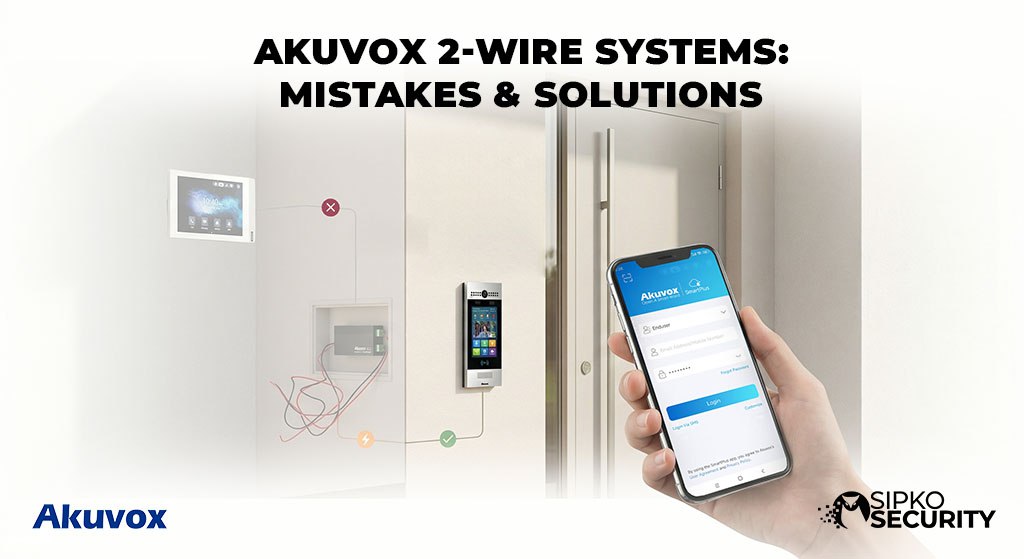
Akuvox 2-Wire Systems:
Mistakes & Solutions
The complete master guide for installers, building managers, and clients to troubleshoot wiring and power issues in retrofit buildings.
Updated: February 6, 20261. Introduction
Why 2-Wire? In many Melbourne buildings, running new internet cables (Cat6) is too expensive. 2-wire systems are the hero of “Retrofit” projects because they use your existing old copper wiring to send digital video and power.
However, old wires carry old problems. Incorrect installation leads to fuzzy video and offline screens. This guide is built to help you find and fix these faults quickly, following our best practices for renovated homes.
What you will learn:
- The difference between IP & 2-Wire
- Fixing Power & Distance limits
- Avoiding 5 major wiring blunders
- 6-Step easy diagnostic flowchart
2. Understanding Akuvox 2-Wire Technology
2.1 What Is It?
It’s magic over copper! Power and data travel on just two strands. This replaces the old analog “buzzers” with a modern, internet-connected residential video intercom without drilling new holes in your heritage walls.
2.3 Key Components
- Door Station: The bell outside (e.g. R20K-2).
- Distributor: The brain that powers everything.
- Monitors: The smart screens inside.
- PSU: The engine giving energy to the system.
2.2 Comparison with Analog Systems
Old Analog Systems
- Grainy Audio: Constant static and low volume.
- No Video: Or blurry, flickering black & white only.
- No App Support: You must be physically home to answer.
- Basic Buzzer: Vulnerable to simple wiring shorts.
Akuvox 2-Wire Systems
- Full HD Video: Crisp 1080p day and night vision.
- App Control: Answer and unlock from your phone anywhere.
- Digital Audio: Noise-cancellation for clear speech.
- Smart Integration: Connects to your existing smart home security.
3. 2-Wire vs IP System Confusion
3.1 Major Source of Problems
Common Mistake: Thinking “2-Wire is basically Ethernet.” It isn’t! You cannot plug a 2-wire monitor into a standard POE switch. You MUST use the Akuvox Distributor Hub. Check our hardware comparison for more details on system differences.
3.2 Incompatible Equipment
If you don’t see the “-2” in the model number (e.g. C315W-2), it won’t work on your 2-wire line. Standard switches will not talk to this hardware.
3.3 Migration Mistakes
Trying to keep old analog parts while adding new screens. A “Hybrid” doesn’t work—it’s either all digital or all analog. This is a common error in Melbourne strata security upgrades.
4. Power Limitations & Voltage Drop
4.1 How Power Moves
Electricity is “pushed” from a central hub to every monitor. The longer the wire, the more “push” (voltage) is lost along the way. This is very similar to how business grade CCTV systems handle power over distance.
4.2 Symptoms (Is yours doing this?)
- Rebooting: Monitor restarts when the button is pushed.
- Black Screen: Audio works but the screen stays dark.
- Offline: System dropouts during high usage.
4.3 The “Quick Fix”
Load balancing! If you have too many screens, you need to add a “Secondary Distributor” halfway through. This provides the boost needed for office building security setups.
5. Distance and Cable Length Issues
5.1 The 100m Rule
Manufacturer says 100m, but 60-70m is the safe zone for 100% video reliability. After that, the “signal quality” drops. Think of it like shouting across a park—eventually, the message gets lost in the wind.
5.2 Degradation Symptoms
- Delayed ringing (Lobby bells, then 10s later screen rings)
- Frozen video or “frame-lag”
- Intermittent dropouts during storms
5.4 Pro Solution
If your building is massive, use a Signal Repeater or segment the floors. This is essential for warehouse security solutions with long cable distances.
6. Common Installer Wiring Mistakes
Polarity Reversal
Swapping the wires. While many newer units are “polar-independent,” some older ones will simply stay dead if the (+) and (-) are on the wrong side. Always follow best installation practices.
EMI Interference
Running intercom wires right next to 240V power lines. This adds “noise” to the line, making video and audio sound like a static radio station.
Lack of Labels
Failing to tag which wire belongs to Apt 1. Without labeling, maintenance is 10x slower and more painful.
7. Step-by-Step Troubleshooting Guide
Identify System Type
Verify model numbers end in “-2”. Confirm you are using a 2-wire distributor, similar to how you would verify alarm equipment.
Inspect Physical Wiring
Check for loose “screw terminals.” A tiny gap in the metal-to-metal contact can kill the whole system.
Measure Power Levels
Use a multimeter. If the screen is receiving less than the required voltage, your PSU is failing.
Isolate Faulty Devices
Unplug all screens and test one-by-one. This helps find “shorted” lines in camera placement zones.
9. Model-Specific Considerations
Pro Door Stations
Our absolute favorite for modern apartment intercom systems.
- Keypad Power: The R27K-2 with its lit keypad pulls more current—ensure your distributor is ready.
- Outdoor Rating: These are weather-sealed, but always check the gaskets after wiring.
- Card Access: Integrated RFID readers make them perfect for high-traffic strata buildings.
Installer Monitors
The industry standard for internal screens.
- Firmware Sync: The #1 tip—ensure the monitor and distributor share the same software version to avoid video lag.
- Wall Mounting: Low-profile designs mean you must be careful with the wiring “tuck” behind the bracket.
- Wi-Fi Relay: These can bridge your 2-wire signal to your phone app for mobile alerts.
10. Hypothetical Scenarios: Wiring Challenges
The 40-Year Old Wire Retrofit
Typical Problem: Imagine an apartment block where new screens show “snowy” or flickering video because the original 1980s wiring has developed high electrical resistance.
The Industry Solution: A common fix in these situations is “doubling up” the copper strands to create a thicker path for the signal. This often stabilizes the power and clears the video quality immediately.
The 120m Office Distance Limit
Typical Problem: In a large commercial layout, the furthest office suite (120 meters away) might experience “ghost ringing” or no ring at all due to data loss over distance.
The Industry Solution: Installers typically solve this by placing an Akuvox Signal Repeater at the 60-meter mark. This “boosts” the data packet, ensuring the screen rings in under 0.5 seconds.
12. Frequently Asked Questions
Can I use Cat5 for 2-wire?
Yes, but join the wires together (e.g., Orange/White) to thickify the copper. This is part of our cabling best practices.
Can I mix IP and 2-wire?
No. Standard IP gear will not turn on. Use only gear with the “-2” suffix. Check our wired vs wireless guide for more info.
What’s the max distance?
70m for 100% reliability. 100m for “okay” results. For yard security, see our large property tips.
Why does my monitor keep rebooting?
Almost always a Power Drop. Your distributor is too far or too overloaded. Check our maintenance guide for help.
Do I need multiple distributors?
If you have more than 6 monitors, we recommend a second hub to ensure even power delivery across the building.
Does the phone app cost money?
The Akuvox SmartPlus app usually has a one-time activation fee or a small monthly subscription for cloud storage—ask us for the current rates.
Is it secure against hacking?
Yes, it uses encrypted digital signals. For more on this, visit security information.
Will it work with my existing gate?
Absolutely. Most Akuvox door stations feature a dry contact relay that connects directly to gate controllers.
Ready for a Wiring Audit?
Don’t let bad wiring ruin your new intercom. Our Melbourne specialists can diagnose, repair, and optimize your Akuvox system today.
Sources and Industry Standards
- AU Cyber Security Centre (ACSC) – Official advice on protecting smart home devices and intercom networks.
- ACMA Standards – National regulations for data cabling and intercom installations.

