
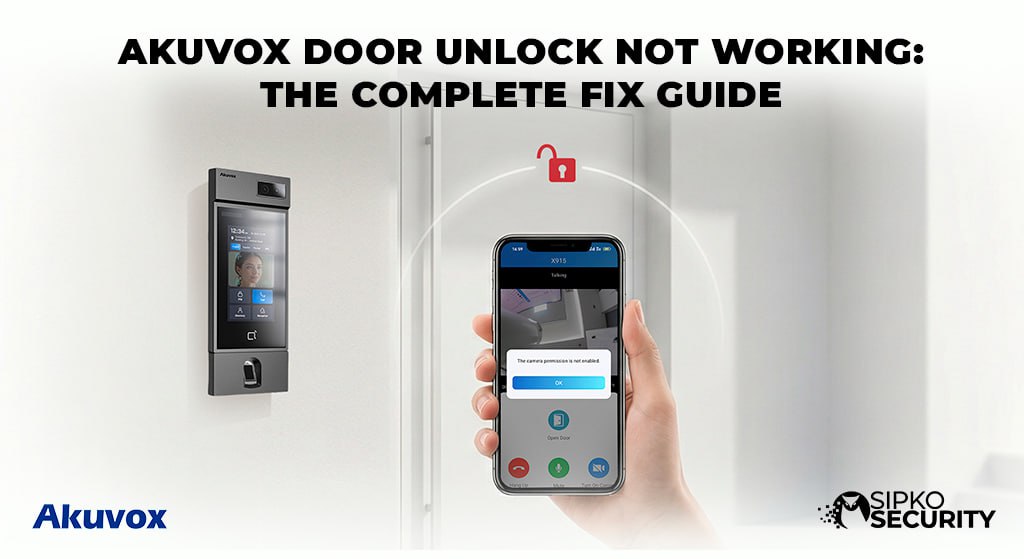
Akuvox Door Lock Unlock Not Working:
The Complete Fix Guide
When an Akuvox door lock stops responding, the cause is usually not “the whole intercom has failed.” It is more often power, relay wiring, access control settings, SmartPlus connectivity, or a mechanical issue at the door. This guide walks Melbourne homeowners, strata managers, and business owners through safe checks first, then the deeper faults SIPKO Security commonly diagnoses on-site.
Quick Answers: Why Your Akuvox Door Lock Won’t Unlock (and How to Fix It Fast)
If your Akuvox-connected door lock suddenly will not unlock from the door phone, SmartPlus app, card, fob, PIN, bluetooth, nfc, or ble proximity feature, start with the quickest checks before assuming the product is faulty.
Try these in the first 5–10 minutes:
- Confirm the Akuvox door phone has power. Check the screen, keypad light, camera light, or status LED.
- Check internet and PoE. If the Akuvox unit is powered by a PoE switch or injector, confirm the port is live and other network devices still work.
- Test the internal exit button. If it releases the door, the lock and power supply may be fine, and the problem may be access control or relay triggering.
- Test another method: SmartPlus app, RFID card, PIN, indoor monitor, or mobile unlock.
- Check for a physical jam. Push or pull the door slightly while unlocking. A misaligned strike can stop the latch even when the relay fires.
- Reboot the door phone. Unplug the PoE injector or switch port for 30 seconds, or use the web interface soft reboot if accessible. Wait 2–3 minutes, then re-test unlock.
- Listen for the lock. Electric strike locks usually click or buzz. Electromagnetic locks may drop with a dull release sound. If confident, check for about 12V DC at the lock during unlock with a multimeter.
⚠️ Safety First
If a person is trapped and the door is stuck locked, use emergency release hardware immediately. If needed, call emergency services or the building manager before doing technical troubleshooting.
How an Akuvox Door Phone Controls Your Door Lock
Akuvox Door Phone Models
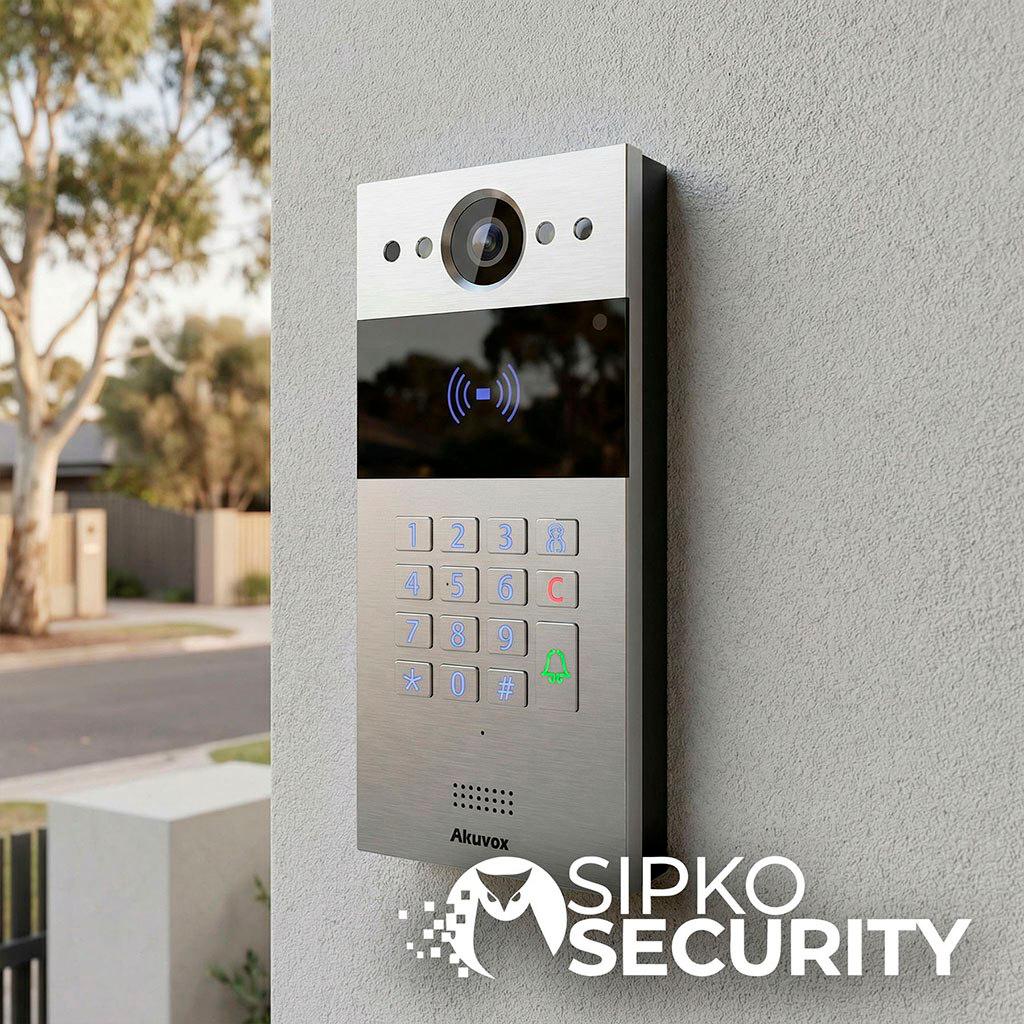
Akuvox door phones such as R29C, E12, E12S, R20A, and X912S usually control electric strikes, electromagnetic locks, or rim/powerbolt locks through a low-voltage relay. The relay is generally a dry contact, meaning it switches a separate power supply rather than powering the lock itself.
The Basic Unlock Chain
- A user presents a card, PIN, face credential, call request, mobile app command, or cardless access method.
- Akuvox verifies the user locally or through cloud services.
- The relay output opens or closes.
- A 12V DC circuit is applied or removed from the door lock.
- The door unlocks for a set time, commonly 3–8 seconds, then returns to secure mode.
Common Lock Types in Melbourne
Smart intercoms provide real-time video communication between visitors and residents. Akuvox intercoms also provide two-way audio communication over IP networks, making remote screening and entry practical for homes, apartments, clinics, offices, and schools. Video intercoms can integrate with smart home automation for improved accessibility, and IP-connected systems allow for smart home integration and remote functionality.
Fail-Safe Locks
Unlock when power is cut — typical for mag locks on emergency paths.
Fail-Secure Locks
Remain locked during a power cut — often used for external electric strike entries.
Common Types
- Electric strikes on timber or steel doors
- Electromagnetic locks on glass doors
- Powerbolt or rim locks on older or higher-risk doors
SIPKO Security designs Akuvox door phone and door lock installation work around AS/NZS electrical and fire expectations so locks behave predictably during outages and emergencies.
Common Symptoms When Akuvox Door Lock Unlock Is Not Working
Match the symptom to the likely fault area before changing settings. It saves time and reduces the risk of making a secure system unreliable.
No Click or Sound
No click or sound when pressing unlock on the Akuvox door phone: likely relay, wiring, power supply, or configuration.
“Access Denied” Messages
“Access Denied” for a known card or PIN: usually user permissions, expiry, schedule, or access control database issues.
App Says Unlocked, Door Stays Locked
SmartPlus says “door unlocked” but the door stays locked: suspect relay output, lock power, or mechanical binding.
Lock Clicks But Door Won’t Open
Lock buzzes or clicks but the door does not open: likely latch pressure, strike alignment, hinge sag, or warped hardware.
Exit Button Works, Outside Doesn’t
Exit button works but the outside Akuvox unit does not: points toward credential, relay trigger, cloud, or outdoor station configuration.
Intermittent Unlock
Often caused by marginal power supply, loose terminals, corrosion, voltage drop, or unstable network. Different users reporting different results is common in apartments where users, schedules, and permissions vary.
💡 Remote Management Note
Remote management capabilities are crucial for effective access control in security systems. The R29C door phone allows remote access management, and building administrators can manage user permissions and schedules from anywhere when the cloud setup is correct.
Step-by-Step Checklist: Basic Fixes You Can Try Yourself
Use this checklist before calling a technician. Stop if you see damaged cabling, water ingress, a humming power supply, burnt smell, or anything involving 240V electrical enclosures.
Check the Physical Door First
Make sure the door fully closes, the latch is not under pressure, the frame has not shifted, and the key override works if fitted.
Test the Internal Exit Button
If the door releases from inside, the lock may be working and the fault may sit with the Akuvox door station or access rights.
Check Power and Status
Confirm the door phone screen or LED is on. Note “offline,” “network error,” or other alerts on the display or in the app.
Test Every Unlock Method
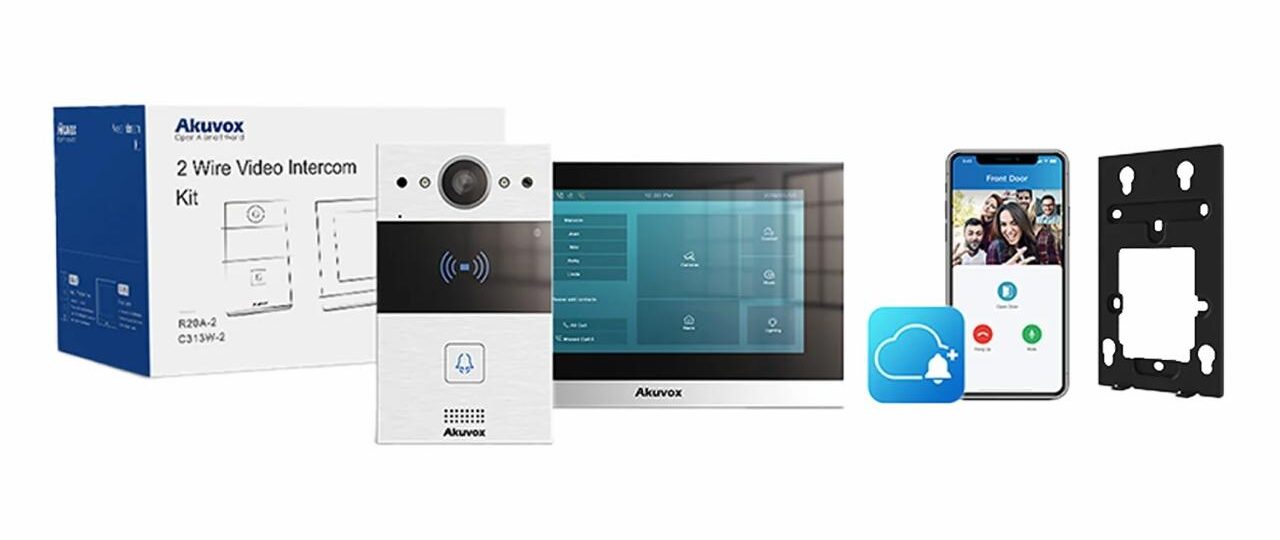
Try RFID, PIN, SmartPlus, indoor monitor such as Akuvox C313W, and any mobile proximity function. If one works and another fails, configuration is more likely than hardware.
Reboot Safely
Restart the router or NBN modem if app unlock fails, then the PoE switch or lock power supply, then the Akuvox door phone. Allow 2–3 minutes each.
Check Time and Date
A badly skewed clock can break cloud, schedules, certificates, and access control functionality.
Do Not Open Mains Equipment
Contact SIPKO Security if the fault involves enclosures, exposed wires, water, fire-exit locks, or repeated failures. Multiple authentication methods enhance security and convenience, but also create more places where permissions can be wrong — that is why testing each method matters.
Troubleshooting Access Control: Cards, PINs, and the SmartPlus App
If the door phone and lock both have power but commands fail or show “Access Denied,” the issue is often access control configuration, users, cloud linkage, or mobile permissions.
User Permissions
In the Akuvox web interface or SmartPlus Cloud, confirm the card or PIN is enrolled, assigned to the correct door and relay, and not disabled or expired. This is common on R29C apartment projects.
Card and Fob Format
Akuvox systems commonly use Mifare Classic credentials. Third-party fobs may be incompatible, corrupted, or unable to decrypt properly.
SmartPlus Status
Confirm the Akuvox door phone shows online. If the app says offline, remote unlock commands may never reach the door lock. See our Akuvox offline fix guide.
Mobile Access
Tenants can unlock doors using NFC or SmartPlus app. Smart locks allow entry via Bluetooth proximity and NFC, but this can fail if Bluetooth/NFC is off, the app lacks permissions, or the phone is out of range.
Virtual Keys & Logs
Users can grant virtual keys and manage access remotely via mobile apps when permissions allow. Systems provide audit trails to track who enters properties and when — look for “Access Denied,” “Invalid Credential,” or failed unlock events in logs.
Strata Process
Residents may need the building manager to reissue credentials or extend access periods. SIPKO Security can assist body corporates remotely where admin access is available.
🏆 Akuvox E12 — iF Design Award Winner
Akuvox’s intercom solution enables cardless access control. The Akuvox E12 features NFC and Bluetooth for access control, and won the iF Design Award for its minimalist design. Its compact size makes it a strong fit where a clean entrance aesthetic matters.
Troubleshooting Wiring, Power, and Lock Hardware
Only licensed electricians and qualified security technicians should modify 240V circuits. Homeowners should limit themselves to visual inspection of low-voltage wiring and external equipment.
Dry Contact Relay
The Akuvox relay switches a separate 12V DC power supply. Loose terminals, corroded joints, wrong NO/NC wiring, or a failed supply can stop unlock. Check our Akuvox 2-wire guide for wiring reference.
Current Draw
Electromagnetic locks are locked when power is on and often draw around 500–600mA or more continuously. Electric strikes draw power briefly, often around 200–300mA, during release.
Undersized Power Supply
Heat, long cable runs, and voltage drop can cause intermittent unlock. Best practice is to size supplies with margin, not at the bare minimum.
Multimeter Test
Across the lock terminals, expect roughly 12–14V DC during the unlock event. Zero volts suggests the relay or supply is not feeding the lock. Constant voltage may suggest wrong relay mode or fail-mode wiring.
Diode on Mag Locks
A reverse diode absorbs back-EMF from the coil. Missing or reversed diode can damage relay contacts or cause erratic unlocking.
Common Failures
Burned relay contacts, water-damaged junction boxes, frayed cable near hinges, and misaligned strike tongues are the most frequent physical faults SIPKO technicians find on-site.
🔧 Electric Strike Notes
Electric strikes unlock when short-circuited through the correct release circuit. Powerbolt locks can be locked or opened with power. If replacement parts are needed, SIPKO Security can confirm whether compatible locks, relays, or power supplies are in stock before attending.
Different Lock Types With Akuvox: What Can Go Wrong
Akuvox door phones support several lock types, and each behaves differently when something fails.
| Lock Type | Normal Behaviour | Common Fault |
|---|---|---|
| Powerbolt / Rim Lock | Motor or solenoid moves the bolt | Sluggish movement, worn motor, low current, deadbolt misalignment |
| Electric Strike | Clicks or buzzes to release latch | Silent strike, short unlock time, latch pressure, bad wiring |
| Electromagnetic Lock | Holds while powered, releases when power drops | Relay never removes power, dirty armature, misaligned plate |
Office Glass Door — Mag Lock
An office glass door with a mag lock should unlock when power or the fire alarm cuts in. That is fail-safe. If the relay mode does not match the selected fail mode, the door can stay permanently locked or permanently unlocked.
External Storeroom — Electric Strike
An external storeroom with an electric strike may stay locked during power failure. That is fail-secure.
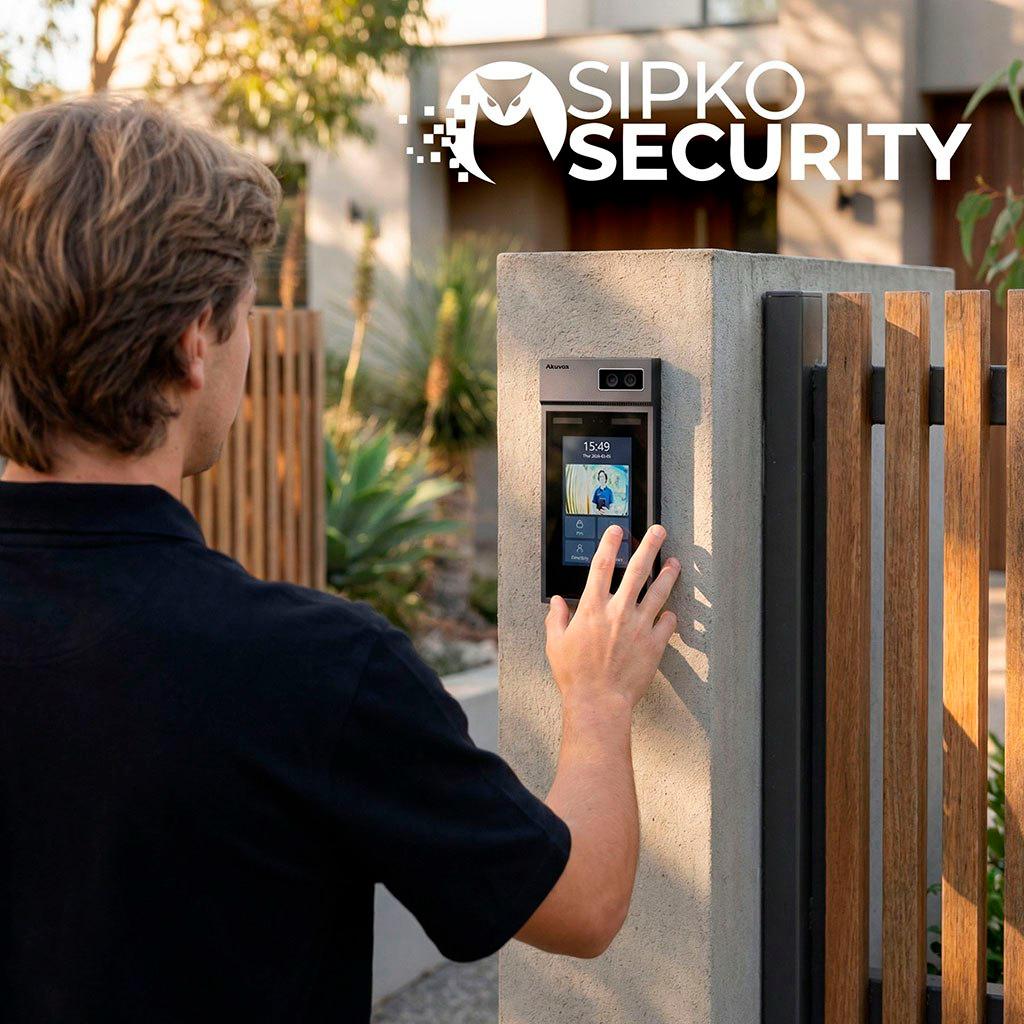
Advanced Model: Akuvox X912S
- The X912S supports multiple access methods including face recognition with over 99% accuracy.
- AI-powered facial recognition enables touchless entry for security systems.
- The X912S has dual cameras for low-light image clarity.
- The X912S is vandal-resistant with IK10 protection rating.
- Tamper alarms and anti-spoofing features are important for high-security access systems, especially where unauthorized access and key duplication are risks.
Weather-resistant and vandal-resistant designs are essential for outdoor security devices. CCTV systems are often integrated with door locks and access control systems. SIPKO Security can select compatible hardware designed for the site, whether the project is a home, apartments, school, clinic, office, or mixed-use building.
When to Call a Professional (and How SIPKO Security Helps in Melbourne)
Call a professional when basic checks fail, the fault returns, water is present, a power supply is suspected, or the lock is on a fire exit, main entry, or shared building entrance. DIY is unsafe or ineffective for doors tied to fire panels, mag locks on emergency egress paths, multi-unit intercoms, and multi-door commercial access control networks.
SIPKO’s Diagnostic Process
- Identifying the Akuvox door phone model — E12/E12S, R20, R29 series, or X912S
- Testing the lock mechanism and door alignment
- Measuring relay output, voltage, and current
- Reviewing SmartPlus Cloud, schedules, users, and access control settings
- Checking integration with CCTV, Ajax wireless alarms, and smart home systems
- Proof-testing every unlock method before handover
Access Control Tailored to Your Property
Access control solutions can be tailored for both residential and commercial properties. Integrated security systems enable monitoring of entry points for property managers, and remote administration makes it easier to maintain secure access without issuing unnecessary physical keys.
SIPKO Security offers same-week callouts across inner Melbourne, bayside, and eastern suburbs. We also recommend annual servicing of door phones, locks, power supplies, weather seals, firmware, and access databases to prevent the next “won’t unlock” incident.
What Information to Collect Before You Call SIPKO Security
Before calling, collect:
- Exact Akuvox model number from the label — such as E12S, R29C, R20A, or X912S
- Type of lock on the door: electric strike, mag lock, powerbolt, or rim lock
- Whether the exit button works
- Which methods work or fail: card, PIN, SmartPlus, NFC, Bluetooth, indoor monitor, or face recognition
- Approximate install date and installer, if known
- Clear photos of the door phone, lock, power supply, wiring enclosure, and any visible corrosion or damage
The more detail you provide, the faster SIPKO Security can restore safe, reliable access for residents, staff, visitors, and property managers.
Akuvox Door Lock FAQ
Can I unlock my Akuvox without internet?
Yes. Your Akuvox keypad codes and cards work locally even if the internet is down. Only the SmartPlus phone app and remote unlock commands need a cloud connection.
What happens if the Akuvox loses power?
It depends on your lock type. Mag locks (fail-safe) usually open for safety during a power cut, while electric strikes (fail-secure) stay shut. SIPKO Security recommends an Akuvox battery backup for all critical doors, and designs lock mode to comply with fire and AS/NZS egress requirements.
Why does my Akuvox app say “unlocked” but the door stays locked?
The unlock command reached the door phone, but the relay did not fire, the lock is not receiving power, or a mechanical issue is stopping the door from opening. Check relay settings in the web interface, measure 12V at the lock during unlock, and inspect for physical binding at the strike or latch.
How do I stop my Akuvox from showing “Access Denied” for my card?
Log into the Akuvox web interface or SmartPlus Cloud and confirm the card is enrolled, assigned to the correct door, not expired, and not disabled. In strata or multi-door buildings, the building manager may need to reissue the credential or extend the access schedule.
Is it safe to troubleshoot Akuvox wiring myself?
Visual inspection of low-voltage wiring is generally safe. Do not open mains 240V enclosures or modify power supplies yourself. If you see burnt smell, water ingress, or damaged cabling, call SIPKO Security rather than proceeding.
Akuvox Quick-Fix Checklist
- Is the Akuvox relay turned on and timer set to at least 3–5 seconds in settings?
- Is the lock getting 12V DC power during the unlock event?
- Is your Akuvox PIN or card still active, enrolled, and assigned to the correct door?
- Is the Akuvox app showing the door phone as online and synced to the cloud?
- Has the door phone been rebooted in the last attempt?
- Is the time and date correctly set on the hub and door phone?
- Does the internal exit button release the door?
Akuvox Specialist Support in Melbourne
If your Akuvox door lock is failing today, expert and friendly help is just a phone call away. Our Melbourne team can diagnose, repair, and audit your door access system — same week, across inner, bayside, and eastern suburbs.
Sources and Industry Standards
- AU Cyber Security Centre — Official advice on protecting your smart devices and IP-connected intercoms.
- ACMA Standards — National rules for professional cabling and installations.

