
Dahua CCTV Repair & Maintenance in Melbourne
If your Dahua CCTV system has stopped recording after a power outage, one camera has gone offline, the DMSS app stopped working after a router change, playback is missing or night footage has become unclear, SIPKO Security can diagnose the fault and recommend a practical repair, maintenance or replacement path for Melbourne homes and businesses.
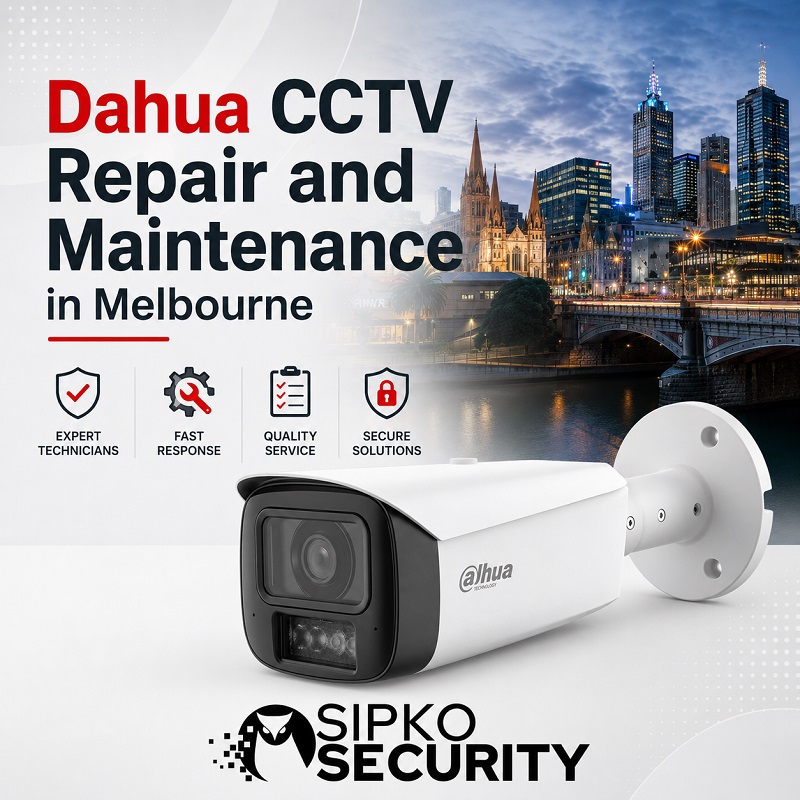
Common Dahua CCTV Problems We Fix
A Dahua fault is not always a failed camera. In real service calls, the cause is often power, cabling, a damaged connector, an NVR setting, a hard drive warning, a router change, a phone permission issue or an old configuration that no longer matches how the site is used.
Camera and Image Problems
We look at offline cameras, black screens, weak night detail, blurry footage, image dropouts, dirty lenses, glare, water exposure and cameras that no longer appear correctly in the app.
NVR, Playback and Storage Problems
We troubleshoot Dahua NVR recording faults, missing playback, recording gaps, wrong time/date, beeping recorders, hard drive errors and systems that show live view but cannot find stored footage.
DMSS App and Remote Access Issues
We help when DMSS stopped connecting after a modem replacement, works on one phone but not another, shows live view only, fails to send alerts or no longer gives the right users access to playback.
Maintenance and System Health Checks
Existing Dahua systems should be checked before important footage is needed. A health check can cover cameras, NVR storage, playback, export, user access, cable condition and practical image quality. If the system is not primarily faulty but has been inherited with a property or needs a full access, user, recording, DMSS and network handover, see our Dahua CCTV takeover and reconfiguration service in Melbourne.
Dahua NVR and Recording Faults
When a Dahua NVR stops recording, the fault can sit in the hard drive, recording schedule, camera channel, time/date settings, network connection, power supply or recorder hardware. The right repair starts with proving which part is failing.
Storage and HDD Faults
A failed, undersized or unstable hard drive can cause missing footage, short retention, recorder beeping, slow playback or a system that appears live but does not store useful video.
Recording Schedule and Playback Gaps
Some recorders are not faulty at all. They may have wrong event rules, motion-only recording where continuous recording was expected, channel settings changed by mistake or an incorrect time/date.
Missing Camera Channels
A channel can disappear because the camera has failed, the PoE port is not supplying power, the connector is damaged, water has entered a termination, the IP address changed or the recorder has reached its channel limit.
NVR Repair or Replacement
A recorder can often be stabilised through settings, storage replacement or network correction. Replacement becomes more sensible when the NVR is old, unstable, undersized or no longer supports the cameras and retention required.
Dahua Camera Fault Diagnosis
A camera fault can be caused by the camera body, the cable, PoE supply, connector, water ingress, lens condition, IR reflection, firmware settings or the original mounting angle. Good diagnosis avoids replacing equipment that only needs repair or adjustment.
Power, PoE and Connector Issues
If a Dahua camera drops out, the fault may be at the NVR PoE port, patch lead, RJ45 plug, outdoor junction box, camera tail or damaged cable run rather than inside the camera.
Water Ingress and Cable Damage
Outdoor cameras are exposed to rain, heat, insects and long-term movement around eaves or walls. Water inside a connector or camera housing can create black screens, dropouts or unstable video.
IR Glare, Dirty Lens and Poor Night Image
Blurry night footage is often caused by spider webs, dust, lens cover contamination, IR glare from walls, reflective surfaces, fogging, poor angle or lighting that does not match the camera position.
Camera Settings, Firmware or Replacement
Stream settings, image settings, detection rules, firmware state and camera age can affect stability. Replacement is considered when repair no longer restores reliable performance or useful image quality.
DMSS App and Remote Viewing Support
DMSS access can stop after a router change, internet provider change, password change, phone replacement, QR/P2P issue, permission issue or recorder network problem. SIPKO Security checks the app and the Dahua recorder setup together.
Phone App Not Connecting
The issue may be the phone, DMSS account, device binding, QR/P2P status, NVR network connection, router settings or internet service. A simple app reinstall does not always solve the actual cause.
User Permissions and Password Issues
Access can fail when users are removed, passwords are changed, permissions are limited, old phones remain connected or one phone is configured differently from another.
Live View Works but Playback Does Not
This often points to user permission limits, recording schedule issues, failed storage, wrong time/date or app playback settings rather than a general internet problem.
Notifications Not Working
Dahua alerts depend on phone permissions, event rules, motion or AI settings, schedule settings, user access and the connection between the recorder and the phone.
Dahua CCTV Maintenance and Health Check
A Dahua CCTV maintenance check confirms whether cameras, recording, playback, remote access and storage are still dependable. It is useful for homes, shops, offices, clinics, warehouses and business sites where missing footage can create a real problem.
Repair, Replace or Upgrade: What Makes Sense?
Not every Dahua CCTV fault needs a full replacement. Some systems only need a setting correction, connector repair, camera clean, HDD replacement or app recovery. Others need targeted replacement because the recorder, camera or storage is no longer reliable.
When Adjustment or Repair Is Enough
A system may only need app reconfiguration, recording schedule correction, time/date repair, camera cleaning, angle adjustment, connector repair or HDD replacement.
When Replacement Is More Practical
A camera may need replacement when it is water damaged, unstable, unsupported or no longer suitable for the view. An NVR may need replacement when it is old, unreliable, undersized or not worth repeated service calls.
When the Old System Is Not Worth Repairing
If the recorder is outdated, storage is too small, cameras are unreliable, playback is difficult or the layout no longer matches the property, a staged upgrade may be the better investment.
When Existing Cables Can Be Reused
Existing cables may be reusable if they are in good condition, correctly routed, suitable for the camera type and not affected by water, damage or poor terminations.
Need a New Dahua CCTV Installation Instead?
If the current Dahua system is too old, has limited storage, unreliable cameras or no longer matches the property layout, SIPKO Security can design a new Dahua CCTV setup with suitable cameras, NVR storage, DMSS access and smart detection.
How We Troubleshoot Dahua CCTV Faults
A structured check helps identify whether the issue is camera, cable, connector, NVR, hard drive, network, app access or configuration.
Fault Review
We confirm the symptoms: offline camera, stopped recording, missing playback, DMSS issue, hard drive warning, beeping recorder or unclear night footage.
Camera and Cable Check
Camera power, PoE ports, connectors, water ingress, cable condition and image quality are checked where access allows.
NVR and HDD Check
The recorder, HDD health, recording schedule, time/date, channels and playback search are reviewed together.
DMSS and Remote Access Check
Live view, playback, notifications, user permissions, QR/P2P status and phone access are tested where relevant.
Repair or Replacement Recommendation
We explain whether the issue can be corrected, needs a part replacement or points to a wider upgrade.
Testing After Changes
After repair or adjustment, recording, playback, app access and practical camera views are checked again.
Frequently Asked Questions
Answers about Dahua CCTV repair, Dahua camera repair, Dahua NVR repair, DMSS access, missing playback, hard drive faults and CCTV maintenance in Melbourne.
Why is my Dahua camera offline?
Why has my Dahua NVR stopped recording?
Can you fix Dahua DMSS app access?
Why is my Dahua night footage blurry?
Can you replace a faulty Dahua camera?
Can you check if my Dahua hard drive has failed?
Do you repair Dahua systems installed by another company?
Can an old Dahua CCTV system be upgraded instead of fully replaced?
How do I know if the issue is camera, cable, NVR or network?
Do you provide Dahua CCTV maintenance for businesses?
Can you recover missing Dahua playback?
Can you fix Dahua remote viewing after an internet change?
Can you test all cameras and recording?
Should I repair or replace an old Dahua NVR?
Can you clean and adjust existing Dahua cameras?
Request Dahua CCTV Repair or Maintenance
Call 0406 432 691 or complete the form. Tell us what is happening with your Dahua CCTV system, and SIPKO Security will recommend a practical repair, maintenance or replacement path.