HiLook CCTV Camera Service & Repairs Melbourne

📍 We Fix HiLook Security Cameras in Melbourne

If your security cameras have stopped working, showing a black screen, or you simply can’t view them on your phone anymore — we come to you and fix it. We service all HiLook security camera systems across Melbourne.

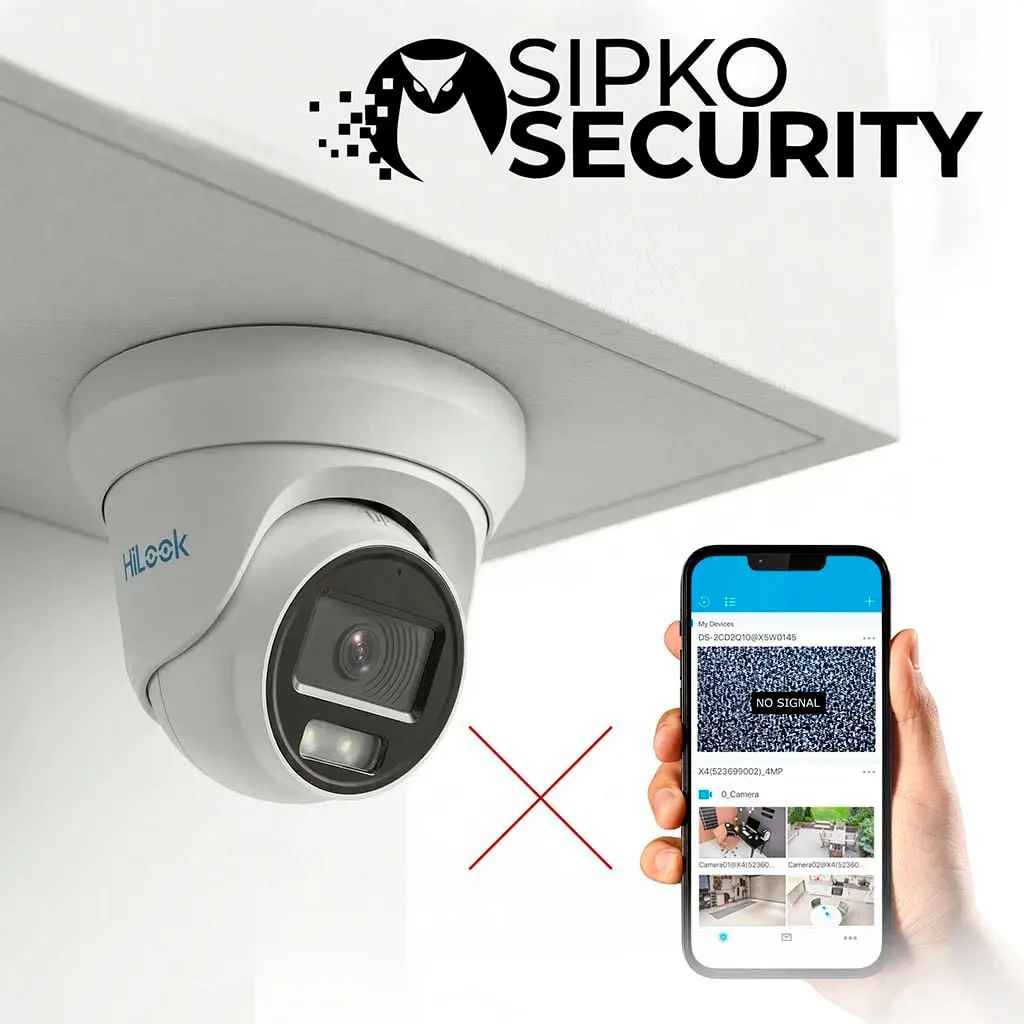
Can’t View Cameras on Your Phone?

We get your Hik-Connect or HiLookVision app working again so you can check your cameras from anywhere — quickly and reliably.

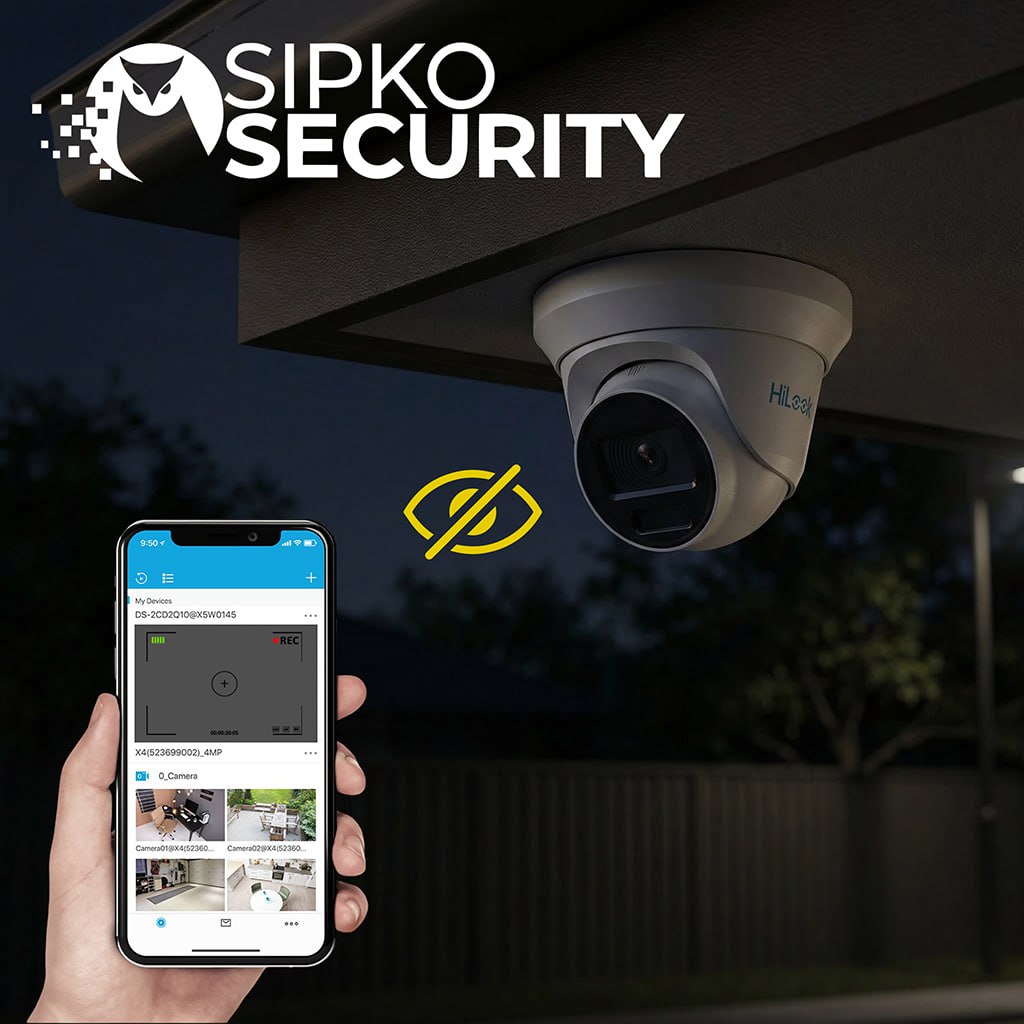
Cameras Not Recording or Showing a Black Screen?

We find and fix the reason your cameras show “No Video“, look blurry, or have stopped saving footage. Most jobs are done in a single visit.

Physical Camera Repairs & Replacements

We fix broken cables, replace failed power units, update your system’s software, and reposition cameras so they cover the right areas of your property.

Your Local HiLook Camera Team, Melbourne SIPKO Security is a local Melbourne team. We show up on time, explain what’s broken in plain English, and get your cameras working again — no call centres, no guesswork.

Get in Touch with SIPKO Security

Speak with a specialist about your HiLook cameras. Call us on 0406 432 691 or fill in the form and we’ll get back to you quickly.

Serviceable Hardware

Popular HiLook Systems We Repair

These are the most popular HiLook cameras we service and repair in Melbourne. If you have one of these — or something similar — we can help get it working again.

Turret Network Camera

HiLook IPC-T221H

2 MP Fixed Turret Camera

A small, dome-shaped camera that blends into ceilings and walls. It records in Full HD and works well day and night. A popular choice for homes and small businesses across Melbourne.

  • Full HD Picture: Records in 1920 × 1080 resolution — clear enough to make out faces and number plates.
  • Saves Storage Space: Uses smart compression so your recorder lasts longer before running out of space.
  • Melbourne Weather Ready: Fully sealed against rain, dust and humidity — built to handle outdoors.
HiLook IPC-T221H Turret Camera
Click to Zoom

Camera Sensors

1/2.7″ Progressive Scan CMOS sensor with a max resolution of 1920 × 1080. Features an IR cut filter for true day/night switching.

1080P Full HD 0.01 Lux Color

Lens Options

Available in 2.8mm and 4.0mm fixed focal lengths. 2.8mm provides a wide 112.1° horizontal FOV for broad coverage.

2.8mm Wide 4.0mm Focus

Image Enhancement

Digital WDR, 3D DNR, and BLC technology ensure clear imaging even against strong backlight or low-light noise.

DWDR 3D DNR
Bullet Network Camera

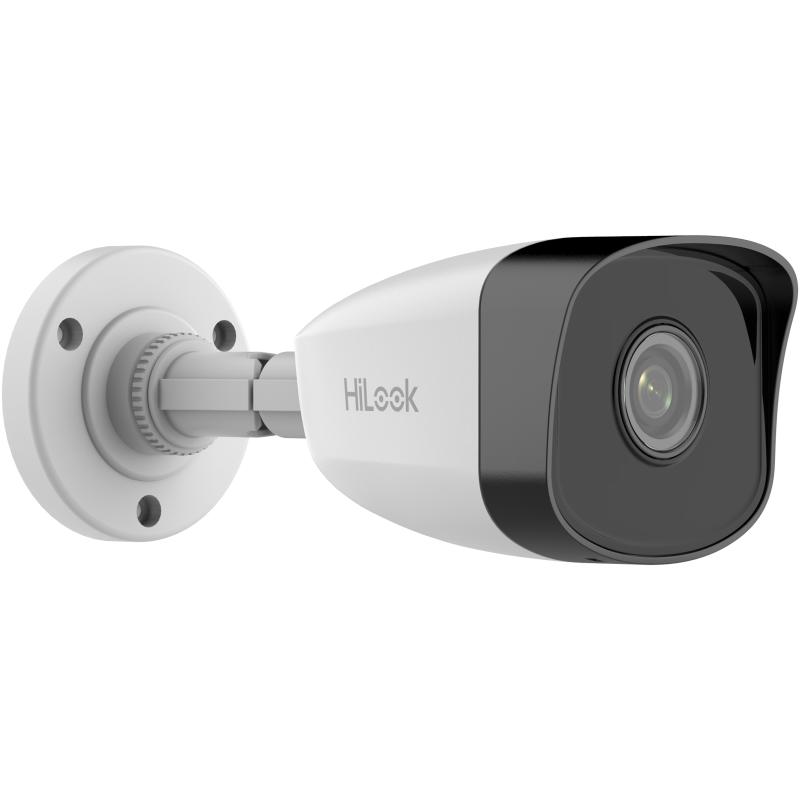
HiLook IPC-B121H

2 MP Fixed Bullet Camera

A longer, box-shaped camera designed to watch driveways, front gates and fences. Its shape alone is a deterrent. Works in complete darkness thanks to a built-in infrared light.

  • Sees in the Dark: Built-in night light lets it record clear black and white footage up to 30 metres away, even with no lights on.
  • Wide Coverage: The Wide-angle lens means fewer cameras needed to cover your driveway or fence line.
  • Looks the Part: The bullet shape sends a clear message to anyone approaching your property.
HiLook IPC-B121H Bullet Camera
Click to Zoom

Night Vision

Equipped with EXIR 2.0 technology for up to 30 meters of IR distance. Intelligent IR-cut filter ensures balanced exposure.

30M Range EXIR 2.0

Physical Build

Available in metal or plastic front cover options. 3-axis adjustment allows flexible mounting on walls or eaves.

IP67 Waterproof M12 Mount

Video Standards

Supports H.265, H.264, and MJPEG streams. Dual-stream capability allows for high-res recording and low-bandwidth remote viewing.

Dual Stream H.265+ Support
ColorVu Technology

HiLook IPC-T249HA-LU

4 MP ColorVu Smart Hybrid Camera

This camera records in vivid colour 24 hours a day — even at 2am with no lights. When it detects a person or a car, it automatically turns on a white light and alerts your phone.

  • 4 MP Super Sharp: Records at 4 megapixels — you can zoom in and still clearly make out a face or a numberplate.
  • 24/7 Colour Recording: A wide-aperture lens means the camera stays in colour mode all night, not just in daylight.
  • Smart Alerts: Only sends a notification when a real person or car is detected — not for wind, rain, or cats.
HiLook IPC-T249HA-LU ColorVu Camera
Click to Zoom

AI Intelligence

Built-in Human and Vehicle detection significantly reduces false alarms from pets, rain, or moving trees.

Smart Detection AI Analytics

Forensic Audio

Integrated high-gain microphone records clear ambient audio up to 5 meters, adding a critical layer of security evidence.

Built-in MIC Mono Audio

Hybrid Lighting

Long-range 30 meter illumination with three modes: IR Only, White Light Only, or AI-Smart Hybrid switching.

30M Warm Light Smart Mode
Analog High Definition

HiLook THC-T259-MS

3K ColorVu Audio Fixed Turret Camera

This is a great choice if you already have an older coaxial cable system at home. We can upgrade just the cameras while keeping your existing wiring — saving you time and money.

  • Ultra-Sharp Picture: Records at 3K resolution — nearly 1.5x more detail than a standard HD camera.
  • Audio Built In: Captures sound through the same cable as the video, so you can hear what’s happening, not just see it.
  • Works with Older Systems: Plugs into most existing recorders via a standard coaxial cable — no need to rewire your whole home.
HiLook THC-T259-MS 3K Camera
Click to Zoom

High Sensitivity

0.001 Lux ultra-low light sensitivity ensures the camera stays in color mode longer before needing the white light.

0.001 Lux F1.0 Lens

Signal Modes

Supports TVI, AHD, CVI, and CVBS output modes. Resolves compatibility issues with older or non-HiLook DVRs.

Multi-Output Universal DVR

Night Deterrence

Features up to 40 meters of white light distance. The visible light acting as both a night-light and a deterrent.

40M Light IP66 Metal
Interactive Diagnostic

HiLook System Self-Diagnosis

Answer 4 quick questions to identify your system fault and get expert advice.

What is the primary symptom of your HiLook system?

How are your cameras connected to the recorder?

Approximately how old is your current installation?

What is your primary goal for this service?

Common HiLook CCTV Camera Problems

Even high-quality security systems can experience technical issues over time. Our technicians specialize in diagnosing and resolving these common HiLook faults quickly.

Camera & Power Failure

  • Complete loss of video feed (black screens).
  • Faulty POE switches or power supply units.
  • Failed IR (Infrared) LEDs for night vision.

Recording & HDD Errors

  • Hard drive failure causing “No Recording” alerts.
  • Constant beeping from the NVR unit.
  • Incorrect time/date stamps on footage.

Network & App Connectivity

  • “Device Offline” errors in Hik-Connect or HiLookVision.
  • IP address conflicts preventing local view.
  • Remote viewing lag or failed logins.

Image Quality & Vision

  • Blurry or out-of-focus images at night.
  • Spiderwebs” (IR glare) blocking the view.
  • Pixelation or “blue screen” signal loss.
Fault Diagnosis

HiLook Camera Not Showing Video?

When a “No Video” message appears on your monitor or the app shows a blank screen, follow these essential troubleshooting steps to identify the cause.

1

Step 1 — Check the Power

Make sure your recorder box is switched on and all its indicator lights are lit. If any lights are off, a power issue is likely the cause.

2

Step 2 — Check the Cables

Unplug and firmly re-plug the cable going into each camera. Outdoor cables can corrode over time — look for any green or rust-coloured residue at the ends.

3

Step 3 — Restart Your Router

Turn your home router off, wait 30 seconds, and turn it back on. Sometimes cameras drop off the network when the router assigns new addresses to other devices.

4

Step 4 — Update Your App

Open the HiLookVision or Hik-Connect app and check if the device shows as “Online”. If it doesn’t, try deleting and re-adding the device. Old app versions can also be the problem.

NO VIDEO SIGNAL

Optics & Sensors

HiLook CCTV Camera Image Quality Issues

Crystal-clear footage is non-negotiable for security. If your HiLook system is producing substandard images, we provide professional realignment, cleaning, and sensor calibration.

Blurry or Out-of-Focus Footage

Loss of sharpness is often caused by accumulated dust on the lens, focus mechanism drift, or incorrect aperture settings during installation.

Lens Realignment & Focus Calibration

Poor Night Vision & IR Glare

Common issues include IR bounce-back from nearby walls, failed infrared LEDs, or the “foggy” effect caused by spiderwebs or humidity inside the dome.

IR Optimization & Seal Inspection

Distorted Video & Interference

Vertical lines, pixelation, or “rolling” video signals are typical signs of electromagnetic interference (EMI) or degradation in your Analog/IP cabling.

Cabling Shielding & Signal Stabilization
IR Diagnostic Active

HiLook Night Vision Not Working

When the sun goes down, your HiLook cameras should automatically switch to high-intensity infrared mode. If your images remain pitch-black or grainy at night, it’s often a sign of hardware degradation.

Failed IR LEDs

Internal infrared LEDs burn out or lose intensity over time, leaving large “blind spots” in the dark.

IR-Cut Filter Faults

The mechanical filter that shifts between Day/Night modes can jam, causing a pink tint or no night vision.

Power Draw Issues

Cameras require more power at night for IR. Faulty power supplies often fail only when the lights go out.

Reflective Glare

Internal dome ring leaks or nearby white walls reflect IR back into the lens, blinding the sensor.

NVR & DVR Systems

HiLook DVR / NVR Recorder Repairs

Your recorder is the “brain” of your security system. When it fails, you lose both live monitoring and your vital historical footage. We specialize in hardware repairs, data recovery, and system optimization for all HiLook units.

Hard Drive Health & Smart Check
Power Supply & Fan Replacement
Motherboard & HDMI Port Repair
NVR Channel Pairing & PoE Config

HDD Replacement

We replace failing drives with Western Digital Purple surveillance-grade HDDs, optimized for 24/7 video recording.

Password Reset

Locked out? We offer secure, on-site password factory resets and account unbinding services for all HiLook devices.

Firmware Fixes

We resolve boot-loop issues and “Network Exception” errors by flashing the latest stable HiLook firmware updates.

Cabling Faults

Diagnosing faulty RJ45 or BNC connections that cause specific channels to drop out on your recorder screen.

NETWORK DIAGNOSTICS

HiLook Camera Offline Issues

Is your security feed cutting out at the worst moment? Network dropouts in HiLook systems are rarely random. We identify and fix the underlying infrastructure faults causing system instability.

Wi-Fi Signal Dropouts

Wireless HiLook cameras often drop offline due to channel congestion or physical barriers between the camera and the router.

Action: Signal mesh optimization or hardwired conversion.

POE Power Instability

Cameras that reset frequently may be suffering from “under-voltage” caused by low-quality PoE switches or faulty power injectors.

Action: PSU test & high-output switch upgrade.

IP Address Conflicts

Frequent “Device Offline” alerts on the app are often caused by two devices on your network fighting for the same internal IP address.

Action: Static IP binding & DHCP configuration.

Copper Cable Fatigue

Outdoor Ethernet cables can degrade over time, leading to intermittent signal loss that only occurs during rain or high humidity.

Action: Pro-grade CAT6 cabling & waterproof boots.
HiLookVision & Hik-Connect Specialist

HiLook Mobile App Connectivity

Getting your cameras on your phone should be simple, but network isolation and account binding can make it a headache. We specialize in configuring secure, high-speed remote access for your Melbourne property.

Device “Offline” on App

Often caused by incorrect Gateway settings on the NVR or the “Platform Access” service being disabled in the network menu.

Missed Notifications

We fix broken alarm linkage that prevents your phone from receiving real-time “Intrusion” or “Line Crossing” alerts.

Old Account Unbinding

If your system is registered to a previous owner’s email, we can securely reset the P2P cloud binding so you can register it yourself.

Secure Sync

Voltage Diagnostic

HiLook Camera Power Supply Issues

Unstable power is the silent killer of CCTV hardware. Whether it’s a flickering PoE connection or a burnt-out 12V adapter, we diagnose and replace faulty power infrastructure to keep your systems online 24/7.

PoE Failures

Repairing Power-over-Ethernet faults where cameras lose power but retain data, or fail entirely due to switch port degradation.

Adapter Swaps

Swift replacement of faulty 12V/2A power bricks with industrial-grade, surge-protected adapters optimized for HiLook hardware.

Surge Recovery

Diagnosing “Dead on Arrival” symptoms after lightning strikes or local power surges that blow internal camera fuses.

Wiring Corroded

Fixing oxidized DC power jacks and exposed wiring that cause intermittent camera restarts during high-wind or rain events.

12.2V Active Power Stable
Infrastructure Integrity

HiLook CCTV Wiring Fault Repairs

Cable faults are the primary cause of intermittent video loss and “No Signal” errors. Our technicians use advanced TDR cable testers to locate breaks behind walls or underground without unnecessary digging.

Rodent & Bio Damage

We replace chewed or weather-damaged cabling with UV-stabilized, rodent-resistant dual-shielded CAT6 or RG59 cables.

Interference Shielding

Fixing image “ghosting” or lines caused by CCTV cables running too close to high-voltage AC electrical lines.

Connector Overhauls

Replacing oxidized BNC connectors and loose RJ45 terminations with weather-sealed, compression-molded fittings.

Junction Box Seals

Resealing exposed connections using IP66-rated mounting bases to prevent moisture ingress and short circuits.

Seamless Restoration

A Smarter Flow For Every Repair.

We’ve engineered a non-disruptive, data-driven restoration process designed specifically for Melbourne’s high-end security environments.

Phase One
01

Deep-Layer Diagnostics

Isolation of network bottlenecks or physical cable breaks behind structural barriers using TDR testers.

Phase Two
02

Hardware Restoration

On-site swap of faulty hardware with genuine HiLook parts and weather-sealed cable re-termination.

Phase Three
03

Performance Tuning

Firmware hardening, lens re-calibration, and bitrate optimization to improve long-term retention.

Phase Four
04

Integrity Certification

Pressure-testing under load followed by a Professional Workmanship Warranty for lasting peace of mind.

Precision Optical Calibration

HiLook Camera Focus Adjustment

Restoring crisp, cinematic video quality through professional-grade lens alignment and focus path optimization. We fix blurry images that software reboots can’t solve.

Manual Focus Calibration

Physical adjustment of the hex-ring on fixed-lens cameras to ensure the focal point aligns perfectly with your primary surveillance target.

Varifocal Lens Tuning

Precise synchronization of focal length and zoom ratios on adjustable lenses, preventing “hunting” or autofocus lag during movement.

Back-Focus Correction

Deep-level adjustment of the image sensor distance to correct “soft” images caused by temperature-induced lens expansion or vibration.

SIPKO Precision Protocol: Active
IMAGE CLARITY: OPTIMIZED
Expert Support Everywhere

On-Site HiLook Service Across Melbourne

From residential Bayside homes to commercial warehouses in the Western suburbs, our technicians bring specialized HiLook diagnostic tools directly to your doorstep.

Melbourne CBD
Bayside & Mornington
Eastern Suburbs
Western Suburbs
Northern Suburbs
Southeastern Suburbs
AI Monitoring: Active

HiLook Motion Detection Intelligence

Beyond simple motion. We calibrate the logic behind the alerts to ensure your security is both proactive and non-disruptive, using deep-level analytics to filter the noise from the threats.

Smart Event Setup

Configuring advanced human and vehicle detection algorithms to effectively eliminate false triggers from pets, swaying foliage, or sudden headlight glare.

AI Optimized

Notification Repairs

Fixing persistent delivery delays and failure errors in mobile push alerts, ensuring real-time security updates directly to your smartphone.

Real-Time Sync

Zone Optimization

Designing custom activity zones and exclusion masks to ignore public footpaths while focusing exclusively on your high-risk property entry points.

Precision Masking

Event Linkage

Synchronizing motion triggers with high-bitrate recording, spotlight activation, and automated secure off-site NVR backup sequences.

System Linked
Core System Integrity

HiLook CCTV Firmware Updates

Outdated firmware is the leading cause of security vulnerabilities and system lag. We provide professional, failed-safe update services to keep your HiLook ecosystem running with maximum performance.

Security Advisory

Never update firmware over unstable Wi-Fi. Our technicians perform on-site updates via direct ethernet to prevent permanent hardware “bricking”.

Vulnerability Shielding

Applying the latest security patches to defend against network intrusions and brute-force attempts.

Performance Hardening

Removing codebase legacy bugs that cause NVR stuttering, UI lag, and unexpected system reboots.

Cloud Sync Optimization

Updating internal networking protocols for faster app loading and reliable remote playback streaming.

Network Optimization

HiLook Camera Network Configuration

Eliminating latency and connectivity drops through professional-grade IP infrastructure and router-level tuning.

Layer 03 – IP

Static Address Reservation

Eliminating IP conflicts by binding unique MAC addresses to persistent static IPs, ensuring cameras never disappear from the NVR during router reboots.

OPTIMIZED
Layer 04 – WAN

Secure Gateway NAT

Configuring professional port forwarding and NAT rules on your router for secure, low-latency remote access via the HiLookVision cloud platform.

OPTIMIZED
Layer 02 – VLAN

Traffic Subnet Isolation

Segmenting CCTV data from your primary home Wi-Fi traffic to prevent network congestion and ensure 4K video streams remain stable during high usage.

OPTIMIZED
Layer 07 – APP

Bandwidth Throttling

Tuning MTU settings and bitrate encoding paths to optimize upload speeds for remote playback without affecting your home’s internet performance.

OPTIMIZED
Data Archive Integrity

HiLook Camera Storage Problems

Restoring recording stability and historical retention through professional drive diagnostics and database repairs.

Retention Strategy Optimization

We solve the “Not Enough History” problem by tuning H.265+ encoding bitrates and frame patterns, often doubling your recording capacity without needing new hard drives.

Surveillance Drive Swaps

Replacing failed consumer-grade desktops drives with professional-grade WD Purple or Seagate SkyHawk units designed for 24/7 read/write loads.

Database Indexing Repair

Fixing “No Recordings Found” errors caused by corrupted file headers or incorrect timezone synchronization across your NVR ecosystem.

Core Logic Recovery

HiLook CCTV System Reconfiguration

Reprogramming the core intelligence of your system to restore order after power surges, hardware failures, or database corruption.

01

Power Restoration

Resynchronizing internal system clocks and frozen recording schedules wiped during unstable power cycles.

SYNCED
02

Error Neutralization

Clearing persistent “HDD Error” or “Parameter Exception” codes that block normal operation after a system crash.

CLEARED
03

Handshake Reset

Re-establishing secure communication between IP cameras and the NVR for authenticated video transmission.

SECURED
04

Protocol Audit

Returning bitrate and compression settings to SIPKO factory standards to prevent future system lag.

AUDITED
Perimeter Geometry

HiLook Camera Mounting & Alignment

Optimizing the physical orientation of your surveillance grid to eliminate blind spots and ensure pixel-perfect coverage of Melbourne’s most critical entry points.

Laser FOV Mapping Blind Spot Neutralization SIPKO Certified

Geometric Deadzone Elimination

We use laser-leveled alignment protocols to verify that your camera’s field of view (FOV) overlaps correctly, ensuring suspects cannot bypass your security through structural “soft spots.” Our process involves mapping every square meter of your perimeter to guarantee 100% evidentiary coverage.

Overlap Protocol

Ensuring adjacent cameras cross-reference targets, preventing “handoff” failure during transit.

Shadow Analysis

Identifying and neutralizing blind spots caused by foliage growth, signage, or architectural overhangs.

Rigid Surface Mounting

Re-securing loose cameras to brick, render, or timber using weather-sealed mounting bases to prevent vibration-induced video blur.

Intrusion Path Analysis

Adjusting camera tilt and rotation based on property-specific intrusion paths, maximizing facial identification chances during critical events.

Hardware Lifecycle management

HiLook CCTV Camera Replacement

Moving beyond generic repairs. We systematically replace compromised sensors with precisely calibrated HiLook hardware to restore absolute clarity.

Backward Compatible Gen-2 Verified 99.8% Uptime

The Inter-Gen Solution

We don’t just swap cameras; we perform an ecosystem audit. Every replacement is mapped against your existing NVR firmware to ensure zero handshaking errors and 100% feature parity after the migration.

Compatibility Index 98.6%

*Metric based on Sipko standard replacement benchmarks across Greater Melbourne.

Gen-1 to Gen-2 Migration

Replacing older 1080p units with modern 4K ColorVu models, utilizing high-performance baluns to deliver crystal clear video over legacy analogue cabling.

Vandal-Grade Hardening

Swapping lightweight plastic housing with IK10-rated vandal-proof metal alloys, designed to withstand physical impacts and harsh Melbourne weather extremes.

AI Feature Integration

Upgrading static camera nodes with AcuSense-enabled replacements, allowing your existing system to start recognizing human and vehicle targets instantly.

Professional Uptime Guard

The HiLook Maintenance Protocol

Beyond simple cleaning. Our systematic 24-point maintenance protocol ensures your HiLook ecosystem operates at peak factory specifications, year-round.

PHASE 01
Optical Path

Lens Decarbonization

Using specialized anti-static micro-solutions to remove urban pollution, salt spray, and spider-web debris that degrade night-vision clarity.

Optical Clarity verified
PHASE 02
Hardware Integrity

Mounting Torque Audit

Verifying all structural anchor points and bracket tensioners to prevent vibration-induced movement and long-term focal drift.

Structural Load verified
PHASE 03
Power Systems

Voltage Load Profiling

Testing NVR power outputs and camera PoE voltages to ensure stable current delivery, preventing thermal stress on sensitive internal chipsets.

Power ripple verified
PHASE 04
Logic Systems

Database Health Sweep

Performing deep-level scanning of hard drive sectors and file allocation tables to identify and neutralize potential recording corruption before failure occurs.

Disk I/O verified
PHASE 05
Connectivity

BNC & RJ45 Oxidation Polish

Chemically cleaning all exposed metal contact points to restore signal integrity and eliminate “video noise” caused by high-resistance terminations.

Signal SNR verified
PHASE 06
AI Intelligence

Analytic Recalibration

Adjusting motion detection sensitive zones based on seasonal foliage changes or new structural obstacles to maintain zero false-alarm performance.

Alarm logic verified
Pre-emptive Diagnostics

HiLook CCTV System Health Checks

Wait for failure is not a strategy. Our comprehensive health audits identify dormant hardware faults and network bottlenecks before they cause a critical system blackout.

Thermography Component ID

Thermal Stress Audit

Using industrial-grade thermal imaging sensors to identify overheating chipsets within your NVR and IP cameras, preventing permanent hardware degradation caused by poor ventilation.

Packets Network

Deep Packet Inspection

Analyzing the metadata stream from every camera to detect erratic frame-drops or MTU mismatch errors that cause intermittent live-view lag during peak network traffic events.

Power Oscilloscope

Voltage Ripple Profiling

Deploying digital oscilloscopes to measure power supply “noise” and voltage fluctuations. We ensure your PoE injectors are delivering clean, stable energy to the camera sensors.

Storage I/O Speed

Bitrate Stability Sweep

Verifying the hard drive’s sustained write performance against the system’s peak demand. We ensure your storage can handle high-bitrate events when all cameras trigger simultaneously.

Climate Resilience Protocol

HiLook Weather Damage Repairs

Precision environmental restoration for Melbourne’s extreme weather cycles.

Moisture Neutralization

Removing condensation, replacing desiccants, and resealing optics to IP67 standards.

UV Overhaul

Replacing sun-damaged lines with UV-stabilized, dual-shielded outdoor cabling.

Junction Resealing

Fitting IP66-rated mounting bases to prevent water tracking and electrical shorts.

Thermal Audits

Installing sun-shields and thermal barriers to ensure sensor stability at 55°C+.

Performance Benchmark

HiLook CCTV Upgrade Services

Moving beyond the grain. We systematically transition legacy Melbourne surveillance systems into the ultra-clear 4K AI-driven future.

01
Clarity Peak

The 4MP Logic Jump

Doubling the evidentiary detail of standard 1080p systems. This tier provides the digital zoom capacity needed for identifying faces at structural entry points.

+100% Pixel Density
02
Intelligence Tier

AcuSense AI Migration

Transforming static footage into active security. We upgrade nodes with human and vehicle detection, eliminating false alarms from pets or swaying foliage.

95% Alarm Filter Rate
03
ColorVu Mastery

24/7 Full Color Optics

Neutralizing the night. Upgrading to ColorVu technology allows your system to capture chromatic facial details and vehicle colors in complete pitch darkness.

24/7 Chromatic Evidence
Ecosystem Orchestration

HiLook Camera Integration

Moving beyond isolated video. We bridge your HiLook cameras with alarms and access control to create a unified, responsive security shield.

System Core

The Integration Nerve Center

Our technicians specialize in deep-level hardware handshaking. We connect HiLook NVR alarm I/O ports directly to your security control panel, enabling automated lockdowns and real-time event verification across your entire Melbourne property.

Interface: Alarm I/O

Panic Trigger Bridging

Wiring camera motion outputs to physical house sirens or silent alarm diallers, ensuring that a perimeter breach activates your full reactive security response.

Relay Mapping NO/NC Logic
Interface: Door SDK

Access Control Linking

Integrating video snapshots with key-card entry points. Every time a door is unlocked, the system captures a high-res facial ID and logs it against the user profile.

API Verify Door Meta
Interface: Smart Home

Unified App Sync

Consolidating disparate apps into a single control point. View live HiLook feeds alongside alarm statuses on your smartphone without switching ecosystems.

Cloud Bridge HIK-Connect
Worldwide Stream: ACTIVE

HiLook CCTV Remote Viewing

Moving beyond the NVR monitor. We configure high-performance remote gateways so you can audit your Melbourne property’s safety from any device, anywhere on earth.

HIK-Connect Smartphone Link

Configuring encrypted P2P cloud handshaking for real-time push alerts and live-view on iOS and Android. Includes secure substream optimization for 4G/5G mobile reliability.

Connection Type Secure P2P Cloud

View on Your Computer

We set up the HIK-Connect app on your Windows or Mac so you can watch live or recorded footage on a big screen — no technical knowledge required from you.

Platforms Windows & Mac

Check Cameras in a Web Browser

Access your camera footage directly through any web browser — no extra software needed. Great for checking in quickly from a work computer.

Access Type Browser-Based
Common Questions

Frequently Asked Questions

Real answers to the questions our customers ask us every day about their HiLook cameras.

Why is my HiLook camera showing a “No Video” message?

+

Usually it’s a power problem or a broken cable. Check that your recorder box is on and the lights are active. Our technicians carry testers and spare parts, so most jobs are fixed in one visit.

Most common cause: loose cable or no power

Can my whole family view the cameras on different phones?

+

Yes! The Hik-Connect app lets the main account holder share access with other people using their email address. Each person gets their own login, so you can keep track of who has access at any time. We set this up for you during the service.

Works on iPhone and Android

I’ve forgotten my HiLook recorder password — can you help?

+

Yes — this is one of our most common call-outs. There’s a safe way to get back in without losing any of your saved footage. Give us a call and we can walk you through it over the phone or send someone out.

We recover access without wiping footage

Why is my camera’s night view blurry or washed out?

+

The most common cause is spiderwebs or dust sitting directly on the lens — the night light bounces off them and washes out the image. It can also happen if something like a gutter or a tree branch is too close to the camera. We clean the lens and adjust the settings to fix it.

Fix: Lens clean + night setting adjustment

Will my HiLook cameras work with my existing Hikvision system?

+

Yes! HiLook is made by Hikvision (the same company, just a different product range). Both brands work together on the same recorder and can be viewed in the same app. We work with both every day.

100% cross-compatible with Hikvision
Get in Touch

Contact
SIPKO Security

Speak with a specialist about wired and wireless CCTV, Ajax alarms, and same-week installations. We respond quickly during business hours and offer after-hours call-outs for urgent security issues.

Phone
0406 432 691
Email Address
sipkosecure@gmail.com
Head Office
Brighton, Melbourne

Prefer WhatsApp? Tell us in your message — we’ll reply on your preferred channel.