
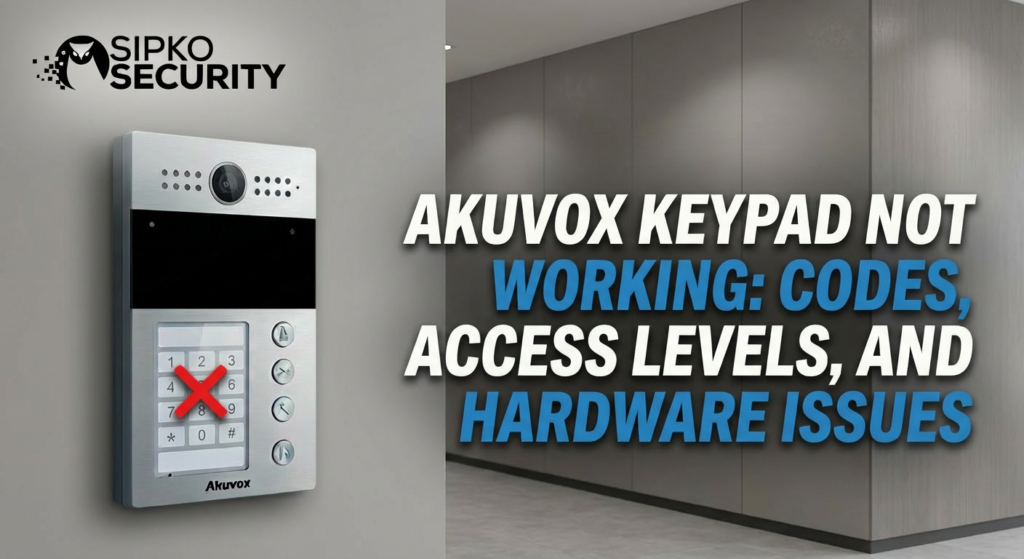
Akuvox Keypad Not Working: Codes, Access Levels, and Hardware Issues
The keypad is the primary interface for thousands of Melbourne residents. When your Akuvox hardware stops validating codes or fails to respond, security is compromised. This comprehensive master resource breaks down the complex intersection of Akuvox user roles, relay logic, and environmental hardware failure.
1. Introduction: The Complexity of the “Smart” Keypad
In the era of basic analogue intercoms, a keypad was a simple mechanical switch. In the Akuvox ecosystem, the keypad is a sophisticated network-edge device running an Android-based or Linux-based microkernel. When an Akuvox code is entered, it isn’t just “opening a circuit”—it is initiating a database query against local and cloud-synced user tables.
For a commercial building manager in Melbourne, an Akuvox “Keypad Not Working” ticket is high-priority. It could mean 50 tenants are locked out of their parking garage, or a delivery driver is stuck at the gate.
This guide provides the technical forensic knowledge required to distinguish between Akuvox logic errors (Permission/Access Levels) and physical degradation (Environmental/Hardware). If your Akuvox keypad is flashing or rebooting, first check our Akuvox Power Stability Guide. We also recommend reading our home security tips for general system health.
2. How the Akuvox Keypad System Works: Under the Hood
Akuvox devices utilize a multi-layered security system architecture. An Akuvox keypad entry is processed through several internal logic gates before the relay is pulsed.
The Akuvox Internal Validation Pipeline (IVP)
Layer 1: Input Buffer – The Akuvox keypad captures the digits. If certain keys are silent, the buffer never completes.
Layer 2: User Lookup – The Akuvox system matches the PIN against the User ID table.
Layer 3: Access Level Filter – Is this user authorized for this Akuvox device?
Layer 4: Schedule Validation – Is it currently between the user’s Start Time and End Time?
Layer 5: Relay Mapping – Does the success signal trigger the Akuvox Relay A, Relay B, or an External Wiegand Controller?
3. User Permissions & Access Levels: The #1 Point of Failure
3.1 How User Permissions Affect Codes
Akuvox uses Role-Based Access Control (RBAC). A common mistake is creating an Akuvox user and a code but failing to link them to an Access Level. In Akuvox Cloud or the local Akuvox Manager software, the Access Level is the bridge.
- Validity Windows: Often, temporary Akuvox codes for contractors are set with an expiration date. When that date passes, the Akuvox code is purged.
- Holiday Schedules: If a Brighton office is set to “Holiday Mode”, standard Akuvox user codes may be globally disabled.
EXPERT TIP: Use the “Search” function in the Akuvox log interface. If you see “Access Denied” for a specific code, the hardware is fine—you have a permission mismatch. If you see nothing in the log, the code isn’t even reaching the processing engine.
4. Wrong Unlock Group Configuration: The “Ghost” Success
A user enters their Akuvox code. The screen says “Success” and the unit emits a pleasant chime. But the gate doesn’t budge. This is the hallmark of an Akuvox Relay Mapping Error.
In the Akuvox configuration, the “Unlock Group” defines which Relay triggers. If you have an Akuvox X915 with two relays, the keypad might be mapped to “Relay 2” while the lock is on “Relay 1”.
Navigate to the Akuvox menu: Intercom -> Relay -> Unlock Group. Check that the Akuvox keypad input is designated to trigger the correct physical terminal. If you are using an Ajax integration, ensure the bridge signal from the Akuvox is correct.
5. Firmware Bugs & Software Crashes
The “Keypad Freeze” Bug
Older firmware versions on the R27 and R29 series were known for a “driver crash” where the capacitive touch layer stops communicating with the main OS. The device stays “online” (you can call it via the app), but the physical screen or buttons are dead.
The Fix: Perform a “Cold Boot” (power cycle). If the keys respond for 24 hours and then die again, you MUST upgrade to the latest stable release. Check our Firmware Recovery Guide if the upgrade fails.
6. Physical Keypad Failure: Assessing Environmental Damage
Melbourne’s coastal salt air (in areas like Brighton and Hampton) and heavy rains can penetrate even Akuvox IP65-rated housings over time.
| Akuvox Symptom | Likely Cause | Diagnostic Step |
|---|---|---|
| “Ghost” Button Presses | Moisture bridging Akuvox capacitive contacts. | Wipe your Akuvox unit with alcohol and check for fogging. |
| No Backlight | Akuvox ribbon cable failure or power surge. | Test Akuvox backlight settings in the web UI. |
7. Step-by-Step Keypad Troubleshooting Checklist
- Step 1: Admin Override. Enter the master admin code (usually
*+Settings). If the admin menu opens, the touch/buttons are working perfectly. - Step 2: Log Review. Access the web interface and go to
Status -> Log. Look for “Input Error” (bad code) vs “Relay Error” (bad mapping). - Step 3: Direct Port Testing. Use the “Remote Unlock” button in the web interface. If the door opens, the relay and wiring are fine—the fault is exclusively in the keypad processing.
- Step 4: Moisture Check. Open the rear casing. If the rubber gasket is pinched or there are white “calcium” deposits on the pins, the unit has water damage.
8. When the Problem Is NOT the Keypad: Ancillary Failures
The “Locked Strike” Fallacy: Often, the keypad and relay work perfectly, but the electric strike plate or magnetic lock has jammed due to ground movement or thermal expansion of the door. If you hear a “click” but the door stays shut, you have a mechanical lock failure, not an Akuvox intercom issue.
9. Best Practices to Prevent Keypad Failure
Lifecycle Management Strategies for your Video Intercom:
- Rain Shields: For north-facing gates, always install the official Akuvox rain hood to protect your cctv investment.
- Clean Power: Use a high-quality Akuvox PoE+ Switch with surge protection to prevent logic spikes.
- Audit Logs: Schedule quarterly maintenance with a licensed installer to purge expired Akuvox codes.
10. Conclusion: Configuration-First Troubleshooting
An Akuvox keypad is a complex node on your smart home network. Most Akuvox failures are simply the system doing exactly what it was told. By following the Akuvox diagnostic steps above, you can resolve most complaints in minutes. Secure your Akuvox logic, and you secure your building.
Keypad Still Frozen?
Dealing with deep configuration errors or physical damage? Our Melbourne-based engineers carry factory-certified parts and use industrial-grade diagnostics to restore your intercom in one visit.
Licensed Security Integrators Serving All Greater Melbourne
Official Standards and References
- ACMA (Australian Communications and Media Authority) – National guidelines for security cabling and network infrastructure safety.
- Standards Australia – The definitive source for electronic access control and intercom safety standards.

