
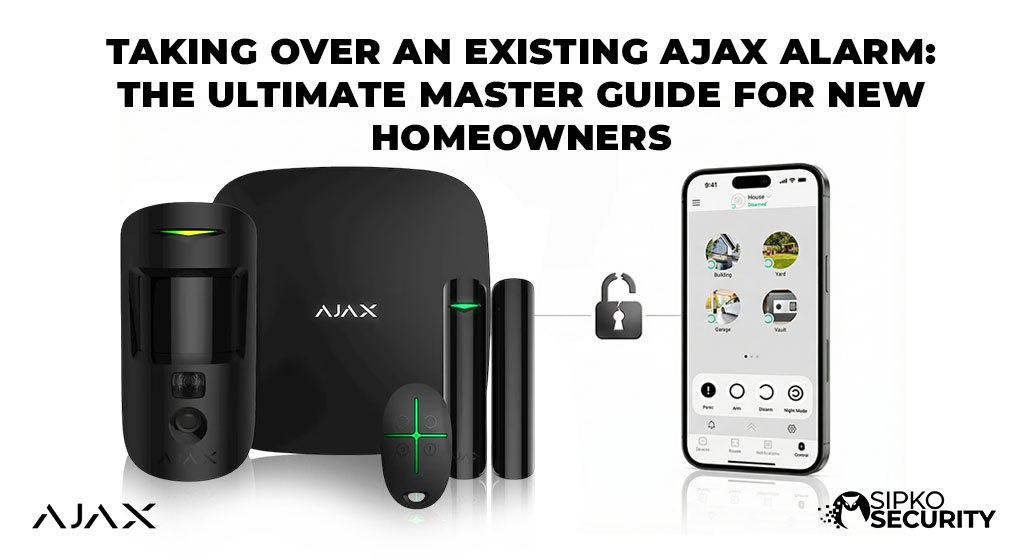
Reset Ajax Hub: The Ultimate Master Guide for New Homeowners Taking Over an Existing Ajax Alarm
Did you move into a new house and find an Ajax alarm already there? That’s great! You have one of the world’s best security systems. But to use it, you need to take ownership. An Ajax Hub is “locked” to the first person who set it up. If you just try to scan the code, you will get an error saying the “Hub is Already Added.” This guide shows you how to fix that and make the system yours.
Why a Locked Hub is a Safety Feature
Think of your Ajax Alarm like a smart phone. If someone steals it, they can’t just press a button to wipe it and keep it. It’s locked to an account for your protection. This keeps burglars from hacking your system. To move it to your name, the old owner has to “release” it or you need a pro to help you.
Check the System First
Before starting the takeover, look at the hardware:
- Which Hub? Look at the main white or black box. Is it a Hub 1, Hub 2, or Hub 2 Plus? (Check the sticker on the back).
- How many sensors? Walk through the house and count the motion sensors and door sensors.
-
Are there cameras? Look for any security cameras that might be linked to the alarm, as some systems also include ajax cameras alongside other linked security cameras.
-
Note device locations. Before any takeover work, note which room or space each device is assigned to.
If the Ajax system is already installed but ownership, administrator access or current faults are unclear, book an existing-system Ajax repair and takeover assessment. If you are replacing an old non-Ajax alarm with a new Ajax system, use the Ajax alarm installation service.
How to Take Ownership (Step-by-Step)
Follow these steps to avoid accidental alarms or locking yourself out. We recommend doing this on a weekday so you can call for help if needed.
Old Owner Deletes the Hub
If you can talk to the previous owner, ask them to delete the hub from their app. It takes 10 seconds and fixes everything instantly.
What they need to do:
- Open their Ajax App.
-
Select or click the Hub.
-
Tap the Settings (Gear Icon).
-
Go to the bottom and tap “Delete Hub”.
Once they do this, the hub is “free.” You can then proceed in your own app to register the hub by scanning the QR code under the back cover. It will then appear as a new hub once it has been properly released.
Becoming an Admin with Admin Access First
If they don’t want to delete the hub yet, they can invite you as an Admin. Go to Settings > Users and have them add your email, or create an admin invitation for you there. You need admin rights before you can manage users or remove the old owner later. This is especially important if the system belongs to a company or is monitored through a security company, as permissions may need to be transferred properly. Once you are an Admin, you can remove the old owner yourself later. This is great for a smooth move-in.
Phase 03 — The “Locked” Alarm
What if they Won’t Help?
If you can’t reach the old owner and the hub is locked, don’t worry. You’ll see a “Hub Already Added” error, and this can’t be fixed with a reset button. To unlock it, you’ll need to contact Ajax Support directly at support@ajax.systems and explain that you’re the new owner of the property. They’ll ask you to provide proof of ownership — including a photo of the QR code on the hub — and once verified, they’ll unlock it so you can add it to your account.
If you’d rather not deal with it yourself, a licensed security technician in Melbourne can handle the whole process for you.
SIM Cards and WiFi
The alarm needs a way to send you alerts, so verify internet connectivity after you reset ajax hub, especially when troubleshooting a network connection issue; stable power is important here because the hub needs a reliable power supply for normal operation. Most Ajax hubs have a SIM card inside as a backup. During a takeover, the old SIM might not work or the bill might not be paid.
- Check the App: First confirm the SIM is properly installed, then look at the “Cellular” signal. If it says “Not connected,” you may need a new SIM or to review mobile data settings and update APN or SIM password details. The hub can still run for up to 15 hours on battery backup during a mains outage.
-
Logo Light Check: A solid green or white logo light means the hub is connected to Ajax Cloud, and the LED state also matters during troubleshooting because some models use blue or purple indications for specific statuses.
-
Backup Plan: We recommend a cheap 365-day plan like Aldi Mobile so you never miss an alert.
-
Connection Health: For wired internet, make sure DHCP is enabled if you use Ethernet. The hub can switch communication channels automatically if one fails, and it checks connection quality every 60 seconds by default. Devices may disconnect if internet or power is unstable, so wait for the hub to finish reconnecting before changing settings again.
Stuck? Let a Pro Fix It
If the system is locked or you have triggered a loud alarm that won’t stop, stop and call us.
We handle Ajax takeovers in Melbourne every day. We can wipe the old owner, check your batteries, inspect for faulty hardware and power problems, and confirm whether any devices were disabled after setup issues so the system is brand new for you.
A fast expert visit can help you learn the right next action without risking more system issues.
Book a Tech Call NowFor an existing Ajax installation that still has access, communication or device faults after ownership is clarified, continue through Ajax repair in Melbourne. For a genuinely new Ajax installation or replacement project, continue to Ajax alarm system installation in Melbourne.
Advanced Considerations for Your New System
1. Clear the Old User List
Once you have access, go to the “Users” list in the app. Make sure only you and your family are there, because old access may have been given to other people such as cleaners, trades, or family friends. Some permissions or codes may still be stored in the system even if they no longer live there. You can sort the user list in the app mentally by who still needs access and who should be removed first. Wiping this list is the only way to be 100% sure you are the only one who can enter your home.
2. Take Over the Payments
Ajax itself is free, but the SIM card inside the hub might need a small monthly payment to stay active. If the old owner cancels their payment or the SIM service stops working, your alarm may not be able to make calls or send alerts in an emergency. This is especially relevant if the original purchase included a managed SIM plan from the installer. We can help you check the SIM status and move it to your own bank account so you never lose protection.
3. Reset Your Alerts
Every family lives differently. The old owner might have had the sirens set to “quiet” or turned off notifications for certain doors. Part of a takeover is resetting these rules, since a reset returns many options to factory settings and alert rules may need to be rebuilt from scratch. We can help you create a simple scenario for sleep mode or away mode after the takeover, and review whether any old automations are disabled before you rely on them.
Ajax Takeover FAQ
What if I don’t have the master code?
You don’t need a code! You just need the previous owner to release the hub from their email. Once it’s in your name, you can set your own codes in the app.
How long do the batteries last?
Most Ajax batteries last about 5 to 7 years. During a takeover, we always check the battery health for you to make sure yours aren’t about to die.
Can I add more sensors later?
Yes! Once you own the hub, you can add up to 100 Ajax devices, including glass break sensors, smoke alarms, or water leak sensors anytime. New device options are added through the Ajax app’s Add Device option. Check our resources page for more ideas. Keep them within the hub’s wireless coverage area during pairing.
Reclaim Your Security Today
Official Melbourne Ajax Support Hub
Don’t let a “locked” system leave your home vulnerable. Speak with a SIPKO specialist about your Ajax takeover today. We are Melbourne’s #1 rated security team for Ajax. Sipko Security can help you run through the steps and confirm whether the system can be reset locally or needs escalation. If you want to understand the takeover process before calling, read our related article or quick start guide.
📧 Email Us
sipkosecure@gmail.com
📞 Hotline
0406 432 691

