

IVSEC CCTV Installation Melbourne
IVSEC Cameras, NVR and Remote Viewing
SIPKO Security installs IVSEC CCTV systems in Melbourne for homes and businesses. A licensed technician plans the camera positions, runs the cabling, sets up the IVSEC NVR and shows you how to view your cameras on your phone.
Every job starts with a site check, so the system is designed around your property. Still choosing a brand? See our wider CCTV installation in Melbourne service, or read how to choose the right CCTV system for a Melbourne home.
IVSEC Camera Installation
Turret, bullet, dome and PTZ cameras mounted where they see what matters, with neat cabling.
Phone Viewing
Live view and playback set up for the people you authorise, and tested on your phone before we leave.
IVSEC NVR Setup
Central recording sized to your camera count and how long you want to keep footage.
Written Quote
Camera models, quantities, cabling, recorder and storage are listed so you know what is included.
Request an IVSEC CCTV Assessment
Call 0406 432 691 or send us your CCTV requirements.
IVSEC Site Assessment: What We Check
Before quoting, SIPKO checks the camera views, cable routes and recording setup, so the IVSEC system is designed around your site and not a generic camera count. Book a free CCTV site assessment or use the camera number calculator to get a rough count first.
Camera Views
Entrances, driveways, gates, garages, rear access, reception areas and stockrooms are reviewed before camera positions are confirmed.
Ethernet and PoE
Cable routes, network equipment, power over Ethernet needs and practical mounting spots are checked before installation.
Recording and Access
The recording method, storage, remote access and authorised users are agreed before the system is commissioned.
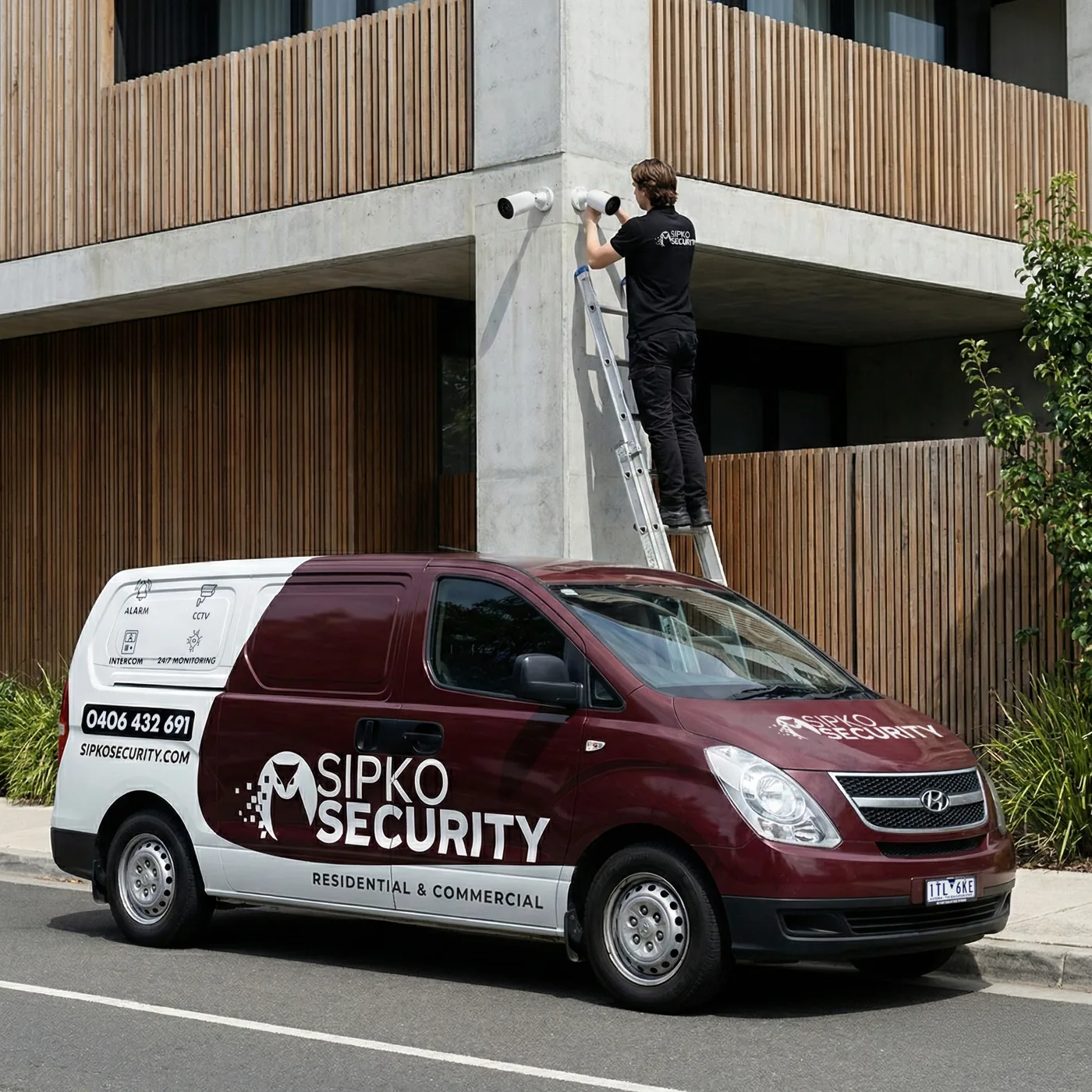
Camera Placement Around Your Property
Placement starts with what you need to identify: a person at the door, a vehicle on the driveway, a gate or a counter. Distance, lighting and mounting height decide the position and the field of view.
Homes
Front and back doors, driveway, side access and garage are the usual priorities. We keep cameras out of the private areas of neighbouring properties. Read about CCTV blind spots around Melbourne homes.
Businesses
Entrances, reception, stockroom and car park. For a larger site see our commercial CCTV installation page.
Remote Review
We check that the views you will watch on your phone are the ones you actually need.
Which IVSEC Camera Type Suits Each Area?
Different spots need different cameras. This table is the starting point we use before the site visit.
| Area | Camera type | Why it suits |
|---|---|---|
| Front door and porch | Turret or dome | Compact, hard to knock out of aim, good for faces at close range. |
| Driveway and gate | Bullet | Clear line of sight along a defined path. See our driveway camera guide. |
| Garage and side access | Turret or bullet | Covers narrow spaces where people pass close to the camera. |
| Backyard and large yard | Bullet or PTZ | PTZ covers a wide area from one point. Fixed cameras cover the key doors. |
| Shop counter and entrance | Dome or turret | Low-profile cameras that sit neatly indoors and point at the till and door. |
| Car park or warehouse | Bullet or PTZ | Longer distances and wider areas, planned with the lighting in mind. |
These are starting points. The final camera type and position depend on the site, which we check before quoting.
IVSEC Camera Options
We match the camera shape to the mounting point, viewing distance and lighting. Exact models and quantities are listed in your written quote.

IVSEC Turret and Dome Cameras
Compact cameras for entrances, eaves, reception areas and sheltered spots where a low-profile look suits the site.

IVSEC Bullet Cameras
Directional cameras for driveways, gates and perimeter runs where the line of sight is clear.

IVSEC PTZ Cameras
Pan and tilt cameras for larger yards and car parks where one camera needs to cover a wide area.
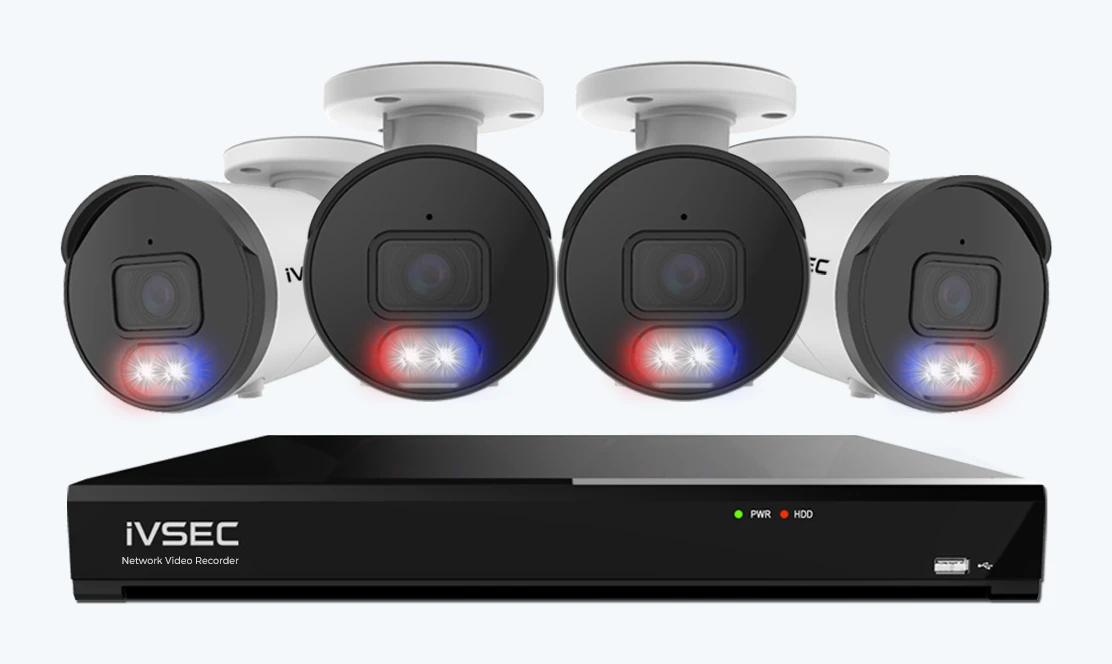
IVSEC NVR, Recording and Storage
An IVSEC NVR records all your cameras in one place and lets you play footage back. We size the storage from the camera count, video settings and the number of days you want to keep. Try the CCTV storage calculator to see how the numbers work.
The number of cameras decides the size of the NVR and how many network ports are needed.
Hard drive size is matched to how many days of footage you want to keep.
The NVR goes in a safe, ventilated spot with power and network access.
We show you how to find and play back footage by day and time. If a recorder ever asks to format its drive, read what that warning means first.
Remote Viewing and Playback on Your Phone
We set up phone access for the people you authorise and check it works before handover.
Live View
See your cameras from anywhere with an internet connection.
Motion Alerts
Alert settings are set up with you, so you are told about what matters.
Find a Recorded Event
We show you how to find and play back an event from a particular day and time.
Internet, NBN and Data for Camera Viewing
Remote viewing needs a working internet connection at the property. A few simple checks keep it smooth.
Home Internet
Cameras record locally even if the internet drops. Viewing from your phone needs the connection to be up. Read whether cameras slow down your internet.
Phone Data
Watching live video on mobile data uses more than checking a snapshot. See how much data a camera app uses.
Access and Passwords
Each person gets their own login, and we remove access when someone no longer needs it.
When an IVSEC System Is a Good Fit
IVSEC suits homes, shops, offices and small industrial sites that want a reliable recorded system with phone viewing. If another system suits your site better, we will tell you. Not sure whether to go wired? Read wired vs wireless cameras for a home.
Homes
Entrances, driveways, garages and side access.
Shops and Offices
Counters, entrances, stockrooms and staff areas.
Bigger Sites
Warehouses, car parks and multi-building sites planned in stages.
Ethernet, PoE and Existing Cabling
IP cameras use a network cable for both video and power (PoE). We check what you already have before adding anything. Building a new home? Pre-wiring before the walls close saves cost and mess.
Existing Ethernet
Good existing cable can often be reused after it is tested.
PoE and Switching
We check the number of PoE ports and the power the cameras need.
Recorder Location
A central, secure spot with power and network access.
CCTV Privacy and Victorian Rules
A good system protects your property without creating a problem with neighbours or staff. These are the points we cover with you. This is general information, not legal advice.
Neighbours
Cameras are aimed at your own property. We avoid views into neighbouring windows, yards and other private areas.
Audio
Recording sound is treated differently from recording video under Victorian law. We discuss it with you before audio is switched on.
Staff and Visitors
At a business, tell staff and visitors where cameras are and why. Signs at the entrance help.
IVSEC Installation and Handover
A clear process from site check to handover, so you know what happens and when.
Design and Quote
- Confirm the areas that need video coverage.
- Check mounting positions, lighting, cabling and network access.
- Choose the IVSEC cameras and NVR and write the quote.
Installation and Testing
- Install the cameras to the agreed plan.
- Set up recording, remote access and authorised users.
- Check live views and recorded playback.
Handover and Training
- Walk you through live view and playback.
- Confirm the app is working on your phone.
- Leave you with your login details and a contact for support.
What to Have Ready for the Site Visit
A little preparation makes the quote faster and more accurate.
Your Priority Areas
List the doors, driveways or work areas that matter most, and what has happened before.
Internet and Power
Show us where your router and a power point could suit the NVR. Photos are fine if you cannot be home.
Existing Equipment
Tell us about any cameras, cabling or a recorder already on site, even if it no longer works.
Why Melbourne Customers Choose SIPKO
Security work is only as good as the people doing it. Here is what you can check before you hire anyone.
Licensed and Registered
Our licence numbers are shown on this page, so you can check them yourself.
Written Quote
Camera models, quantities, cabling, recorder, storage and site work are written down before we start.
See It Working
Before handover you check the key camera views, playback and phone access yourself.
Already Own an IVSEC System?
We can take over and reconfigure an existing system, add cameras, or help if your recorder has stopped recording. See taking over an existing system, NVR not recording or repair and maintenance. Wondering if an older system is worth keeping? Read keep or replace an old CCTV system.
What Affects IVSEC CCTV Installation Cost?
Every site is different, so we price after a site check. These are the things that move the price. See also what is included in a CCTV installation.
Camera Quantity
More cameras means more cable, mounting and recording capacity.
Installation Conditions
Roof height, wall type, cable runs and access all affect the time on site.
Recording
NVR size and hard drive storage depend on camera count and how many days you keep.
Existing Infrastructure
Reusable cabling and network equipment can reduce the work.
Talk to the Team Installing Your IVSEC System
Tell us which doors, driveways or work areas matter most and what you need to see in the footage. We use that to plan camera positions, recording and equipment.
Other CCTV Brands and Installation Services
We install more than one brand. If IVSEC is not the right fit, these pages cover the other options. More advice is in our guides and advice hub.
CCTV Installation Melbourne
All CCTV brands and options in one place.
Ajax CCTV Installation
Ajax cameras and recorders set up in the Ajax app.
Uniview CCTV Installation
Uniview cameras and NVRs for homes and businesses.
Vivotek Camera Installation
Vivotek cameras planned and installed.
Reolink CCTV Installation
Reolink systems set up properly.
Commercial CCTV Installation
Larger sites, shops, offices and warehouses.
Apartment CCTV Installation
Apartments and townhouses with shared areas.
Pre-Wiring for New Homes
Cable runs before the walls are closed.
IVSEC CCTV Installation FAQ
Common questions about IVSEC cameras, NVRs, recording and remote access in Melbourne.
Do you install IVSEC CCTV in Melbourne?
Which IVSEC cameras can SIPKO Security install?
Do IVSEC cameras need an IVSEC NVR?
Can I view IVSEC cameras on my phone?
How much does IVSEC CCTV installation cost in Melbourne?
How many cameras do I need?
Can you take over or fix my existing IVSEC system?
Can you install IVSEC cameras in an apartment or townhouse?
Can I add more cameras later?
How long does an IVSEC installation take?
Are cameras allowed to record audio and neighbours?
What warranty applies to IVSEC products?
Plan Your IVSEC CCTV Installation in Melbourne
Tell SIPKO which areas you need to see and how long you want footage kept. We will scope the cameras, cable routes, PoE, NVR and phone access. We also install other brands: see CCTV installation in Melbourne. Serving homes and businesses across Melbourne.