
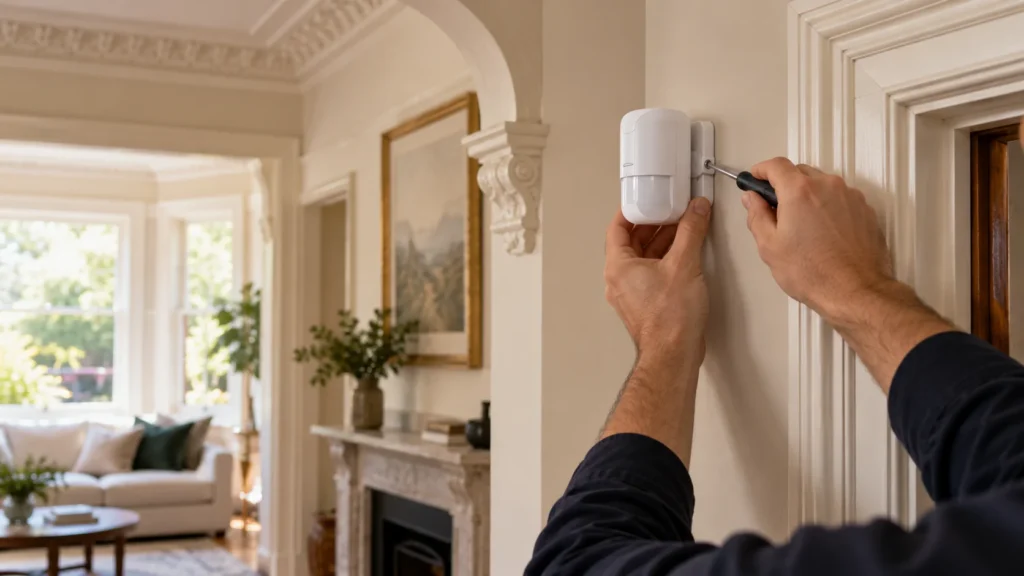
After a renovation, or in a home with original finishes worth keeping, the last thing most owners want is more work on the walls. Choosing a wireless alarm does change the nature of the installation. It doesn’t mean nothing touches the wall.
In a documented system such as Ajax, wireless detectors don’t need individual signal cables run back to the hub. The detectors themselves, though, still have to be fixed securely where they can do their job. The useful distinction is between cable routing and device fixing.
Wireless Removes Cable Runs, Not the Need to Mount Devices
With Ajax, a wireless detector communicates with the hub without an individual alarm signal cable running from that detector back through the house. That can remove a large part of the cable-routing work through finished areas — the kind of work that can be particularly concerning after a renovation or where existing finishes matter.
What it doesn’t change is that each detector or keypad is a physical device that has to stay where it’s installed.
So, will there still be holes? Potentially, yes. Ajax’s instructions for its MotionProtect motion detector, DoorProtect door contact and KeyPad Plus keypad all specify fixing the device’s mounting plate with the bundled screws for permanent installation. For DoorProtect, that permanent fixing comes after the device has been tested in position. A wireless installation can still leave fixing points. What it can avoid is a very different kind of work: running individual signal cables back from those detectors through finished areas.
If your main question is how to plan a system at all when new cable routes through the house are no longer practical, that’s a separate problem, covered in our guide to alarm systems for renovated homes with no wall access.
Why Not Just Stick Everything on With Double-Sided Tape?
If fixing holes are the concern, double-sided tape sounds like the obvious alternative, and plenty of no-drilling advice online suggests it. For an alarm system, the manufacturer’s instructions are what count, and they don’t give a single answer.
Ajax describes tape as suitable only for temporary installation on MotionProtect and KeyPad Plus, with a warning that the device may come unstuck. For DoorProtect, tape is for holding the device during testing, not for permanent fixing. On all three, Ajax notes that while the device is held by tape, its tamper won’t trigger if someone detaches it. For the StreetSiren outdoor siren, tape isn’t recommended even temporarily. For the Hub 2 control panel, Ajax says not to use double-sided tape at all, because the hub can fall.
The correct mounting method is device-specific.
Why permanent mounting matters:
- the device needs to remain securely in its intended position;
- the approved mounting method may be part of correct tamper operation;
- temporary adhesive positioning is not automatically a permanent installation method.
The Best-Looking Position Is Not Always the Right Position
It’s natural to want devices in the least noticeable spot: low on a wall, tucked behind a door, away from a feature. But device placement is functional before it’s cosmetic.
Ajax recommends mounting its MotionProtect detector at 2.4 m. Choosing a different position simply because the fixing points would be less noticeable can change how the detector performs relative to the manufacturer’s installation guidance. The same logic applies to other devices, each within its own installation requirements.
The aim is to find the least intrusive practical position within the device’s installation requirements, rather than choosing a position on looks alone.
Period Homes and Original Finishes Need the Plan Agreed First
In a period home, the concern is often less about how many fixing points there are and more about where they go. Original details, decorative finishes, restored timberwork, recently finished surfaces or the join between older rooms and a newer extension can matter far more to an owner than a plain painted wall.
The practical step is to agree mounting points before any permanent fixing begins. Talk through where the detectors, keypad and any siren are proposed to go, and which surfaces you’d most like to avoid. An installer won’t always be able to avoid a particular surface, because the device still has to work, but raising it early leaves the most room for a sensible alternative.
This is the kind of planning SIPKO describes for alarm installation in Boroondara, where many homes in Kew, Canterbury and Hawthorn combine original details and renovated finishes with newer extensions.
What to Ask Before the Installer Starts
- Which devices will need permanent fixing?
- Where are the proposed mounting points?
- Which surfaces will need screw fixings?
- Are any mounting positions flexible without compromising how the device is intended to work?
- Does the manufacturer permit adhesive mounting for this particular device, and is it temporary or permanent?
- Are there original or recently finished surfaces the installer should know about before work begins?
The point of that conversation isn’t to get an abstract promise of no wall damage. It’s to understand what will be fixed, where and why, before anything goes up.
Wireless can reduce the need for new detector cable runs through a finished home, but proper installation still means securely mounting the equipment. If you’d like to talk through the layout, surfaces and mounting points for your own home before work starts, see our page on wireless alarm installation.
Frequently Asked Questions
Does a wireless alarm system require drilling?
Wireless doesn’t mean fixing-free. Ajax instructions for devices such as MotionProtect, DoorProtect and KeyPad Plus specify permanent screw fixing, so fixing holes may still be needed. In a system such as Ajax, those wireless detectors communicate with the hub without individual alarm signal cables being run back through the home, but they still need to be physically mounted.
Can alarm sensors be mounted with double-sided tape?
It depends on the device and the manufacturer’s instructions. For several Ajax devices, tape is only for temporary or testing use, and for others it isn’t recommended at all. Adhesive shouldn’t be treated as a universal permanent alternative to the specified mounting.
Is a wireless alarm suitable for a period home?
Wireless can reduce the need to route new detector signal cables through finished areas, which can be useful where preserving existing finishes matters. Device locations and permanent fixing still need to be planned for the particular home.
Sources


