
A shop needs footage that identifies someone at the entrance, explains an incident at the till and remains easy to retrieve after closing. An office may need fewer cameras but more careful control over who can view and export recordings. Those requirements make a more useful starting point for Uniview vs Reolink than a brand label.
SIPKO offers both Uniview CCTV installation and Reolink installation in Melbourne. Reolink is not limited to home kits: its current range includes higher-channel recording and a Professional Series. Uniview provides extensive commercial camera, recorder and management options, but those features are not included in every entry-level unit.
Research checked September 2026. Compare complete camera and recorder model numbers, hardware revisions, firmware, software and Australian supply/support terms. A feature listed for a product family is not a guarantee for every installation.
Which system fits your shop or office?
Consider Reolink first for a contained installation where native PoE cameras, local NVR recording and straightforward app access cover the brief. Consider Uniview first when varied lenses, specialist coverage, recording depth or a specified commercial management platform drive the design.
Compare both carefully for growth. Reolink’s Professional Series changes the shortlist. Ask whether the proposal includes that platform or standard Reolink equipment; likewise, ask which Uniview recorder and management software supply the functions being promised.
Uniview
Particularly strong when: different entrances, aisles and yards need different camera types, with an installer planning recording and management together.
Things to check: entry-level NVR limits, compatible analytics, drive capacity and any separate software/licensing requirements.
Reolink
Particularly strong when: a defined PoE camera set and a demonstrated app/playback workflow meet the owner’s daily needs.
Things to check: standard versus Pro equipment, NVR hardware version, kit-camera restrictions, power architecture and local support.
Uniview and Reolink: practical comparison
Use these differences to shortlist equipment. Confirm the proposed models before treating any feature as included.
Check the recorder and PoE design before buying
PoE carries camera power and data over Ethernet cabling. Cameras can connect to suitable NVR PoE ports or external PoE switches. Specify tested Cat5e/Cat6 runs, compatible power standards, total switch power and uplink capacity. Eight sockets do not automatically supply eight high-power cameras.
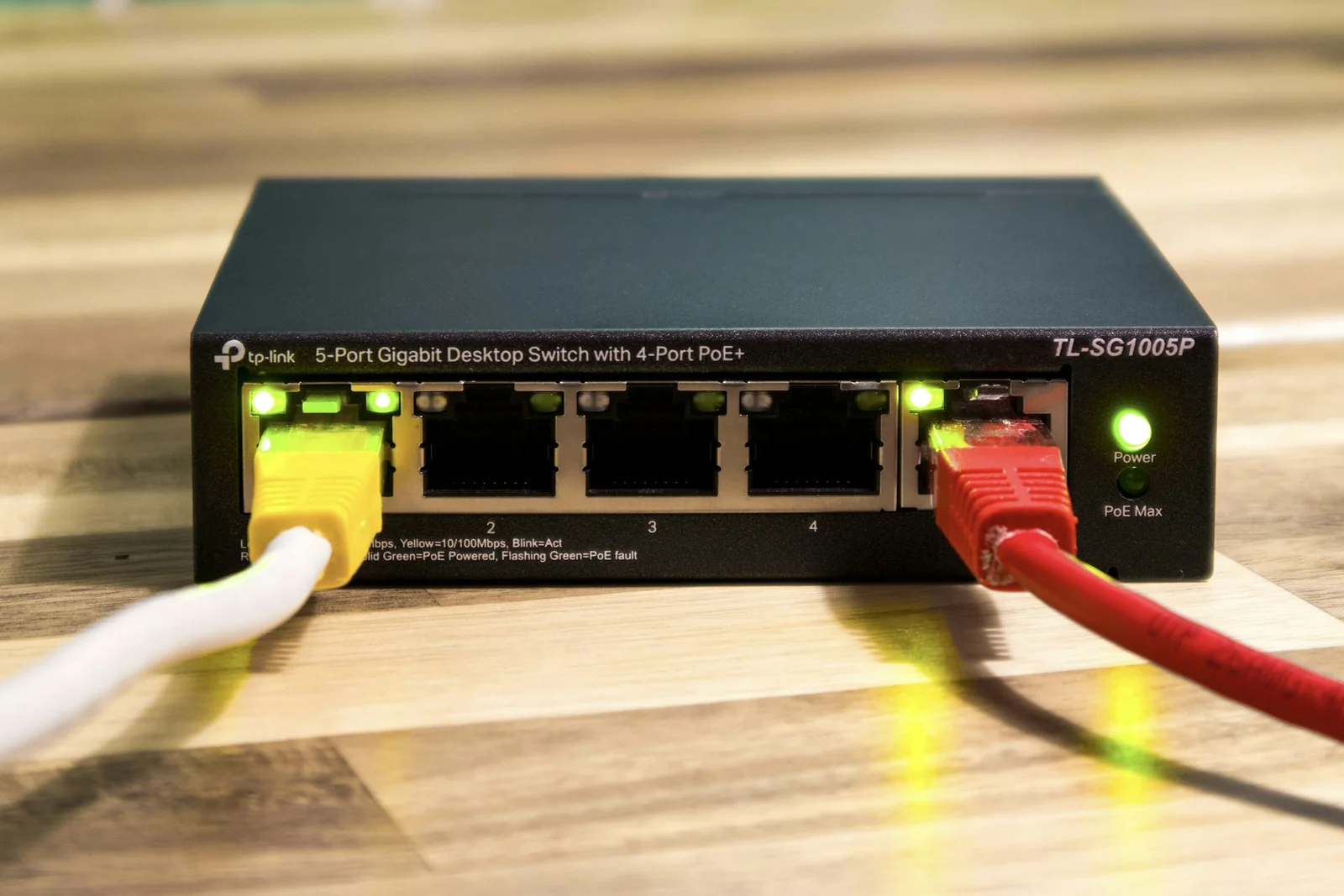
For example, Uniview’s NVR301-08E-P8-IQ specification lists eight camera channels, eight PoE ports, 80 Mbps incoming bandwidth, a 75 W total PoE budget and one drive bay. These are separate limits: adding cameras needs both recording bandwidth and enough power.
Reolink offers integrated-PoE recorder options, while the RLN36 accepts up to 36 channels and three drives, supporting up to 48 TB across supported disks. It has no built-in PoE power; external provision is necessary. This is a capacity example, not a like-for-like performance comparison with the eight-channel Uniview unit.
Channel count also differs from decoding capacity: recording cameras does not guarantee simultaneous full-resolution playback of every stream. Check incoming bitrate, output/playback limits, codec support, analytics load and expansion headroom.
Size storage from actual settings. Four cameras continuously averaging 4 Mbps each produce approximately 173 GB daily, or 2.42 TB over 14 days, before audio, overhead and reserve. This illustration is not a retention rule; scene activity, encoding and schedules change the result. Extra disk bays do not automatically mean RAID or backup.
An internet outage need not stop local recording if cameras, recorder and their local network path remain powered and connected. Remote viewing and internet-dependent notifications may stop. A failed PoE switch or power supply is a different event. Specify backup power and network separation where appropriate, while preserving required camera-to-recorder communication.
Compare useful footage and events, not AI labels
Uniview offers selected SIP/UMD analytics, Tri-Guard deterrence and OwlView/Wise-ISP low-light options. Check whether analysis runs in the camera or recorder, how many channels support it, and which event searches reach the chosen software.
Standard Reolink models offer selected person, vehicle and animal detection. The Australian Professional Series documentation also describes perimeter events, central management and search functions. These require compatible cameras, recorders and current software; not every Pro camera supports AI search. Confirm Australian model availability and the installer’s scope before specifying them.
Night performance needs a moving-subject test. Reolink’s CX810 ColorX model, for example, uses a large-aperture lens and warm lighting rather than infrared. It should not be described as seeing colour without light. For either brand, sensor, lens, exposure, illumination, mounting and headlight glare affect usable detail.
A panoramic overview can miss identification detail at a distant doorway. Tracking cameras can turn away from another event. Reolink TrackMix uses a dual-lens approach; its hybrid zoom should not be confused with optical zoom. Choose fixed coverage, PTZ or tracking around the evidence needed, then test alerts and any light/siren schedules after closing.
Seven small-business scenarios
1. Small retail shop: four to eight cameras
Start with a native Reolink PoE design for entrance, till, stockroom and back-door coverage with uncomplicated playback. Its standard camera/NVR approach may cover this contained brief. Check entrance detail against daylight, staff export access, retention and spare capacity. Compare Uniview if the till or rear entrance needs a lens or event function outside the proposed package.
2. Small office: easy daily administration
Start with Reolink where entry, reception and appropriate common areas need local recording and a few authorised viewers. Demonstrate playback and after-hours alerts before accepting the design. A broader office security plan may also include access control. Compare Uniview when camera permissions or future buildings make administration more involved; prove those workflows on the nominated software.
3. Café or restaurant: mixed lighting
Start by testing both proposed night cameras. A bright till, dim seating area and dark delivery entrance are different scenes. A native Reolink layout suits straightforward coverage; Uniview merits a closer look when varied lenses or deterrence rules shape the job. Check moving faces, reflective surfaces, steam/grease exposure, cleaning access and after-hours lighting before choosing.
4. Medical or professional office
Start with Uniview when differentiated viewing permissions are central, using a demonstrated EZStation workflow. Reolink remains suitable for a modest common-area brief where its nominated access controls suffice. Plan entrances and reception carefully, keeping clinical screens and private consultation areas outside unnecessary coverage. Confirm export authority, retention and account removal. Product selection alone does not establish privacy compliance.
5. Small warehouse or trade unit
Start with Uniview when roller doors, narrow aisles, loading areas and a yard require varied lenses and more recording depth. Its camera/NVR families provide options to scope together. Reolink remains worth comparing for a compact unit or a specified Pro installation. Check identification distances, glare, night movement, retention and uplink capacity rather than buying on megapixels alone.
6. Existing PoE system upgrade
Start with the existing infrastructure and native compatibility. Retaining working equipment may matter more than changing brand. Test Cat5e/Cat6 runs, switch power and camera streams before pricing an NVR replacement. Demonstrate recording, audio, events and export with retained cameras. Plan a staged changeover and verify recordings immediately afterwards so downtime is visible and agreed.
7. Small site likely to expand
Start with Uniview for a defined commercial management expansion, specifying the actual NVR and management platform. Include Reolink Professional Series/VMS in the comparison if available through the proposed support channel. List future cameras, sites and users, then check storage, bitrate, permissions, licences and maintenance. A larger channel number alone does not solve multi-site administration.
Compatibility, handover and installed cost
Native camera/NVR combinations should still be checked against current compatibility lists. ONVIF can support interoperability; RTSP provides a stream. Neither promises complete analytics, audio, alarms or search integration. Reolink’s protocol support matrix distinguishes standalone products from some kit cameras that need their NVR. Test mixed-brand equipment before committing.
At handover, the business should control its accounts and recovery details. Use unique credentials, agree firmware maintenance, remove former staff access and document the approved remote-viewing method. Test from mobile data as well as the premises Wi-Fi. Avoid giving every viewer administrator access.
Compare written quotes for equivalent coverage, night detail and retention. Include cameras, NVR, drives, cable runs, PoE switches, access equipment, labour, configuration, commissioning and expansion work. Identify software, cloud or support charges separately. There is no evidenced blanket price advantage here; unused features and premature recorder replacement can both waste money.
Ask who handles faults, warranty freight, replacement setup and site visits. Include cleaning, recording checks, disk-health monitoring and updates in maintenance. Manufacturer range depth does not establish installer response time or equipment lifespan.
What should you ask your installer?
- How many cameras now, and how many later?
- Which views need identification detail, at what distance and night lighting?
- How many recording days and how much usable storage?
- Which detections, deterrence or tracking functions solve a real problem?
- Can existing cabling and PoE equipment be tested and reused?
- What are the NVR’s channel, bitrate, decoding and power limits?
- Who can view, export and administer, including across future sites?
- What continues through internet loss, and what needs backup power?
- Which mixed-brand features are demonstrated and guaranteed in writing?
- What installation support, warranty and maintenance are included?
FAQ
Is Uniview better than Reolink for a small business?
Uniview is a useful starting point for varied commercial requirements. Reolink can meet a contained shop or office brief and also has a Professional Series. Compare specified systems against required footage and operating tasks.
Is Reolink suitable for a shop or office?
Yes, where the selected PoE cameras, recorder, permissions and support meet the brief. Confirm night footage, retention and playback rather than assuming either suitability or inadequacy from the brand’s home-camera reputation.
Which should I choose if I plan to expand?
Specify future cameras, users and sites first. Compare a suitably sized Uniview system with the relevant Reolink recorder or Pro platform, including bandwidth, storage, management and support.
Can Reolink cameras work with other NVRs?
Some documented models support ONVIF/RTSP, but recorder compatibility and feature retention need testing. Kit-camera restrictions and firmware can matter; basic video does not establish full event or audio support.
Can existing PoE cabling be reused?
Often, after testing cable condition, terminations, length, network performance and power requirements. Reusing Ethernet cabling does not guarantee the existing switch, cameras or recorder suit the new design.
Plan the system around your premises
For your Melbourne shop or office, ask SIPKO to assess camera count, coverage, night conditions, storage, existing cabling, network, expansion and budget. A scoped CCTV installation assessment gives both proposals the same practical requirements.


