
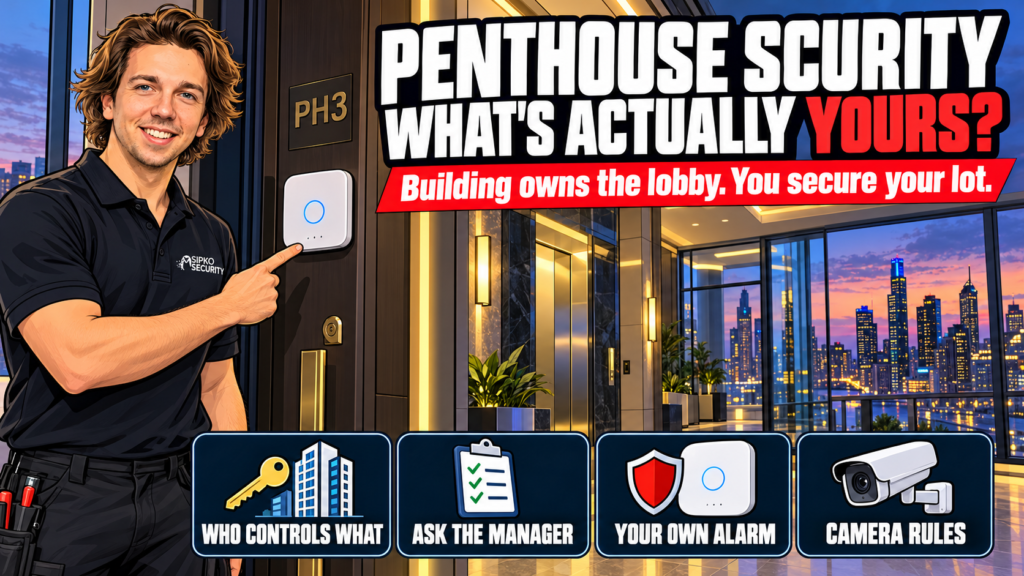
Penthouse security starts with working out what is actually yours to secure. In most buildings the lobby, lifts, fire stairs and building cameras belong to the owners corporation, while everything inside your lot is yours and your plan decides the rest. Most guides on this topic are written for building managers, so they skip the part a penthouse owner needs, which is what you can do yourself, in Victoria, without touching the building’s system.
Short answer: leave the lobby, lift and common-area system to the owners corporation, and build a separate, self-contained system inside your own lot. Give it its own battery backup, its own internet or cellular connection and its own app account, so it keeps working and stays under your control whatever the building does.
Who controls what in a penthouse building?
In Victoria, anything that isn’t a lot on the plan of subdivision is common property, and the owners corporation is responsible for managing and maintaining it. In a typical tower, that covers the lobby, lifts, fire stairs and car park, and usually the shared door and intercom equipment. Your plan of subdivision is the document that settles it, and your title boundary can be confirmed with the surveyor who certified the plan.

| Part of the building | Who decides | What it means for you |
|---|---|---|
| Lobby doors, fobs and intercom | Owners corporation | You are a user. Ask what your fob can do. |
| Lifts and lift access | Owners corporation | Any floor restrictions are set at building level. |
| Common-area cameras and recordings | Normally the owners corporation | Ask who can request footage and how long it is kept. |
| Terrace, balcony and roof access | Depends on your plan | Check the plan before fixing anything outside. |
| Your entry door, frame and lock | Check your plan and the rules | Ask before changing any of them. |
| Alarm, sensors and cameras inside your apartment | You, inside your lot | Fixtures inside a lot are usually the lot owner’s. |
What does the building’s system not cover?
The building system answers one question: who may enter the building. It does not tell you who is standing at your front door, whether someone has come in from the terrace, or what happened in your apartment while you were overseas.
Lifts matter here. Without floor control, anyone who gets into the lobby can travel freely around a tall building, so your own front door may be the only barrier left. And a terrace or roof access point is a way in that a lobby reader never sees.
None of this is a fault in the building’s system. It was designed to secure the building. Securing your lot is a separate job, and it is yours.
What should you ask the building manager?
Ask in writing, so you have the answers later. The aim is to find out what you can rely on and what you need to cover yourself.
- Who administers the fob and intercom system, and how quickly is a lost fob cancelled?
- Can my fob be limited to certain lift floors, and can visitor access be restricted the same way?
- Who holds master or contractor access, and how are trades signed in?
- Do the common-area cameras record, how long is footage kept, and who can request it?
- Is there a written CCTV or access policy? Victoria’s Owners Corporations Act 2006 is silent on CCTV installation, according to LookUpStrata, so it comes down to the owners corporation’s own decisions.
- What happens to the system when the strata manager changes?

Fobs, cloud logins and recovery emails can still sit with the outgoing manager after a change, which is why we wrote a security-system handover checklist for strata manager changes. If the building’s cameras rely on a resident’s internet, our guide to what happens when that resident moves out covers the failure points.
What can you install inside your own lot?
A self-contained penthouse alarm system, with cameras where they have a clear job. It should not depend on anything the building runs, including its internet and its door system.
Wireless panels suit a finished apartment. As Ajax’s product page notes, wireless alarm panels can be installed even in ready-made interiors, so nothing needs chasing into the walls. The Ajax Hub 2 Plus, which we install, shows how the self-contained idea works in practice. Ajax lists the setup as plugging the hub into a power socket, connecting it to the internet, inserting the SIM cards and scanning a QR code in the app, and its SmartBracket mount means the hub doesn’t have to be taken apart to fit. In a finished penthouse, that is an install that doesn’t need the walls opened up.
| Part of the system | What it does | Why it matters in a building |
|---|---|---|
| Hub with its own connections | Ethernet, Wi-Fi and two cellular SIM slots on the Hub 2 Plus | It doesn’t rely on the building’s internet |
| Built-in backup battery | Runs the hub for up to 15 hours (Ajax’s figure, measured with Ethernet and Wi-Fi off) | It keeps working if the building loses power |
| Photo verification | MotionCam detectors send photos of an alarm, in as little as 9 seconds according to Ajax | You see what triggered it before you react |
| Your own app account | Controlled through apps, with users you add | The building has no access unless you grant it |
| Monitoring | A monitoring centre is told when the alarm triggers | Someone is told even when your phone is off |
On the standard MotionCam, Ajax states the camera takes photos only when an alarm triggers, which keeps the privacy question simple in an apartment.
We’d start with the alarm and photo verification, then add cameras only where recording has a clear job, such as your entry or terrace door. That keeps the system small and the owners corporation conversation short. Cameras can be Dahua, Hikvision or Ajax, depending on whether you want continuous recording or photo-verified alerts. Our monitoring service has no lock-in contract, and our Ajax alarm pricing is on the Ajax alarm cost page.
Can you put a camera on your terrace or by your front door?
Inside your lot, it is generally your call, subject to your owners corporation’s rules. Outside is where it gets more careful, for three reasons.

Anything fixed to common property, or pointed at it, needs the owners corporation’s agreement first. That includes a camera on a terrace wall that turns out to be common property, and a doorbell camera that looks across a shared corridor. Ask in writing, and ask whether it needs a committee decision or a vote.
Camera angle is a legal matter as well as a courtesy. Victoria’s Surveillance Devices Act 1999 says a person must not knowingly install or use an optical surveillance device to record or observe a private activity they are not a party to without consent (section 7, as quoted by the Australian Privacy Foundation). Point cameras at your own door and terrace, not at a neighbour’s windows.
And don’t assume the terrace is yours. Plans differ, so check before drilling anything. If a dispute starts, get legal advice rather than relying on a blog post, including this one.
What don’t most penthouse owners need?
Most penthouse owners don’t need to replace or duplicate the building’s access control. It isn’t yours to change, and it does a different job from yours. They also don’t need a camera on every wall of the terrace, and they don’t need monitoring if they’re home most days. Monitoring earns its place when you travel.
If your insurer asks for a specific alarm grade, our Grade 3 alarm guide explains when that applies. If you live in a house or estate rather than a tower, our luxury home alarm guide is the closer fit.
FAQ
Who is responsible for security in a Victorian apartment building?
The owners corporation is responsible for managing and maintaining common property, which normally includes the lobby, lifts and shared doors. Lot owners secure what is inside their own lot. Your plan of subdivision shows where one ends and the other begins, so check it before assuming a door, terrace or camera is yours to change.
Does an alarm inside my apartment need owners corporation approval?
Fixtures inside a lot are generally the lot owner’s, so an internal alarm usually doesn’t touch common property. Your owners corporation’s rules still apply, and anything fixed to a shared wall, door frame or corridor needs their agreement. If you’re unsure, ask in writing before we install.
Can the building manager see my alarm or cameras?
Not if the system is separate. A self-contained system is controlled through your own app account, and you decide who is added as a user. The building’s system and yours stay independent unless you choose to connect them.
Will my alarm still work if the building loses power or internet?
The Ajax Hub 2 Plus runs on its built-in battery for up to 15 hours, which is Ajax’s figure with Ethernet and Wi-Fi switched off. It also has two cellular SIM slots as backup if the building’s internet drops. That covers a short building outage without any help from the building’s own system.
Do I need monitoring for a penthouse?
It depends how often you’re away. If you’re home most days, app alerts may be enough. If you travel, monitoring means someone is told when the alarm triggers even when your phone is off. Ours has no lock-in contract, so you can try it without committing.
Book a free walk-through and we’ll tell you what’s yours to secure and what isn’t. We start with your plan of subdivision, then give you a fixed quote for an alarm system installed in Melbourne.
Disclaimer: This guide is general information, not legal advice. Plans of subdivision and owners corporation rules differ between buildings, so check yours. The alarm and camera brands named here are ones we install, and the views are our opinion as installers; other systems suit other situations. Last reviewed October 2026. A fixed quote follows a free site walk-through.


