

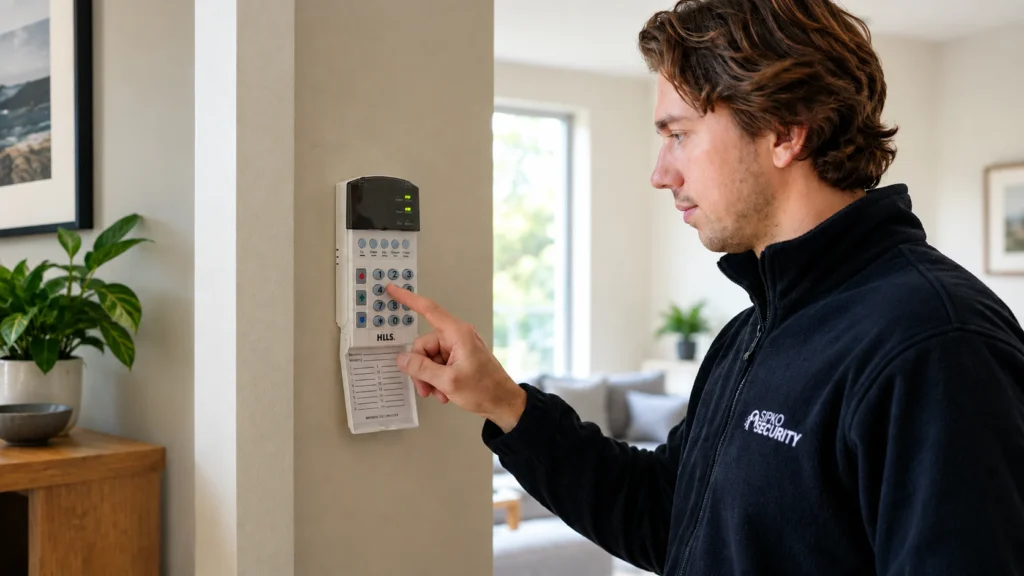
A Hills keypad starts beeping. A service light appears. One zone stays open no matter what’s checked around it. Or the alarm suddenly refuses to arm at all, right when someone’s heading out the door.
None of those symptoms, by itself, tells you that the control panel — or the whole alarm system — needs replacing. “Hills Reliance” also covers installations from more than one generation, so identifying the actual panel and system matters before drawing any conclusion about what’s wrong or what it would take to fix it.
What failed — and what does that actually mean for the rest of the installation?
Can a Hills Reliance Alarm Still Be Repaired?
A Hills Reliance fault can be investigated without starting from the assumption that the whole alarm needs replacing. Whether repair then makes sense depends on the actual system, the specific fault, its condition and whether a suitable service path exists. It isn’t automatically yes, and it isn’t automatically no.
A service light or fault indication tells us that something requires attention. It doesn’t automatically tell us what should be replaced. That’s true whether the underlying issue turns out to be an isolated component, a configuration or communication problem, or something affecting the broader system — each of those calls for a different response, and none of them can be assumed from the symptom alone.
First Identify Which Hills Alarm System You Have
“Hills” and “Reliance” on a keypad or panel cover more than one generation of equipment, and the brand name alone isn’t enough to draw conclusions about a system’s age, architecture, available parts, or what it can be paired with.
Reliance installations span different generations, including older R8/R12/R128 and NX-based systems as well as later XR/XR Pro products. Two properties that both say “Hills Reliance” can have meaningfully different panels, keypads and capabilities underneath — which is exactly why the model needs identifying before anything else is decided.
Common Hills Alarm Problems and What They Can Mean
Each of the symptoms below can point toward more than one cause. The goal here is narrowing down where to look, not diagnosing the system from a description alone — the same visible symptom can trace back to entirely different parts of the installation depending on what’s actually behind it.
Beeping or Service Light
A beeping keypad or an active service light can relate to several different areas:
- backup battery or charging condition
- mains/power condition
- communication
- a device or system trouble condition
- another stored fault the panel hasn’t cleared
Beeping does not automatically mean the battery needs replacing. It’s one possibility among several, and the panel’s own fault indication is where that gets narrowed down — not a guess based on the sound alone.
Alarm Won’t Arm or Shows an Open Zone
A system that refuses to arm, or shows a zone that won’t close, can involve:
- the detector or device itself
- a door or window contact
- wiring
- the zone’s actual state
- a tamper condition
- configuration
A faulty detector is one possibility, but it isn’t the only one — open zone doesn’t automatically mean the sensor has failed.
False Alarms
Repeated unwanted triggers are worth tracing to an actual cause rather than dismissed or bypassed. Relevant areas include the affected zone, the detector itself, wiring or connection condition, tamper circuits, environmental or installation factors, and — where relevant — system configuration.
Keypad Problems
An unresponsive keypad, stuck or worn keys, a display fault, communication issues between the keypad and panel, or a code/user problem can all look similar from the outside. A keypad problem doesn’t automatically mean the panel itself has failed — the two are separate parts of the system with separate failure points.
Power or Battery Faults
Backup battery condition, charging behaviour and mains supply condition can all be tested and assessed individually. There’s no fixed replacement interval that applies universally here — condition is what actually determines whether a battery needs attention, not a calendar.
Siren or Tamper Faults
An actual alarm activation, a siren fault, and a tamper trouble condition are three different things, even though they can all involve the same physical hardware. A siren fault doesn’t automatically mean the siren needs replacing — the underlying circuit or connection may also be involved.
Communication Problems
Some older installations may still be configured around communication arrangements that are no longer being used, or that have changed since the system was first set up. The relevant question is how that specific panel is configured to communicate today, not an assumption about what broke it.
How a Hills Alarm Fault Should Be Diagnosed
A proper diagnosis follows a sequence, not a guess based on the first symptom noticed:
- identify the panel/model and keypad
- confirm the actual symptom and fault indication being shown
- check mains and backup power condition
- identify the affected zone, device or circuit where relevant
- inspect relevant wiring, tamper or siren circuits
- assess communication configuration if the problem relates to communications
- establish whether the fault is isolated or affects the wider system
- assess condition and compatibility before recommending repair or modernisation
This is professional reasoning, not a DIY checklist — the point of laying it out is to show why an onsite diagnosis can genuinely change the initial assumption about what’s wrong, not to hand over a repair recipe. If your older system is no longer suitable, see our alarm upgrade and takeover options in Melbourne.
The value in following this order rather than jumping straight to a fix is that each step either rules something out or narrows where the actual problem sits. For example, a beeping keypad may initially suggest a battery problem, while the system’s fault information can point the investigation in a different direction. That is why moving from symptom to diagnosis matters before any component is replaced.
What Can Sometimes Be Repaired Without Replacing the Whole System?
Depending on what the diagnosis actually finds, individual parts of a Hills installation can sometimes be addressed on their own:
- individual sensors or devices
- keypad-related faults
- battery or power-related components
- siren or tamper issues
- wiring or connection faults
- user code or configuration problems
- communication configuration or components, where serviceable
Not every one of these will be repairable in every installation — availability, condition and compatibility all vary — but a single failed component doesn’t automatically put the rest of a working system in question.
When Does Repair Stop Making Sense?
There’s no fixed dollar figure or age cutoff that decides this on its own. Age is one factor, not the decision by itself.
Repair may remain practical when:
- the fault is isolated
- the rest of the system remains serviceable
- a suitable repair or component path actually exists
- current functionality still suits the property
- the repair is proportionate to what it restores
Modernisation may deserve consideration when:
- several components or problems are involved at once
- a suitable repair path is genuinely impractical
- communication requirements have changed
- the property needs functionality the existing architecture can’t practically provide
- retaining the existing system means accepting more compromise than benefit
Neither list is a formula that produces an automatic answer — they’re the kind of factors a proper diagnosis actually weighs, which is why the assessment in the previous section matters more than the age printed on a panel or the number of years since it was installed.
Can Existing Hills Wiring or Sensors Be Reused?
Potentially — but only after the condition and compatibility of the actual equipment has been assessed. Cabling may remain useful, provided it’s tested rather than assumed sound simply because it’s still connected. Some wired devices may remain usable in place. Others may need replacing, either because they’ve genuinely reached the end of their working life or because they’re not compatible with whatever they’d be paired with going forward. None of that can be determined from the brand name alone.
Two Hills installations can look similar on the surface — same badge, similar keypad — while having genuinely different architecture and components underneath, which is exactly why reuse gets decided by inspection rather than assumed from what’s printed on the panel. A cable run that tests correctly or a detector that is still operating may be worth retaining, but only if its condition, compatibility and role in the proposed system support that decision. Equally, age on its own doesn’t disqualify a component that’s still doing its job.
Repair the Hills System or Move to a Modern Alarm Platform?
If diagnosis shows that a Hills installation is no longer sensible to keep repairing, or that it no longer meets what the property actually needs, the question changes. It’s no longer “which Hills component needs fixing” — it becomes a broader question about what the property’s security setup should actually look like going forward.
At that point, the job moves beyond repairing one Hills fault and becomes a broader question of designing a suitable security alarm system in Melbourne — new panel, new control method, and a system built around what the property needs now rather than what it happened to have installed originally.
A modern Ajax takeover is one option worth considering at that stage — not as an automatic Hills replacement, but as one modern platform that may allow suitable existing infrastructure to be retained after its condition and compatibility have been assessed.
Frequently Asked Questions
Can a Hills Reliance alarm still be repaired?
It can be, depending on the specific fault, the exact model, the condition of the rest of the system and whether a suitable repair path exists. A symptom alone doesn’t determine this; diagnosis does.
Why is my Hills alarm beeping or showing a service light?
It could relate to backup battery condition, mains power, communication, or another stored fault the panel is reporting. The exact cause needs reading from the panel itself, not guessed from the sound.
Why won’t my Hills alarm arm?
Possible causes include a detector or device issue, a door or window contact problem, wiring, zone state, tamper conditions, or configuration. An open zone doesn’t automatically mean a failed sensor.
Can a Hills alarm keypad be repaired or replaced?
Sometimes a keypad fault is repairable; in other cases replacement is more practical. Availability of a suitable replacement depends on the specific model.
Can existing Hills sensors and wiring be reused when upgrading?
Potentially, depending on the condition of the wiring and devices and their compatibility with whatever system they’d be connected to. This isn’t something that can be promised without inspection.
Should I repair or replace an older Hills alarm?
That depends on the actual fault, the condition of the rest of the system, whether a suitable repair path exists, and what the property currently needs — not on how old the installation happens to be.



