
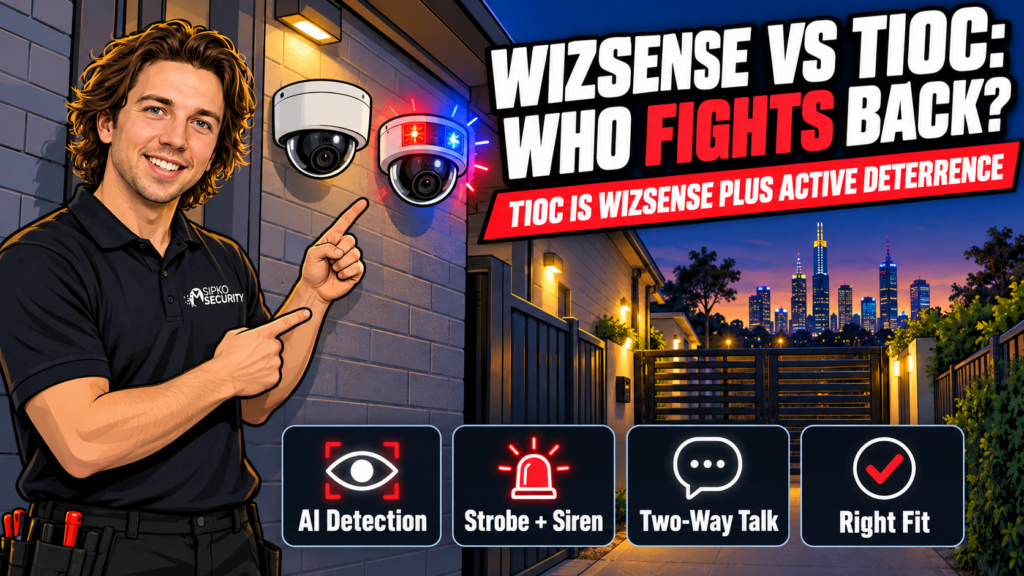
If you’re choosing between WizSense and TIOC like they’re two rival cameras, you’re asking the wrong question.
TIOC is a WizSense camera. It’s the same AI detection engine with a strobe light, a siren and two-way talk bolted on top. The real decision is whether your site needs a camera that can warn someone off, or whether a clean recording is enough.
We install both every week, and most sites don’t need the one that shouts.
This is our take as installers who fit both lines regularly, not a lab test or a Dahua-sponsored writeup. We rate Dahua’s gear highly either way. WizSense and TIOC are both solid technology. The question below is only ever “which is right for your address,” never “which one is better made.”
- WizSense and TIOC aren't competitors: here's the actual split
- Quick comparison: plain WizSense vs WizSense with TIOC
- Detection accuracy: does TIOC actually see or think any better?
- How a TIOC camera actually decides to respond
- The part that's actually different: strobe, siren and talk-down
- Where active deterrence can backfire
- Who should install plain WizSense
- Who should install TIOC: the camera that fights back
- What we'd install instead for a business
- Frequently asked questions
WizSense and TIOC aren’t competitors: here’s the actual split
WizSense is Dahua’s AI detection platform. It’s the chip and software inside most of their current cameras that tells a person from a cat, a car from a shopping trolley, and raises an alert only for the thing you actually care about. Dahua’s WizSense range covers everything from entry-level domes to the premium models we install for shopfronts and warehouses.
TIOC (short for Three-in-One Camera) is a feature Dahua adds on top of WizSense, not a separate product family. A TIOC model still runs WizSense detection underneath; it just adds a red-and-blue warning light, a built-in siren or voice warning, and in most models two-way talk, so the camera itself can respond instead of only recording. Plenty of our WizSense installs are also TIOC. The two labels describe different parts of the same camera, not two cameras to pick between.
Both lines span the same resolution range, roughly 2MP up to 8MP, across dome, bullet, turret and PTZ bodies, so picking TIOC doesn’t mean trading down on image size. Dahua is also currently up to its third hardware generation of the feature, TiOC, TiOC 2.0, TiOC 3.0 and TiOC PRO, with small differences in lighting, audio and lens options between them, so the exact model code matters more than the generic “TIOC” label.
So “WizSense vs TIOC” really means: plain detection-and-record, or detection-and-record-and-respond?
Quick comparison: plain WizSense vs WizSense with TIOC
| Features | WizSense (no TIOC) | WizSense + TIOC |
|---|---|---|
| AI human/vehicle detection | Yes | Yes (same engine) |
| False-alarm filtering | Yes | Yes (same engine) |
| Night image quality | Good (IR or colour models available) | Good (same imaging options) |
| Red/blue warning strobe | No | Yes |
| Built-in siren or voice warning | No | Yes |
| Two-way talk-down | On select models only | Standard on most TIOC models |
| Records an intruder | Yes | Yes |
| Actively warns an intruder off | No | Yes |
| Typical use | General coverage, retail interiors, driveways | Defined access points, after-hours yards |
| Price position | Baseline for the resolution/model | Small premium for the light, speaker and siren hardware |
Night image quality and detection accuracy aren’t the deciding factor here. They’re near-identical across both because they come from the same WizSense engine. The deciding factor is whether you want the camera to just witness, or witness and interrupt.
Detection accuracy: does TIOC actually see or think any better?
No, and we’d tell you if it did. The human/vehicle filtering, the tripwire and intrusion rules, the reduction in false alarms from blowing trees or headlight sweep. All of that is WizSense. Adding TIOC doesn’t sharpen the AI. What it adds is a response layer that fires once WizSense has already decided something is worth reacting to. If your main complaint about an existing camera is “it misses things” or “it alerts me for nothing,” that’s a WizSense/firmware conversation, not a reason to add a strobe and siren.
How a TIOC camera actually decides to respond
TIOC doesn’t go off every time something moves. On install, we set three things: what it detects (usually “person,” sometimes “vehicle”), where it’s allowed to trigger (a drawn zone or tripwire line, not the whole frame), and what happens when both conditions are met: strobe only, strobe and siren, or strobe, siren and a push alert to your phone. A courier walking up your driveway and someone trying your side gate at 2am can both be “a person detected,” which is exactly why the zone matters more than the detection. We draw that boundary tight during the walk-through specifically so the camera only reacts to the thing you actually want it to react to.
Two-way talk is a separate switch again. Most TIOC models support a pre-recorded warning (“You are being recorded, please leave the area”) that plays automatically, and live talk-through where you or a monitoring operator speaks in real time. The second only works if someone’s actually watching when it happens — it’s not a feature that runs itself.
The part that’s actually different: strobe, siren and talk-down
Once a TIOC camera’s rules are met (someone crosses a tripwire, enters a zone, lingers where they shouldn’t), it can flash the warning light, sound a siren or play a pre-recorded warning, and on most models let a monitoring operator (or you, through the app) speak through the camera in real time. That’s the entire difference. It’s a genuinely useful tool at a clearly defined access point: a gated side passage, a locked plant room, a yard nobody should be in after 6pm. We’ve written a full breakdown of where that works and where it doesn’t, including the cases where an automatic warning does more harm than good.

Where active deterrence can backfire
The honest downside: active deterrence is only as good as the boundary you draw. Put it somewhere people are supposed to walk — a shared driveway, a busy front path, a laneway other tenants use, and you’ll get nuisance triggers from your own customers, posties and neighbours. The usual failure mode is a trigger zone drawn too wide, one that covers a shared driveway and catches residents’ own cars most evenings. Pulling the zone back to just the pedestrian gate is the standard fix. A camera that lights up and talks at everyone who walks past stops being a deterrent and starts being the reason someone complains to council. TIOC also isn’t a substitute for decent locks and lighting; it discourages and interrupts, it doesn’t guarantee anyone leaves.
Running cost is close to identical either way: same power draw range, same recorder licensing, same warranty terms on the camera body. The only ongoing difference is that a TIOC unit has a speaker and strobe that can fail independently of the lens, so it’s one more thing to test at a service visit. It’s not a reason to avoid TIOC, just something we check.
Who should install plain WizSense
Most residential driveways, shop interiors and general perimeter coverage. If the camera’s job is to record clearly and raise a sensible alert, WizSense on its own does that job completely. You’re not missing anything by skipping TIOC here. A busy shopfront is a good example: plenty of legitimate foot traffic walks past at all hours, so a strobe-and-siren response would trigger constantly for no reason.
Who should install TIOC: the camera that fights back
A clearly defined access point where movement after a certain time, or movement at all, is a genuine signal: a gated side passage, a detached shed, a loading dock after closing, a plant room, an equipment yard. If you can describe the boundary in one sentence, something like “nobody should be back here after 6,” TIOC is doing exactly what it’s built for.
What we’d install instead for a business
For a commercial site that wants more than active deterrence on one or two cameras (proper perimeter coverage, recognised faces or plates on a watch list, a system tied into alarm monitoring), we usually start from our Dahua commercial setup and add TIOC only at the access points that need it, rather than across the whole site. Mixing the two is normal: plain WizSense on the general coverage cameras, TIOC on the one or two that actually guard an entry point, all on the same recorder.
For businesses that want deterrence and an alarm, not just a camera, Ajax’s TurretCam folds photo-verified alarm events into the same panel. We’ve compared the two approaches here if you’re weighing a camera-only system against one built around an alarm. Either way, this is a judgement call worth making during a site walk-through rather than over email. The right mix depends on your floor plan, not a general rule.
Frequently asked questions
Can I add TIOC to a camera I already own?
Not usually. The strobe, speaker and siren are hardware built into the camera body, so adding TIOC means swapping the camera, not a firmware update.
Does TIOC cost a lot more than plain WizSense?
There’s a small premium for the extra hardware, but it’s modest relative to the installed cost of a camera. Ask us for current pricing on the model you’re considering.
Will TIOC annoy my neighbours?
It can, if the trigger zone covers a shared path or anywhere people legitimately walk. We set tripwires and zones tightly during install specifically to avoid this.
Can TIOC replace a monitored alarm?
No. It discourages and records; it doesn’t call anyone unless it’s tied into alarm monitoring. Treat it as a layer, not a replacement.
Is WizSense without TIOC still a “smart” camera?
Yes. The AI detection, false-alarm filtering and human/vehicle recognition are all WizSense, with or without TIOC.
Not sure which one your site needs? Send us a floor plan or a few photos of the access points you’re worried about and we’ll tell you straight whether it’s a WizSense job or a TIOC job.
Prices and product availability current as at October 2026, reviewed quarterly. Figures above are general positioning, not a quote. Every system gets a fixed, written quote after a free site walk-through.


