
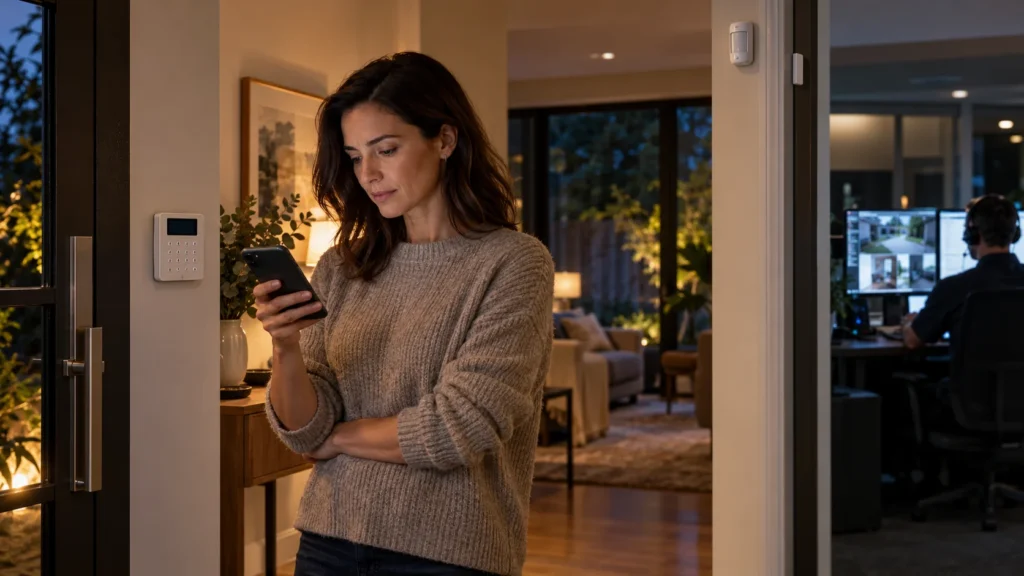
The same alarm system can be set up to handle an event in very different ways. A door opens or a detector picks up movement, and the alarm registers it. What happens next depends on who, if anyone, is meant to receive that event and decide what to do about it.
With self-monitoring, that responsibility sits with you and anyone you’ve nominated. With professional monitoring, part of it passes to a monitoring service. At $49 a month, that service comes to $588 a year.
That makes the useful question less about whether $588 sounds expensive and more about what actually changes hands for it. Monitoring doesn’t make the detector detect a different event. It changes what happens after that event is generated.
“Unmonitored” Can Mean Two Different Things
“Unmonitored” is often used for any alarm without professional monitoring, but that can hide an important distinction. Once you look at what happens after an event, there are really three setups.
A professionally monitored alarm can send events to a monitoring service, whose role is to receive them and act according to its procedures.
A self-monitored alarm sends alerts to the homeowner, and to any other users who’ve been set up to receive them. There’s still a remote recipient. It’s just a member of the household rather than a service.
A local-only alarm carries out a local response, such as sounding a siren, but no remote recipient is assigned to the event. Someone nearby may still hear it. What’s missing is a person or service the system is set up to tell.
The last two rows are the ones most often grouped together as “unmonitored”, and the difference between them is significant. One still gets the event to someone who can act on it. The other relies on whoever happens to be close enough to notice.
If you’re at an earlier stage and still choosing the home alarm system itself, that’s a separate decision. This article picks up from the point where the question is who receives and handles the events it generates.
What Self-Monitoring Actually Puts on the Homeowner
Self-monitoring is a legitimate way to run an alarm, and many households use it well. It’s worth being clear about what it asks of the people involved.
When an event occurs, the system’s job is to generate a notification and send it. After that, a chain of human steps begins. The notification has to be noticed. Someone has to work out what it means: a family member coming home early, a false trigger or something that needs a response. Then someone has to decide what to do, and do it.
An alert reaching your phone and you actually seeing it are two different events. Neither is guaranteed by the other, and neither says anything about the decision that follows. In a self-monitored setup, responsibility for noticing the remote alert, deciding what it means and taking any further action sits with you or your nominated users.
The sending step has its own dependencies too. Ajax, for example, documents different notification methods: push notifications sent through its cloud service over the internet, and SMS and phone calls that go out through the hub’s mobile connection. Which of those are available, and which still work when a connection drops out, depends on the equipment and how it’s set up. For a closer look at that side of things, see our article on what a wireless alarm still depends on.
None of this makes self-monitoring a poor choice. It means the arrangement works as well as the people in it are able to notice, decide and act.
What Changes When the Alarm Is Professionally Monitored?
With professional monitoring, the monitoring service becomes the assigned remote recipient for the relevant alarm events. The first handling of those events no longer depends only on whether someone in the household sees a notification in time.
How the event reaches the service depends on the system. Ajax, as one documented example, describes hubs sending events to a monitoring station through its cloud service, directly, or using both with the server as a backup. The detail matters less here than the principle: there’s now a recipient whose role is to receive these events.
What professional monitoring changes:
- the alarm event has a professional remote recipient;
- noticing incoming alarm events is no longer dependent only on the homeowner watching their phone;
- initial handling follows the monitoring provider’s procedures;
- any further escalation depends on the event, the provider and the agreed service.
Monitoring doesn’t necessarily switch off household notifications. On systems that support it, a monitoring service and household users can both receive events, but that depends on the system and how it’s configured.
This comparison is about who carries responsibility, not the step-by-step sequence once an alarm has gone off. That sequence is covered in our guide on what happens if your alarm goes off while you’re away.
Professional Monitoring Does Not Mean Automatic Police Attendance
A common assumption is that paying for monitoring means police will be sent whenever the alarm triggers. In Victoria, that isn’t how it works. Victoria Police issues Alpha Codes to licensed and graded security monitoring companies, and requests for police assistance by those companies operate within specific requirements rather than as an automatic step for every alarm. Victoria Police also states that it won’t respond to alarms caused by power failures or telephone or broadband outages, and that it’s the monitoring company’s responsibility to check for that before contacting Triple Zero. What follows an event therefore depends on the event itself, the provider and the service you’ve agreed to.
When Local-Only Can Still Be a Deliberate Choice
Local-only can also be a deliberate setup rather than something that’s simply missing professional or self-monitoring.
Some households want an alarm that makes itself heard at the property, and nothing more. A siren that sounds when a door opens can do exactly the job its owner expects of it, and for them there’s no gap to fill.
What matters is understanding what the setup does and doesn’t include. A local response and remote event handling are different things. A local-only alarm doesn’t assign anyone to receive the event when nobody is home, and it doesn’t pass the event to a service. If that’s understood and accepted, local-only is a considered decision rather than a missing feature.
So What Does the $49 Actually Change?
$49 per month is $588 per year. The useful comparison isn’t $49 versus free. It’s which part of the event-handling responsibility stays with the household and which part is assigned to a monitoring service.
The $49 question isn’t really about the detector. The detector has already done its job. The fee doesn’t make it better at detecting; it changes who is assigned to receive and initially handle the event.
If the household can reliably notice alerts and act on them, the left column may describe a setup that works. If there are gaps in who can notice, decide or act, professional monitoring changes who receives and initially handles the event. Exactly what follows depends on the provider and agreed service.
Which Model Fits the Way You Actually Use the System?
There’s no single answer that suits every household, so it’s more useful to work through how you actually live with the system.
Questions to ask yourself:
- Are you normally able and willing to act on alarm notifications yourself?
- Is another nominated person genuinely available when you are not?
- Are there regular periods when you can’t check your phone promptly?
- Are parts of the property difficult to assess immediately after an event?
- Do you want a professional service to be the first assigned recipient rather than relying only on household users?
- Do you understand what the proposed monitoring service actually does after receiving an event?
Different households will answer these differently and land on different models, and a single answer rarely settles it on its own.
The property itself can shape the answer too. Where a detached garage, a workshop, side access or a place where a boat or trailer is stored sits apart from the main living area, being able to work out quickly what has happened becomes its own consideration, even when someone is home. That kind of layout is part of how SIPKO approaches alarm installation and monitoring in Kingston.
Questions to Ask Before Paying for Monitoring
A monthly figure only tells you part of the story. Before comparing $49 with anything else, it helps to know what the service does with an event once it arrives.
Ask the provider:
- What events are sent to the monitoring service?
- Who is contacted after an alarm?
- What does the provider do before escalating an event?
- Which response actions are included in the plan?
- Are any actions or attendances charged separately?
- What happens if the nominated contacts can’t be reached?
- Are there setup, connection or minimum-term conditions?
The $49 makes most sense when it’s weighed alongside the answers to these questions. For SIPKO’s current service details and monitoring options, see our page on alarm monitoring in Melbourne.
Frequently Asked Questions
Is a self-monitored alarm the same as an unmonitored alarm?
The terms are often used interchangeably, because neither involves professional monitoring. There’s still a practical difference. A self-monitored alarm sends alerts to the homeowner or nominated users, so someone receives the event remotely. A local-only alarm responds at the property, such as with a siren, without assigning anyone to receive the event.
Can I still receive app notifications if my alarm is professionally monitored?
It depends on the system and how it’s configured. Professional monitoring and user notifications aren’t necessarily mutually exclusive. Ajax, for example, documents events that can be sent both to system users and to a connected monitoring station. Check with your installer or provider how your own system is configured.
Does a monitored alarm automatically call the police?
There’s no universal rule that it does. In Victoria, requests for police assistance by monitoring companies operate within specific requirements, and police won’t respond to alarms caused by power or communication failures. What happens after an event depends on the event, the provider and the service you’ve agreed to.
Is professional alarm monitoring worth $49 a month?
It depends on whether assigning first-line event handling to a monitoring service solves a real problem for your household, and on what the specific plan includes. Compare the responsibility being transferred and the provider’s actual response terms, not just the monthly figure.
Sources


