

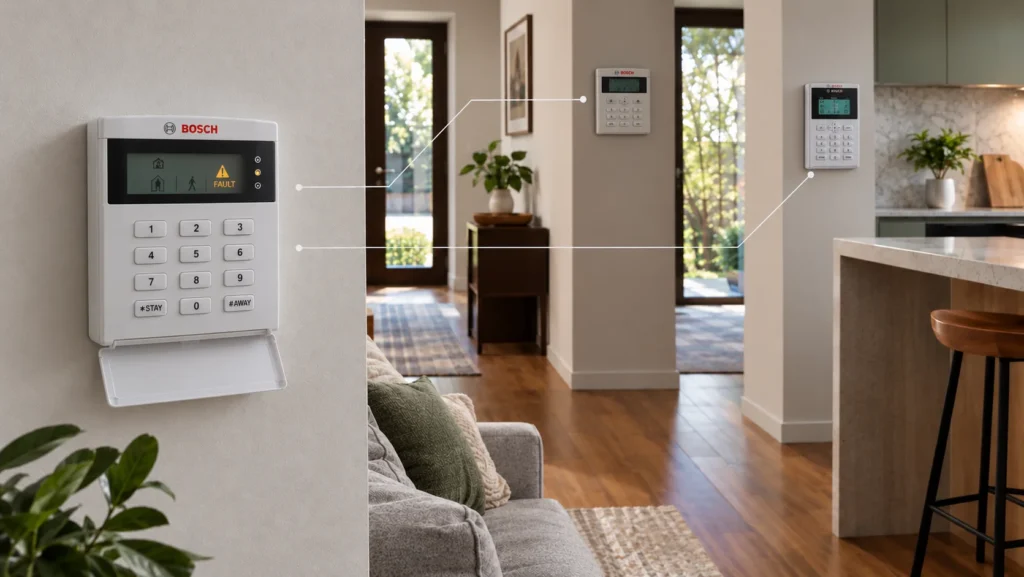
A Bosch alarm that keeps beeping isn’t telling you what’s wrong. It’s telling you that something is worth investigating.
The keypad sounding periodically is how the panel signals that it has registered a fault or trouble condition. Silencing that sound and fixing the cause are two different things, and the exact steps to find out what the panel is actually reporting depend on which Bosch Solution system is installed. A sequence that works on one Bosch panel won’t necessarily apply to another — even one carrying the same Bosch Solution branding.
Why Is My Bosch Alarm Beeping?
Beeping is a symptom, not a diagnosis. It can indicate that the panel has registered a fault or trouble condition, but the audible warning by itself doesn’t identify the underlying cause.
Bosch’s own documentation for its Solution and Solution-branded panels covers several manufacturer-supported fault categories, including:
- battery or power conditions
- date and time
- communications
- telephone-line condition, where that pathway is used
- sensor or watch conditions
- tamper
- wireless or RF conditions, where applicable
- other equipment-related conditions
Exactly which categories apply, and how they’re displayed, depends on the specific Bosch panel and codepad family installed. Before assuming any single cause, it’s worth working out which system is actually fitted.
First, Identify Which Bosch Solution System You Have
Not every panel carrying the Bosch Solution name works the same way. Bosch’s own fault-analysis guidance groups its panels into families with genuinely different troubleshooting procedures:
There’s no need to open the control panel or identify a circuit board to work this out. What actually helps:
- checking any model information printed on or near the keypad
- checking installation or service documentation for the system
- asking the original installer to confirm the exact model, if it’s unclear
Two panels that both say “Bosch Solution” on the front can require completely different fault-reading procedures. Getting the family right before following any instructions — including the ones in this article — matters more than the instructions themselves.
How to Read a Fault on Bosch Solution 2000/3000
For a confirmed Solution 2000 or 3000 system, Bosch documents a specific Fault Analysis procedure:
- Confirm the system is a genuine Solution 2000/3000 configuration before proceeding.
- Hold the [5] key until two beeps sound.
- Read the fault indication the keypad displays.
- Match that indication against Bosch’s fault table for the panel to identify the specific condition.
- Press [#] to exit, following the documented procedure.
Exiting Fault Analysis Mode stops the periodic beep. It doesn’t mean the fault has been resolved — the FAULT indicator can remain lit until the underlying cause is actually addressed, which is a distinction Bosch’s own documentation makes explicitly.
This procedure applies specifically to the Solution 2000/3000 family. It isn’t a general-purpose sequence for every Bosch panel.
Bosch Solution 6000 Uses a Different Trouble Menu
Sharing the “Bosch Solution” name doesn’t mean every panel uses the same Fault Analysis sequence. For Solution 16 Plus, Solution 64 and Solution 6000, Bosch documents a different, menu-based route rather than the [5]-hold sequence used on Solution 2000/3000:
- Press the down arrow beneath the OK button, then press OK.
- Highlight “System trouble,” then press OK.
- Read the third line of the resulting display for the fault condition. A “TEMP=” reading on this screen is not a fault indication.
The Solution 2000/3000 sequence shouldn’t be relied on for a Solution 6000 panel — or vice versa — because Bosch documents different fault-analysis procedures for these families.
Where Does Solution 4000 Fit?
Solution 4000 is a separate, currently supported Solution generation, not an older or discontinued line. Bosch maintains active firmware and programming documentation for it specifically.
That documentation describes some aspects of Solution 4000’s setup — its programming menu, for example — as similar to Solution 2000/3000. Similarity in programming isn’t the same claim as an identical Fault Analysis procedure, and Bosch’s published material doesn’t set out a confirmed [5]-hold fault sequence for Solution 4000 specifically. Until that’s directly confirmed in Bosch’s own documentation, the safest approach for a Solution 4000 system is to follow whatever fault-reading guidance Bosch publishes for that model, or have the panel identified by an installer, rather than assuming the 2000/3000 steps apply.
What Bosch Alarm Faults Can Mean
Once the fault category is identified, it’s worth understanding roughly what it points toward — without assuming a specific cause before it’s actually confirmed.
Battery and power faults
Bosch’s fault categories separate backup battery condition from mains or AC power condition — they’re not the same fault, and a panel can register one without the other. Neither points to a fixed replacement interval or lifespan; the fault guidance cited here doesn’t give a universal battery replacement interval, so battery age alone shouldn’t be treated as the diagnosis.
Date and time faults
A date/time fault can appear following certain documented power-down circumstances. That’s a category the panel can register, not evidence about what specifically caused the power interruption or what else may need attention.
Communication faults
A communication fault is a category on the panel’s fault table, not a diagnosis of what’s actually wrong with the communication path. It doesn’t automatically point to 3G, an internet connection or any other specific communications technology — the actual cause depends on how that particular system is configured.
Wireless, sensor and tamper faults
RF and wireless-related faults, sensor watch conditions and tamper alarms are all genuine Bosch fault categories, but which apply — and what they mean for a specific installation — depends on the exact devices fitted. None of these are something a homeowner should expect to resolve by opening equipment or reconfiguring wireless devices themselves.
Why Is My Bosch Alarm Beeping After a Power Outage?
A fault appearing after a power outage can reflect more than one condition — mains status, backup battery condition, a date/time fault, or another registered condition that simply hasn’t cleared yet. Power being restored doesn’t automatically mean every condition the system registered during the outage has resolved itself.
For what any alarm keeps doing while the mains is off, and what to ask your installer, read what happens to your security alarm in a power outage.
That’s a reason to read what the panel is actually reporting, not a reason to assume the outage caused permanent damage, or that a specific component — like the battery — needs replacing as a standard response to every outage.
Communication Faults and Australia’s 3G Shutdown
This is a case where a specific, checkable historical fact can genuinely inform a communication fault, without becoming the default explanation for every one.
Some security alarm panels have historically used 3G-based communication hardware — GSM/GPRS modules and, in some configurations, 3G SIM-based communicators such as those used in some Permaconn, T4000 and Ness GSM dialler products alongside Bosch systems. Australia’s 3G network shutdown was completed by the carriers in October 2024 — it’s a completed event, not a future risk.
If a specific Bosch installation depended on a 3G-based communicator that was never upgraded, that shutdown is a real, checkable part of the diagnosis for a communication fault. Bosch documents specific newer communication hardware for affected systems — for Solution 6000, the CM748B or CM371B 4G units; for Solution 2000/3000, the B444-G replacement, which requires a firmware update on both the panel and the connected communication module before it can be used.
None of that means every communication fault on an older Bosch system traces back to the 3G shutdown. If the fault traces to a communicator that depended on the retired network, the completed shutdown becomes a relevant, checkable part of that specific diagnosis — not an assumption to start from.
Can You Reset or Silence a Bosch Alarm Fault?
These are three different actions, and it’s worth keeping them separate.
Silencing or acknowledging a fault stops the audible warning through the documented procedure for that panel. It doesn’t require identifying the cause first.
Diagnosing a fault means actually working out which condition the panel is reporting, using the fault-analysis procedure that applies to that specific system.
Rectifying a fault means addressing whatever’s actually causing it — which may be something straightforward, or may require a technician, depending on what the diagnosis turns up.
Stopping the beeping isn’t the same as fixing what triggered it. A fault that’s been silenced without being rectified can return, particularly around the next arm/disarm cycle, because the underlying condition is still there.
When Does a Bosch Alarm Need a Technician?
Bosch’s own guidance is direct about this: most fault conditions on its panels require a licensed security alarm installer to resolve. That’s not a sales position — it reflects that panels are supplied through licensed installers rather than sold directly to the public.
A technician is worth involving when:
- a fault returns after being acknowledged
- the cause can’t be confidently identified from the panel’s own indication
- the fault involves communication hardware or its configuration
- mains power or internal equipment is involved
- the exact panel or keypad family is uncertain
- multiple faults are showing at once
- resolving it would require installer-level programming
- the system, once diagnosed, no longer meets what the property actually needs
If professional diagnosis is what’s needed at this point, SIPKO Security provides security alarm installation and servicing across Melbourne, including assessing an existing Bosch system before recommending any specific next step.
Repair, Modernise or Replace an Existing Bosch Alarm?
Once a fault has actually been diagnosed — not just silenced — the decision generally comes down to one of three outcomes.
If the alarm is old and keeps faulting, our guide Is your home alarm too old? 12 signs to service, upgrade or replace explains when a repair is enough.
Repair it when the fault is a specific, identifiable issue and the rest of the system remains suitable for the property. A single fault doesn’t automatically call the whole system into question.
Modernise it when the core panel can still do its job, but something about how it communicates, is controlled, or covers the property has genuinely fallen behind what’s needed now — a retired communication pathway being one real example.
Replace or redesign it when the panel’s condition, its ongoing support, and what the property actually requires together make continuing to maintain the existing system less sensible than moving to something new.
There’s no fixed threshold — cost, age or fault count — that decides this on its own. It depends on the actual diagnosis and what the property needs, not on how long the panel has been installed.
If that assessment points toward a genuine redesign rather than a repair, a modern platform such as Ajax is one option worth considering as part of that redesign — not because the existing Bosch system is automatically inferior, but because a broader replacement is already the right call for other reasons.
Frequently Asked Questions
Why is my Bosch alarm beeping?
It means the panel has registered a fault or trouble condition. The beep itself doesn’t say what the condition is — that needs to be read from the panel using the procedure that applies to that specific Bosch family.
How do I stop my Bosch alarm from beeping?
On Bosch panels with a documented acknowledgement procedure, you can silence the audible warning using the sequence specified for that panel. That stops the sound, but it doesn’t rectify the underlying fault, so the warning may return.
What does the fault light on a Bosch alarm mean?
It means the panel has registered a fault condition. What that condition actually is depends on the panel family and needs to be read through that system’s specific fault-analysis procedure.
Why is my Bosch alarm beeping after a power outage?
It could reflect the mains condition, backup battery status, a date/time fault, or another condition registered during the outage. Power being restored doesn’t automatically clear every condition the panel logged.
Does a Bosch alarm fault mean I need to replace the system?
Not by itself. Many faults are repairable once properly diagnosed. Whether repair, modernisation or replacement makes sense depends on the specific fault and what the property actually needs — not on the fact that a fault occurred.



