

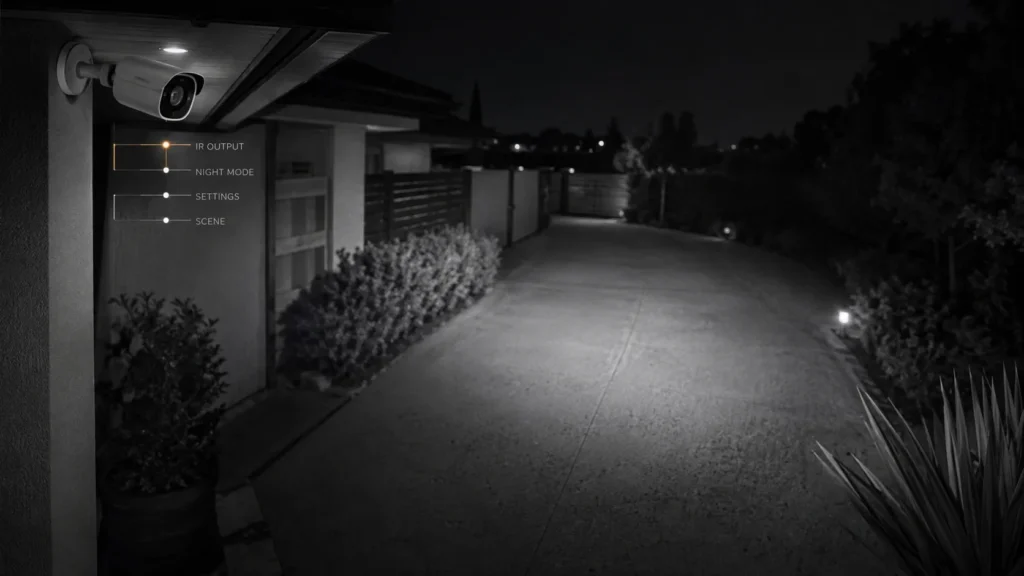
The camera hasn’t moved. Daytime footage still looks normal — same colours, same sharpness. But at night, the far end of the driveway that used to be visible now disappears into darkness much closer to the camera than it did a year ago.
This isn’t about a camera that was never much good in the dark. It’s about one that used to perform better at night than it does now — a different problem from a new system that never lived up to its box specs.
The obvious suspect is ageing infrared LEDs. That’s worth checking, but it’s not where to start.
Before blaming the IR LEDs, check whether:
- the daytime image still looks normal
- the camera still switches properly into night mode
- the IR range has actually reduced, or just seems worse
- any night-related settings have changed
- something near the camera is now reflecting IR light
- the scene itself has changed
Is the Daytime Image Still Good?
This is the first useful fork. If daytime footage is still sharp and clear, the problem is specific to night operation — pointing toward illumination, the day/night switching mechanism, image settings, reflections or the scene itself, rather than a broader camera fault.
If both day and night footage have degraded together, that’s a different, broader question — more likely an optical or image-quality issue than anything specific to infrared. If the daytime image also looks hazy or washed out, that overlaps with a separate diagnosis around condensation and enclosure condition rather than night vision specifically.
For this article, the day-good/night-worse pattern is the one worth working through.
Night Vision Is More Than the IR LEDs
It’s easy to think of night vision as one component — the red-glowing LEDs — turning on or off. In practice, for usable night vision, several things have to happen in sequence:
- the illuminator has to send enough IR light into the scene
- objects in the scene have to reflect that light back toward the camera
- the camera has to switch correctly into night mode
- enough reflected IR light has to reach the sensor
- exposure and image processing have to turn that signal into usable detail
Axis Communications’ own technical documentation describes the switching step directly: day-and-night cameras use a mechanically removable IR-cut filter that blocks infrared during the day and is taken out of the light path at night, letting the sensor pick up both visible and near-infrared light. Illumination itself can come from LEDs built into the camera or from a separate standalone illuminator.
A darker or shorter-looking night image doesn’t, by itself, tell you which part of that chain has changed.
Do IR LEDs Actually Get Weaker With Age?
In principle, yes. The US Department of Energy’s guidance on LED lighting confirms that LED output can decline gradually over long operating hours — a documented engineering phenomenon in LEDs generally, not something specific to security cameras. Axis’s own guidance for its IR illuminators also notes that overheating should be avoided to support long LED life, which is why thermal management matters in IR design.
What we do know:
- LED output can decline gradually over long operating hours
- thermal management affects how long an LED performs well
What we don’t have:
- a manufacturer-backed rule for how much an installed camera’s IR range should shrink per year
- a reliable age at which an installed camera’s infrared should be considered worn out
Figures for either circulate informally, but they conflict with each other and don’t come from the camera makers themselves. Ageing IR illumination is a plausible explanation for a camera that sees less than it used to. It just isn’t something you can diagnose from the camera’s age alone — it’s one possible answer among several, not the default one.
Check Whether the Camera Is Actually Using Full IR Power
This is worth ruling out before anything else, because it’s the simplest explanation and the easiest to miss. Axis’s own product documentation notes that turning on power-saving mode reduces the camera’s IR illumination range. A camera can appear to have lost reach overnight simply because a configuration setting changed — nothing in the hardware needs to have degraded at all.
Worth checking:
- whether power-saving mode is turned on
- the camera’s IR illumination level or intensity setting
- whether a schedule or profile is applying reduced illumination at certain times
- whether any settings changed around the time the problem was first noticed
Is the Camera Switching Properly Between Day and Night?
The IR-cut filter is a physical, mechanical component. In day mode it blocks infrared light so colours look natural; in night mode it is moved out of the optical path so infrared light can reach the sensor. A threshold setting controls the light level at which this switch happens.
If the camera stays dark for longer than it used to at dusk, switches at an odd light level, or the image behaves unusually right as night mode kicks in, that points toward the switching behaviour rather than the illuminator itself. This is worth checking as its own step rather than assuming the transition is working normally.
Settings Can Quietly Make Night Vision Worse
Beyond power-saving mode, several ordinary settings shape how usable a night image looks — independent of how much IR light is actually reaching the scene.
Three settings-related changes can easily look like weaker night vision:
- IR power or power-saving mode — less illumination physically reaches the scene
- shutter speed — a slower shutter brightens a static scene, but anything that moves becomes blurrier and harder to identify
- gain and night-mode threshold — Axis’s documentation lays out the trade-off directly: triggering night mode earlier, in brighter conditions, keeps the image sharper with less low-light noise, while triggering later preserves colour longer but adds more blur from low-light noise
Illumination range and usable detail aren’t the same thing. None of this requires deep configuration knowledge to check — it just means a settings review belongs in the diagnosis before any hardware conclusion.
Has the Scene Around the Camera Changed?
The camera can be completely unchanged while the environment it’s illuminating no longer is. Worth checking:
- new vegetation, fencing or structures nearby
- a nearby wall, eave or other surface reflecting IR light back into the lens
- cobwebs or dirt that have built up on the housing
- whether the camera’s angle or position has shifted
- any new object sitting close to the camera itself
If the picture looks hazy or washed out specifically at night, rather than simply darker or shorter-range, that’s a different diagnosis — worth checking separately rather than assuming the IR output itself is weaker.
Quick Reference: What Changed vs. What to Check First
When Does Camera Age Actually Become Relevant?
Age matters when there’s evidence that a specific part of the system, or its overall capability, is no longer meeting the job — not simply because the camera has crossed some number of years in service.
Age becomes more relevant once:
- settings and scene changes have been ruled out
- the required night coverage genuinely isn’t being achieved
- there’s evidence of an actual hardware limitation, not just a weaker-looking image
- the economics of service, supplementary IR and replacement can be compared against each other
That’s a different question from “how old is it.”
Can You Add External Infrared Instead of Replacing the Camera?
Built-in IR isn’t the only way to illuminate a scene at night. Axis’s documentation describes standalone IR illuminators as a separate option — generally more powerful and longer-reaching than the LEDs built into a camera, and positioned independently of it.
This matters because a camera that’s otherwise still working can sometimes be given more usable night range by adding illumination, rather than being replaced outright. Whether that’s the right fit depends on the camera, the field of view and the specific scene — it isn’t a universal fix for every ageing or underperforming setup.
Adjust, Supplement or Replace?
Once the pattern is clear, the decision generally lands in one of three places.
Adjust or correct it when the cause turns out to be settings — power-saving mode, exposure, threshold — day/night switching behaviour, IR reflection, or a change in the scene itself. None of these need a new camera.
Supplement it when the camera and its placement are still sound but the required range now exceeds what its built-in illumination provides. A standalone IR illuminator can extend coverage without retiring a camera that’s otherwise doing its job.
Service or replace it when there’s actual evidence of a hardware problem, or the camera genuinely no longer covers what the property needs, and neither adjustment nor supplementary illumination resolves it.
The useful question isn’t how old the camera is. It’s which part of the night-vision chain has actually stopped doing its job — and that becomes clearer after the simpler explanations have been checked.
Getting a Second Opinion
This article can help narrow down the pattern, but it can’t tell you the physical condition of a specific camera or illuminator. SIPKO Security can compare a camera’s current day and night behaviour, its IR coverage, placement and settings against what the property actually needs, to work out whether the sensible next step is a correction, additional illumination, or replacement.
Frequently Asked Questions
Do security camera IR LEDs get weaker with age?
LED output can decline gradually over long operating hours — that’s a real, documented phenomenon at the component level. But no camera manufacturer publishes a reliable timetable for how much an installed camera’s IR range should shrink after a given number of years, so age alone doesn’t diagnose the cause.
Why is my security camera night vision getting worse?
Several things can cause it: reduced IR illumination, a settings change like power-saving mode, day/night switching behaviour, IR reflection off something nearby, a changed scene, or genuine hardware ageing. The pattern of what’s changed narrows it down.
Why does my camera work fine in daylight but poorly at night?
Night vision depends on a separate chain — illumination, filtering, exposure and settings — that daytime imaging doesn’t rely on. A fault in any one link can affect night performance without touching the daytime image at all.
Can I add an external infrared illuminator instead of replacing the camera?
Sometimes. It depends on the camera, its field of view and the layout of the property. It can extend usable range for a camera that’s otherwise still performing well.
Should I replace an old security camera with weak night vision?
Not before working out what’s actually changed. Settings, switching behaviour, reflections and the scene itself are all worth checking first — replacement is one possible outcome, not the starting assumption.



